
01Who this is for
- Digital marketers can see which email links drive website visits and conversions.
- Small business owners can compare performance of different email promotions without manual URL edits.
02UTM parameters, explained
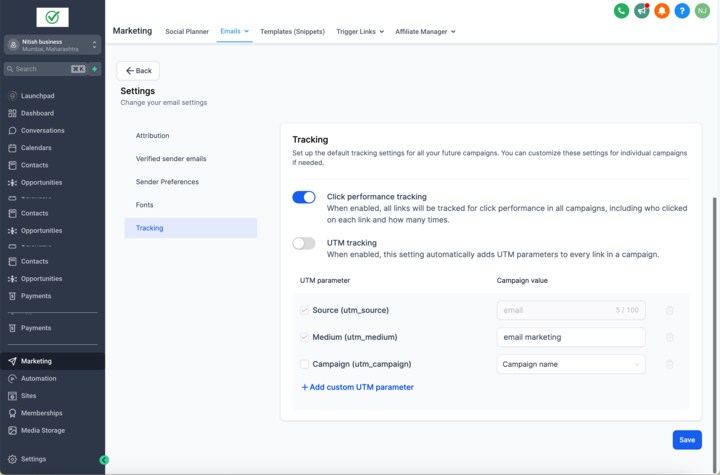
The feature attaches tracking codes to every URL in an email campaign. HighLevel adds three default parameters, utm_source set to email, a mandatory utm_medium that you can rename, and an optional utm_campaign chosen from a drop down. You may also define up to five extra parameters with custom text values.
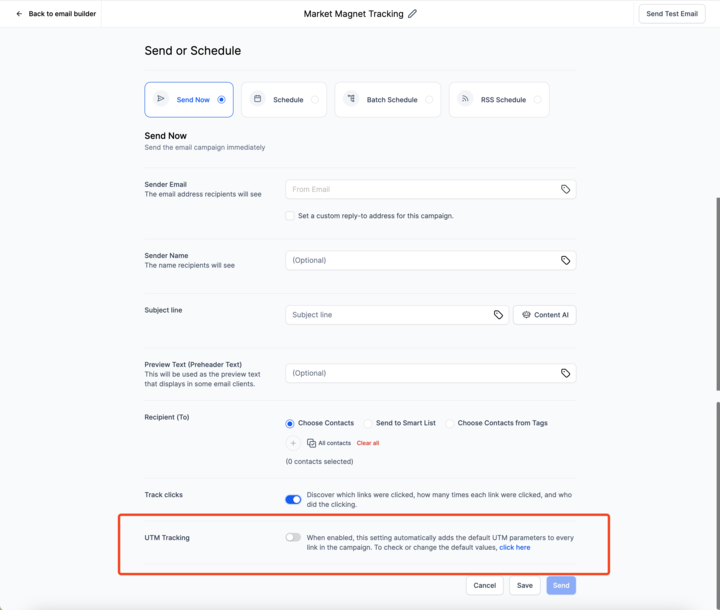
These parameters are applied when the email is sent, unless you disable tracking for a specific campaign on the Send or Schedule page. The settings are found in the Email Marketing section under Settings > Tracking. When enabled, the platform automatically appends the selected codes to each link in the email content.
UTM codes work only on standard links. They are not applied to trigger links, and the URL must begin with a proper protocol such as https://. Testing with dummy emails is recommended to verify correct appending.
03How businesses use UTM parameters
- Ecommerce store. The owner enables default UTM tracking, changes utm_medium to "newsletter", and adds a custom parameter for the promotion code. The platform then adds those codes to every product link in the email, allowing later analysis of traffic sources.
- Coaching business. A coach edits the utm_campaign value to include the webinar title and date, then disables tracking on a follow up email that uses trigger links. This ensures accurate reporting while avoiding unsupported links.
- Local service provider. The provider adds two custom parameters, "service_type" and "location", as text values. When the email is sent, each link includes these extra fields, giving the provider detailed insight into which service or area generated clicks.
04The numbers and rules that matter
- Supported default parameters: UTM_source = email (mandatory), UTM_medium = email marketing (mandatory, customizable), UTM_campaign = Campaign Name (Send Date) (optional).
- You can add up to 5 additional custom parameters by specifying text values.
05How to set up and use UTM parameters in HighLevel
Enable and configure UTM parameters
- Open the Email Marketing area in the platform.
- Select Settings under the Email Campaign section.
- Click the Tracking option to view the default UTM fields.
- Turn on the toggle to enable default UTM parameters for all emails.
- Adjust the utm_medium value or change the utm_campaign selection as needed.
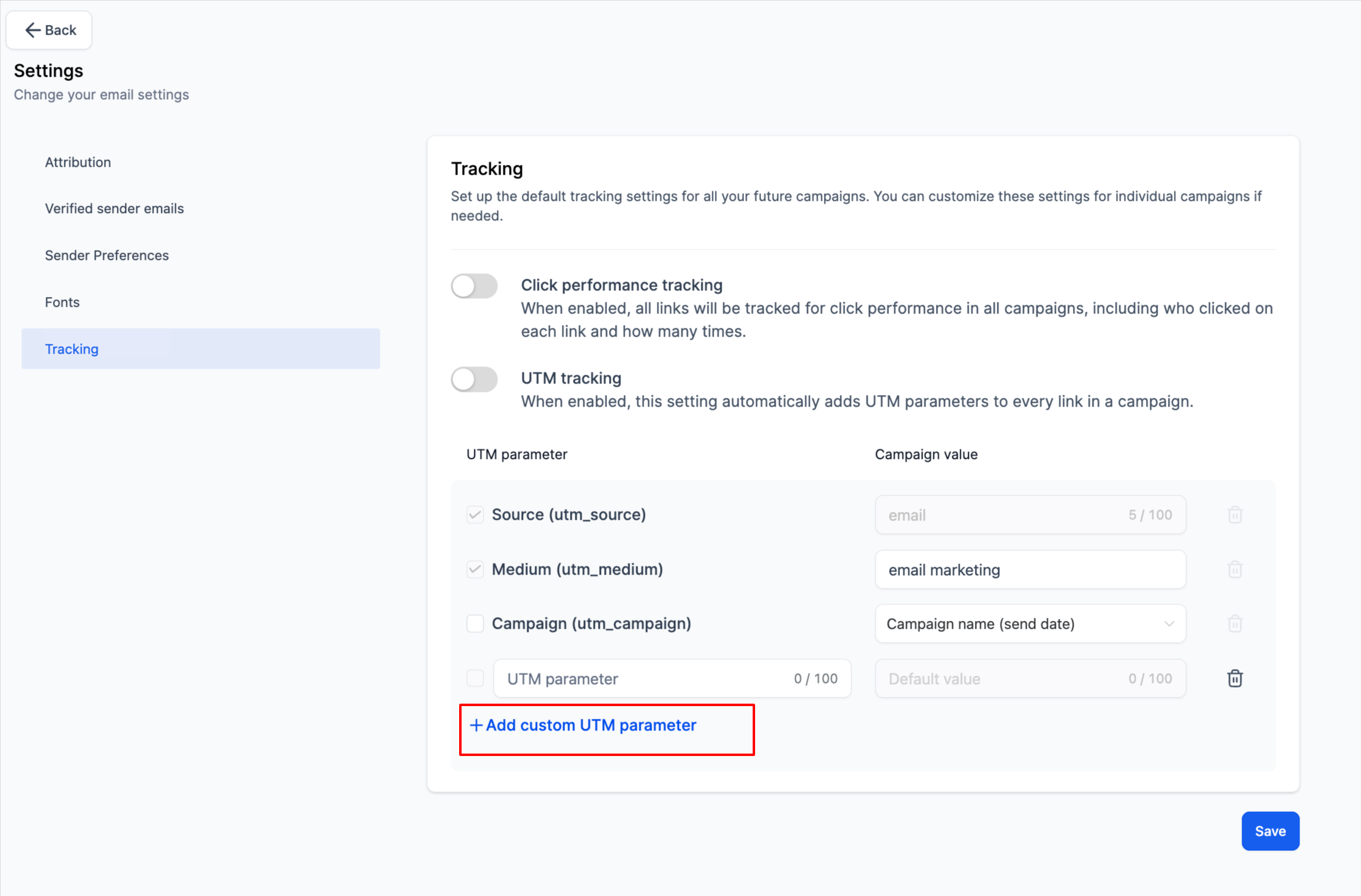
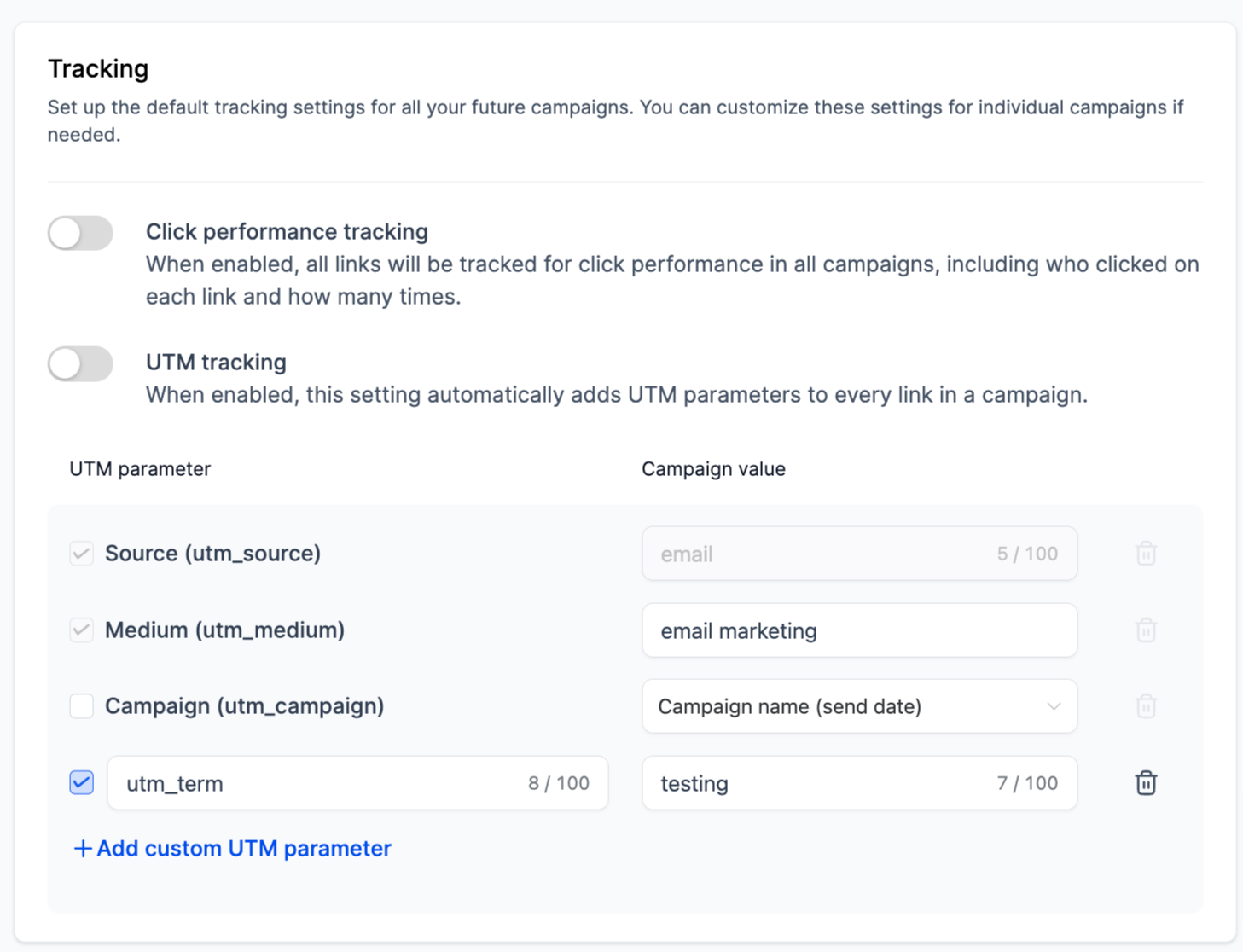
- Press Add Custom Parameter to create additional parameters and set their text values.
- Check the boxes beside each UTM field you want included in your links.
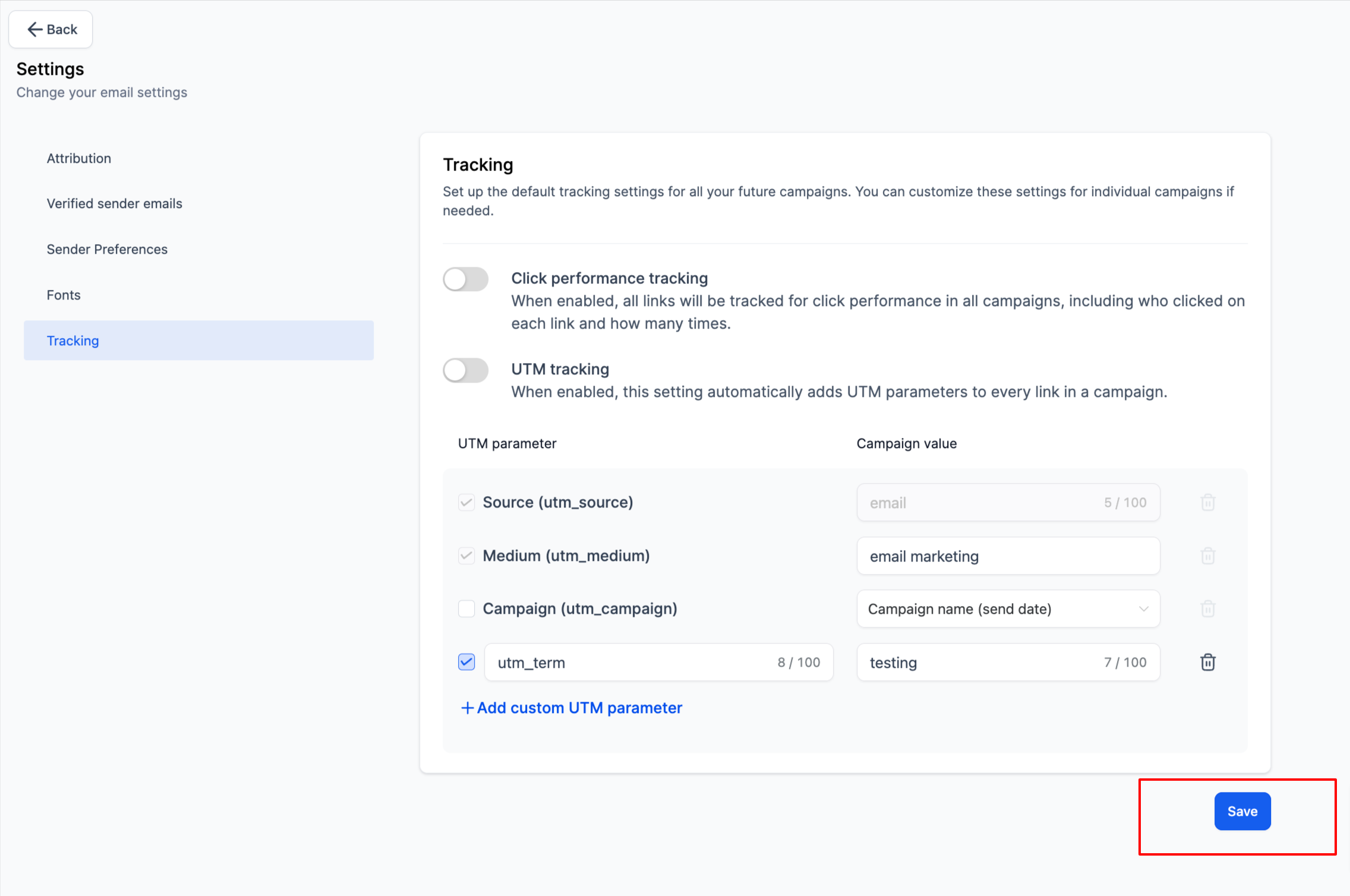
- Save the configuration to apply the changes.
06What it looks like in HighLevel
07Settings that matter
- Enable Default UTM Parameters. Controls whether the platform automatically adds UTM codes to every email link.
- utm_medium. Sets the medium value; default is "email marketing" but can be edited.
- utm_campaign. Provides a campaign identifier; optional and selectable from a drop down list.
- Add Custom Parameter. Allows up to five extra parameters to be defined with custom text values.
- UTM parameter selection check boxes. Determines which of the default and custom parameters are appended to links.
- Tracking option on Send or Schedule page. Enables you to turn off UTM tracking for a specific campaign when sending or scheduling.
08Things to know before you rely on it
- Only three default UTM parameters are provided; additional parameters are limited to five custom entries.
- utm_source is mandatory and always set to "email" for internal tracking.
- utm_medium must have a value; it defaults to "email marketing" but can be changed.
- utm_campaign is optional and selectable from a drop down list.
- Tracking does not work on trigger links in the current release.
- Links must include a proper protocol such as https:// for UTM codes to be applied.
- UTM parameters are case sensitive; consistent capitalization is recommended.
- Spaces should be avoided in parameter values; use underscores instead.
09How it connects to the rest of HighLevel
- Send or schedule a regular email campaign in HighLevel Send or schedule email
- How to access and understand email statistics in HighLevel Email stats
- HighLevel pricing and plans Pricing
Michael's take

Wondering if UTM tags are worth the extra setup for your email blasts? They give you a clear line of sight into which messages actually drive visitors to your site, so you can spend more time on the emails that work.
I’d start by turning on the default tracking, then give each campaign a descriptive name in the UTM_campaign field. Run a quick test email to confirm the tags appear in the URLs before you launch the full send.