
01Who this is for
- Email marketers who need data driven send times without manual analysis.
- Small business owners managing regular newsletters and want higher open rates.
- Marketing teams that run multiple location based campaigns and require a single recommendation per campaign.
02Smart Send, explained
Smart Send evaluates recent engagement to choose the most effective hour for sending a regular email campaign. It is presented as an additional delivery option alongside Send Now, Simple Schedule, Batch, and RSS Schedule.
The feature looks at the last 60 days of opens, clicks and other events for the location. It requires at least 1,000 emails delivered from that location in that period before a recommendation can be generated. The algorithm weighs hourly open rates, click activity and overall performance relative to the location’s baseline.
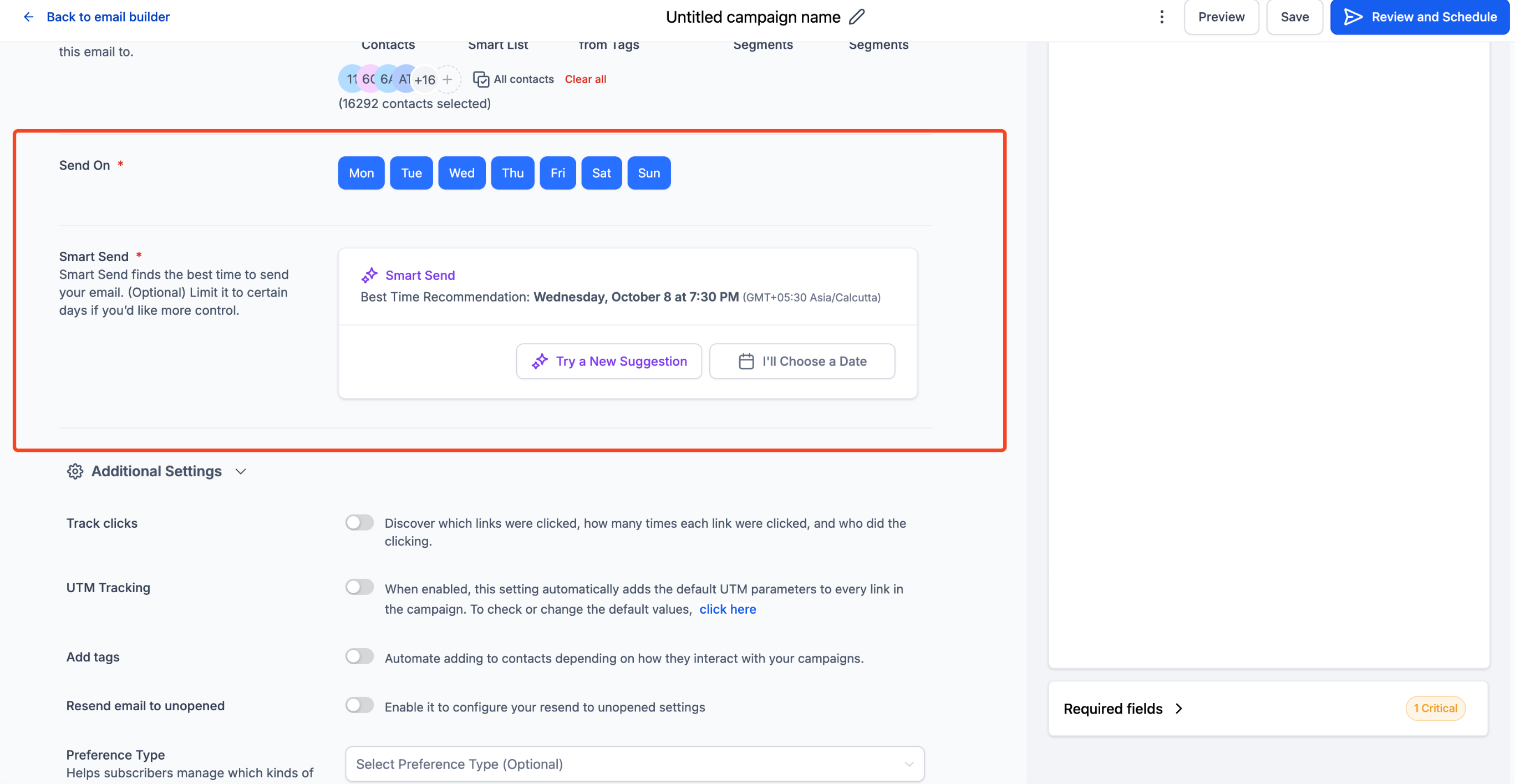
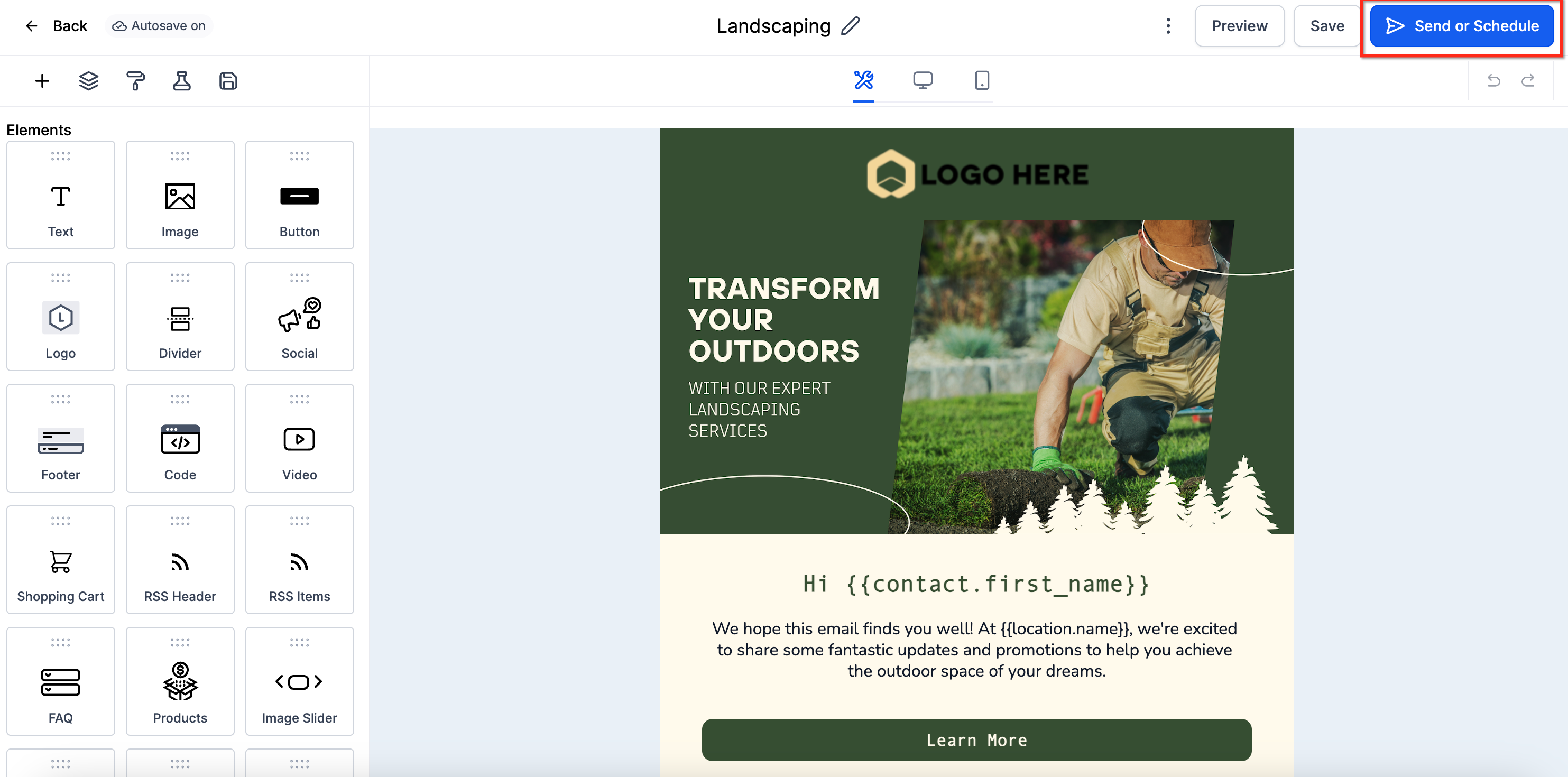
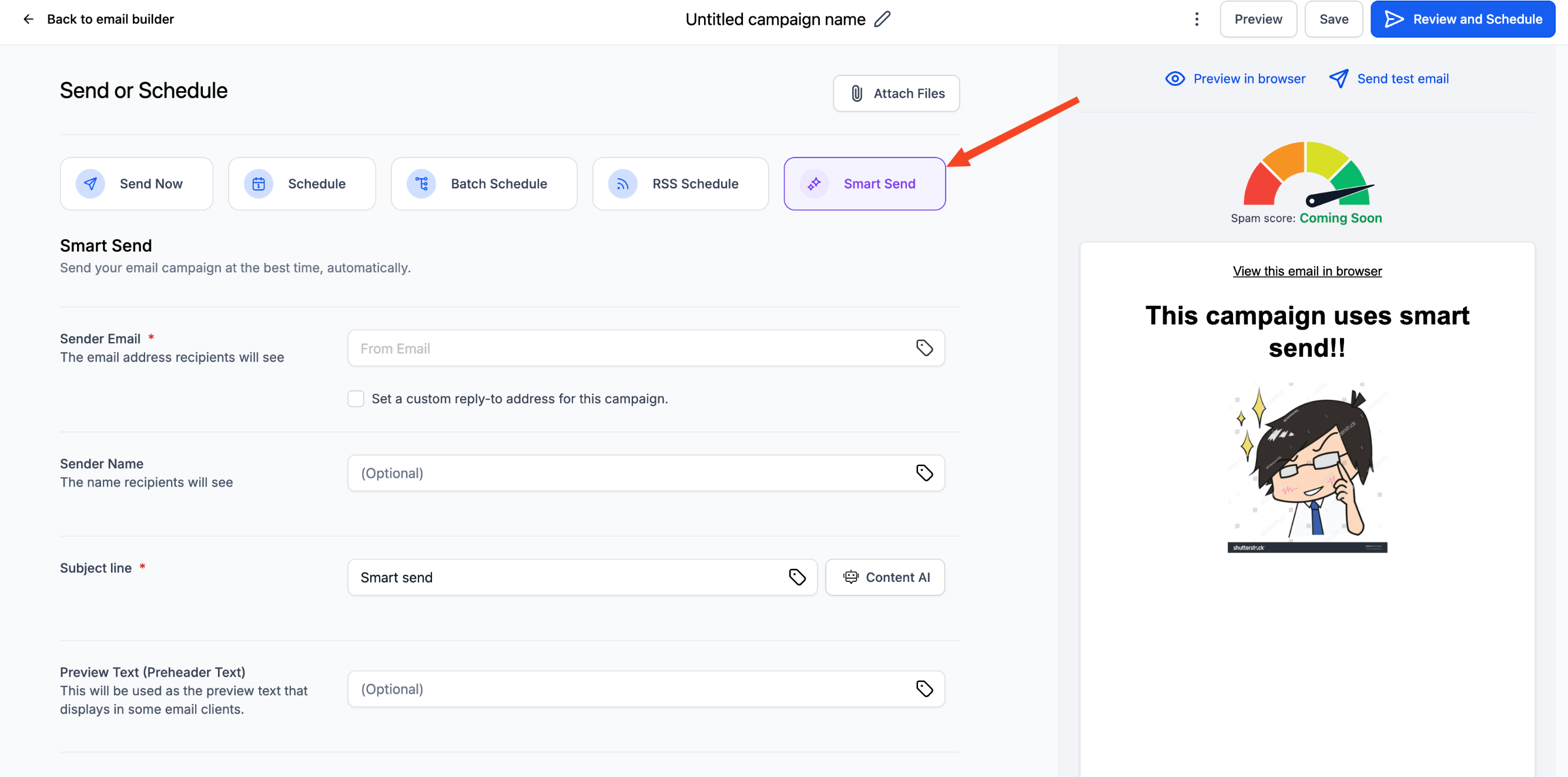
Smart Send lives on the Send & Schedule screen of the Email Builder. After designing a campaign, the user selects Smart Send, completes the required fields and clicks Get Recommendation to have the platform display the optimal send time.
03How businesses use Smart Send
- Real estate agency. The agency creates a new newsletter campaign, selects Smart Send, and receives a recommended send hour based on past client engagement. They can then schedule the email at the suggested time or adjust it before confirming.
- Fitness studio. The studio builds a class update email, chooses the Smart Send option and lets the system calculate the best delivery window. After seeing the recommendation they schedule the campaign to hit inboxes when members are most likely to open.
- Ecommerce store. The store designs a product announcement, picks Smart Send on the schedule screen, and obtains the optimal send time derived from recent promotional email performance. They accept the suggestion or set a different time if needed.
04The numbers and rules that matter
- Minimum 1,000 emails delivered from the same location in the last 60 days.
- Recommendation appears as the 5th delivery option.
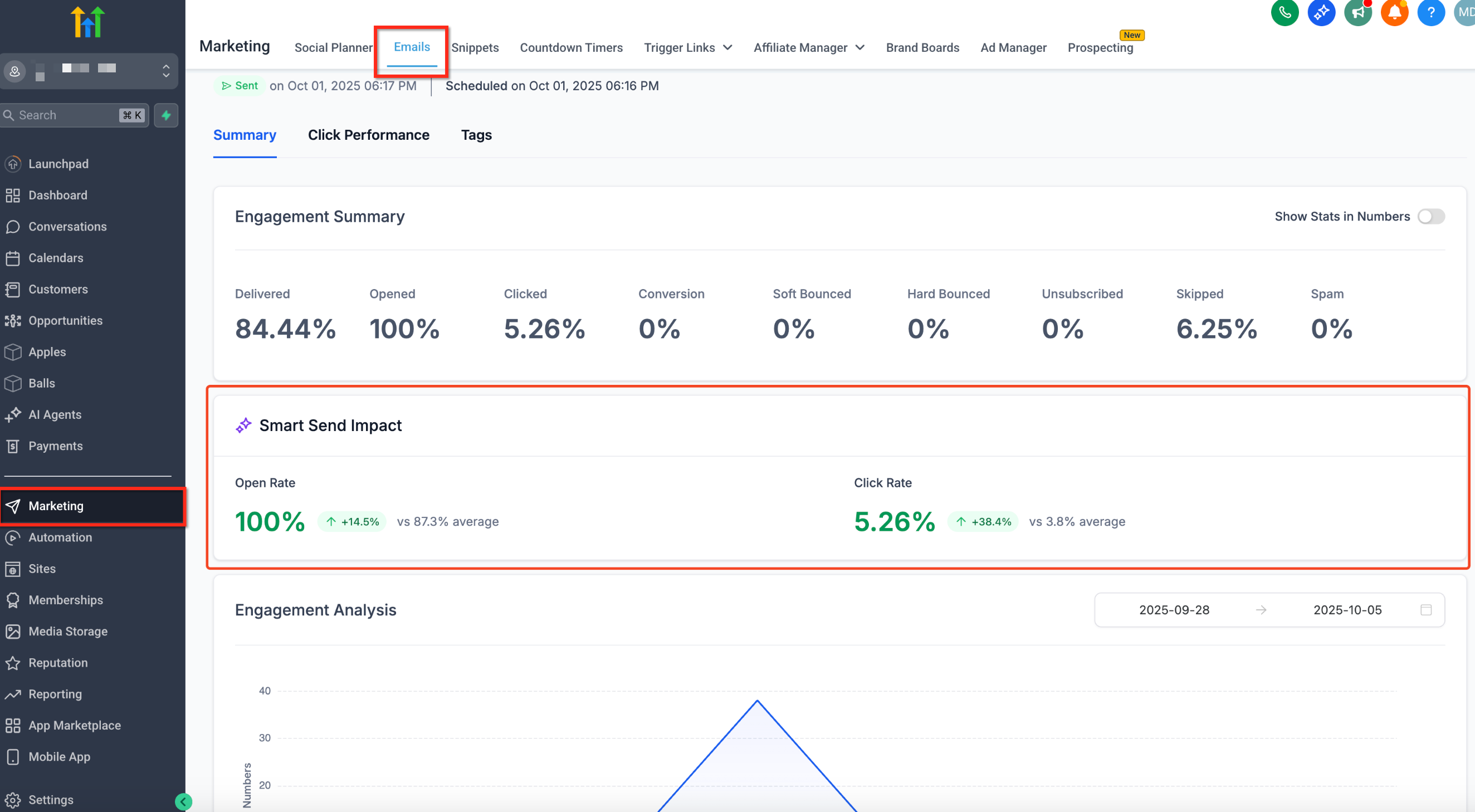
- Postsend dashboard shows Engagement Lift (%) versus the location’s 60 day baseline.
05Before you start
- At least 1,000 emails must have been delivered from the same location in the previous 60 days.
- The campaign must be created in Email Builder > Campaigns.
- Smart Send currently supports only regular email campaigns.
06How to set up and use Smart Send in HighLevel
Set up Smart Send for an email campaign
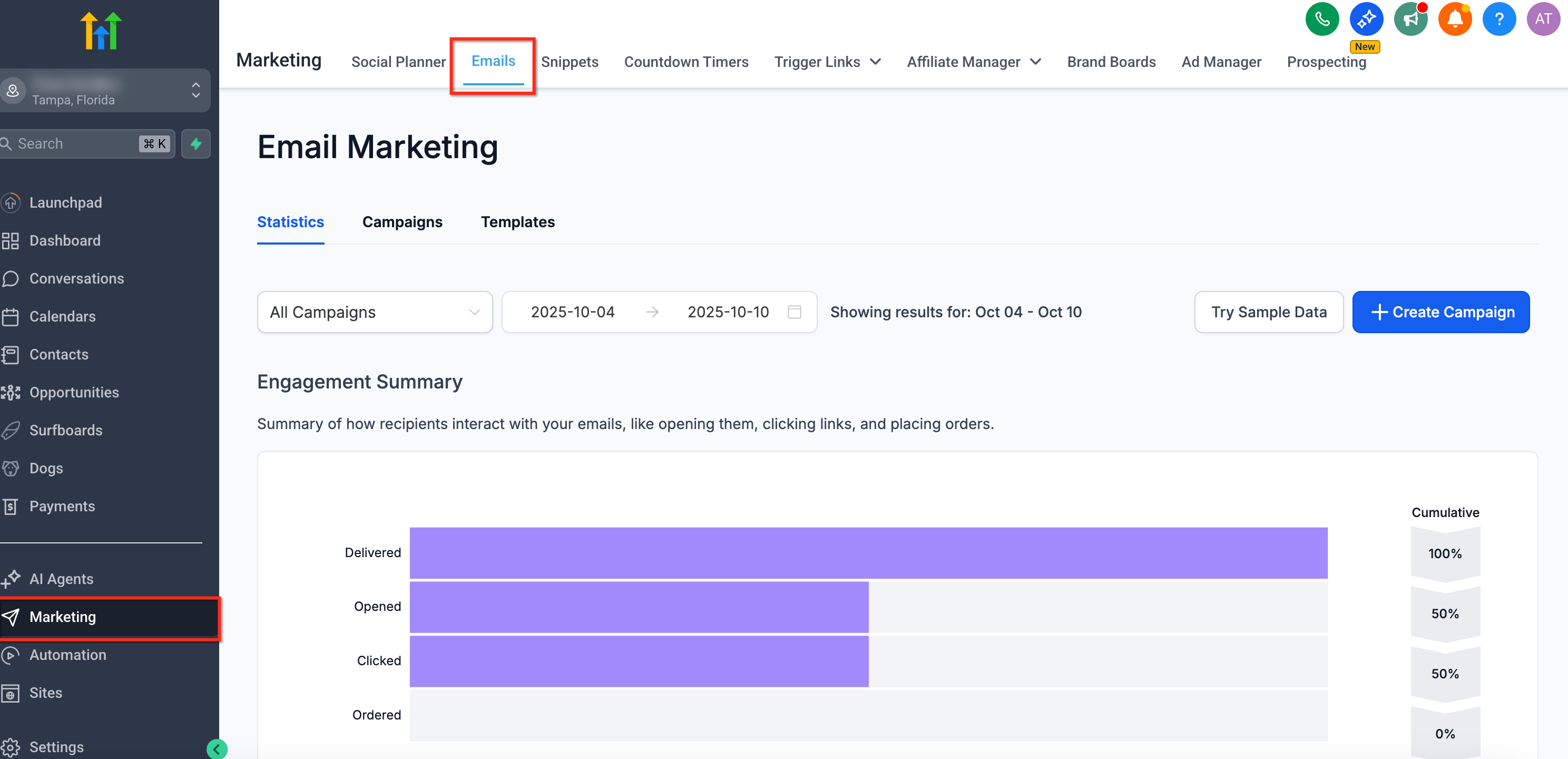
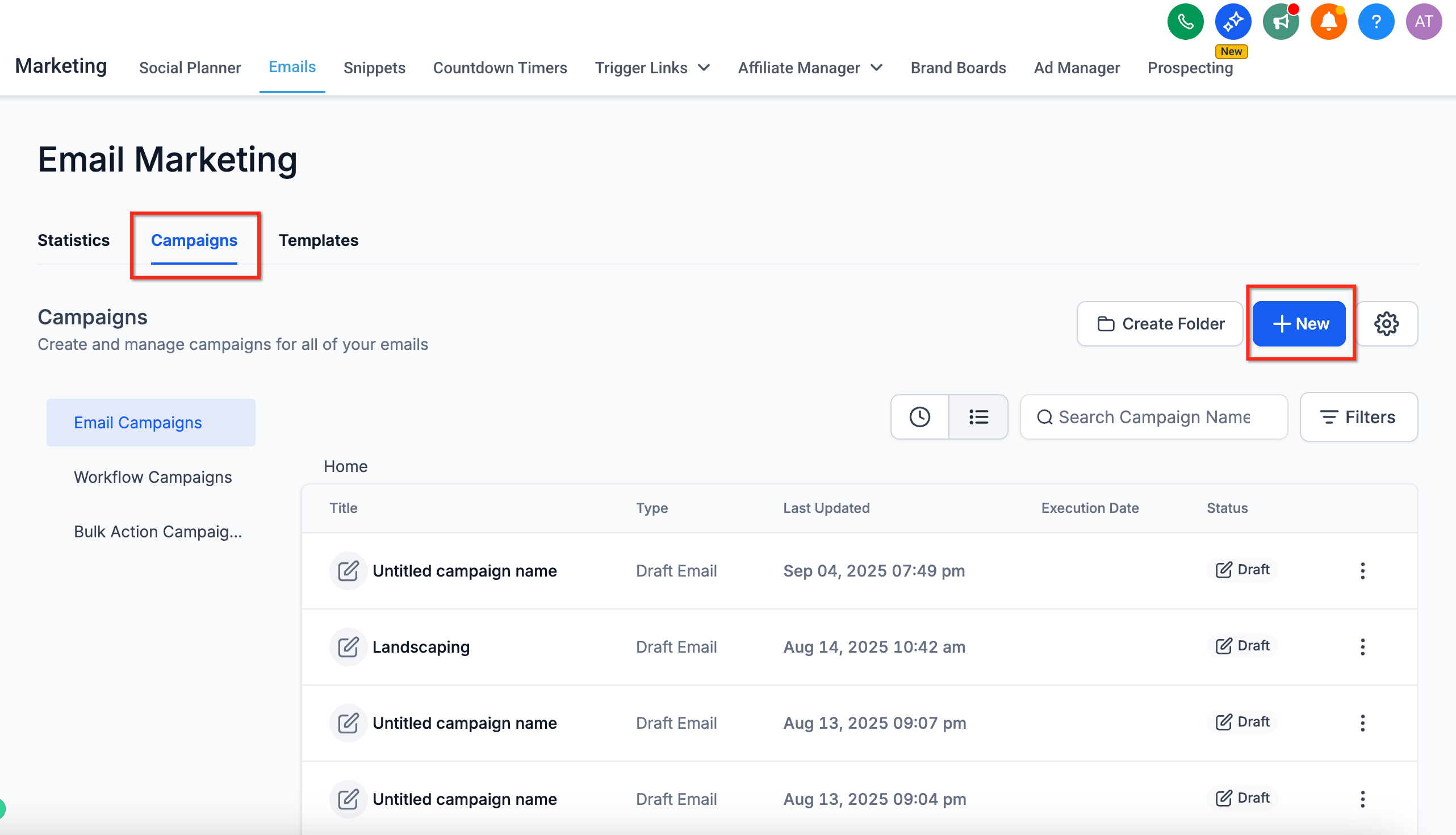
- Open the Marketing menu and select Emails.
- Click Campaigns and then choose Create New Campaign.
- Design the email content using the builder.
- Press Send or Schedule and select Smart Send as the delivery option.
- Fill any required fields and click Get Recommendation to view the suggested send time.
- Schedule the campaign using the recommended time or choose a different date and time before clicking Schedule.
07What it looks like in HighLevel
08Settings that matter
- Smart Send. Adds a fifth delivery choice that triggers the platform to analyze recent engagement and suggest the optimal send hour for the campaign.
- Reschedule. Allows the user to change the scheduled send time after a Smart Send recommendation has been set, before the campaign is dispatched.
09Things to know before you rely on it
- A minimum of 1,000 emails must have been sent from the location in the past 60 days for Smart Send to become active.
- The feature works only with regular email campaigns; A/B testing support is planned but not yet available.
- Smart Send does not currently send based on individual contact time zones; it optimizes at the location level.
- API access for Smart Send is not provided in this release.
10If something goes wrong
- Smart Send option is greyed out. Use Simple Schedule until the location reaches the 1,000 email threshold; the Smart Send option will enable automatically.
11How it connects to the rest of HighLevel
- Send or schedule a regular email campaign in HighLevel Send or schedule email
- Access email statistics to view engagement lift after a Smart Send campaign Email statistics
- Set up and use the HighLevel template library for email design Template library
Michael's take

Smart Send can add measurable lift to email performance without any extra setup.
Don’t rely on Smart Send if your location hasn’t built enough email history yet.