
01Who this is for
- Small Business Owners, they can produce polished marketing assets without a designer.
- Marketing Agencies, they can reuse pre made templates to speed up client work.
- Freelancers, they gain a design resource that requires minimal skill to customize.
- Corporate Marketing Teams, they can streamline design processes and keep brand consistency.
02Template Library, explained
The Template Library lives inside the HighLevel platform and provides ready made designs for funnels, websites, social media, email campaigns, ads and contracts. Templates include high quality stock images and placeholder copy that can be swapped for brand specific content. The library is visible to all users at no extra cost, and agencies can hide categories or add their own templates on qualifying plans.
03How businesses use template library
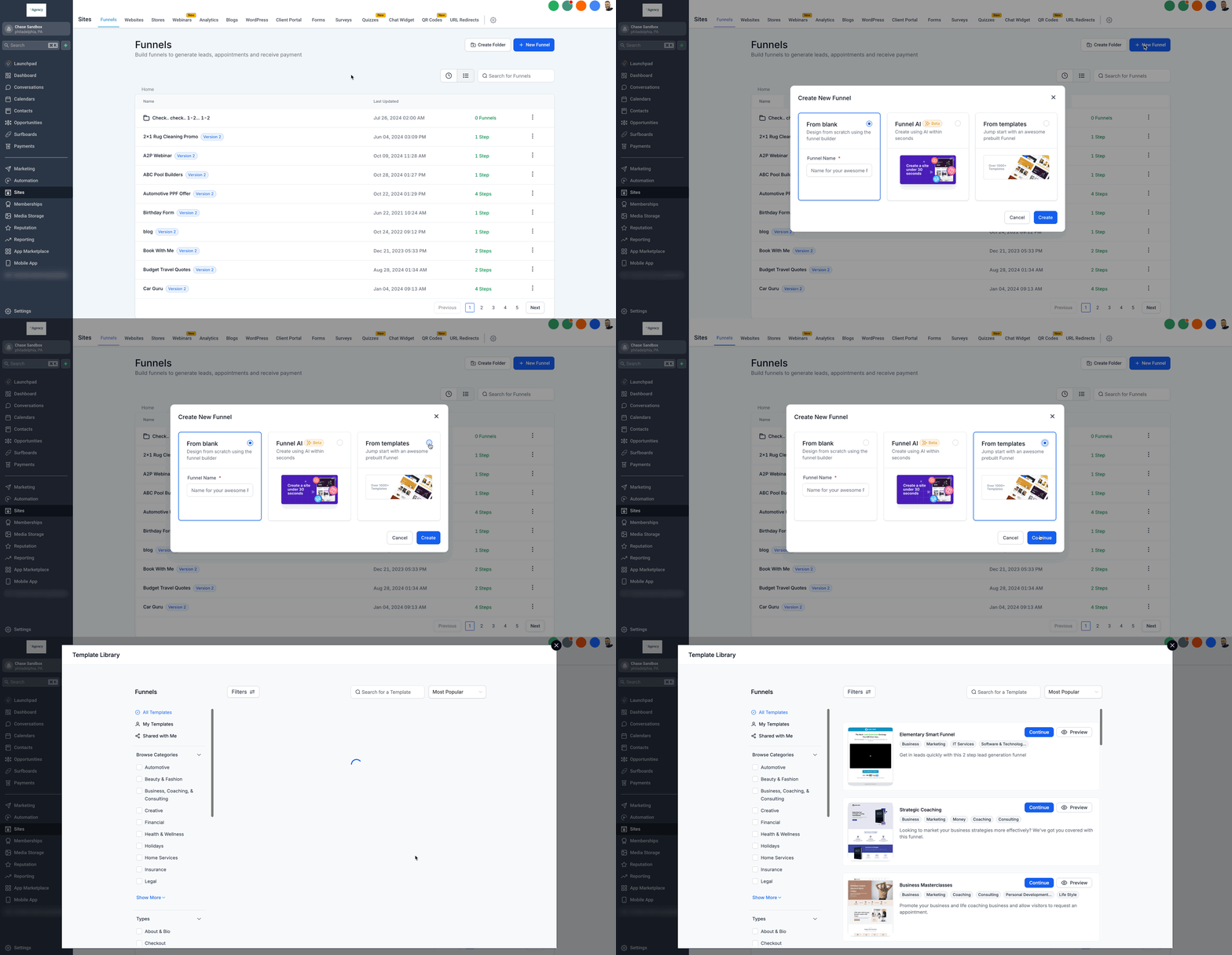
- Dental practice. The practice opens its subaccount, goes to Sites > Funnels, clicks New Funnel and selects a template from the library. After choosing a design, the team replaces the placeholder text with their service details and publishes the funnel.
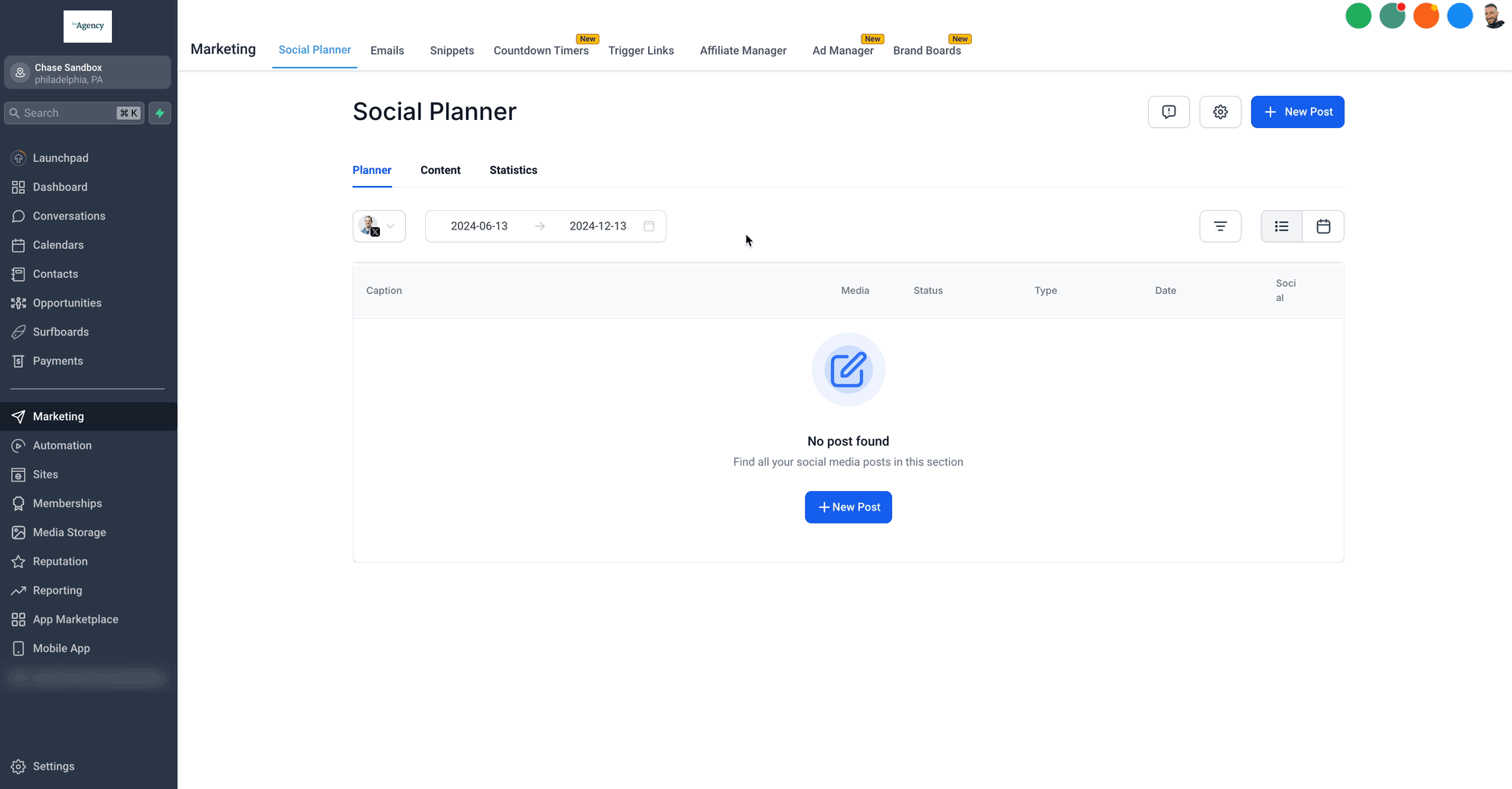
- Real estate agency. Agents navigate to Marketing > Social Planner, start a new post, and pick a social template that matches a story format. They edit the captions and schedule the post to run on the desired date.
- Consulting firm. The firm opens the Documents tab, creates a new contract via the Template Library, uploads its own legal language, and customizes fields before sharing the finalized document with clients.
04The numbers and rules that matter
- Agencies can add their own templates on the $497 plan and above (per HighLevel's help center, checked November 2026).
- Over 80 prebuilt ad templates in Ads Manager.
05How to set up and use template library in HighLevel
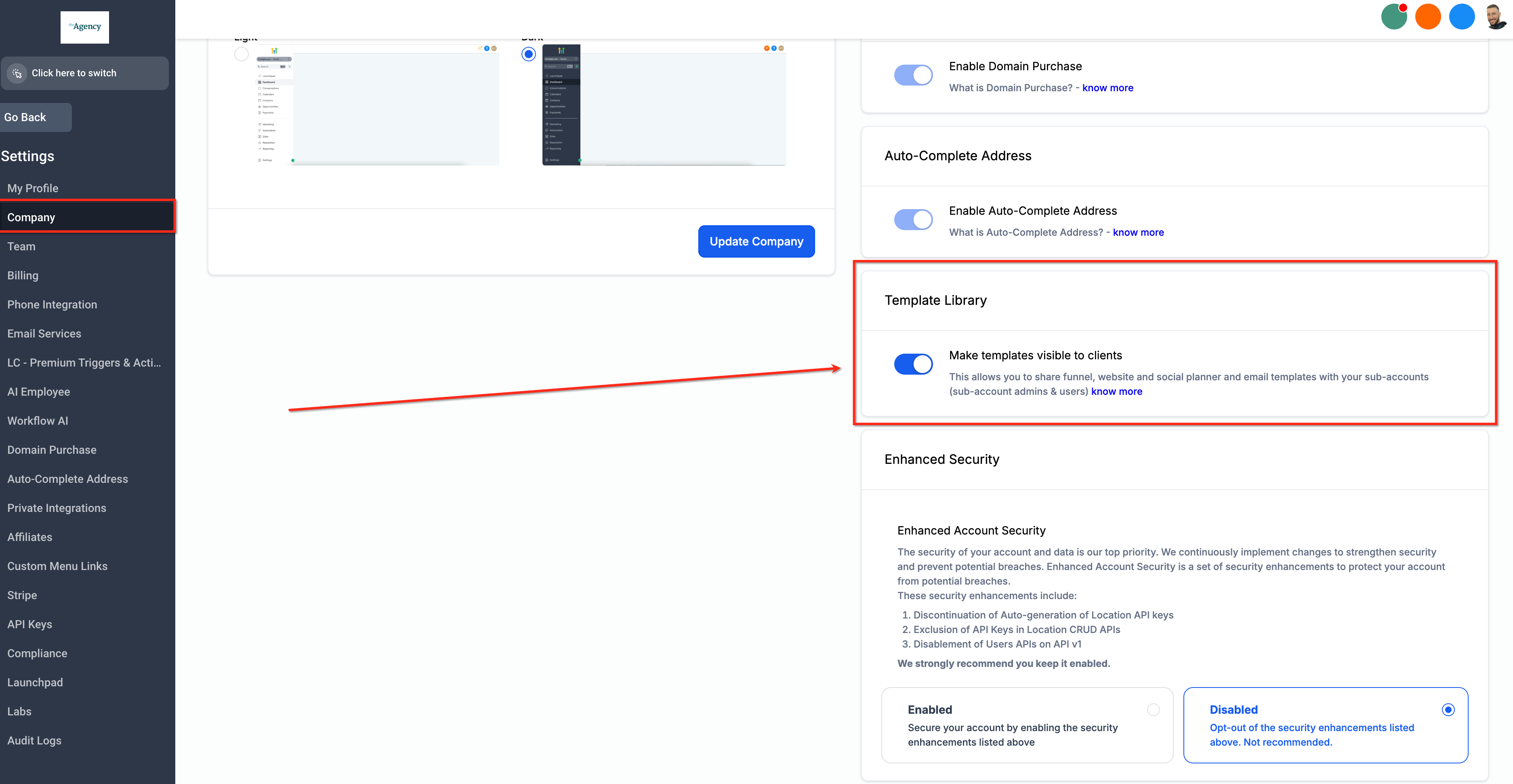
Enable or disable the Template Library
- Open Agency Settings and select the Company section.
- Scroll to the right until the Template Library option appears.
- Toggle the setting labeled Make Templates visible to clients on or off.
Use templates for funnels and websites
- Enter the desired subaccount.
- Navigate to Sites and choose Funnels or Websites.
- Click New Funnel or New Website.
- Select Go to Template Library.
- Find a suitable template and confirm the choice.
Use templates in Social Planner
- Open the subaccount and go to Marketing > Social Planner.
- Press the + New Post button.
- Choose Choose Social Planner Templates.
- Browse the options, pick a template and open it.
- Edit the content, then schedule the post.
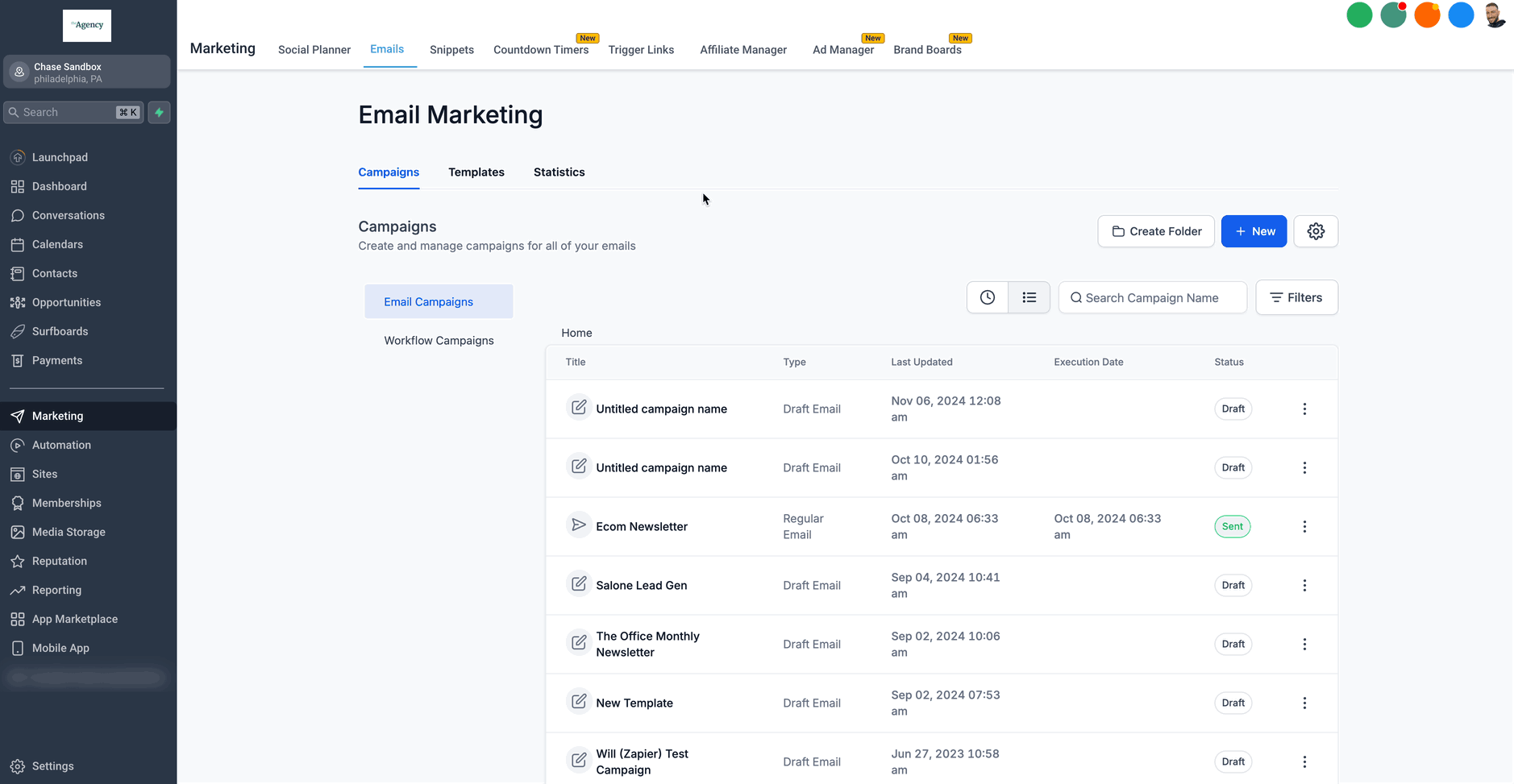
Use templates in Email Builder
- Open the subaccount and go to Marketing > Emails > Templates.
- Click the + New button.
- Select Template Library as the source.
- Search the library and pick an email design.
- Customize the layout and save the email.
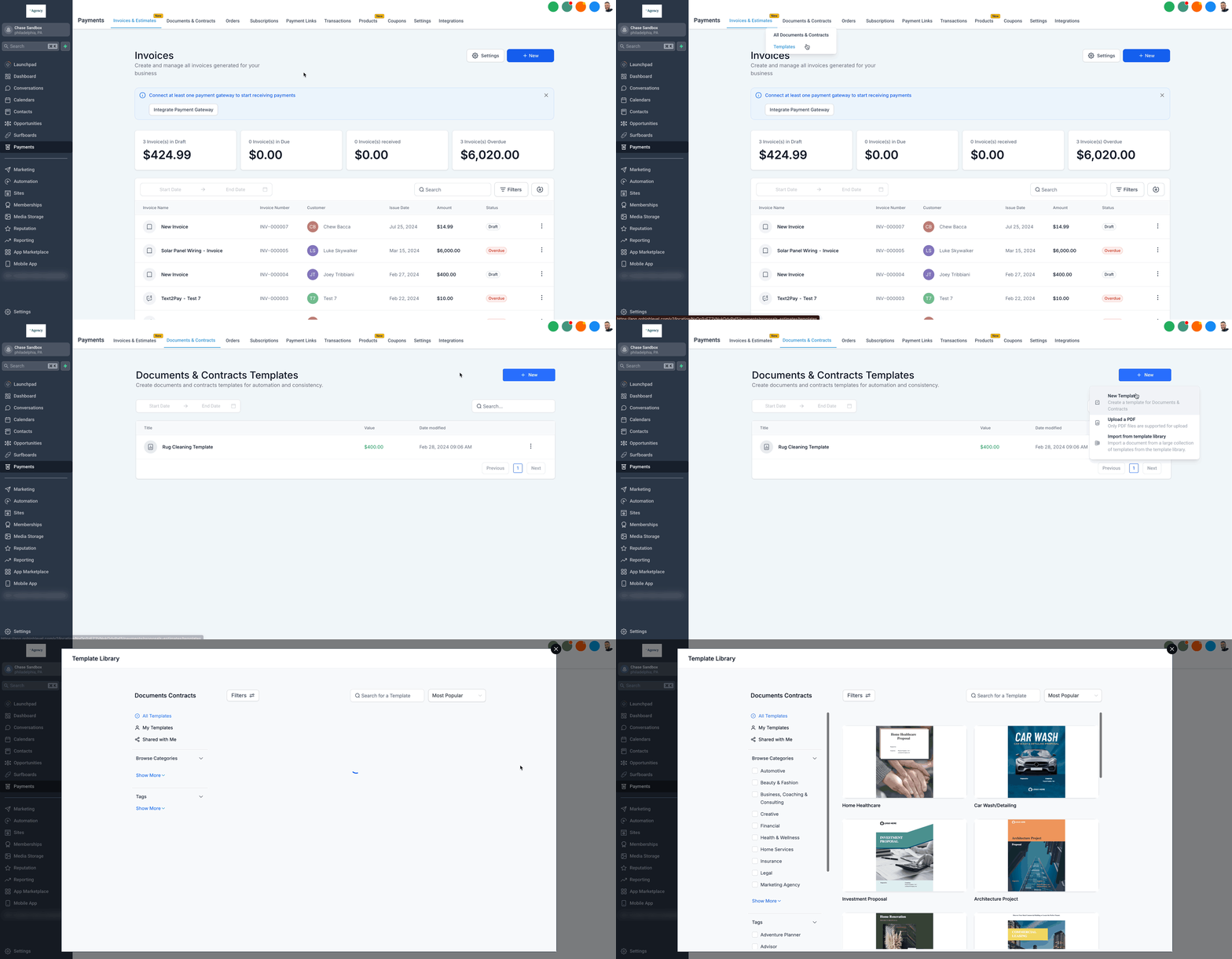
Use templates for documents and contracts
- Navigate to the Documents tab.
- Click Create New and open the Template Library.
- Upload a contract file or edit an existing template.
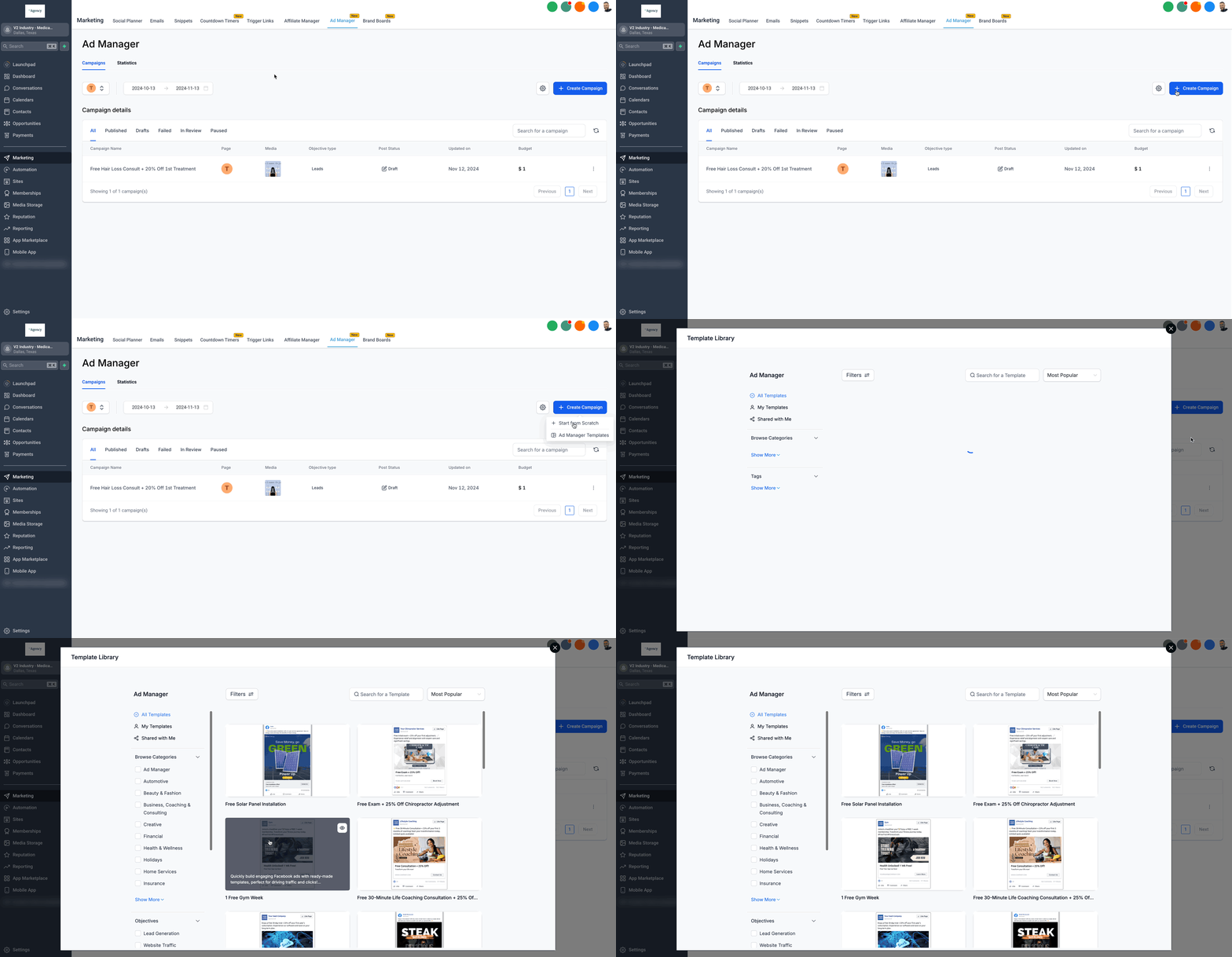
Use templates in Ads Manager
- Open Marketing > Ads Manager.
- Click Create Ad and launch the Template Library.
- Preview the ad template, adjust settings, and save.
Use templates for forms
- Navigate to Sites > Forms > Builder.
- Select Add Form > From Template.
- Choose a form template and customize it as needed.
Use templates for surveys
- Navigate to Sites > Surveys > Builder.
- Select Add Survey > From Template.
- Pick a survey template and edit the questions.
Reporting Template Library (coming soon)
- When launched, go to Reporting > Custom Reports.
- Select New Report > From Template Library.
06What it looks like in HighLevel
07Settings that matter
- Make Templates visible to clients. Controls whether templates in the library are shown to subaccount users.
08Things to know before you rely on it
- The Ads Manager section offers over 80 pre built ad templates.
- Using the Template Library does not require extra fees.
- Agencies can upload their own templates only on the $497 plan and above (per HighLevel's help center, checked November 2026).
- The Reporting Template Library is not yet released; it will appear under Reporting > Custom Reports when launched.
- Templates can be hidden from subaccounts by placing them in a Category set to Hidden.
09How it connects to the rest of HighLevel
- Learn how agencies can add their own templates to the library. Add custom templates
- Find out how to hide default or HighLevel templates from subaccounts. Hide templates
- Use the Template Library when building automated workflows. Workflows and templates
Michael's take

Michael ReimerFounder of CRM Pros, HighLevel Commander and Certified Admin
I find the ready made designs in the Template Library helpful for quickly creating marketing assets.
The first setting I would lock down is the ‘Make Templates visible to clients’ toggle in Agency Settings, because that determines whether your team can actually pull the templates into their projects.
Get More InformationOpens on HighLevelPublished November 2, 2026 · Updated November 16, 2026