
01Default templates, explained
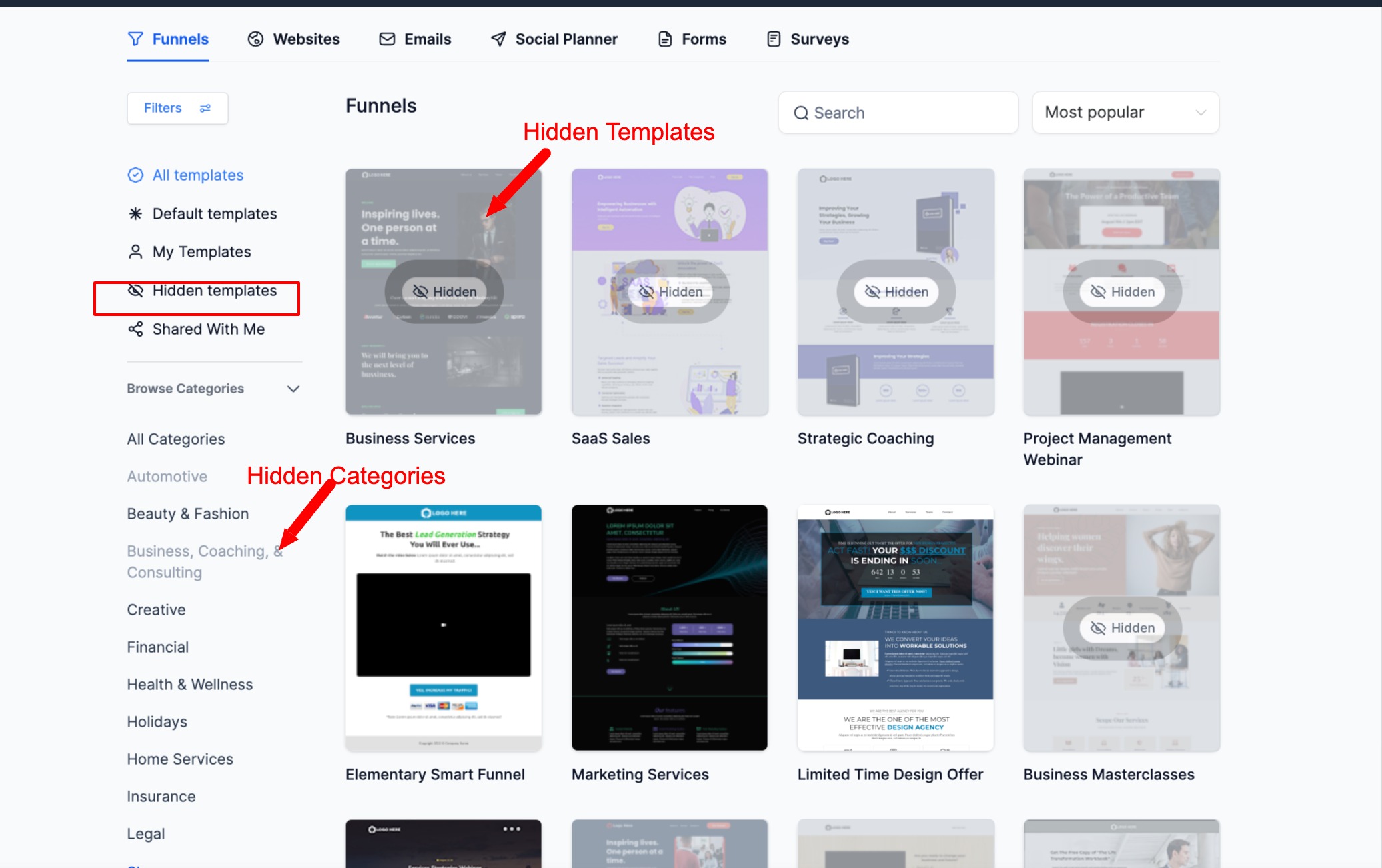
The new admin feature lets agency admins hide the templates that come preinstalled by the HighLevel team.
When a template is hidden, it appears highlighted for the admin and can be filtered using the Hidden Templates view.
02How businesses use default templates
- Clean up the library. An agency can hide template categories it never uses, keeping the library clean and focused for clients.
- Save time on onboarding. By hiding multiple default templates at once, admins reduce manual effort and speed up the setup of new subaccounts.
03How to set up and use default templates in HighLevel
Hide a template category
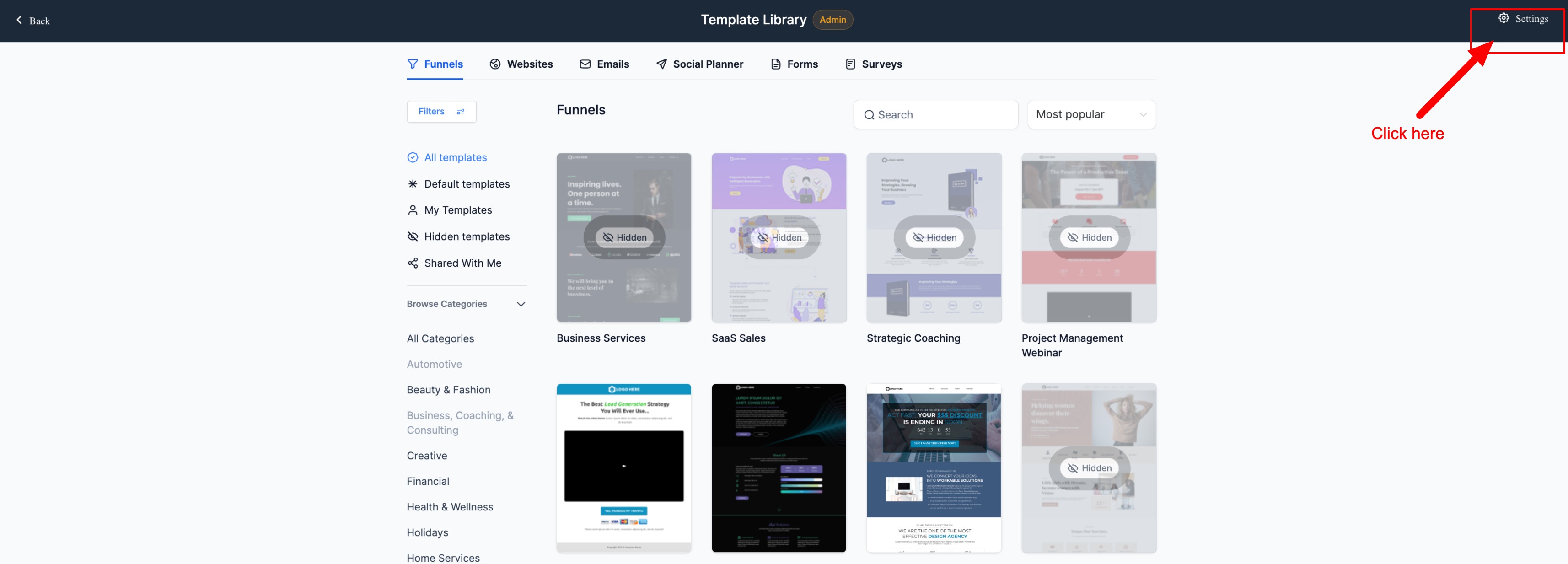
- Navigate to the Template Library.
- Click on Settings.
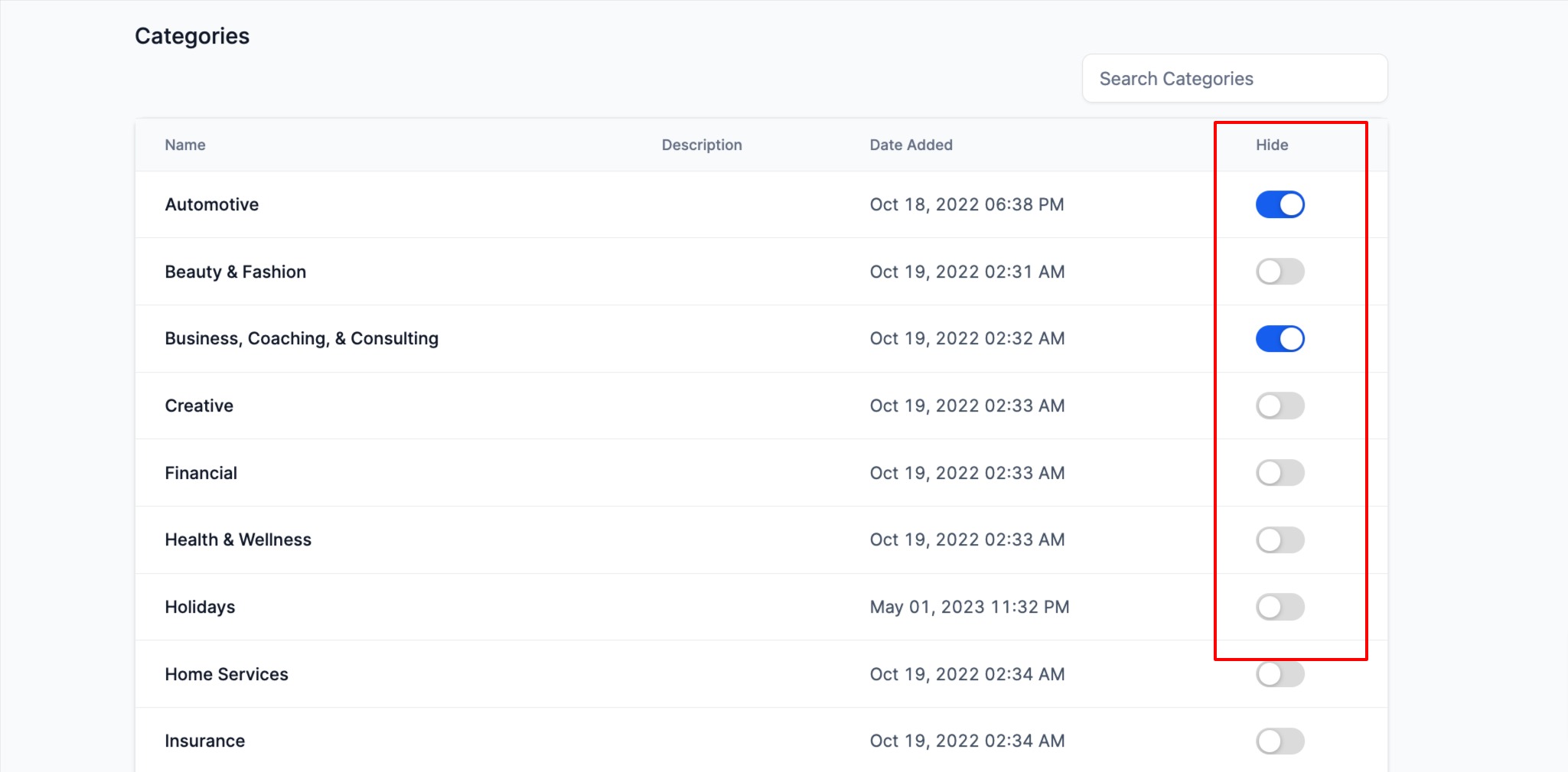
- Choose the category to hide and enable the toggle to hide it.
- To unhide, turn the toggle off again.
04What it looks like in HighLevel
05Settings that matter
- Hide toggle. Turning the toggle on hides the selected default template category from subaccount users; turning it off makes the category visible again.
Michael's take

Michael ReimerFounder of CRM Pros, HighLevel Commander and Certified Admin
Hiding default templates feels like a small convenience that can turn into a real shift for agencies juggling dozens of premade assets. It pulls the noise out of the library so you and your clients only work with the pieces that matter.
A coaching business that delivers each client a custom video series will love this. You can hide the generic HighLevel video templates and keep the library lean, so each new client lands on a clean set of brand aligned options.
Get More InformationOpens on HighLevelPublished November 2, 2026 · Updated November 3, 2026