
01Clone templates, explained
Cloning a template creates a copy of an existing email template in the template library. The copy appears as a new template that you can rename after cloning.
Only users with Agency Admin rights can perform the clone action.
02How businesses use clone templates
- Reuse branding for new channels. An agency can start a fresh email campaign by cloning a template created by the team, then customize it for the new client.
- Maintain consistency across campaigns. Team members copy a master template to ensure every email follows the same style, then adjust details as needed.
03How to set up and use clone templates in HighLevel
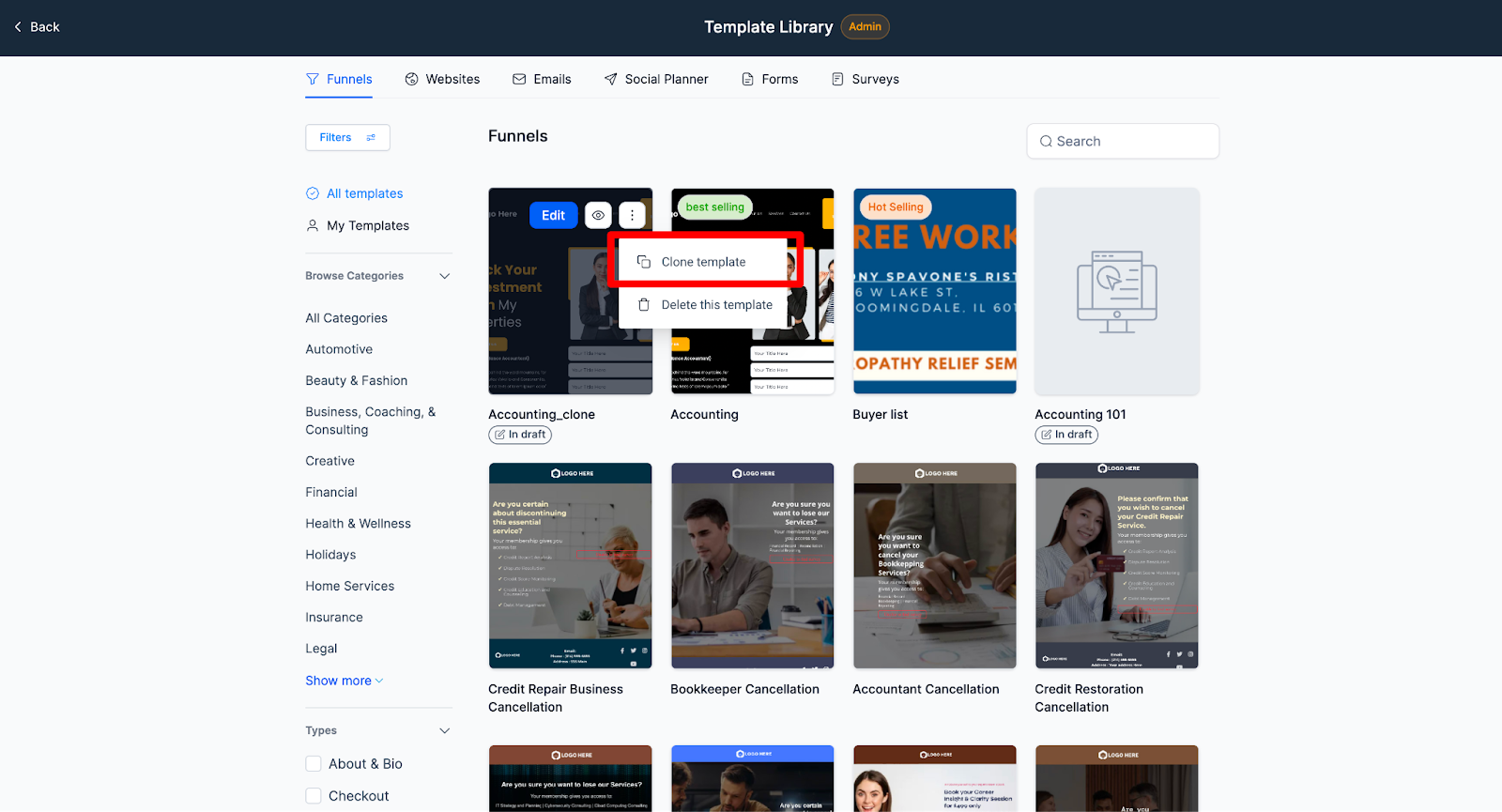
Clone template via hover menu
- Navigate to the template library and hover over the template you wish to clone.
- Click on the three dots at the top right corner.
- Click on “Clone Template” and then “Confirm”.
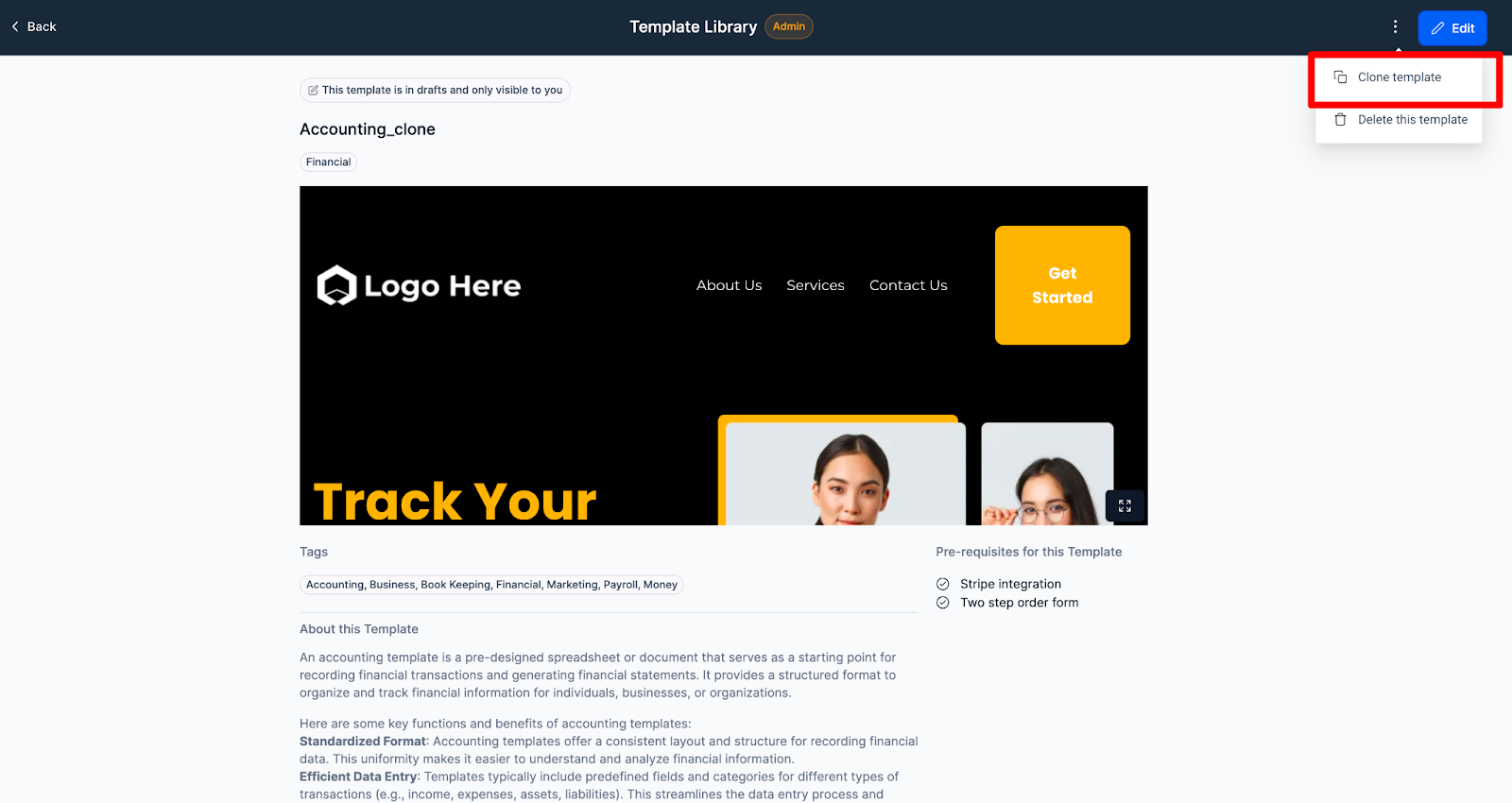
Clone template after opening
- Navigate to the template library and hover over the template you wish to clone.
- Open the template.
- Click on the three dots at the top right corner.
- Click on “Clone Template” and then “Confirm”.
04What it looks like in HighLevel
Michael's take

Michael ReimerFounder of CRM Pros, HighLevel Commander and Certified Admin
When a team needs to roll out a new channel quickly, rebuilding emails from scratch slows everything down. Cloning a template gives you a ready made foundation, so you can focus on the unique parts of the message.
The first setting I would get right is the template title after cloning. A clear name prevents confusion later when you have dozens of copies in the library.
Get More InformationOpens on HighLevelPublished November 2, 2026 · Updated November 3, 2026