
01Who this is for
- Marketing agencies can quickly produce branded review emails for multiple clients, keeping each campaign consistent.
- Small business owners can use the blank canvas to match their unique brand style while requesting customer feedback.
- Reputation managers can rely on the pre built templates to launch review campaigns faster and maintain a uniform look.
02Template library integration, explained
The feature adds a dual mode option to the Email Requests section of Reputation Management. Users may either build a review request email from an empty canvas for total design freedom, or pull a ready made layout from the Template Library and then adjust branding elements.
When Email Requests are turned on, the system can automatically send the first email after a chosen delay, resend it on a set schedule, and limit the number of retries. Templates created or imported are saved in the Email Requests dashboard, where they can be edited, cloned, previewed, restored, or deleted.
03How businesses use template library integration in email review requests
- Dental practice. A dental office imports a template, replaces placeholder text with the practice name and a Google review link, updates branding colors, and saves the email to use after each patient appointment.
- Real estate agency. A real estate team selects Create New Template, adds their logo, custom colors, and a button linking to a review site, then saves the design to send after every property closing.
- Online course provider. An e learning business picks a library template, swaps in course specific wording and brand colors, and schedules the email to fire a day after a student enrolls.
04The numbers and rules that matter
- 1 hour after check in is an example timing for the first email.
- Categories in the library include Business Coaching, Financial, Creative.
05How to set up and use template library integration in email review requests in HighLevel
Set up Template Library integration in email review requests
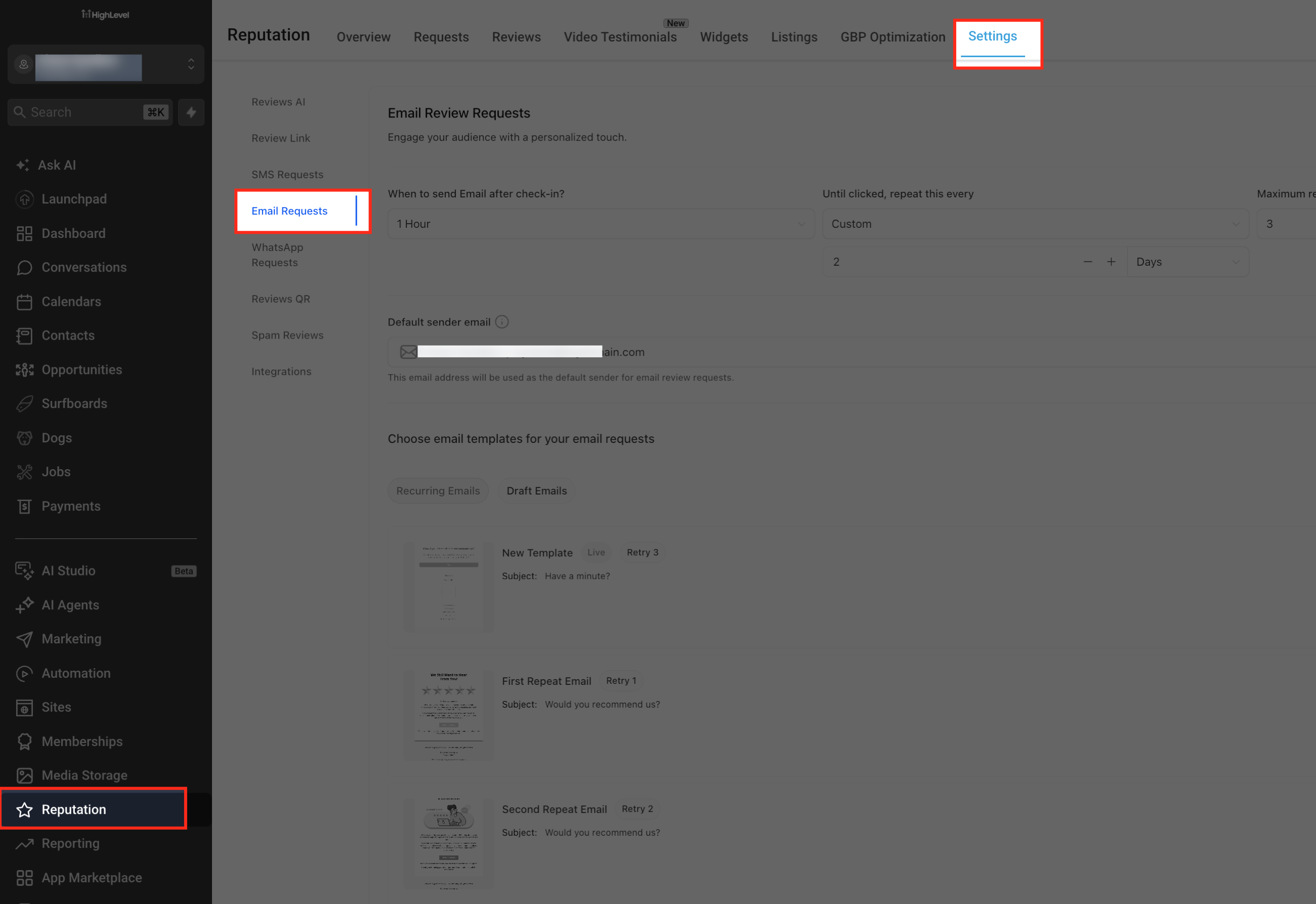
- Open the Reputation section from the main navigation menu.
- Choose Settings from the Reputation dropdown and click Email Requests.
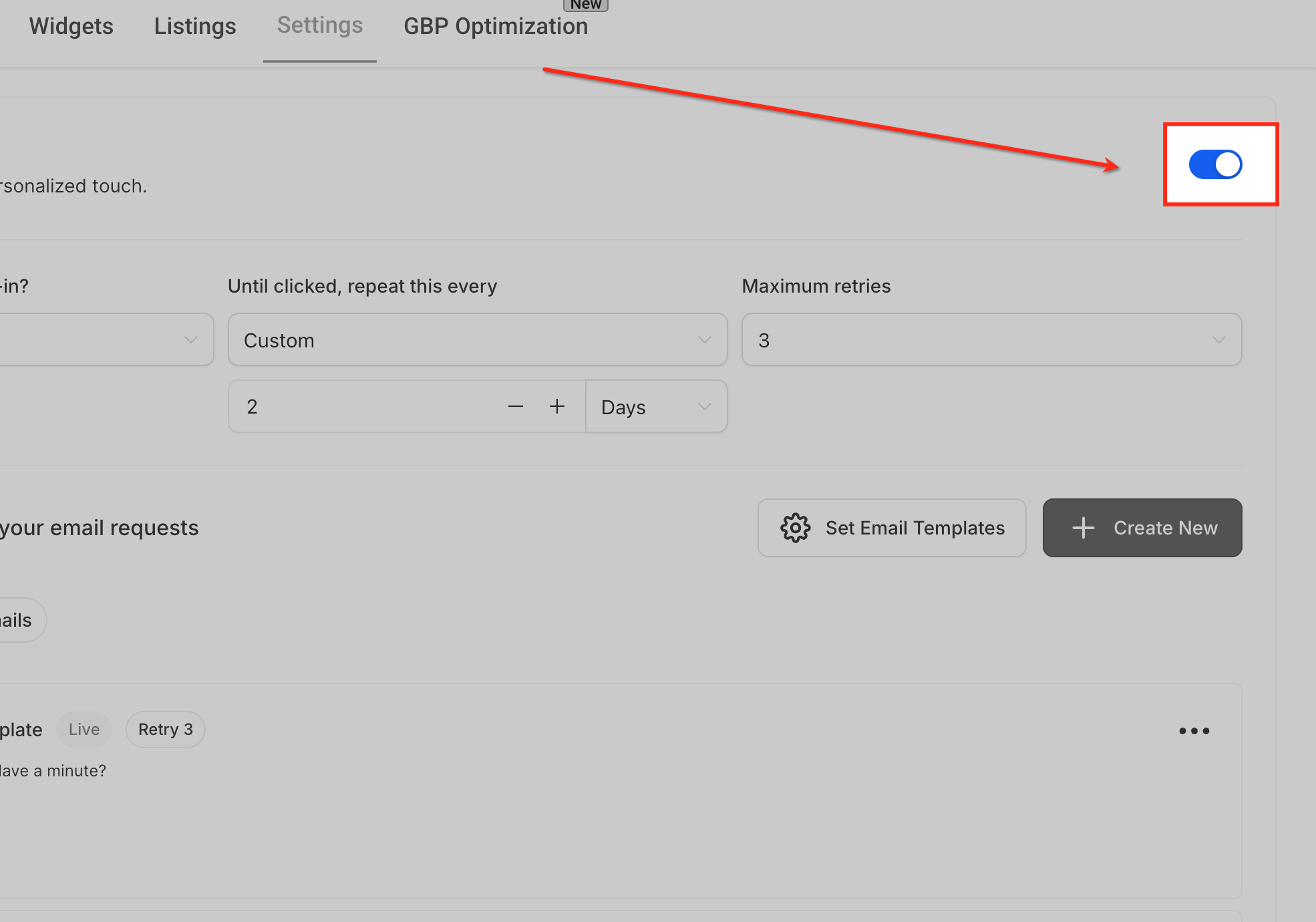
- Switch the Email Requests toggle to ON.
- Set the delay for the first email, such as 1 hour after checkout.
- Define how often the system should resend the request until the contact clicks.
- Enter the maximum number of retry attempts allowed, keep this reasonable so you don’t overwhelm contacts.
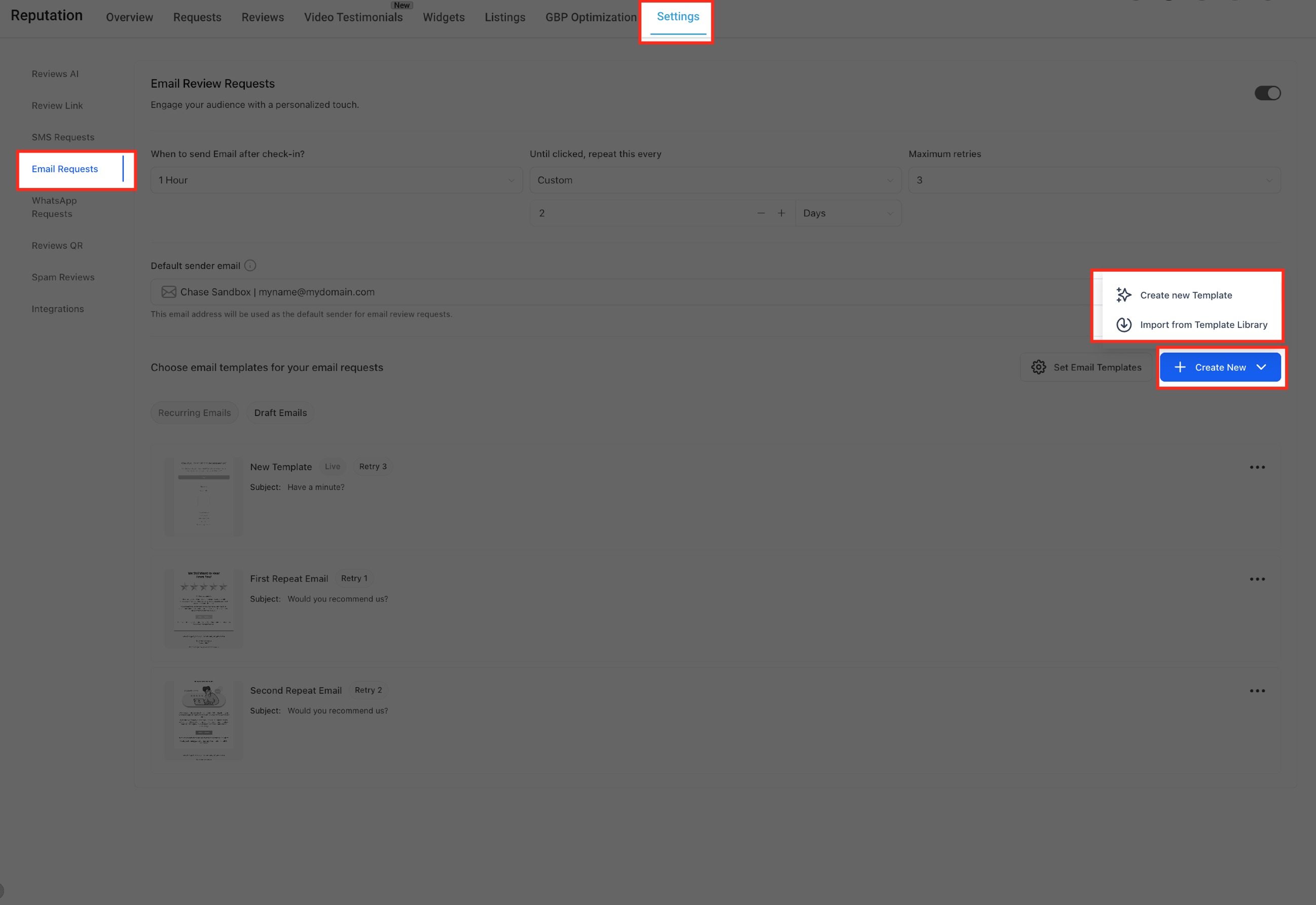
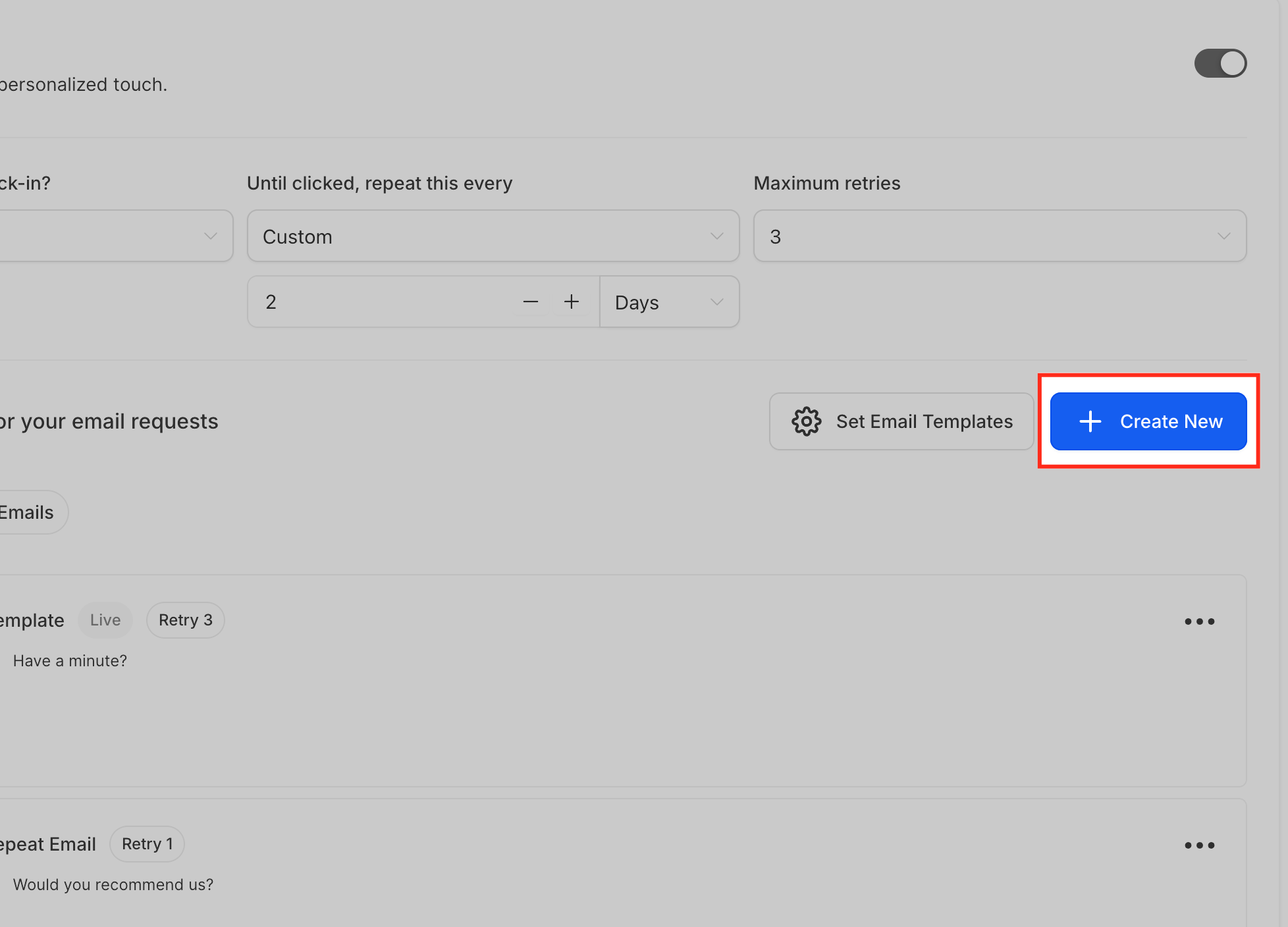
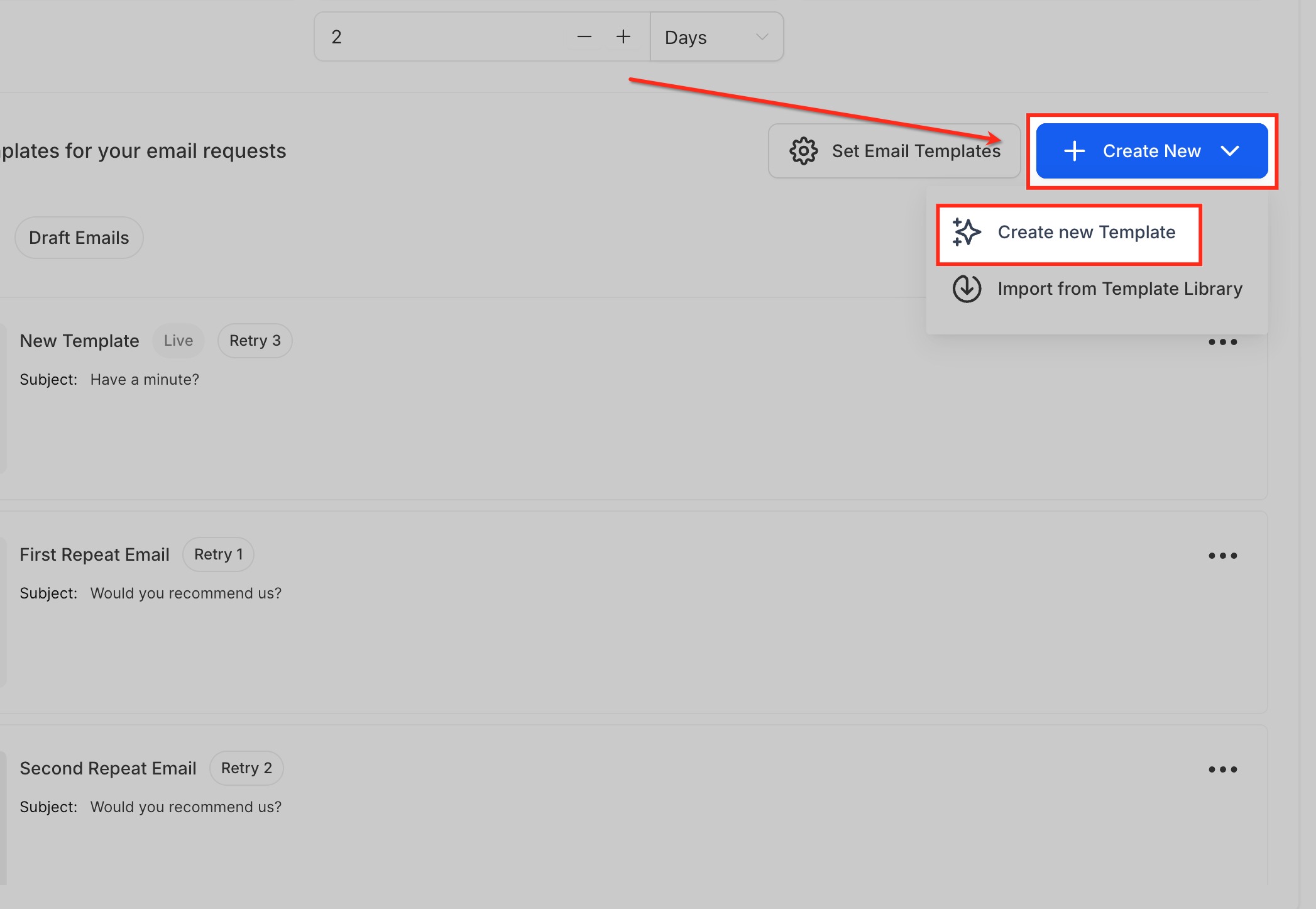
- Click the Create New button.
- Select Create New Template for a blank canvas or Import from Template Library for a pre built layout.
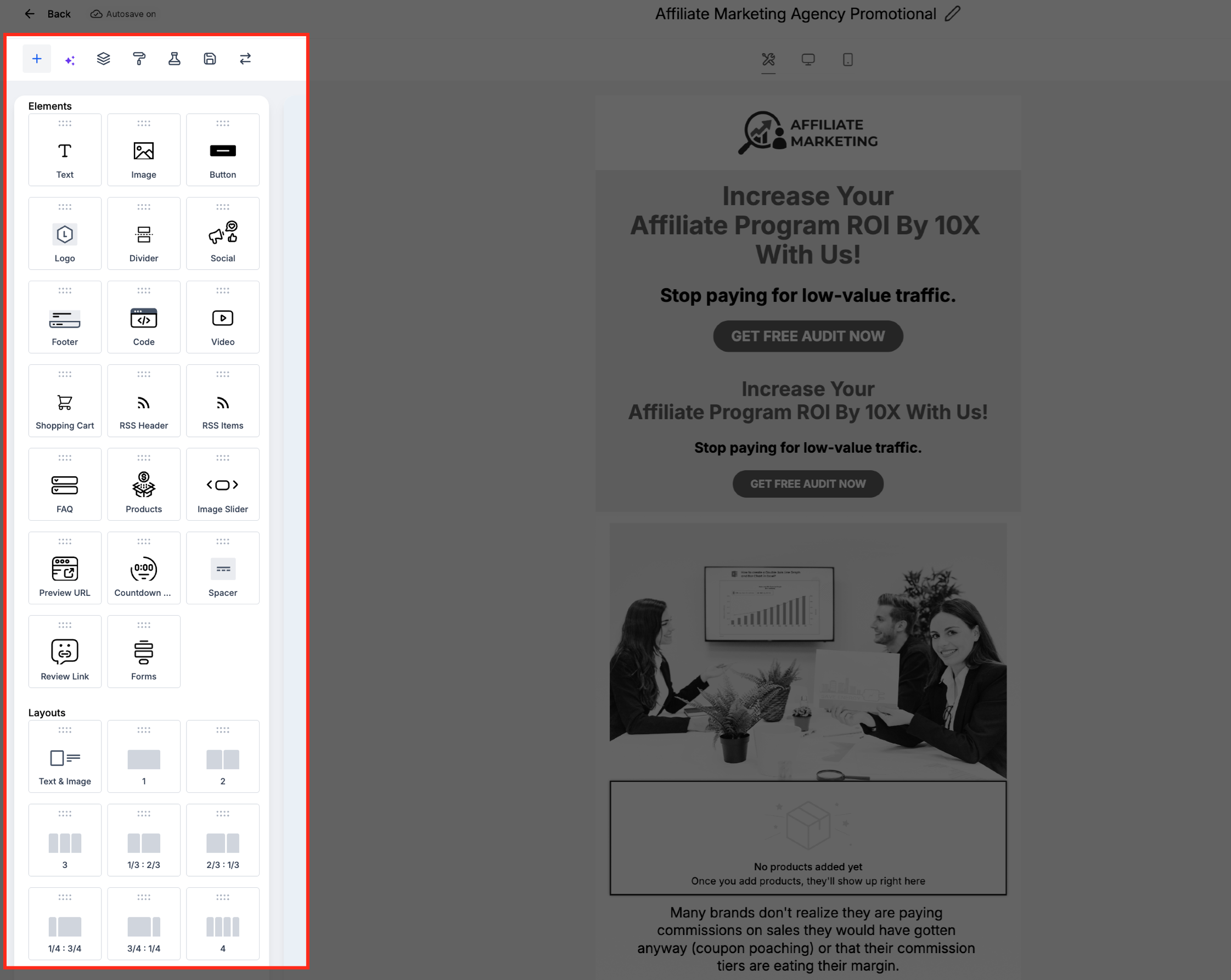
- If using a blank canvas, use the drag and drop Email Builder to add text, images, buttons, a Review Link, logos, social icons, and dividers.
- If using a template, browse the collection, pick a design, replace text and branding elements, then click Save.
- After saving, the template appears in the Email Requests dashboard where you can preview, edit, clone, restore, or delete it.
06What it looks like in HighLevel
07Settings that matter
- When the first email should go out. Controls the waiting period before the initial review request email is sent after a check in.
- How often to resend until the contact clicks. Sets the interval between reminder emails if the recipient has not yet opened the review link.
- Maximum number of retries. Limits the total number of reminder emails that will be sent for a single contact.
08How it connects to the rest of HighLevel
- The Template Library works with the email builder to let you edit pre designed layouts. Template library overview
- After creating a review email you can schedule or send it using HighLevel’s email campaign tools. Send or schedule email
- Custom fonts can be added in the builder to match your brand when designing from scratch. Custom fonts in email builder
Michael's take

Michael ReimerFounder of CRM Pros, HighLevel Commander and Certified Admin
Template library integration is a practical shortcut for review email creation.
Teams that rely on highly custom, one off designs should skip it.
Get More InformationOpens on HighLevelPublished November 2, 2026 · Updated November 17, 2026