
01Who this is for
- Marketing managers can ensure all outgoing emails match the company's visual identity without manual styling.
- Small business owners can speed up email creation by selecting a presaved color palette that reflects their brand.
- Agencies that manage multiple client accounts can compare different brand kits side by side to pick the right look for each client.
02Brand design kit previews, explained
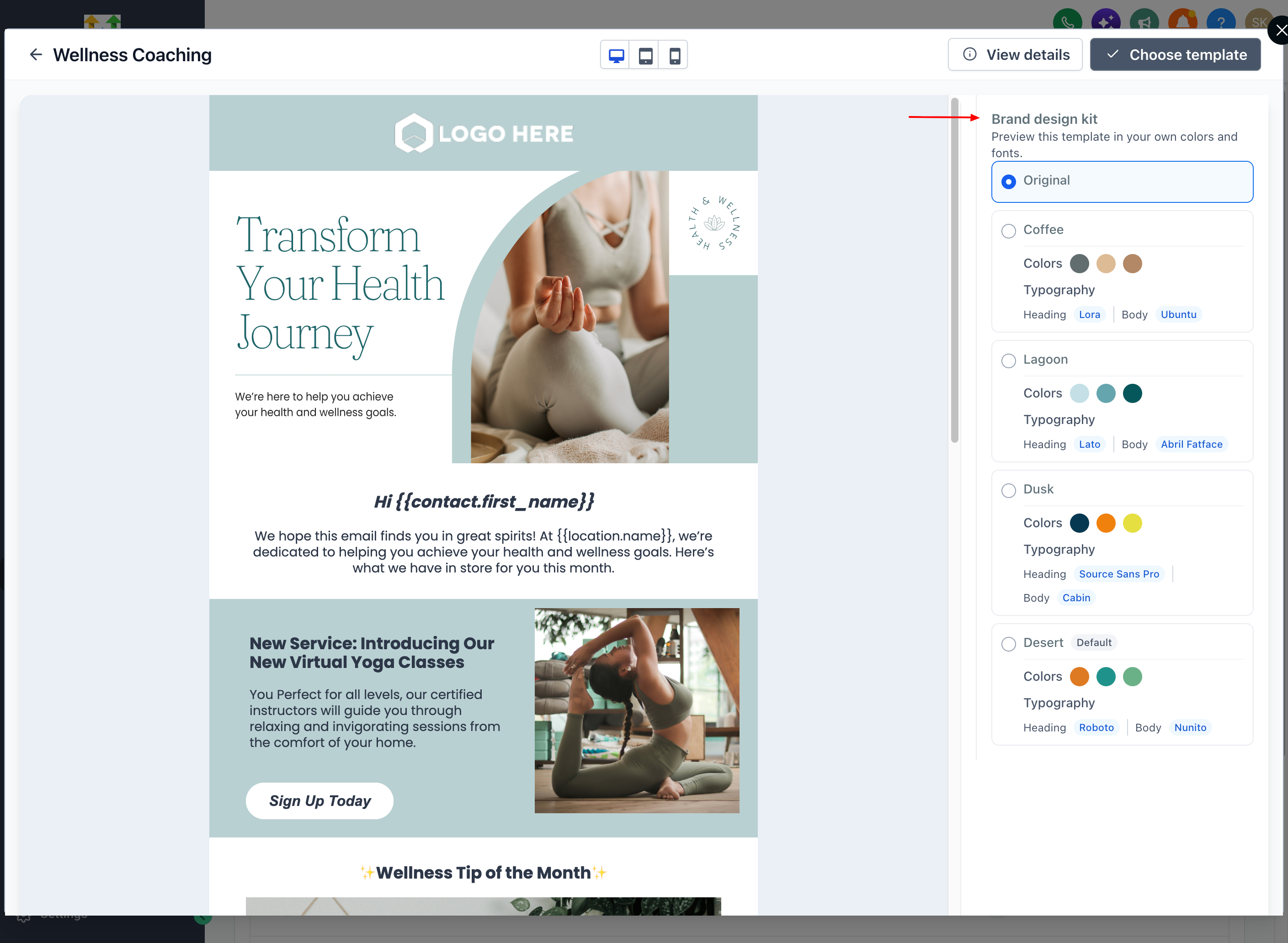
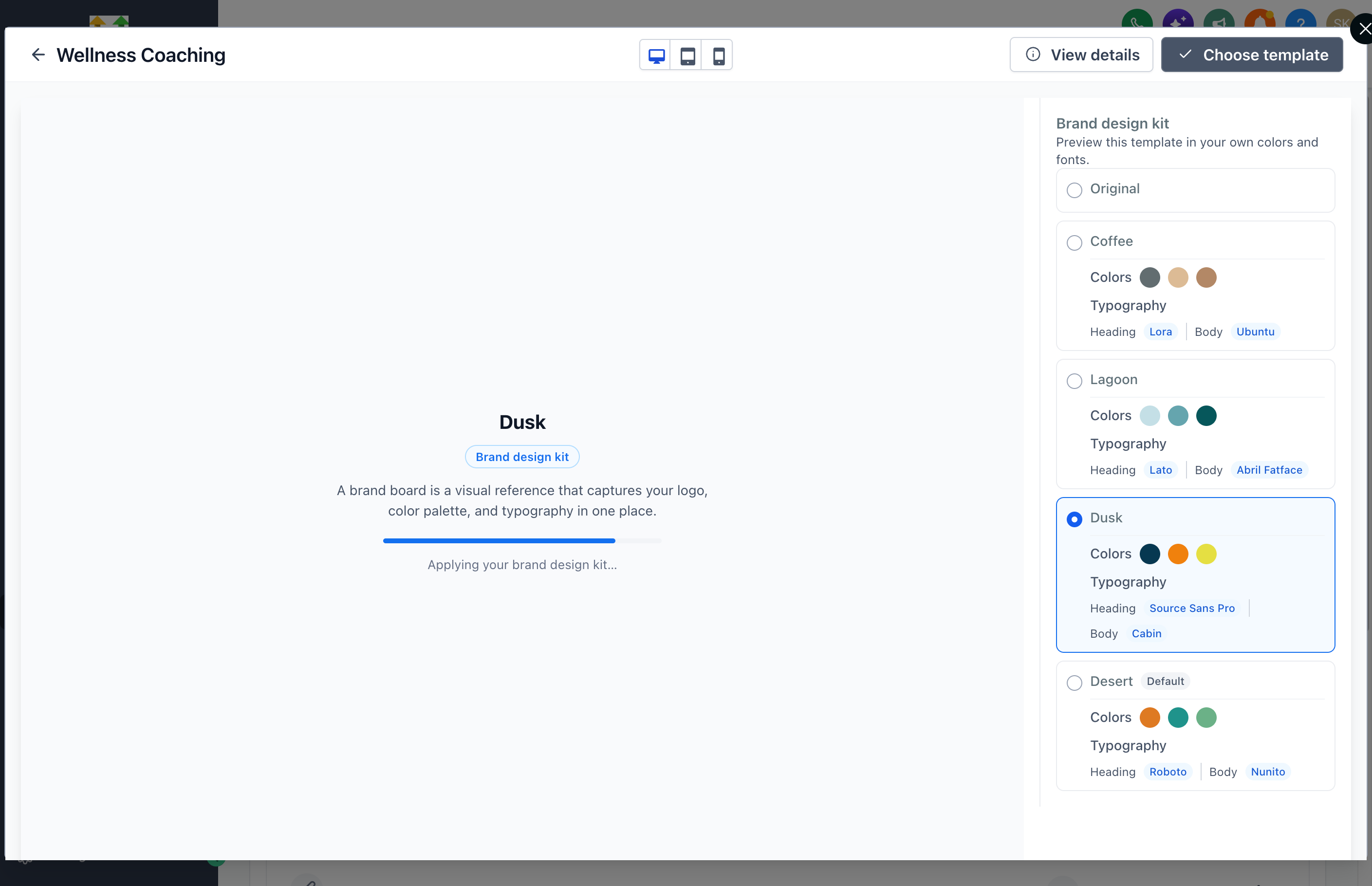
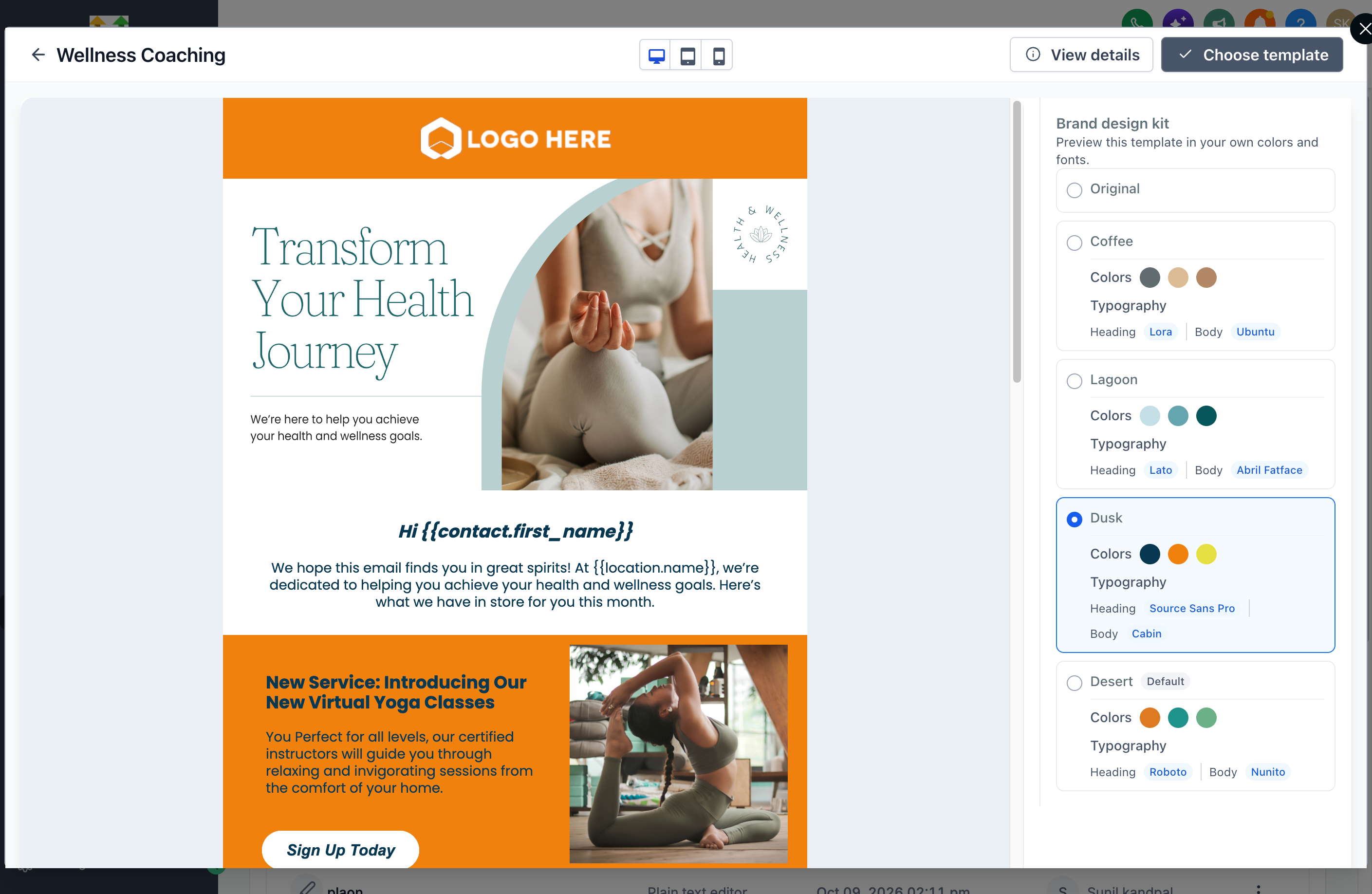
The feature lives in the email template preview pane. When you open a template, a sidebar shows the Original view, any Saved Brand Design Kits, and a Colors and Typography option. Selecting a kit right away recolors headings, buttons, backgrounds and other supported elements.
If you click Choose Template after picking a kit, HighLevel creates a new email draft with the chosen colors already applied. Existing emails are not restyled automatically if the kit changes later. The preview does not affect the template itself; it only shows how the kit would look.
03How businesses use brand design kit preview for email templates
- Real estate agency. The agency opens a newsletter template, selects its saved brand kit, and previews the colors on the layout. After confirming the look, it clicks Choose Template to start editing a new email that already uses the agency’s brand colors.
- Ecommerce store. The store browses a promotional email template, switches between its seasonal brand kits in the sidebar to see which palette fits best, then creates the email with the selected kit applied, saving time on manual color changes.
- Health clinic. The clinic previews an appointment reminder template with its calming brand colors, compares the view to the original styling, and selects the kit that matches its branding before generating the final email.
04Before you start
- A saved Brand Design Kit must exist in the subaccount where the email is being created.
05How to set up and use brand design kit preview for email templates in HighLevel
Preview email templates with Brand Design Kits
- Go to Marketing > Emails > Templates, press the + New button to open the Template Library.
- Locate the desired email template and press Preview.
- Pick a Brand Design Kit from the preview sidebar to see its colors on the template.
- Change to another kit if you want to compare different color styles.
- Press Choose Template to create the email with the selected brand colors applied.
06What it looks like in HighLevel
07Settings that matter
- Original. Shows the template using its default styling, without any brand colors applied.
- Saved Brand Design Kits. Applies the colors from the selected kit to the template preview.
- Colors and Typography. Displays the color palette and the heading and body font names associated with each kit.
- Brand Design Kit. A collection of saved brand colors that can be applied to email templates during preview.
08Things to know before you rely on it
- Only headings, buttons, backgrounds and other supported elements change color during preview.
- Changing a saved Brand Design Kit does not automatically restyle emails that were already created.
- The preview works only with Brand Design Kits saved in the current subaccount.
09If something goes wrong
- A desired Brand Design Kit does not appear in the sidebar.. Verify that the kit has been saved in the subaccount where the email is being created.
10How it connects to the rest of HighLevel
- Set up and use the HighLevel template library Template library
- Send or schedule a regular email campaign in HighLevel Email campaigns
- HighLevel pricing and plans Pricing
Michael's take

Adding brand design kit preview feels like a small convenience that actually shifts how quickly you can roll out on brand emails. Instead of copying hex codes or tweaking colors after the fact, you see the exact palette on a template before you even click Choose Template.
A boutique marketing agency that builds campaigns for multiple clients will love this. Each client gets its own design kit, and the team can flip between them in the preview sidebar, choose the look they want, and launch the email with the right colors already in place.