
01Who this is for
- Marketing managers benefit by having a single source for all brand visuals, speeding up campaign creation.
- Design teams gain quick access to approved logos, colors, and typography, ensuring every asset matches brand guidelines.
- Small business owners can maintain a professional look across all customer touchpoints without hiring a designer.
02Brand boards, explained
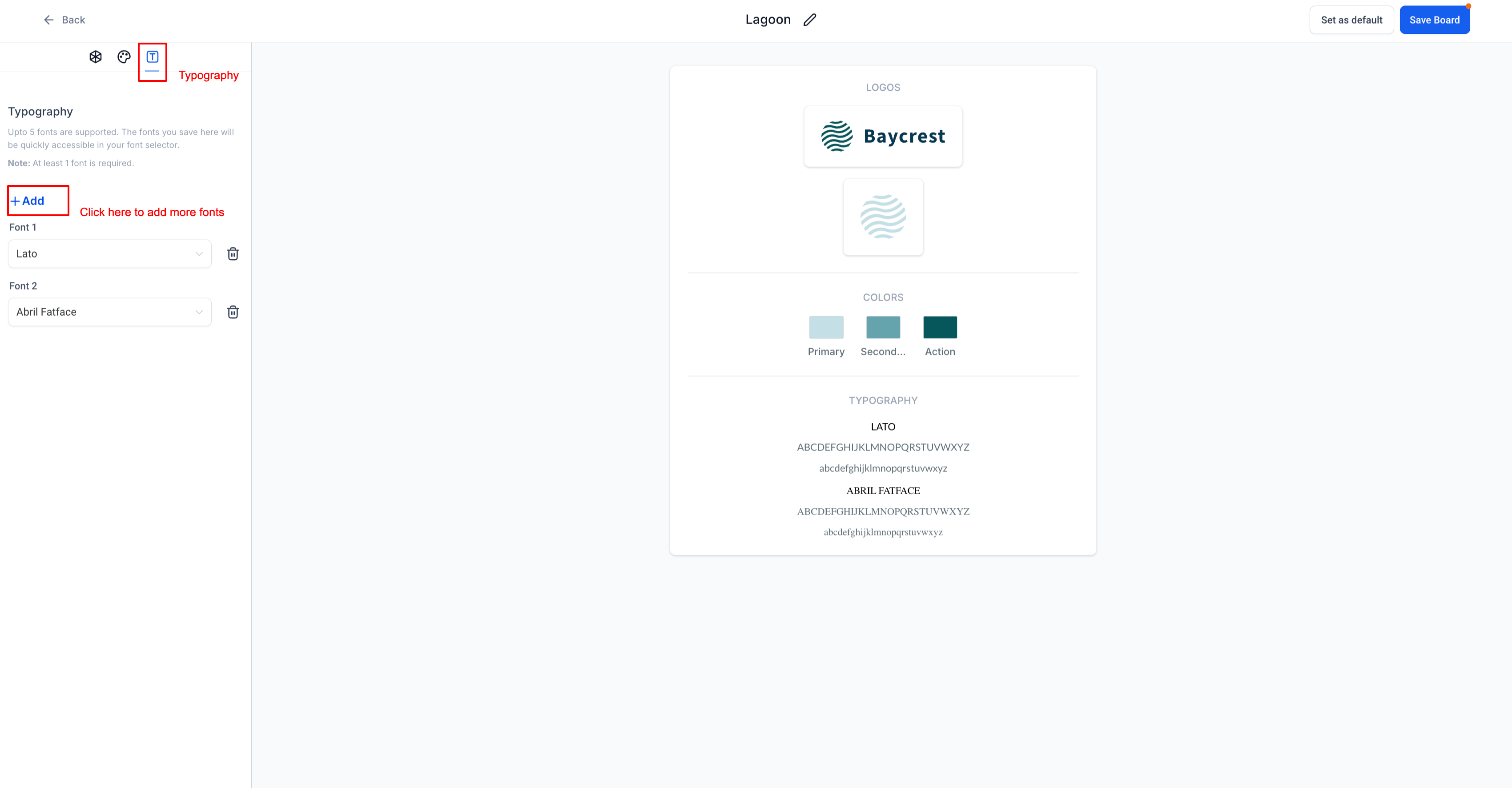
A Brand Board is a centralized container for a company’s visual identity. Inside each board you find a Design Kit that holds up to two logos, ten colors and five fonts. Once the board exists, those items appear in the color picker, font selector and media library for easy reuse.
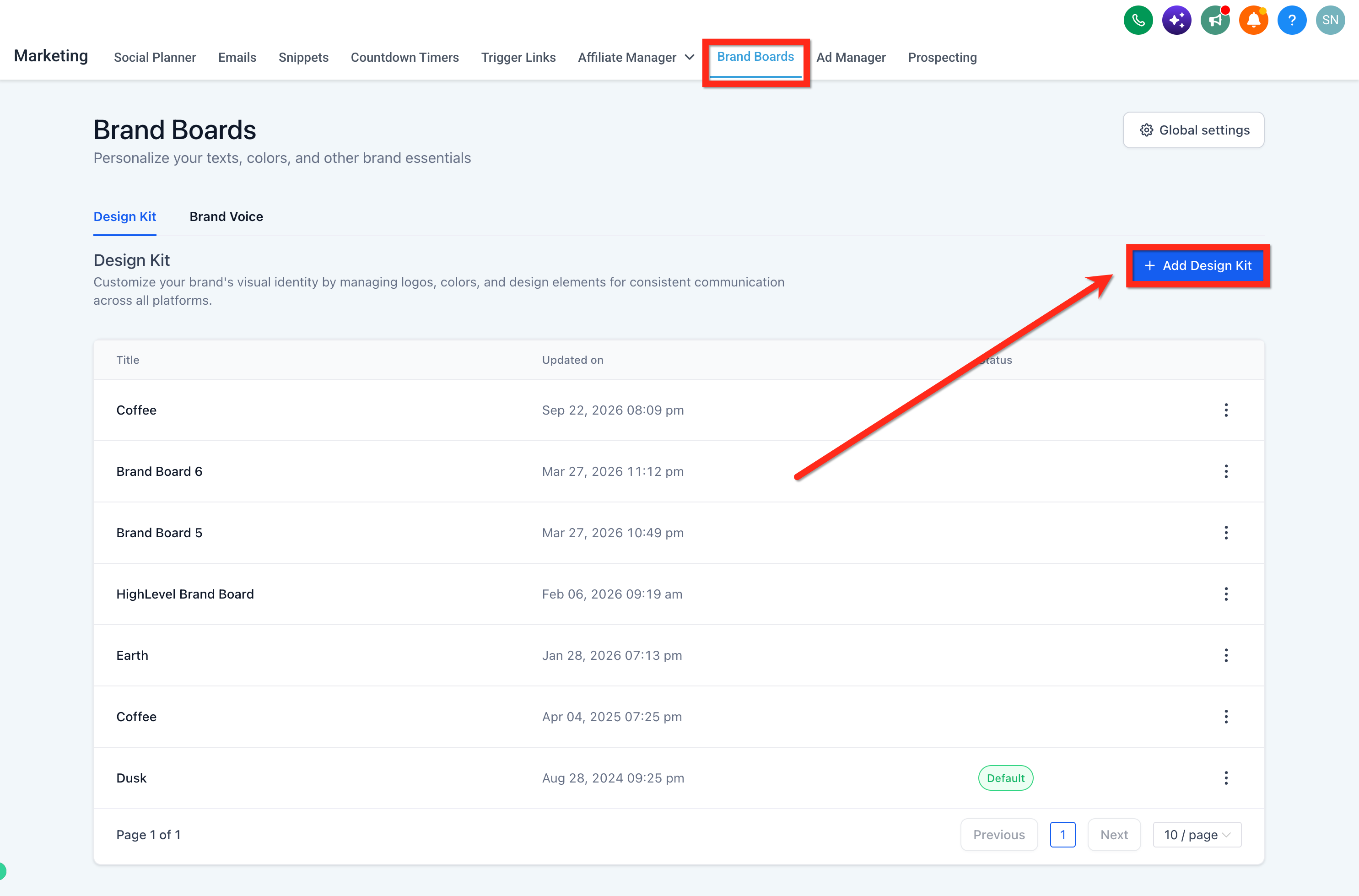
The feature lives under the Marketing section. Choose Brand Boards from the top navigation, then add a Design Kit to start assembling your assets. After creation you can edit or delete the board via the three dot menu, and you may set any board as the default for new projects.
Brand Boards do not retroactively modify existing emails or funnels. Updating a color or font only affects future selections made with the board’s picker.
03How businesses use brand boards
- Digital marketing agency. The agency creates a Brand Board for each client, uploads the client’s logos, defines the color palette and selects the typography. When building client email campaigns, the team picks assets directly from the board, keeping every campaign on brand.
- Online fitness studio. The studio imports its website URL to automatically generate a Brand Board with the existing logo, colors and fonts. The resulting assets are then applied to new landing pages and class schedule emails without manual re entry.
- Real estate brokerage. A broker adds the brokerage’s primary and secondary logos, sets the corporate colors and chooses appropriate fonts in the Design Kit. Those elements are later attached to property listing funnels and follow up email sequences.
04The numbers and rules that matter
- You can add up to 5 fonts, 10 colors and 2 logos in a Brand Board.
- You must include at least 2 colors.
05How to set up and use brand boards in HighLevel
Create a brand board
- Open the left hand menu and select Marketing.
- In the top navigation bar, click Brand Boards.
- Press the blue + Add a Design Kit button.
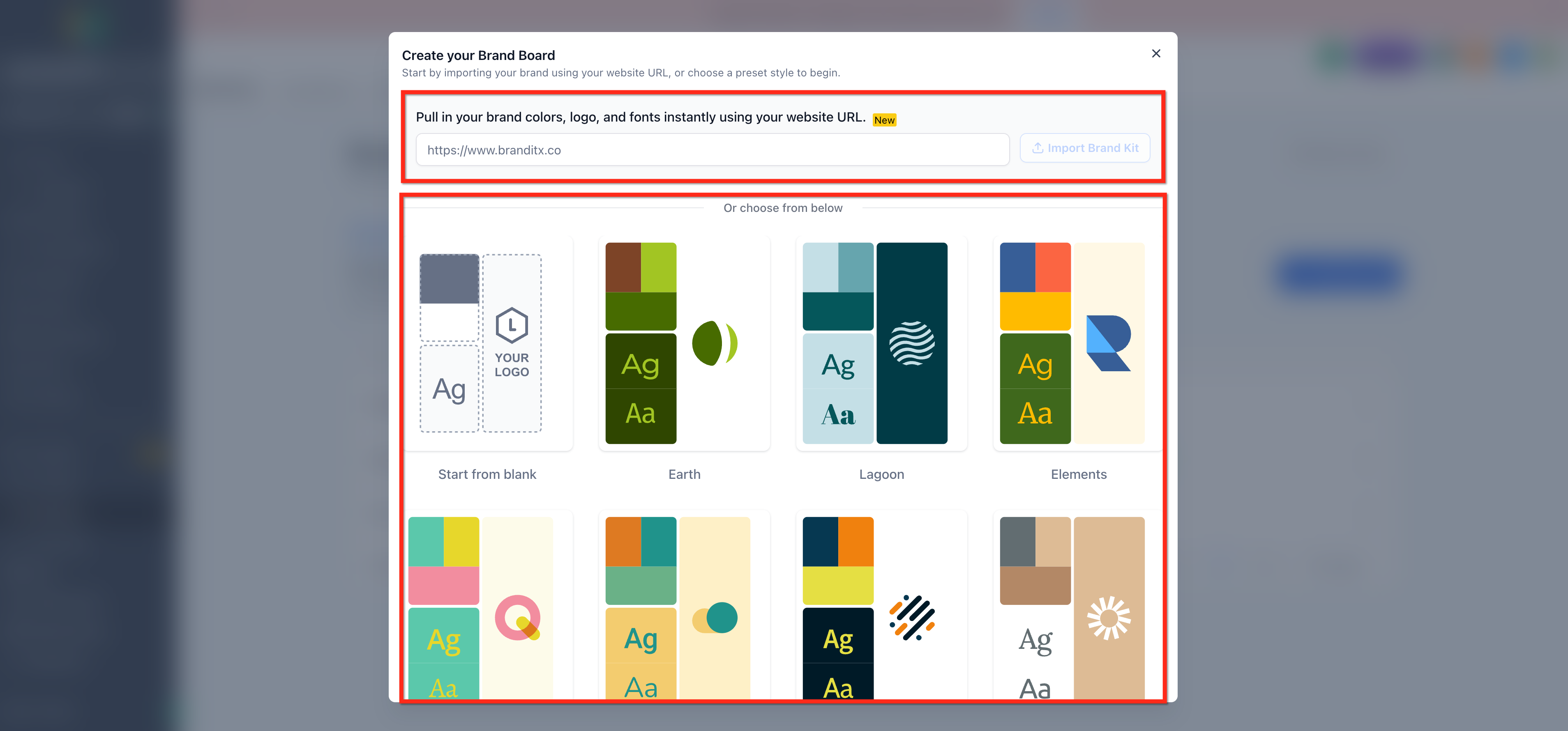
- Choose a creation method, Start from Blank, Select a Template, or Website URL import.
- If using Website URL import, paste the site address into the field.
- Click Import Brand Kit to pull assets from the URL.
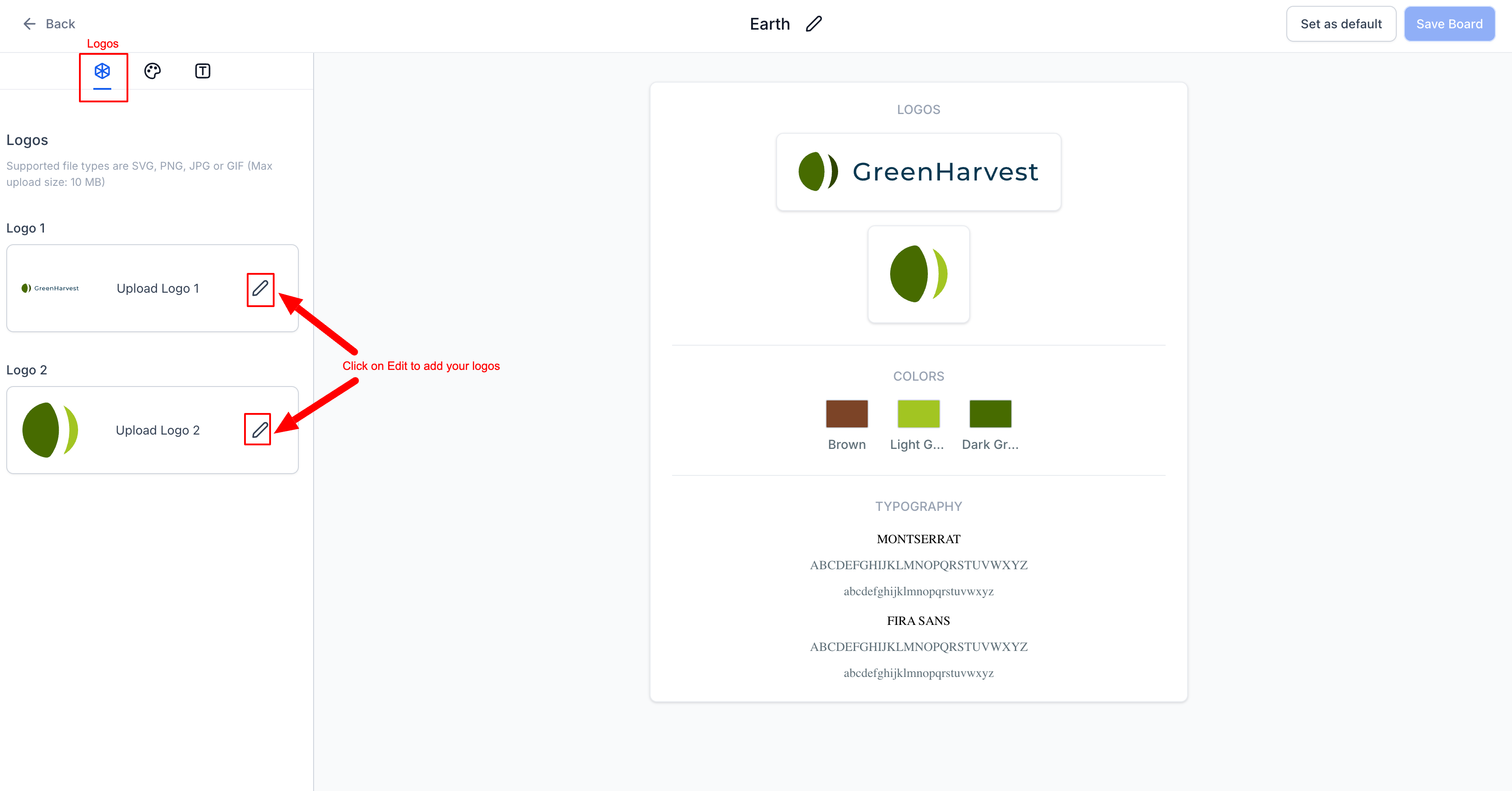
- Select the Logos tab.
- Upload the primary logo file.
- Upload the secondary logo file.
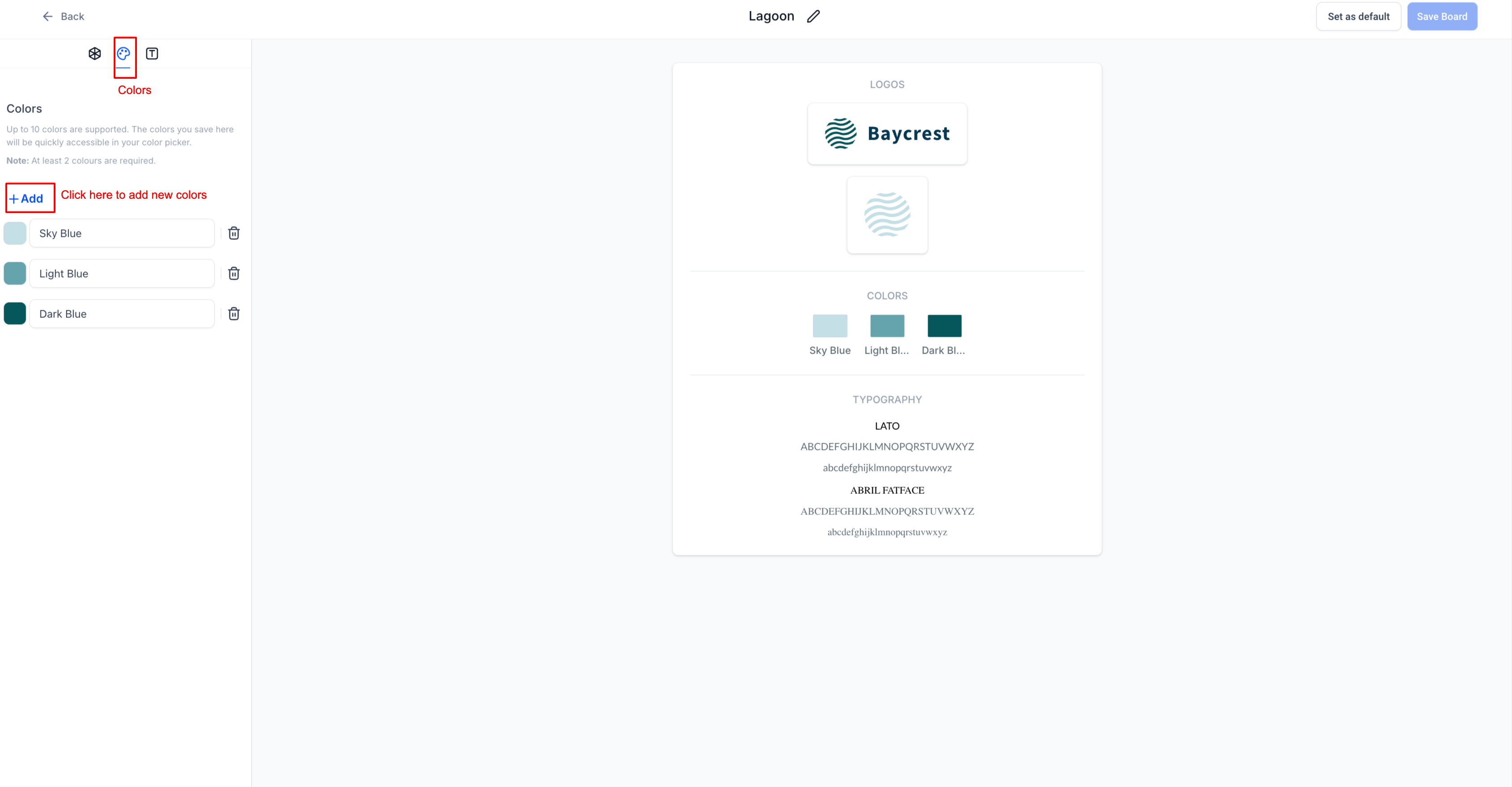
- Select the Colors tab.
- Add a brand color using the HEX or RGB picker.
- Rename the added color for easy reference.
- Select the Typography tab.
- Add fonts using the provided dropdown menus.
06What it looks like in HighLevel
07Settings that matter
- Logos. Controls the primary and secondary logo images stored in the Design Kit.
- Colors. Defines the brand’s color palette, usable in the color picker for future designs.
- Typography. Sets the fonts available for email, funnel and website styling.
- Design Kit. The container that holds the logos, colors and typography for a Brand Board.
08Things to know before you rely on it
- A Design Kit can contain a maximum of two logos.
- You may add up to ten brand colors, with at least two required.
- Between one and five fonts can be saved in a board.
- Changing colors in a Brand Board does not update colors in existing emails or funnels.
- Deleting a Brand Board cannot be undone.
09How it connects to the rest of HighLevel
- Apply Brand Boards in email templates and campaigns Brand Boards in email campaigns
- Set a default Brand Board for new projects Default Brand Board
- Use Brand Boards in funnels and websites Brand Boards in funnels
Michael's take

A Brand Board in HighLevel is worth the effort for any small business that wants a professional look without hunting for files each time they launch a new email or funnel.