
01Who this is for
- Founders who need a clear communication guide to keep all marketing content aligned with their brand.
- Marketing managers who want AI generated copy that reflects the company's values and tone consistently.
- Agency owners looking to standardise messaging across multiple client projects.
02Brand voice, explained
Brand Voice is a feature inside the Brand Boards section of HighLevel. It lets you record business information, core values, tone and style guidelines, and the calls to action you expect users to take. This information becomes a reference for the platform’s AI tools, ensuring that generated content matches your desired communication style.
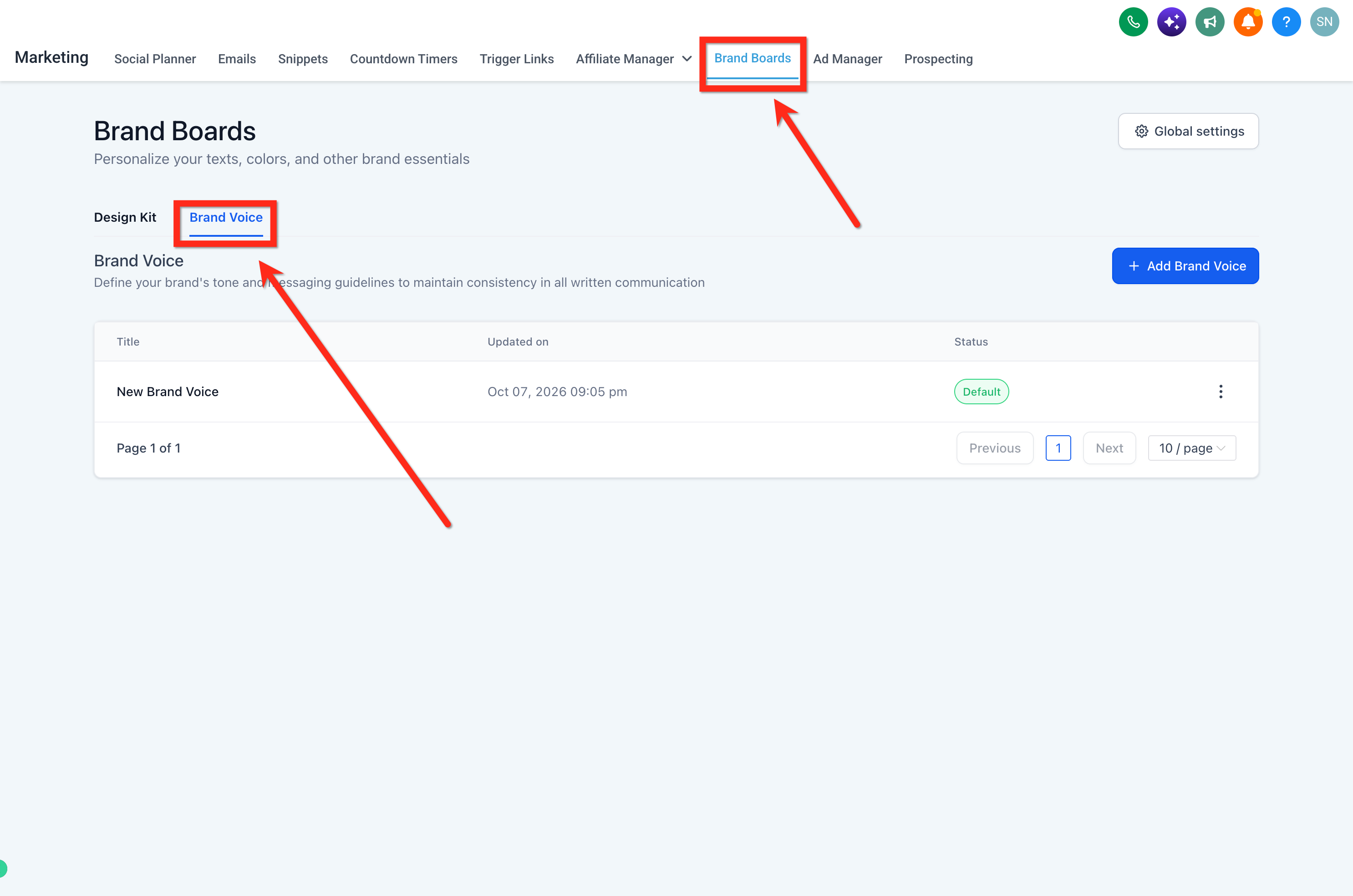
The feature lives under Marketing > Brand Boards > Brand Voice. After you create a brand voice, it can be selected when using Content AI, email templates, funnels and other marketing assets, keeping your tone constant across all output.
03How businesses use brand voice
- Coaching business. Enter the coach’s mission, supportive tone and preferred client actions. Content AI then drafts session reminders and newsletters that sound encouraging and on brand.
- Real estate agency. Define a professional yet friendly voice, list core values and CTA for property inquiries. AI uses these details to write listing descriptions and follow up emails that reflect the agency’s style.
- SaaS startup. Set a clear, approachable technical tone and product focused calls to action. The brand voice guides AI when creating blog posts, onboarding messages and feature announcements.
04How to set up and use brand voice in HighLevel
Create a brand voice
- Open Marketing > Brand Boards > Brand Voice.
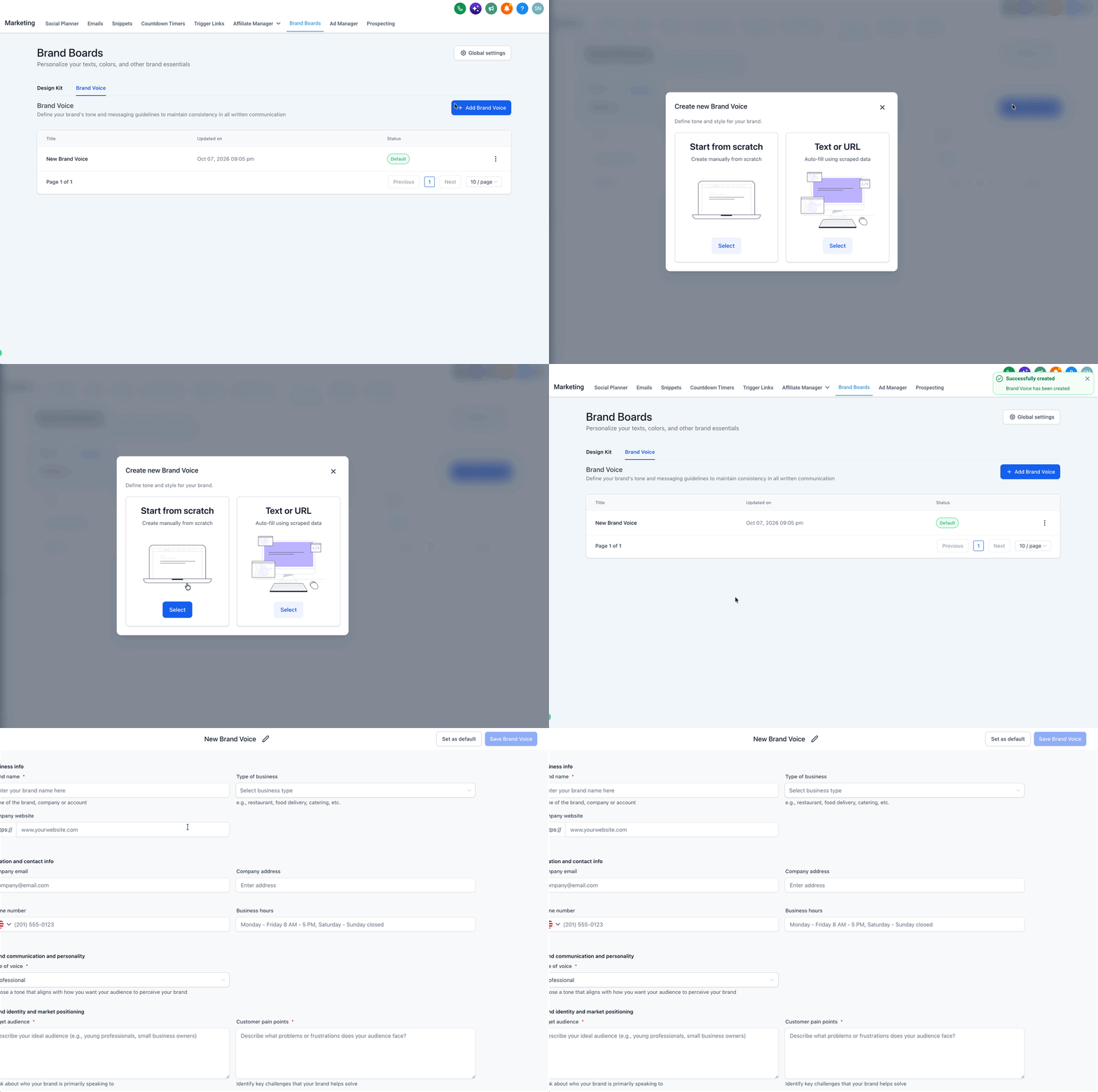
- Click the + Add Brand Voice button.
- Choose the Start from Scratch option to begin entering details.
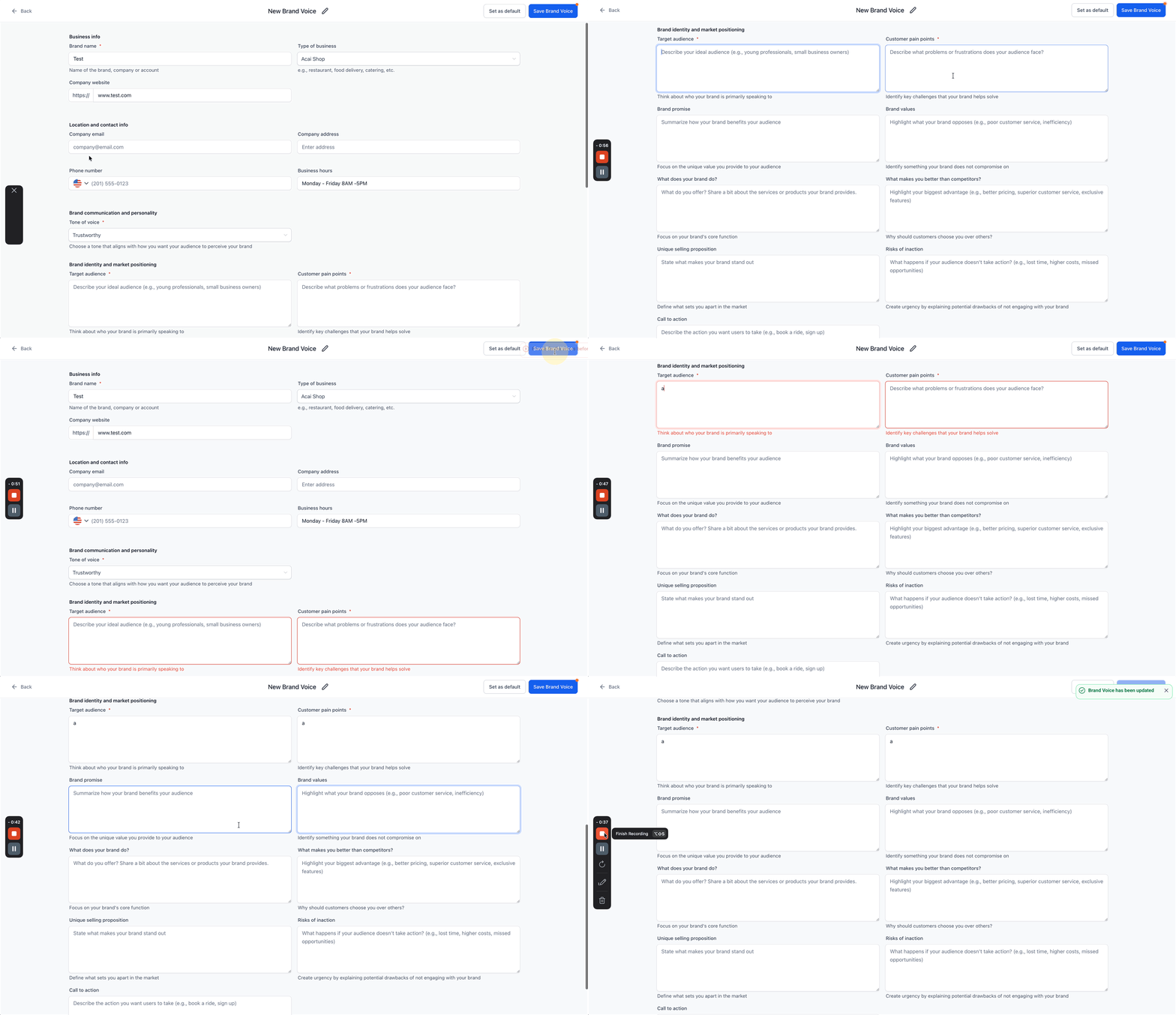
- Complete the form with business information, values, tone and style guidelines.
- Click Save to store the new Brand Voice.
05What it looks like in HighLevel
06How it connects to the rest of HighLevel
- Learn how to build a full brand board that can hold a brand voice. Create brand board
- Set a default brand board so new projects automatically use your chosen brand voice. Change default brand board
Michael's take

Wondering if a brand voice really matters? It’s the silent promise you make to every prospect that they’ll hear the same tone whether they see an email, a social post, or a chatbot reply. By setting it up once, you let HighLevel and its AI keep that promise without you policing every piece of copy.
If I were rolling out a new product, I’d lock down the brand voice first, then let Content AI do the heavy lifting on draft copy.