
01Who this is for
- Email marketers can see which links generate clicks, helping them gauge subscriber interaction.
- Content creators can identify popular links to refine future email layouts.
02Click tracking, explained
Click tracking records each click on a link inside a sent email, storing the link URL, the number of times it was clicked, and the contacts who clicked it.
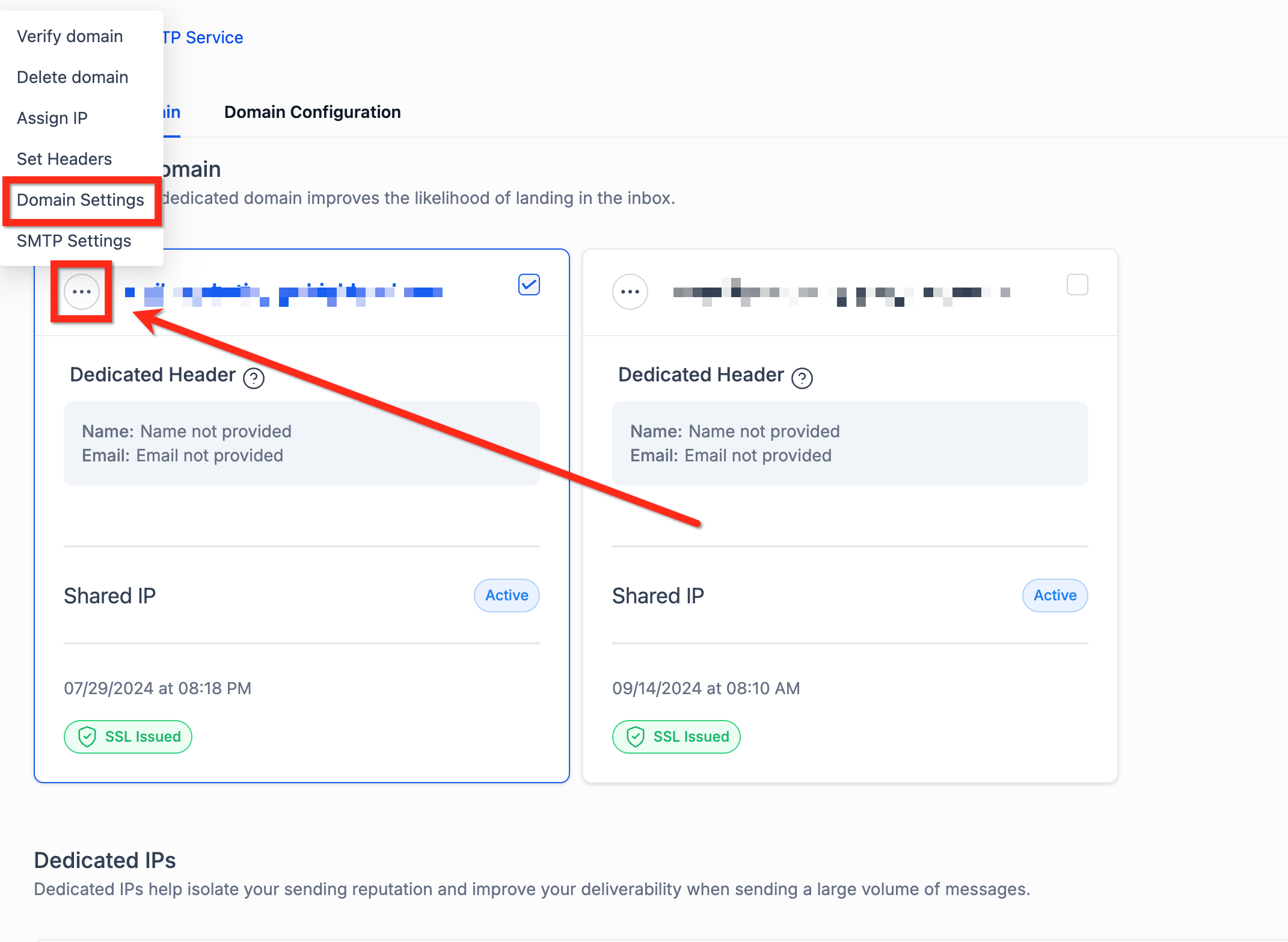
The feature lives in the Email Marketing area. After a campaign is sent, click the three dot menu next to the campaign, open Campaign Statistics, and select Click Performance to review link performance.
03How businesses use click tracking
- Ecommerce store. Enable click tracking on promotional newsletters. Open the Click Performance report to see which product links receive the most clicks. Use the data to highlight popular items in future emails.
- Real estate agency. Send a listing email with links to property pages. After sending, view Click Performance to discover which property links attract the most interest. Adjust future listings based on the results.
- Online course provider. Include links to course modules in a curriculum email. Review Click Performance to identify which module links are accessed most often. Tailor content reminders using the insights.
04The numbers and rules that matter
- Emails sent before 13th June, 2024 will not show results in the Click Performance tab.
05Before you start
- Create a standard email marketing campaign (RSS, A/B test, or workflow driven campaigns are not supported).
- Use only http:// or https:// URLs in your email links.
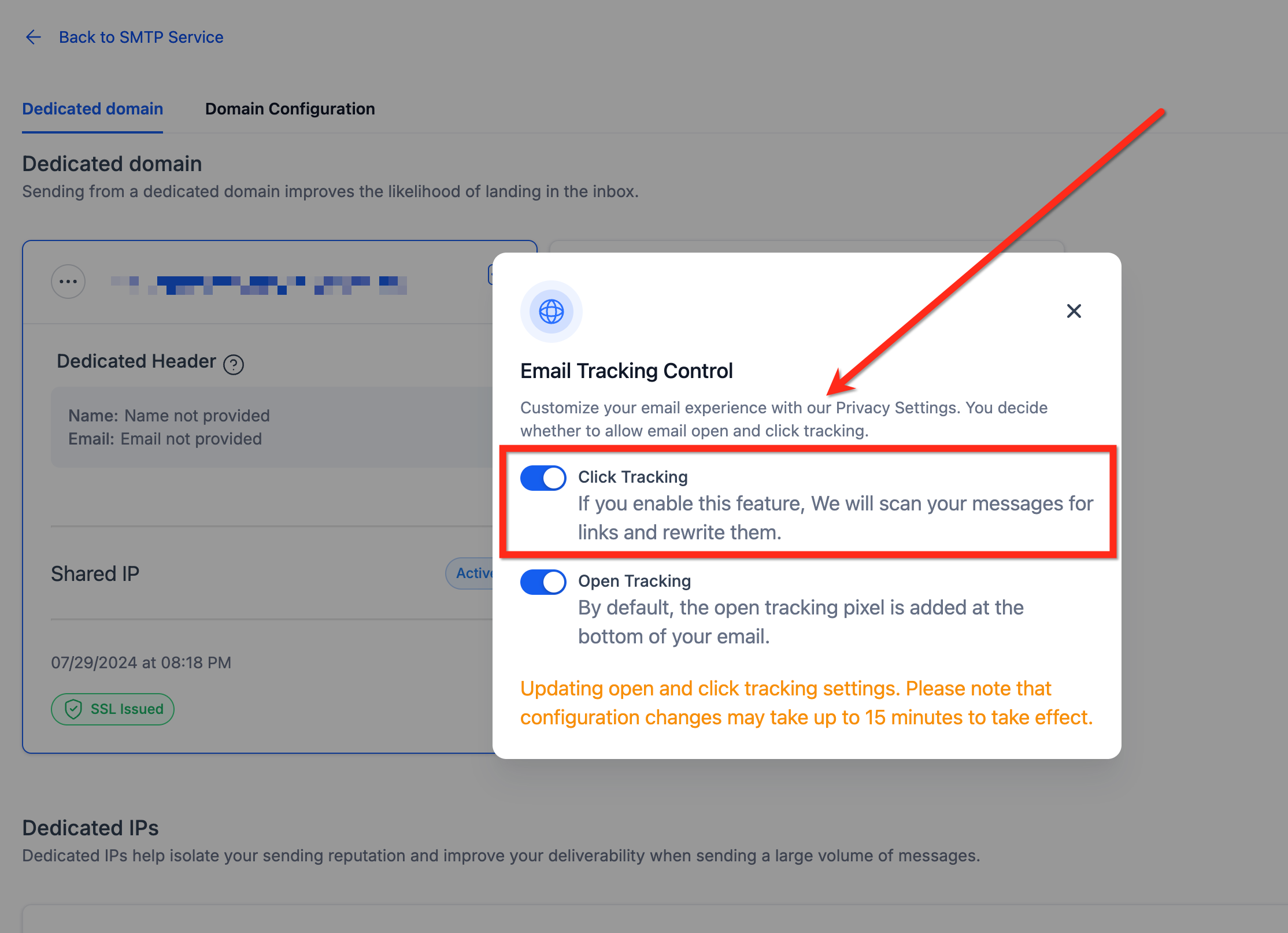
- Make sure click tracking is enabled before you send or schedule the campaign.
06How to set up and use click tracking in HighLevel
Enable and view click tracking
- Navigate to the Email Marketing section.
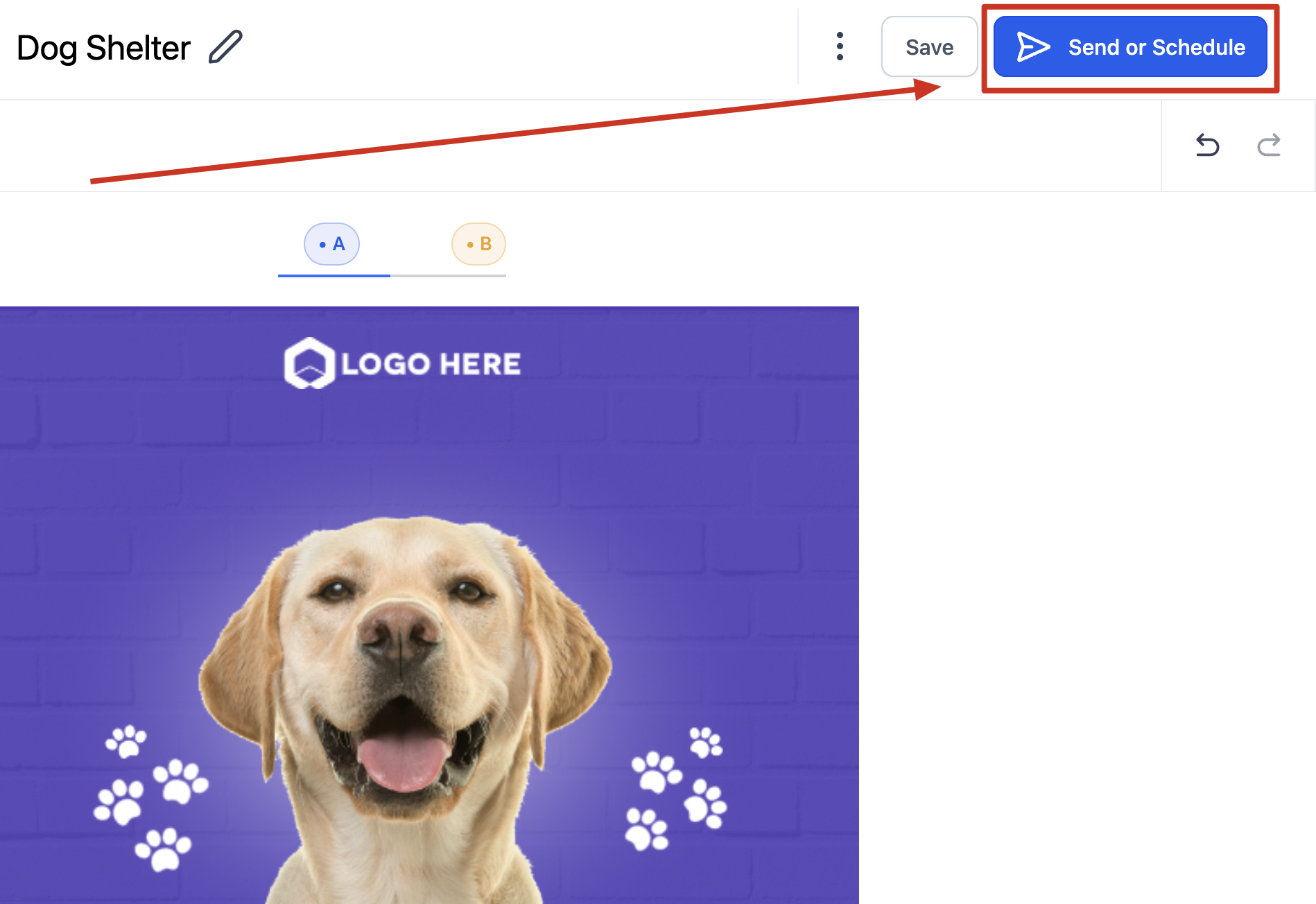
- Create a new campaign and click send or schedule.
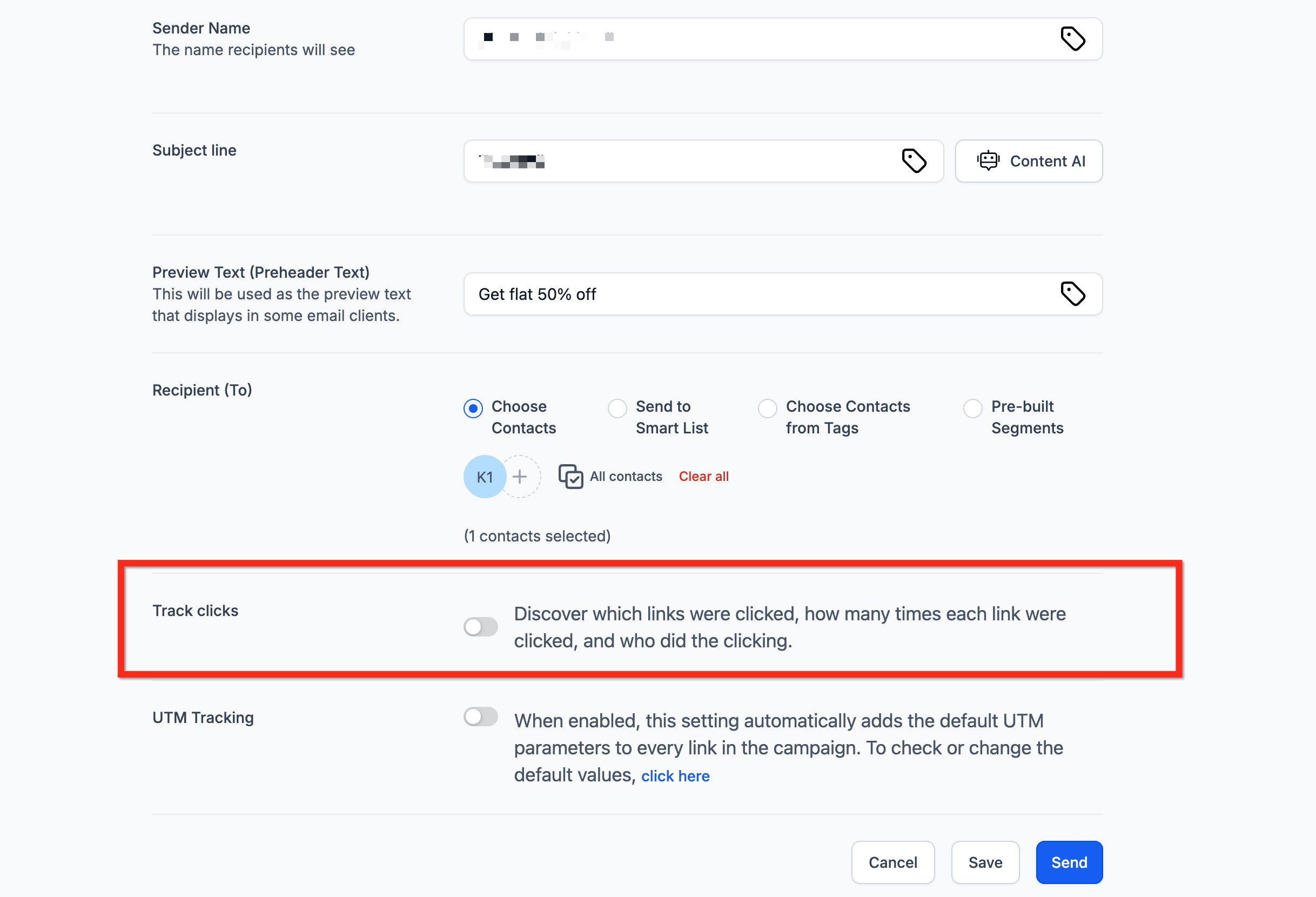
- Turn on click tracking before sending the email.
- After the send, click the three dots next to the campaign to open Campaign Statistics.
- Select Click Performance to see link by link data.
- Click an individual link in the report to view which contacts clicked it.
07What it looks like in HighLevel
08Settings that matter
- click tracking. Controls whether clicks on email links are recorded for a campaign.
09Things to know before you rely on it
- Click tracking is disabled by default and must be turned on for each campaign.
- Test emails do not generate click data.
- Trigger links are not tracked.
- Only links that start with http:// or https:// are tracked; mailto:, anchor, and system generated links are excluded.
- Clicks are not recorded for RSS, A/B testing, or workflow driven campaigns.
- Emails sent before 13th June 2024 will not show click data.
- Incorrect URL syntax or typos prevent click tracking from working.
- Magic links that rely on custom values or fields may not be tracked.
10If something goes wrong
- Click performance data is missing after a campaign is sent.. Verify that click tracking was enabled before sending the email.
11How it connects to the rest of HighLevel
- View overall email statistics Email Statistics Summary
- Explore click performance details Click Performance
- Learn about email campaign statistics Campaign Statistics Guide
Michael's take

Michael ReimerFounder of CRM Pros, HighLevel Commander and Certified Admin
Click tracking is a useful data point for marketers who need to understand link engagement.
If you never run standard email campaigns, skip it.
Get More InformationOpens on HighLevelPublished November 2, 2026 · Updated November 16, 2026