
01Who this is for
- Marketing managers can see which buttons or text links attract the most interest, helping them refine future email layouts.
- Small business owners can compare total versus unique clicks to gauge how many individual customers engage with their offers.
- Agency teams can use link level data to advise clients on effective CTA placement across different campaigns.
02Click performance, explained
The Click Performance feature lives inside the email campaign statistics area of HighLevel. After an email is sent with click tracking turned on, the platform records every click on supported URLs and aggregates them into campaign level metrics. The report shows total clicks, total unique clicks, unique engagements and clicks per unique open, plus a table that lists each tracked link with its own click counts.
Data appears only for campaigns that were sent with the Track Clicks option enabled. Drafts, scheduled messages that have not yet been delivered, and test emails do not generate any click statistics. The feature distinguishes repeated clicks from distinct recipients, allowing you to understand both raw interaction volume and audience reach.
03How businesses use click performance
- Ecommerce store. Enable Track Clicks when creating a promotional email that includes product links. After the send, open the campaign statistics and view the Click Performance tab to see which product URLs received the most total and unique clicks. Use the link table to compare button clicks versus text link clicks.
- Dental practice. Turn on click tracking in an appointment reminder email that links to the online booking page. Once the email is sent, access the Click Performance report to check how many patients clicked the booking link versus the directions link, helping you assess the effectiveness of each call to action.
- Local event organizer. Create a newsletter with links to ticket sales and venue maps, enable Track Clicks, and optionally add UTM tracking. After distribution, open the Click Performance tab to evaluate which link drove the most unique clicks, informing future event promotion strategies.
04Before you start
- Enable the Track Clicks toggle before the campaign is sent.
- Use fully qualified URLs that start with https:// or http://.
05How to set up and use click performance in HighLevel
Set up click performance tracking
- Log in to your HighLevel subaccount.
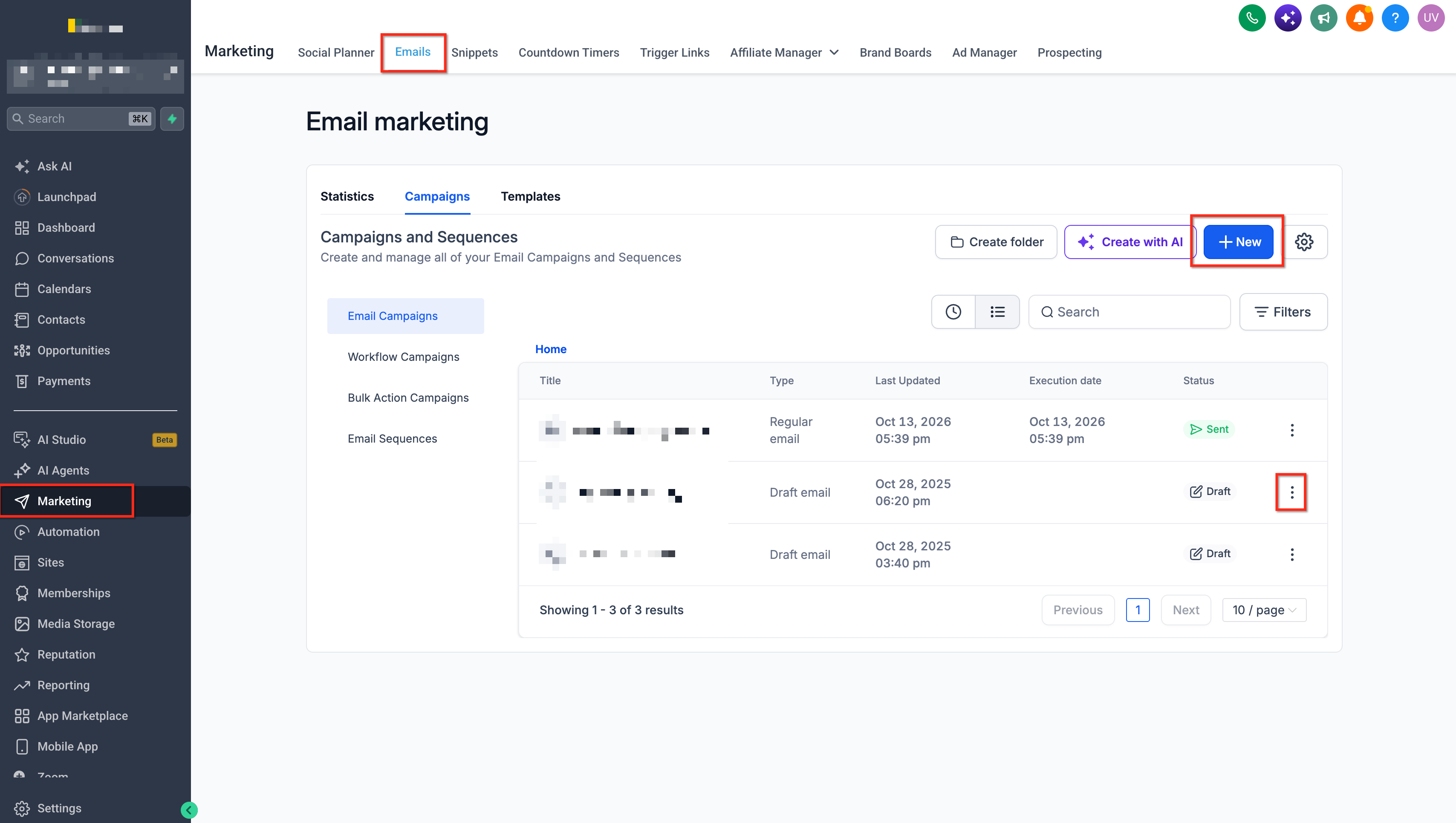
- Navigate to Marketing > Emails > Campaigns.
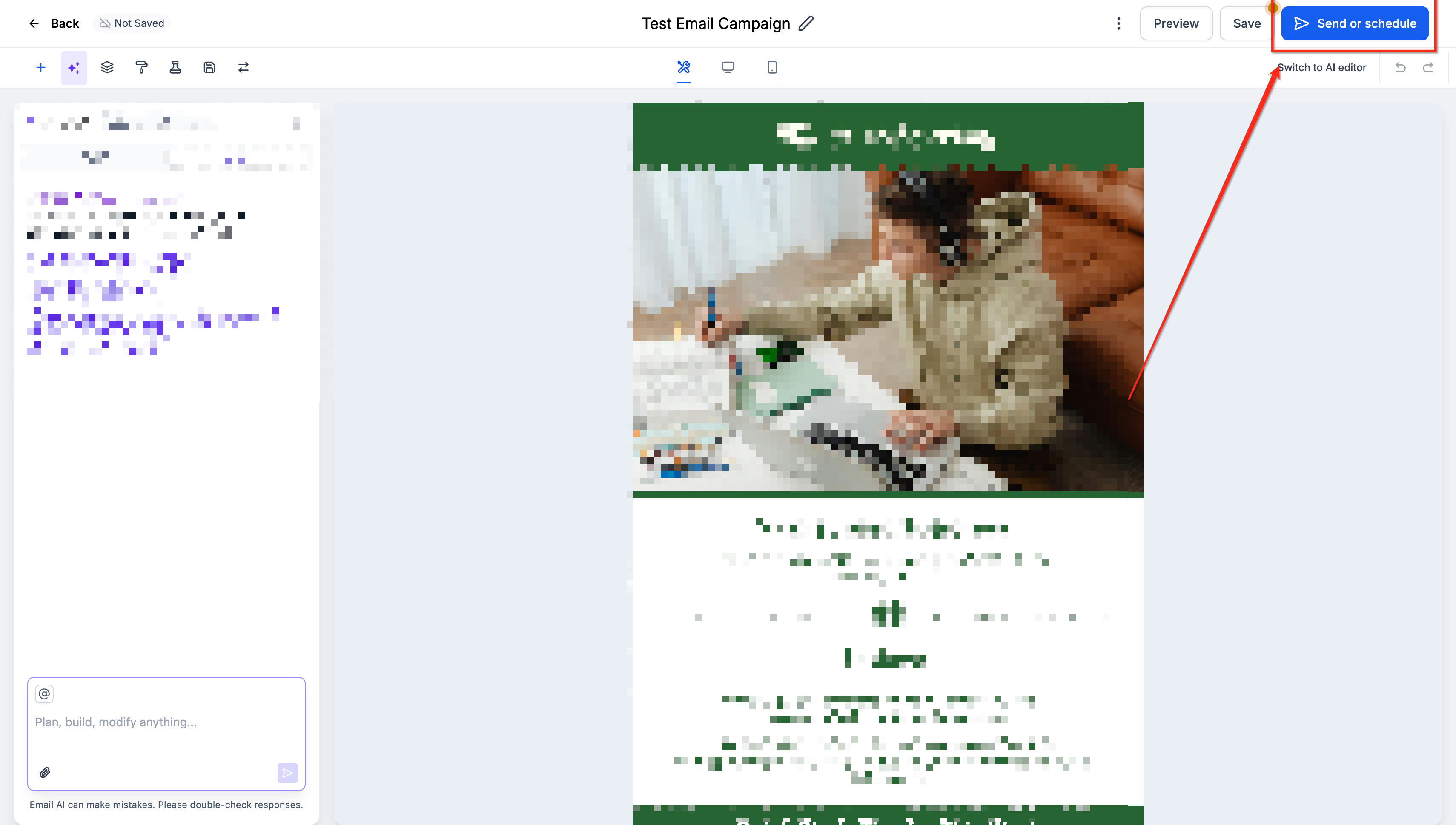
- Select a draft or create a new campaign and insert the desired links.
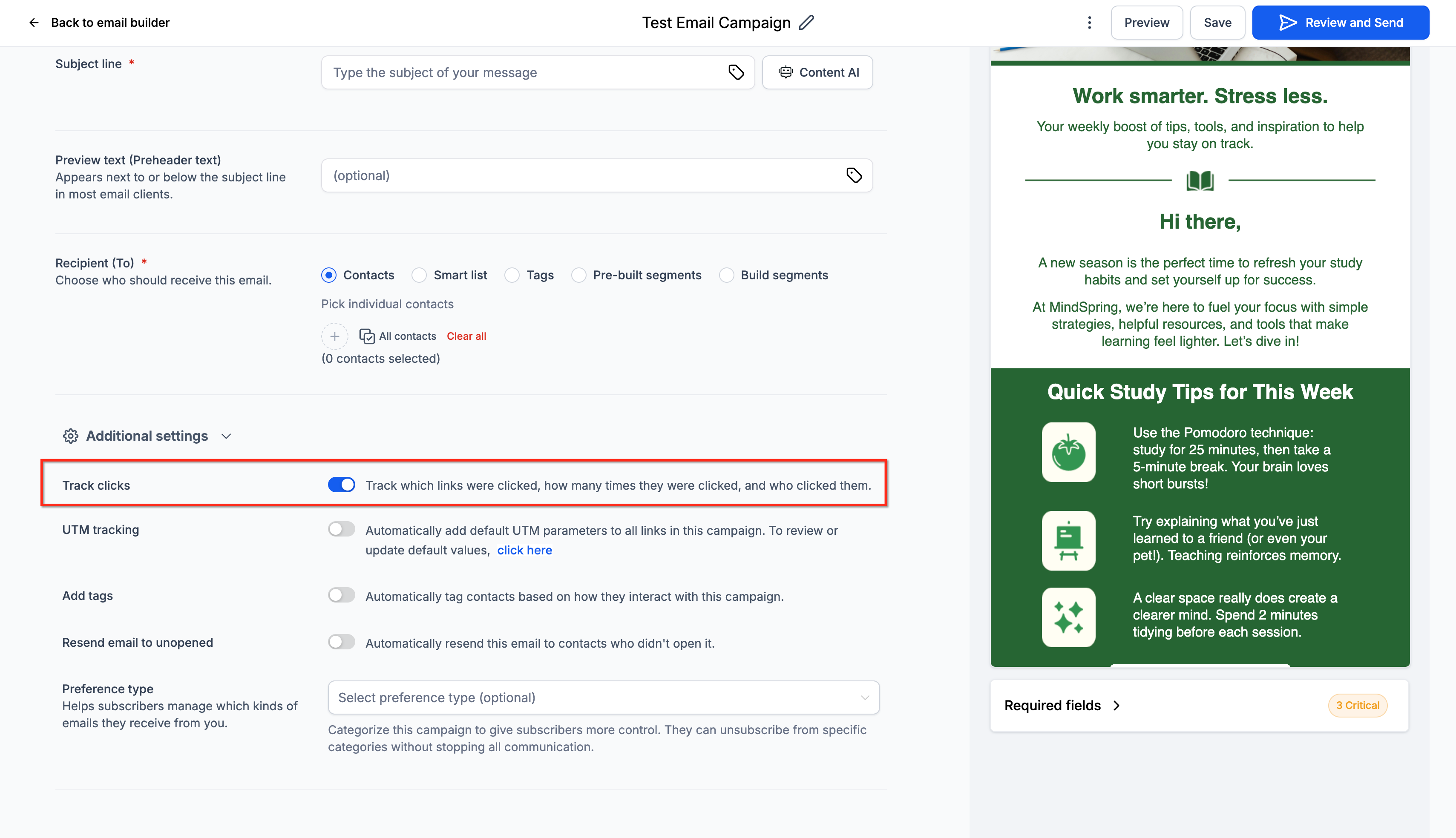
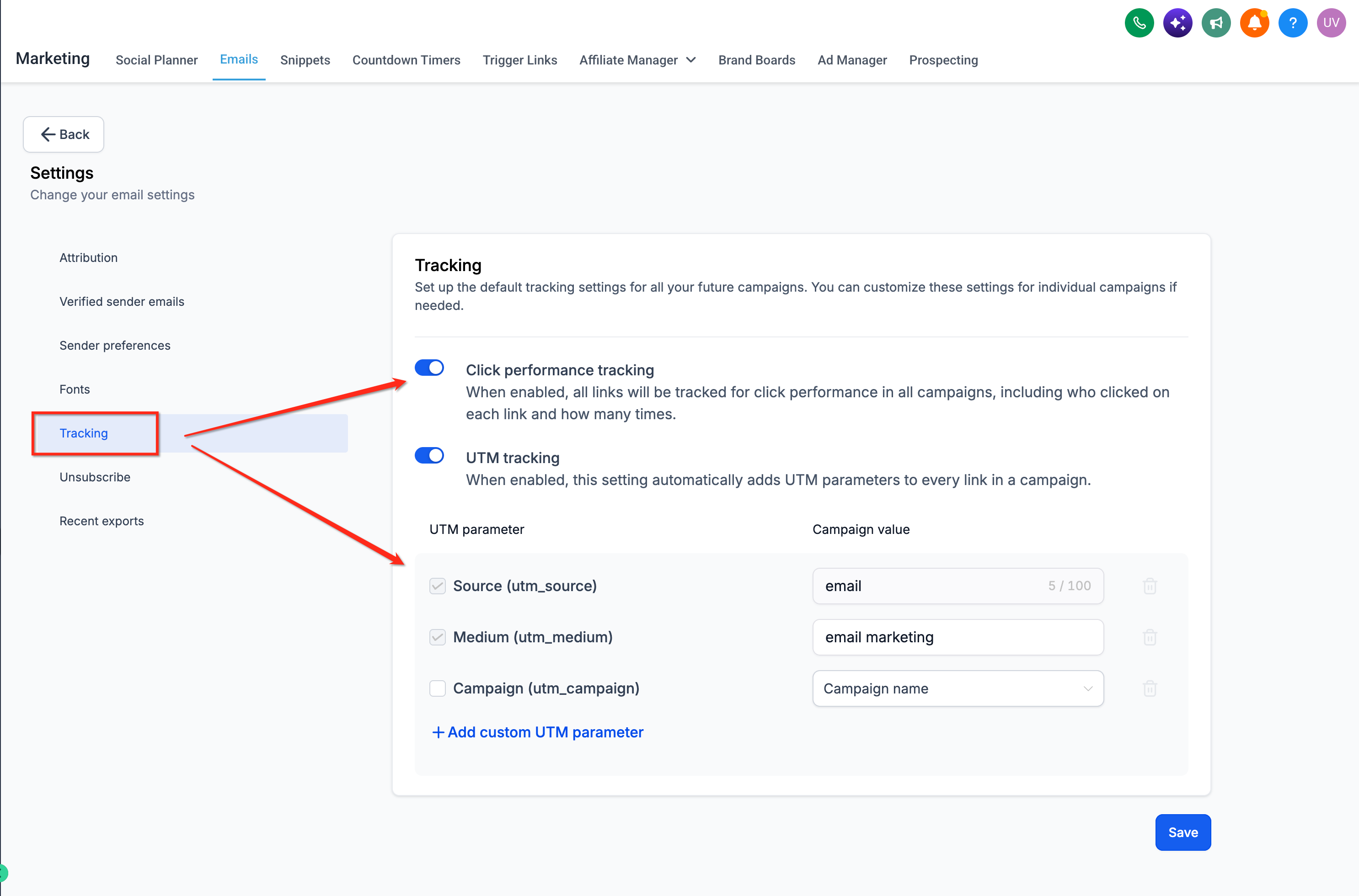
- Scroll to Additional Settings and switch the Track Clicks toggle on.
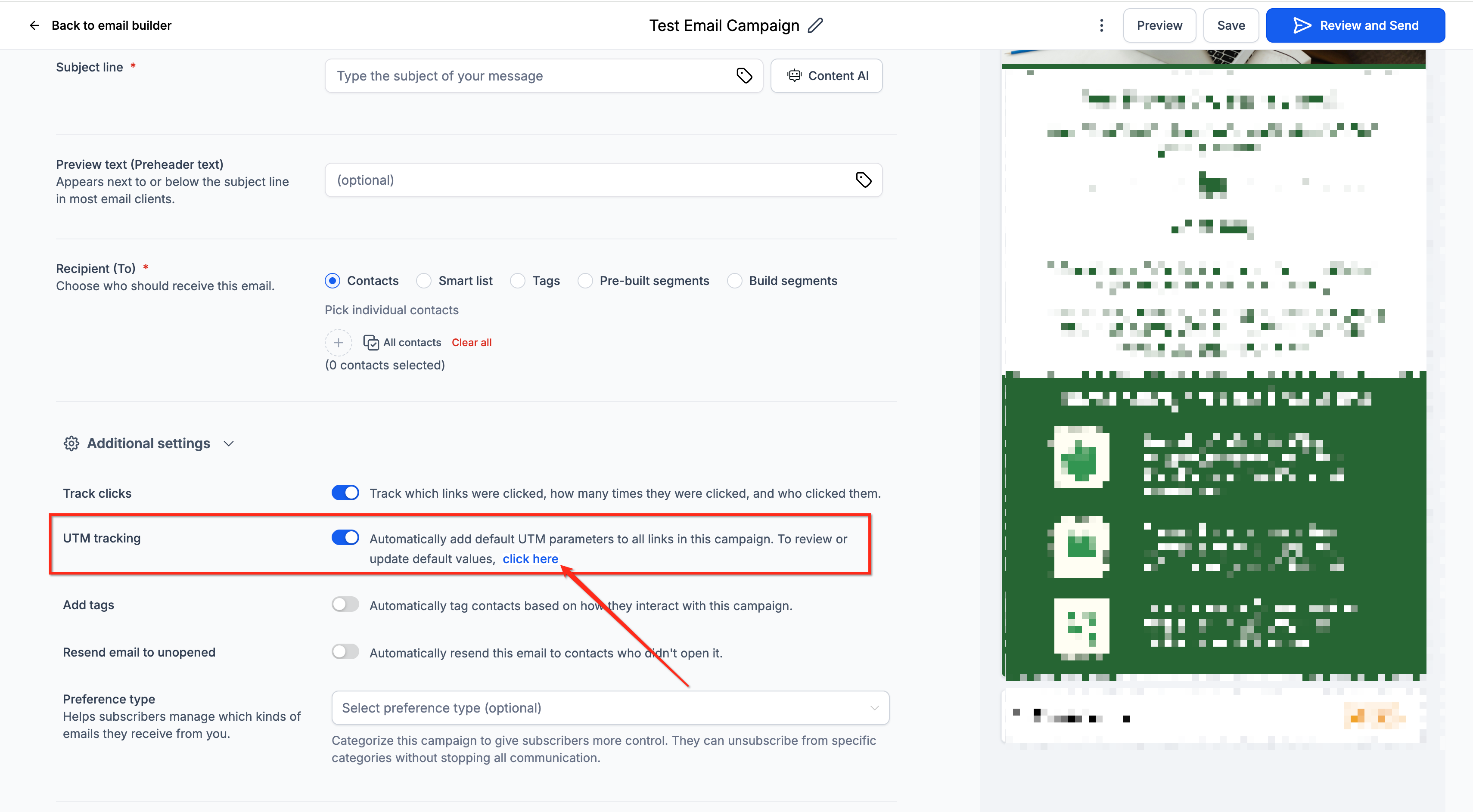
- Optionally enable UTM Tracking under the same settings area.
- Send the campaign immediately or schedule it for a later time.
Access click performance data
- Open Marketing > Emails in your HighLevel subaccount.
- Choose the Campaigns tab.
- Find the sent campaign you want to review.
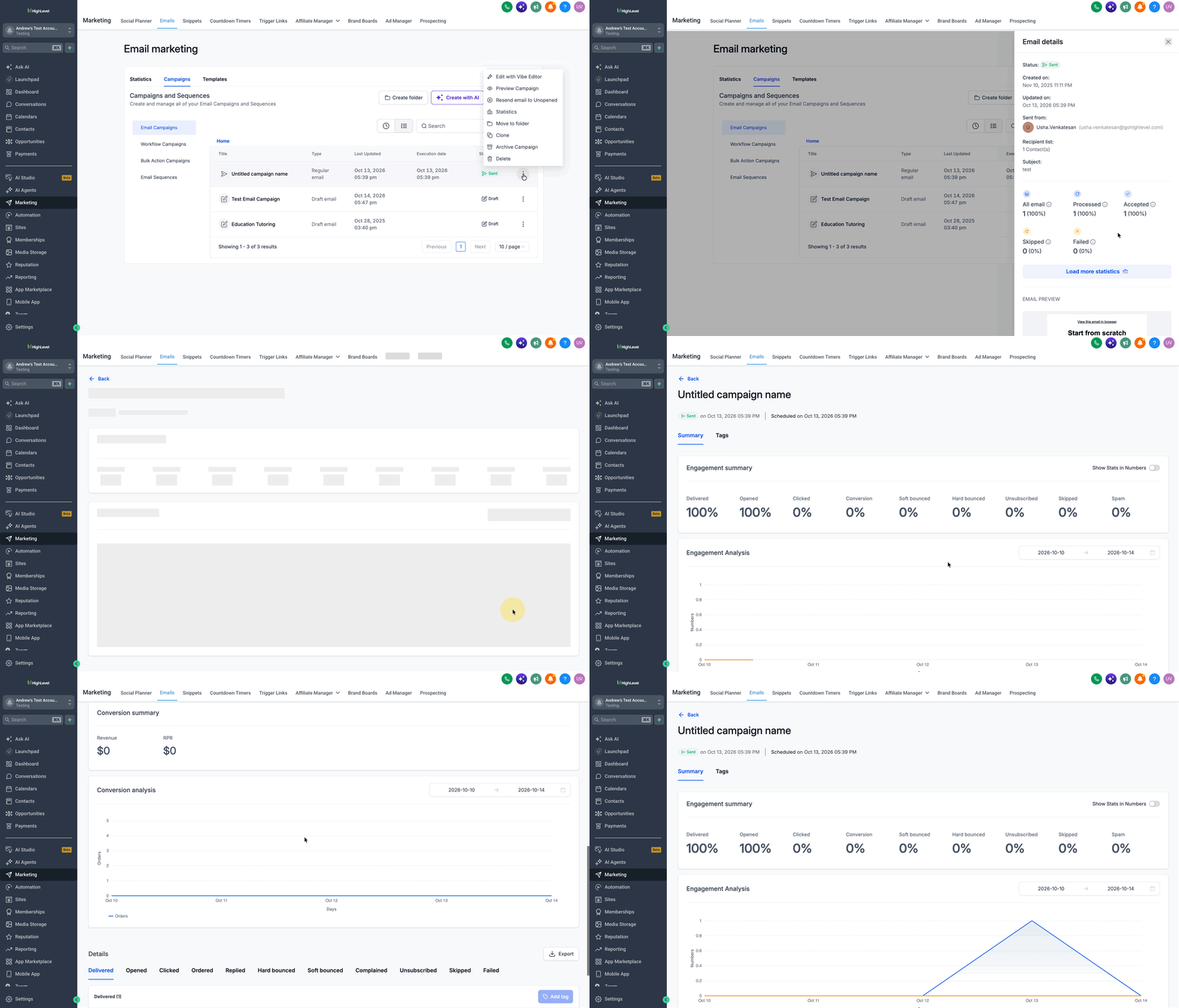
- Open the three dot menu next to that campaign and pick Statistics.
- In the side panel click Load More Statistics.
- Select the Click Performance tab on the expanded page.
- Read the summary figures and scroll to the Links in This Email table.
06What it looks like in HighLevel
07Settings that matter
- Track Clicks. When turned on, HighLevel records clicks on each supported link in the email, allowing the Click Performance report to be generated.
- UTM Tracking. Adds campaign parameters to supported URLs so external analytics tools can attribute traffic; it does not replace the required Track Clicks setting.
08Things to know before you rely on it
- Only campaigns that were sent with Track Clicks enabled generate Click Performance data; drafts and unsent scheduled emails show no click metrics.
- Supported URLs must begin with https:// or http://; mailto: links, internal anchors and system generated unsubscribe links are not tracked.
- Enabling Track Clicks after a send does not retroactively capture clicks from earlier sends.
- Test emails are excluded from click tracking according to the click tracking guide.
09If something goes wrong
- Campaign shows opens but no clicks. Confirm the Track Clicks toggle was active before sending and verify that all links use supported URL formats.
- Click counts are missing for a link. Check that the link starts with https:// or http:// and does not contain syntax errors or use a mailto: format.
10How it connects to the rest of HighLevel
- Guide to click tracking in HighLevel email campaigns click tracking guide
- How to view email conversion metrics in HighLevel conversion metrics
- HighLevel’s all in one email statistics dashboard overview dashboard overview
Michael's take

Many marketers think a high click count means the email drove sales, but clicks only show that a link was pressed, not that a purchase happened. I focus on the click data to spot which CTAs attract attention, then I pair that insight with conversion tracking elsewhere to measure real revenue.
If I were running a new promotion, I would first enable Track Clicks, send a small test to real contacts, and then dive into the Click Performance report. I’d look at both total and unique clicks for each link before tweaking the design or moving the button.