
01Who this is for
- Agencies on a $297 or $497 plan that send large volumes, because they can control reputation and avoid shared IP issues (per HighLevel's help center, checked November 2026).
- Subaccounts with over 10,000 contacts or recent high volume sending, since they may also purchase an IP when enabled by their agency.
- Businesses that need stronger authentication (SPF, DKIM, DMARC) and want protection against domain hijacking.
02Dedicated IPs, explained
Dedicated IP for LC Email provides an exclusive sending address that only your agency uses. The IP is billed monthly and appears in the Email Services section where you can purchase, rebill, and assign it to domains.
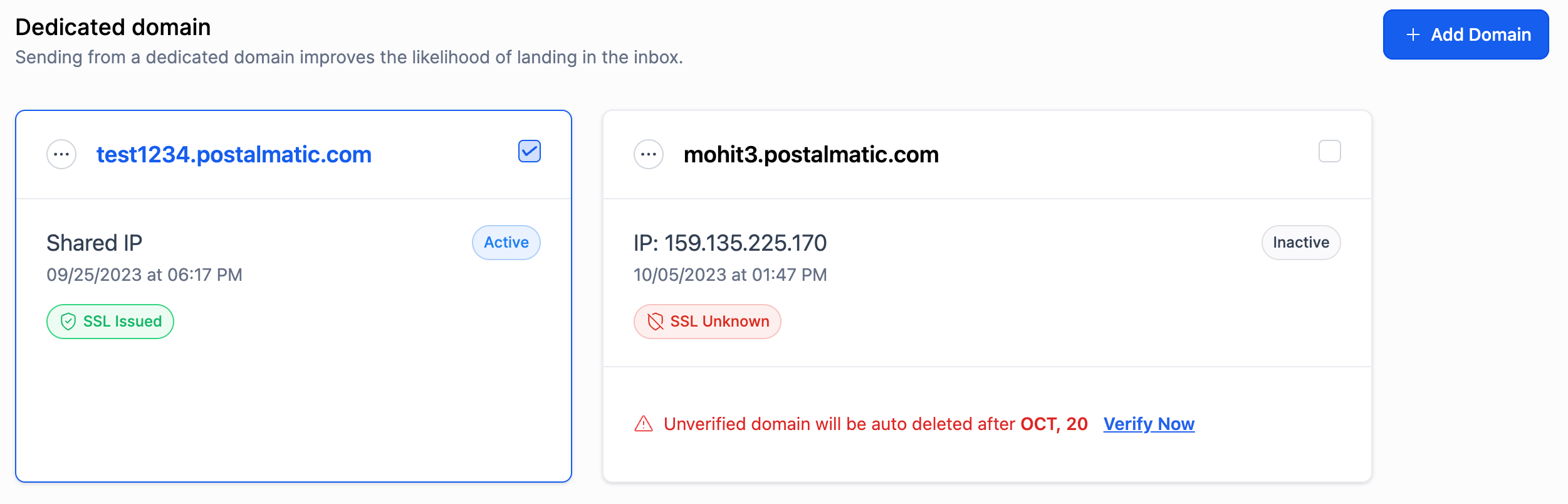
The IP can be attached to one or more dedicated sending domains. When a domain has multiple IPs, HighLevel distributes outbound mail in a round robin fashion. SPF record warnings appear if required DNS entries are missing, guiding you to fix authentication issues.
03How businesses use dedicated IP
- Marketing agency. The agency purchases a dedicated IP from the Email Services area, then assigns it to each client’s dedicated sending domain. This keeps each client’s reputation separate and lets the agency monitor deliverability per domain.
- SaaS startup. The startup buys a dedicated IP, links it to its verification emails domain, and ensures the SPF record matches the displayed requirement, preventing spoofing alerts.
- Real estate brokerage. The brokerage assigns the dedicated IP to its newsletter domain, then sends regular market updates, using the exclusive IP to maintain a consistent sender reputation.
04The numbers and rules that matter
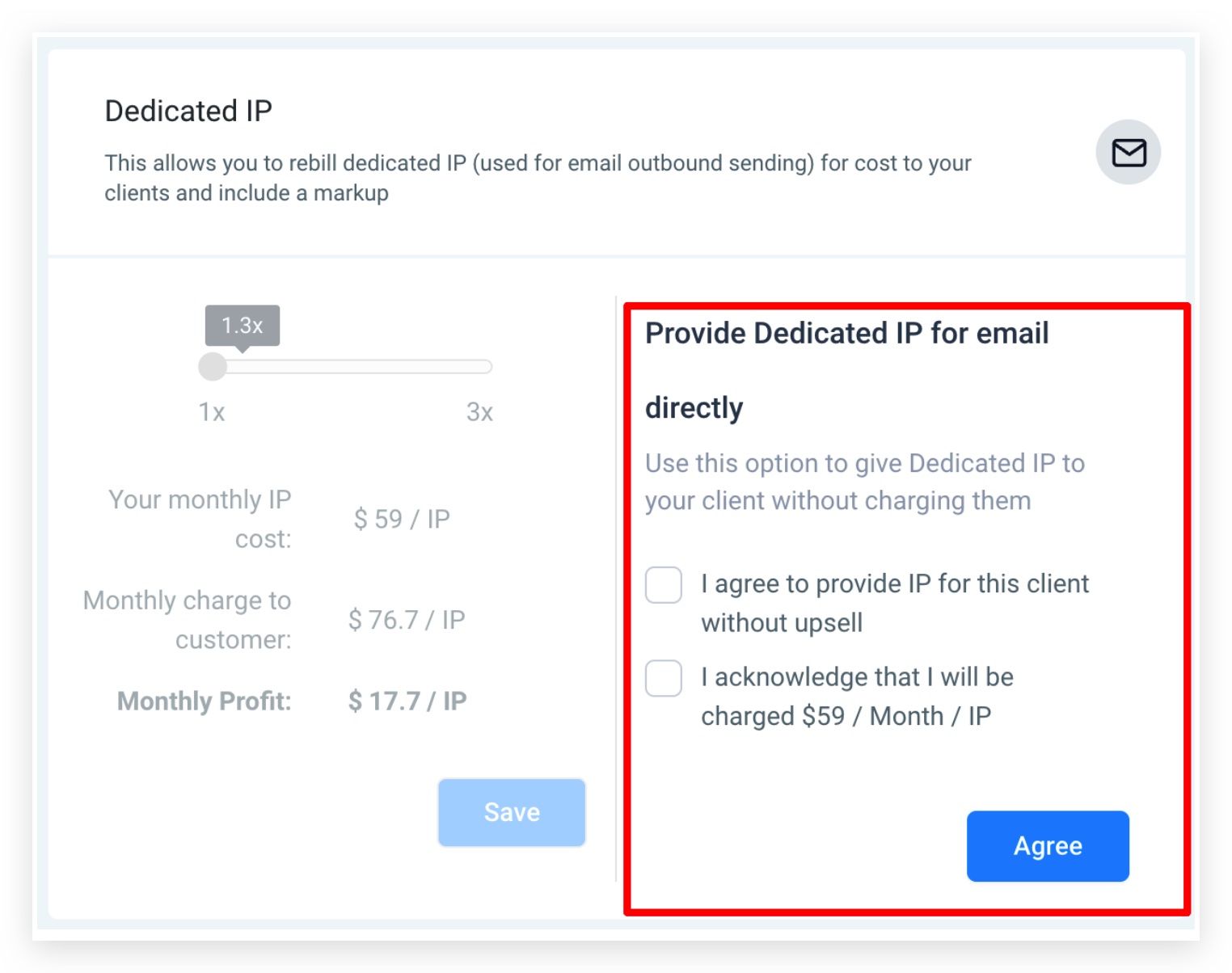
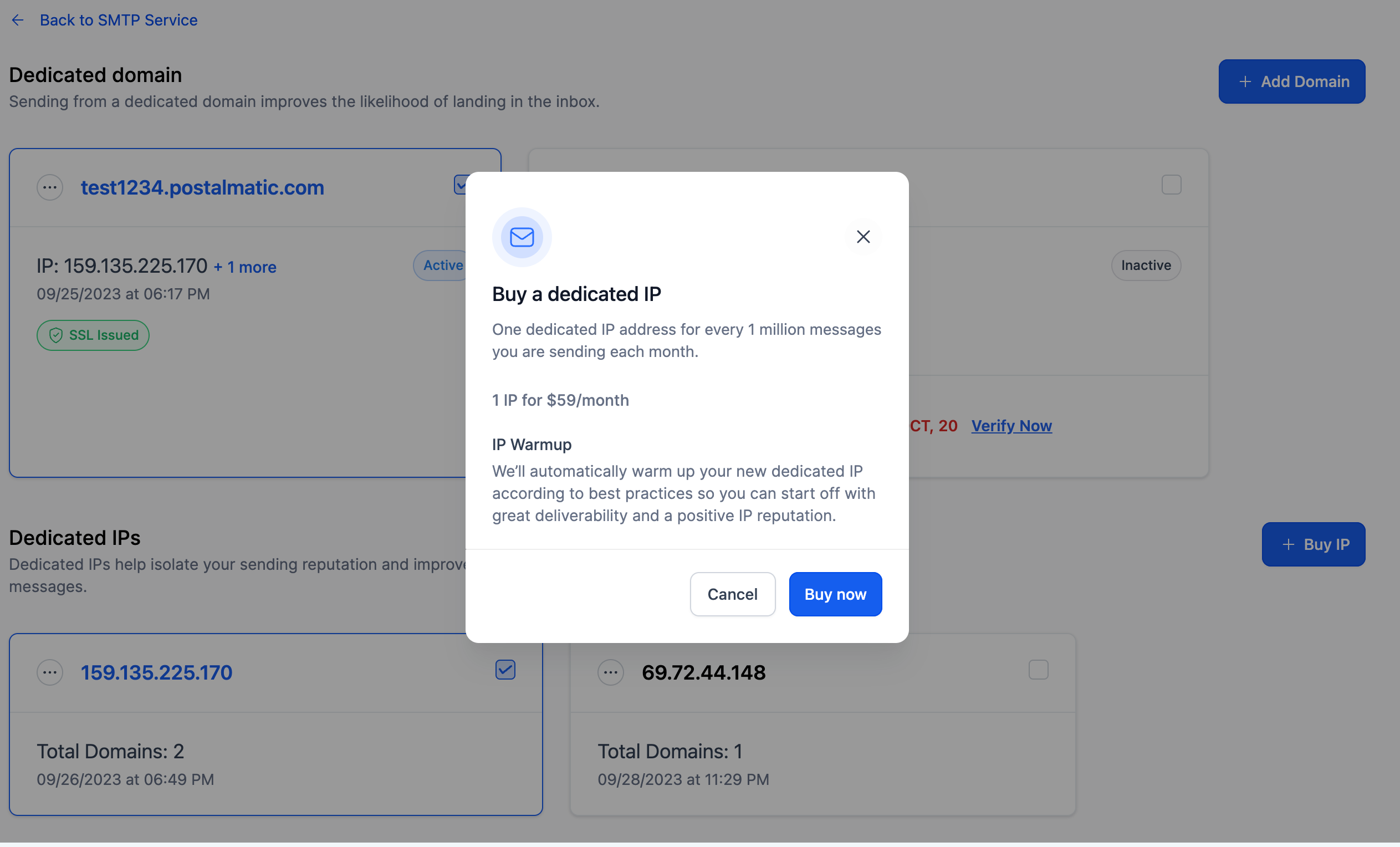
- One IP at $59 per month will be charged to the agency (per HighLevel's help center, checked November 2026).
- Dedicated IPs are exclusively available for Agencies on the $297/$2970 and $497/$4970 plans (per HighLevel's help center, checked November 2026).
- We strongly advise sending a minimum of 50,000 messages per week to uphold a robust reputation.
- We recommend allocating one dedicated IP address for every 1 million messages sent monthly.
- Subaccounts are eligible if the contact count exceeds 10,000 or they have sent more than 50,000 emails in the last 10 days and belong to an agency created within the last 14 days.
05Before you start
- Agency must be on the $297/$2970 or $497/$4970 plan (per HighLevel's help center, checked November 2026).
- Payment method must be set up in the agency or subaccount.
- Dedicated IP purchase must be enabled for subaccounts by the agency.
- LC Email must be selected as the email provider.
06How to set up and use dedicated IP in HighLevel
Buy a dedicated IP
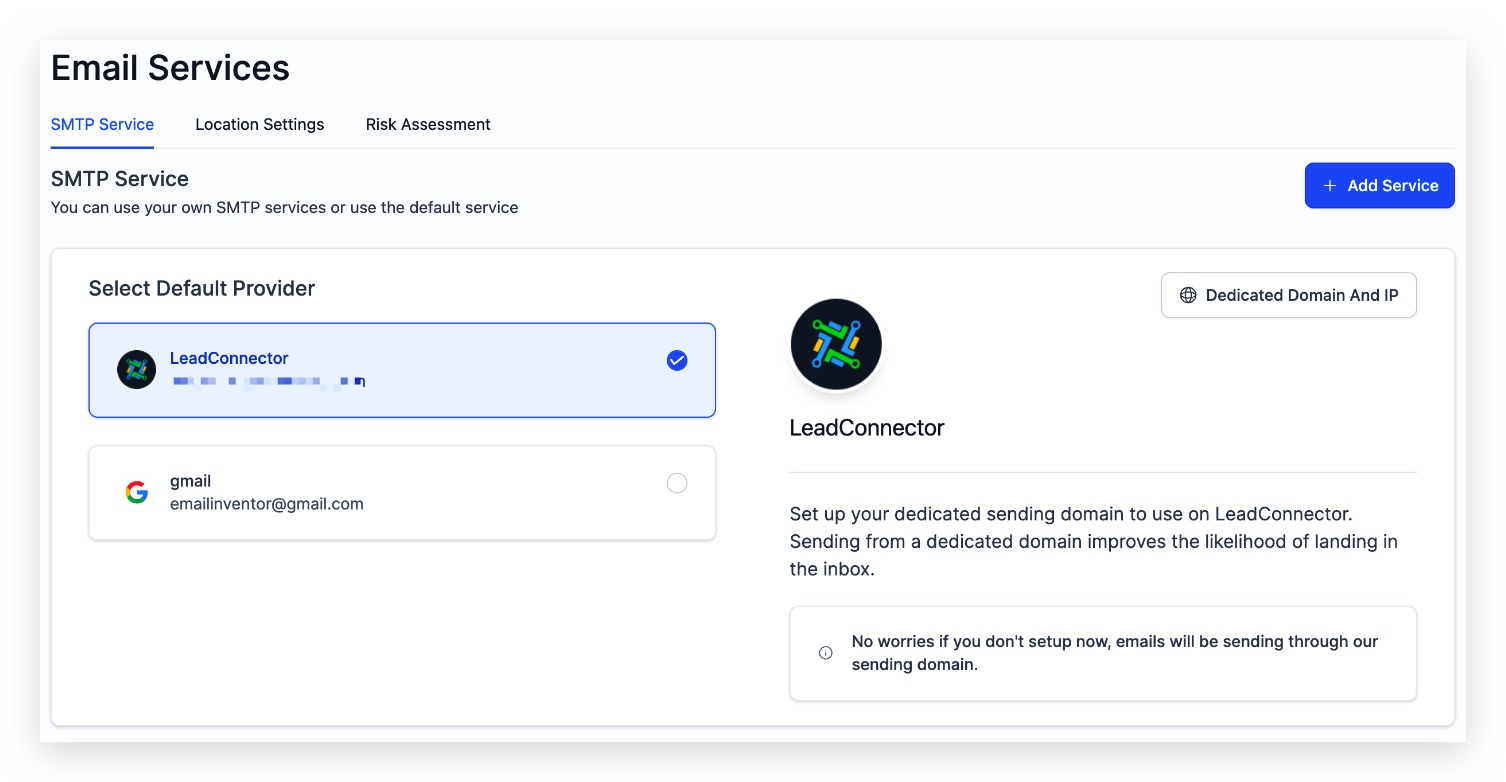
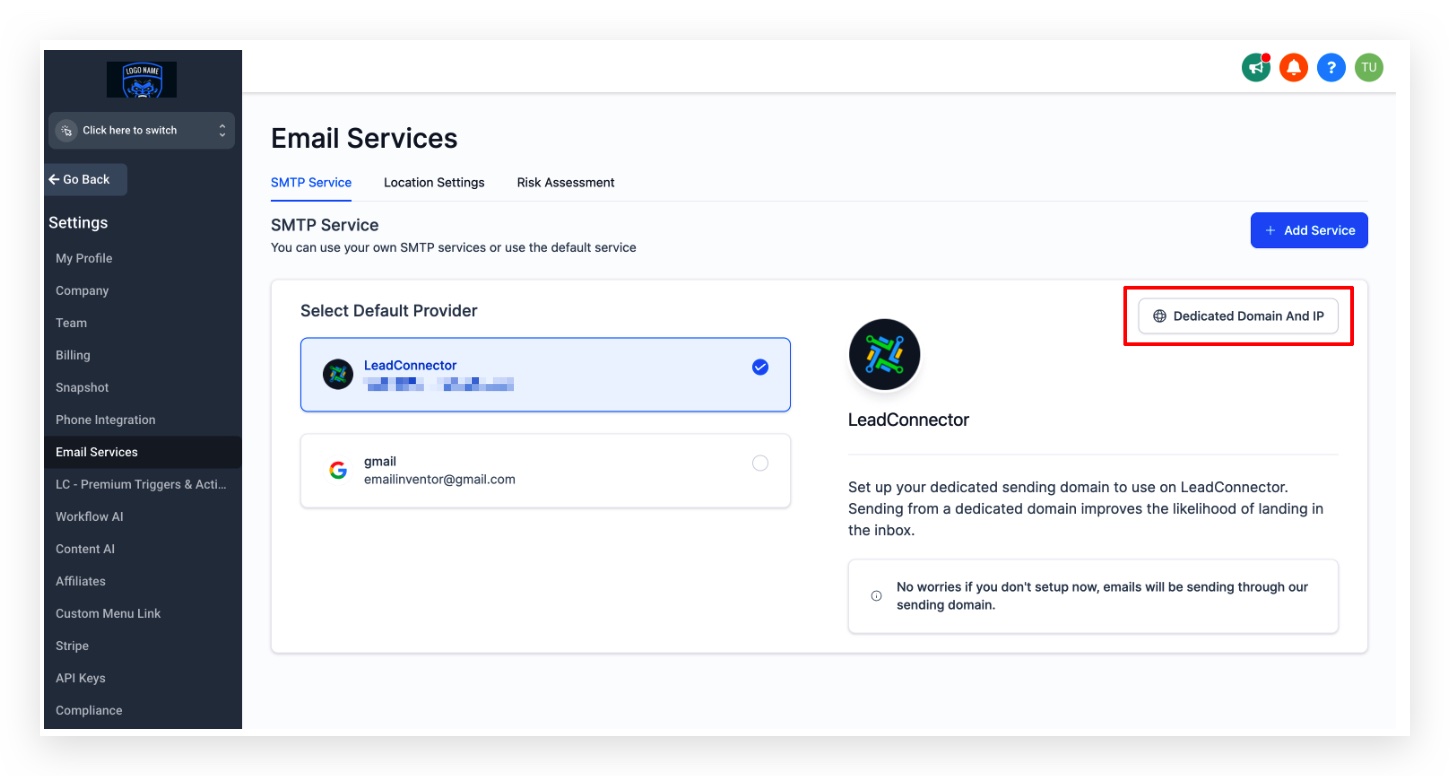
- Open Agency Settings and click Email Services.
- Select Dedicated Domain And IP in the LC Email provider section.
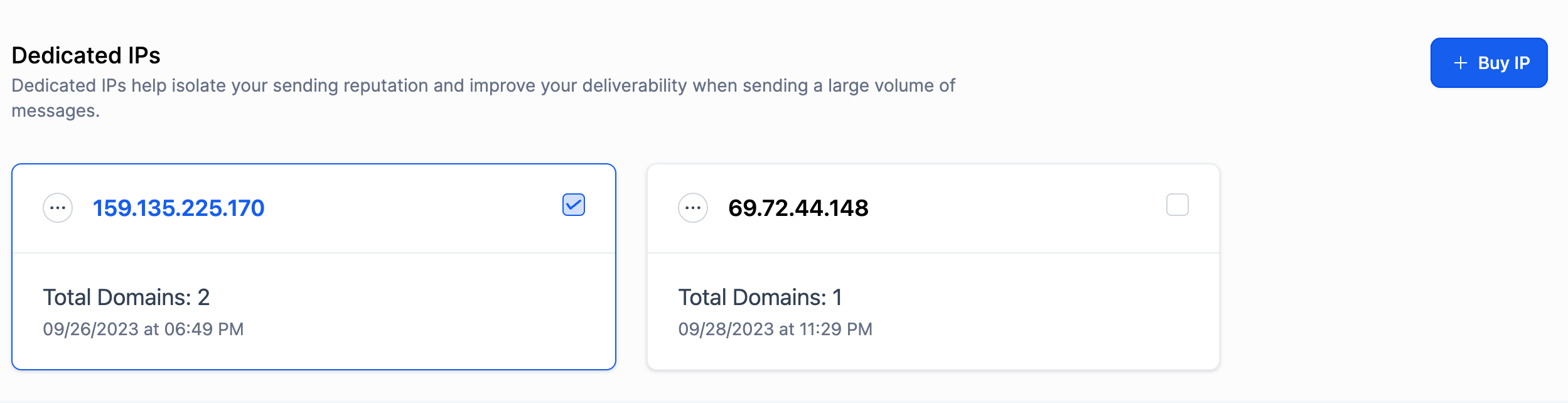
- Press the Buy IP button on the following screen.
- Confirm the purchase by clicking Buy Now in the modal.
Assign a dedicated IP to a domain
- Click the three dot menu next to the target domain and choose Assign IP.
- In the IP Assignment modal, view the list of owned IP addresses.
- Select the desired IP and confirm the assignment.
07What it looks like in HighLevel
08Settings that matter
- Dedicated Domain And IP. Opens the page where you can purchase new dedicated IPs for LC Email.
- Buy IP. Triggers the modal that confirms the monthly cost and completes the purchase.
- Assign IP. Allows you to link a purchased IP to a specific dedicated sending domain.
09Things to know before you rely on it
- One IP costs $59 per month (per HighLevel's help center, checked November 2026) and is charged to the agency.
- Only agencies on the $297/$2970 or $497/$4970 plans can buy a dedicated IP (per HighLevel's help center, checked November 2026).
- A minimum of 50,000 messages per week is recommended to maintain reputation.
- Recommend one dedicated IP for each 1 million messages sent monthly.
- During warm up, mail may split 50/50 between the new IP and the previous shared IP.
- If a domain lacks the required SPF record, HighLevel shows a warning indicating the missing entry.
10If something goes wrong
- SPF record validation warning appears for a domain.. Review the domains listed in the warning, check each SPF record in your DNS provider, and update the record with the value shown in the warning.
11How it connects to the rest of HighLevel
- Configure dedicated sending domains for LC Email Dedicated sending domain setup
- Assign dedicated sending domains to different email types Assign domains
- View HighLevel pricing and plan eligibility Pricing page
Michael's take

Michael ReimerFounder of CRM Pros, HighLevel Commander and Certified Admin
Dedicated IPs can be a valuable tool for agencies that handle large email volumes.
Get More InformationOpens on HighLevelPublished November 2, 2026 · Updated November 16, 2026