
01Who this is for
- Agency admins can present relevant industry templates to subaccounts, simplifying client onboarding.
- Real estate teams gain pre configured property and deal objects, reducing setup effort.
- Home service businesses obtain ready made job and client fields, helping them organize work without building structures from scratch.
02Custom object templates, explained
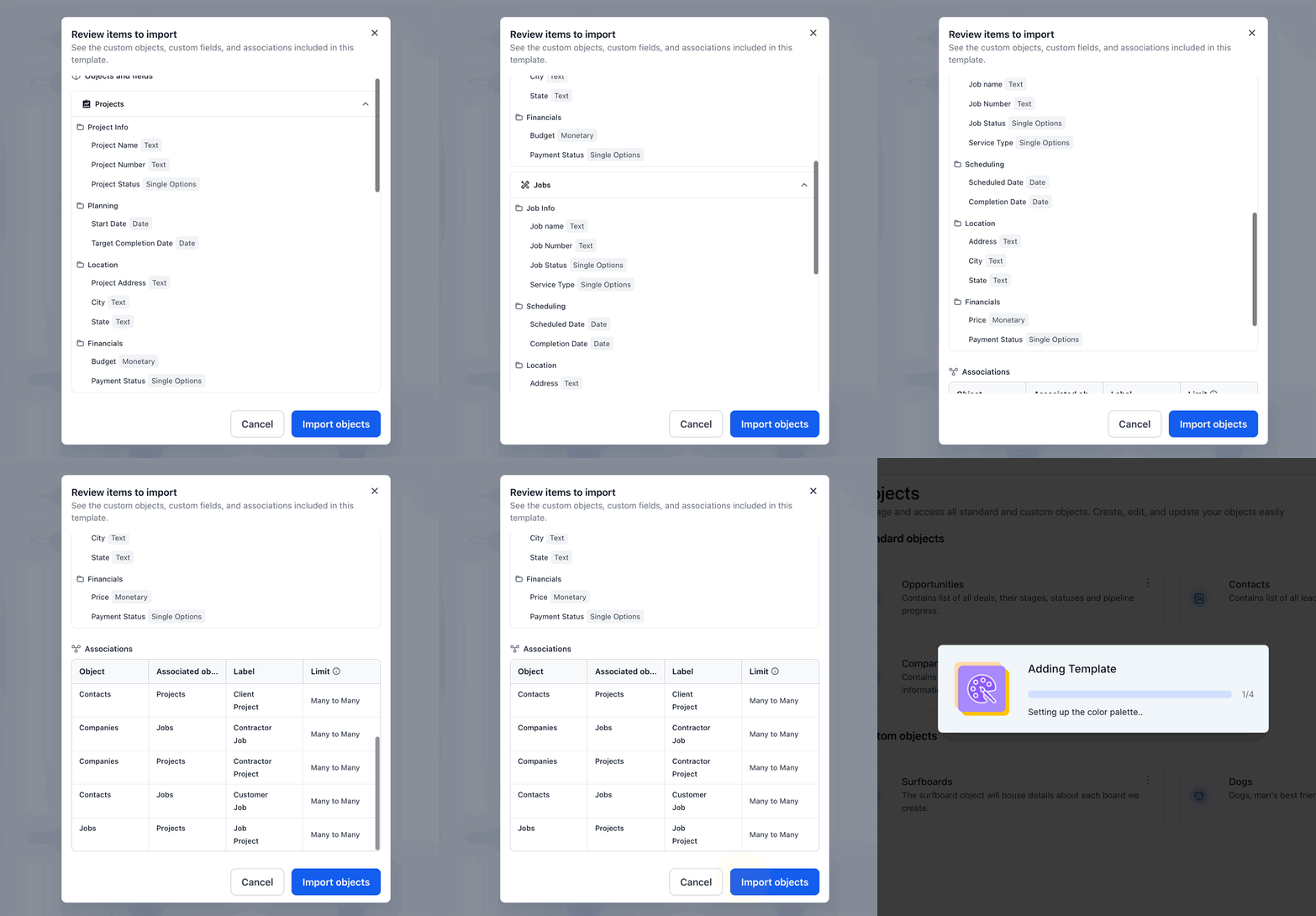
Custom Object Templates are pre assembled collections of Custom Objects, fields, folders and associations that match common industry workflows. When a template is imported, the platform adds all defined objects and their relationships in a single action. The template can be previewed first, allowing you to confirm its contents before it is applied.
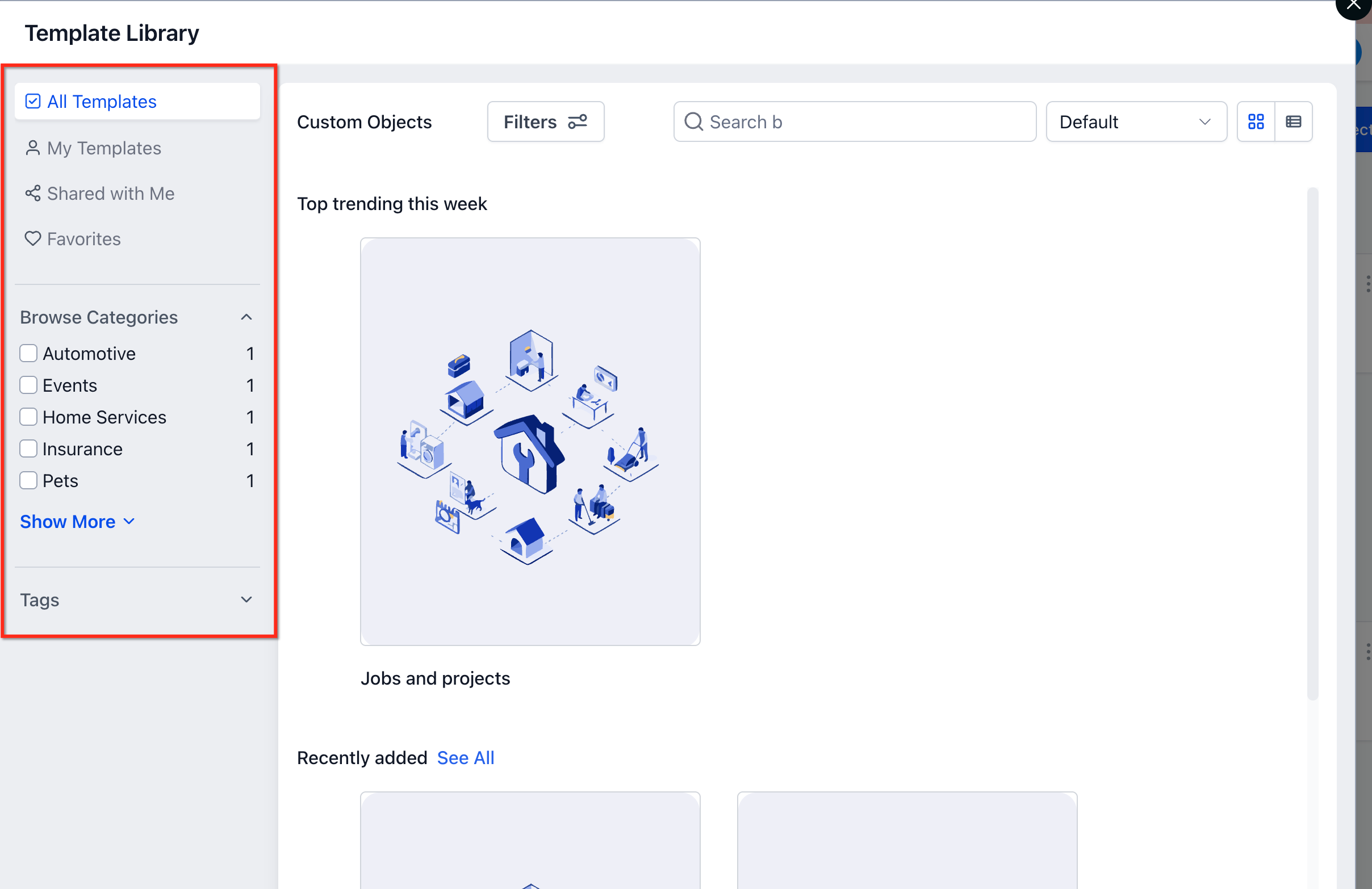
Templates live in the Template Library, accessible from the Settings area of a subaccount. After import, the new objects appear in the Objects section of Settings, where you can edit fields or adjust associations as needed. The visibility of templates can be limited for subaccounts using the existing Template Library visibility controls.
03How businesses use custom object templates
- Real estate brokerage. The brokerage selects the Real Estate template, previews the objects such as Properties and Listings, imports them, and then tweaks field labels to match its branding. All new property records can be linked to Companies and Opportunities automatically.
- Auto repair shop. The shop chooses the Automotive template, imports the Vehicle and Service objects, and reviews the generated fields. It then adds a custom field for warranty status and begins recording each repair job within the new custom object.
- SaaS startup. The startup applies the SaaS template, which creates Subscription and Feature objects. After import, the team modifies the Subscription fields to capture plan tiers and uses the built in associations to connect each subscription to a Company record.
04The numbers and rules that matter
- Supported industries: Real Estate, Insurance, Automotive, SaaS, Events, Pets, Home Services.
- Templates include objects, fields, folders, associations, description, tags and prerequisites.
05How to set up and use custom object templates in HighLevel
Set up a custom object template
- Open Settings in the target subaccount.
- Select Objects from the left hand navigation.
- Click Add Custom Object to start a new object definition.
- Choose Use a template to work from a predefined set.
- Browse the list of available Custom Object Templates.
- Pick the template that aligns with your industry or use case.
- Examine the preview, checking objects, fields, associations, description, tags and prerequisites.
- Click Import Objects to apply the template to the account.
- Inspect the newly created Custom Objects and modify any settings as required.
06What it looks like in HighLevel
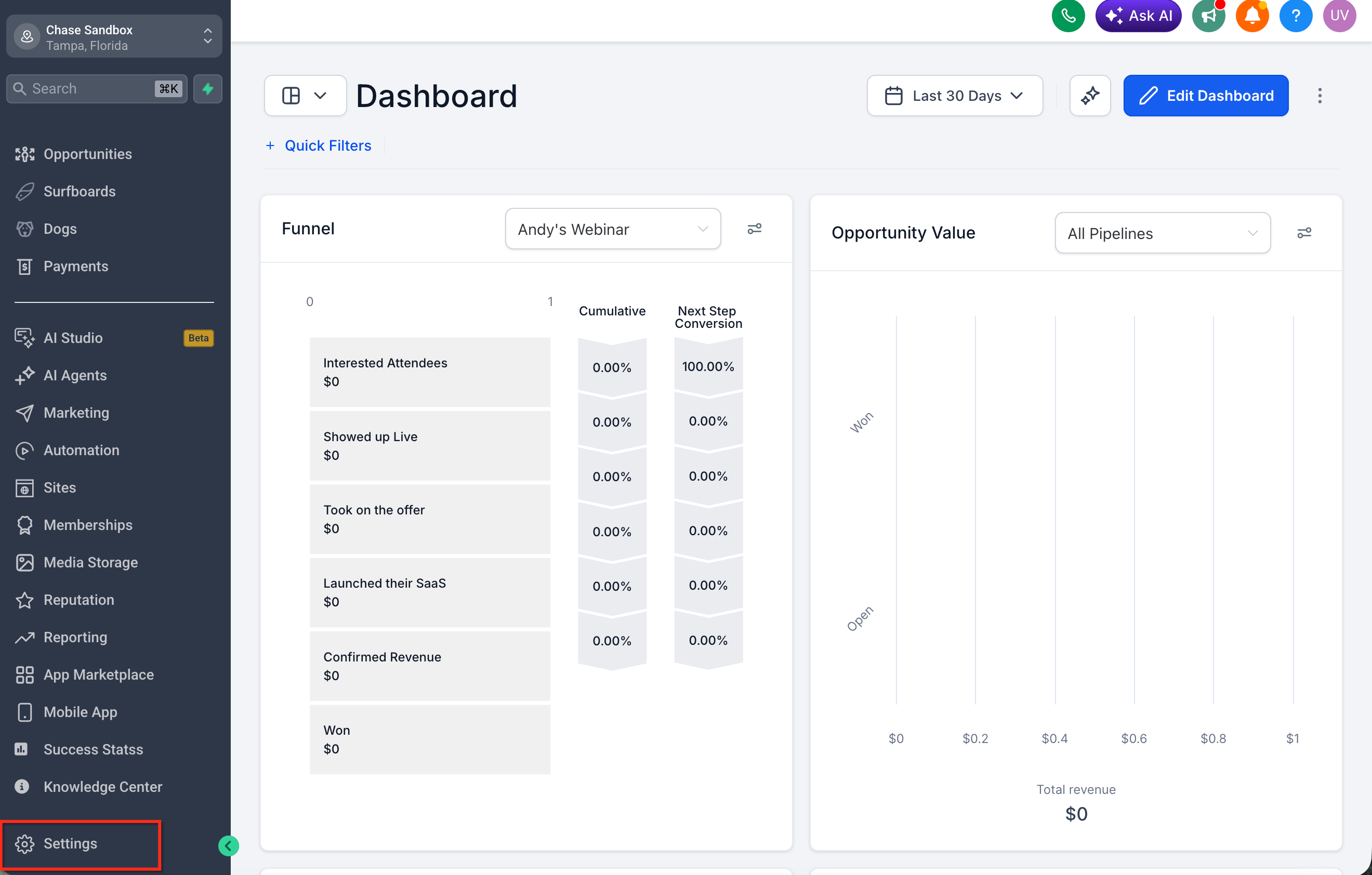
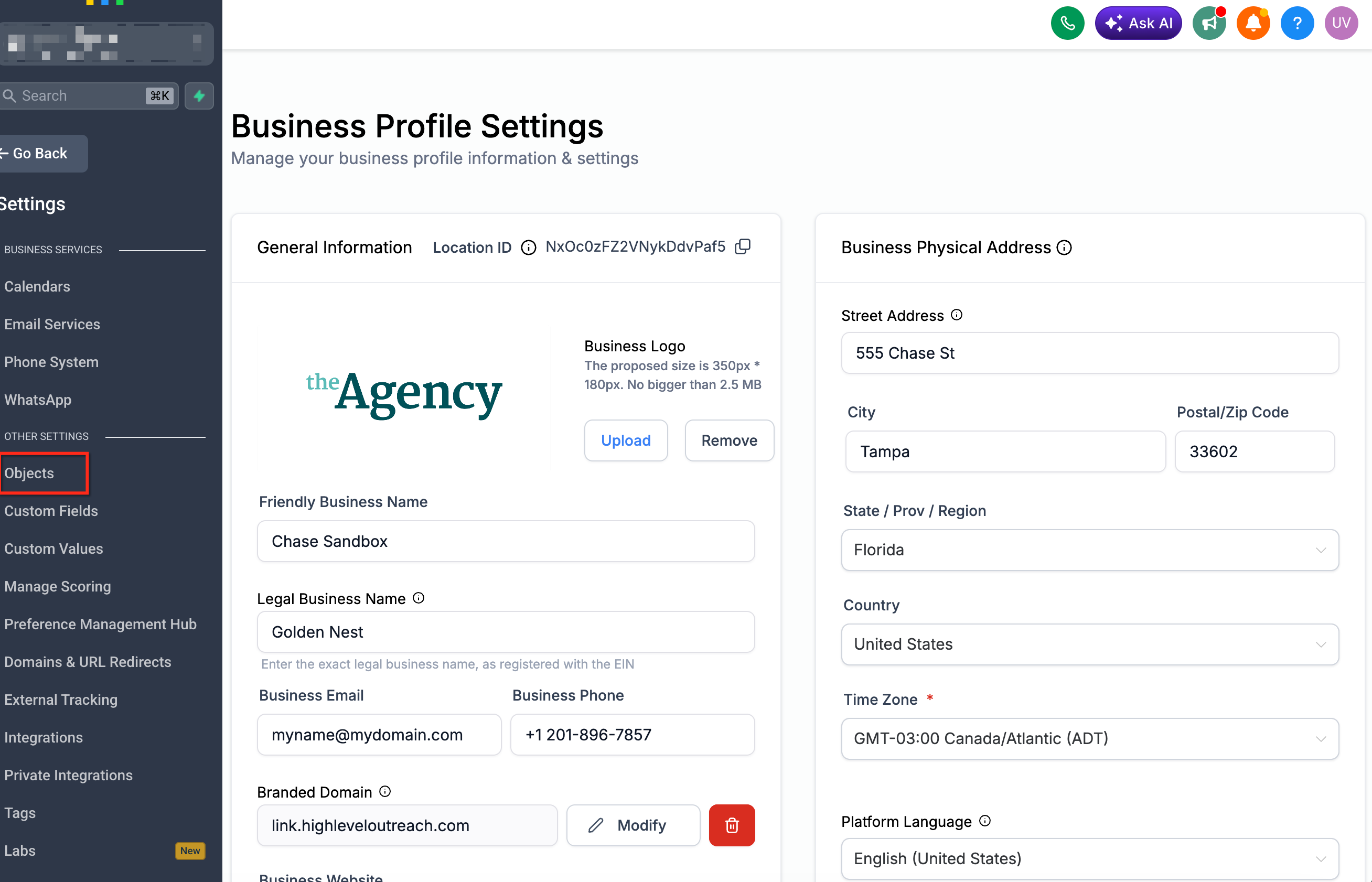
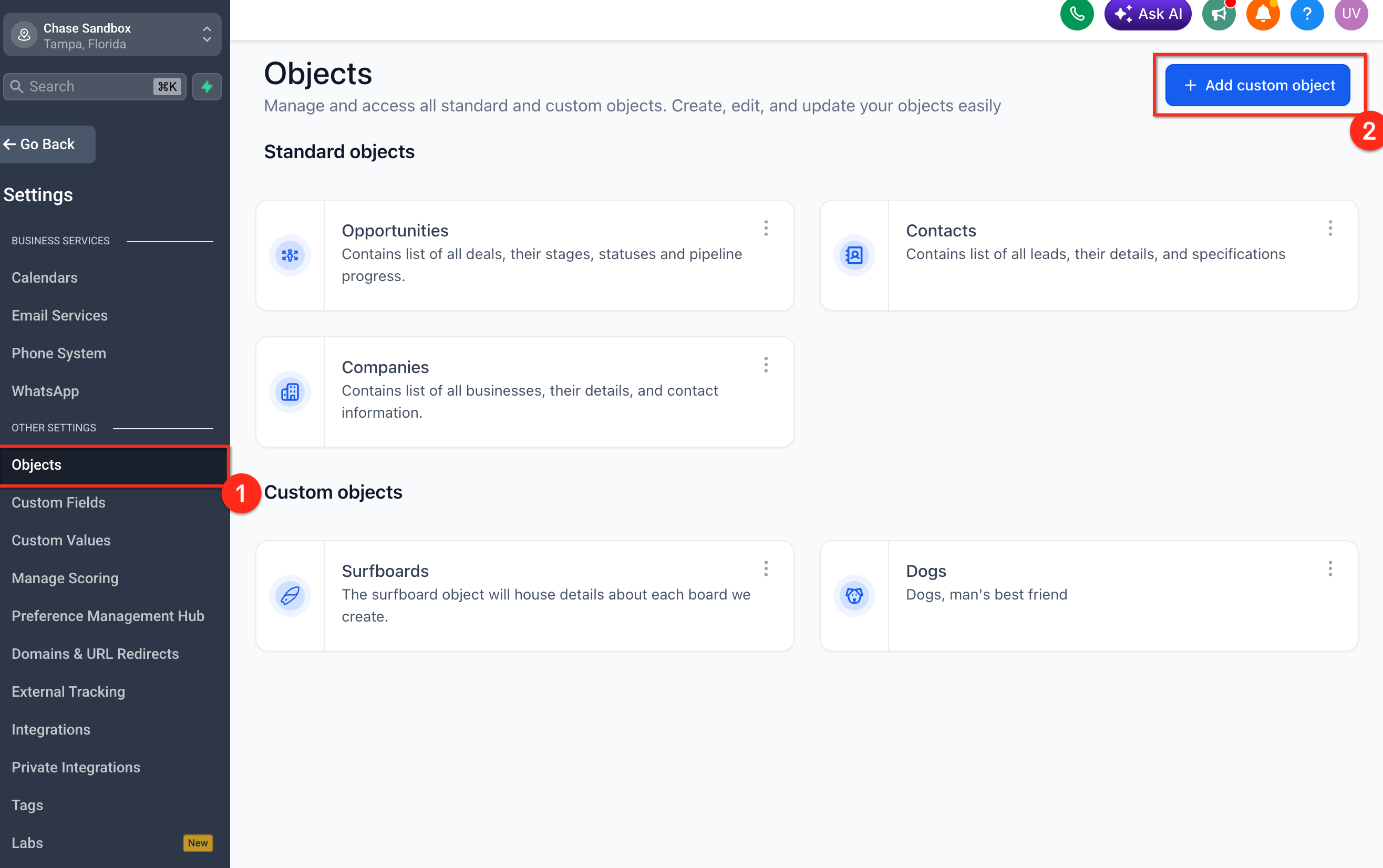
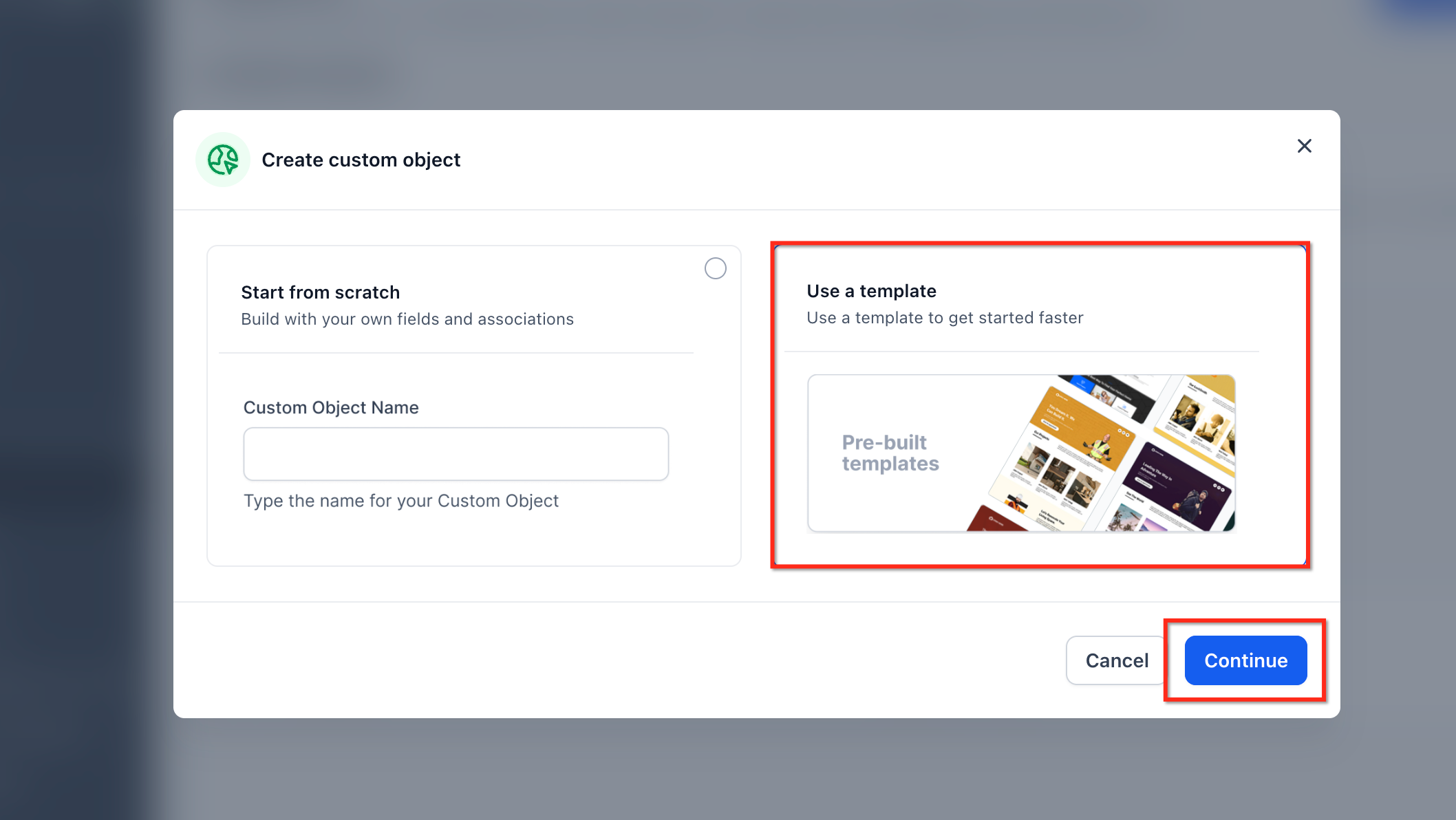
07Settings that matter
- Template Library visibility controls. Determines which Custom Object Template categories are shown to subaccounts, allowing agencies to hide or reveal templates based on client focus.
08Things to know before you rely on it
- User created or saved Custom Object Templates are not available in the current release.
- Workflows and sample data are not included with templates; they are planned for a future phase.
- Applying a template does not automatically import customer records; it only creates the structural elements.
09How it connects to the rest of HighLevel
- Learn the basics of working with custom objects. Getting Started with Custom Objects
- Details on creating, editing and deleting custom objects. Custom objects in HighLevel
- How to trigger workflows using custom object actions. Custom object workflows
Michael's take

Jumping into custom object templates without checking what’s already built can cause duplicate structures and confusion. Make sure you really need a new object layout before you import a template.
When the fit is right, the upside is huge. A whole industry specific data model appears with a single click, letting you focus on tweaking fields instead of wiring the whole system.