
01Who this is for
- Founders who need to capture quote requests without cluttering their contact list.
- Sales teams that want to register partner deals directly as opportunities and companies.
- Property managers who collect viewing requests as linked opportunity and custom object records.
02Contactless forms, explained
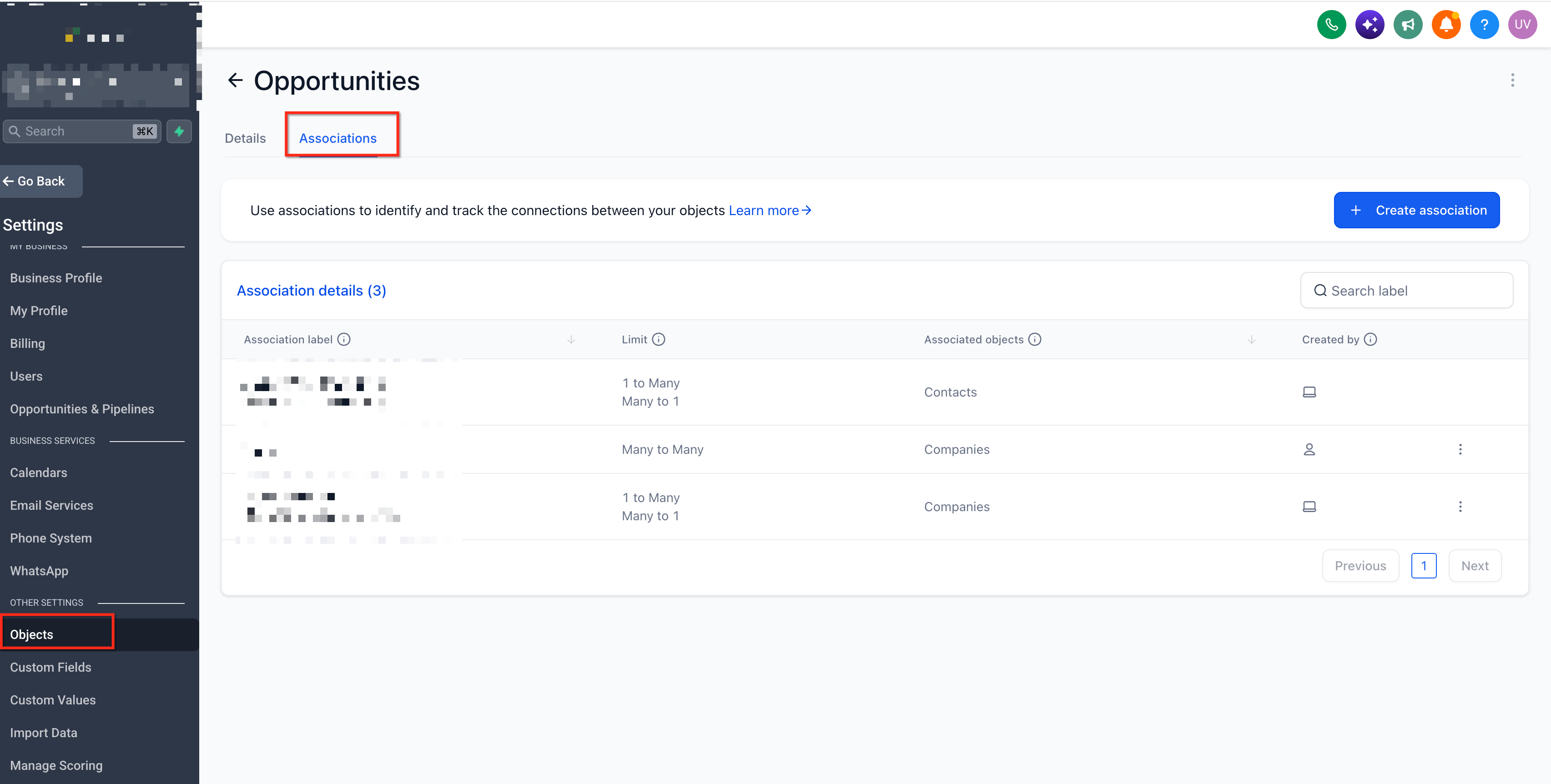
Contactless Forms are a type of form in the HighLevel platform that can create records without any contact information. When a visitor submits the form, the system can generate an Opportunity alone, an Opportunity paired with a Company, an Opportunity paired with a Custom Object, or a Company paired with a Custom Object. The records are linked using association labels that you define.
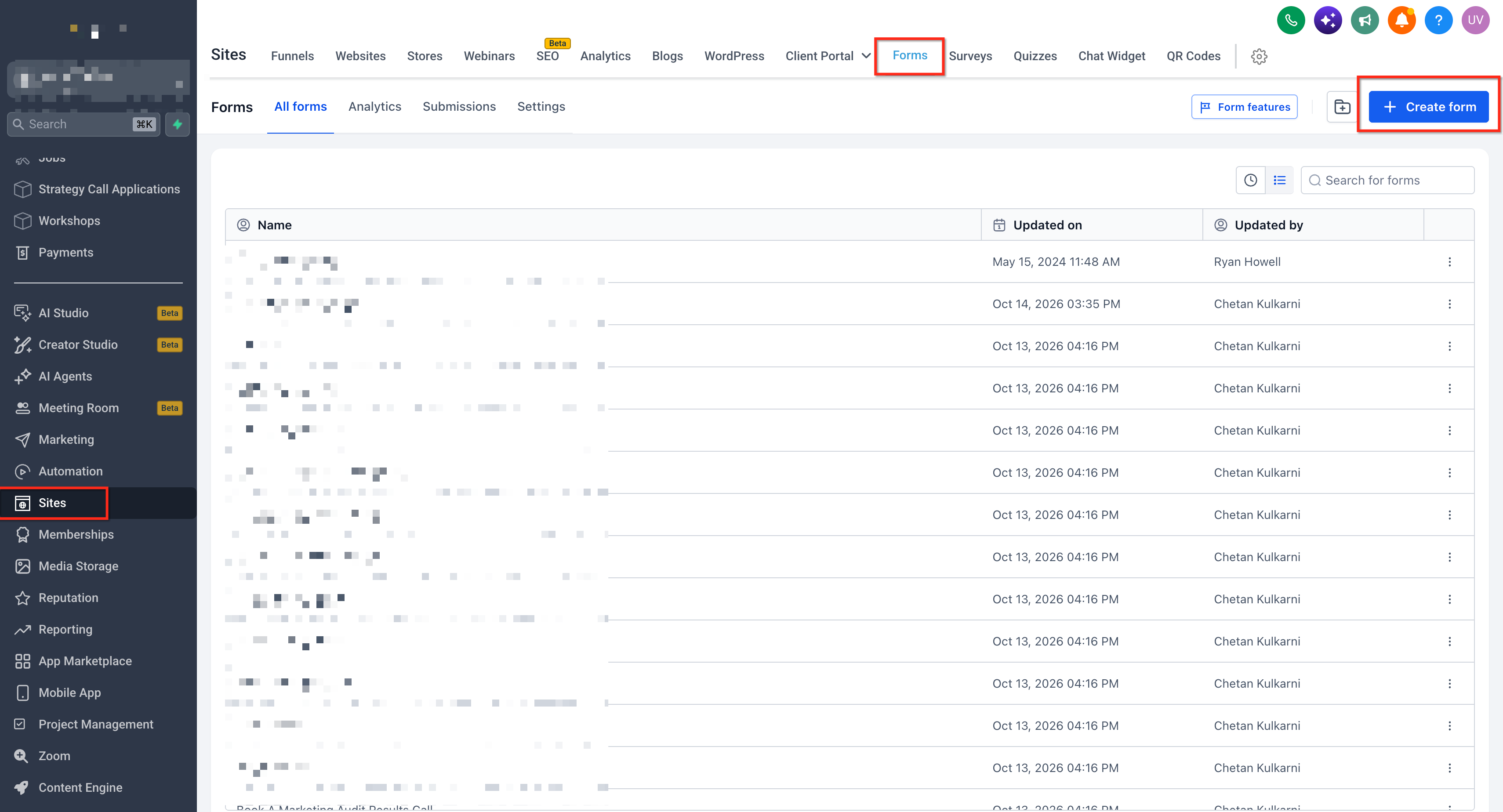
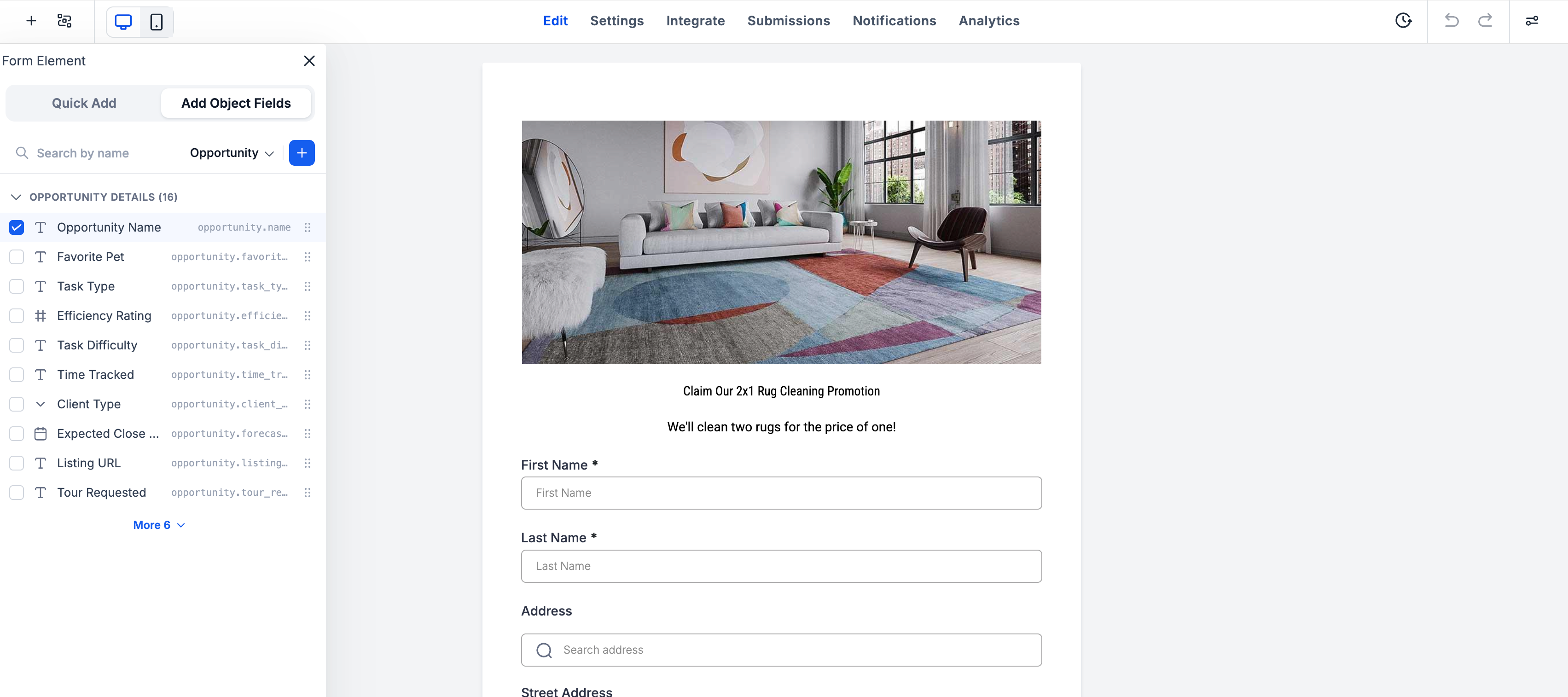
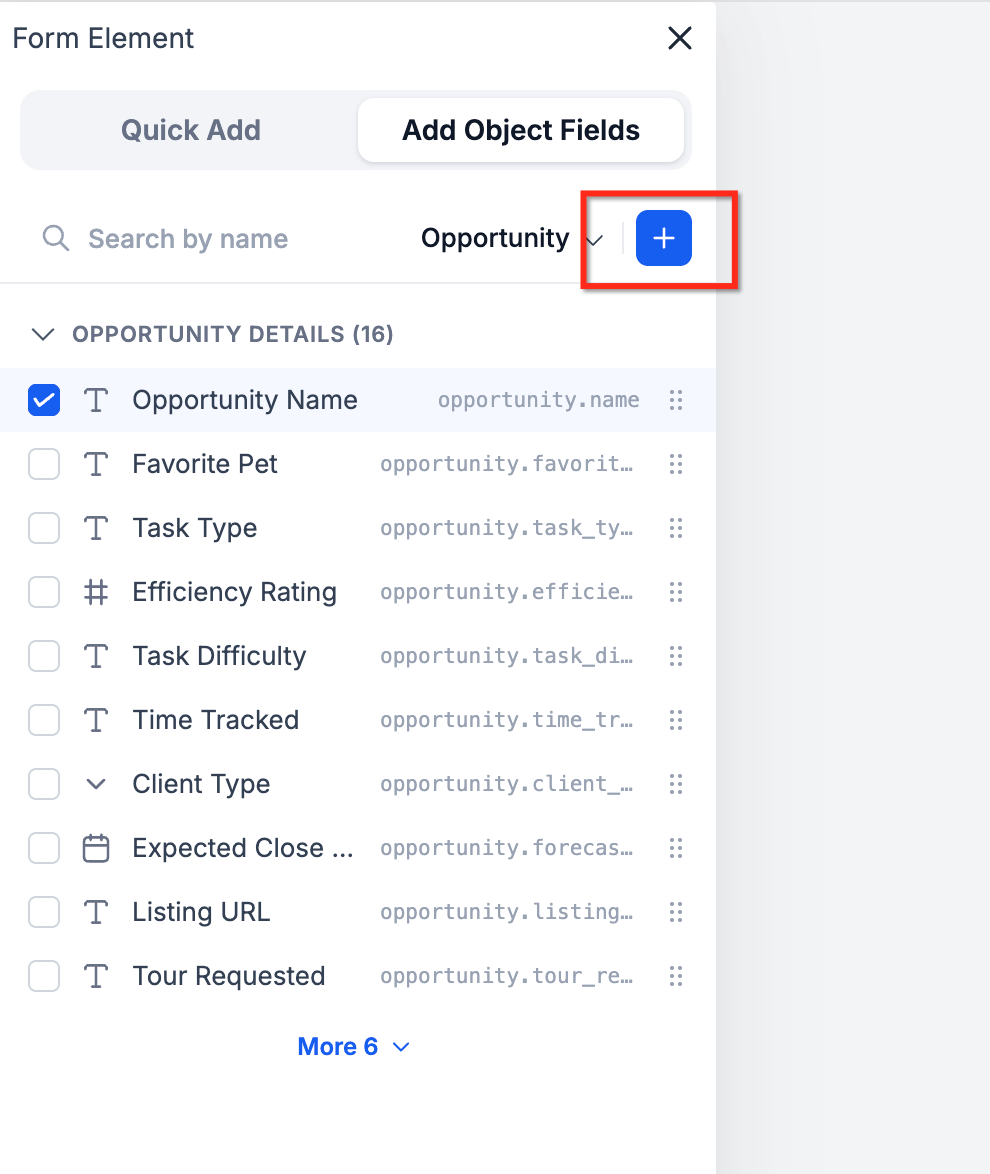
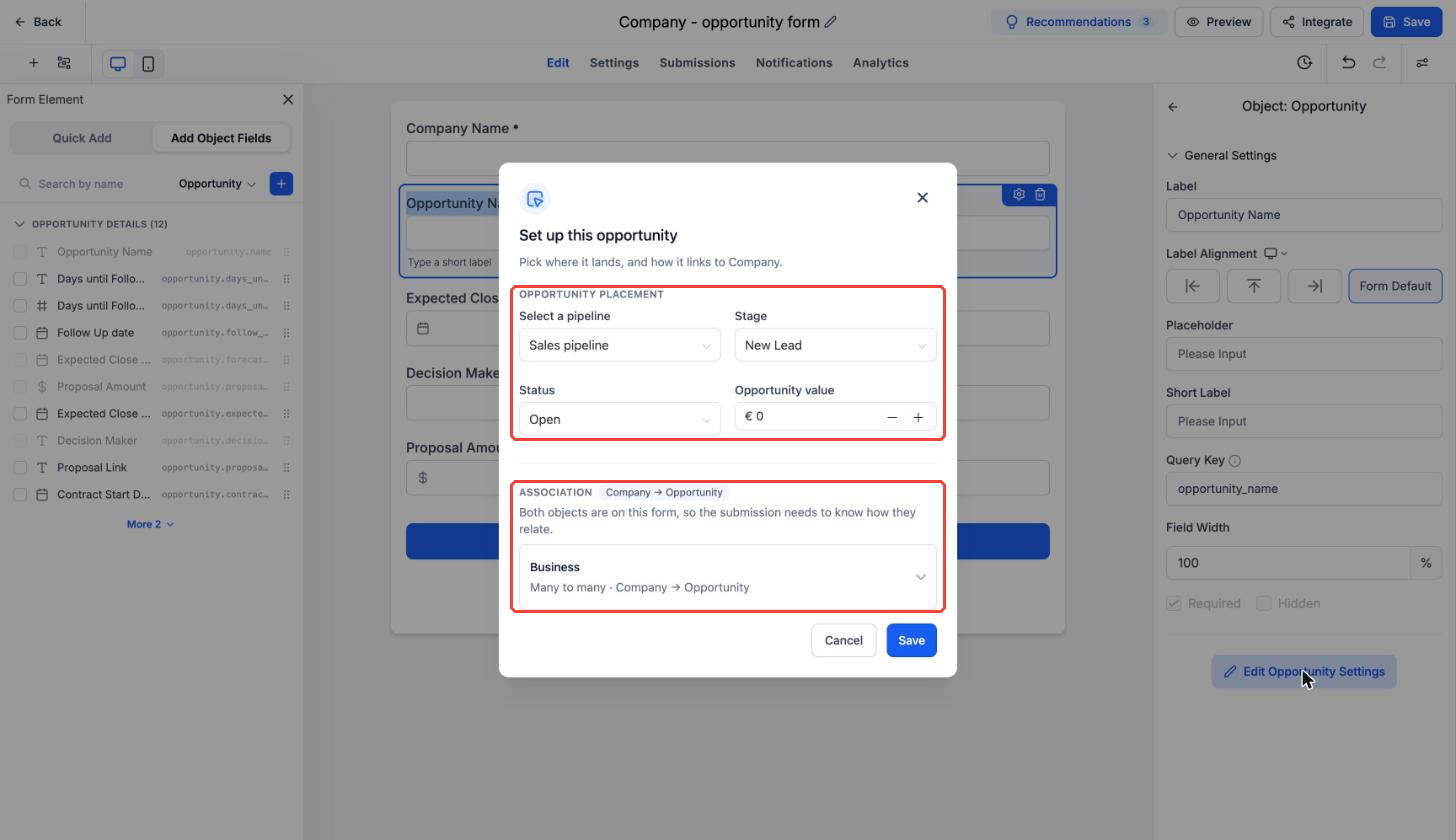
The feature lives inside the Form Builder, accessed via Sites > Forms. You add fields from the supported objects through the Add Object Fields option. If you include a second object, HighLevel prompts you to choose an association label, and the two records are automatically connected. Opportunity settings let you set the pipeline, stage, status, and default value for each created opportunity.
All created opportunities receive a Source value of FORM. To collect a visitor entered amount, you add an Opportunity custom field; this does not overwrite the predefined Opportunity Value.
03How businesses use contactless forms
- Consulting firm. The firm builds a contactless form that captures project inquiry details as an Opportunity record only. No client name is required, so the sales pipeline stays clean while still tracking the potential deal.
- Real estate agency. A form is set up to collect property viewing requests. The submission creates an Opportunity and a linked Custom Object that stores the property details, using an association label such as Listing.
- Technology partner program. The partner program creates a form that generates both an Opportunity and a Company record for each partner deal registration. The two records are linked with an association label like Primary Company.
04Before you start
- Feature must be enabled in a location that participates in the Opportunity First Private Beta.
05How to set up and use contactless forms in HighLevel
Set up a contactless form
- Navigate to Sites > Forms and create a new form or open an existing one.
- Remove the default Contact fields from the form.
- Click Add Object Fields, select Opportunity or Company, and add the required fields.
- Switch the object dropdown to Company or a Custom Object, add its fields, choose the association label, and click Save.
- If the form includes Opportunity fields, ensure the Opportunity Name field is added; it is required for any form with Opportunity fields.
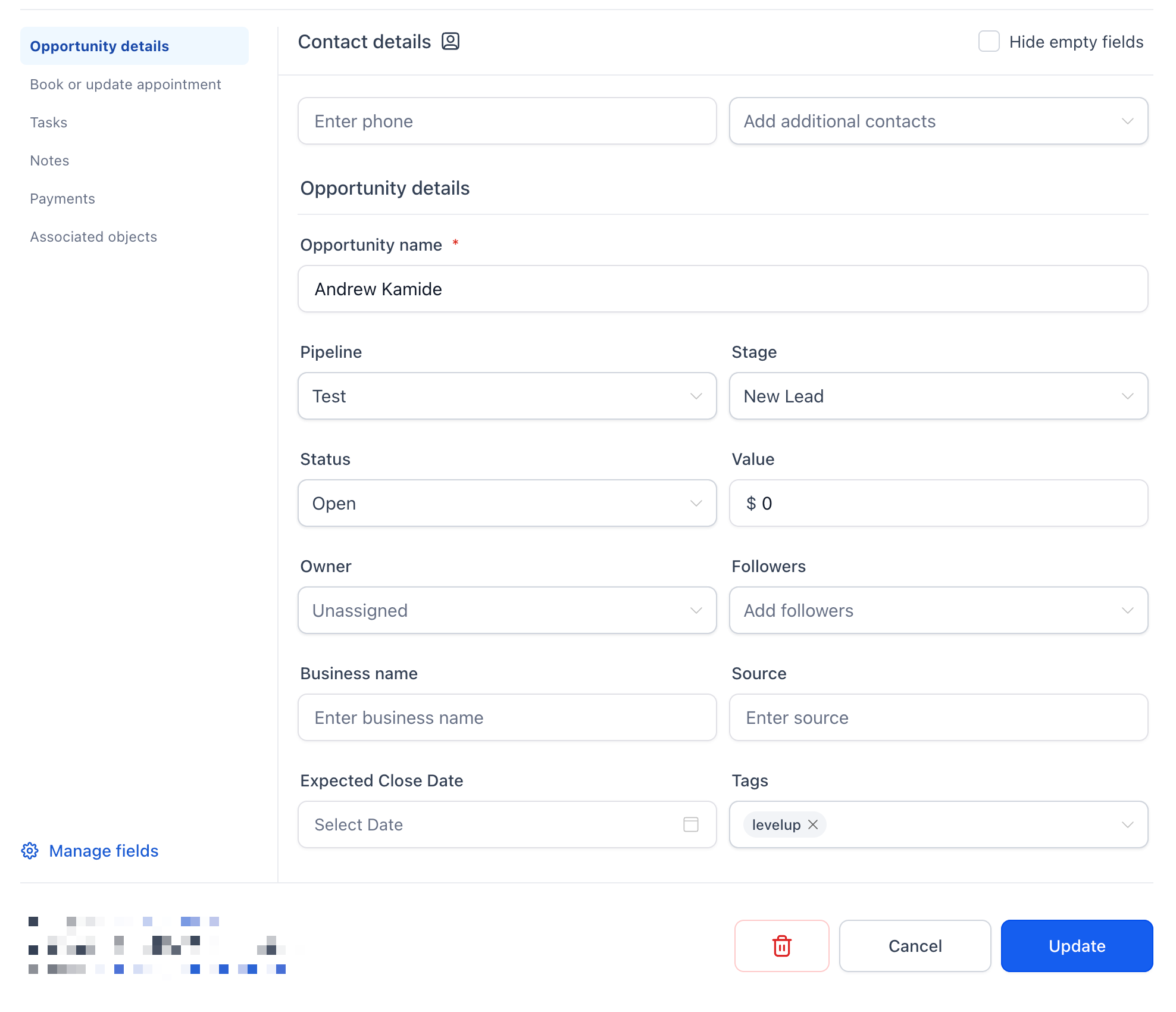
- Select Opportunity Name, click Edit Opportunity Settings, and set pipeline, stage, status, and value.
- Save the form and share it using the publishing options.
- Go to Sites > Forms > Submissions to view entries and verify the created records and their associations.
06What it looks like in HighLevel
07Settings that matter
- Add Object Fields. Lets you choose which fields from Opportunities, Companies, or Custom Objects appear on the form.
- Association label. Defines how two records created from the same form are linked together.
- Opportunity Settings. Controls the pipeline, stage, status, and default value for opportunities generated by the form.
08Things to know before you rely on it
- The feature is only available as part of the Opportunity First Private Beta and only in beta enabled locations.
- A form can create at most two records; creating more than two records is not documented.
- Opportunity Name must be included whenever any Opportunity fields are used in the form.
- Visitor entered amounts require an Opportunity custom field; they do not change the predefined Opportunity Value.
- Contactless Forms are currently supported only for Forms, not for Surveys or Quizzes.
09How it connects to the rest of HighLevel
- Add conditional logic to your contactless form Conditional Logic V2
- Manage contacts and records created by forms Contact Management
- Review pricing and plan eligibility for the beta feature Pricing
Michael's take

When you need to capture a quote request or a deal registration without cluttering your contact list, contactless forms give you a clean way to record the opportunity directly.
The first thing I would get right is the association label, because the link between the two records is what makes the data useful downstream.
Once the label is set, I’d map the exact fields you need from each object and test a submission to confirm the records appear where you expect them.