
01Who this is for
- Sales managers who need to retrieve leads after a mass clean up, ensuring their pipeline stays intact.
- Customer support teams that accidentally delete a client record while updating contact lists, needing quick restoration to continue service.
- Marketing directors who run segment experiments and may need to undo a bulk delete to restore audience data for ongoing campaigns.
02Contacts restore, explained
The Contacts Restore page serves as a safety net for contacts removed from the platform. It gathers all records deleted within the 60 day data retention window and displays them in a clear list with name, email, phone and deletion date. From this view you can select one or many contacts and bring them back with a single confirmation.
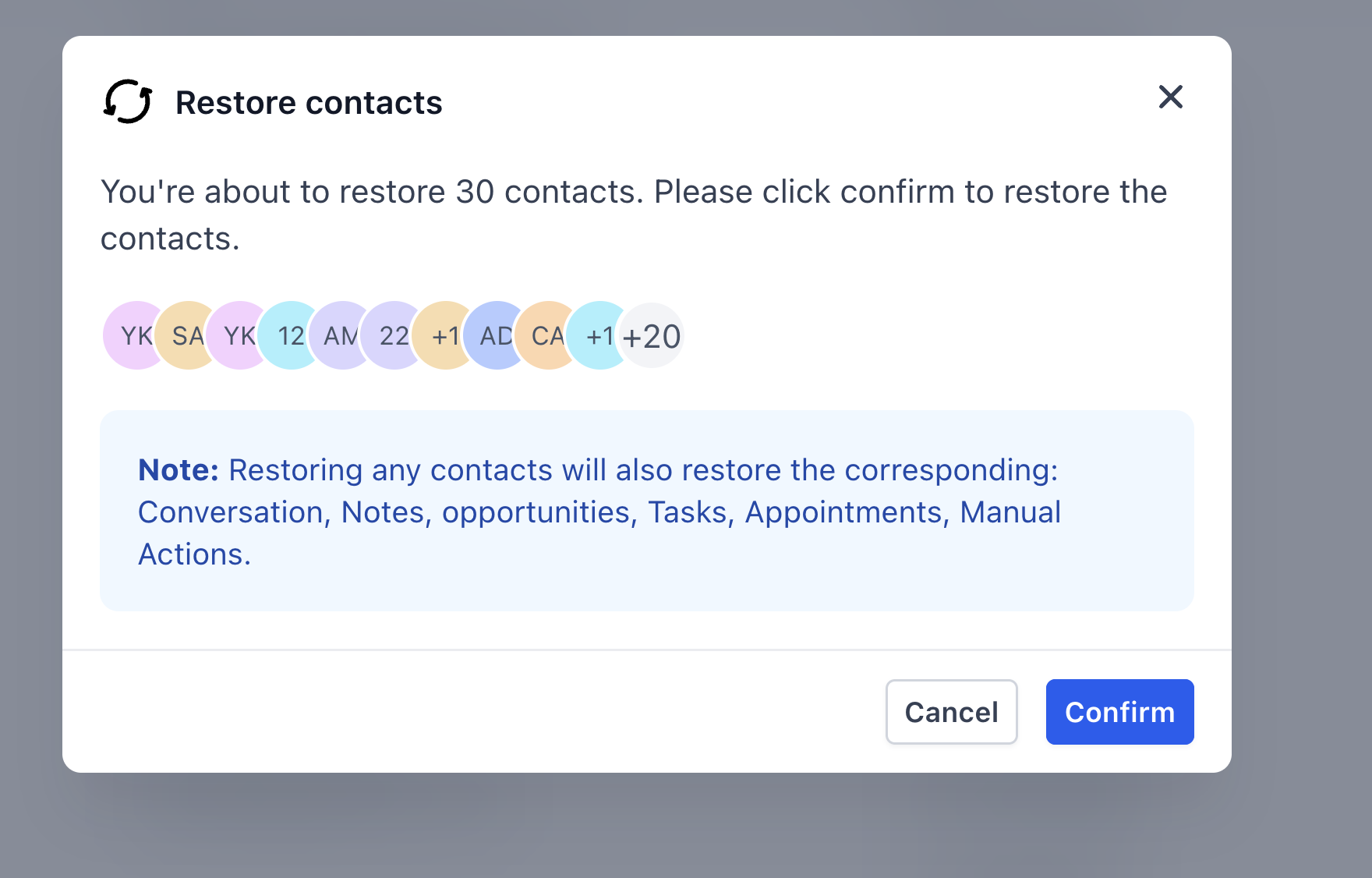
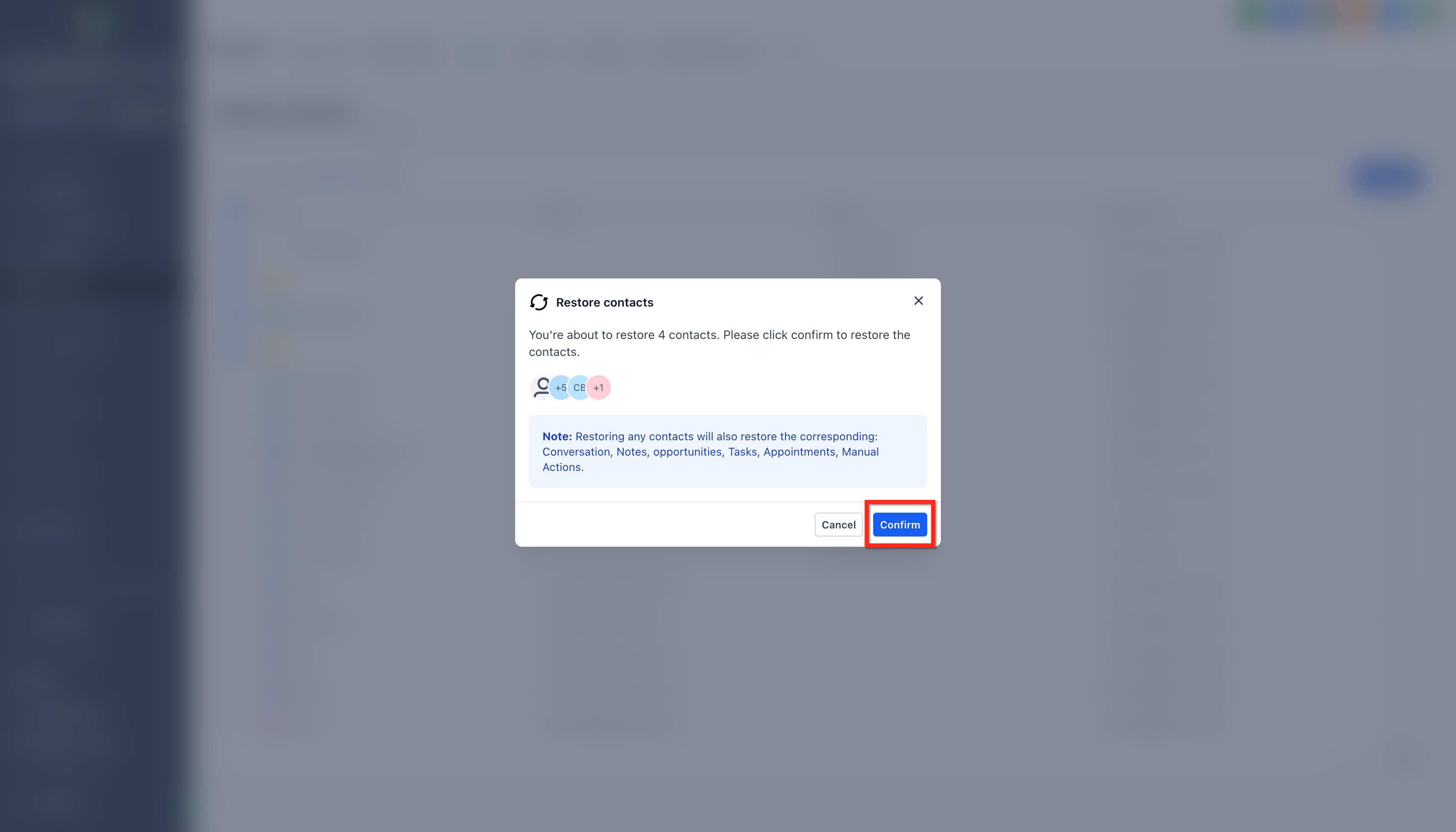
The page is accessed through the Contacts section. A three dot menu beside Add Contact opens the Restore option. After choosing contacts via checkboxes, the Restore button triggers a modal that shows how many records will be recovered. Confirming the modal starts the restoration, and the contacts reappear throughout HighLevel with their original opportunities, notes, tasks, conversations, appointments and workflow memberships.
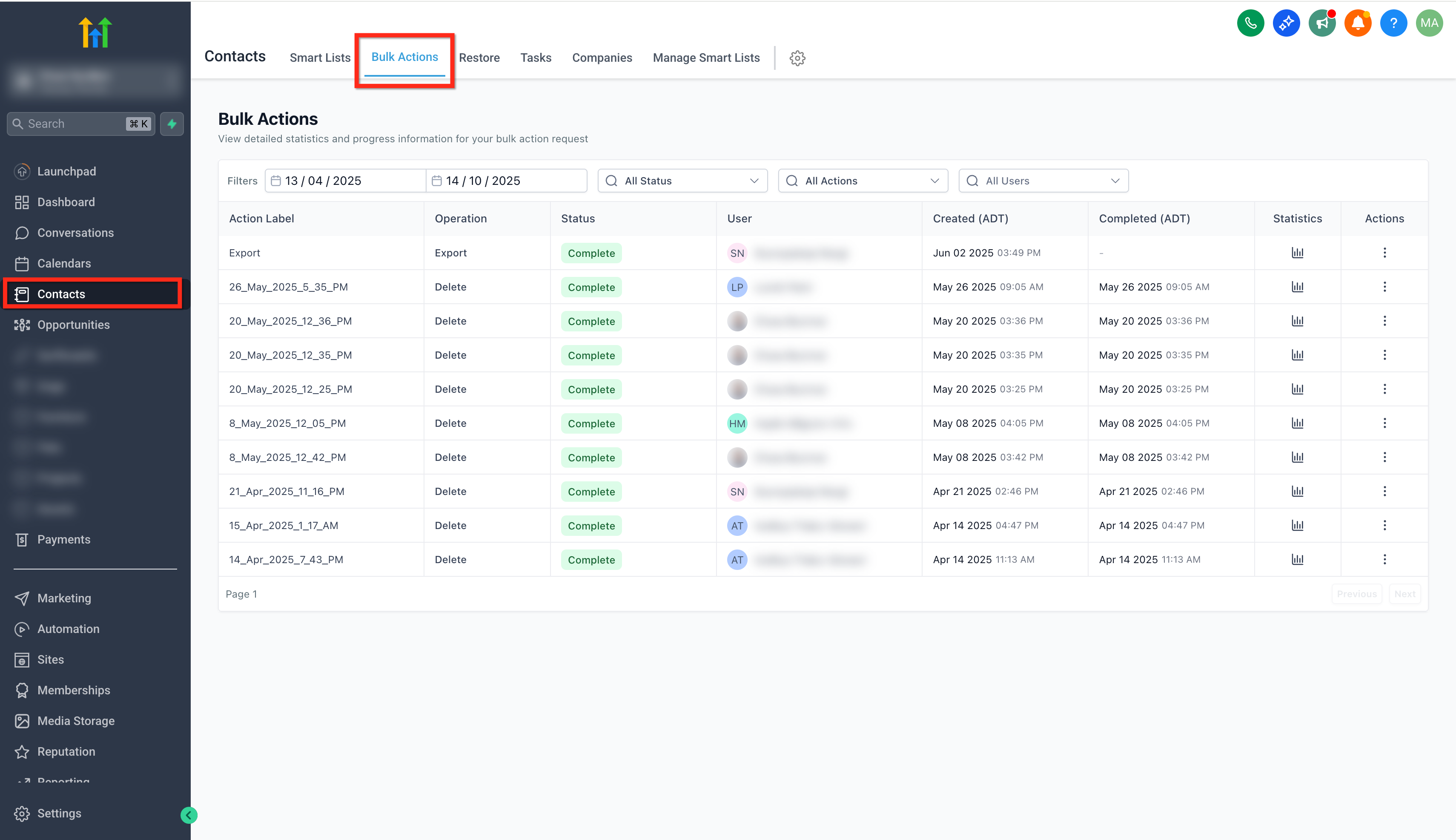
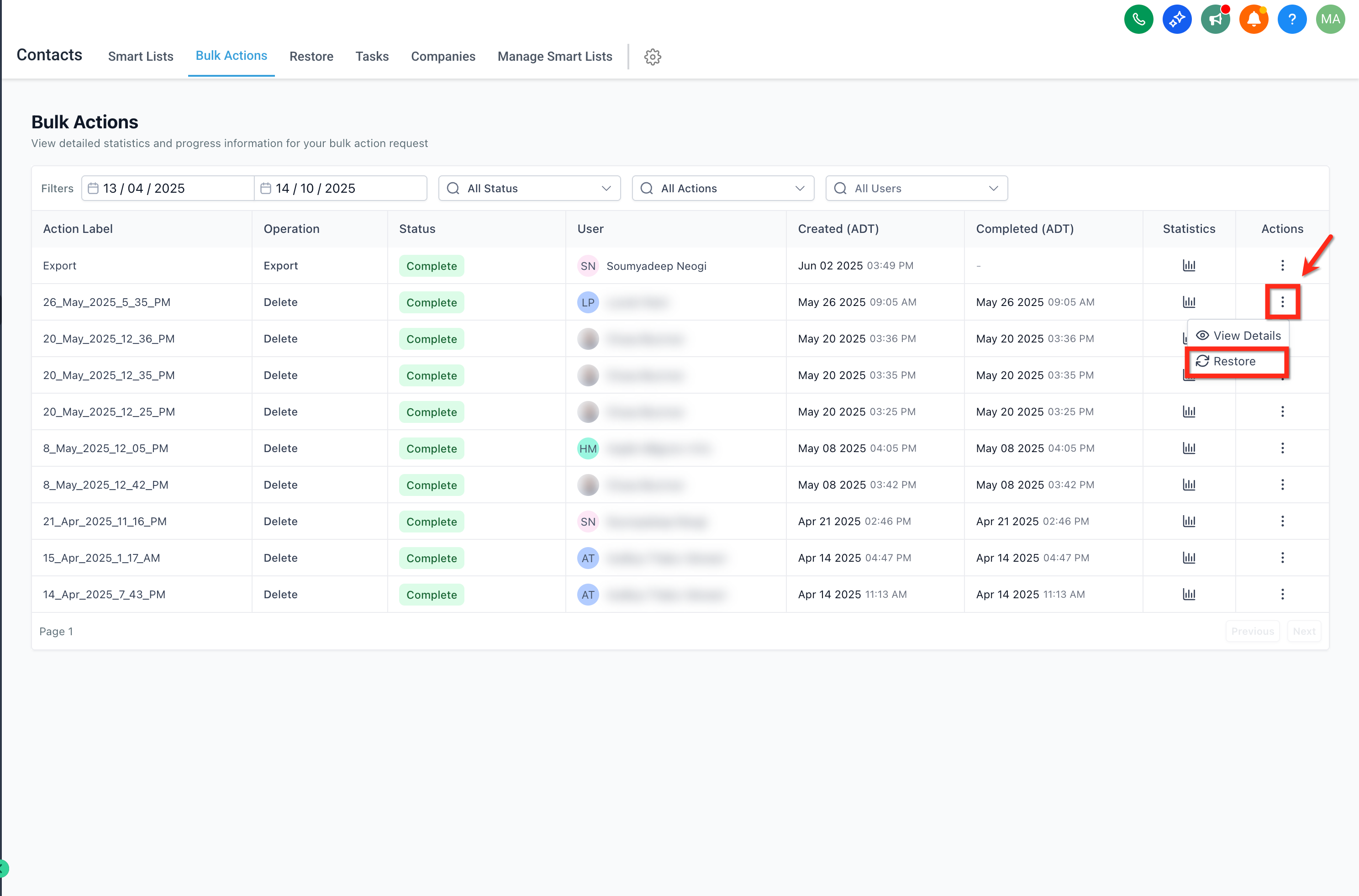
If a bulk delete was performed, the Bulk Actions page records that operation. Selecting the specific bulk delete entry and choosing Restore there will reverse the entire batch, following the same confirmation flow and showing progress on the Bulk Actions page.
03How businesses use contacts restore
- Real estate brokerage. When an agent removes a batch of prospects after a campaign, the broker can open Bulk Actions, locate the delete entry, and click Restore to recover all leads along with their property interests and notes. This avoids re importing CSV files.
- Dental practice. If a staff member mistakenly deletes a patient contact while cleaning up the list, the office manager can go to the Contacts Restore tab, tick the patient’s name, and confirm to bring back the record with its appointment history and treatment notes.
- Online coaching service. A coach who accidentally removes several subscriber contacts during a segmentation can use the single contact restore flow to select each missing subscriber and restore them, preserving their enrollment in email sequences and scheduled calls.
04The numbers and rules that matter
- Contacts can be restored within 60 days of deletion.
- Restored contacts include opportunities, notes and tasks, conversations, appointments, workflow and campaign participation.
05Before you start
- You must have Admin access to the subaccount.
- The contact must have been deleted within the last 60 days.
- The account cannot be HIPAA compliant, as those accounts prohibit restoration.
06How to set up and use contacts restore in HighLevel
Restore single or multiple contacts
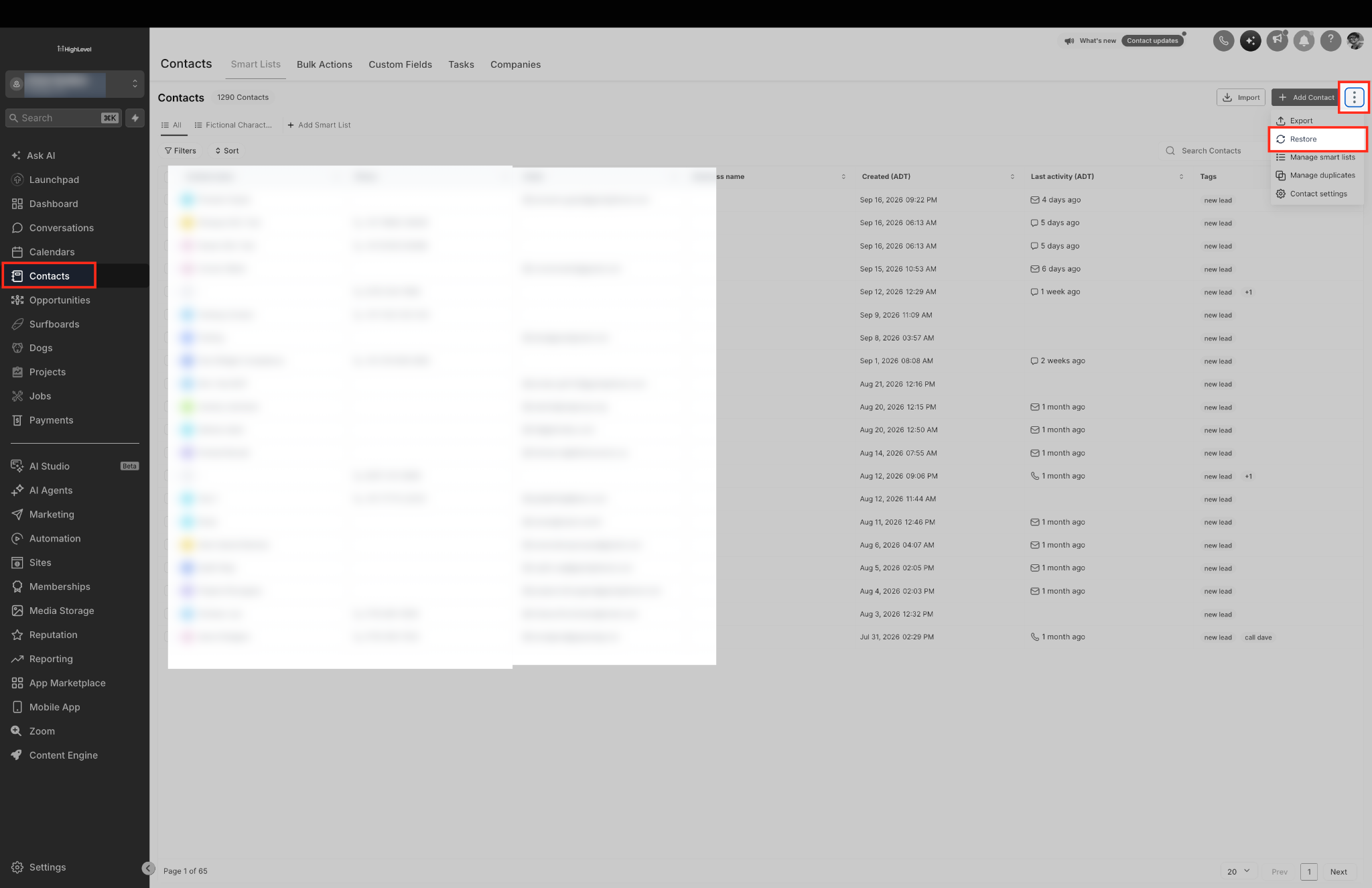
- Open the Subaccount view and click Contacts in the left navigation.
- Click the three dot menu (⋮) next to Add Contact at the top right.
- Select Restore from the dropdown list.
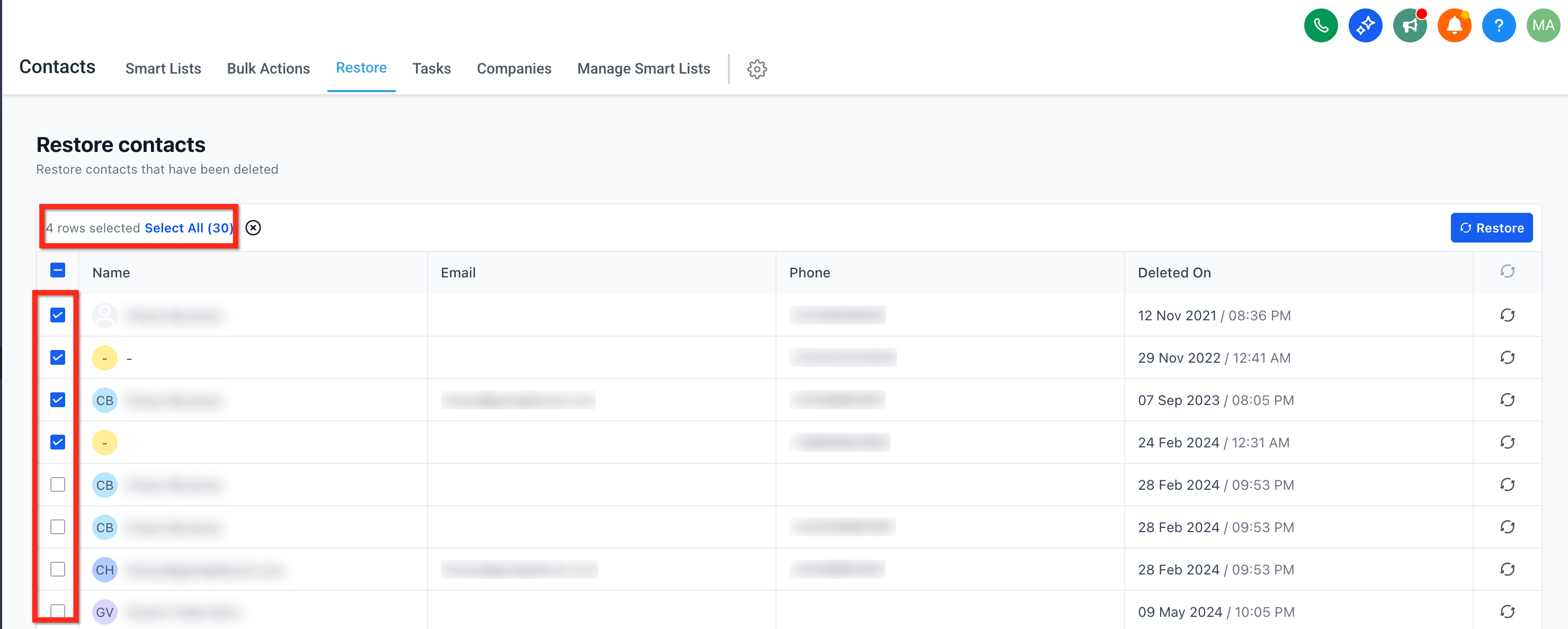
- Check the box beside each contact you want to recover, or use the header checkbox to select all visible rows.
- Press the Restore button and confirm the prompt to bring the selected contacts back.
Reverse a bulk delete
- Navigate to the Contacts area and choose Bulk Actions from the submenu.
- Find the bulk delete entry you need to undo in the history list.
- Click the three dot icon for that entry and pick Restore.
- In the confirmation popup, select Restore again to start the recovery.
- Watch the status on the Bulk Actions page until it shows Completed, then return to Contacts to verify the records.
07What it looks like in HighLevel
08Settings that matter
- Restore. Initiates the recovery of selected contacts after you confirm the action.
- Bulk Actions. Displays a history of bulk operations and provides the option to reverse a bulk delete.
09Things to know before you rely on it
- Contacts can only be restored within 60 days of deletion; older records are permanently removed.
- HIPAA compliant accounts do not allow any contact restoration.
- The “Select all” checkbox applies only to contacts visible in the current list view; additional pages must be selected separately.
10How it connects to the rest of HighLevel
- Create, edit, and delete contacts in HighLevel Contact management basics
- Use bulk actions for contacts and smartlists Bulk actions overview
- Organize and personalize tags with categories and colors Tag organization
Michael's take

I see contacts restore as a small convenience that can prevent a lot of frantic reimports after an accidental click. It’s not a game changing automation, but the safety net saves time and keeps data consistent across the board.
A boutique marketing agency that runs tight lead gen campaigns will find it especially useful. When a junior team member clears a list by mistake, a quick restore gets the whole pipeline back without rebuilding the CSV.