
01Documents, explained
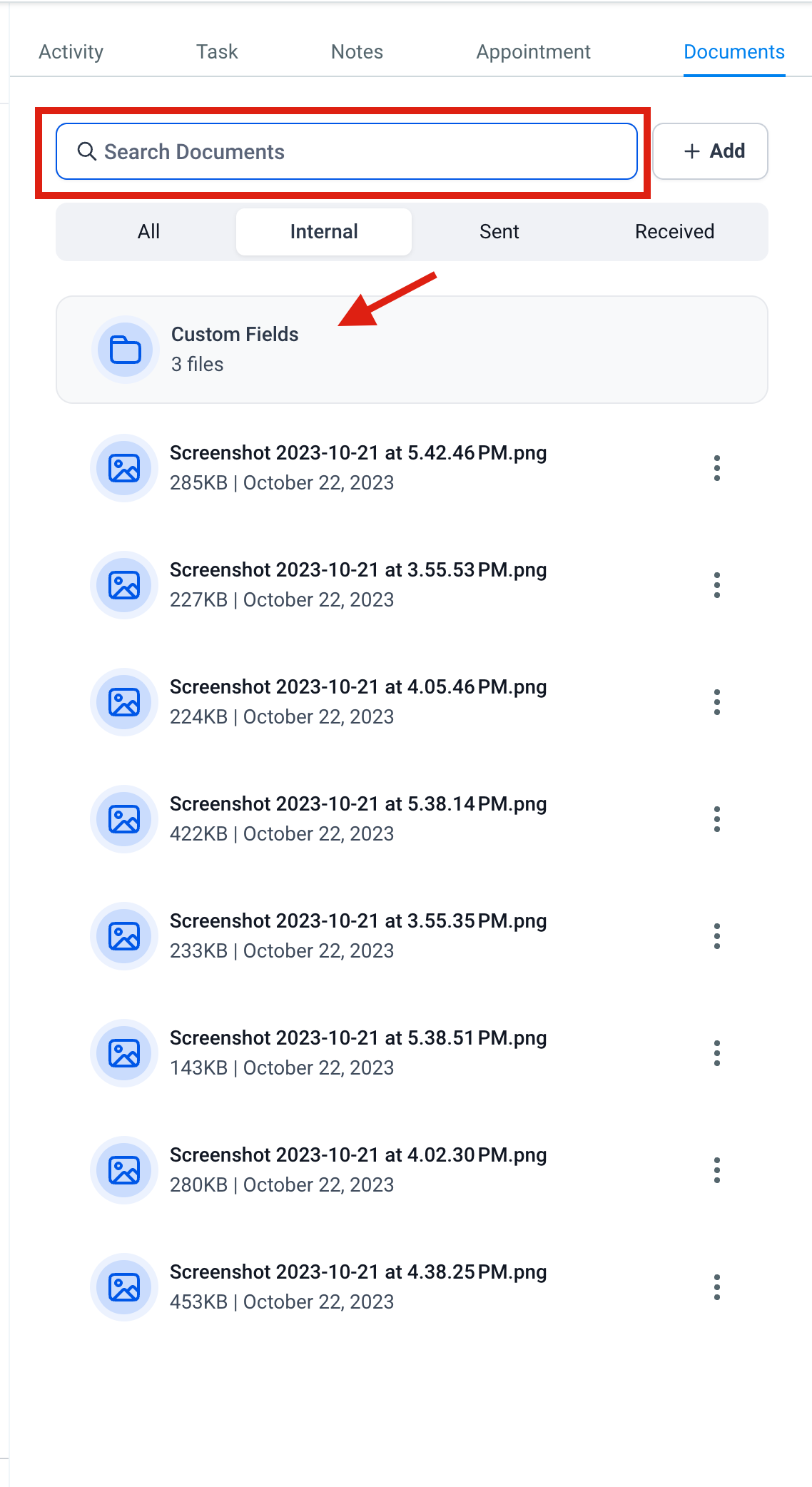
Documents are a way to keep files linked to a contact inside the CRM. They are organized into internal files and, in the future, files that you send to or receive from contacts. Internal files live on the Contact details page and are visible to any user who can view that contact.
When you add a document to a custom field, HighLevel puts it in a folder called "Custom Fields" under the Internal section. Those files cannot be deleted.
02How businesses use documents
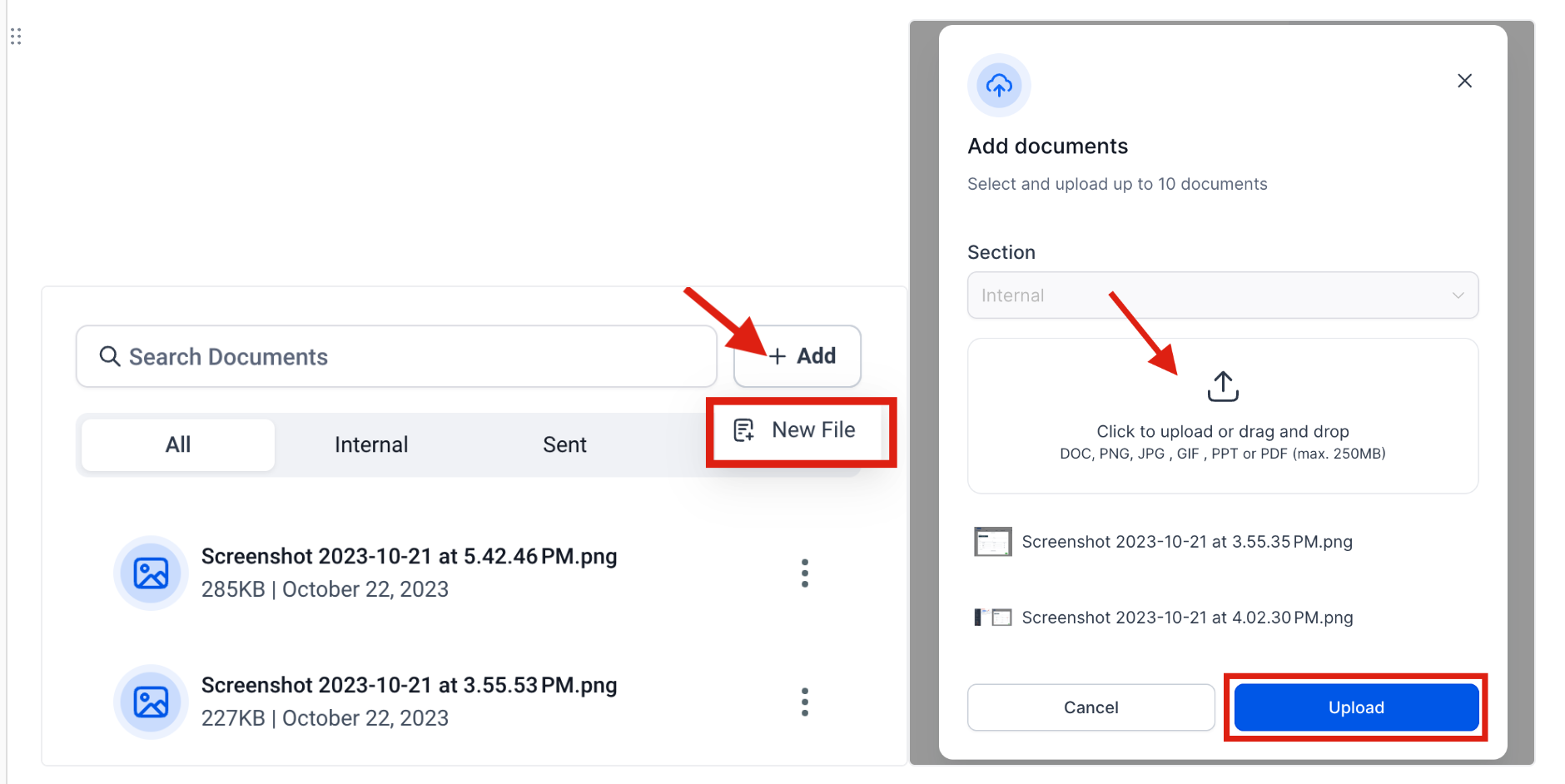
- Store internal files. Upload PDFs, presentations, spreadsheets, or images directly to a contact’s record. Anyone on your team who can view the contact can open the files from the Internal section.
- Find a file quickly. Enter the document name in the search bar on the contact details page. HighLevel filters the list and shows matching files.
03The numbers and rules that matter
- Max size limit per document is 250MB.
- Document types supported = PPT, Docs, PDF, CSV, and various image formats.
04What it looks like in HighLevel
Michael's take

Michael ReimerFounder of CRM Pros, HighLevel Commander and Certified Admin
Wondering if storing files inside HighLevel is worth the effort? It’s a simple way to keep the most important docs right where you manage the contact.
If I were setting it up, I’d add the key contracts and onboarding PDFs right after I create a new lead.
Get More InformationOpens on HighLevelPublished November 2, 2026 · Updated November 3, 2026