
01Who this is for
- Sales and marketing teams, can stop outreach to contacts who have opted out, keeping messaging respectful.
- Customer support staff, can block inbound calls or SMS from contacts who request silence, reducing interruption.
- Compliance officers, can automate opt out handling across channels to meet privacy regulations.
02Do Not Disturb (DND), explained
Do Not Disturb is a setting stored on each contact record that controls whether the platform sends or receives messages on selected channels. You can activate DND for all channels at once or pick individual ones such as email, SMS, calls, Facebook Messenger, Google My Business, or WhatsApp.
The DND control appears in the left hand column of a contact’s profile. When enabled, outbound messages are suppressed for the chosen channels, and inbound calls or SMS can be blocked. Certain transactional email types, payments, calendar notifications, and system alerts, still pass through when email DND is on. The status is logged in conversation and activity records, showing whether a user, workflow, or the contact caused the change.
03How businesses use Do Not Disturb (DND)
- Dental practice. When a patient replies STOP to a reminder SMS, the practice updates the contact’s SMS DND status. The system then halts all future SMS reminders while still allowing phone calls and appointment confirmations.
- Ecommerce retailer. If a shopper unsubscribes from marketing emails, the retailer marks email DND for that contact. Order confirmations and invoice emails continue to arrive because they are classified as transactional messages.
- Real estate agency. An agent can enable inbound call DND for a contact who no longer wishes to receive calls. The platform blocks any incoming calls from that number while outbound texts and emails remain possible.
04The numbers and rules that matter
- Automatic SMS DND activation: Opt out keywords STOP, UNSUBSCRIBE or error codes 30003, 30004, 30005, 30006.
05How to set up and use Do Not Disturb (DND) in HighLevel
Configure DND for a contact
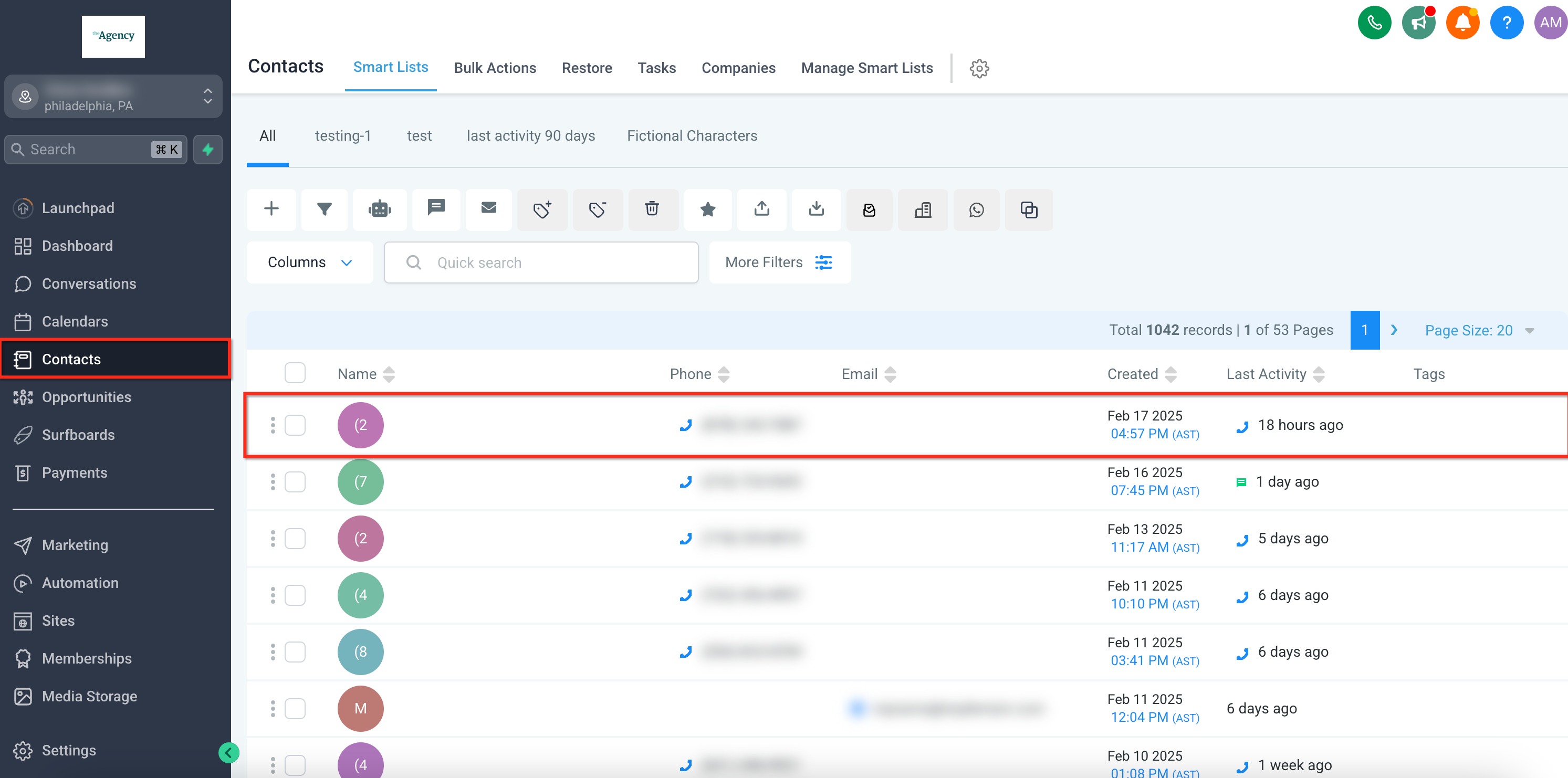
- Open the Contacts area in HighLevel.
- Select the contact whose preferences you want to edit.
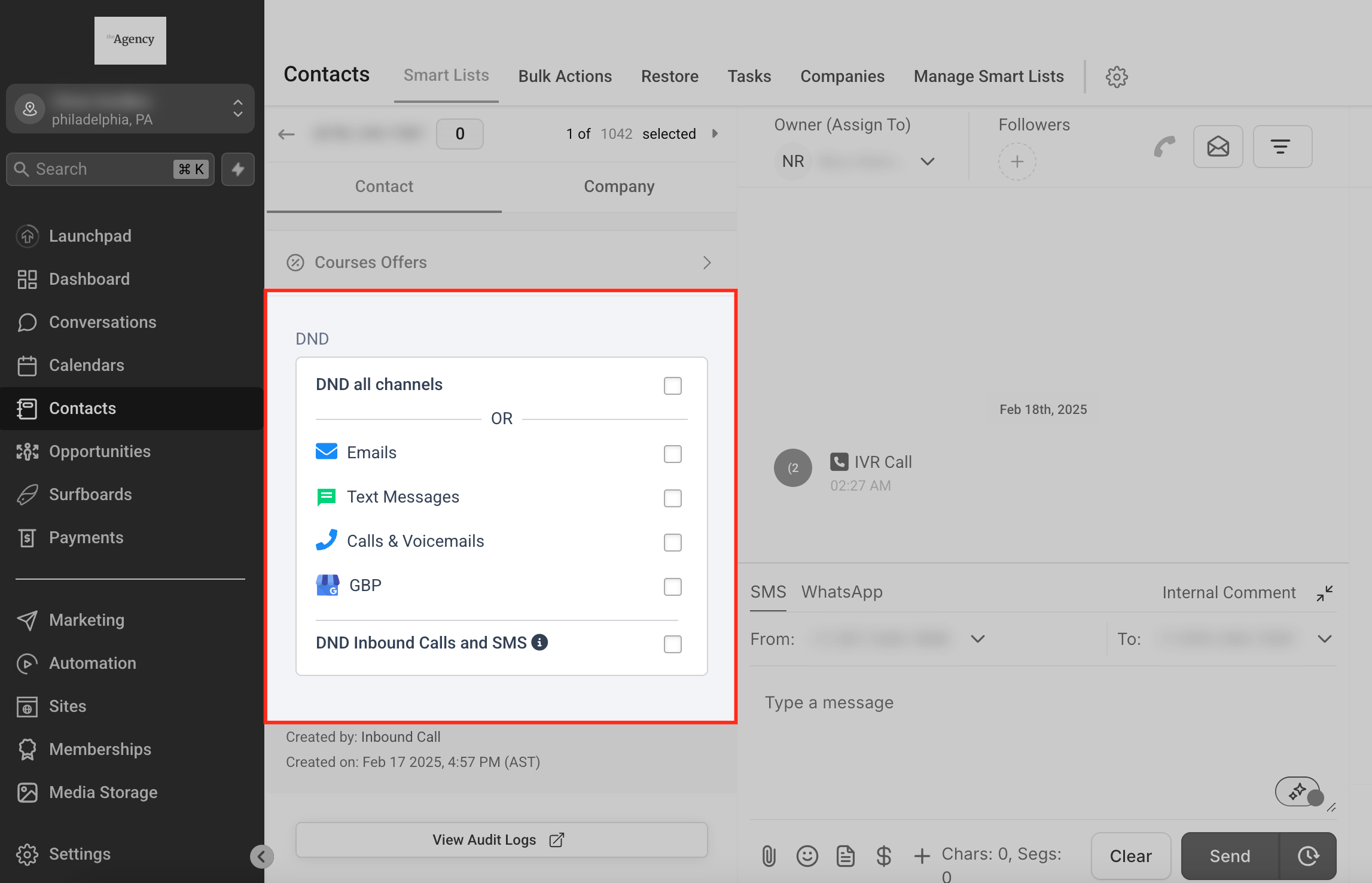
- Find the DND section at the bottom of the left column in the contact’s profile.
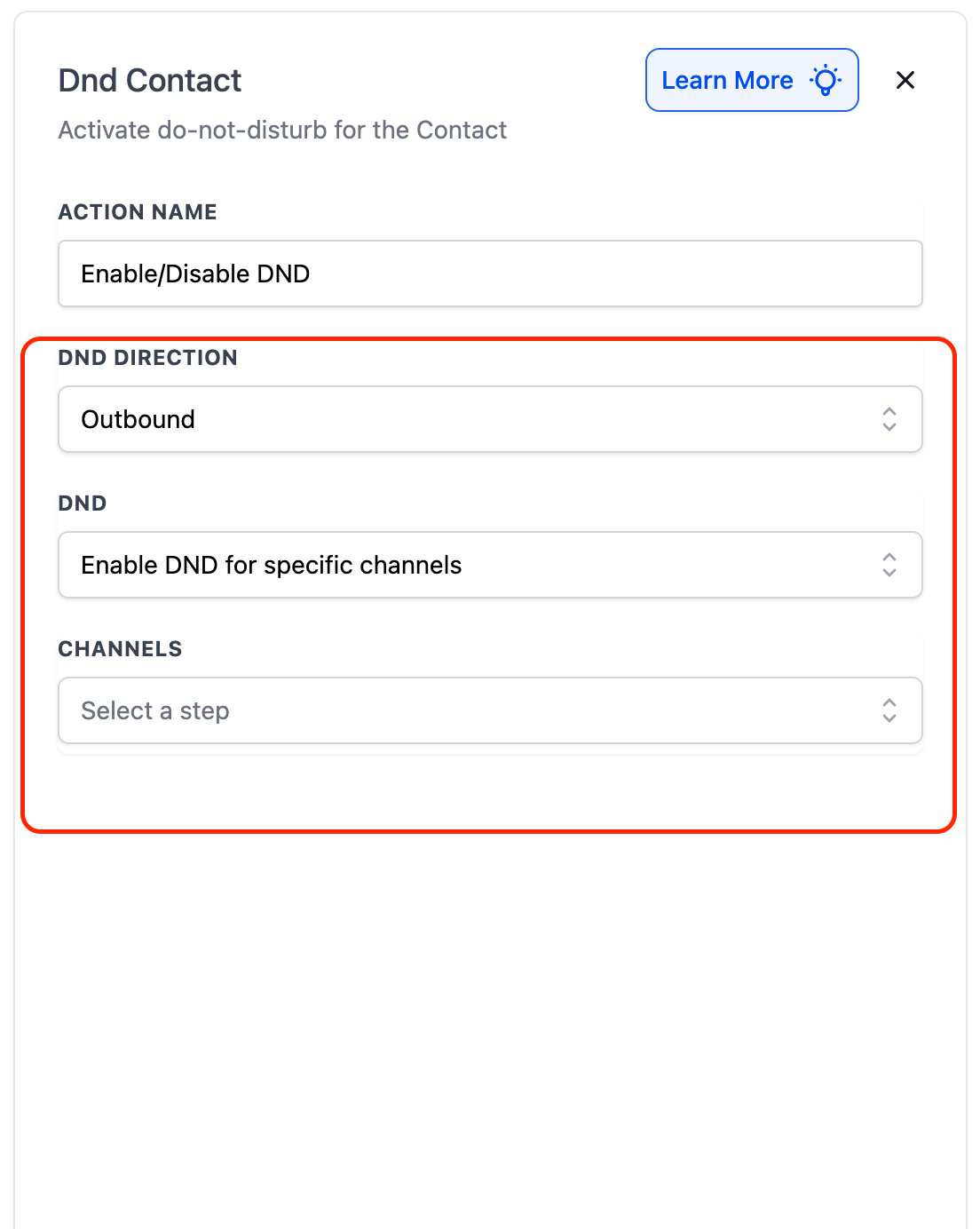
- Toggle the switch to enable or disable DND for all channels or choose specific channels such as Email, SMS, Calls, or GMB.
- If you need to block inbound calls or SMS, use the separate checkboxes for DND Inbound Calls and DND Inbound SMS. Enabling inbound SMS DND may generate charges.
06What it looks like in HighLevel
07Settings that matter
- DND. Controls whether the contact is blocked from receiving or sending messages on selected outbound channels.
- DND Inbound Calls. When enabled, incoming calls from the contact’s phone number are blocked and not forwarded.
- DND Inbound SMS. When enabled, incoming SMS from the contact’s number is blocked at the system level, which may generate charges.
08Things to know before you rely on it
- Inbound DND can currently be turned on only for calls and SMS, and it applies to all channels together; per channel inbound control is not available.
- Email DND does not stop transactional messages such as payments, calendar notifications, and system alerts; only marketing and promotional emails are blocked.
- Enabling inbound SMS DND blocks messages at the service provider level and may incur charges.
09How it connects to the rest of HighLevel
- Create, edit, and delete contacts in HighLevel Contact management
- Use Smart Lists to organize and filter contacts Smart Lists
- Explore HighLevel pricing and plan options Pricing
Michael's take

Most people think DND is a blanket switch that stops every message forever. In reality the feature is channel aware, and some transactional emails still get through. I would first map out exactly which messages must keep flowing. Like invoices or calendar alerts. Then set DND only on the noisy marketing channels.
If I were rolling this out, I’d test a few contacts with different DND combos to confirm the right messages are blocked and the right ones are still delivered. That way you avoid surprises when a critical notification gets filtered.