
01Who this is for
- Founders of B2B SaaS companies: gain consistent onboarding for new client accounts without manual steps.
- Marketing managers handling multiple stakeholder contacts: keep contact data aligned by syncing Company changes.
- Operations teams that need clean reporting: automate field clearing and owner assignments across all related records.
02Company based workflows, explained
Company based Workflows are a workflow type that starts from events on the Company object. They can be triggered when a Company record is added or when specific fields on a Company are updated. Once triggered, the workflow runs actions that write directly to Company fields or to any Contacts linked to that Company.
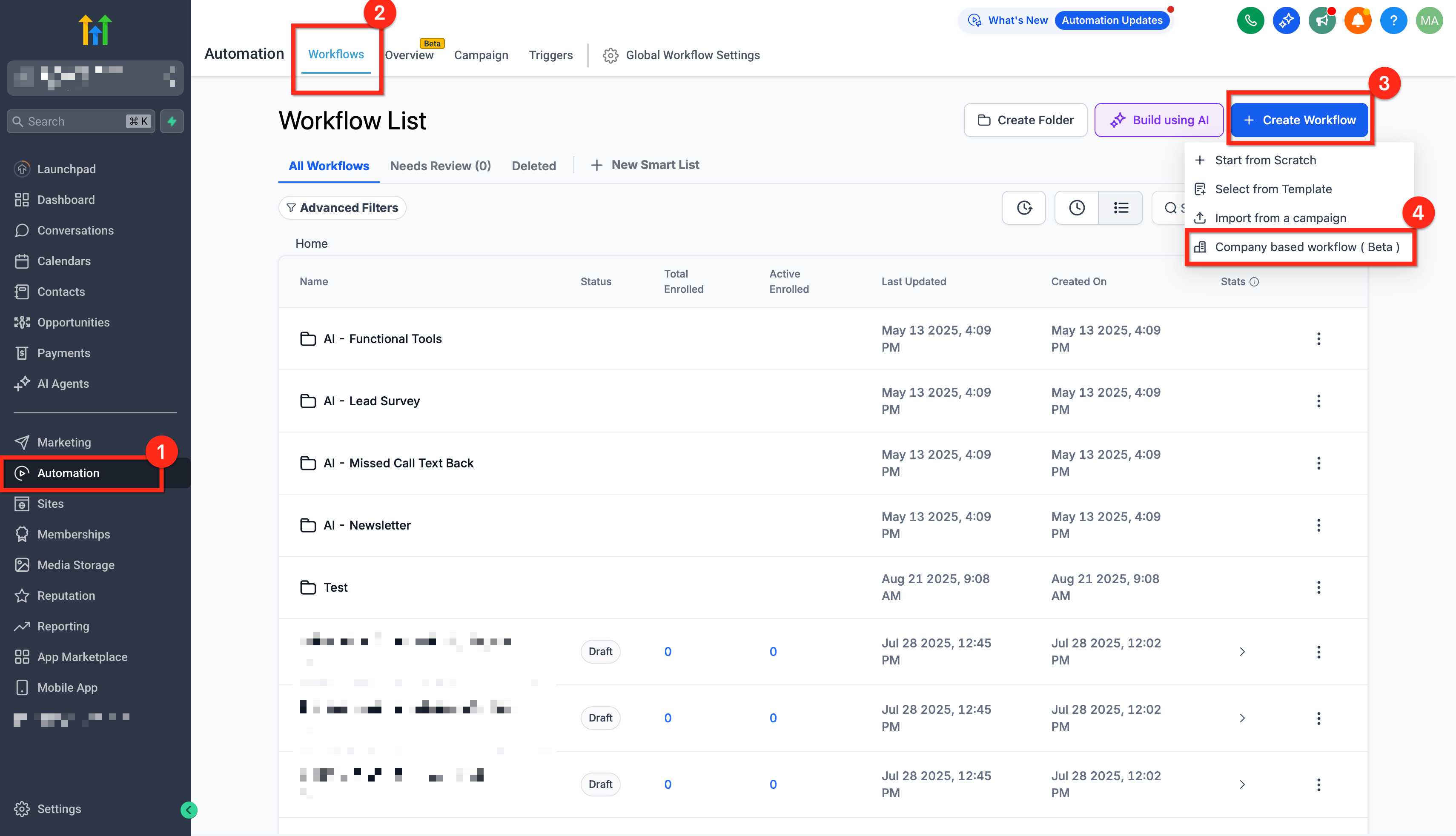
The actions include creating new Companies or Contacts, updating existing fields, and clearing values. Each action can be mapped with static values or dynamic variables, and you can choose whether updates also apply to associated Contacts. The workflow builder lives under Automation > Workflows in the platform, where you select the Company based workflow type.
These workflows coexist with contact based automations, allowing you to design end to end processes that span both account and individual contact levels.
03How businesses use company based workflows
- SaaS subscription business. Create a Company based workflow that triggers on Company Created. The workflow assigns an Account Owner, sets a lifecycle stage, and sends a welcome email sequence to all linked Contacts.
- Consulting firm. Add a Company Changed trigger that watches the status field. When the status updates, the workflow updates a flag on each associated Contact to keep client health scores in sync.
- Wholesale distributor. Use the Clear Fields action in a Company based workflow to remove temporary discount codes after a set period, ensuring reports reflect only active promotions.
04Before you start
- User must have permissions to access Workflows and to view or update Companies and Contacts in the subaccount.
05How to set up and use company based workflows in HighLevel
Set up company based workflow
- Navigate to Automation > Workflows.
- Click the + Create Workflow button.
- Select Company based Workflow as the workflow type.
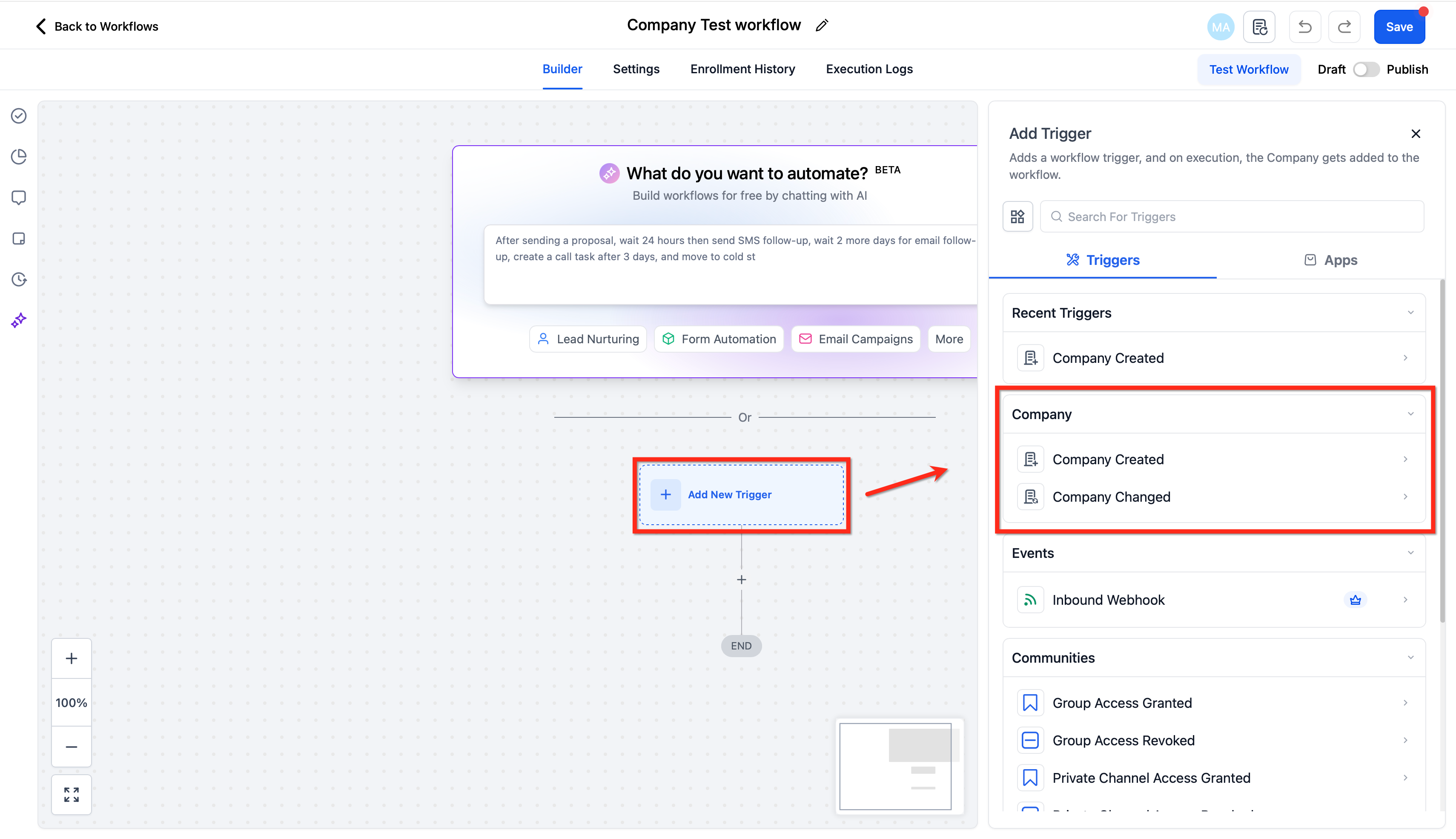
- Add a trigger by choosing Company Created or Company Changed.
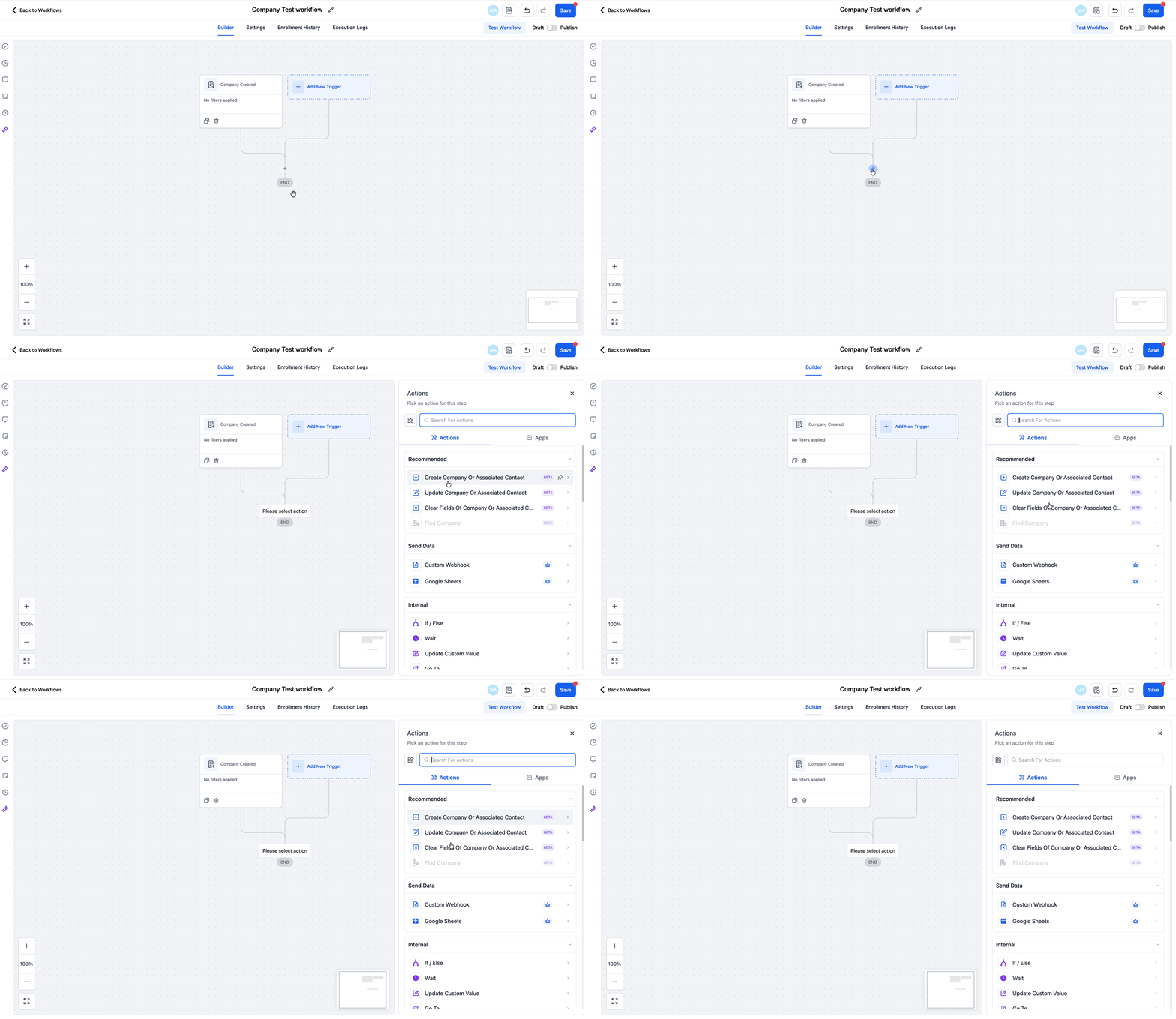
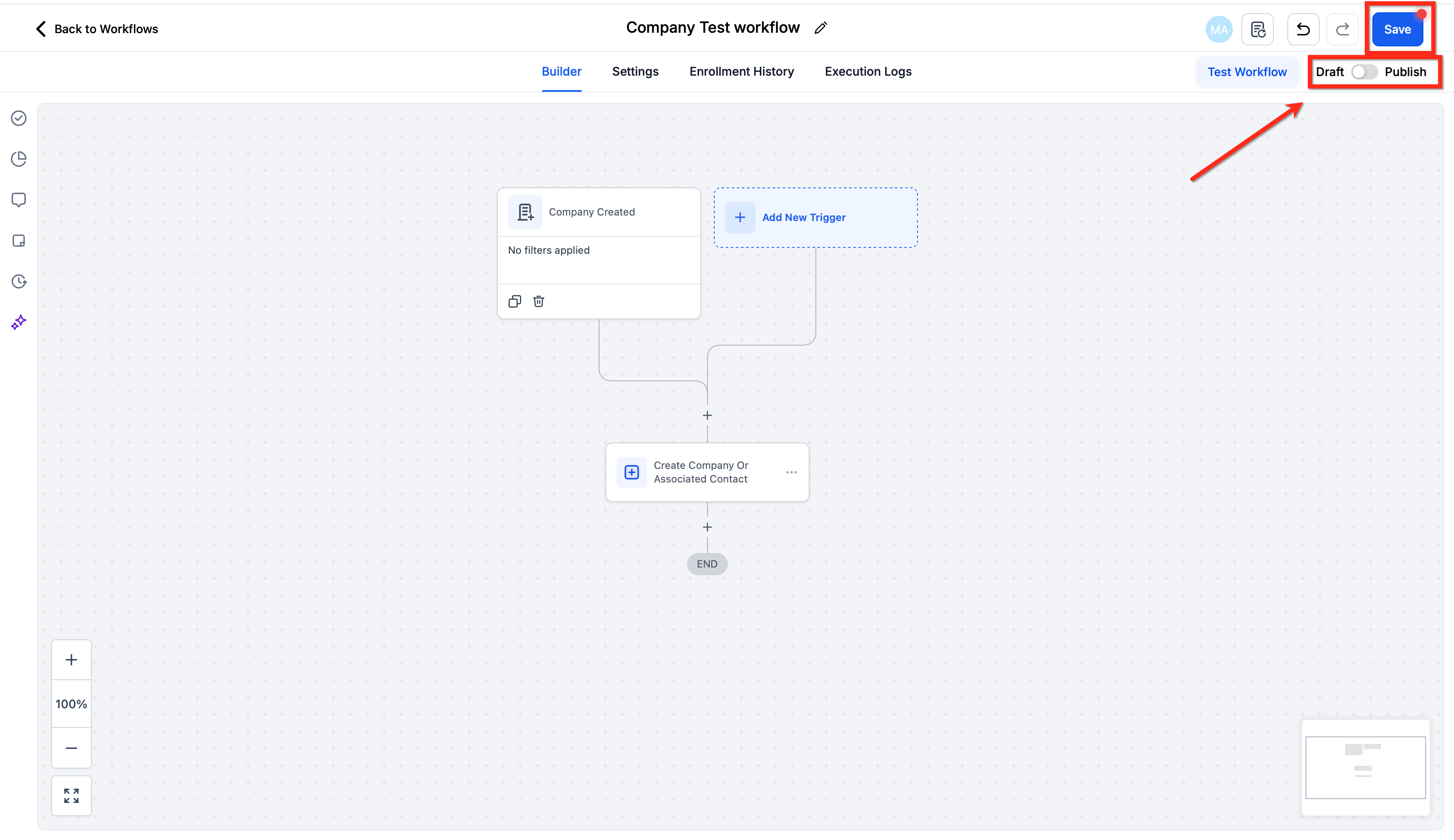
- Add an Update Company or Associated Contact action to the canvas.
- Add a Create Company or Associated Contact action if required.
- Add a Clear Fields of Company or Associated Contact action if required.
- Optionally add Conditions, If/Else, or Wait steps to control timing and scope.
- Save the workflow, enroll a small set of Companies to test, review the execution log, and then publish.
06What it looks like in HighLevel
07Settings that matter
- Company Created. Starts the workflow when a new Company record is added.
- Company Changed. Starts the workflow when one or more Company fields are updated.
- Create Company or Associated Contact. Creates a new Company record or adds a Contact to an existing Company.
- Update Company or Associated Contact. Updates fields on a Company and can optionally apply the same changes to its associated Contacts.
- Clear Fields of Company or Associated Contact. Resets selected fields on a Company or its associated Contacts to empty values.
08Things to know before you rely on it
- Only two trigger types exist: Company Created and Company Changed.
- Actions that affect associated Contacts are only available where the option is presented.
- Avoid bi directional updates between Company and Contact workflows without guardrails, such as a tag or flag, to prevent loops.
09How it connects to the rest of HighLevel
- Managing companies in HighLevel Managing companies
- Smart Lists in Companies: Save and reuse views Smart Lists
- Automatic company creation and enrichment in HighLevel Automatic creation
Michael's take

Company based workflows are a solid step up for B2B teams that need account level automation.