
01Who this is for
- Sales teams, need a quick way to schedule demos and pricing consultations without manual routing.
- Healthcare providers, want to book new patient intakes and follow up visits directly from calls.
- Agencies, manage multiple service consultations such as strategy calls and creative reviews.
02Voice AI multicalendar bookings, explained
The Voice AI feature listens to a live conversation, extracts the purpose of the call, and matches that purpose to one of the calendars you mark as eligible. It then offers the caller available slots from that calendar, applying the calendar’s length, buffers, minimum notice and conflict rules.
The selection process occurs inside the Conversation AI workspace. You choose a bot, install a marketplace template, and link the eligible calendars. The AI uses confidence scores and priority settings when more than one calendar could fit the request.
All configuration lives under the AI Agents area of HighLevel, where you can edit descriptions, trigger keywords, fallback calendars and advanced options for each bot.
03How businesses use Voice AI multicalendar booking
- SaaS startup. The startup creates separate calendars for product demos and pricing consultations. In the Conversation AI bot they add trigger phrases like “schedule a demo” and “talk about pricing.” Callers speak naturally and the AI books the appropriate slot, reducing manual handoffs.
- Dental practice. The practice sets up calendars for new patient intake and routine cleanings. They train the AI with descriptions and keywords such as “first visit” and “cleaning appointment.” When a patient calls, the AI selects the right calendar and respects the practice’s buffer times.
- Marketing agency. The agency defines calendars for strategy sessions, creative reviews, and onboarding calls. They add AI generated trigger phrases for each service. During a call the AI parses the request and offers the correct calendar, using the agency’s linked calendars to avoid double bookings.
04Before you start
- Active HighLevel Voice AI feature enabled for the subaccount
- At least two calendars configured for the services you want to book
- Google or Outlook calendar integration connected as needed
- Availability settings such as slot length, buffers and minimum notice defined
- Linked or conflict calendars set to prevent double booking
- User permissions that allow editing AI agents and calendar settings
05How to set up and use Voice AI multicalendar booking in HighLevel
Set up multicalendar booking
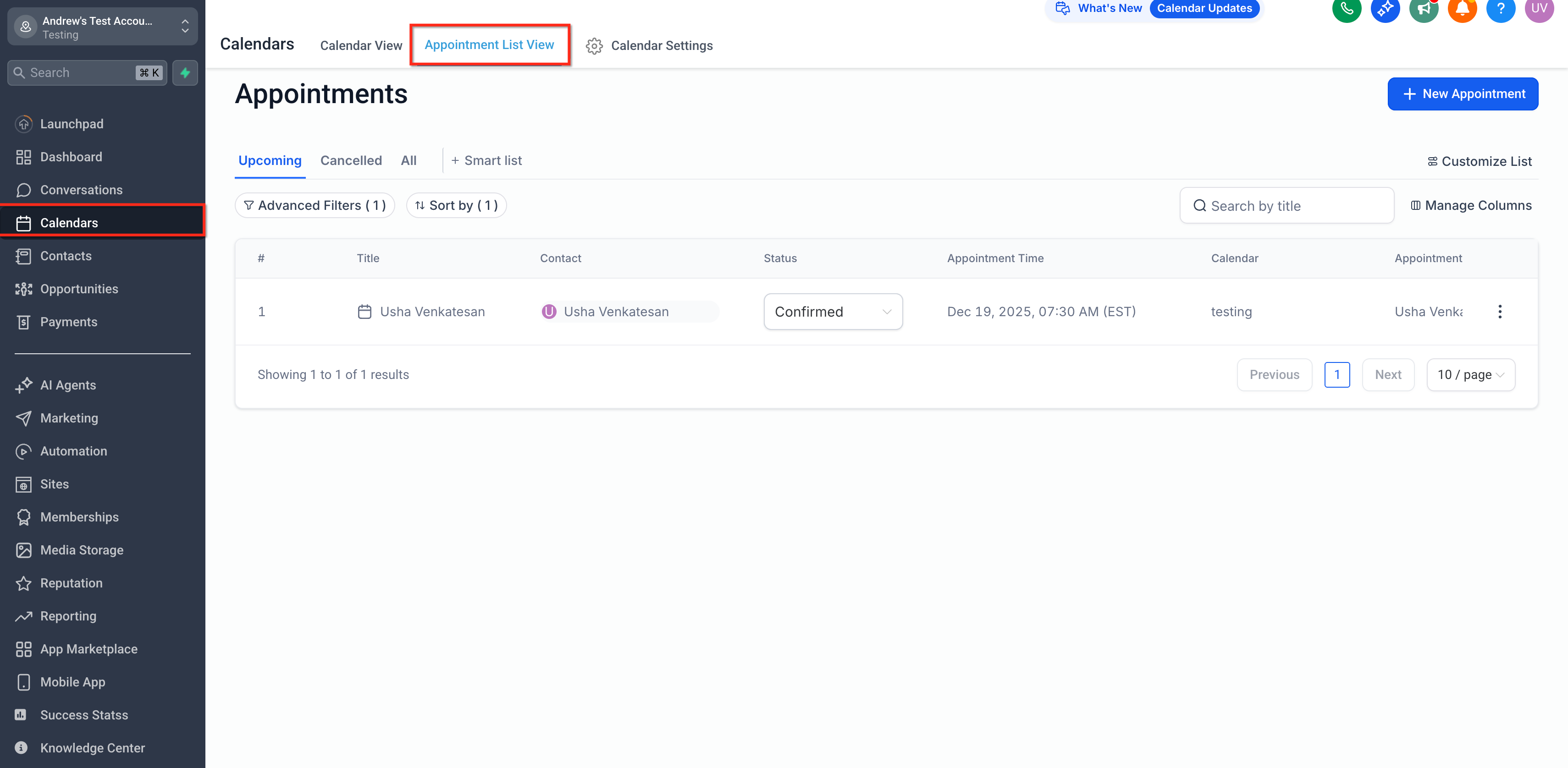
- Navigate to the Calendars section.
- Verify each service calendar has the correct duration, availability, buffers and linked/conflict settings.
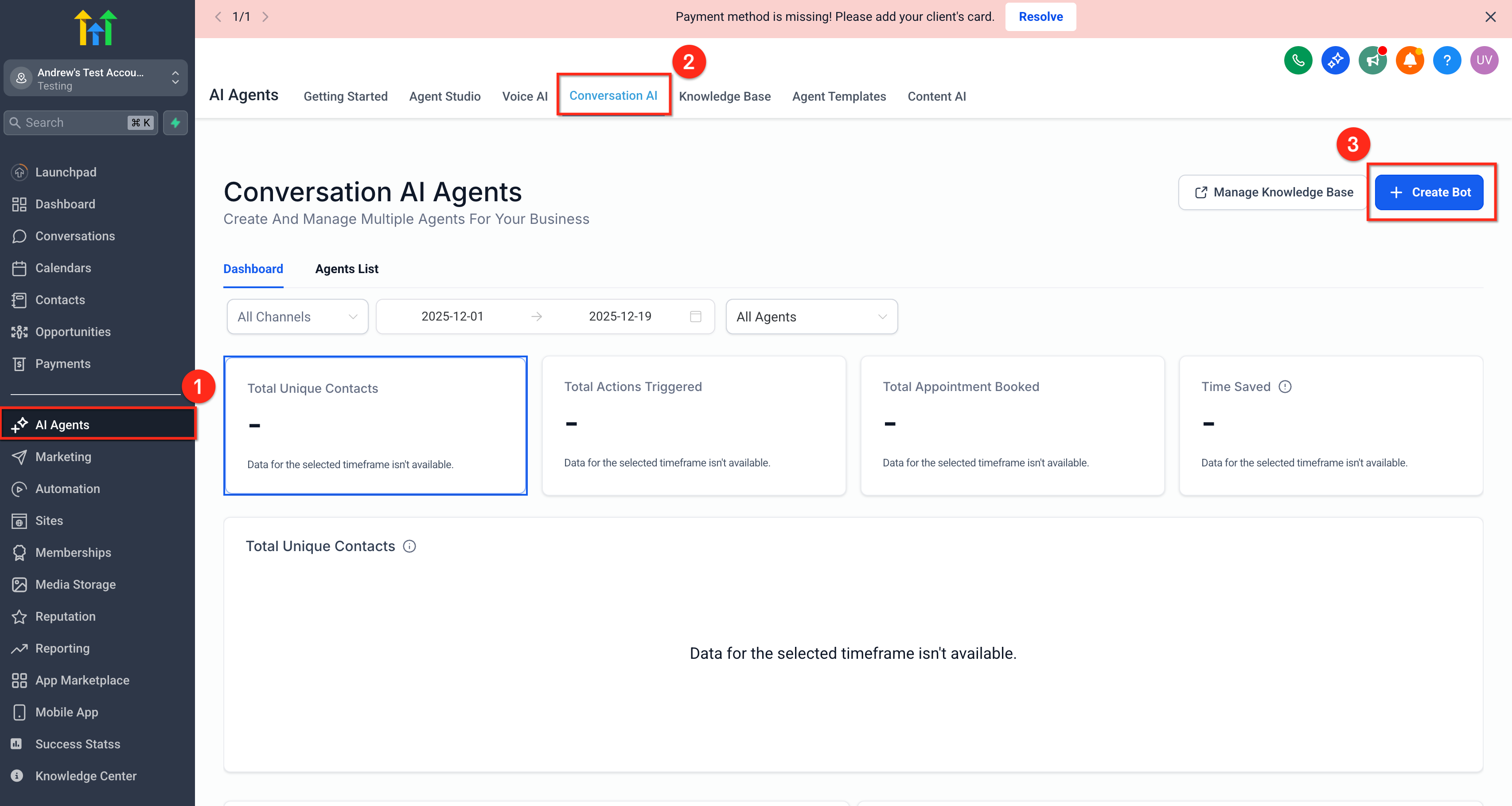
- Open AI Agents and select Conversation AI.
- Click the "Create Bot" button.
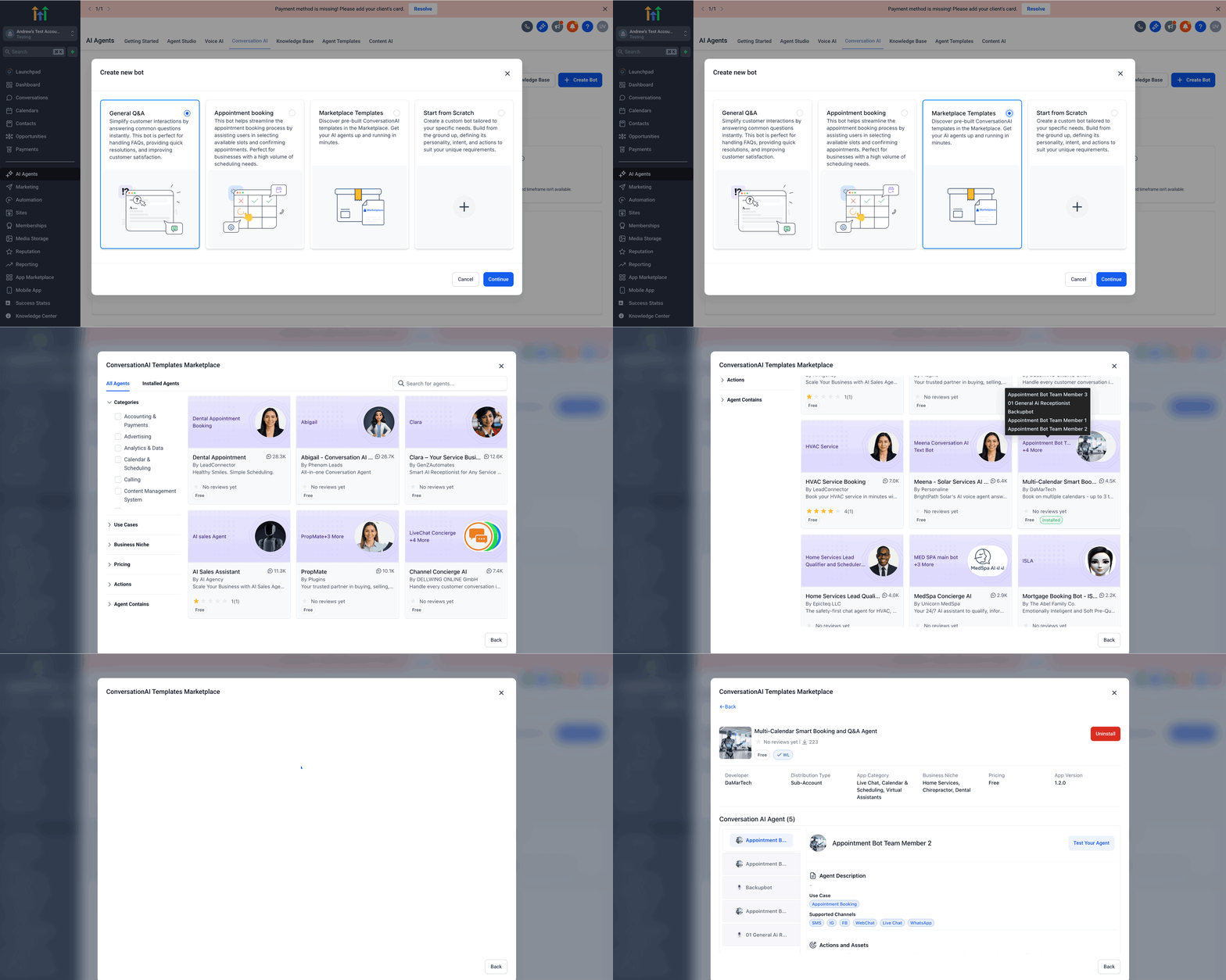
- In the Eligible Bots list, choose the prompt based bot.
- Click "Create New Bot" to open the creation page.
- Select Marketplace Templates and install the relevant template.
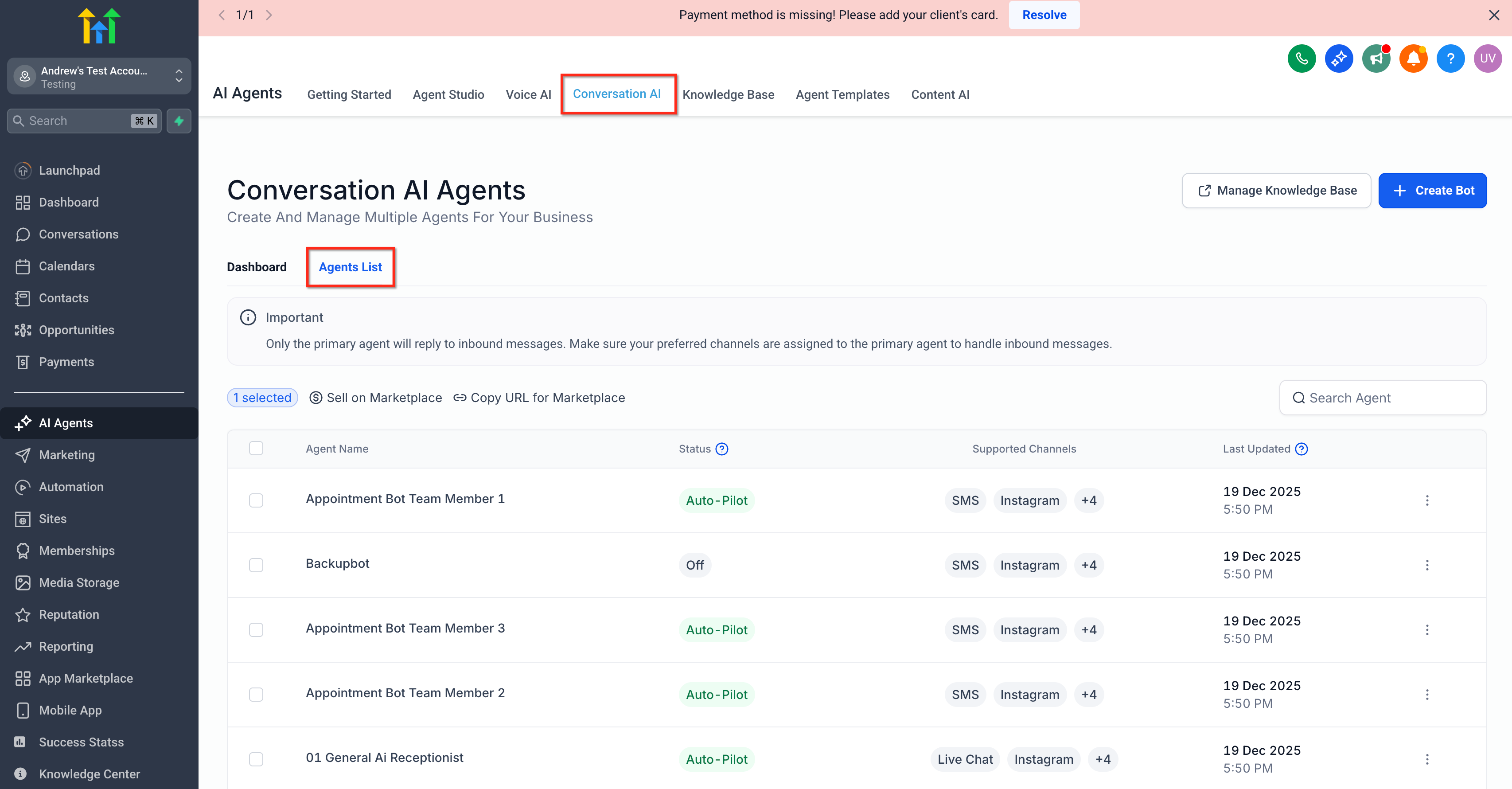
- In Conversation AI, open the installed template from the Agent list.
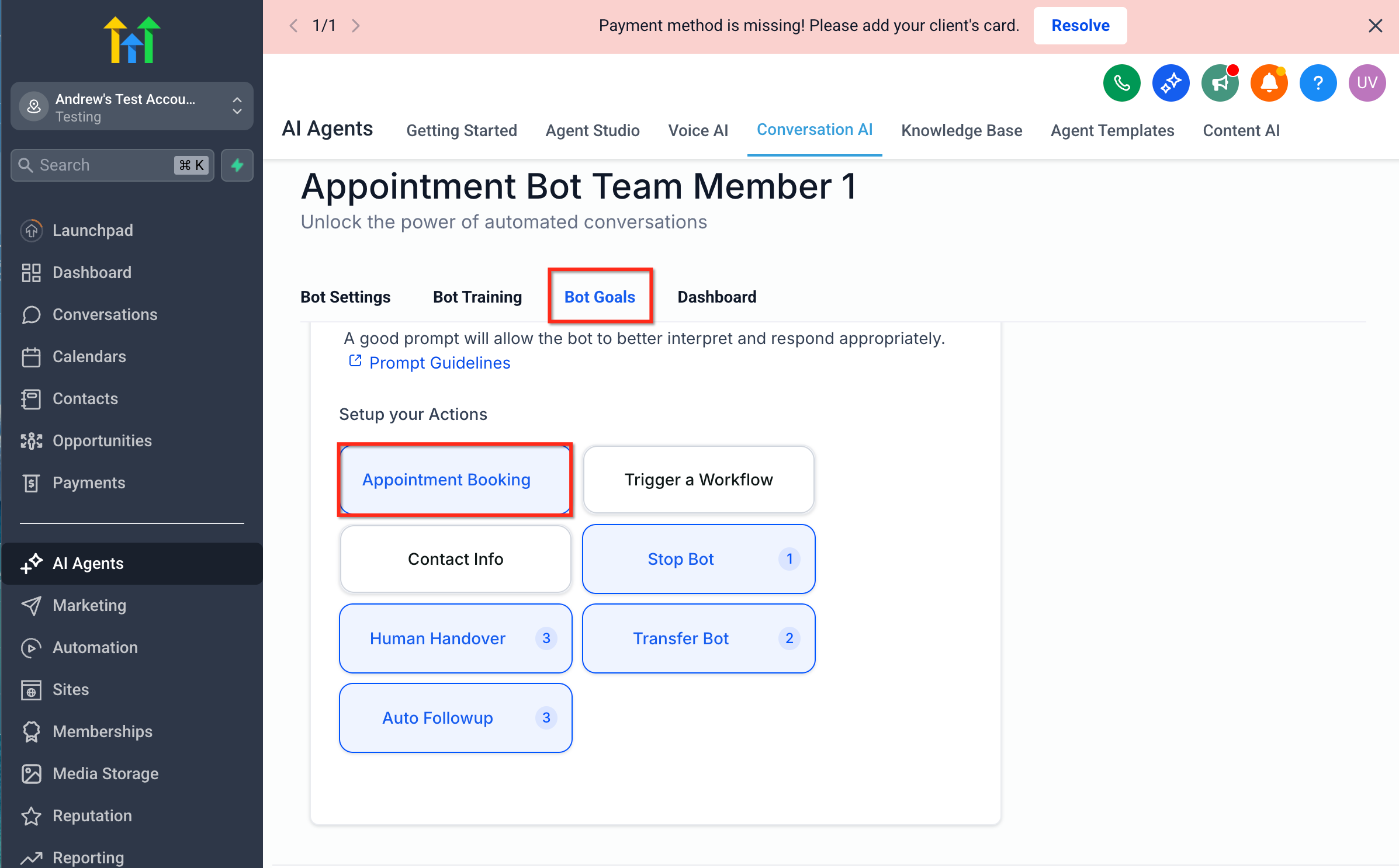
- Go to the Bot Goals section to begin the appointment booking settings.
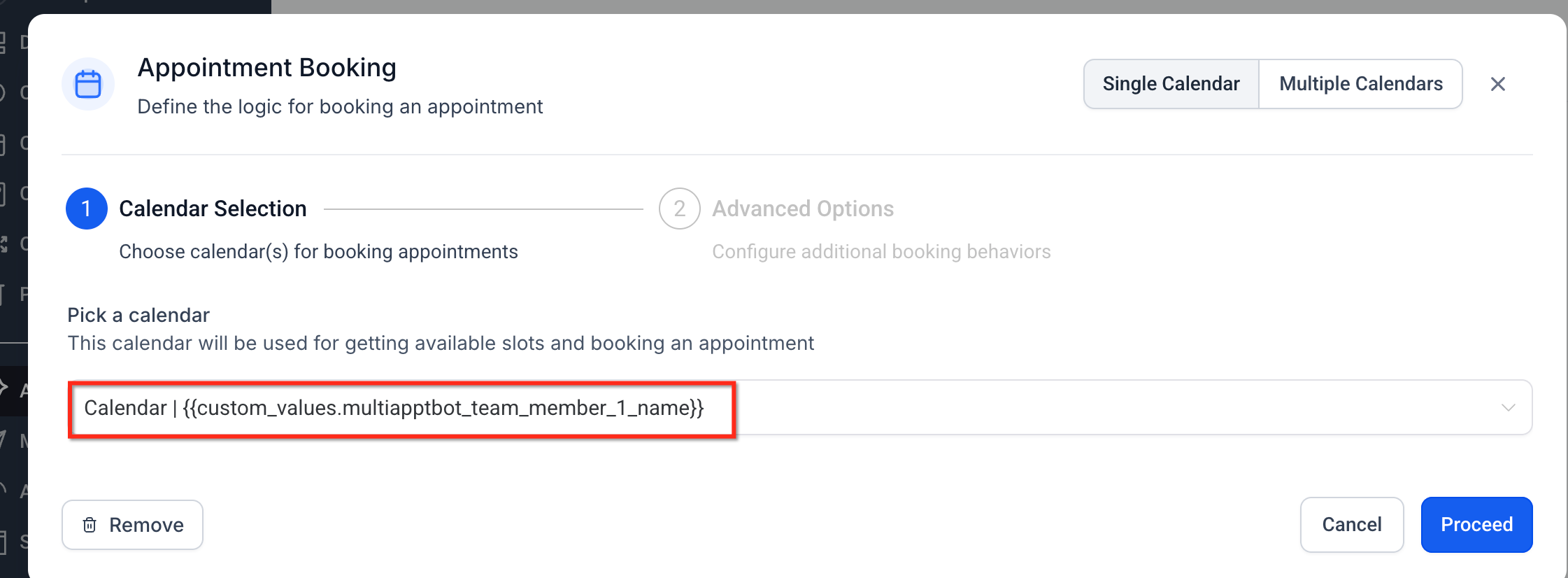
- Choose the desired calendar from the dropdown menu.
- Click "Proceed" to continue.
- Enter an AI Description for the selected calendar.
- Optionally select a Fallback Calendar.
- Add any required advanced options.
- Click "Save" to finalize the configuration.
06What it looks like in HighLevel
07Settings that matter
- AI Description. Text that tells the AI how to recognize requests for this calendar; it influences intent matching.
- Fallback Calendar. An optional calendar used when the caller’s request does not match any eligible calendar.
- Advanced Options. Additional parameters such as priority or confidence thresholds that fine tune the AI’s selection logic.
08Things to know before you rely on it
- The platform does not define a strict maximum number of calendars, but accounts may encounter practical limits for usability and accuracy.
- Keep the eligible calendar set focused on distinct services to maintain matching performance.
09If something goes wrong
- AI books the wrong calendar.. Edit the calendar’s description and trigger keywords, remove overlapping phrases, and adjust priority settings.
- Multiple calendars match a caller’s intent.. Refine trigger keywords and priority values so the AI can differentiate more clearly.
- No suitable calendar is found for a request.. Configure a Fallback Calendar or No Match handling to guide the caller to an available option.
10How it connects to the rest of HighLevel
- Learn how to set up linked and conflict calendars to avoid double bookings. Linked and conflict calendars
- Assign a primary calendar for default scheduling behavior. Primary calendar
- Review HighLevel pricing and plans for Voice AI access. Pricing
Michael's take

Voice AI multicalendar booking can feel risky if you let a bot decide where an appointment lands without clear rules. Overlapping trigger phrases or vague descriptions often cause the AI to pick the wrong calendar, leading to frustration for both callers and staff.
When it works, though, the feature frees up your team from endless menu trees and lets callers speak naturally. It’s a real upgrade for any business that runs several distinct services. Sales demos, pricing consults, new patient intakes. Because the AI routes each request to the right calendar on the first try.