
01Who this is for
- Coaches who have multiple trainers and want a single link for clients to choose a coach.
- Dental offices with several dentists needing a unified booking page for patient appointments.
- Marketing agencies that schedule consultations for different account managers under one portal.
02Group calendars, explained
Group Calendars act as containers that hold several individual calendars. The container appears as one link that visitors use to book time with any of the included calendars. The feature lives inside the Calendars section of a subaccount under Business Services.
When a client opens the group link, they see options based on the selected view template. They can then choose a team member, service, or department that fits their need. The group itself does not create the individual calendars; those must exist beforehand.
The group URL can be customized with a slug, and you can select either the Classic or Neo template for the look of the booking page. After creation, you can add or remove calendars at any time.
03How businesses use group calendars
- Coaching practice. Create a group calendar, add each trainer’s personal calendar, and share the single link with clients. Clients select the trainer they want, and bookings are routed to the correct personal calendar.
- Dental clinic. Set up a group calendar, include the calendars of all dentists, and publish the link on the website. Patients pick a dentist or procedure, and the appointment appears on the chosen dentist’s schedule.
- Marketing agency. Build a group calendar for the sales team, add each salesperson’s calendar, and embed the link in a landing page. Prospects choose the representative they prefer, and the meeting is booked on that rep’s calendar.
04Before you start
- Individual calendars must be created before you can add them to a group.
- Each team member should have a Primary Calendar set in their calendar settings to enable external sync.
05How to set up and use group calendars in HighLevel
Create a group calendar
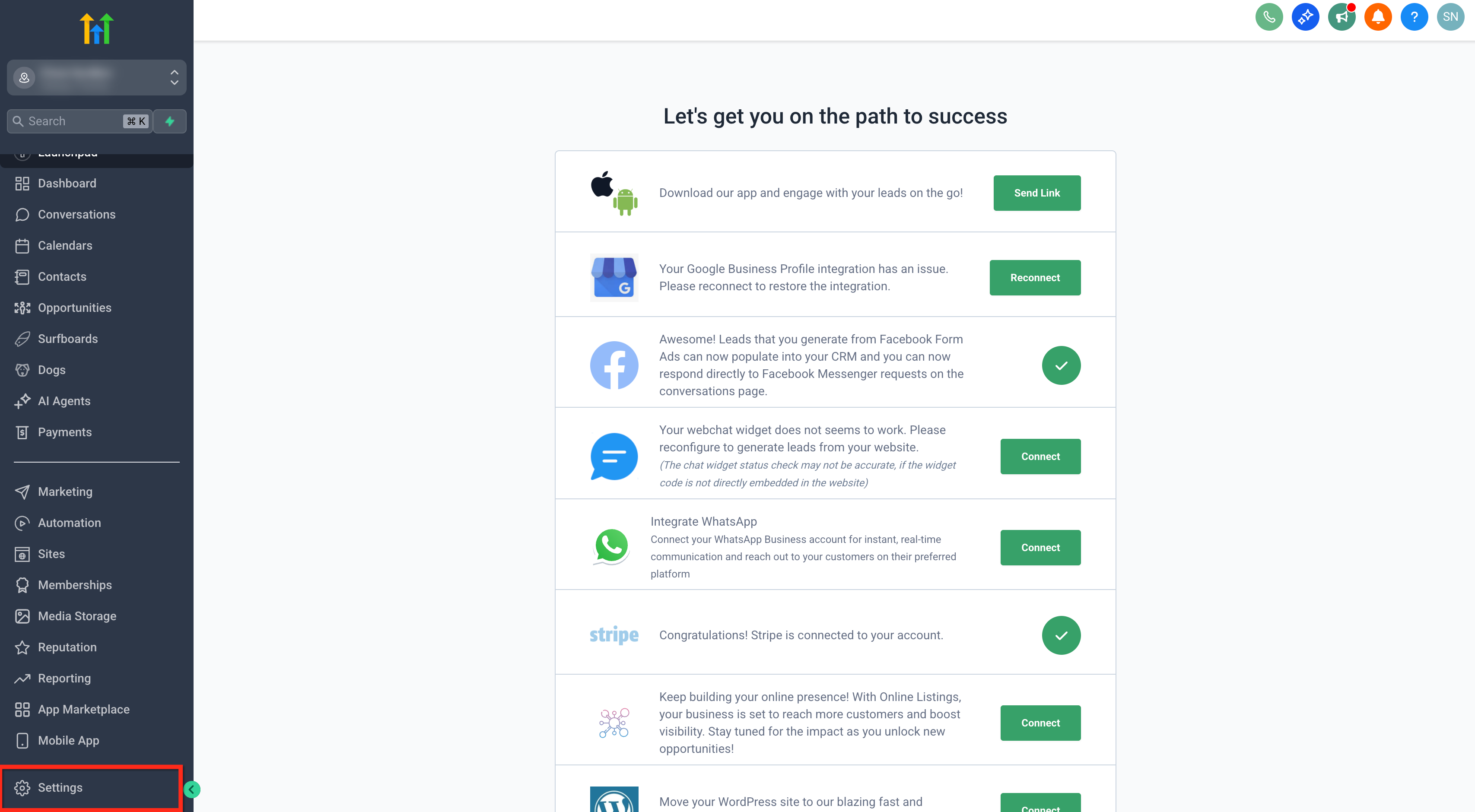
- Open the Settings area of the desired subaccount.
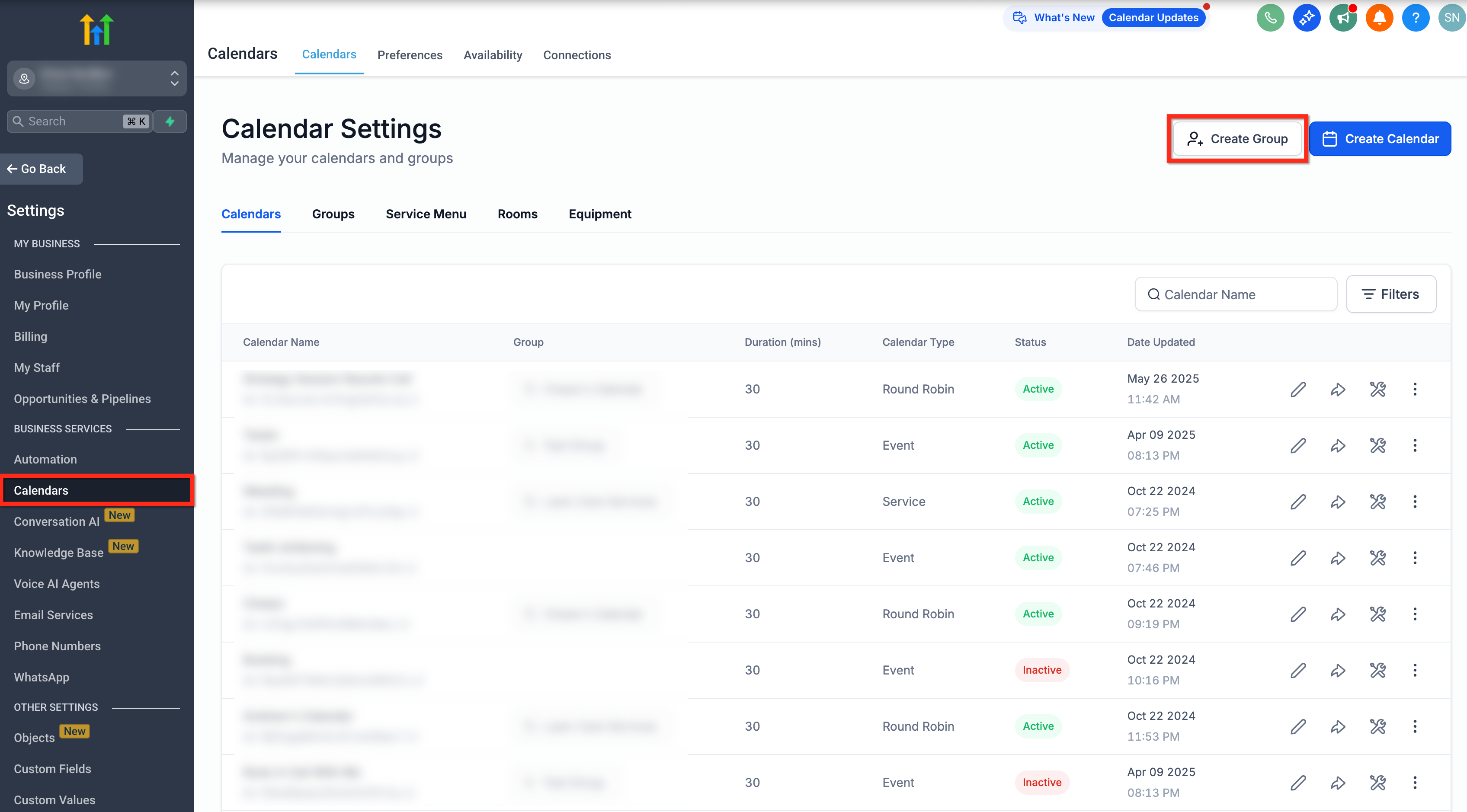
- Select Calendars located under Business Services.
- Press the Create Group button.
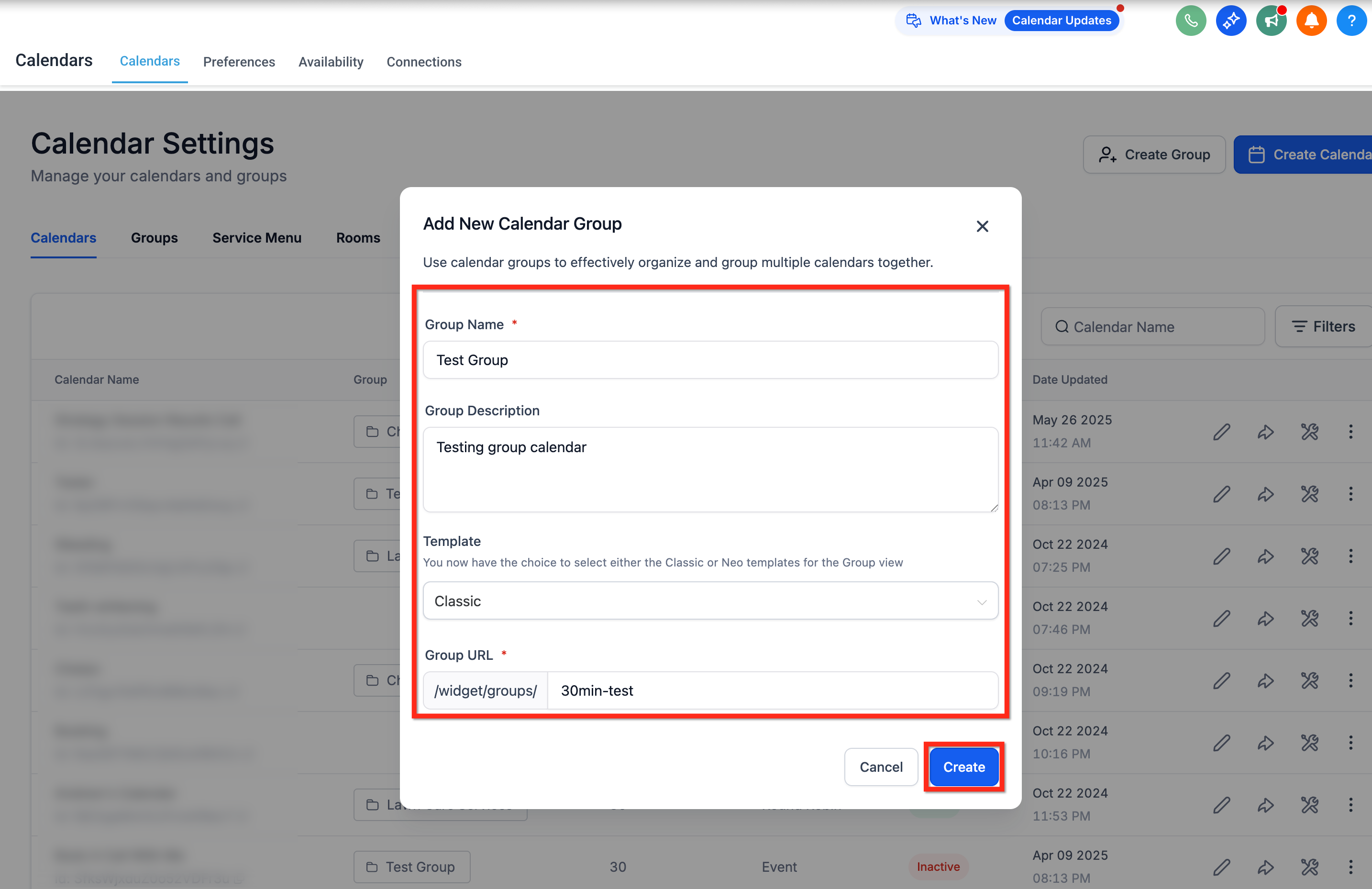
- Enter a Group Name and optionally a short description.
- Choose between the Classic or Neo template for the group view.
- Provide a slug to form the Group URL.
- Click Create to finish the group setup.
- If a required field is missing, HighLevel will automatically scroll to the error.
Add calendars to the group
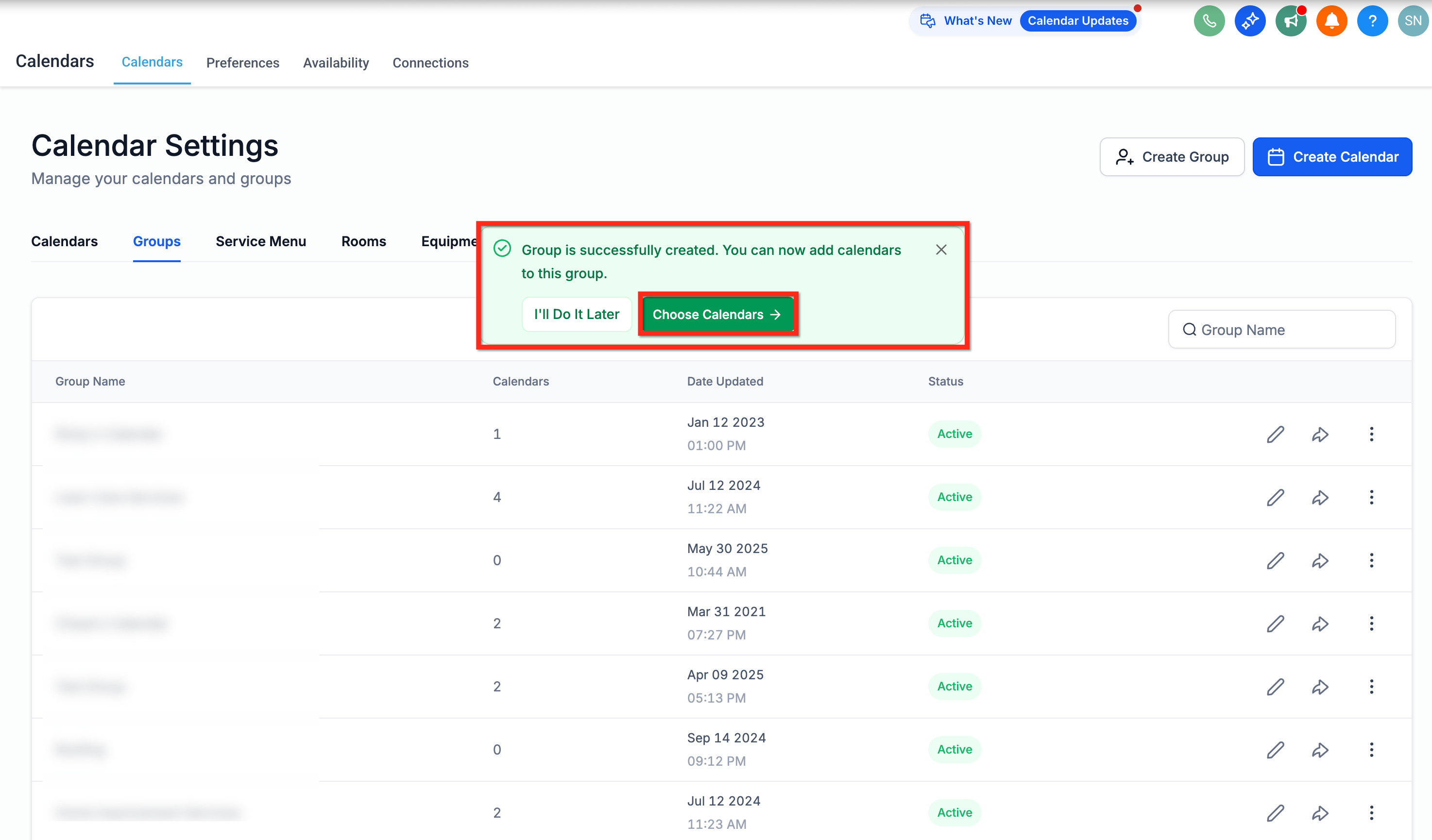
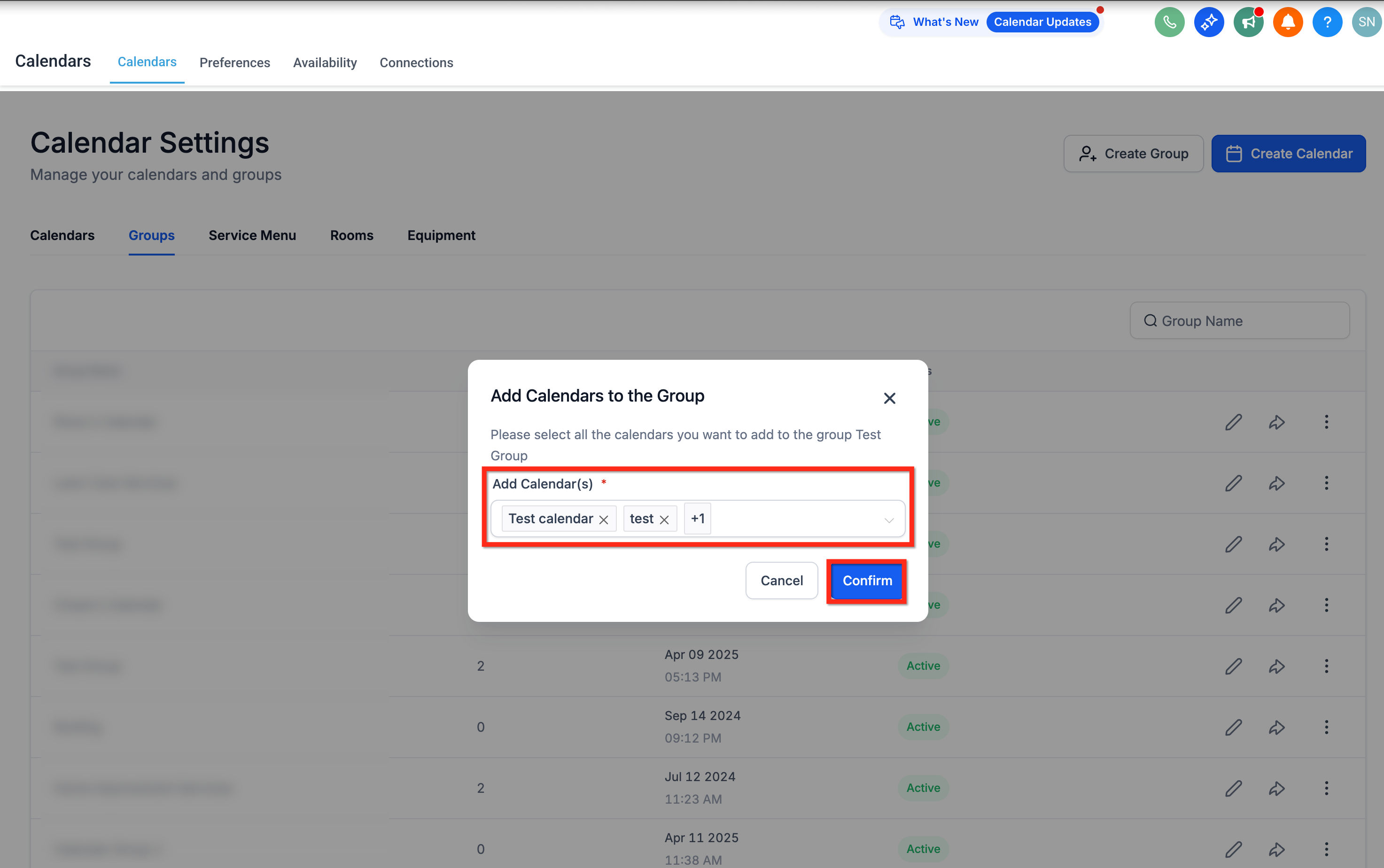
- When the popup appears after creating the group, click the Choose Calendars option.
- In the list, mark the individual calendars you want to include.
- Press Confirm to add the selected calendars to the group.
- If you prefer to add later, select I’ll Do It Later to skip this step.
06What it looks like in HighLevel
07Settings that matter
- Group Name. Defines the label shown for the group calendar and appears in the booking URL.
- Group Description. Optional text that provides additional context about the group on the booking page.
- Classic or Neo templates. Determines which visual layout the group booking page uses.
- Group URL Slug. Sets the readable part of the group’s web address for sharing.
08Things to know before you rely on it
- Group calendars do not generate individual calendars; those must exist first.
- Class and Collective calendar types cannot be added to a group calendar.
- If a calendar inside a group is deleted, it disappears from the booking options but the group remains.
09If something goes wrong
- No calendars appear in the Choose Calendars popup.. Make sure individual calendars have been created before attempting to add them to a group.
10Deactivating calendar groups in HighLevel
Deactivating calendar groups in HighLevel lets you turn off every calendar inside a chosen group. The option appears in the group’s ellipsis menu and requires confirmation.
Deactivating a calendar group deactivates all calendars in that group.
Deactivate calendar group
- Click the ellipses against the group you wish to deactivate.
- The options drawer opens.
- Select the option "Deactivate all calendars in group"
- Confirm the action in the pop up.
11How it connects to the rest of HighLevel
- Learn how to assign unassigned calendars to groups Assign calendars to groups
- Embed a HighLevel calendar on your website Calendar embedding guide
Michael's take

Wondering if a single booking link can cover all your team’s schedules? Group calendars let you bundle every individual calendar into one flexible URL, so clients see every available slot at once and pick the provider or service that fits them best. It cuts down on link clutter and makes the booking process feel smoother for both you and your customers.
The first thing I’d do is set up every team member’s personal calendar, then create a group for the sales department. Once the group is live, I’d test the link to confirm the right slots show up and that appointments flow back into each person’s primary calendar. A quick check that the Primary Calendar sync is active saves you a lot of headaches later.