
01Who this is for
- Local service providers with a Google Business Profile, because the feature displays availability right in Google search results.
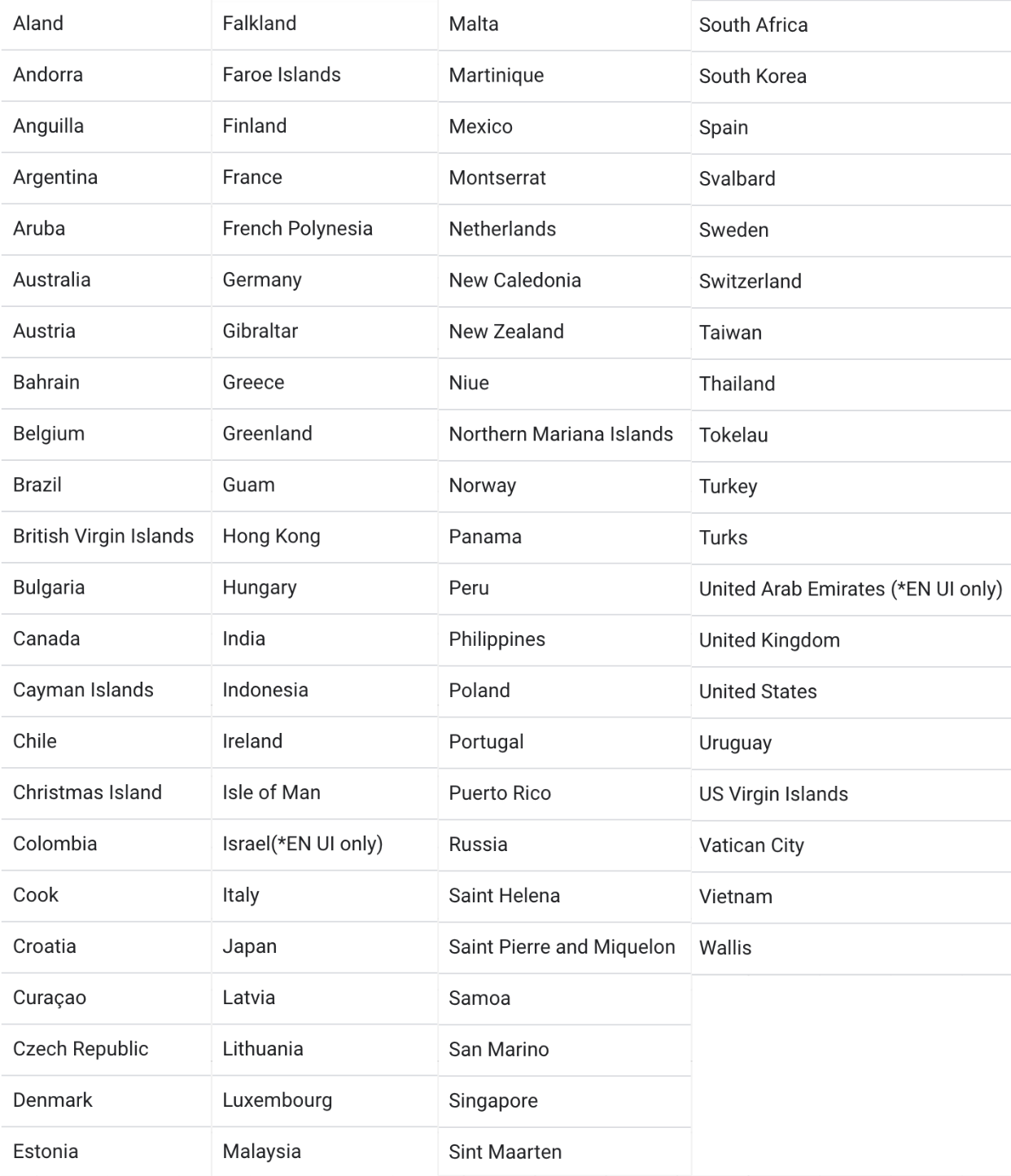
- Businesses operating in the supported countries, because the integration only works where Google Organic Booking is available.
02Google organic bookings, explained
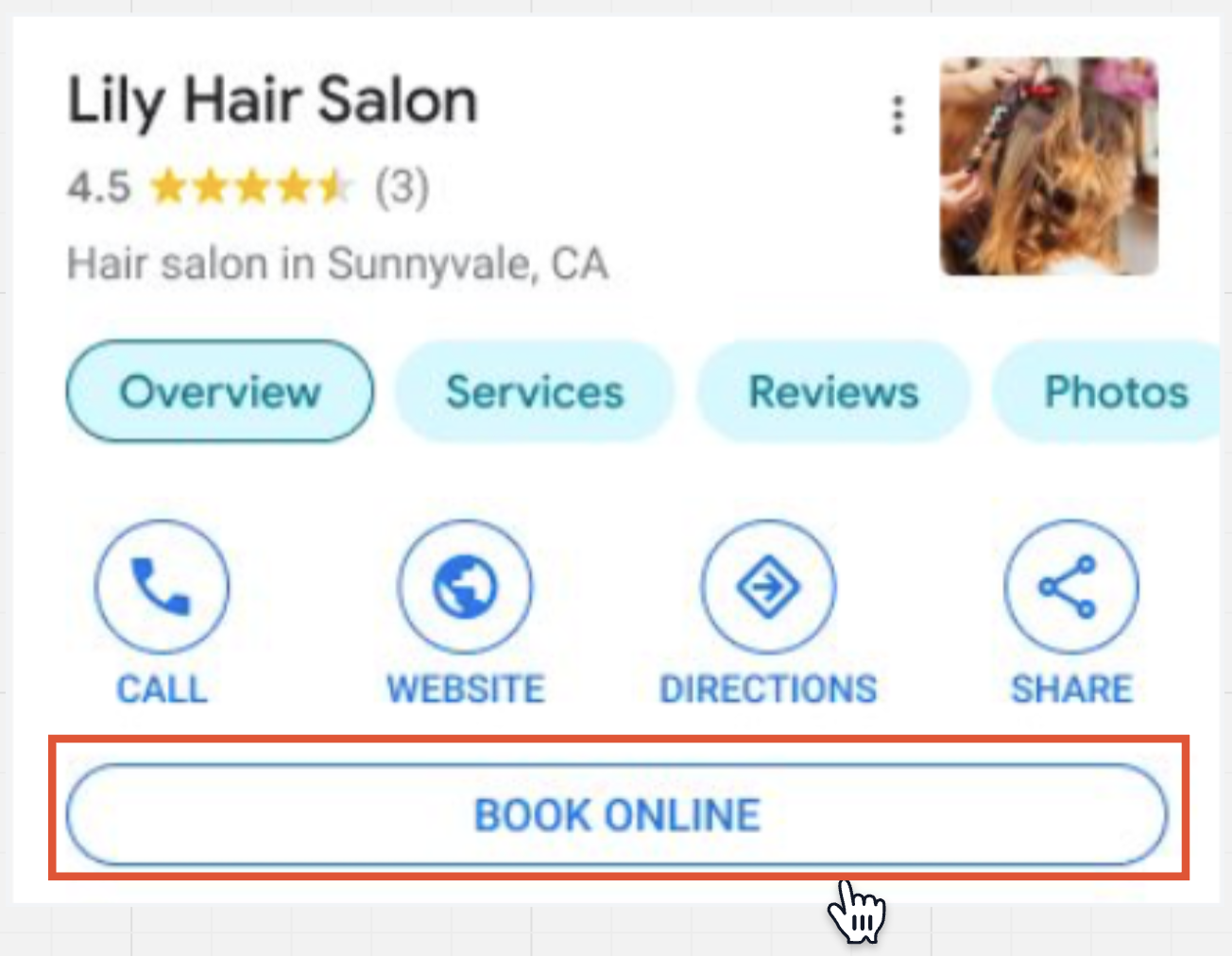
Google Organic Booking, also called Booking Redirect, connects a HighLevel calendar to a Google Business Profile. When a potential client searches for a service, the booking option appears directly on the Google results page or Maps listing. The integration uploads two types of feeds: a primary action feed that powers the Book Online button and individual service feeds that list specific calendars.
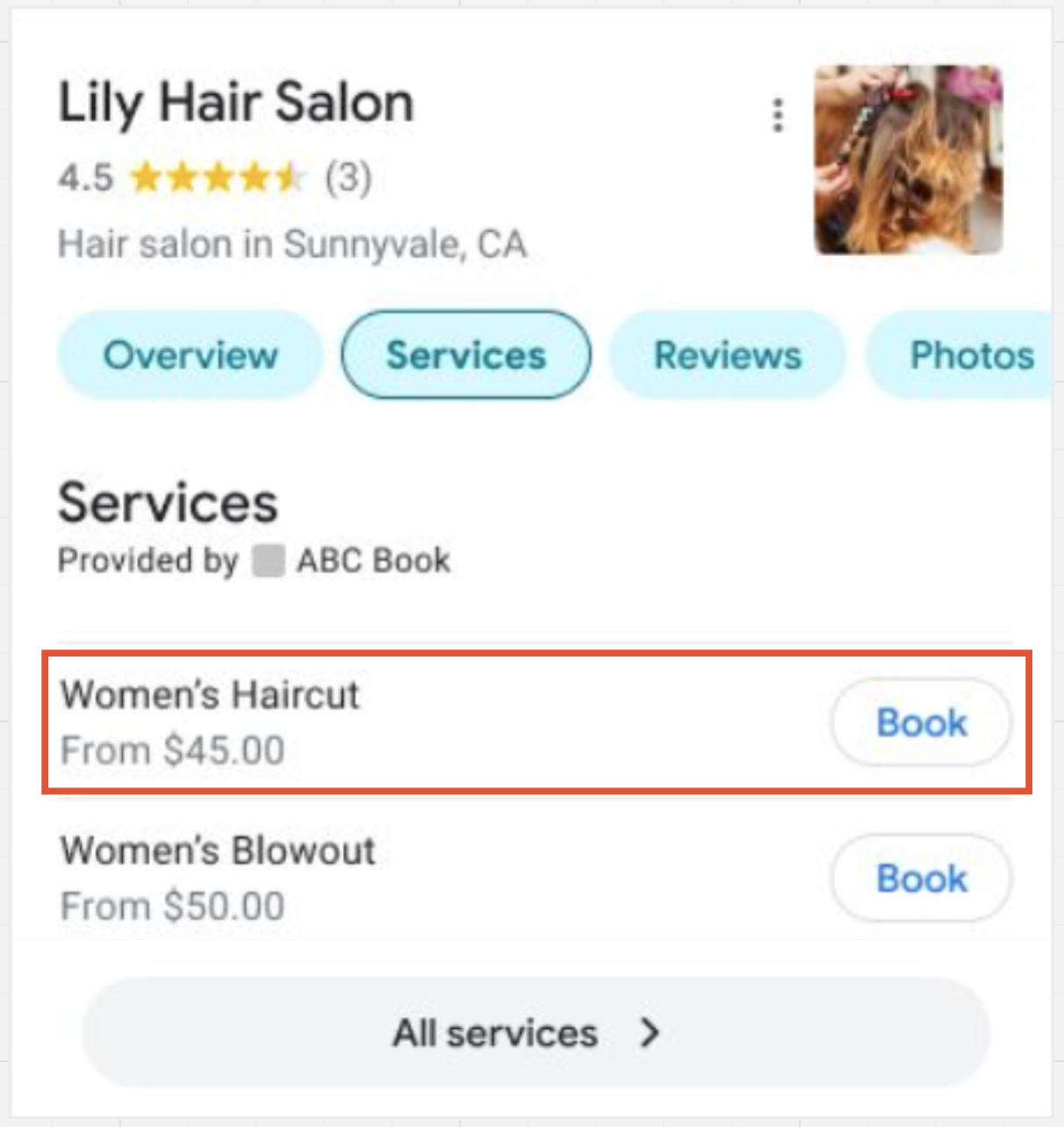
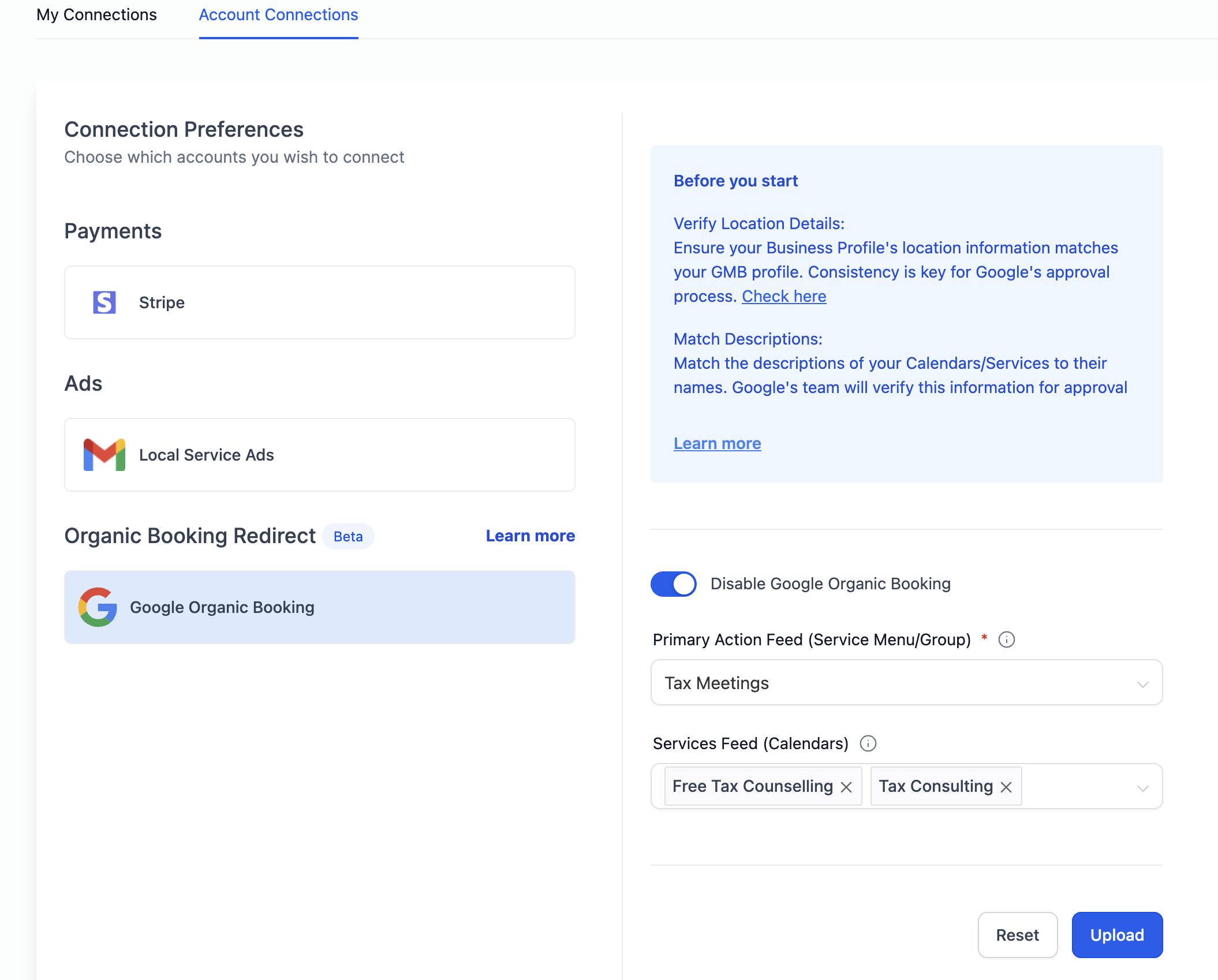
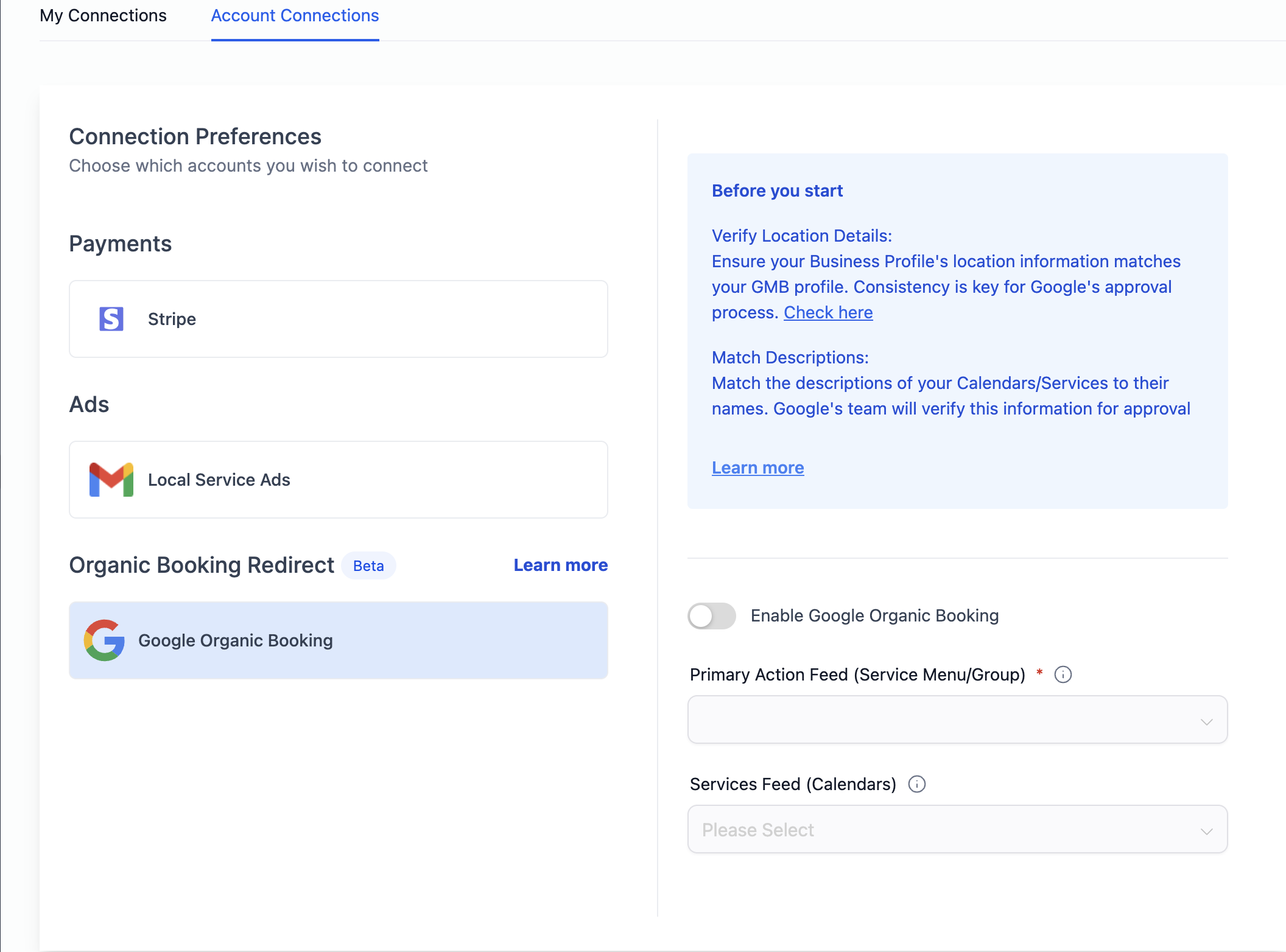
The setup lives in the Calendar Settings area of HighLevel. Under Connections, the Organic Booking Redirect section holds the toggle to enable or disable the feature and the controls for adding the primary and individual feeds. Once uploaded, Google validates the feeds, which can take one to two weeks before they appear in search results. After validation, the services show up under the business’s Google listing, allowing users to select a time slot and confirm a booking without leaving Google.
03How businesses use Google organic booking
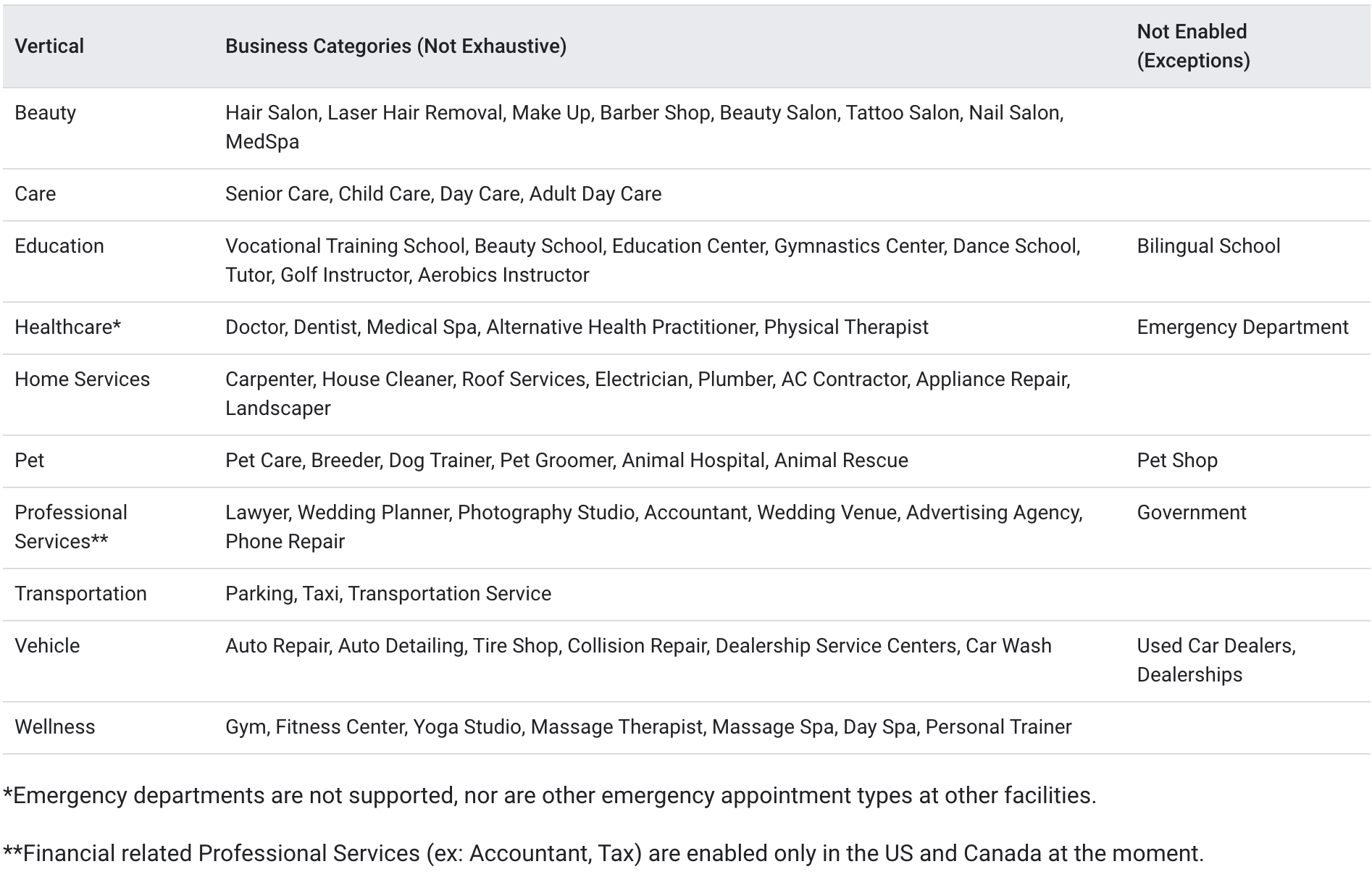
- Hair salon. The salon creates a service menu with haircut and coloring options, uploads the primary action feed for the Book Online button, and adds each service calendar as an individual feed. Customers can then select a specific style and time directly from the salon’s Google listing.
- Dental practice. The practice sets up calendars for cleanings, fillings, and orthodontic exams, ensures each calendar description matches its service name, and uploads the individual service feeds. Google displays these options, enabling patients to book appointments straight from the practice’s Google Business Profile.
- Fitness studio. The studio builds a group calendar for class schedules, uploads the primary action feed to show a Book Online button, and links each class calendar in the individual service feed dropdown. Prospective members can reserve a spot in a class directly from the studio’s Google search result.
04The numbers and rules that matter
- Verification of feeds and profiles usually takes 1 to 2 weeks for the first upload.
05Before you start
- A Google Business Profile must exist for the business.
- Calendars for each service need to be created in HighLevel.
06How to set up and use Google organic booking in HighLevel
Set up Google organic booking for direct Google search bookings
- Open Calendars Settings, then select Connections and choose Organic Booking Redirect.
- Create a booking page that will host the service menu or group.
- Add a service menu or group of services to the booking page so customers can see options.
- Upload the primary action feed, which links the Book Online button to the booking page.
- List each service you want to appear on Google within your HighLevel account.
- Upload individual service feeds for the listed services.
- Select the appropriate calendars for each service in the Individual Service Booking dropdown.
- Confirm that every calendar has a clear description that matches its service name.
- Allow one to two weeks for Google to validate the feeds before they become visible.
07What it looks like in HighLevel
08Settings that matter
- Google Organic Booking. Controls whether HighLevel sends service feeds to Google; disabling it stops any feed uploads.
- Primary Action Feed. Specifies the URL linked to the Book Online button shown on Google listings.
- Individual Service Booking. Lets you choose which calendars appear under each individual service on Google.
09Things to know before you rely on it
- Feeds are verified by Google and may take one to two weeks before appearing.
- Service and calendar descriptions must clearly match the service name for Google validation.
- The feature only works for businesses in supported countries; the article lists applicable regions.
10How it connects to the rest of HighLevel
- Integrate Google Calendar with HighLevel Google Calendar integration
- Set up service calendars in HighLevel Service calendar guide
- HighLevel pricing and plans Pricing
Michael's take

Watch out for the verification delay. Google can take a week or two to approve your feeds, so you won’t see bookings fast.
Make sure every calendar description matches the service name exactly, or the feed won’t pass validation.