
01Who this is for
- Product managers need a way to expose custom events to HighLevel workflows without writing code inside the platform.
- Agencies building client specific automations benefit from reusable triggers that can be versioned and shared across subaccounts.
02Marketplace workflow triggers, explained
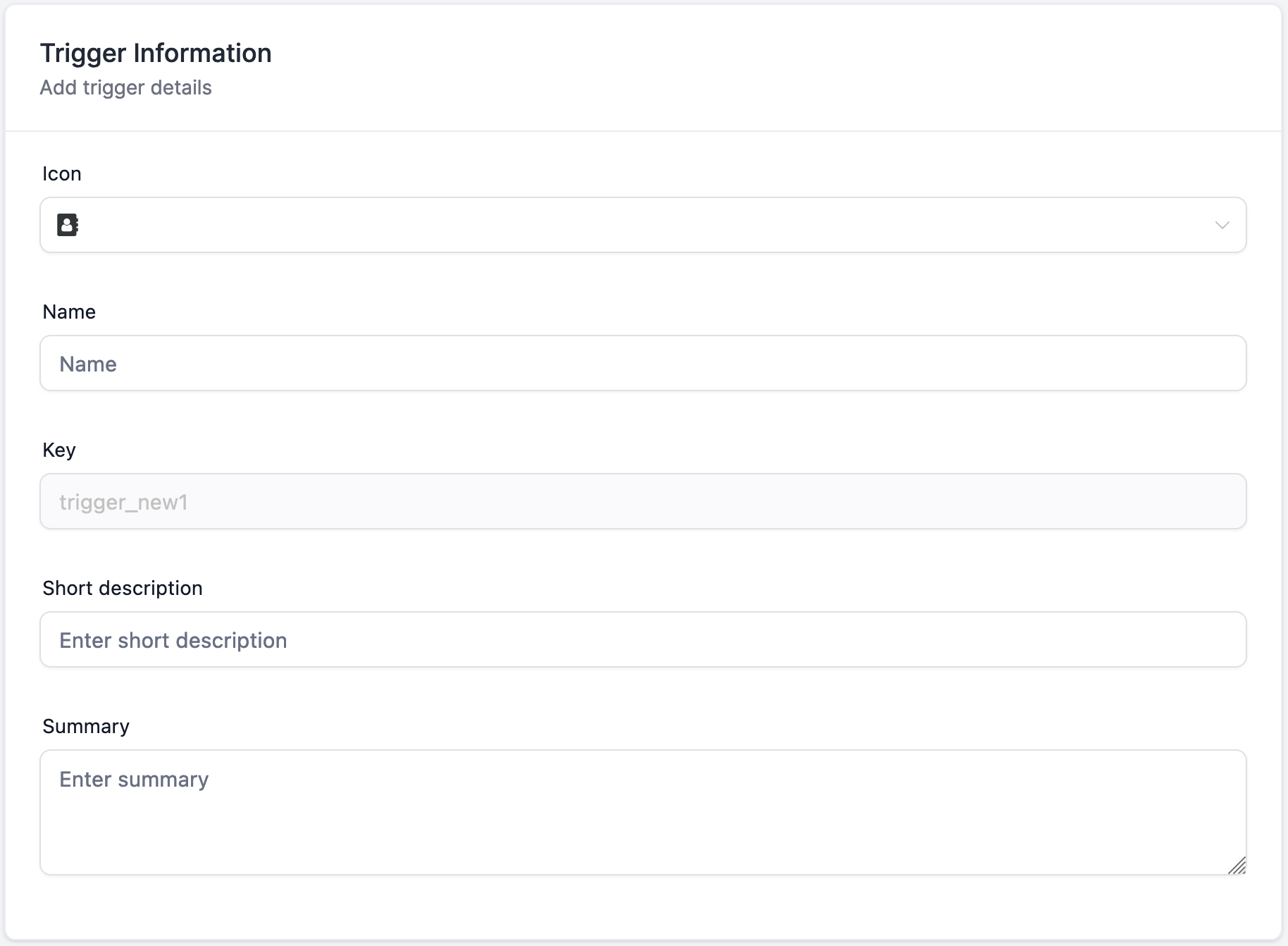
Marketplace Workflow Triggers are custom event sources that appear in the workflow trigger list when the associated app is installed in a subaccount. They are part of the LC Premium Triggers & Actions package and are billed per execution. A trigger contains a name, a fixed unique key, an icon, a short description, a detailed summary, sample payload data, filter definitions, custom variables and an optional subscription URL.
When a trigger is added to a workflow, HighLevel receives the payload you defined, applies any filters, creates the custom variables and passes the data to subsequent actions. The trigger can be created, reviewed, versioned or permanently deleted through the Marketplace UI. Execution does not require a contact record, allowing fully contact less flows.
All triggers live under the Marketplace section of the platform. Subaccounts must have the LC Premium Triggers & Actions enabled and must have the source app installed before the trigger appears in their workflow builder.
03How businesses use marketplace workflow triggers
- SaaS startup. The startup creates a trigger that receives webhook events from its billing system. It defines filters for plan type and adds a custom variable for the subscription ID. In HighLevel, the workflow uses these values to send onboarding emails without needing a contact record.
- Digital marketing agency. The agency builds a trigger that captures lead data from a third party lead form. Filters isolate the lead source and a custom variable stores the campaign ID. The workflow then routes the lead to the appropriate client subaccount and logs the data in a Google Sheet.
- Ecommerce store. The store defines a trigger that receives order payloads. A dynamic filter pulls product categories from an external API. Custom variables map order total and customer email, enabling the workflow to update inventory, send a confirmation Slack message, and add the data to a spreadsheet.
04The numbers and rules that matter
- Marketplace workflow triggers are chargeable per execution.
- Only one Dynamic type can be created per trigger.
05Before you start
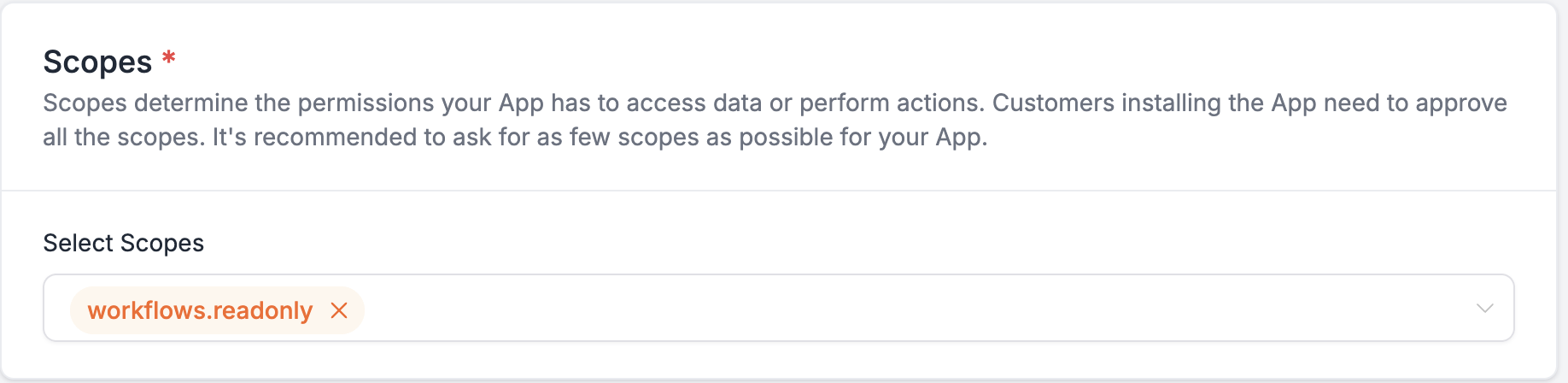
- Enable the workflows.readyonly scope to allow actions and triggers.
- Sign up or sign in to the Marketplace and enable LC Premium Triggers & Actions for the subaccount.
- Install the Marketplace app that contains the custom trigger in the subaccount.
06How to set up and use marketplace workflow triggers in HighLevel
Create a new marketplace workflow trigger
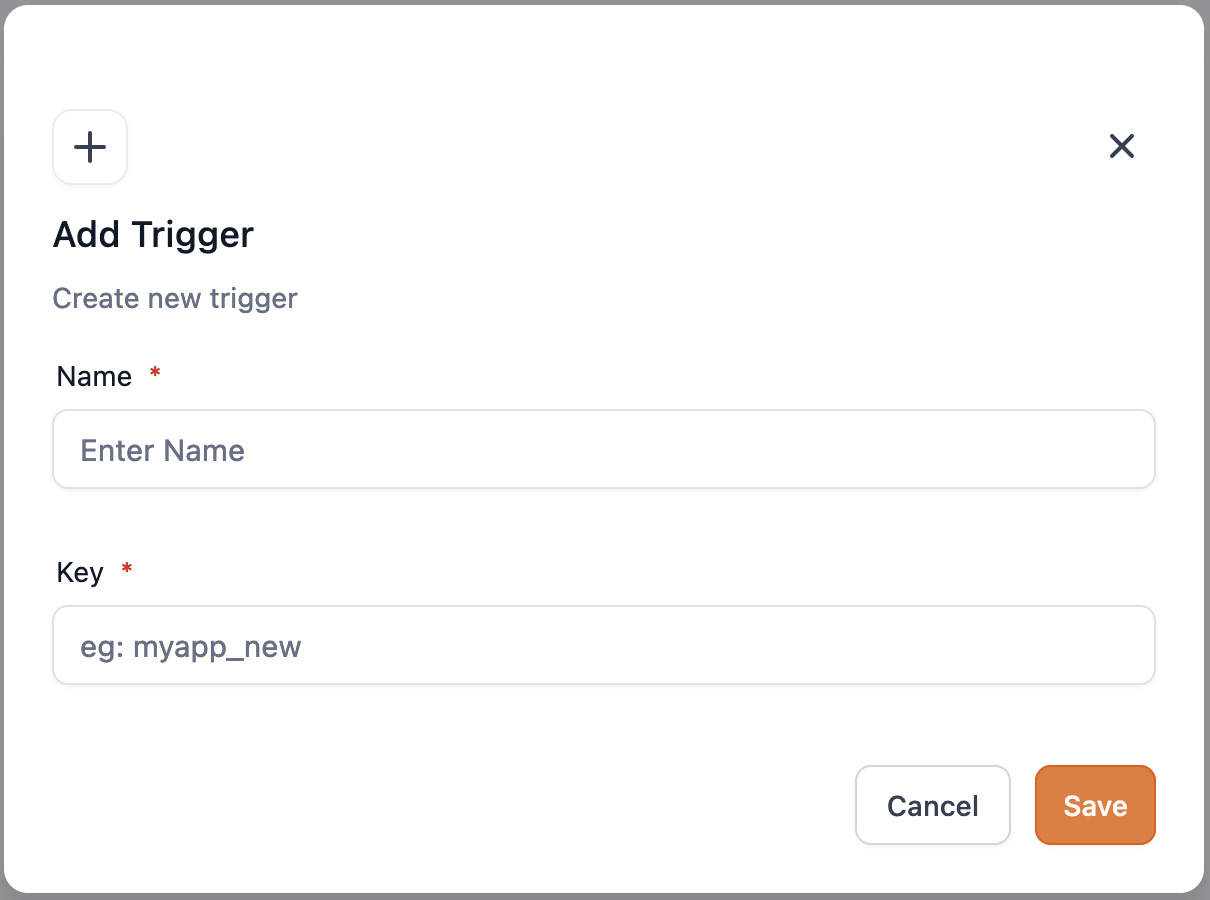
- Enter a descriptive trigger name.
- Provide a unique key that will reference the trigger in workflows.
- Add a short description and a detailed summary for users.
- Select an icon that will appear on the workflow canvas.
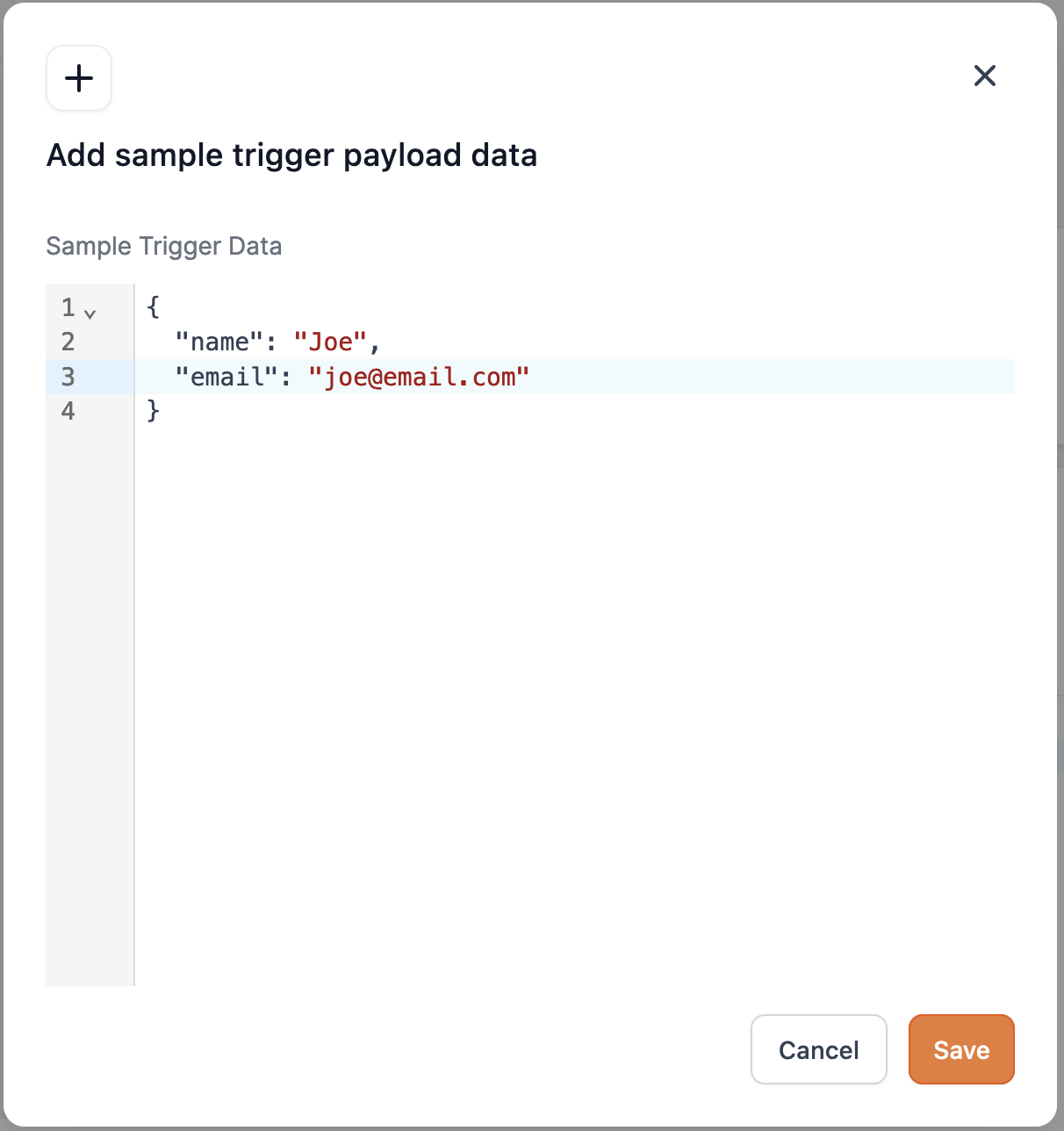
- Paste a sample payload JSON structure in the Trigger Data field.
- Define filters using fields from the sample payload.
- Create custom variables that map to payload keys.
- Set a subscription URL to receive configuration callbacks.
Submit the trigger version for review
- Click the Submit for review button.
- Enter the required changelog information for the new version.
- Confirm the submission; the version will be published after approval.
Create a new version of an existing trigger
- Select the + New Version option.
- A draft version is generated automatically.
- All previously published data is pre filled in the draft.
- Edit the draft fields as needed before submitting for review.
Delete an existing trigger permanently
- Type the trigger name to confirm deletion.
- Confirm the delete action.
- Note: Deletion is permanent and cannot be restored.
- The trigger is removed from the Marketplace app and workflow list.
07What it looks like in HighLevel
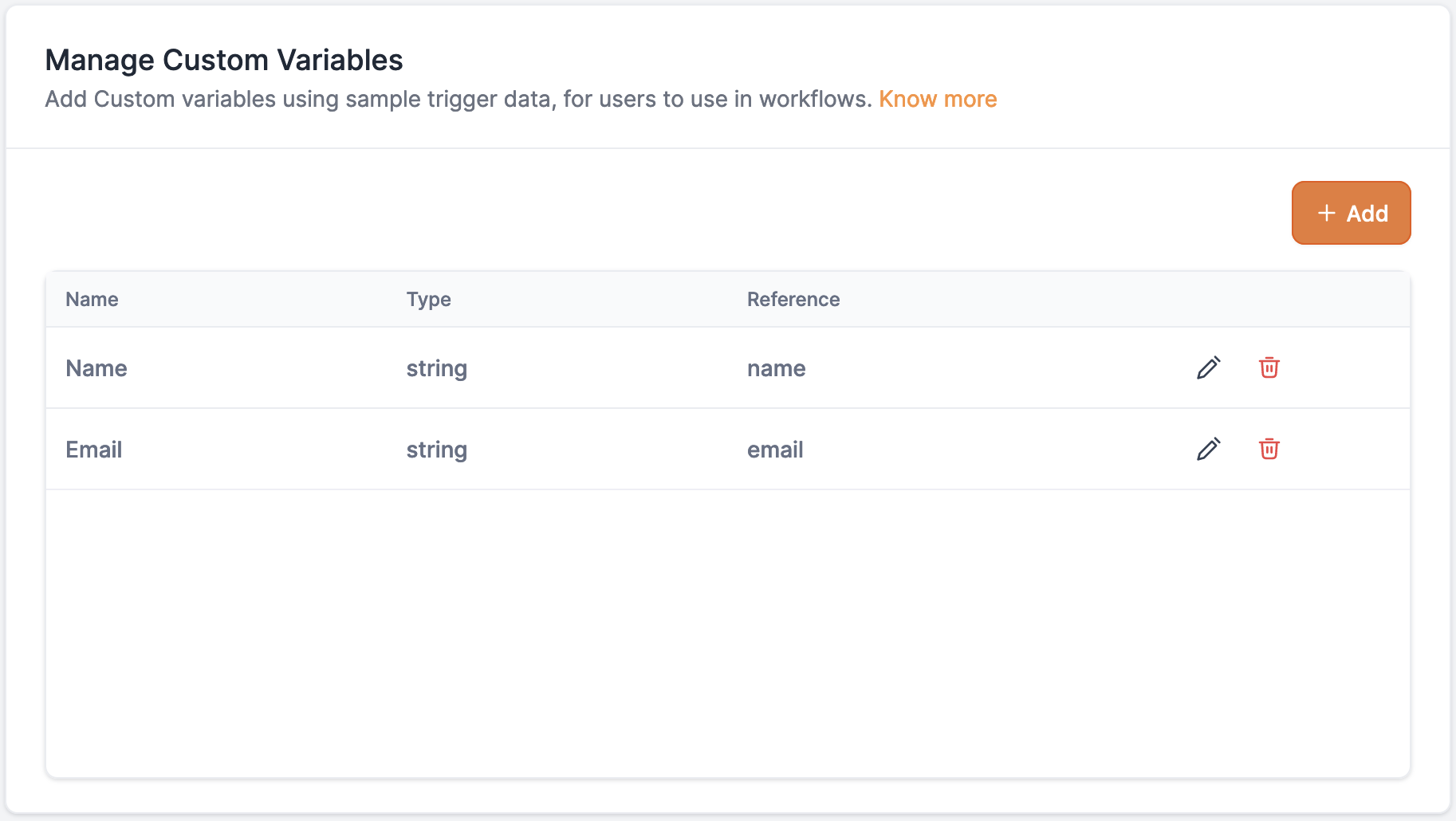
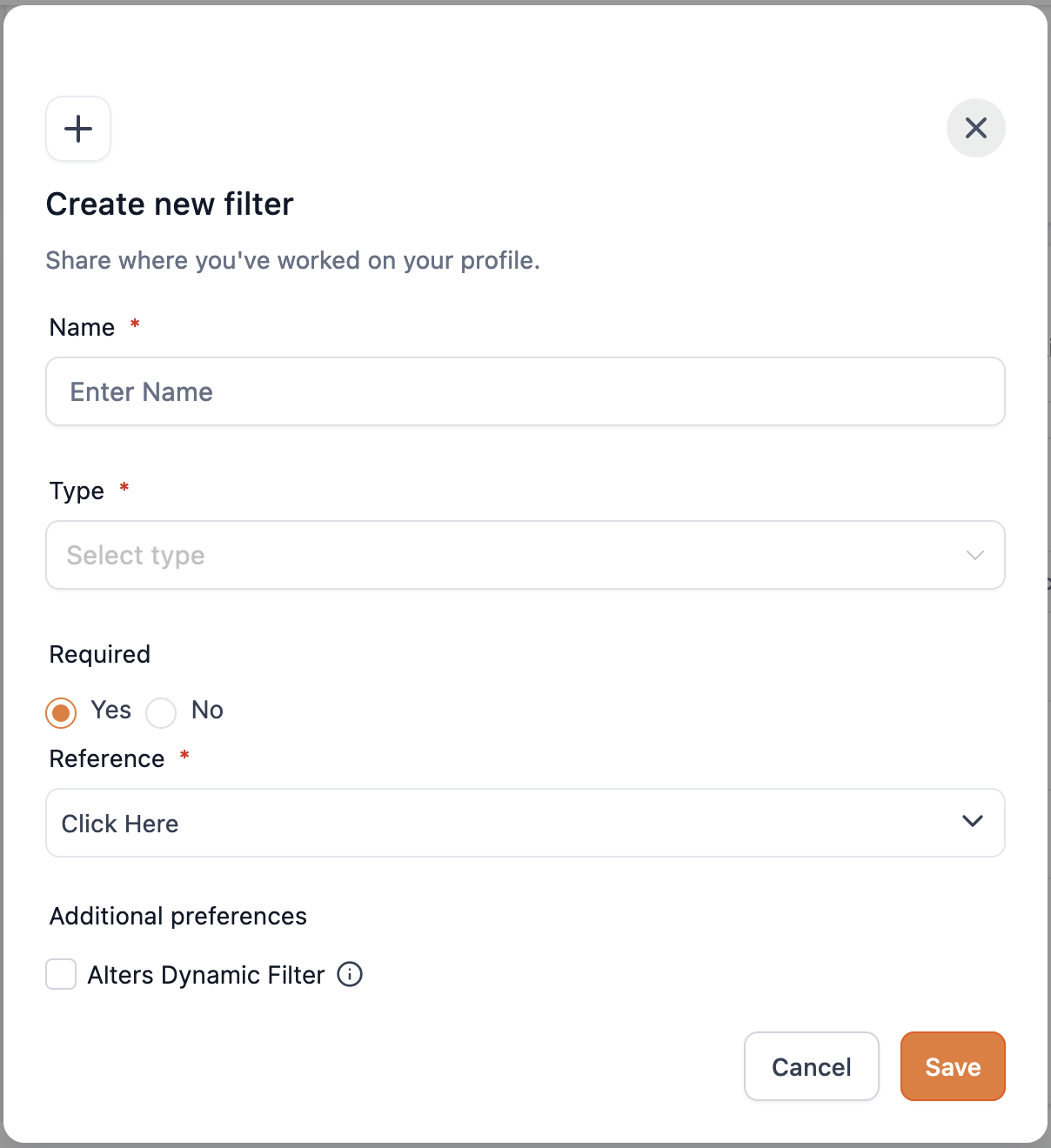
08Settings that matter
- workflows.readyonly scope. Enables the platform to use custom triggers and actions within workflows.
- LC Premium Triggers & Actions. Activates billing per execution and makes marketplace triggers available to subaccounts.
09Things to know before you rely on it
- Each trigger incurs a per execution charge under LC Premium Triggers & Actions.
- The unique key assigned at creation cannot be changed later.
- Only one Dynamic filter can be added to a trigger.
- A trigger appears in the workflow list only if its app is installed in the subaccount.
- Deletion of a trigger is permanent and removes it from all workflows.
10How it connects to the rest of HighLevel
- Set up and test marketplace workflow actions Workflow actions guide
- Manage external connections for Marketplace apps External connections
- Agency level marketplace apps installation Agency apps
Michael's take

Marketplace workflow triggers are a niche feature for developers who need API driven automation.