
01Who this is for
- Agency owners who manage multiple client subaccounts and want to control app pricing.
- Agency administrators who configure offers and ensure billing is routed through the agency Stripe account.
02Marketplace apps, explained
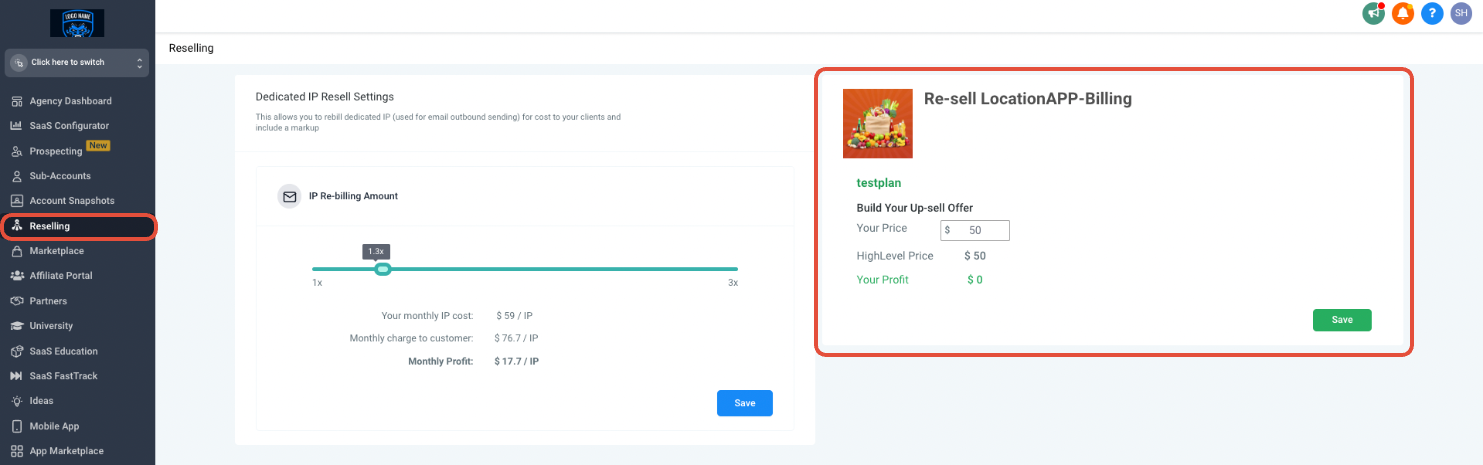
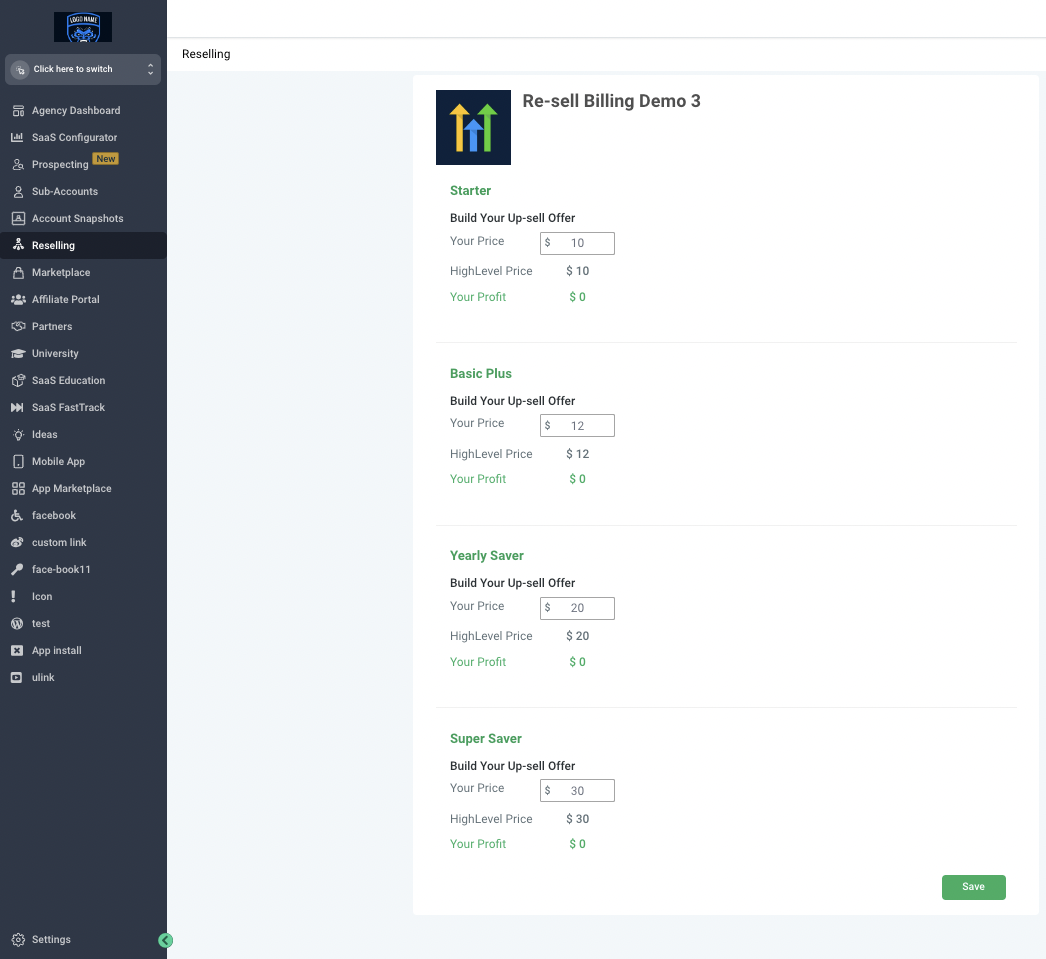
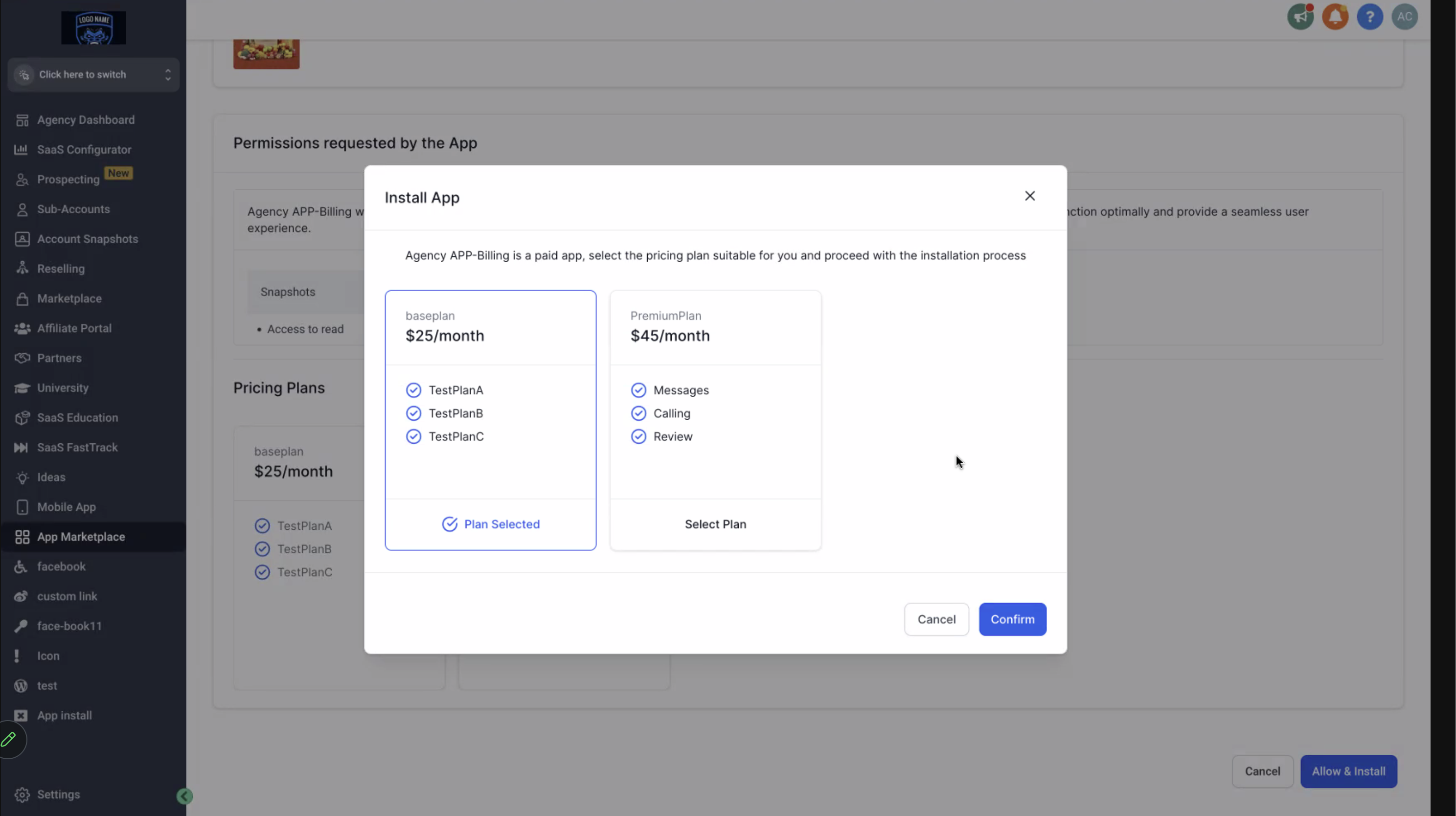
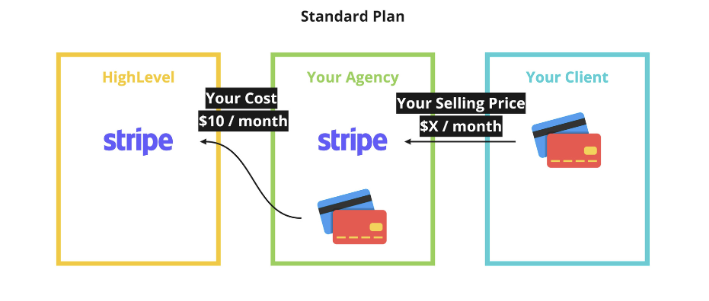
The reselling feature lives in the Agency left menu under the Reselling tab. From there an agency can set a price that applies to every subaccount for an app that is marked as paid and uses HighLevel for payment collection. If the app offers several pricing plans, the agency can set a price for each plan.
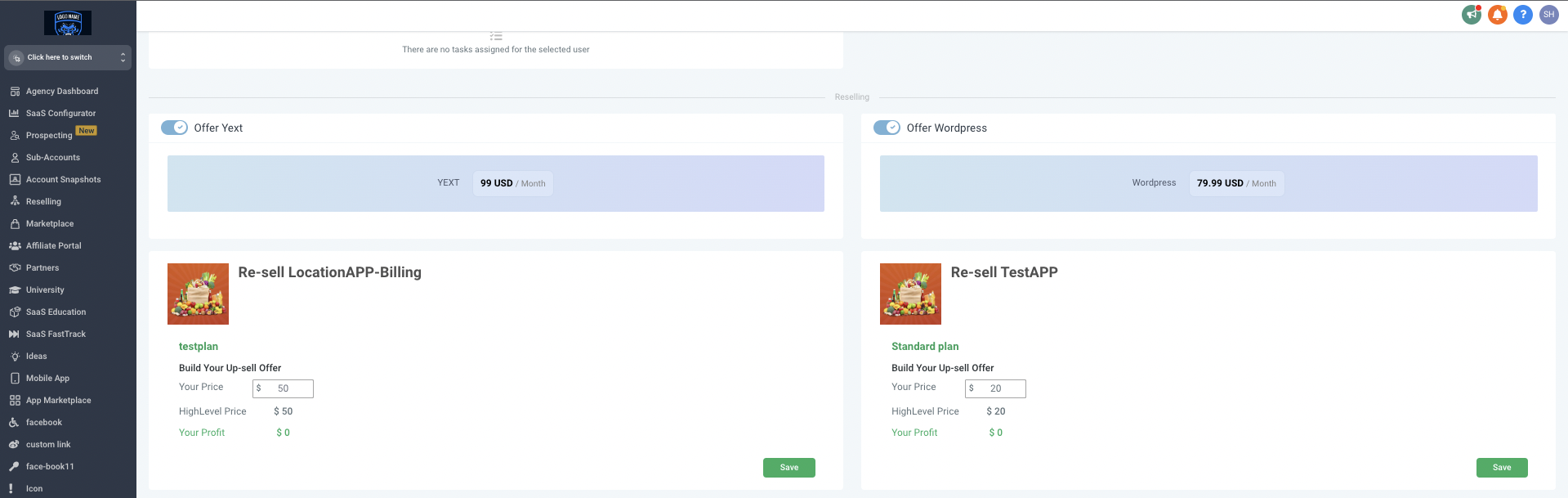
For individual clients the agency can adjust the price after the client has been created. This is done from the Subaccount List where the client record is opened, the reselling section is found, and a new price is entered. The change is saved and the client will see the new amount the next time they install the app.
03How businesses use reselling marketplace apps
- Digital marketing agency. The agency sets a uniform price for a lead generation app in the Reselling tab. When a client needs a discount, the agency opens the client record in Subaccount List, edits the App Pricing field and saves. The client then installs the app at the custom price.
- Coaching business. The business selects a scheduling app, sets its own price for all coaches, and for a premium coach group opens each coach's subaccount, adjusts the App Pricing to a higher rate, and saves. Those coaches pay the adjusted amount at install.
- SaaS consulting firm. The firm configures a software analytics app with a base price in the Reselling tab. For a strategic client they locate the client in Subaccount List, change the App Pricing to a lower amount, and save. The client installs the app at the negotiated rate.
04Before you start
- Agency Stripe account must be connected to the agency dashboard.
- The app must be a paid model, have payment collection set to HighLevel, and be distributed as Subaccount or Agency & Subaccount.
05How to set up and use reselling marketplace apps in HighLevel
Set agency wide price for a marketplace app
- Open the Agency left menu and select the Reselling tab.
- Locate the app you want to resell within the Reselling screen.
- If the app offers multiple pricing plans, choose a plan to price.
- Enter the desired price for the selected plan and confirm.
Personalize offers for a specific client
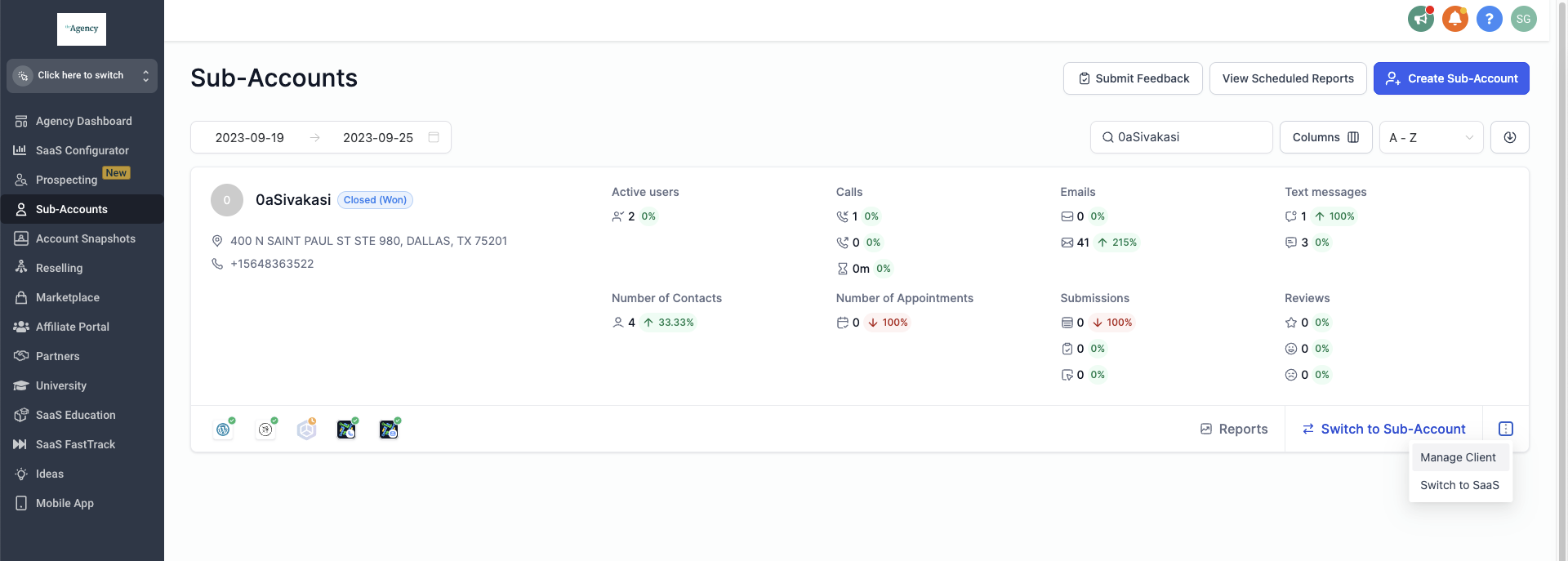
- Open Subaccount List from the Agency menu.
- Search for the client you wish to edit.
- Click the three dots next to the client name and choose Manage Clients.
- Scroll down to the reselling section of the client record.
- Edit the App Pricing field with the new amount.
- Click Save to store the change.
06What it looks like in HighLevel
07Settings that matter
- App Pricing. Controls the price shown to the client when they install a paid marketplace app.
08Things to know before you rely on it
- Only apps that are paid, collect payment inside HighLevel, and have a distribution type of Subaccount or Agency & Subaccount can be resold.
- Clients must have card details saved in their subaccount billing page before they can complete an app purchase.
09How it connects to the rest of HighLevel
- Use the agency app marketplace to view available apps Agency app marketplace
- Manage marketplace app permissions for a white label agency App permissions
- Start a 30 day HighLevel trial 30 day trial
Get More InformationOpens on HighLevelPublished November 2, 2026 · Updated November 16, 2026