
01Who this is for
- Agency Founders who want to turn their configuration work into a sellable product and reach other agencies.
- Marketing consultants looking to monetize repeatable campaign setups by offering them as Snapshots.
02Snapshots on the app marketplace, explained
The Snapshot marketplace feature adds a listing path inside the Developer Portal where an agency can create an app that contains a single Snapshot. The app can be public, priced as free, freemium, or paid, and can use either a standard or white label listing type. The flow starts from Agency View > Account Snapshots when the user clicks “Sell on Marketplace”. HighLevel then redirects to the Snapshot only listing module, where the creator reviews the assets, sets details, and submits the app for review. Enabling the marketplace share link automatically applies IP protection, preventing buyers from repackaging the Snapshot.
03How businesses use snapshots on the app marketplace
- Marketing agency. The agency creates a public app, adds its campaign automation Snapshot, sets a monthly subscription price, and publishes the listing. Other agencies can buy the app and right away apply the automation to their accounts.
- White label software provider. The provider selects the white label listing type, uploads a demo video and branding details, and chooses a one time fee. Buyers receive the Snapshot without the provider’s branding, making it suitable for multiple client environments.
- Consultancy firm. The firm enables the marketplace share link, which automatically applies IP protection. This ensures the purchased Snapshot cannot be redistributed, preserving the firm’s proprietary processes.
04The numbers and rules that matter
- Review time for app submission: 7 to 10 days.
- No limit to the number of apps you can create and sell.
- Snapshot link cannot be modified after publishing; an update feature is coming in Q1'25.
05Before you start
- Have a HighLevel agency account with the Snapshot you intend to sell ready.
- Sign up for the Developer Portal and verify your email address.
06How to set up and use snapshots on the app marketplace in HighLevel
Sell snapshot on marketplace
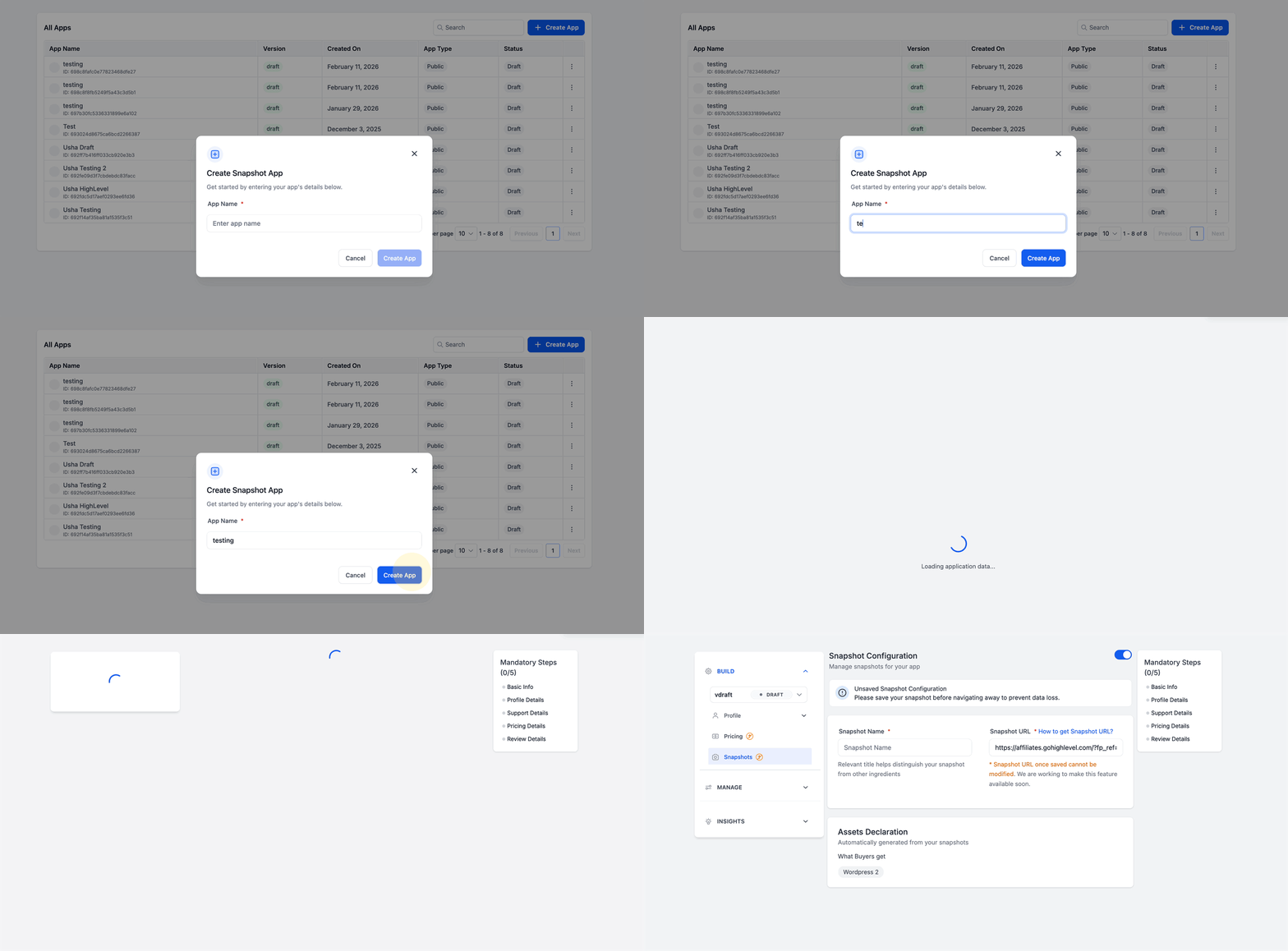
- In Agency View > Account Snapshots, click “Sell on Marketplace”. HighLevel will open the Snapshot listing module in the Developer Portal.
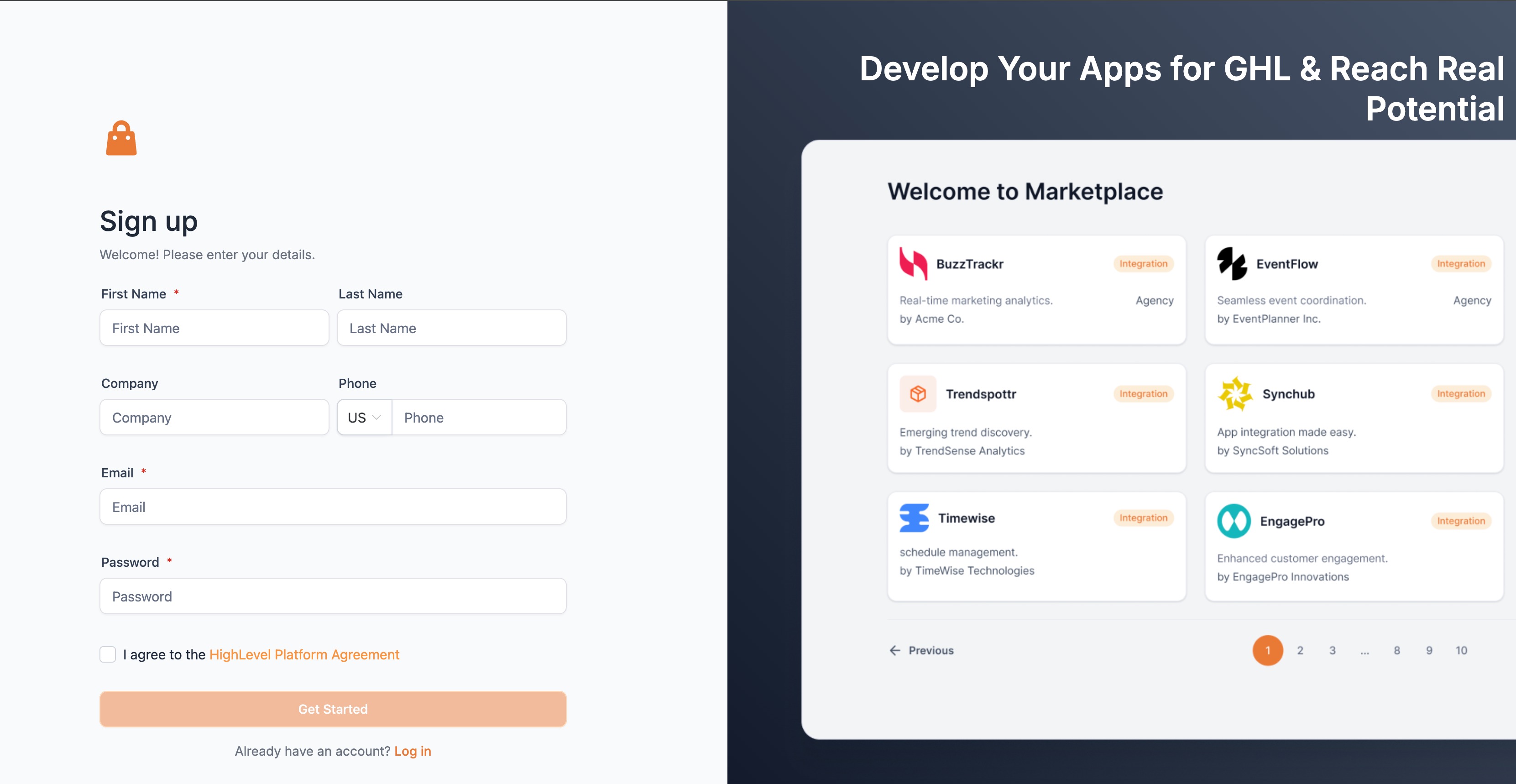
- Visit marketplace.gohighlevel.com, complete the registration form, and verify your email to access the Developer Portal.
- Log in, go to My Apps, click Create an App, give the app a name, set App Type to Public, choose a Distribution Type (Agency or Subaccount), and select a Listing Type (Standard or White Label).
- Add a logo, tagline, description, company name, website, preview images or a demo video, and support contact information.
- Choose a pricing model, Free, Freemium, or Paid, and, if Paid, set the plan name and whether the fee is one time, monthly, or yearly.
- In the HighLevel agency account, select the Snapshot to sell, enter the App Name in the guided modal, review the pre filled listing settings, copy the marketplace link, and confirm the assets included before continuing to publish.
- Return to the Basic Info page in the Developer Portal, verify that all configurations are complete, and click Submit for Review. The HighLevel team will review your app within seven to ten days.
07What it looks like in HighLevel
08Settings that matter
- App Type. Determines whether the app is visible to the public; must be set to Public for marketplace listings.
- Distribution Type. Specifies who is charged for the app, either agencies directly or subaccounts each time the Snapshot is pushed.
- Listing Type. Chooses between Standard, which keeps branding visible, and White Label, which hides branding for broader appeal.
- Get Marketplace Share Link. When enabled, automatically applies IP Protection so buyers cannot repackage or resell the Snapshot.
09Things to know before you rely on it
- Only one Snapshot can be included in a single app.
- There is no limit to the number of apps an agency can create and sell.
- Pricing models are defined per app; separate apps are required for different Snapshot pricing.
- After an app is published, the Snapshot link cannot be modified; updates are planned for Q1'25.
- App submission review takes seven to ten days, and rejected apps must be revised before resubmission.
10If something goes wrong
- App submission rejected. Review the feedback from the HighLevel team, adjust the app configuration as indicated, and resubmit for review.
11How it connects to the rest of HighLevel
- Learn how to price and personalize marketplace apps in HighLevel. Pricing and personalization guide
- See all features available in the HighLevel App Marketplace. Marketplace feature overview
- Start a 30 day HighLevel trial to explore the marketplace. Start trial
Michael's take

Most people think they can bundle several Snapshots into a single app to simplify sales, but the platform only allows one Snapshot per app. That restriction means you need to treat each Snapshot as its own product if you want separate pricing or branding.
If I were setting this up, I’d start by picking the Snapshot that offers the most unique value and create a clean, white label listing for it. I’d make sure the logo, description and demo video showcase the benefit clearly before sending it off for review.