
01Who this is for
- Agency owners who need additional tools to serve clients and want to control app installations across the business.
- Subaccount managers who require specific apps for their teams without affecting the agency wide environment.
- Developers publishing apps who must verify that only authorized users can install and that pricing works as intended.
02Agency level marketplace apps, explained
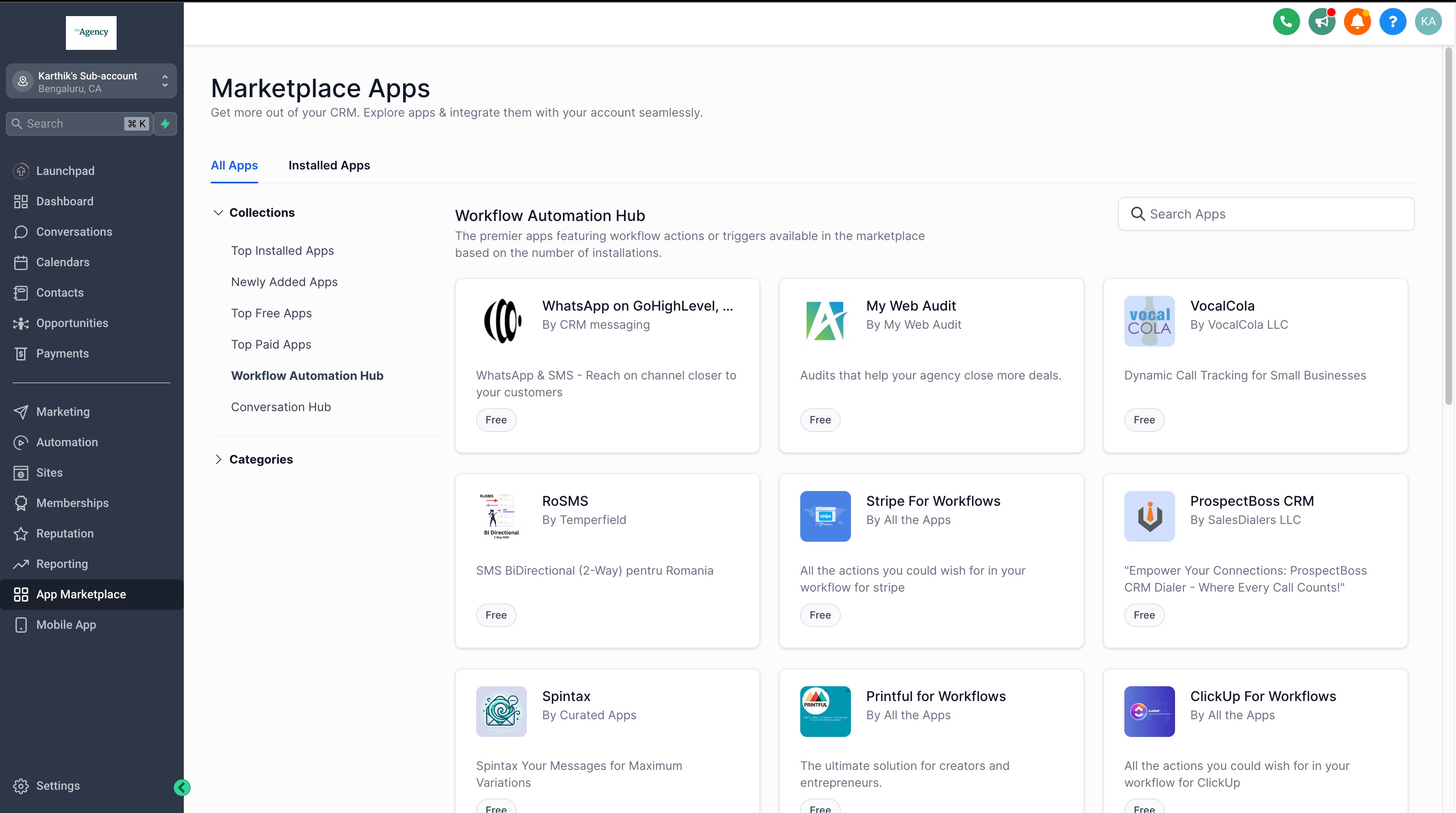
The marketplace is a searchable hub inside HighLevel where vetted apps appear. Users with agency owner or admin rights can view app details, including overview, pricing, permissions, and reviews, before adding them to their account. Apps are categorized by distribution type, either agency only or agency & subaccount, and by cost, free or paid.
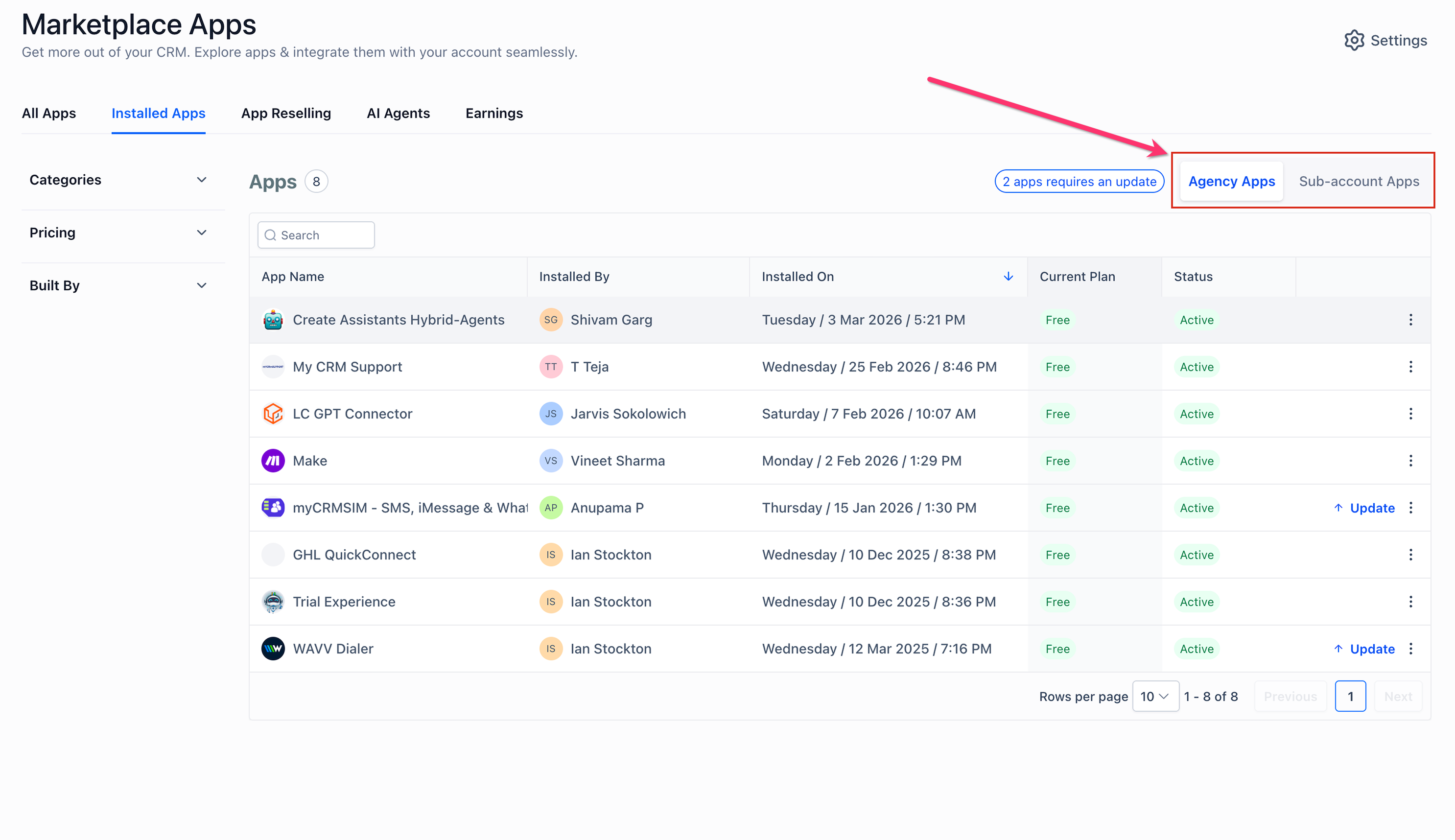
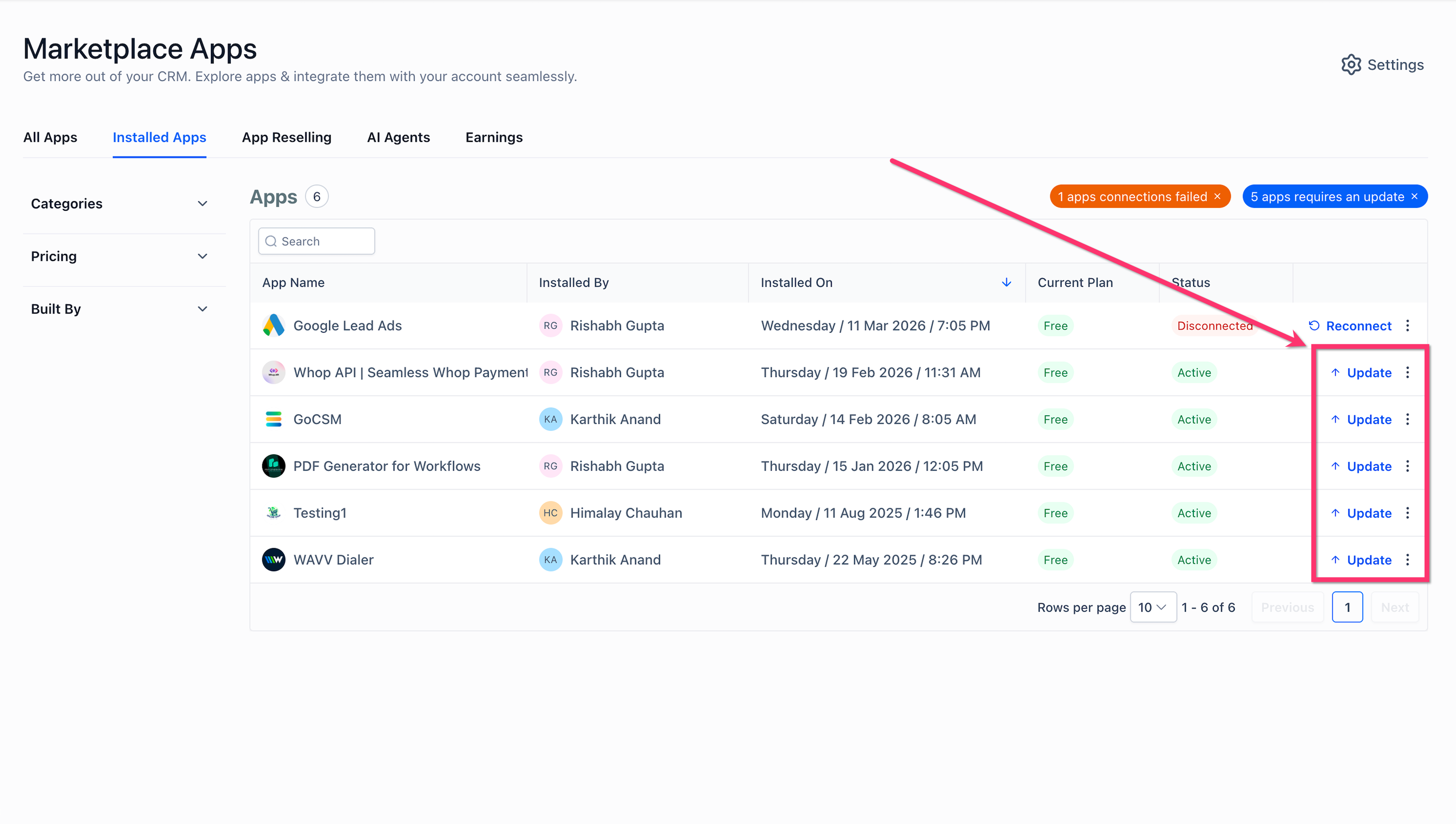
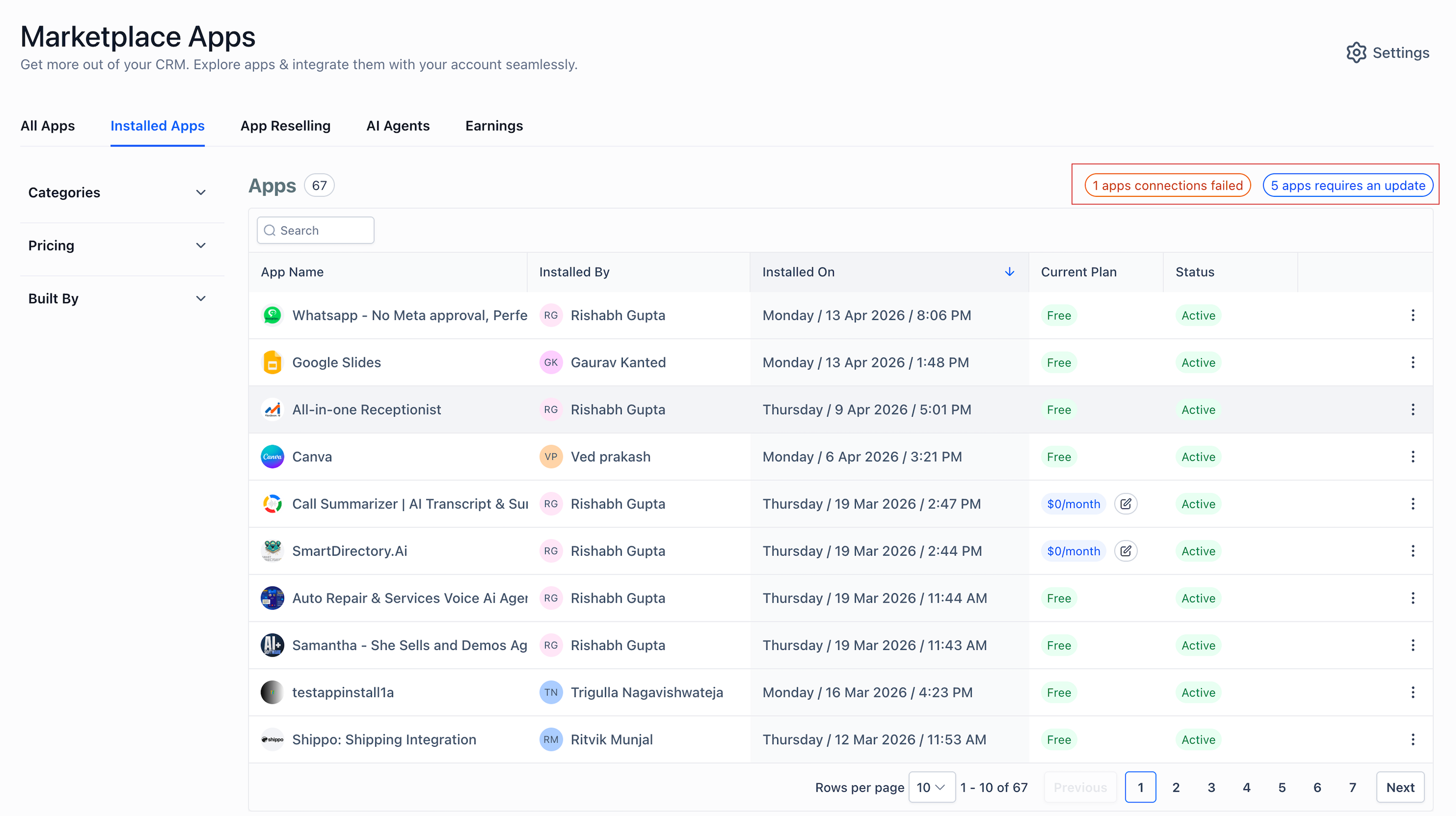
Installed apps are listed on the Installed Apps page, which separates agency apps from subaccount apps. From there, users can filter for updates, connection issues, or take actions like reconnecting or uninstalling. Payments for paid apps follow a built in recovery flow if a charge fails, allowing a 30 day grace period before access is affected.
03How businesses use agency level marketplace apps
- Marketing agency. The agency selects a new reporting dashboard app, installs it at the agency level, and then chooses specific client subaccounts to receive the app. The installation flow assigns the app to those subaccounts, where team members can access it under their Installed tab.
- Real estate brokerage. The broker installs a free lead capture app for the agency, clicks Allow & Install, and completes the provider login. All agents can now use the capture form without additional configuration.
- Fitness studio chain. The corporate admin purchases a paid scheduling app, selects the paid plan during installation, and the charge is applied to the corporate card. The app becomes active for the entire chain of subaccount locations.
04The numbers and rules that matter
- Agency level App Marketplace is only available on Unlimited and Founder plans.
- Payment failure triggers a 30 day grace period with automatic retries.
05Before you start
- User must have agency owner or admin privileges.
- Account must be on an Unlimited or Founder plan.
06How to set up and use agency level marketplace apps in HighLevel
Find an app
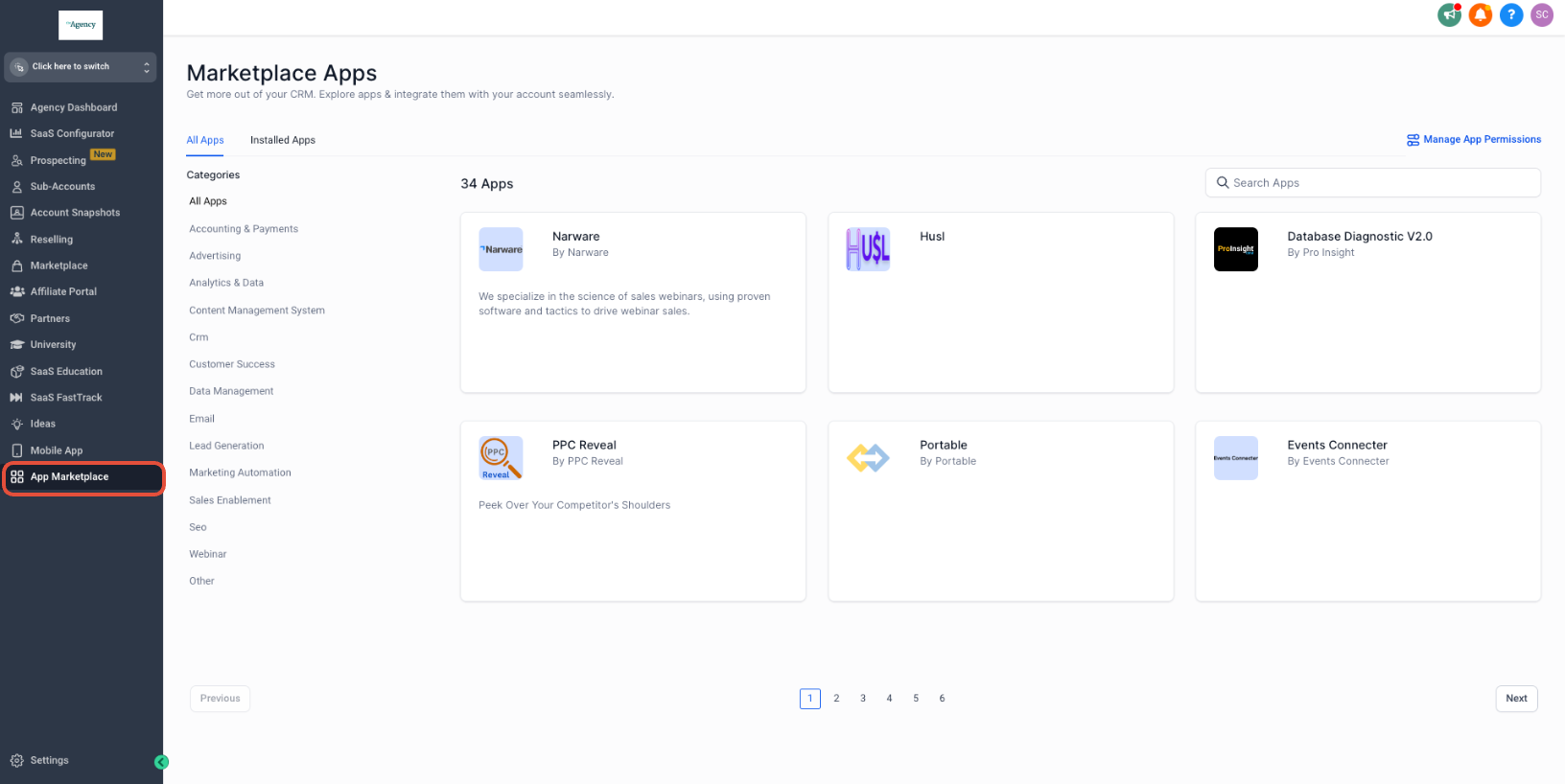
- Open the App Marketplace from the left navigation.
- Enter the desired app name in the search bar or browse the listings.
- Use the left sidebar to filter results by category.
Install a free agency only app
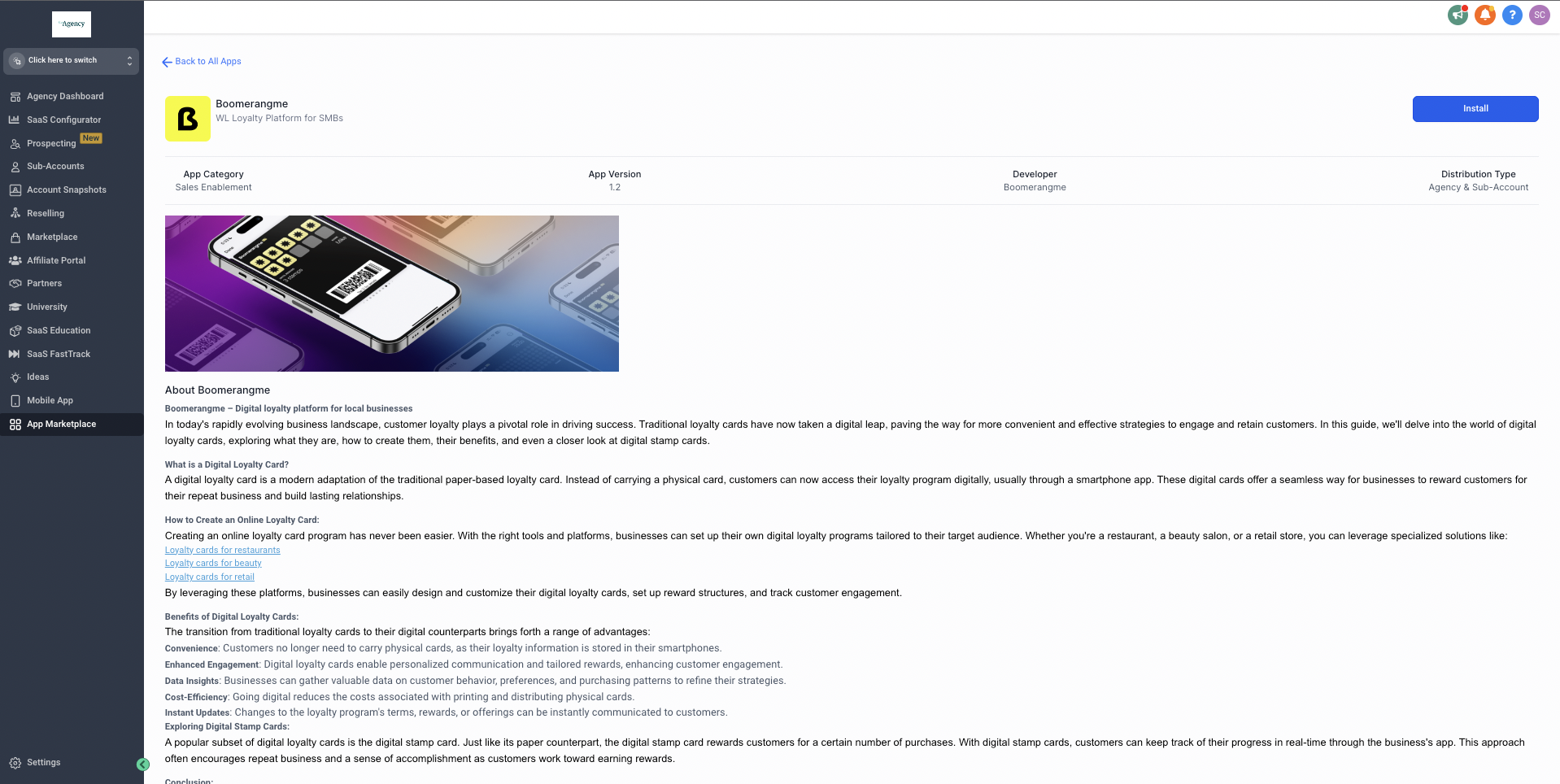
- On the app’s listing page, click the Install App button at the top right.
- Review the app information and click Allow & Install.
- Complete the provider’s connection flow, such as signing in and granting permissions.
Install a paid agency only app
- Open the app details and select the Install button in the upper right corner.
- Verify the pricing details and click Allow & Install.
- Choose the desired pricing plan and click Confirm.
- The selected amount is charged to the account’s card on file and the app is installed.
Install a free agency & subaccount app
- Click Install on the app details page.
- Select either all subaccounts or specific ones for installation.
- Proceed through the installation workflow and finish it.
- The app appears in the chosen subaccounts under their Installed tab.
Install a paid agency & subaccount app
- Select Install and then pick the target subaccounts.
- Ensure each chosen subaccount has a card on file; payment is taken from those cards.
- After payment, the app installs for the eligible subaccounts.
Uninstall an app
- Navigate to the App Marketplace in the left menu.
- Open the Installed Apps view.
- Locate the app you want to remove.
- Click the Uninstall button at the top right.
- If the app is agency & subaccount, specify the level to uninstall.
- Confirm the uninstallation in the dialog box.
07What it looks like in HighLevel
08Settings that matter
- Distribution Type - Agency. Limits the app to agency level installation; subaccounts cannot install it.
- Distribution Type - Agency & Subaccount. Allows the app to be installed at the agency level and optionally propagated to selected subaccounts.
09Things to know before you rely on it
- Marketplace access is only available on Unlimited and Founder plans.
- Only users with agency owner or admin roles can install apps.
- Paid apps that install to subaccounts require each subaccount to have a card on file; installation skips accounts without a card.
- If a payment fails, the app is not paused immediately but enters a 30 day grace period with automatic retry attempts.
10How it connects to the rest of HighLevel
- Manage app permissions for white label agencies App permissions
- Resell marketplace apps as an agency Resell apps
- HighLevel pricing and plan requirements Pricing
- Start a 30 day trial of HighLevel Free trial
Michael's take

Most people assume they can install any app they like, but the Marketplace only works for agency owners or admins on Unlimited or Founder plans.
I would first verify I have the proper privileges and be on the right plan, then browse the Collections to find a vetted app that matches the client need. Once I locate it, I follow the install steps, paying close attention to whether it’s an Agency only or Agency & Subaccount distribution, so I know where the app will live.