
01Who this is for
- Service based businesses that want customers to book appointments through chat instead of a separate form, because it reduces friction.
- Companies with multiple staff members or add ons, as the feature can handle staff selection and service variations already defined in HighLevel.
- Businesses that need to reschedule or cancel appointments via chat, since the bot can trigger those actions when configured.
02Services calendar support, explained
Services Calendar Support extends the platform’s appointment booking engine so a Conversation AI bot can create bookings directly within a conversation. The bot only works with services marked as public facing, and it can incorporate staff choices, add ons and product variations if those are set up beforehand.
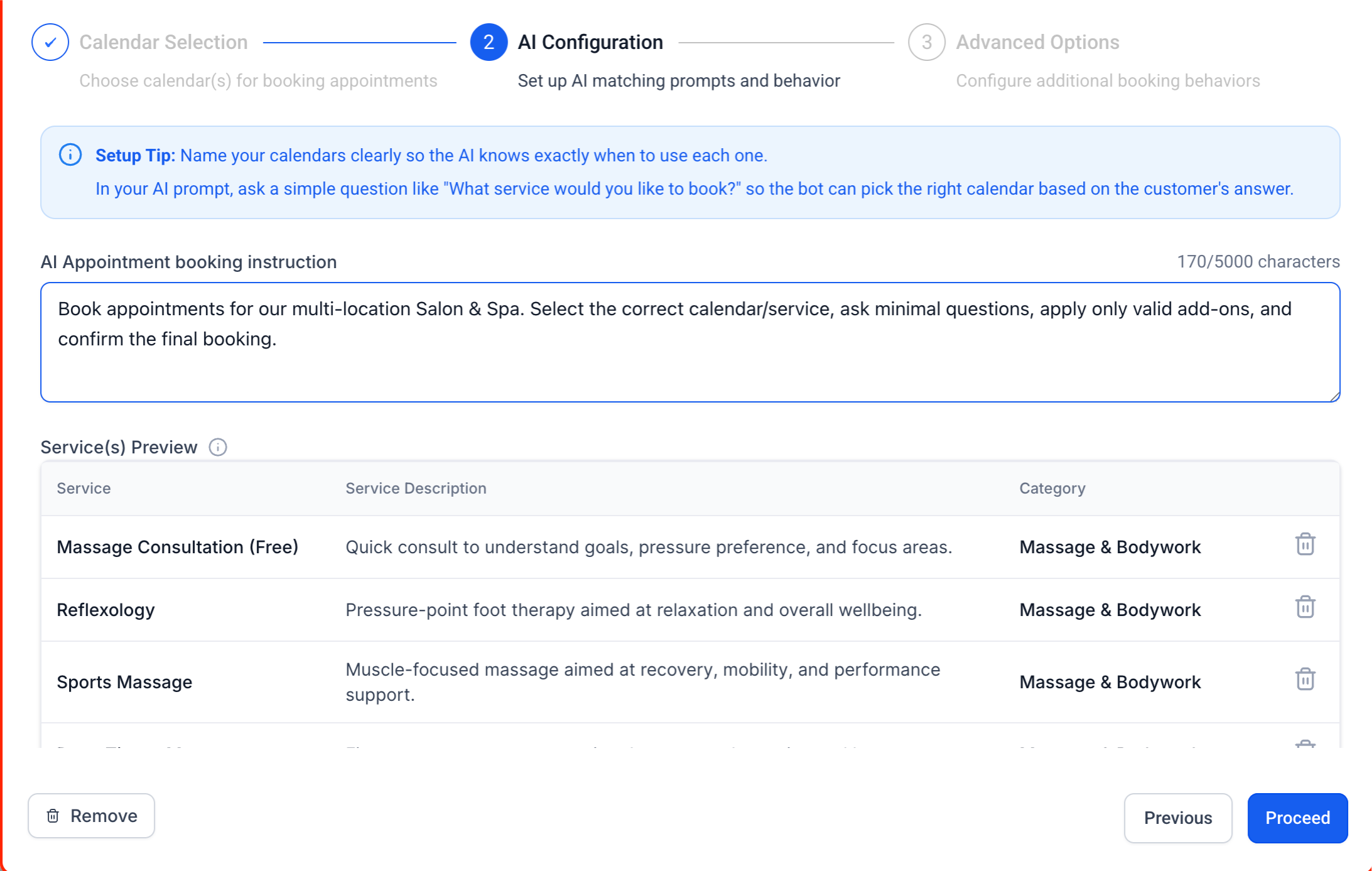
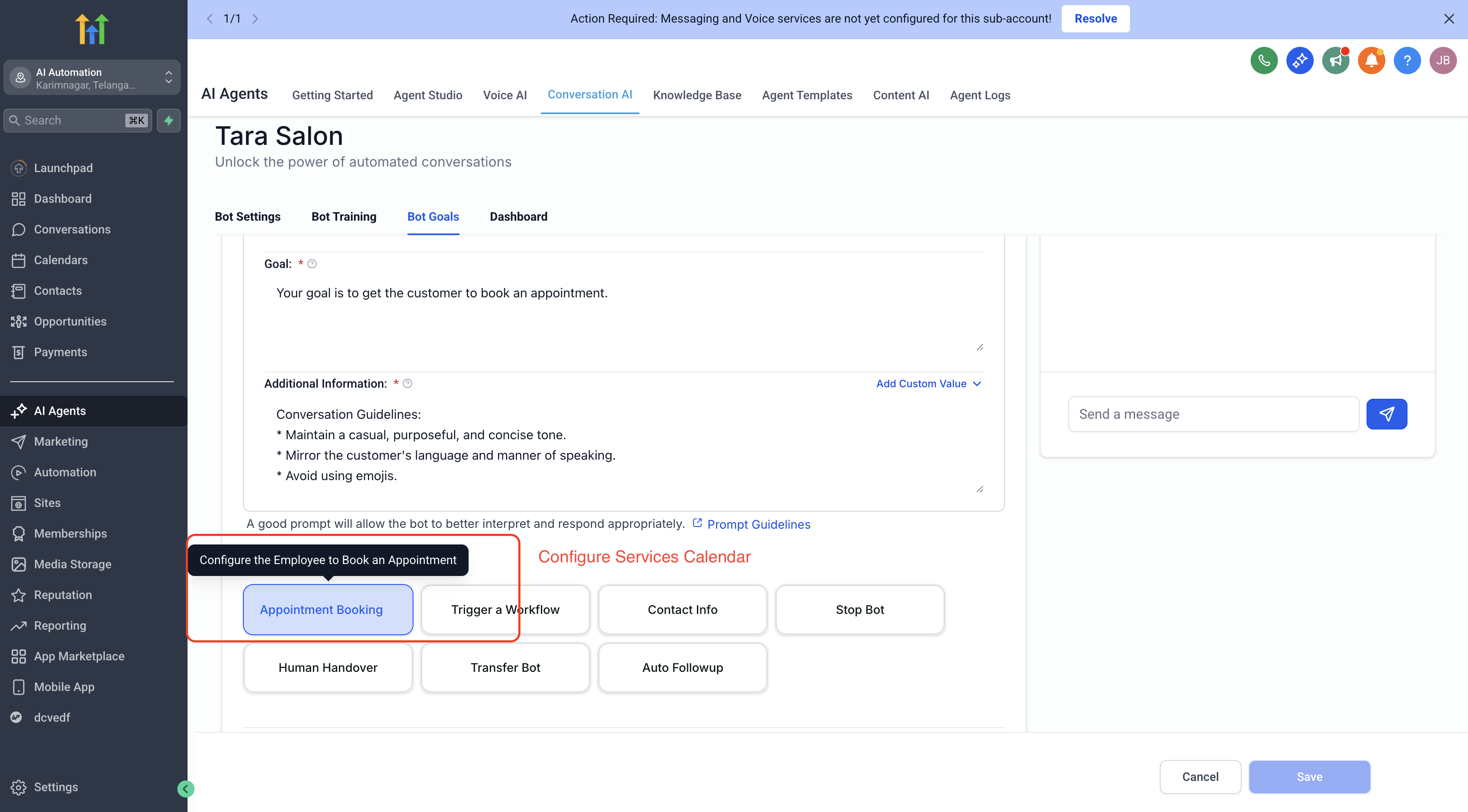
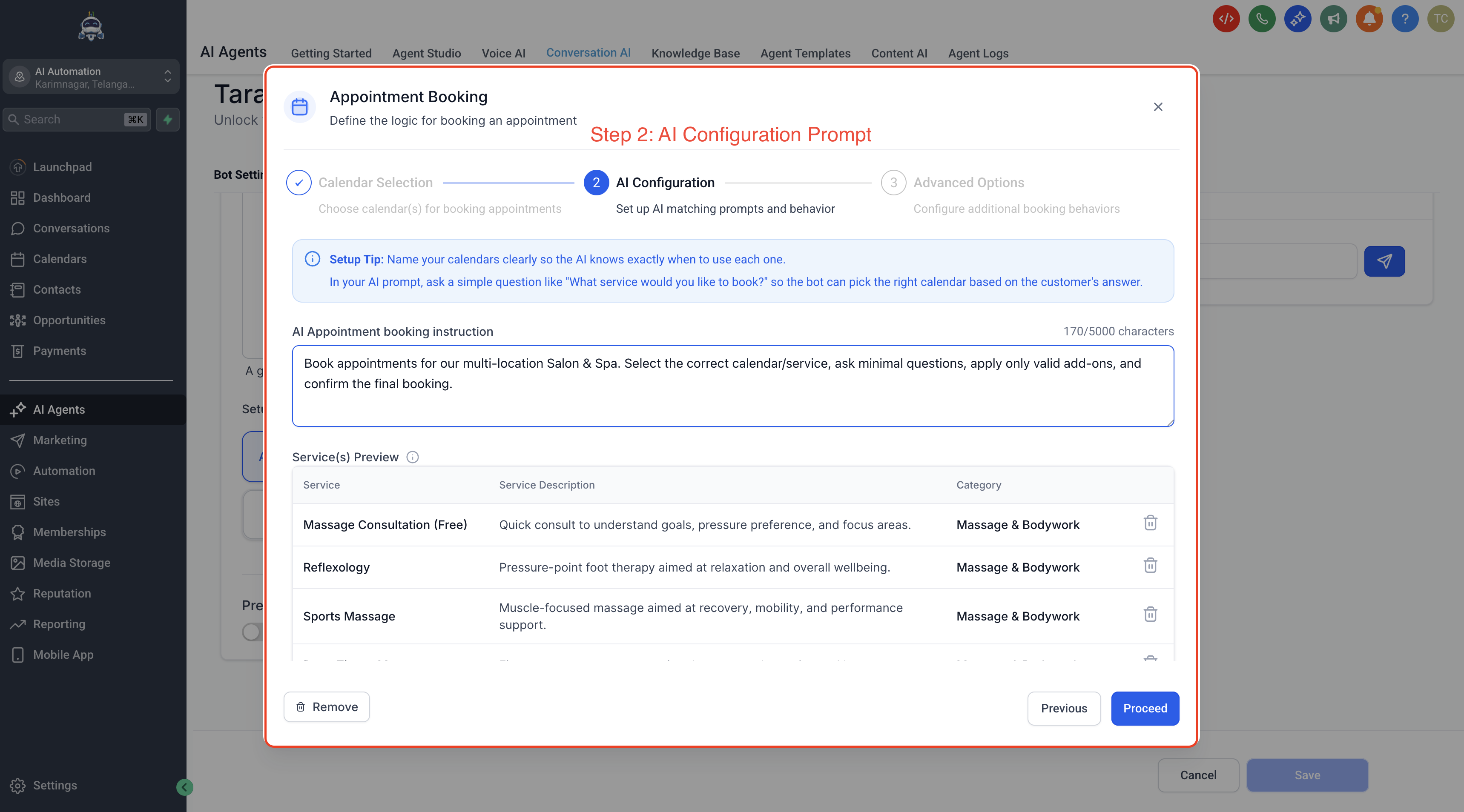
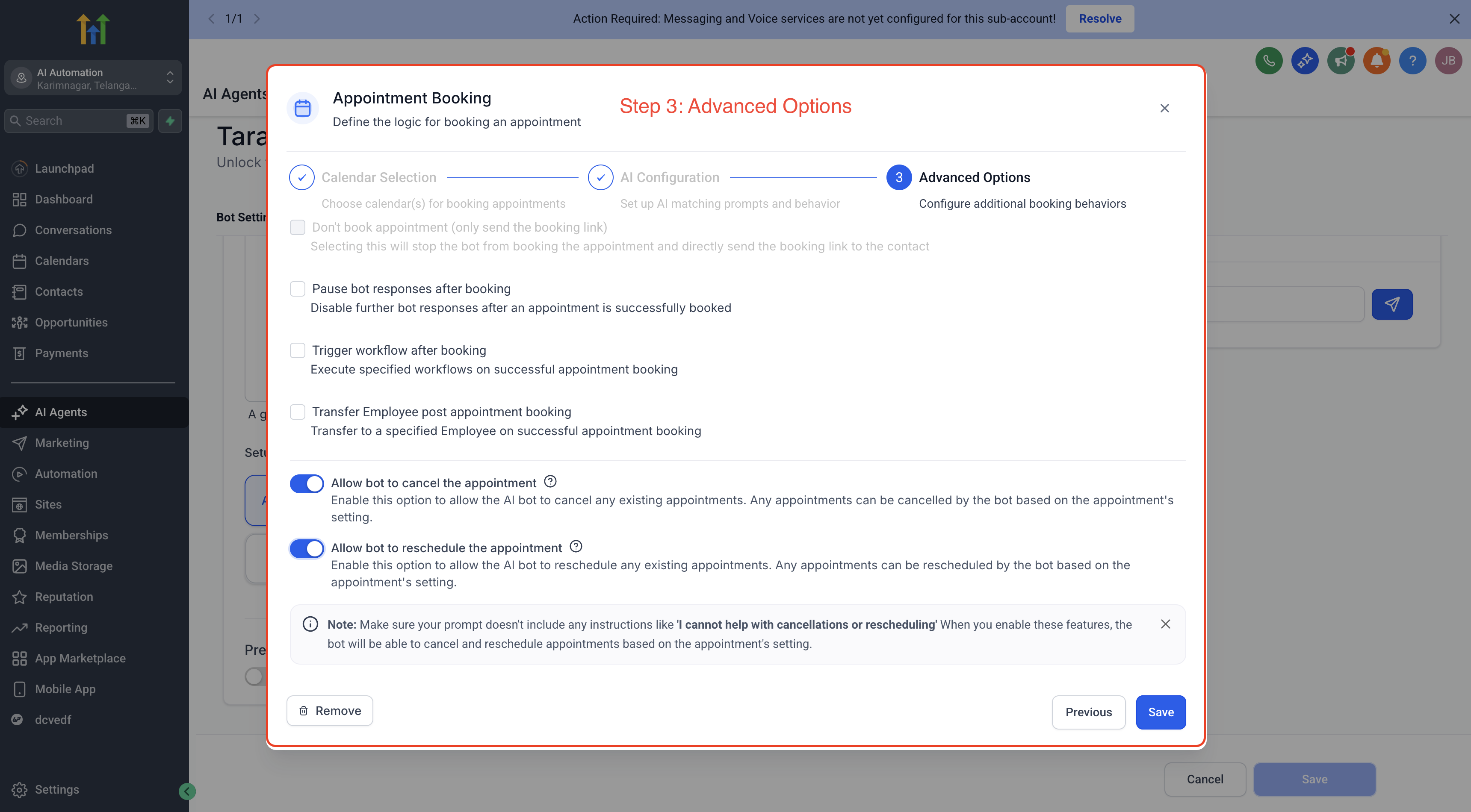
The feature lives inside the prompt based Conversation AI bot under the Appointment Booking configuration. After selecting the Services option, you pick which public services the AI may handle and add any custom booking instructions in the bot prompt. Additional actions such as rescheduling, canceling, sending a link, triggering workflows, or transferring the conversation can be configured alongside the booking flow.
03How businesses use services calendar support
- Hair salon. The salon configures each haircut, color service, and add on in HighLevel. In the bot prompt they add instructions to ask for hair length and preferred stylist. The AI then walks a client through selecting a service, staff member, and time slot, completing the appointment without leaving chat.
- Dental practice. The practice creates public facing services for cleanings, fillings, and orthodontic consultations, including required add ons like X ray. In the Conversation AI bot they enable appointment booking, select those services, and add a reminder about insurance paperwork in the prompt. Patients can schedule, reschedule, or cancel directly in the chat.
- Home cleaning company. The company defines cleaning packages with variations for square footage and optional add ons such as window cleaning. They enable Services Calendar Support, choose the public packages, and include custom instructions to confirm pet presence. The bot collects the needed details and books the service through the conversation.
04Before you start
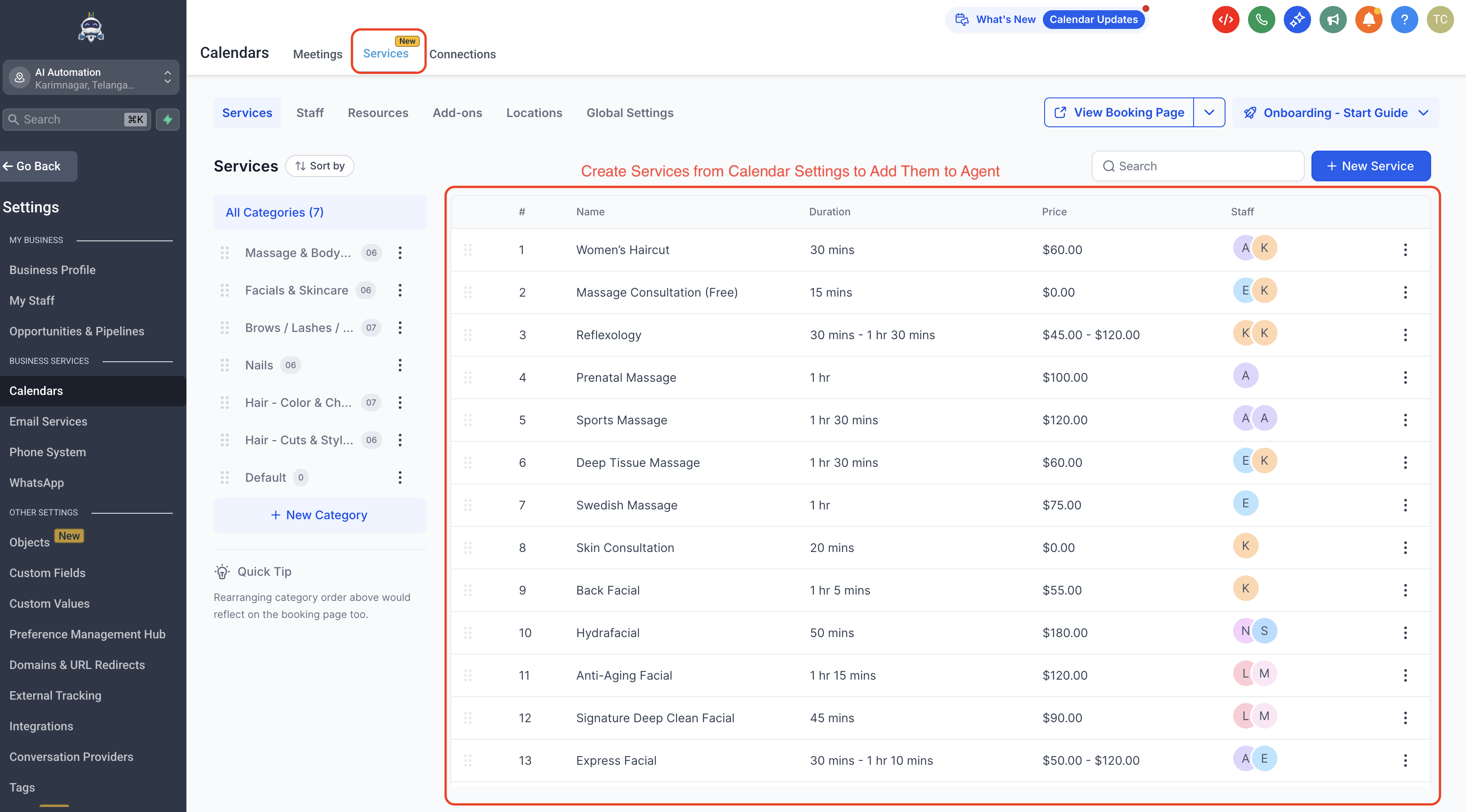
- Public facing services, staff members, add ons, variations and other service settings must be created and fully configured in HighLevel before turning on the bot’s booking capability.
05How to set up and use services calendar support in HighLevel
Set up services calendar support in Conversation AI
- Create services or Service Calendars in HighLevel.
- Configure service details, staff, add ons, variations, resources and duration.
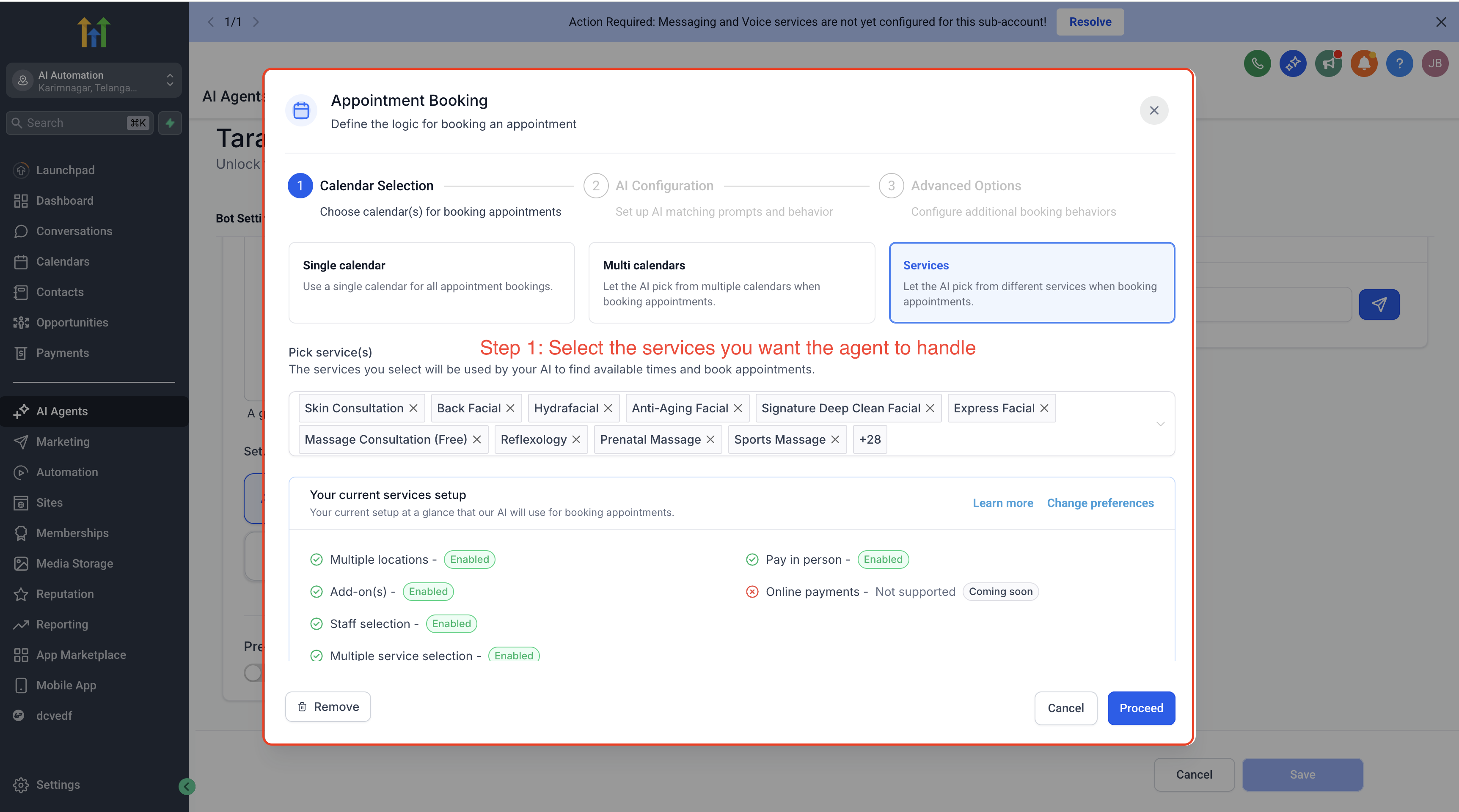
- Enable Appointment Booking in the Conversation AI bot and select the Services option, then choose the public facing services the AI may handle.
- Add custom booking instructions to the bot prompt to guide how the AI talks about services and asks clarifying questions.
- Review and enable any additional appointment booking actions such as rescheduling, canceling, sending a booking link, workflow triggers or conversation transfer.
- Do not enable AI booking until all services, staff, add ons and variations are fully configured.
- Run test conversations to verify the bot correctly identifies services, handles details, and creates bookings as expected.
06What it looks like in HighLevel
07Settings that matter
- Services option. Selects which public facing services the AI bot is allowed to book during a conversation.
- Custom booking instructions. Text entered into the bot prompt that tells the AI how to phrase questions, explain service differences, enforce policies and collect extra details before confirming an appointment.
08Things to know before you rely on it
- Only public facing services can be booked; private services are not supported.
- Online payment is not collected by the bot during the booking flow.
- Add ons and variations are usable only if they have already been configured in HighLevel.
09If something goes wrong
- Bot chooses the wrong service during booking. Review the selected services, make service names and descriptions more distinct, and improve the prompt instructions that guide the bot.
10How it connects to the rest of HighLevel
- Set up multiple calendars for Conversation AI booking Multiple calendars guide
- Use the Conversation AI Agents dashboard to manage bots Agents dashboard
- Explore all AI Employee features AI Employee overview
Michael's take

Wondering if a chat based bot can actually schedule a haircut or a consulting session without sending a link? It can, as long as your services are set up in HighLevel first. The AI will ask the right questions, pick the right staff member and lock in a time, all inside the same conversation.
If I were adding this, I’d test a few real world scenarios. A simple service, one with add ons, and a reschedule. To make sure the bot follows the custom instructions and doesn’t try to grab payment. Once it works smoothly, the conversational flow feels natural and cuts down the steps a prospect has to take.