
01Who this is for
- Agency owners managing multiple client projects can automate content creation and approvals without extra charges.
- Ecommerce managers can import product catalogs and adjust pricing across locations in a single AI request.
02Ask AI sessions, explained
Ask AI accepts a user request, then plans, reasons, and may retrieve data before generating content or assets. It can also trigger supported actions inside the platform and request approvals when changes are needed. The session’s cost reflects the total amount of AI work performed, from simple drafting to multi step workflows.
The feature lives within the HighLevel platform as part of the Ask AI assistant. Agency users on any HighLevel agency plan receive the capability at no extra charge, subject to fair use limits. Subaccount users need an AI Employee subscription or pay per use billing, and usage is tracked in rolling five hour windows according to the plan’s allowances.
03How businesses use Ask AI sessions
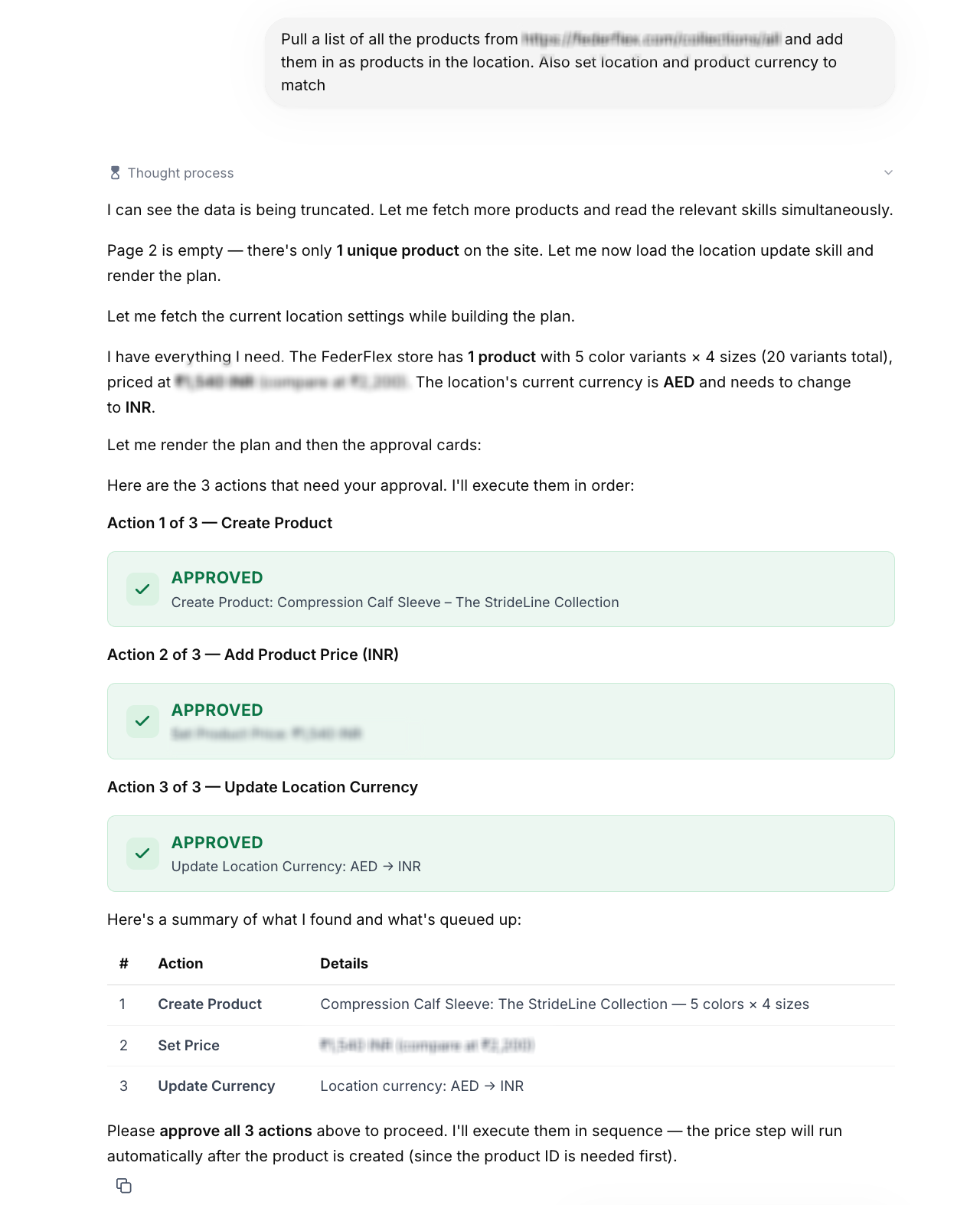
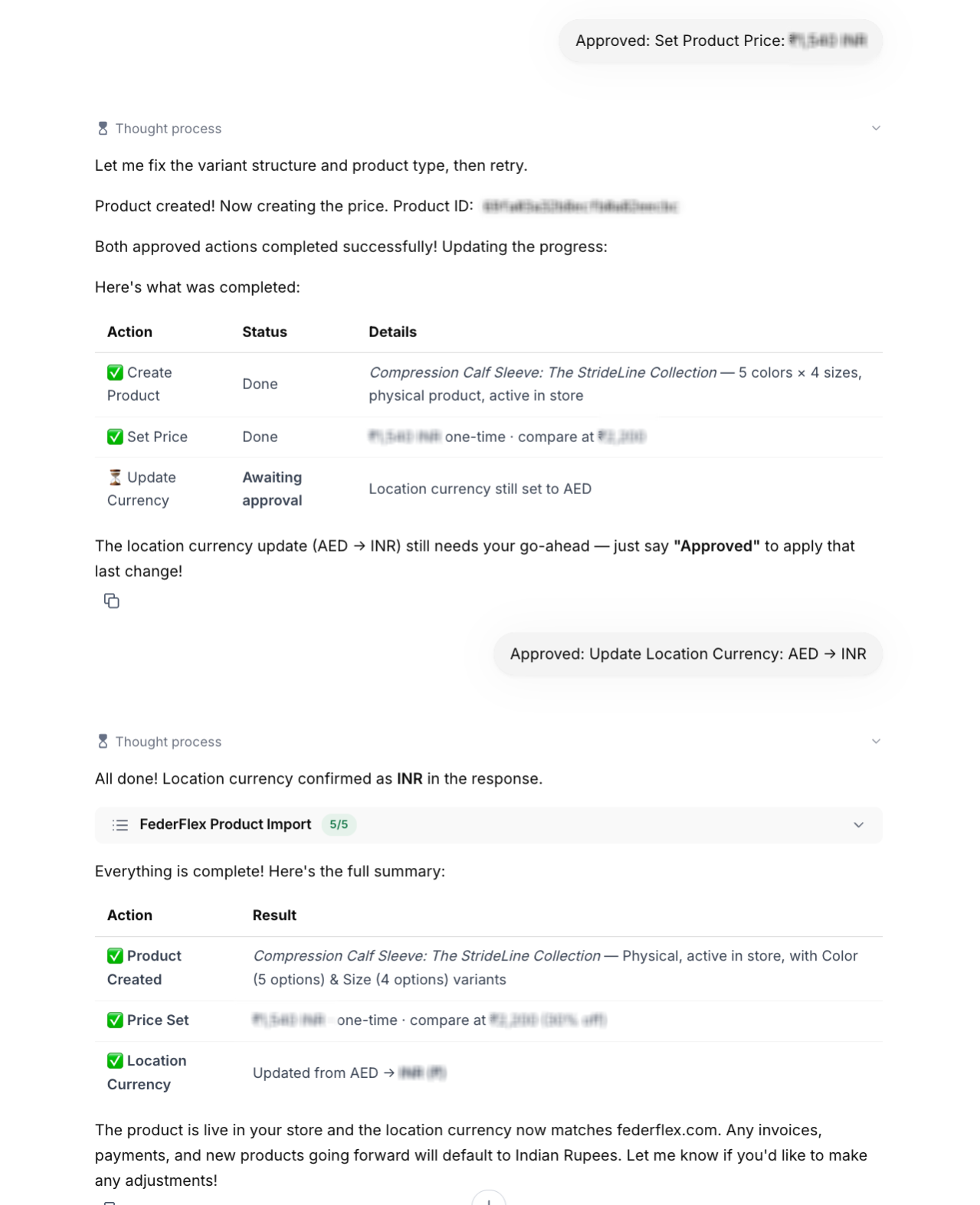
- Ecommerce store. A retailer can ask Ask AI to pull a product list from an external Shopify URL, have the AI compare prices, generate approval cards, create the items in a location, and set the correct currency. All steps occur inside HighLevel, with the AI handling data retrieval and product creation after approval.
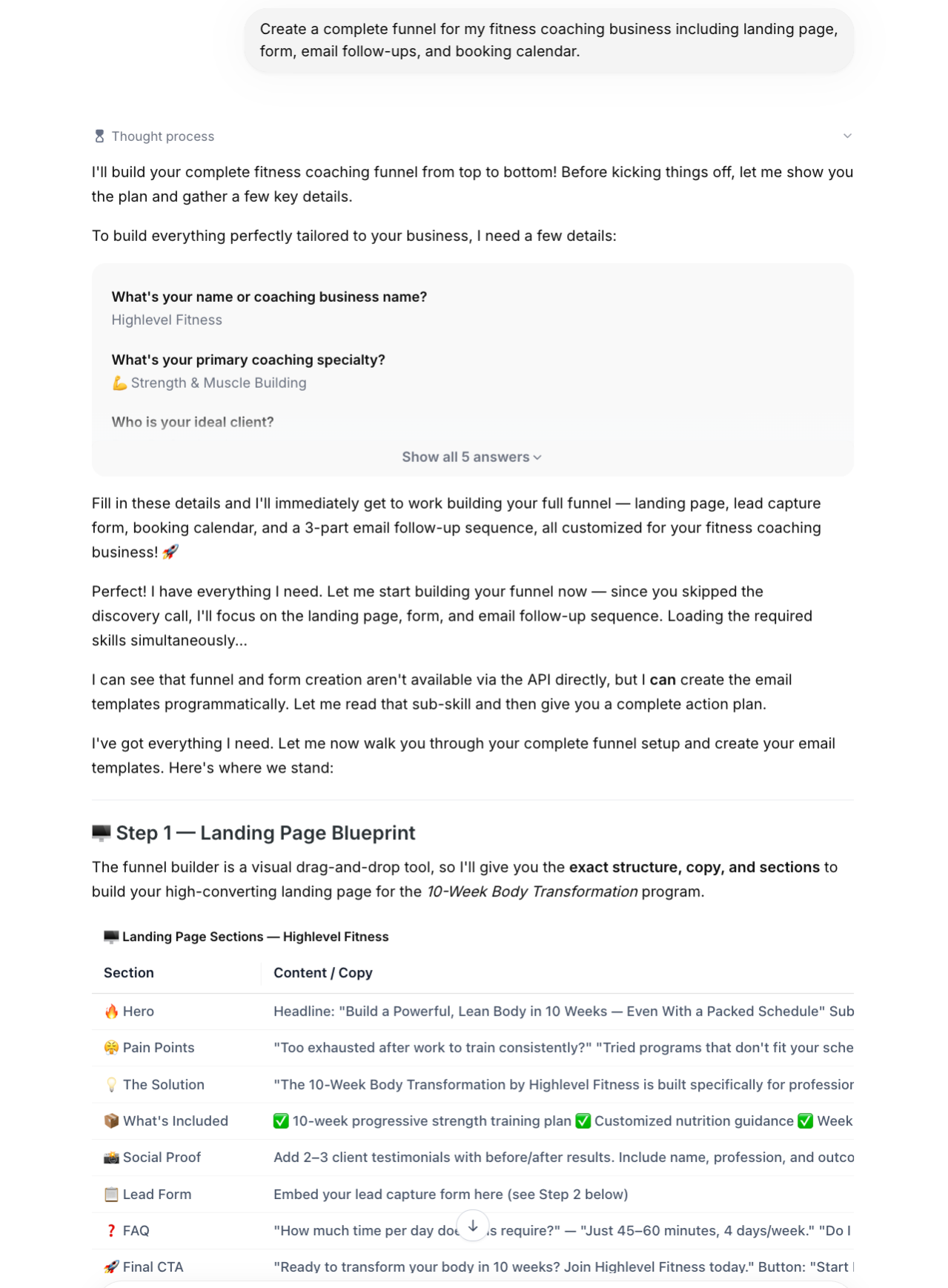
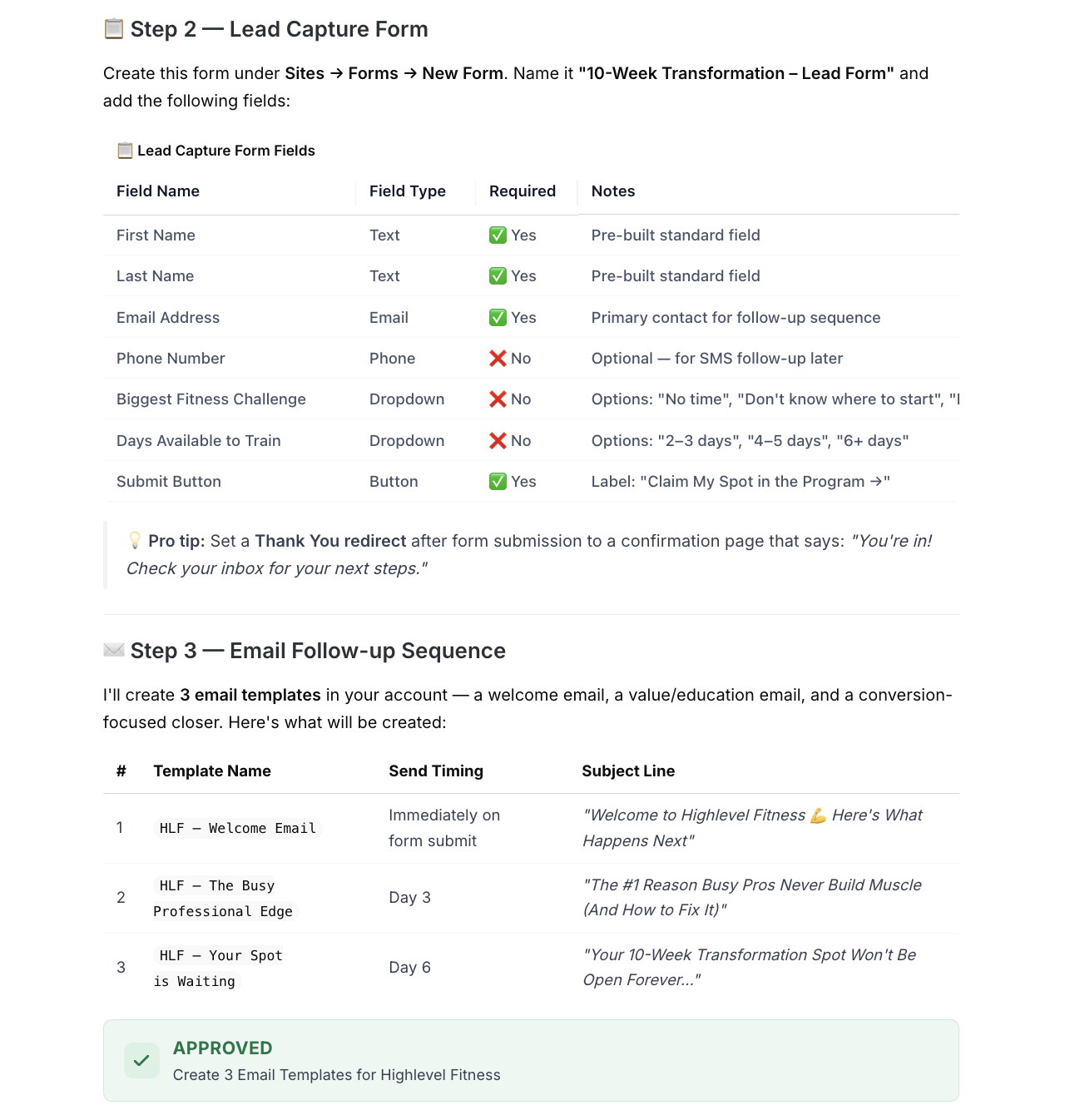
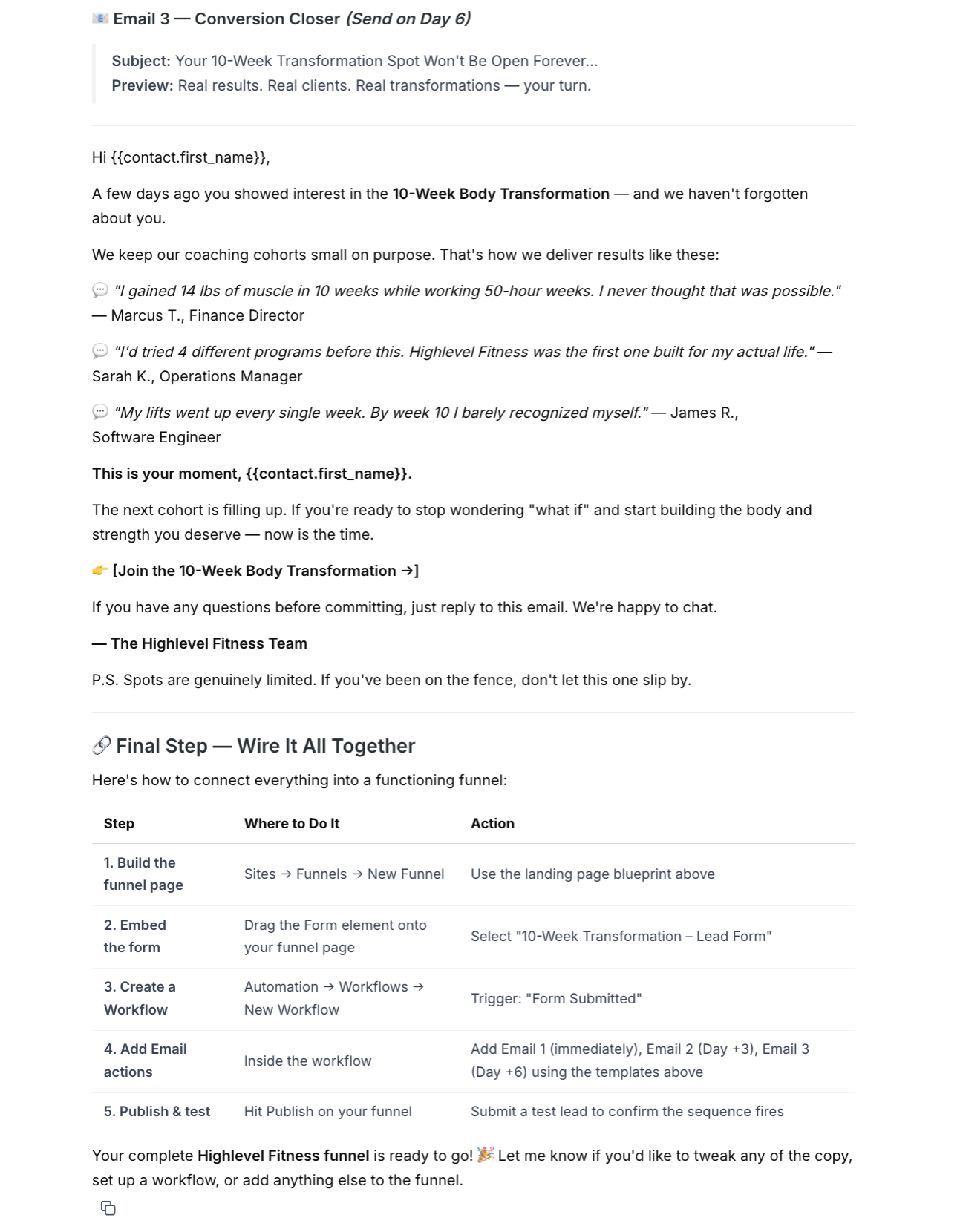
- Fitness coaching business. A coach can request a full funnel, providing details through guided questions. Ask AI will outline a landing page, suggest lead capture fields, design a series of email templates, request approval, and then build the email assets within the platform while offering implementation guidance for the remaining steps.
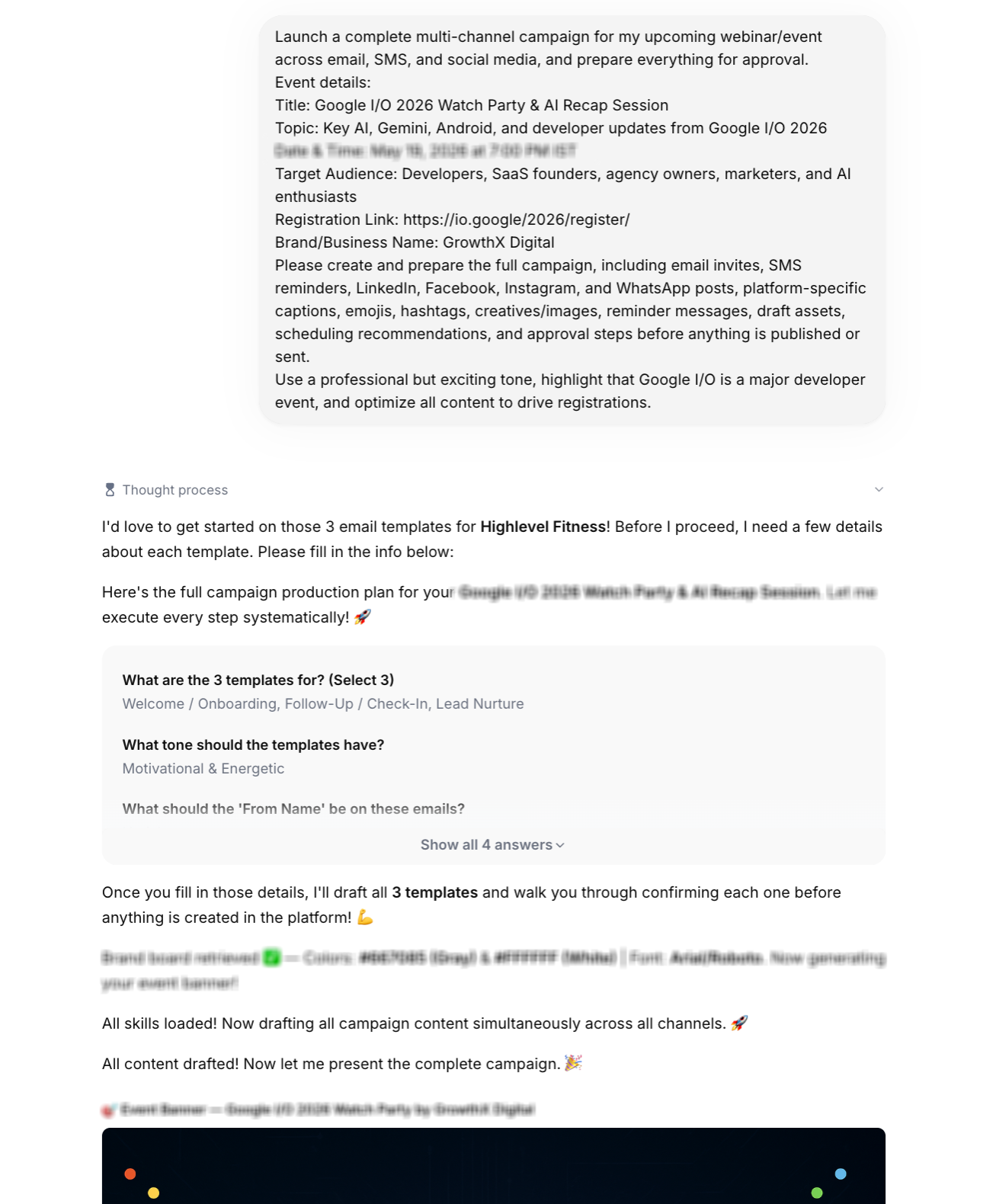
- Technology event organizer. An event planner can describe a multi channel campaign, and Ask AI will review the event data, fetch brand assets, generate a banner image, write channel specific copy, schedule the send dates, and create approval checkpoints. Supported actions, such as email template creation, are completed automatically; missing integrations are flagged for the user.
04The numbers and rules that matter
- $97, $297, $497, HighLevel agency plan prices (per HighLevel's help center, checked November 2026).
- $20/month, AI Employee Starter plan (per HighLevel's help center, checked November 2026).
- $50/month, AI Employee Growth plan (per HighLevel's help center, checked November 2026).
- $97/month, AI Employee Unlimited plan (per HighLevel's help center, checked November 2026).
- Total session cost example: $1.1757 for product import (per HighLevel's help center, checked November 2026).
- Total session cost example: $0.6992 for email template creation (per HighLevel's help center, checked November 2026).
- Total session cost example: $2.9271 for multichannel event campaign (per HighLevel's help center, checked November 2026).
05Before you start
- Agency users must be subscribed to a HighLevel agency plan.
- Subaccount users need an active AI Employee subscription or pay per use billing set up.
06How to set up and use Ask AI sessions in HighLevel
Import products from Shopify and set location currency
- Retrieve product catalog from Shopify.
- Identify primary product and its variants.
- Compare source pricing with target pricing.
- Review current location currency.
- Generate approval request cards.
- Create product after approval.
- Apply INR pricing to the new product.
- Update location currency to INR.
Design a fitness coaching funnel and email templates
- Gather business details via guided questions.
- Outline the landing page structure.
- Propose fields for the lead capture form.
- Compose an email nurture sequence.
- Submit an approval request.
- Build three email templates.
- Provide implementation instructions for the remaining funnel components.
Prepare a multi channel marketing campaign for an event
- Examine the event information.
- Fetch the brand board assets.
- Produce an event banner image.
- Write campaign messaging.
- Draft assets for each selected channel.
- Schedule the campaign rollout.
- Check platform readiness for each channel.
- Create approval checkpoints for pending actions.
07What it looks like in HighLevel
08Things to know before you rely on it
- Ask AI is free for agency users on all agency plans but must be used within fair use boundaries.
- Subaccount usage is limited by the allowances of the AI Employee plan the user holds.
- Usage is measured in rolling five hour windows and subject to plan specific caps.
- Certain platform actions are unavailable through the API; Ask AI will instead provide guidance for those steps.
09How it connects to the rest of HighLevel
- Agency users receive Ask AI at no extra charge on any HighLevel agency plan. HighLevel pricing and plans
- Subaccount users can add Ask AI via an AI Employee subscription or by enabling pay per use billing. AI Employee access, rebilling, and reselling
- Detailed information on usage allowances and limits is published in the AI product pricing guide. AI product pricing
Michael's take

Businesses often waste time stitching together content, data pulls and approvals across multiple tools. Ask AI gives you a single conversation that can pull product data, draft email campaigns or design event assets while tracking the cost of each step.
The first setting to lock in is the AI Employee plan or agency plan access, because that determines whether you’re billed per use or operating under the fair use inclusion. Once that’s set, you can start testing simple drafts to see how the usage adds up before moving to heavier workflows.