
01Who this is for
- Agency teams that manage many client contacts benefit from instant overviews, reducing the need to flip between screens.
- Sales teams can quickly view a prospect's recent activity and payment history before calls.
- Customer support staff gain a single snapshot of a customer's interactions, helping them respond accurately.
02Contact summary agent, explained
The Contact Summary Agent lives within the Ask AI interface of HighLevel. When you type a request, the agent gathers real time information from the contact’s records, emails, calls, payments, appointments, tasks and analytics, and composes a readable summary.
The output includes profile details, contact methods, lead source, pipeline status, upcoming events, recent activity and a brief situational overview. After the summary appears, you can continue the chat to trigger actions such as creating a task or updating contact fields, all without leaving the Ask AI window.
03How businesses use contact summary agent
- Marketing agency. The agency types a contact’s name into Ask AI and asks for a summary. The agent returns a snapshot of recent emails, campaign engagements and payment status, allowing the team to craft a tailored outreach without manually reviewing each record.
- Sales team. A sales representative requests pending tasks and the next meeting date for a lead. The Contact Summary Agent pulls the task list and appointment schedule, so the rep can confirm details right away before the call.
- Customer support. A support agent asks for a customer's latest payment amount and upcoming appointments. The agent provides the payment total and the next visit date, enabling the staff to verify billing and schedule confirmations in one step.
04The numbers and rules that matter
- Supported data types: Communication logs, notes and activity history, payment records and outstanding balances, appointments and session bookings, tasks and deal pipelines, engagement analytics.
05How to set up and use contact summary agent in HighLevel
Generate a contact summary
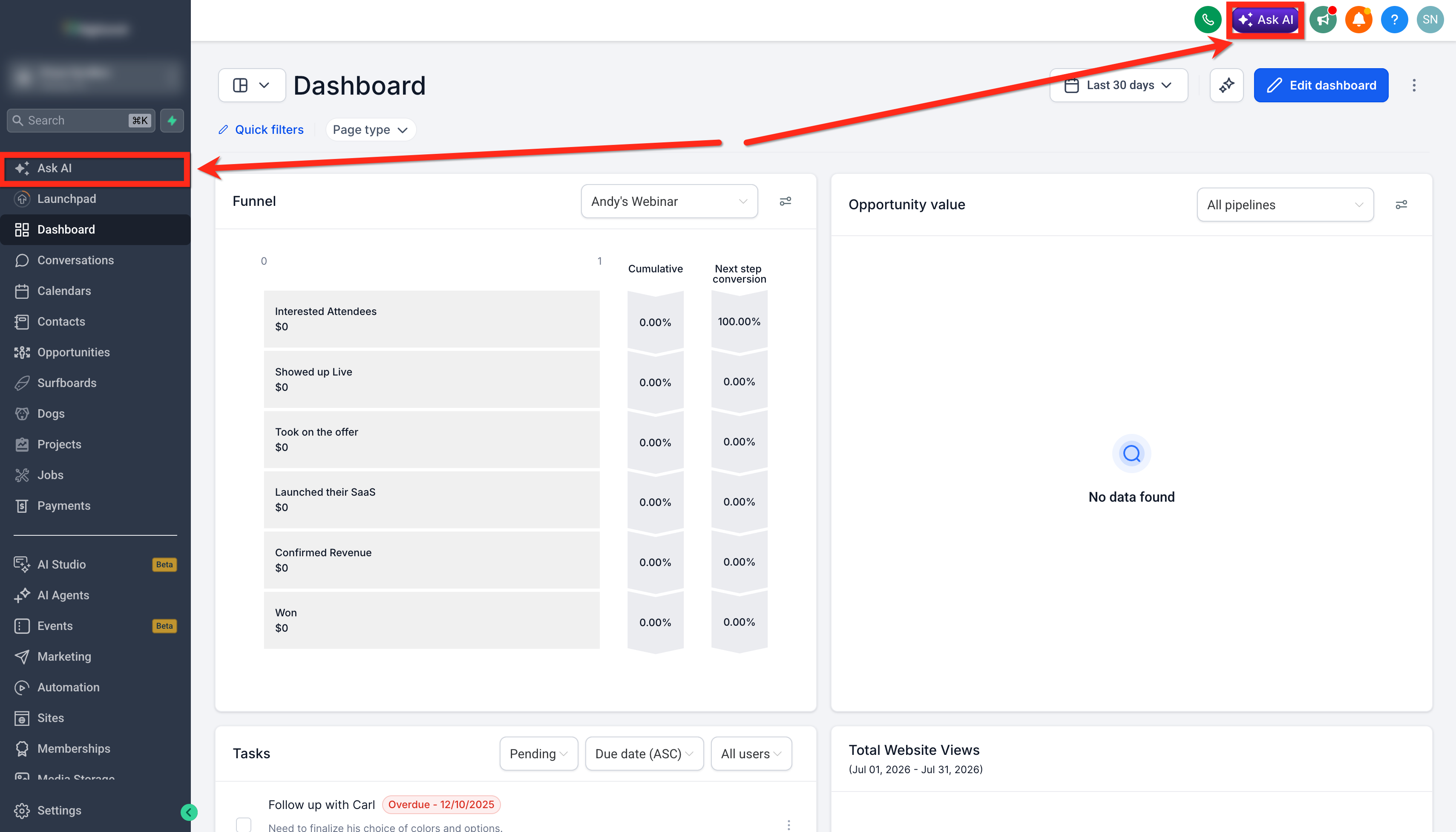
- Open Ask AI via the left side navigation menu or the top navigation bar.
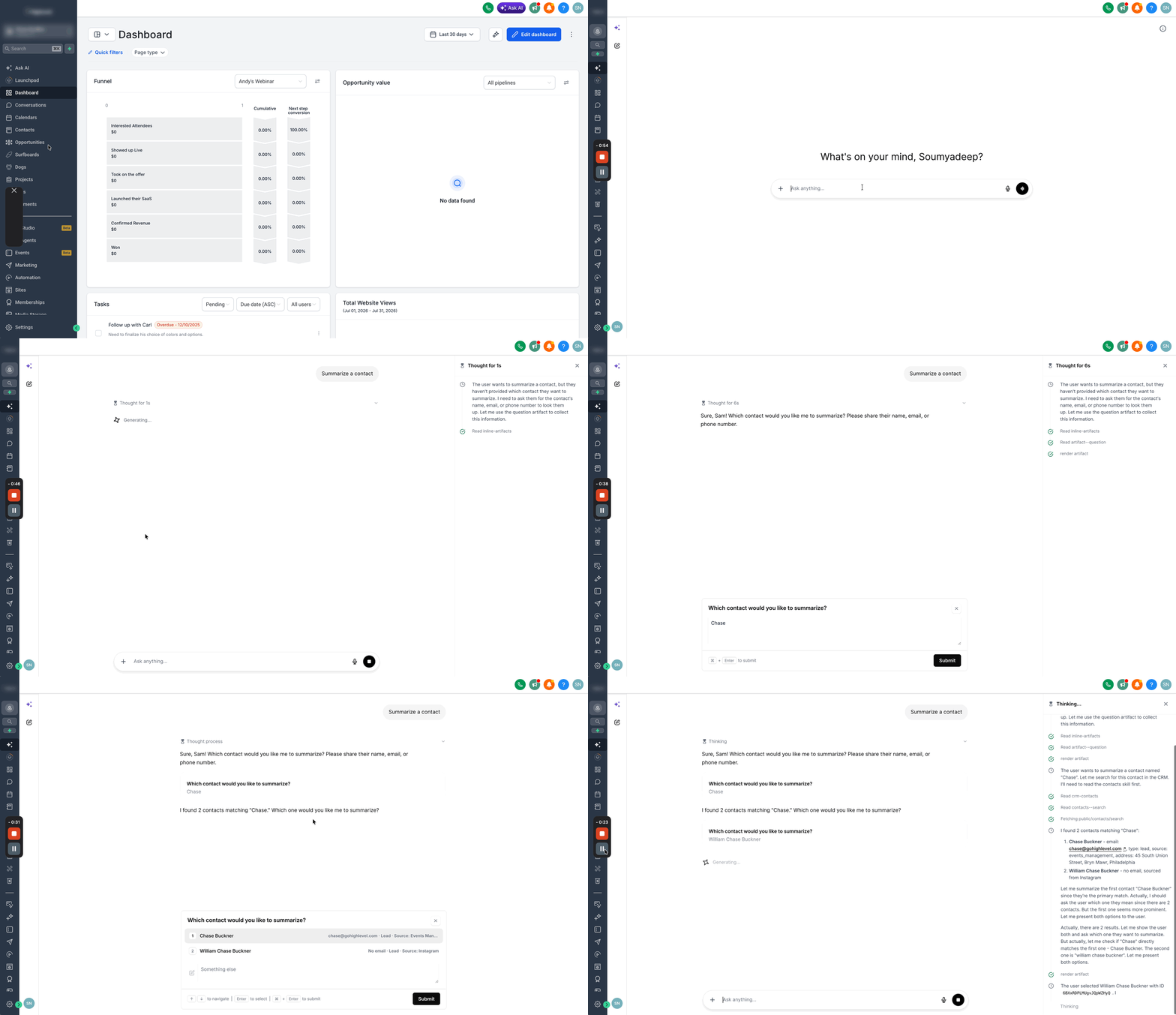
- In the chat input, type the phrase Summarize a contact and send it.
- When prompted, enter the contact’s name, email address or phone number.
- If several contacts match, choose the correct one from the displayed list and click Submit.
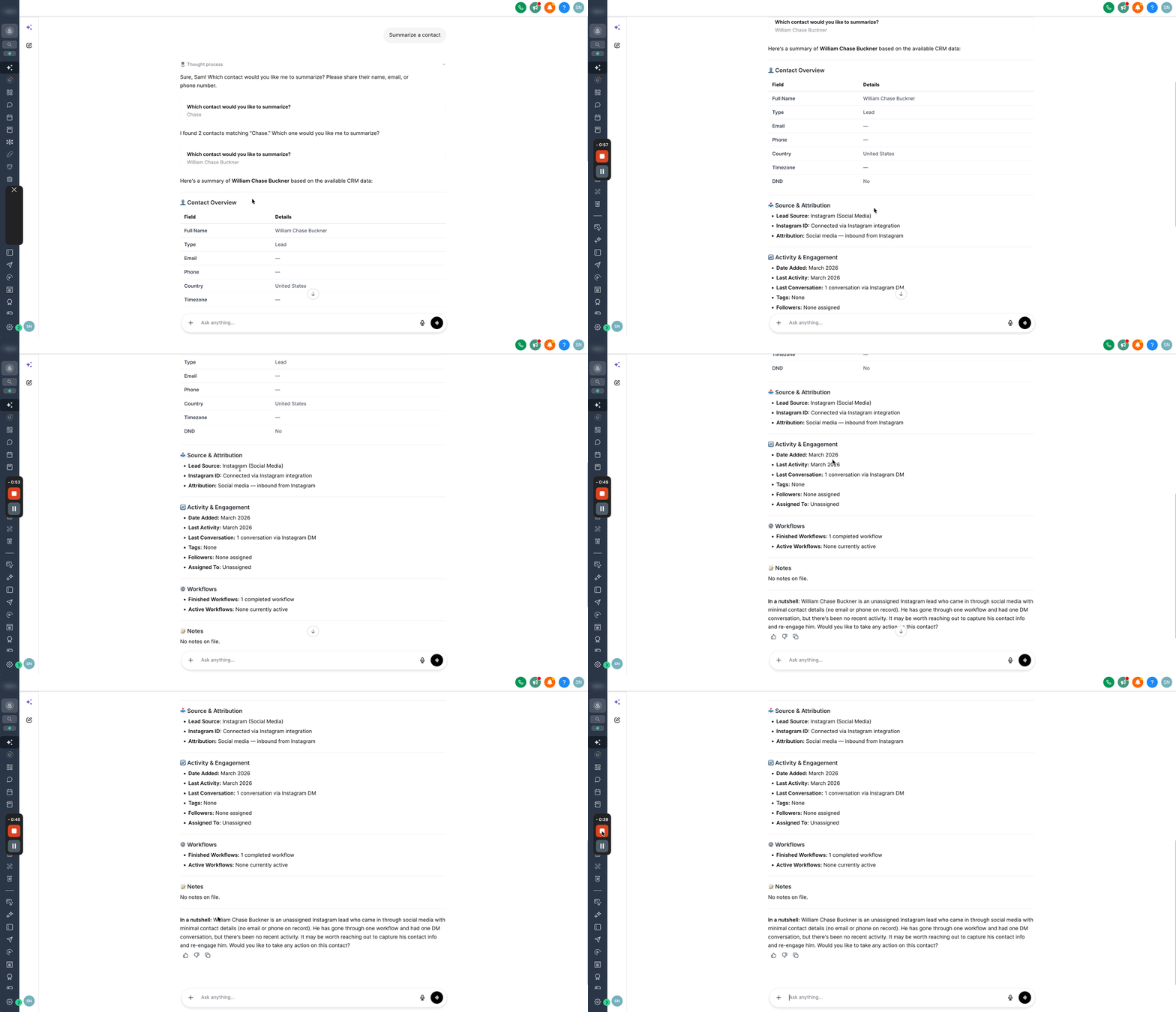
- Read the generated summary that includes profile data, communications, payments, appointments, tasks and a brief situation overview.
- After reviewing, continue the conversation to ask follow up questions or request actions like creating a task.
06What it looks like in HighLevel
07How it connects to the rest of HighLevel
- Understand how Ask AI session pricing works Ask AI pricing
- Explore all AI Employee features available in HighLevel AI Employee features
- Start a free 30 day trial of HighLevel to test Ask AI Start trial
Michael's take

The Contact Summary Agent is worth a few minutes of daily use for any business that juggles client records. It provides a ready made briefing without the click through grind.
Don’t forget to verify you’ve selected the right contact when more than one result appears.