
Home/CRM guide/CRM with automation
CRM guide · Automation
What is a CRM with automation? A CRM that runs the follow up.
This kind of CRM does more than hold names. It replies to new leads, reminds people about appointments and hands each lead to the right person. This guide covers what to look for in any tool and how GoHighLevel workflows do the work.
The short answer
A CRM with automation stores contacts and acts on them. Triggers start a workflow, sequences send texts and emails, reminders go out before appointments and routing assigns each lead to a person. That matters more than contact storage, because a contact list does nothing until someone follows up. GoHighLevel runs all four in its workflow builder, from $97 a month.
Michael is a sponsored HighLevel affiliate. Links to HighLevel use his partner link at no extra cost to you. HighLevel prices and product facts on this page come from HighLevel's own pricing page and help center, checked on the date above.
The basics
What does CRM automation cover?
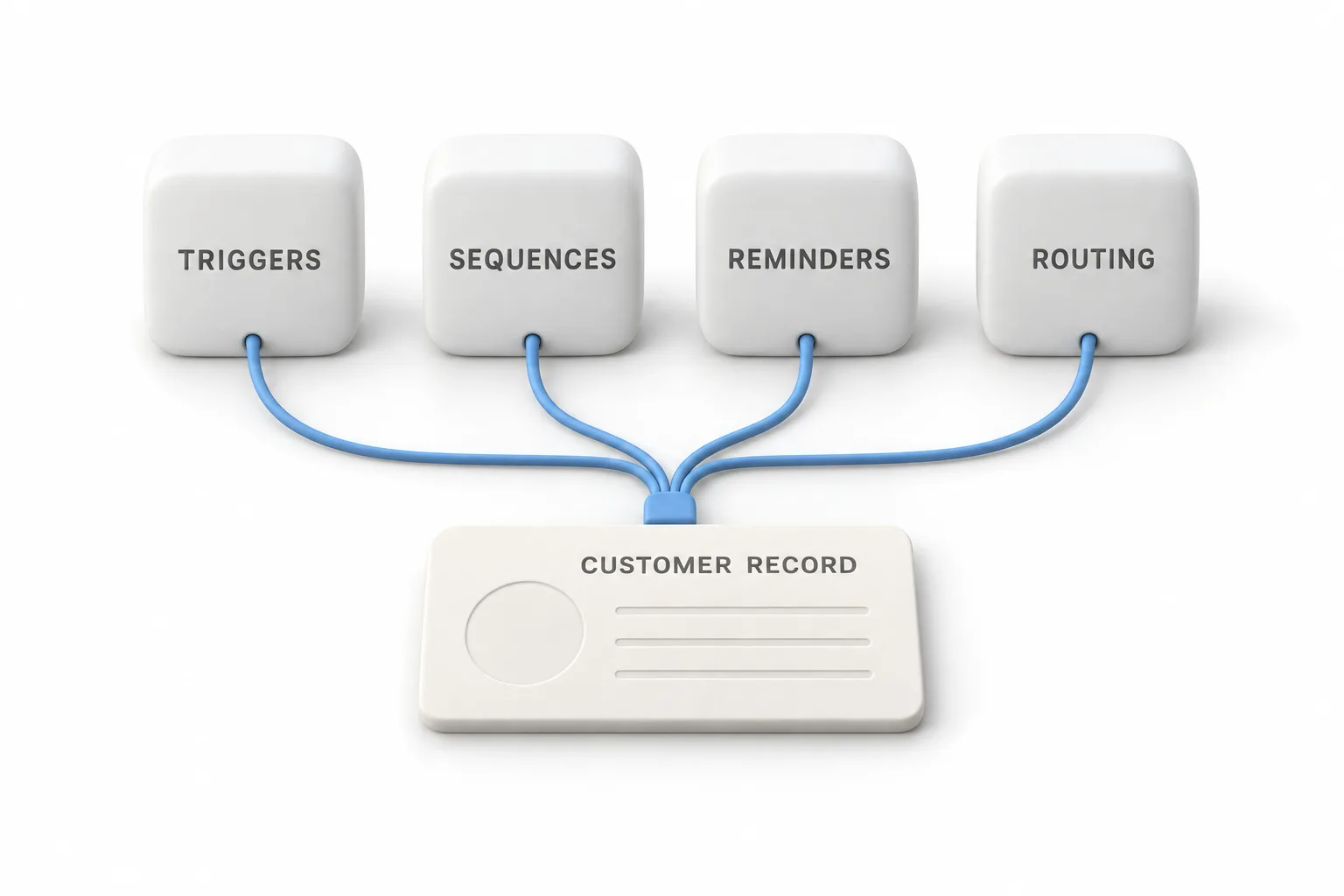
CRM automation covers four jobs: starting a process when something happens, sending a sequence of messages, reminding people on time and routing each lead to a person. Tools name them differently, but the four parts are the same.
| Part | What it does | Plain example |
|---|---|---|
| Triggers | Start a workflow when something happens | A form is submitted, a call is missed, an appointment is booked |
| Sequences | Send messages in order, with pauses between | A text now, an email tomorrow, a second text later |
| Reminders | Prompt the customer or the team on time | A text the day before an appointment |
| Routing | Decide who owns the lead | Leads from the roofing form go to the roofing estimator |
These four jobs matter more than contact storage. Storing a name and a phone number is the easy part. A spreadsheet can do it. The hard part is what happens in the minutes and days after someone raises a hand. If the reply depends on a person remembering, it will be late on a busy day. Automation makes the first reply, the reminder and the handoff happen the same way every time.
Still deciding whether you need a CRM at all? Start with the CRM guide.
The six
Which CRM automations are worth having?
Six automations cover most of the follow up a small business does by hand. Each one starts from a single event and does a small, predictable job.
| Automation | Starts when | Plain example |
|---|---|---|
| New lead reply | A form is submitted | A homeowner asks for a quote at night. A text thanks them and asks one question. |
| Missed call text back | A call goes unanswered | A dental office misses a call at lunch. The caller gets a text that names the practice. |
| Appointment reminders | An appointment is booked | A confirmation goes out now and a reminder goes out before the visit. |
| Lead routing | A contact or booking is created | Bookings are shared across three sales reps without anyone handing them out. |
| Pipeline stage follow up | A deal moves to a new stage | A deal moves to Quote Sent. The owner gets a task to call. |
| Review request | A job is marked complete | A cleaning job is finished. The customer gets a text with the review link. |
You do not need all six on day one. Start with the new lead reply, then add reminders and missed call text back. Routing and pipeline follow up matter once more than one person handles leads.
One rule applies to every row. Before a workflow sends something, it should check whether the thing has already happened. Do not send a booking link to someone who has already booked. Do not ask for a review twice.
Checklist
How do you judge a CRM with marketing automation?
Judge a CRM with marketing automation by what you can build and test yourself, not by the feature list. Ask these questions of any tool.
- Is the automation in the plan you would buy? Some tools keep workflows for higher tiers.
- Can it start from the events you care about? Forms, missed calls, bookings, tags and pipeline stage changes are the common ones.
- Can one workflow text, email and create a task? If each channel lives in a different tool, the customer record splits.
- Does it wait and branch? You need pauses between messages and a different path for people who reply.
- Does a contact leave the sequence when they act? Follow up that keeps going after someone books looks careless.
- Can you test before real leads see it? Look for a draft mode and a history of each contact's path.
- Are texting and booking built in, and how is usage billed? Texts, calls and email often cost extra. Get the rates in writing.
The CRM feature checklist covers the rest of the product beyond automation. If you also want fewer tools, what an all in one CRM is explains that trade off.
Example
How do GoHighLevel workflows handle these automations?
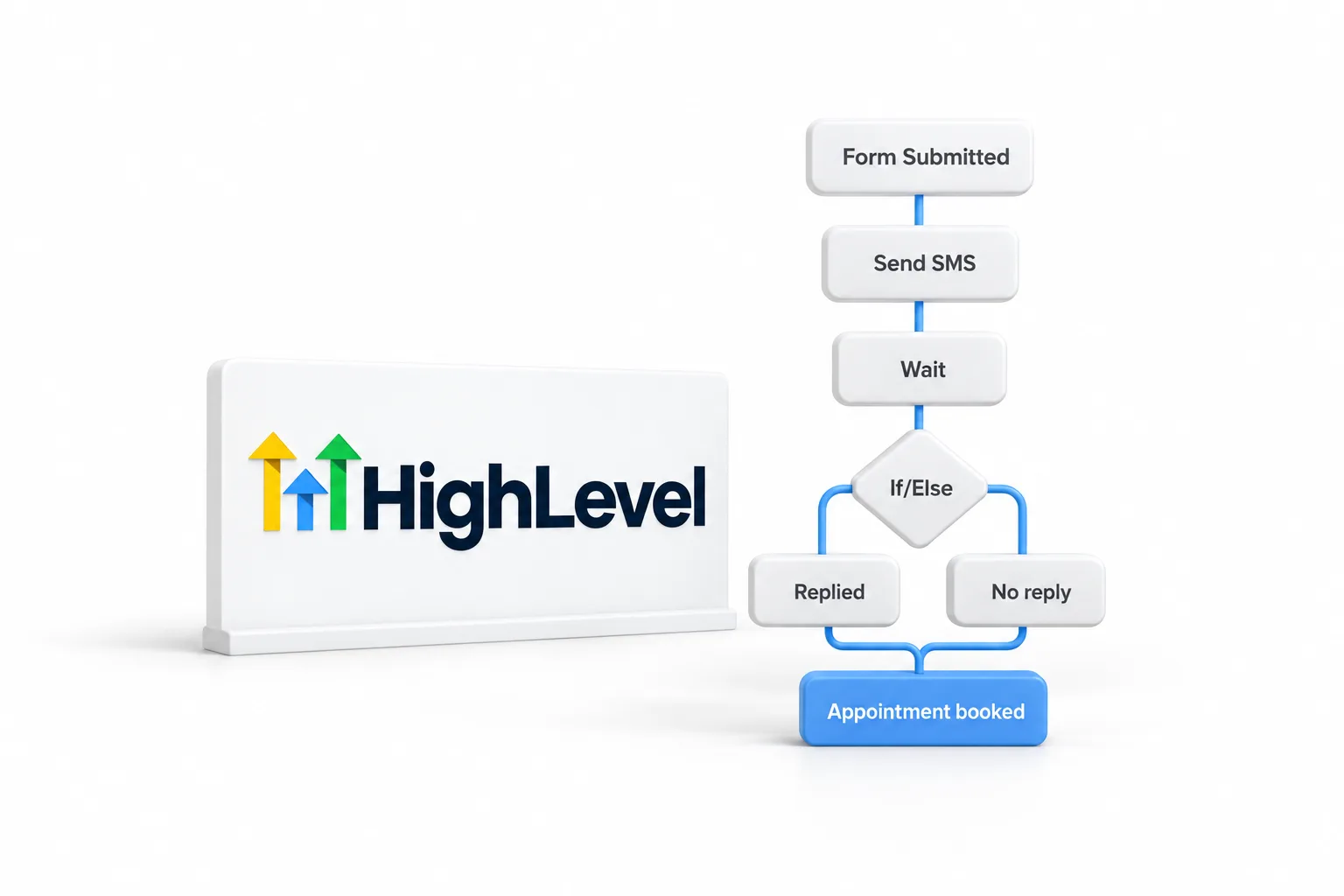
GoHighLevel handles all six in one workflow builder, found under Automation, Workflows. GoHighLevel and HighLevel are the same product, which some people write as go high level or GHL. A workflow has a trigger, a list of actions, wait steps and If/Else branches. A goal lets a contact leave the sequence once they do what you wanted, such as booking a call. A workflow stays in draft until you publish it, and its history shows the path every contact took.
| Automation | How HighLevel does it |
|---|---|
| New lead reply | Form Submitted trigger filtered to one form, then Send SMS and Send Email actions |
| Missed call text back | A setting under Settings, Phone System, Voice. A workflow can refine what happens next. |
| Appointment reminders | Customer Booked Appointment trigger filtered to the calendar, with waits timed to the appointment |
| Lead routing | A workflow action that assigns the contact to a team member, or a round robin calendar that shares bookings across the team |
| Pipeline stage follow up | Pipeline Stage Changed trigger filtered to the pipeline and stage, then a task or a message |
| Review request | A trigger that means the job is done, such as an appointment marked showed or an invoice paid, then the Send Review Request action by SMS or email |
You can start from a recipe, which is a working structure you edit, or from a blank canvas. The GoHighLevel workflows guide covers the building blocks and the mistakes that break automations.
Three of these have their own step by step guides: how to build an appointment reminder workflow, how to build a review request workflow and how to set up round robin calendars.
GoHighLevel pricing starts at $97 a month for Starter, $297 for Unlimited and $497 for the Founder Plan. Every plan includes unlimited contacts and unlimited users. Phone numbers, texts, calls, email sending and premium AI are billed on usage on top.
Try it
How do you test CRM automation before you buy?
Build one real workflow during the trial and run it on yourself. One working automation tells you more than an hour of demo videos.
- Pick one automation. The new lead reply is the best first test.
- Write the messages first. One text and one email, in your own words.
- Start from a recipe. In HighLevel, pick a recipe and set a Form Submitted trigger filtered to your form. The steps are in how to create a workflow in GoHighLevel.
- Test with your own details. Submit the form yourself, check that the messages arrive in order and read the workflow history.
- Turn it on for real leads. Watch the first few closely, then add the next automation.
The standard HighLevel trial is 14 days. The 30 day trial through Michael's link gives you a month to build the first workflow and see it handle real leads. Usage fees for phone, texts, email and AI can apply during the trial.
Related term
Is sales pipeline software the same thing?
Sales pipeline software is one part of an automated CRM, not a replacement for it. A pipeline shows every deal as a card in a stage, such as new lead, booked, quote sent and won. On its own it is a board that people have to update and act on.
Joined to automation, the board starts doing work. When a deal moves to a new stage, a workflow can create a task for the owner or send the customer the next message. How to build a sales pipeline in GoHighLevel walks through the setup.
Comparing tools before you commit? Read the best CRM for ecommerce.

Storing contacts is the easy part. Judge a CRM by what it does in the first five minutes after a lead comes in, and test that yourself before you pay.
Through my link
Start HighLevel through my link and the CRM Pros team comes with it.
Same HighLevel price. The difference is who is in your corner for the first ninety days.
- Setup help in your first 7 days
- Your onboarding call with Michael’s team
- Three live calls every week: tech, sales and Michael’s own call
- The private affiliate community
- Snapshots, templates and email swipes
- Four apps: Prompt, Demo, A2P and Sales On Demand
The Founder Plan is HighLevel’s top plan at $497 a month. It is the former Agency Pro plan with an exclusive feature set, rebilling with markup and the Founders Club. The full breakdown is here.
The Founder PlanWhat it includes and who it is for
Questions
Common questions.
What is a CRM with automation?
It is a CRM that acts on its contacts instead of only storing them. A trigger, such as a form submission or a missed call, starts a workflow. The workflow sends texts and emails, sets reminders, creates tasks and assigns the lead to a person.
What is the difference between a CRM and marketing automation?
A CRM holds the customer record: contact details, conversations, appointments and deals. Marketing automation sends messages and runs steps based on what a contact does. A CRM with marketing automation puts both in one system, so every automated message uses the same customer record.
Is there a CRM with texting built in?
Yes. Some platforms build two way texting into the CRM, and HighLevel is one of them. You send texts from a workflow or by hand, and replies land in the Conversations inbox. In the United States you complete A2P 10DLC registration before you text, and texts are billed on usage.
Is there a CRM with appointment scheduling?
Yes. Some platforms put booking calendars in the same system as the CRM. HighLevel includes several calendar types, including round robin calendars that share bookings across a team, and connects to Google Calendar. A booking can trigger a workflow, so confirmations and reminders go out without anyone sending them.
Is GoHighLevel a CRM with marketing automation?
Yes. GoHighLevel, also written HighLevel, is an all in one sales and marketing platform. It combines the CRM, pipelines, texting, calling, email and booking with a workflow builder under Automation, Workflows. Plans start at $97 a month with unlimited contacts and users. Phone numbers, texts, calls, email sending and premium AI are billed on usage on top.
Is sales pipeline software the same as a CRM?
Not quite. Sales pipeline software tracks each deal through stages such as new lead, booked and won. A CRM holds the whole customer record, and the pipeline is one view of it. When the CRM has automation, moving a deal to a new stage can start the next follow up step.
Next step
See it in your own account. Thirty days, every feature.
Start a trial, build the first system and test it before the first invoice. Usage fees for phone, SMS, email and AI can apply during the trial.
HighLevel has three plans at a flat monthly price, each with unlimited users and contacts. See what each one includes and what it costs.
Compare the PlansStarter, Unlimited and Founder