
Home/HighLevel/How to/Round robin calendars
How to · Calendars
Set up GoHighLevel round robin calendars. Share bookings across the team.
A round robin calendar spreads appointments across several team members. A customer picks a time, and the GoHighLevel round robin calendar finds an available person to take it. It is the right calendar for sales teams and multi staff service businesses.
Share bookings across the team.
The short answer
To set up round robin calendars in GoHighLevel, go to Settings, Calendars, click Create Calendar, choose Round Robin, name it, select the team members who take bookings, set the URL slug, availability and distribution settings, then save and book a test appointment to see who receives it. Each team member should connect their own calendar first so availability is accurate.
Michael is a sponsored HighLevel affiliate. Links to HighLevel use his partner link at no extra cost to you. HighLevel prices and product facts on this page come from HighLevel's own pricing page and help center, checked on the date above.
Create it
How do you set up a round robin calendar in HighLevel?
- Go to Settings, then Calendars, and click Create Calendar.
- Choose Round Robin as the calendar type.
- Name the calendar and add a description of what it is for.
- Select the team members who will take appointments. At least one is required.
- Check the custom URL slug, set availability and the distribution settings, then save.
How it decides
How bookings are assigned.
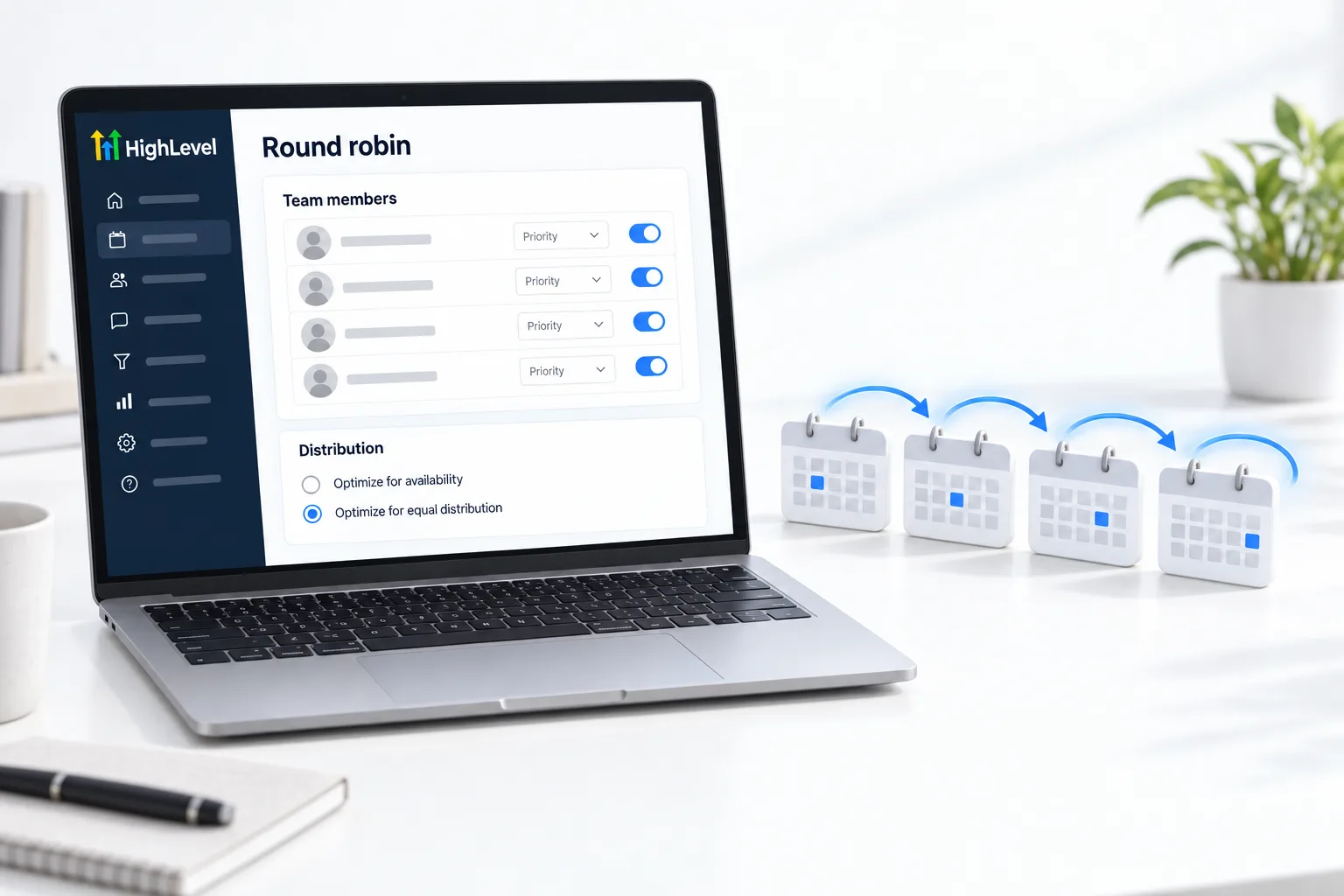
When someone requests a time, HighLevel checks the first assigned team member. If that person is not available, it moves to the next, and so on until it finds someone free. Distribution settings let you lean toward availability or toward an even share between team members.
Before launch
Test it.
- Each team member has connected their own calendar
- Working hours are set for every person
- Book a test as a customer and check who it went to
- Add confirmation and reminder messages
Before you start
What do you need before you set up a round robin calendar?
A round robin calendar is only as accurate as each person's availability. Before you create one in HighLevel (GoHighLevel), get the team ready.
- Every team member added as a user. See set up user permissions
- Each person connected to their own calendar. See connect Google Calendar
- Working hours set for every person
- A decision on distribution: lean toward availability or toward an even share
- Confirmation and reminder messages. See build an appointment reminder workflow
Common mistakes
What mistakes should you avoid when you set up a round robin calendar?
- One person not connected. Their personal events do not block times, so they get double booked.
- Working hours not set. Set hours for each person or bookings land when they are off.
- Expecting a perfectly even split. HighLevel checks who is available. Distribution settings lean toward availability or toward an even share.
- No reminders. Team calendars need confirmations and reminders just like single calendars.
- Testing once. Book several test appointments at different times to see how they are shared. If the booking page fails, see fix a booking widget not loading.
Fit
When should you use a round robin calendar?
Use it when any one of several people can take the appointment and the customer does not need to choose who. Sales teams sharing inbound calls and service businesses with several staff are the usual fit.
Use a personal calendar instead when the customer is booking one named person.

Make every rep connect their own calendar first. Most round robin problems are someone's personal calendar not syncing.
Questions
Common questions.
What is a round robin calendar?
A round robin calendar distributes appointments across several team members automatically. A customer picks a time and HighLevel finds an available person to take it. It suits sales teams sharing inbound calls and service businesses with several staff, where any one of several people can take the appointment.
How do I create one in HighLevel?
Go to Settings, then Calendars, and click Create Calendar. Choose Round Robin as the calendar type, name it and add a description. Select the team members who will take appointments, check the custom URL slug, set availability and the distribution settings, then save. Book a test appointment to see who receives it.
How many team members do I need?
At least one team member is required, but a round robin calendar is designed for two or more. Every person needs to be added as a user, connected to their own calendar and given working hours. If only one named person takes the booking, use a personal calendar instead.
Can each person use their Google Calendar?
Yes. Each user connects their own calendar so availability is accurate. If one person is not connected, their personal events do not block times and they get double booked. Set working hours for every person as well. See whether HighLevel has a calendar booking tool for the basics.
How does HighLevel decide who gets the booking?
It checks the first assigned team member. If that person is not available it moves to the next, until it finds someone free. Distribution settings adjust how bookings are shared, leaning toward availability or toward an even share between team members. Do not expect a perfectly even split.
Why is one team member getting most of the bookings?
Compare their availability with the others. When distribution leans toward availability, the person with the most open time is offered more often. Check that everyone has connected their calendar and set working hours, then book several test appointments at different times to see how they are shared.
Do reminders work on round robin calendars?
Yes. Filter the reminder workflow trigger to the calendar. See the booking calendar guide. Team calendars need confirmations and reminders just like single calendars. You can build the calendar, add its reminders and test both during a 30 day GoHighLevel trial through Michael's link.
Next step
See it in your own account. Thirty days, every feature.
Start a trial, build the first system and test it before the first invoice. Usage fees for phone, SMS, email and AI can apply during the trial.
HighLevel has three plans at a flat monthly price, each with unlimited users and contacts. See what each one includes and what it costs.
Compare the PlansStarter, Unlimited and Founder