
Home/HighLevel/Glossary/Round Robin
Glossary · Round Robin
What is Round Robin in GoHighLevel? Bookings shared across a team.
A round robin calendar shares appointments across several team members, checking who is available and assigning the booking automatically.
Bookings shared across a team.
The short answer
A round robin calendar in HighLevel shares appointments among several team members, checking the first assigned member's availability, then the next, until it finds someone free, and its distribution settings balance availability against giving everyone an even share of bookings.
Michael is a sponsored HighLevel affiliate. Links to HighLevel use his partner link at no extra cost to you. HighLevel prices and product facts on this page come from HighLevel's own pricing page and help center, checked on the date above.
In practice
How does round robin work in HighLevel?
Round robin is a calendar type. In HighLevel, or GoHighLevel as some still call it, you create it under Settings, Calendars, Create Calendar, then choose Round Robin. You name it, select the team members who take bookings, check the URL slug and set availability.
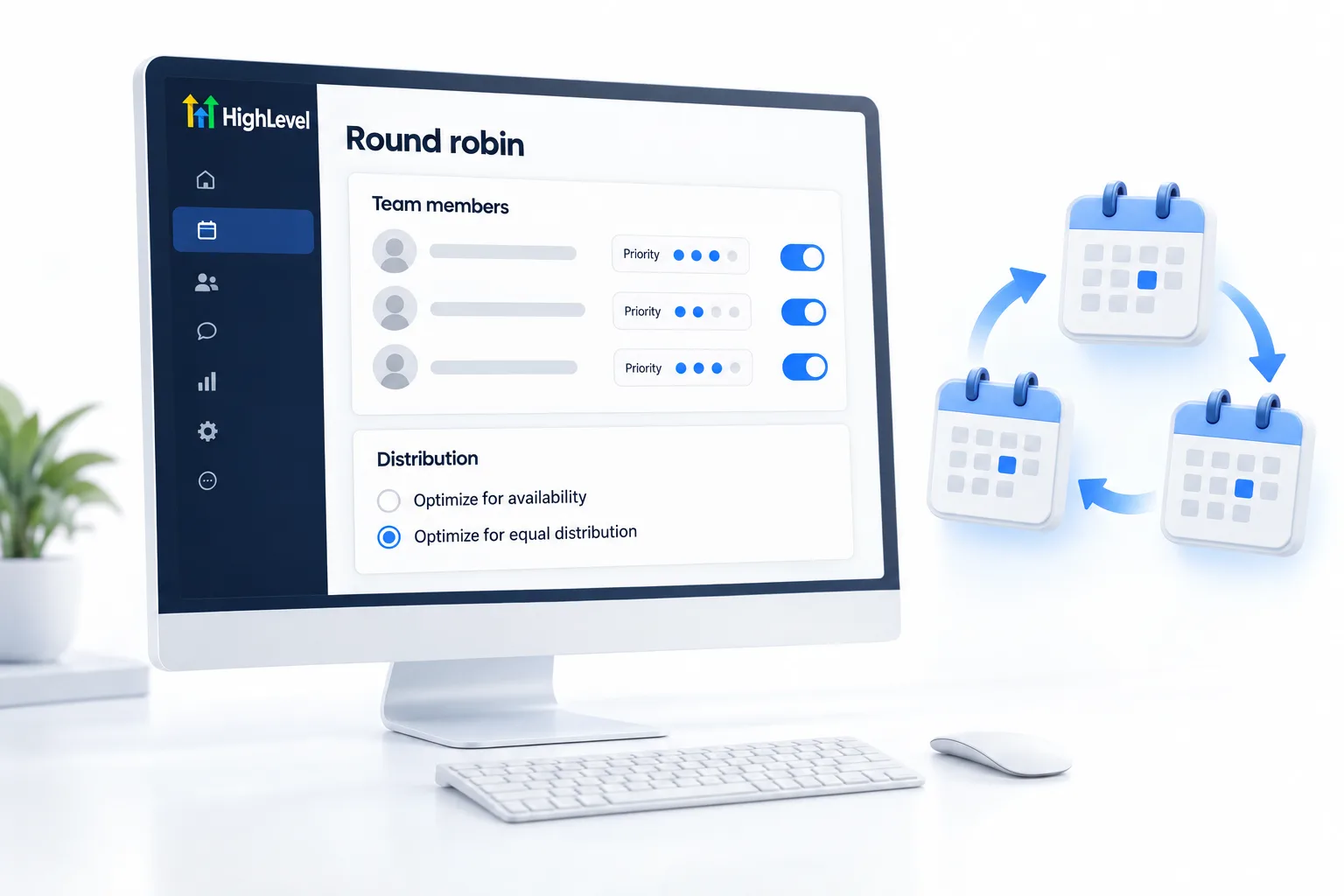
When someone asks for a time, HighLevel checks the first assigned team member. If that person is not free, it moves to the next, and keeps going until it finds someone who is. Distribution settings let you lean toward availability or toward an even share between team members.
It only works if the platform can see real schedules. Each person connects their own Google or Outlook calendar, so outside events block the slot. The steps are in set up round robin calendars.
- Created in Settings, Calendars
- At least one team member required
- Each member connects their own calendar
- Distribution settings control fairness
Example
What does round robin look like in practice?
A sales team of four shares one demo booking link; calls spread across the team.
From the prospect's side it is one page. They open the booking link, see only times when someone on the team is free and pick one. Behind the page, the appointment lands with one rep and is written to that rep's own calendar. Nobody on the team checked who was free, and nobody was double booked.
Watch for
What mistakes do people make with round robin calendars?
Reps who have not connected their own calendar is the first. Most round robin problems are someone's personal calendar not syncing.
No working hours is the second. Give every person their hours, or the calendar offers times they cannot take.
Launching without a test is the third. Book a test as a customer and check who it went to. Then add confirmation and reminder messages. The longer build, with buffers and assignment rules, is in the booking calendar guide, and connect Google Calendar covers the sync.

Have every rep connect their own calendar first.
Questions
Common questions.
What is Round Robin in GoHighLevel?
Round robin in GoHighLevel is a calendar type that shares appointments across several team members. When someone asks for a time, the calendar checks the first assigned team member, then the next, until it finds someone free, and assigns the booking automatically. Distribution settings lean toward availability or toward an even share.
Where do I find round robin calendars in HighLevel?
Go to Settings, Calendars, click Create Calendar and choose Round Robin. Name the calendar, select the team members who take bookings, check the URL slug and set availability. Team members need to be users in the subaccount first, or they will not appear in the list.
Does each rep need their own calendar connected?
Yes. Each person connects their own Google or Outlook calendar, so HighLevel can see their real availability and outside events block the slot. Round robin only works if the platform can see real schedules, and most round robin problems come down to one person's own calendar not syncing.
How does HighLevel decide who gets a round robin booking?
HighLevel checks the first assigned team member for the requested time. If that person is not free, it moves to the next, and keeps going until it finds someone who is. Distribution settings then let you lean toward availability or toward giving every team member an even share of bookings.
How many team members does a round robin calendar need?
At least one, but round robin is designed for two or more. The point of the calendar is to share bookings across a team, so it comes into its own when a second person starts taking appointments. Give every person working hours, or the calendar offers times they cannot take.
What is the most common round robin problem?
A team member's own calendar not syncing. If one person has not connected their Google or Outlook calendar, HighLevel cannot see their outside events and may book over them. Have every rep connect their own calendar first, then book a test as a customer and check who the appointment went to.
Next step
See it in your own account. Thirty days, every feature.
Start a trial, build the first system and test it before the first invoice. Usage fees for phone, SMS, email and AI can apply during the trial.
HighLevel has three plans at a flat monthly price, each with unlimited users and contacts. See what each one includes and what it costs.
Compare the PlansStarter, Unlimited and Founder