

In this video Michael Reimer explains the expanded GoHighLevel workflow API. The new endpoints can create workflows, read their full definitions and update triggers, actions and conditions, so AI coding tools and apps can build automations without the visual builder. It is for agencies and developers who build on HighLevel.
Michael is clear about what kind of update this is. It is not a flashy feature that looks great in a demo and never changes your business. He calls it foundational technology, the kind that opens the door to things that could not be built before, and he spends the video on what those things are.
What could the workflow API do before, and what is new?
For years HighLevel has had a powerful workflow builder with one big limitation. If you wanted to create a workflow or change how it was built, you had to go into HighLevel and use the visual builder. There were APIs that could add contacts to a workflow. There were webhooks for sending information between applications. None of that is the same as building the workflow itself.
The new API documentation describes creating workflows, pulling their complete definitions and updating the actions, triggers, conditions, connections and settings that make them work. In Michael's words, that is creating the actual automation, not just triggering one somebody already built.
How would an AI coding tool build a HighLevel workflow?
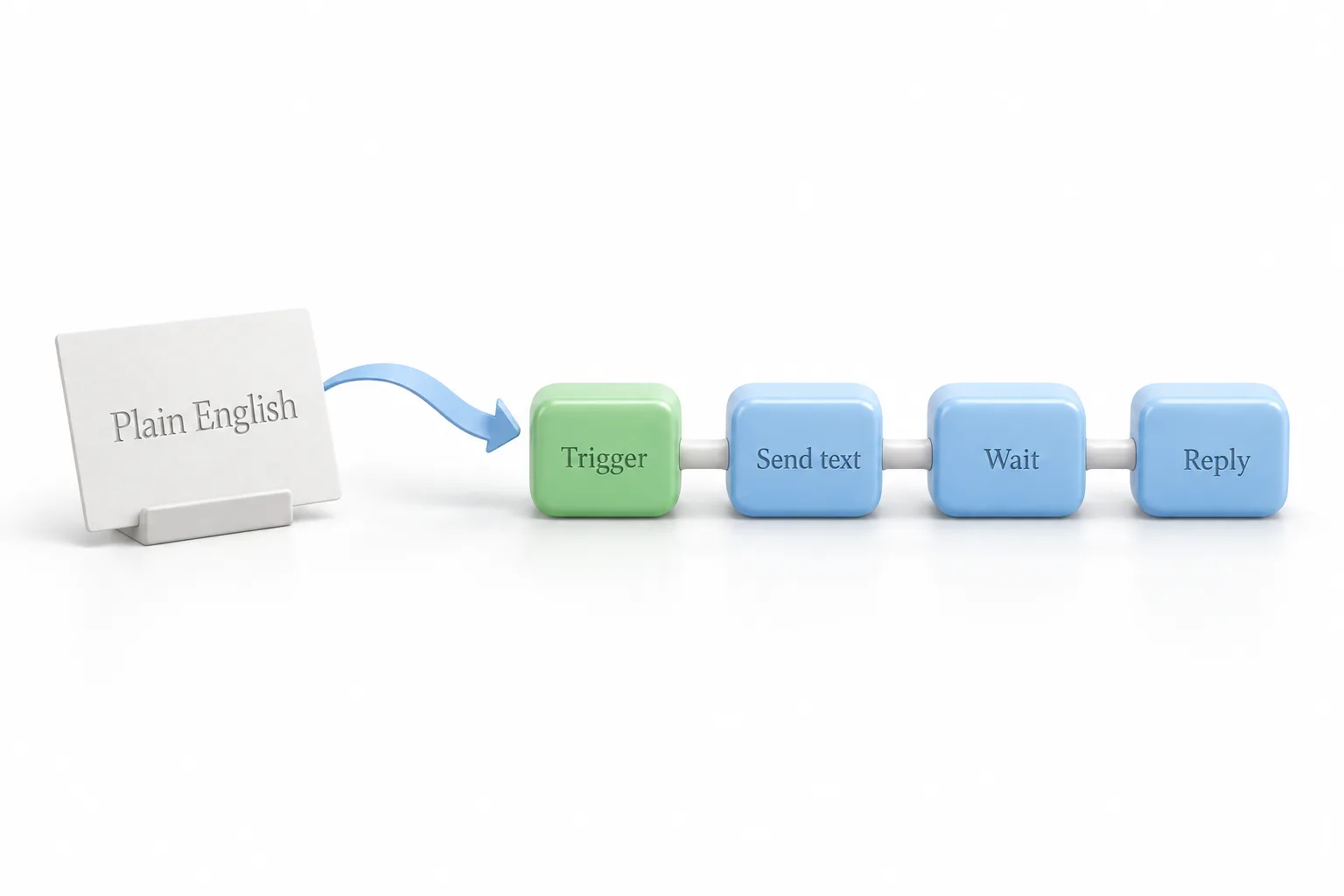
Picture sitting down with an AI coding tool and explaining what you want. His example is a lead follow up automation for a dental office. When a new lead comes in, send a welcome text. Wait for a reply. Then follow up based on whether they answered.
The AI does not explain how to build that workflow. It generates the workflow and sends it to HighLevel through the API: the triggers, the actions, the steps connected together and the logic that decides what happens next. Then you review it and test it before you publish.
The bigger opportunity, he says, is maintenance. Your AI could read a workflow you already have, look at how it is built, recommend improvements and prepare an updated version. If you want to understand what it is producing, build your first workflow by hand once.
What does this mean for client onboarding?
This is one of Michael's favorite examples. An agency signs a new client, and today there is a lot involved in getting them running. You set up the subaccount, install automations, update the messaging, connect calendars and customize the workflows for that business.
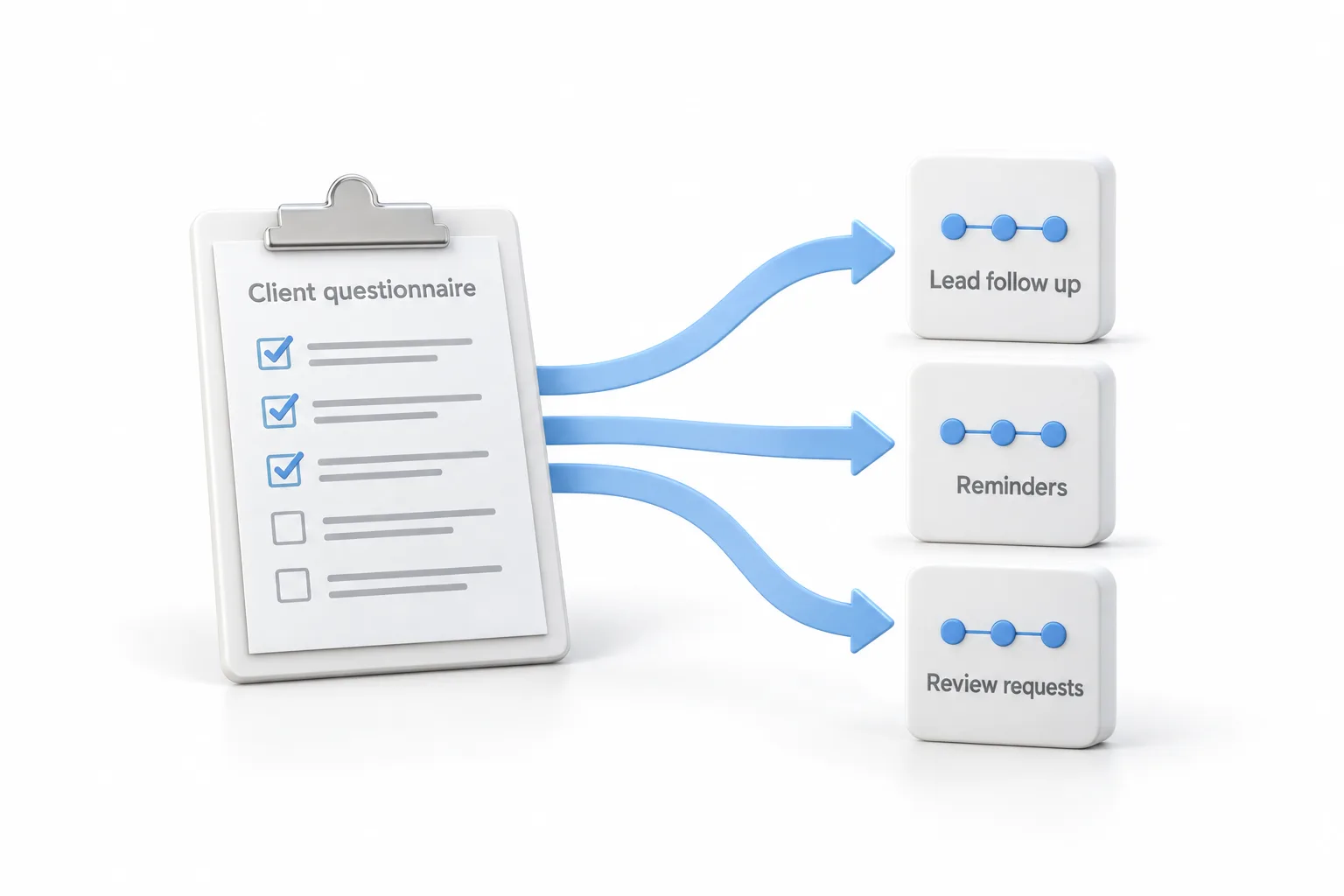
Now imagine your own onboarding app. The new client fills out a simple questionnaire: what kind of business they run, their hours, how they want new leads handled and what should happen when someone books an appointment. The app takes those answers and builds an automation package for that business. That means their lead follow up workflow, appointment reminders, missed call follow up, messages after the appointment and review requests, all from what they said during onboarding. For agencies onboarding dozens or hundreds of clients, he says, the time savings are huge. The client onboarding workflow guide shows the manual version.
Can an app create its own HighLevel automations?
That is the second example. Say you are building a directory, a booking platform or your own software that connects to GoHighLevel. Until now you might have needed a snapshot, or you had to ask users to set up workflows by hand before the app could work.
Now the app itself can create the automations it needs. A business signs up for the booking platform, picks its services, connects a calendar and sets its preferences. Behind the scenes the app builds the right workflows: appointment confirmations, cancellation follow ups, no show recovery, customer reactivation. The customer does not need to know how to build a workflow or how it works underneath. Michael calls that building a real software product on top of HighLevel.
How could agencies update workflows across many subaccounts?
Say you find a workflow that needs to be better. Maybe the follow up strategy changes, or you want to add a qualifying step for a whole group of clients. Normally that is a lot of manual work.
With the workflow API, you can build an app that reads your existing workflows, compares them to your approved standard and prepares the changes. AI can help spot the differences and write the updated versions. With the right permissions and safeguards, those changes can go out through the API. Michael's framing is that you stop treating every subaccount like its own project and start managing automations like a software operation.
How do you start using the workflow API in GoHighLevel?
The video is a concept walkthrough, not a click by click build. These are the moves it points to.
- Know the difference. Triggering an existing workflow is one thing. Creating the workflow itself through the API is the new part.
- Describe it in plain English. Give an AI coding tool the automation you want and have it generate the workflow.
- Review before publishing. Test any AI generated workflow before it goes live.
- Generate from onboarding. Use a questionnaire to produce lead follow up, reminders, missed call follow up and review requests for each client.
- Let the app build. Have your own app create the workflows it needs when a business signs up.
- Standardize across accounts. Compare subaccount workflows to an approved standard and prepare updates through the API with proper permissions.
- Check what is enabled. Confirm which API features are turned on for your account or integration before building.
What changes for agencies and developers building on HighLevel?
Michael's point is that this is not about saving a few clicks in the workflow builder. It removes one of the walls between HighLevel and the apps, AI agents and tools people use to build their businesses. He lists what that allows: apps that set themselves up, AI assistants that help build and improve automations, onboarding systems that create workflows for every client, and agencies that manage all of it at scale.
He adds the caution himself. You still need proper authentication, testing and approval before anything goes live, and you should check which API features are turned on for your account or your integration. The page on Claude and MCP with HighLevel covers one way AI tools connect to an account today.
If an API call comes back unauthorized while you test, start with the guide to fix API 401 errors. Not sure which automations a business needs first? The small business automation checklist is a plain starting list. To get an account to build against, start a GoHighLevel 30 day trial through Michael's link. For a wider look at the platform, read Michael's GoHighLevel review.