

In this video Michael Reimer sets up GoHighLevel project management from scratch: spaces, folders, lists and tasks that link to the contact and the deal. He adds statuses, a Kanban view and a workflow that creates the next task when one is finished. It is for agencies that track client delivery outside the CRM.
The problem is a familiar one. An agency sells and talks to clients inside HighLevel, then tracks the actual delivery somewhere else. Maybe that is a separate project tool, or a spreadsheet nobody updates. With project management, the client and the work live in the same account. Michael builds the whole thing around a demo client called Bright Smile Dental and says what he would set up at each step.
Where is project management in HighLevel, and how is it organized?
Open your subaccount and click Contacts in the left menu. Then click the Tasks tab. On the left there is now a panel called Spaces.
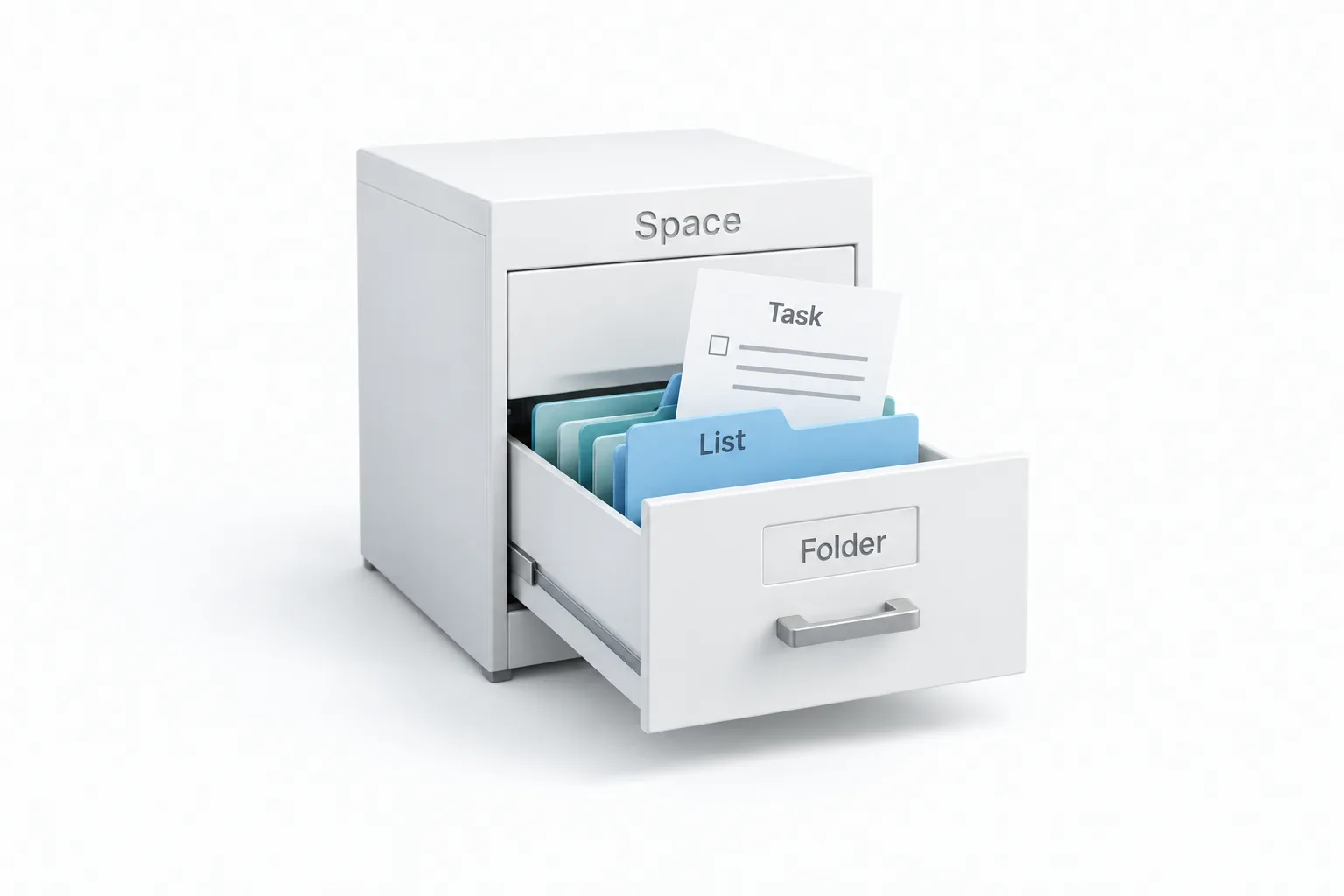
Michael explains the structure as a filing cabinet. A space is the whole cabinet. A folder is a drawer inside it. A list is a file in that drawer. The tasks are the pages inside the file. For an agency, he would make one space for each department, such as delivery or internal operations. Inside the delivery space, each client gets a folder, and each project you run for that client gets a list.
Why should you set statuses before you create a single task?
Michael creates the first space with the plus next to Spaces, calls it Client Delivery, picks a color and clicks Create. Then he opens the space options and starts with Settings. Turn on Private space and only the people you share it with can get in. He would keep client delivery private to the people who do the work.
Next comes what he calls the most important setting in the whole feature. Open Status options before you create a task. Your statuses become the columns on your Kanban board, and every list in the space shares them. So if two teams work in different stages, give them separate spaces. For client onboarding he uses Kick off, Waiting on client, In progress, Client review and Done. Anyone can look at the board and know where every client stands.
Custom fields are extra fields every task in the space can carry. For an agency he adds two: a money field for the contract value and a dropdown for the service being delivered.
How do you link a task to a contact and a deal?
From the space options, Michael clicks Create folder and names it Bright Smile Dental. Inside it he creates two lists, Website Design and Website Development. In Website Design he clicks Add task, types the name, and adds an assignee and a due date from the same row.
Opening the task shows the description, where he puts the client's goals and links, then the status, the one assignee who owns it, the dates and the priority. Custom fields show up under All fields. Then comes the part he says a separate project tool cannot do. Scroll down to Associated objects and link the client's contact and the opportunity for the deal. Open that contact record and the task shows up right there, so the whole team can see the work for that client without leaving the CRM.
Below that are subtasks, each with its own owner and due date, for breaking a big task into small steps. At the bottom is the comment box. Type the at sign and a name to mention a teammate, which keeps the conversation on the task.
How do list view, Kanban and saved views work?
The view menu switches between list view and Kanban. Kanban is for moving work through your stages. Drag a card to the next column and the status changes with it. Group by assignee shows each person's workload.
Michael's favorite part is the saved view. Click the plus to add a view, name it, add a filter and click Create. His is called Due this week, with a filter on the due date. That view is one click away every morning.
Can a workflow create the next task on its own?
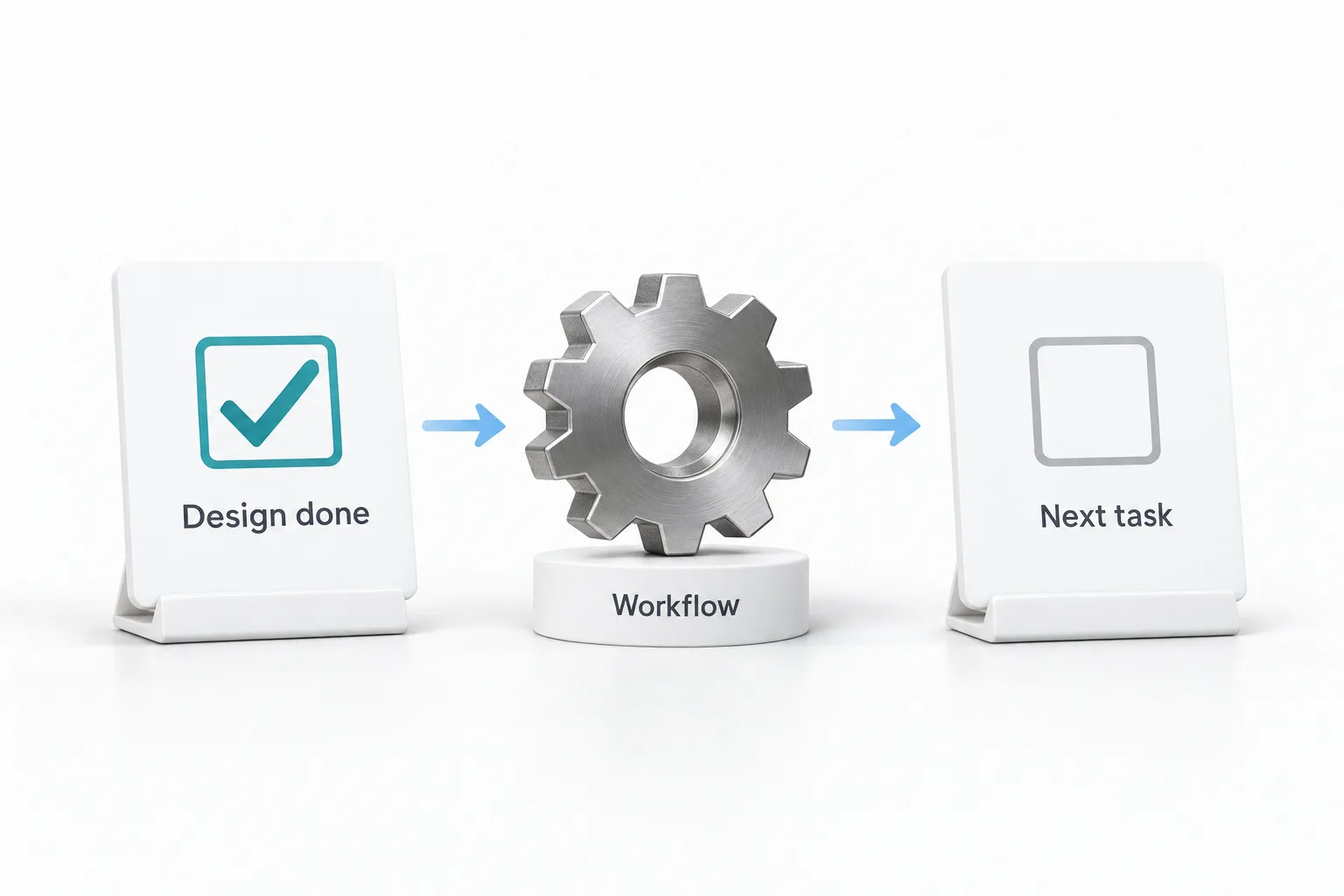
Yes. Go to Automation and open Workflows. There are three task triggers. Task added fires when a task is created. Task completed fires when one is finished. Task reminder fires a set number of days before or after a date.
The handoff Michael would build for every client starts with Task completed as the trigger, with a filter so it only watches the Website Design list. The action is Add task. He names it Begin website development, puts it in the Website Development list, assigns it to the developer, sets it due two days out and turns on Skip weekends. When design is marked done, the development task appears on its own. Then he clicks Publish, because saving alone does not turn a workflow on. The guide to building a client onboarding workflow covers the messages that usually sit around a handoff like this.
He finishes in Ask AI, asking which tasks are due in the next 7 days. It reads every project and answers in the chat. He adds that Claude or ChatGPT can be connected to project management too, so a task you ask for there lands in GoHighLevel.
How do you set up project management for an agency?
Follow the same order Michael does.
- Find Spaces. Open a subaccount, click Contacts and then the Tasks tab.
- Create a space per department. Open its settings and decide whether it should be private.
- Set the statuses first. Add status options before any tasks, because they become the Kanban columns for every list in the space.
- Add fields, folders and lists. Create custom fields, then a folder for each client and a list for each project.
- Add and link tasks. Give each task an assignee and a due date, and link the client contact and opportunity under Associated objects.
- Save your views. Switch between list and Kanban, group by assignee and save a view such as Due this week.
- Automate the handoff. In Workflows, use the Task completed trigger with a list filter and the Add task action to create the next task, then publish.
What changes when delivery lives next to the CRM?
The client's work now sits in the same account as their marketing. The task is tied to the contact and the deal, and the automations and the AI run on that same data. Michael's point for agencies is that you can run onboarding and fulfillment without a second tool, which makes the offer bigger. If you are still shaping that process, the client onboarding system guide is a useful next read.
He is fair about the limit. People ask him whether this replaces a dedicated project tool. If your team lives in Gantt charts, a dedicated tool may still fit better. For client delivery, this is what he would use. New to automations? Start with your first workflow, then add the task triggers.
If you are still choosing where client work should live, the guide to client management software covers what to look for. To build your first space and task workflow, start a GoHighLevel 30 day trial through Michael's link. Agencies running delivery for clients should also read about the Founder Plan.