

In this video Michael Reimer shows five ways he uses GoHighLevel Ask AI: a brand board from your website, a community built in one chat, campaign ideas, email templates saved to your subaccount and social media stats on request. He ends with a prospecting request. It is for agency owners and business owners.
Michael's framing is that Ask AI is not a chatbot that only answers questions. He describes it as an assistant built into GoHighLevel that does work inside your account. Each of the five uses is something you would normally click through several screens to do, and in the video he does each one by typing a request.
How does Ask AI build a brand board from your website?
The first use is branded content. Michael drops a website URL into Ask AI and it develops a brand board from the site. He says it reads your colors, your fonts and your tone.
The payoff comes afterward. Once the brand board exists, the email newsletters, social media captions and marketing copy you generate look and sound like your business. You do not leave the platform to get there, and you do not start each piece of copy from a blank page.

Can Ask AI set up a HighLevel community for you?
The second use is launching a community. Michael lists what usually slows that down: the name, the target audience, the pricing, the logo and the theme. His request in the video is one line: help me create a community for local entrepreneurs.
Ask AI then walks through the process step by step in the same chat thread. It names the community, sets the target audience, configures the subscription model and builds the theme. If you want to see the settings behind those choices, the guide on how to launch a community in HighLevel covers them one at a time, and the paid and private channels video shows what a community can charge for.
What can it do when you are stuck on a campaign or need an email template?
The third use is brainstorming. When you are staring at a blank screen before the next promotion, Michael's advice is to consult Ask AI. You can ask it for blog calls to action, whole campaign concepts, subject line ideas or promotional angles you have not tested yet. All of it stays in one thread, so the ideas build on each other.
The fourth use goes a step past ideas. You describe the email template you need and Ask AI does not only hand back the text. Michael says it generates the template and saves it directly into your HighLevel subaccount, ready for campaigns or workflows. You do not need to be a designer or a copywriter to get a usable first version.
How do you pull social media stats without opening reports?
The fifth use is a time saver. Checking whether your posts are working usually means going through different reporting tabs. With Ask AI you ask. Michael says it retrieves your social media statistics and account performance data across your connected platforms and gives you a quick picture without a trip to the reporting section. If your accounts are not connected yet, start with the guide to schedule social posts, which covers connecting them.
What is the prospecting request Michael types into Ask AI?
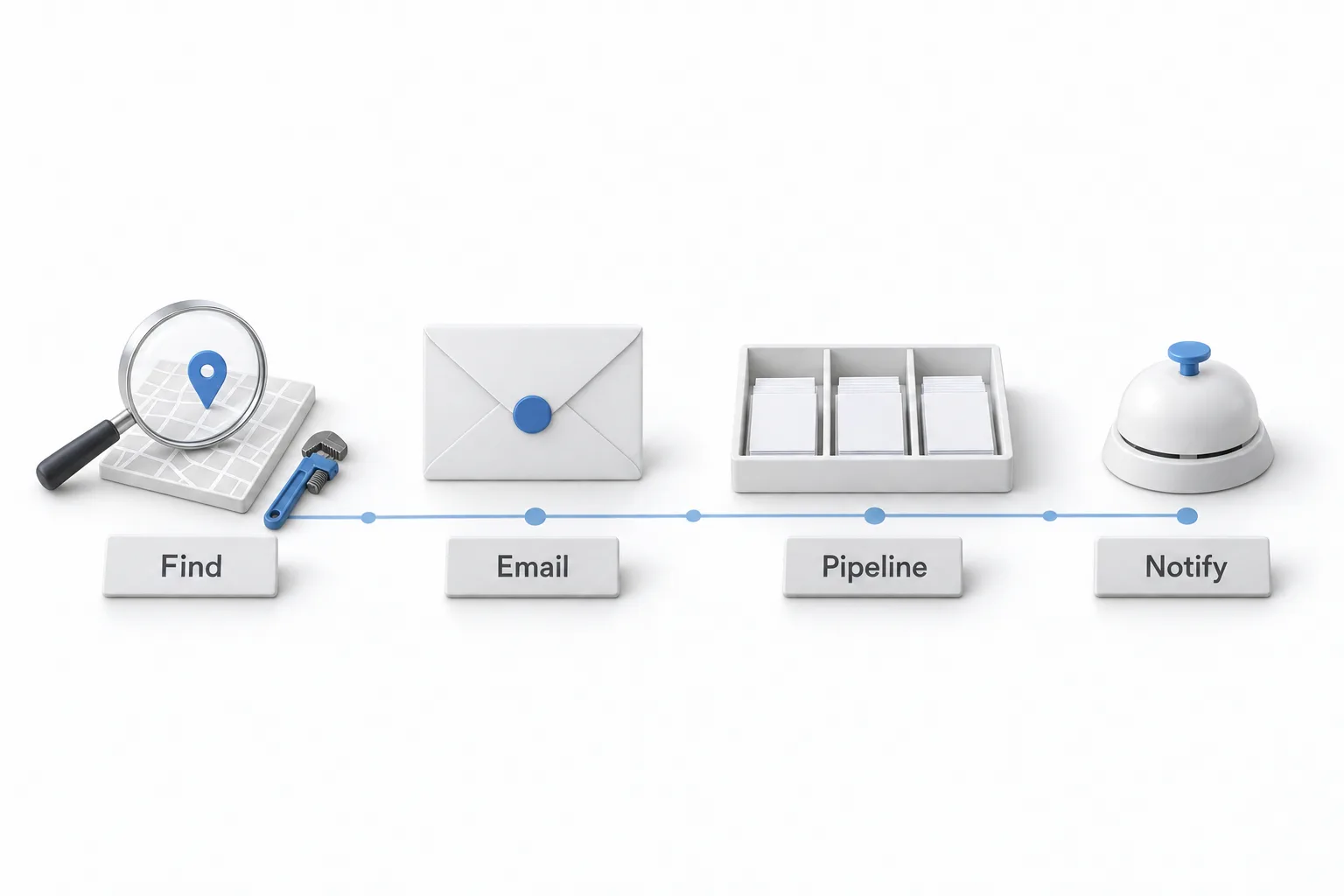
The bonus tip at the end is prospecting from the chat. Michael opens Ask AI and types one request. Look up 50 plumbers in Miami. Get their emails, phone numbers and addresses. Send them an email about our services. Add them to the sales pipeline and to contacts. Notify my team on Slack when they reply.
He says Ask AI constructs the workflow for that request. It finds the leads, adds them as contacts, drafts the email, updates the pipeline and sends the Slack notification. His point is that you describe what you want to happen and you do not need experience with the workflow builder to get a first version. HighLevel changes often, so check what Ask AI can do in your own account before you plan around this. To understand what it built, build your first workflow by hand once.
How do you try these five uses in your own account?
Each use in the video is a single request, so the list doubles as a test plan.
- Build a brand board. Drop your website URL into Ask AI and have it build a brand board from your colors, fonts and tone.
- Start a community. Ask it to help you create a community and follow it through the name, target audience, subscription model and theme.
- Ask for ideas. When you are stuck on a promotion, ask for campaign concepts, subject line ideas, blog calls to action or new angles.
- Describe a template. Describe the email template you need and let Ask AI generate it and save it into your subaccount for campaigns or workflows.
- Ask for your numbers. Ask for your social media statistics and account performance across connected platforms instead of checking each reporting tab.
- Describe the prospecting job. Put the whole process in one request: who to find, the details to collect, the email to send, the pipeline to use and who to notify on Slack when someone replies.
What changes once Ask AI handles these jobs?
The work moves into one place. Brand voice, a community, campaign ideas, templates and reporting each live in a different part of HighLevel. In the video they all start from the same chat, which is why Michael calls these time savers.
The starting point changes too. Michael sums up the template example in three beats: you describe it, it builds it, it saves it. He says the same about the prospecting request. You tell Ask AI what you want to happen and it builds the workflow.
Ask AI usage is part of HighLevel's AI pricing, so read the HighLevel AI pricing overview before you hand it to a whole team. Michael has since covered how to reach the same assistant from a phone in the Ask AI phone dispatch video.
To try these five requests yourself, start a GoHighLevel 30 day trial through Michael's link. If you plan to set this up for clients, read who should get the Founder Plan before you pick a plan.