
Home/HighLevel/How to/Launch a community
How to · Communities
How to launch a community in GoHighLevel. Your own group, on your own domain.
GoHighLevel Communities gives you a private or public group with channels, events, courses and paid plans, connected to the CRM. Members are contacts, so you can welcome, nudge and reward them with workflows.
Your own group, on your own domain.
The short answer
To launch a community in GoHighLevel, create a group in Memberships, Communities, set a custom domain in Communities settings, add channels (including premium channels), assign roles such as Admin or Contributor, choose free or paid pricing plans, set member emails, then invite your first members and post a welcome.
Michael is a sponsored HighLevel affiliate. Links to HighLevel use his partner link at no extra cost to you. HighLevel prices and product facts on this page come from HighLevel's own pricing page and help center, checked on the date above.
Build
How do you launch a community in HighLevel?
- Go to Memberships, then Communities, and create a group.
- In Communities settings, set a custom domain and update DNS.
- Create channels for topics, plus premium channels for paid members.
- Assign roles such as Admin or Contributor.
- Set pricing plans if the community is paid. You can offer more than one.
- Review the member emails for invites, approvals and reminders.
- Invite your first members and post a welcome and a first task.
Also weighing Skool? Read GoHighLevel vs Skool.
Engagement
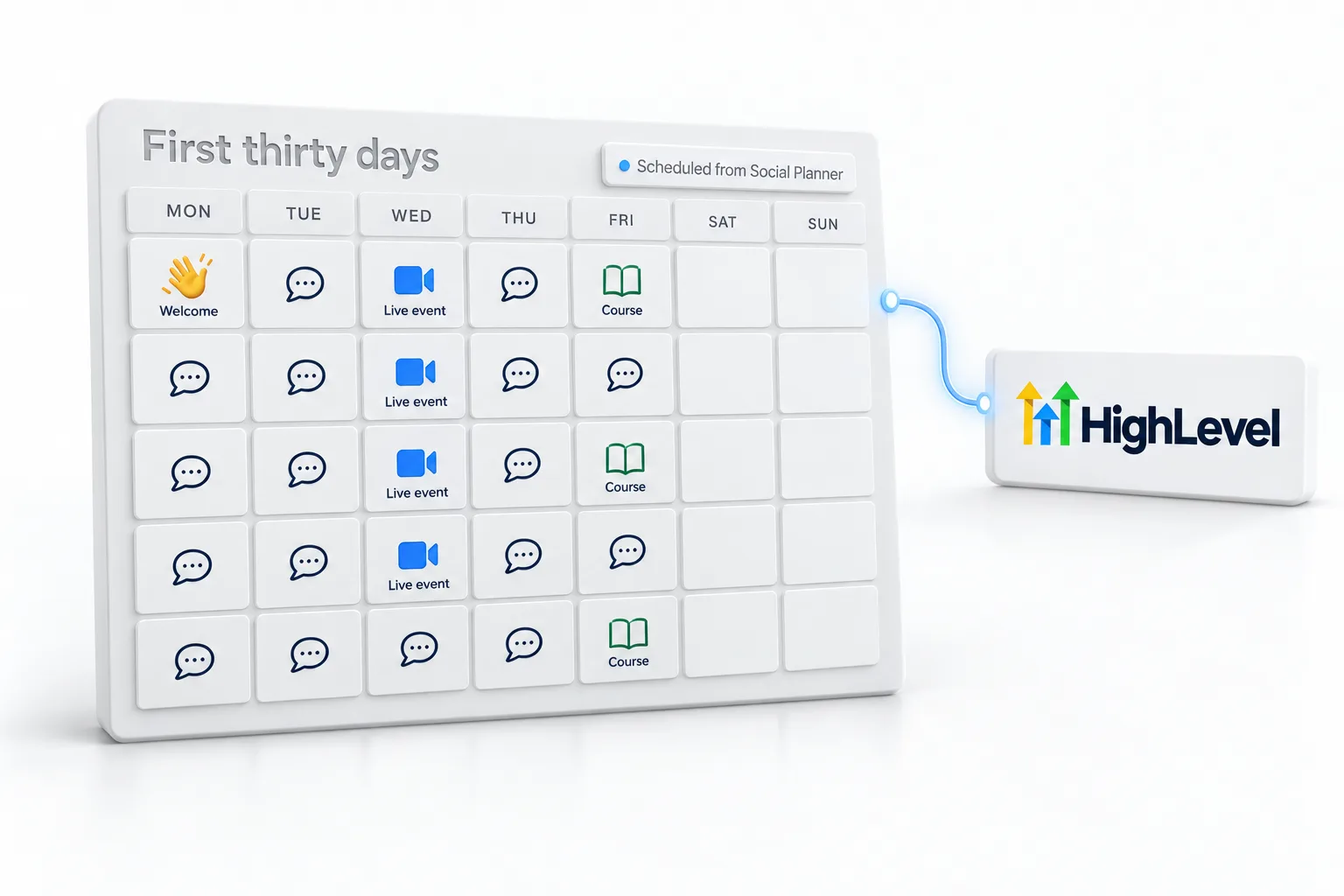
The first thirty days.
- Post every weekday for the first month
- Ask new members to introduce themselves
- Run one live event a week
- Schedule posts from Social Planner
- Link a course for structured learning
Before you start
What do you need before you launch a community?
A community is a promise to show up. Before you create the group in HighLevel (GoHighLevel), decide these.
- Who the community is for and what members get from it
- Free or paid, and the price if paid
- Stripe connected if you will charge
- A subdomain for the community and access to DNS
- A short list of first channels
- Twenty people you can invite personally
Test it
How do you test a new community?
Join your own community as a member.
- Invite a personal email address as a test member.
- Accept the invite and log in on the custom domain.
- Post in a channel and reply to it.
- If there is a paid plan, buy it with your own card and confirm the premium channel opens.
- Check that the member emails for invites and approvals read well.
Common mistakes
What mistakes should you avoid when you launch a community?
- Opening an empty room. Invite people you know first and post before they arrive.
- Too many channels. Start with a few. Empty channels make a group look quiet.
- No custom domain. Set the domain before you invite anyone, so links do not change later.
- No welcome. Members are contacts. Use a workflow to welcome each one and give a first task.
- Going quiet in week two. Post every weekday for the first month. Social Planner can schedule community posts.

Invite twenty people you know before you open the doors. An empty room scares new members away.
Questions
Common questions.
How do I create a community in HighLevel?
Go to Memberships, then Communities, and create a group. In Communities settings, set a custom domain and update DNS. Create channels, assign roles such as Admin or Contributor and set pricing plans if the community is paid. Review the member emails, then invite your first members and post a welcome.
Can I charge for access?
Yes. Set one or more pricing plans for the community and add premium channels for paid members. Connect Stripe before you charge. Decide free or paid, and the price, before you create the group. If you are still choosing a HighLevel plan, see the GoHighLevel plans compared.
Can I use my own domain?
Yes. Set a custom domain in Communities settings and update DNS with your domain provider. A subdomain works well. Set the domain before you invite anyone, so links do not change later. You need access to DNS for the domain, so confirm that login before you start.
Can I schedule community posts?
Yes. Social Planner can schedule community posts, because HighLevel Community is one of the accounts it supports. Post every weekday for the first month and schedule ahead so the group does not go quiet in week two. Pair scheduled posts with one live event a week.
Is a HighLevel community public or private?
You can run either a private or a public group, and you can add premium channels for paid members. Members are contacts in the CRM, so a workflow can welcome each one. For an example of a private group, see the CRM Pros affiliate community.
Can I run a course inside a community?
Yes. You can link a course for structured learning alongside the discussion. See create a course. Courses and communities both sit under Memberships, so learning and discussion stay in one place. Build the first lesson before you invite the first group.
Where do community members log in?
On the custom domain you set in Communities settings. For the wider member area, see set up a membership site. Share that address in your invite and welcome emails. You can build and test the whole group during a 30 day GoHighLevel trial through Michael's link.
What should I do first after I create a community?
Set the custom domain, create a few channels, assign roles and review the member emails. Then invite a small first group and post a welcome with one first task, so new members have something to do when they arrive. Check the community from a member account before you invite more people.
Next step
See it in your own account. Thirty days, every feature.
Start a trial, build the first system and test it before the first invoice. Usage fees for phone, SMS, email and AI can apply during the trial.
HighLevel has three plans at a flat monthly price, each with unlimited users and contacts. See what each one includes and what it costs.
Compare the PlansStarter, Unlimited and Founder