
Home/HighLevel/Agency/Client onboarding
GoHighLevel agency · Onboarding
Client onboarding system for agencies. The first week decides the relationship.
A client who feels lost in week one starts looking for the exit in month two. An onboarding system makes every client's first week the same: welcomed, asked the right questions, set up fast and checked on.
The short answer
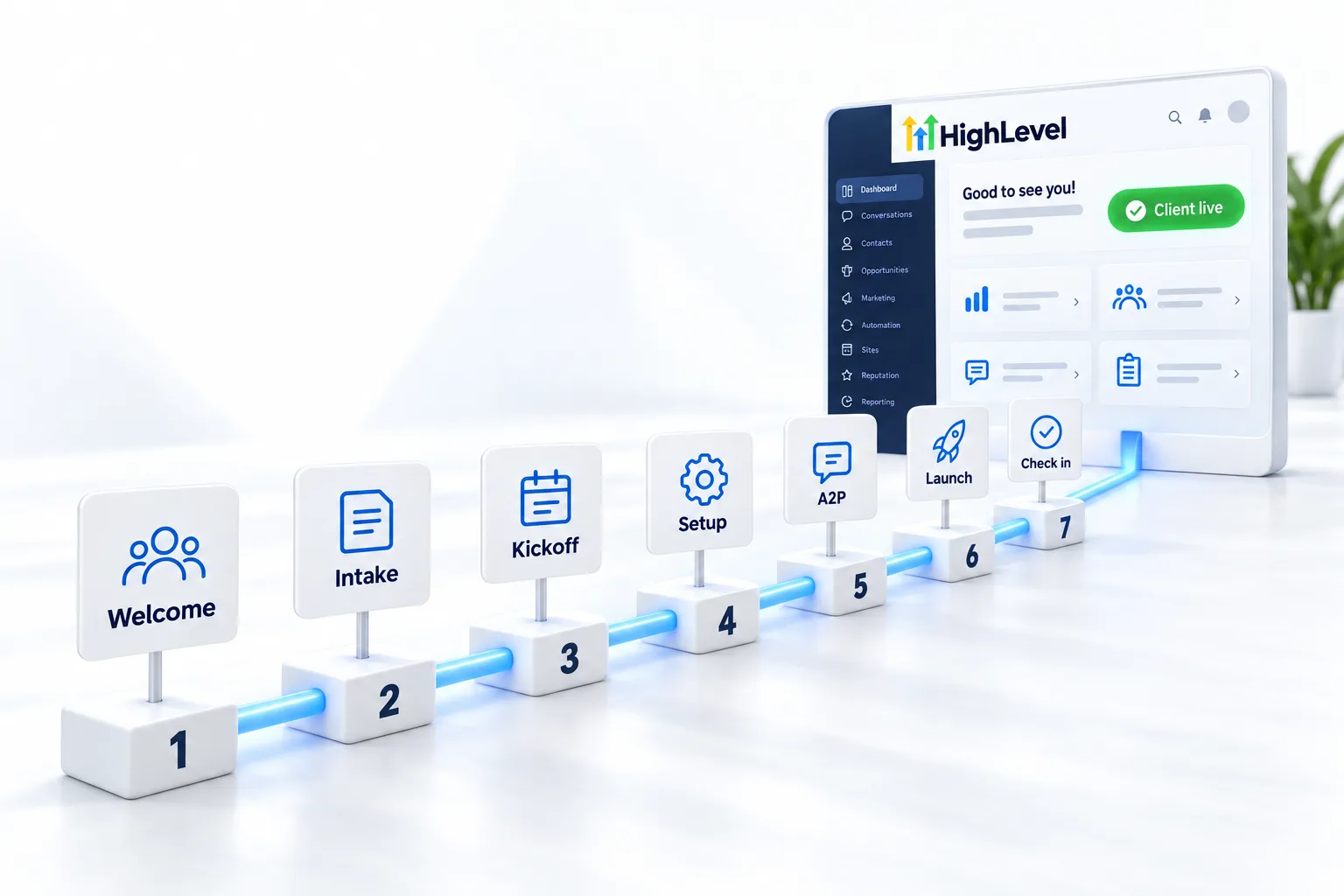
An agency onboarding system runs automatically when a deal is won: a welcome email and text, an intake form for business details and access, a booked kickoff call, a setup checklist that loads your snapshot, A2P registration started on day one, and a day seven check in. Build it once as a GoHighLevel workflow.
Michael is a sponsored HighLevel affiliate. Links to HighLevel use his partner link at no extra cost to you. HighLevel prices and product facts on this page come from HighLevel's own pricing page and help center, checked on the date above.
Week one
What happens in the first seven days?
| Day | What happens |
|---|---|
| 0 | Welcome email and text, intake form, kickoff booking link |
| 1 | Create subaccount from snapshot, start A2P |
| 2 | Kickoff call |
| 3 to 5 | Configure, connect domain, phone and calendar |
| 6 | Test everything |
| 7 | Check in and confirm launch plan |
Build
How do you automate client onboarding in HighLevel?
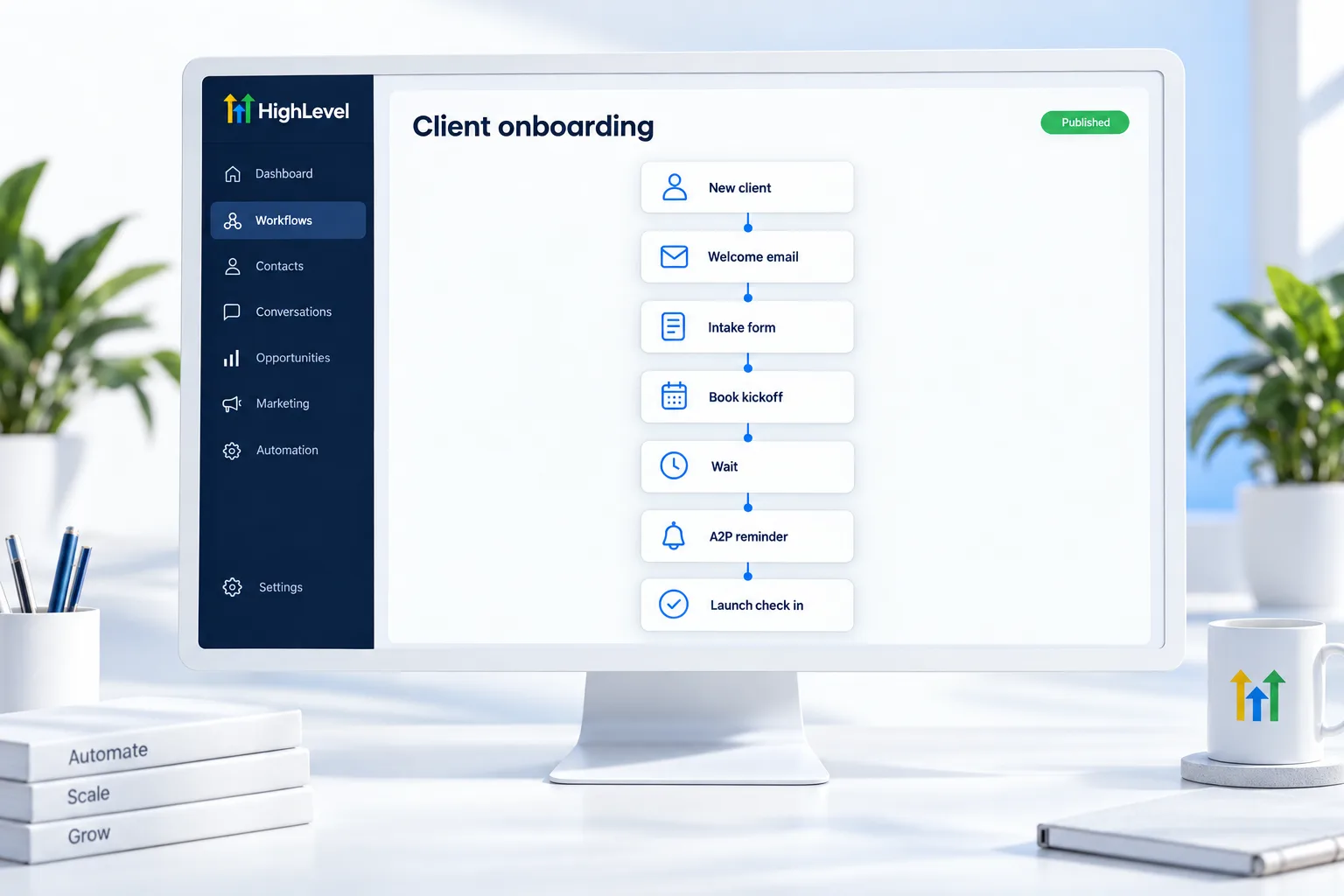
The step by step build is on how to build a client onboarding workflow.
- Trigger on opportunity won or invoice paid
- Tasks for each team member
- Reminder if the intake form is not submitted
- Internal alert when A2P status changes
Intake
What should the intake form ask for?
The intake form is where onboarding speeds up or stalls. Ask for everything you need to launch in one pass, so you are not sending follow up emails for a logo in week three.
- The legal business name and address, exactly as they appear on official records.
- Whether the business has an EIN or tax ID. You need this for A2P registration.
- Domain and DNS login access, or the name of the person who has it.
- Logo and brand colors.
- The email address of the calendar owner.
- The main goal for the first 30 days, in the client's words.
The legal name detail matters more than it looks. A2P registration is checked against official records, and a small mismatch can send it back. Build the form under Sites, Forms in your own HighLevel account, and add a reminder in the workflow if it has not been submitted after a couple of days. The register for A2P 10DLC page lists what carriers look for, including the footer links they check on the client's website.
Kickoff
What should you cover on the kickoff call?
The kickoff call is short, and it has one purpose: both sides leave knowing what happens next and who does it. Run it the same way every time.
- Repeat the goal back to the client in their own words.
- Walk through what you are building and what it will do in the first month.
- Confirm what you need from them and by when: access, approvals, a contact person.
- Explain the A2P wait, so a delay in texting does not come as a surprise.
- Agree how they reach you and how fast you reply.
- Book the launch review before you hang up.
Set expectations about timing honestly. Most of the build is in your hands, but carrier review of the texting registration is not, and it can take days. Clients are relaxed about a wait they were told about and annoyed by one they were not. Add your notes from the call to the client's record so your team can see them.
Launch
How do you launch and hand over to the client?
Days three to six are the build. Create the subaccount, load your snapshot, fill in the custom values, connect the domain, phone and calendar, and test every workflow while it is still in draft. Your launch checklist, covered on agency SOPs, keeps this identical for every client.
Before you call it live, do three things with the client watching. Have them call the number and hear the system answer. Have them submit their own website form and receive the follow up. And show them where to see results, whether that is the mobile app, a login to their subaccount with limited permissions, or the dashboard you will review together each month.
The day seven check in closes the loop. Ask what surprised them, fix anything small on the spot, and capture the before numbers for your client reporting while everyone still remembers them. A client who finishes week one with a working system and a clear view of it is far easier to keep. If you are new to GoHighLevel yourself, the setup help included through my link covers your own account in its first week.
For the build itself, follow how to build a client onboarding workflow in HighLevel. Onboarding sits between the sale and reporting in the GoHighLevel agency path. HighLevel Founder Plan explained and the Founder Plan, formerly Agency Pro page explain the plan that lets you rebill usage with markup from the first invoice, and the GoHighLevel 30 day trial through Michael's link gives you time to build and test the workflow before a client goes through it.

Start A2P on day one. It is the longest wait in every launch.
Questions
Common questions.
What should agency onboarding include?
Agency onboarding should include a welcome email and text, an intake form for business details and access, a booked kickoff call, a setup checklist that loads your snapshot, A2P registration started on day one and a check in on day seven. Run it the same way for every client, triggered automatically when the deal is won.
Can HighLevel automate onboarding?
Yes. Build a workflow triggered by an opportunity moved to won or a paid invoice. It sends the welcome message, the intake form and the kickoff booking link, creates tasks for your team and reminds the client if the form is not submitted. You build it once and every new client goes through it.
How long should onboarding take?
Aim for a launch plan within the first week. The welcome and intake form go out on day one, the kickoff call happens in the first few days and the client knows the launch date by day seven. Some steps, such as A2P approval, depend on carriers and can take longer.
Why start A2P so early?
Carrier review can take time, and it blocks texting until approved. If you wait until the system is built, the client sits with a finished setup that cannot send a text. Collect the legal business details in the intake form and submit the registration on day one, so approval runs alongside the build.
What do I need from a client to start onboarding?
Legal business details for A2P, domain access, branding, the calendar owner's email and their main goal for the first 30 days. Ask for all of it in one intake form instead of across several emails, and tell the client why each item is needed, so they send it the first time.
What should trigger the onboarding workflow?
An opportunity moved to won or a paid invoice, so the welcome, intake form and kickoff link go out automatically. Using one clear trigger means no new client is missed because someone forgot to send the welcome message by hand.
How do I stop onboarding stalling?
Collect everything in one intake form, add an automatic reminder if it is not submitted and give every task an owner. Review open onboardings in a pipeline every week, so a stuck client is noticed within days, not at the end of the month.
Next step
See it in your own account. Thirty days, every feature.
Start a trial, build the first system and test it before the first invoice. Usage fees for phone, SMS, email and AI can apply during the trial.
HighLevel has three plans at a flat monthly price, each with unlimited users and contacts. See what each one includes and what it costs.
Compare the PlansStarter, Unlimited and Founder