
Home/HighLevel/Integrations/Stripe
Integrations · Stripe
HighLevel Stripe integration. Payments across the platform.
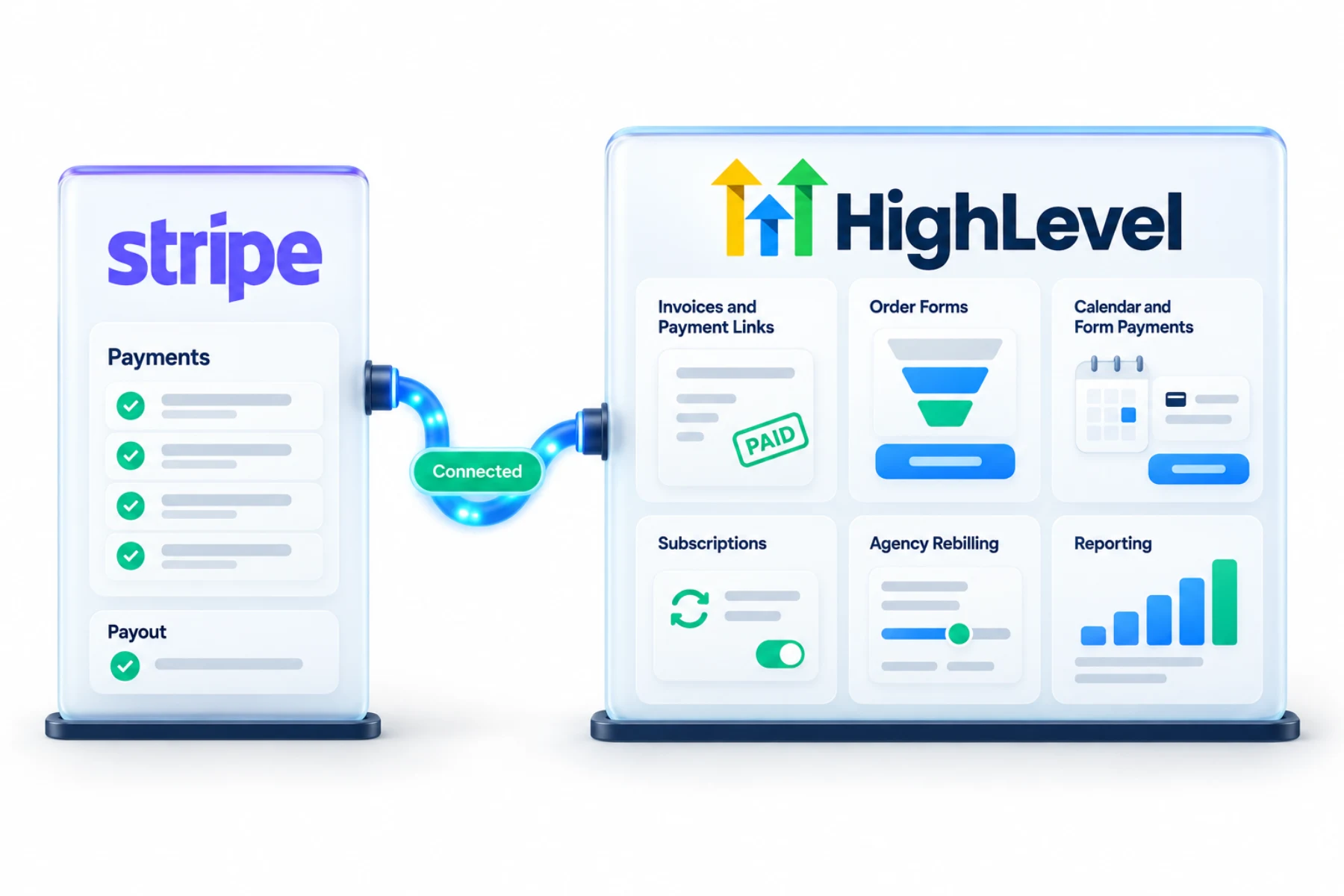
The GoHighLevel Stripe integration matters because Stripe is the most common payment provider in HighLevel. Each subaccount connects to one Stripe account and can then take payments on invoices, payment links, order forms, forms and calendars.
The short answer
For the GoHighLevel Stripe integration, connect Stripe in a subaccount's Payments, Integrations, authorize your Stripe account and confirm it shows connected. You can then take payments on invoices, payment links, order forms, forms and calendars. Agencies also connect Stripe at the agency level for rebilling and sellable software mode.
Michael is a sponsored HighLevel affiliate. Links to HighLevel use his partner link at no extra cost to you. HighLevel prices and product facts on this page come from HighLevel's own pricing page and help center, checked on the date above.
Connect
How do you connect Stripe to HighLevel?
Connect the Stripe account that belongs to the business, not yours. The money and any disputes should sit with the business that made the sale. If the business has no Stripe account yet, you can create one during the connection. The steps are the same in every subaccount of HighLevel, or GoHighLevel as it is still often called.
- In the subaccount, go to Payments, then Integrations.
- Click Connect on Stripe.
- Sign in to Stripe and authorize HighLevel.
- Confirm Stripe shows connected.
- Click Manage to review payment methods.
Uses
What can you do with Stripe and HighLevel?
Stripe is what turns a HighLevel page into a checkout. Once it shows connected, you can charge on invoices and estimates, payment links, funnel order forms, forms and calendars, and you can sell subscriptions and payment plans. A customer can book a paid consultation or pay an invoice from a text without leaving the flow.
- Invoices and payment links
- Funnel order forms and products
- Calendar and form payments
- Subscriptions and payment plans
- Agency rebilling
Roles
What does Stripe handle and what stays in HighLevel?
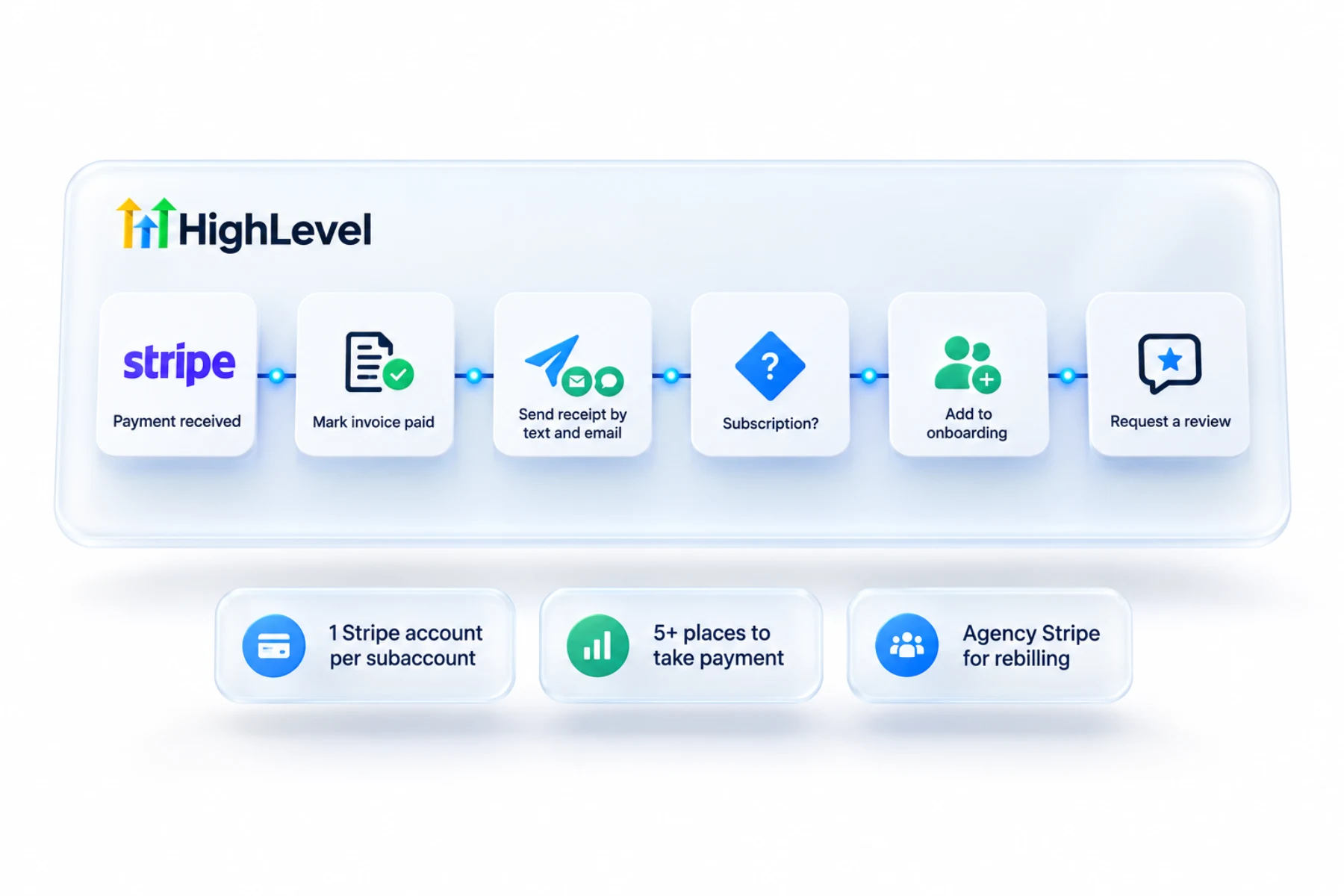
Stripe processes the payment and charges its normal processing fees on each one. Check Stripe's own pricing for your country. HighLevel is where you create the product, the invoice or the order form, and where the payment shows up against the contact so a workflow can react to it.
Each subaccount connects to one Stripe account at a time. Agencies also connect a Stripe account at the agency level, and that is a different job. The agency connection collects what clients pay you through rebilling and white label mode.
Limits
What are the limits to know about?
One Stripe account per subaccount means a business with two Stripe accounts has to choose. Keep the client's Stripe and your agency Stripe separate. Mixing them puts client sales and your software billing in one place, and that is hard to untangle.
After connecting, click Manage to review payment methods before you take a first payment. If charges fail, the troubleshooting guide linked below walks through the checks.
In practice
What does a first payment setup look like?
A simple start is an invoice. Connect Stripe, set your logo and terms, and send your first invoice by text and email. Next, sell from a page. Create a product with a price and add an order form to a funnel, as shown in build a funnel. A two step order form collects contact details first, so you can follow up with people who do not finish paying.
Some customers prefer another way to pay, which is where the PayPal integration comes in, and the books can follow through QuickBooks or Xero.
Test
How do you test the connection?
Return to Payments, Integrations and confirm Stripe shows as connected. Then make a real test. Create a low priced product or a small invoice, pay it yourself and watch the payment appear against your contact in HighLevel and in the Stripe dashboard. Refund it afterward. It is a short check, and it is far better than finding a problem on a customer's first payment.
The click by click steps are in connect Stripe, and the short answer is in does HighLevel integrate with Stripe. To test the Stripe connection in your own account, use the 30 day trial through Michael's link. GoHighLevel pricing lists what each plan costs, and who should get the Founder Plan explains when the top tier makes sense.
Taking payments with Square? Read does GoHighLevel integrate with Square.

Connect the client's own Stripe for client payments, and your agency Stripe for rebilling. Keep them separate.
Questions
Common questions.
How do I connect Stripe to HighLevel?
In the subaccount, go to Payments, then Integrations, click Connect on Stripe, sign in to Stripe and authorize HighLevel. Confirm Stripe shows connected, then click Manage to review payment methods. If the business has no Stripe account yet, you can create one during the connection. Then make a small real test payment.
How many Stripe accounts per subaccount?
One at a time. Each subaccount connects to one Stripe account, so a business with two Stripe accounts has to choose. Agencies also connect a Stripe account at the agency level, which is a different job. Keep the client's Stripe and your agency Stripe separate.
Where can I take payments?
Invoices and estimates, payment links, funnel order forms, forms and calendars. With Stripe connected you can also sell subscriptions and payment plans. A customer can book a paid consultation or pay an invoice from a text without leaving the flow, and the payment shows up against the contact in HighLevel.
Does the agency need Stripe?
Yes, for rebilling and sellable software mode. Agencies connect a Stripe account at the agency level, and that connection collects what clients pay the agency through rebilling and white label mode. It is separate from each client's own Stripe account, which is connected inside that client's subaccount.
Does HighLevel charge a fee on Stripe payments?
Stripe charges its normal processing fees on each payment. Check Stripe's own pricing for your country. HighLevel is where you create the product, invoice or order form, and where the payment shows up against the contact. For HighLevel's own plan and usage costs, see the pricing pages on this site.
Whose Stripe account should I connect?
The business owner's, in their subaccount. Agencies connect their own Stripe at the agency level for rebilling. Connect the Stripe account that belongs to the business, not yours, because the money and any disputes should sit with the business that made the sale. You can create one during the connection.
Can I sell subscriptions through Stripe in HighLevel?
Yes. HighLevel supports subscriptions and payment plans with Stripe connected. To sell from a page, create a product with a price and add an order form to a funnel. A two step order form collects contact details first, so you can follow up with people who do not finish paying.
Next step
See it in your own account. Thirty days, every feature.
Start a trial, build the first system and test it before the first invoice. Usage fees for phone, SMS, email and AI can apply during the trial.
HighLevel has three plans at a flat monthly price, each with unlimited users and contacts. See what each one includes and what it costs.
Compare the PlansStarter, Unlimited and Founder