
01Who this is for
- Founders who need rapid follow up after sales calls, because the trigger delivers call content right away to automation.
- Support managers who want to capture objection or intent notes directly from call transcripts for each contact.
02Transcript generated triggers, explained
The Transcript Generated trigger activates a workflow the moment a call transcript is ready. It passes details like the full text, duration, direction, caller location and timestamps into the automation. The trigger works for Voice AI, IVR, and LC Phone calls when transcription is turned on.
In the workflow editor the trigger appears as a selectable event. After it fires you can add any HighLevel actions, email, task creation, field updates, or AI driven decisions, using the transcript data. Filters let you limit execution by call type, direction, or minimum duration.
03How businesses use the transcript generated trigger
- Dental practice. The practice adds the trigger to a workflow that tags contacts with the word "pain" found in the transcript. When a patient calls and the transcript includes that keyword, the workflow updates the contact record and schedules a follow up reminder for the dentist.
- Real estate agency. Agents enable transcription for inbound listing calls, then use the trigger to create tasks for each call that exceeds two minutes. The workflow pulls the transcript into a note field, so the agent can review the conversation before the next contact.
- Online coaching business. The business configures the trigger to send a localized email after a Voice AI call. If translation is active, the workflow includes the translated summary in the email, providing the client with a quick recap in their preferred language.
04The numbers and rules that matter
- Transcripts up to 16 KB can be stored in Custom Fields.
05Before you start
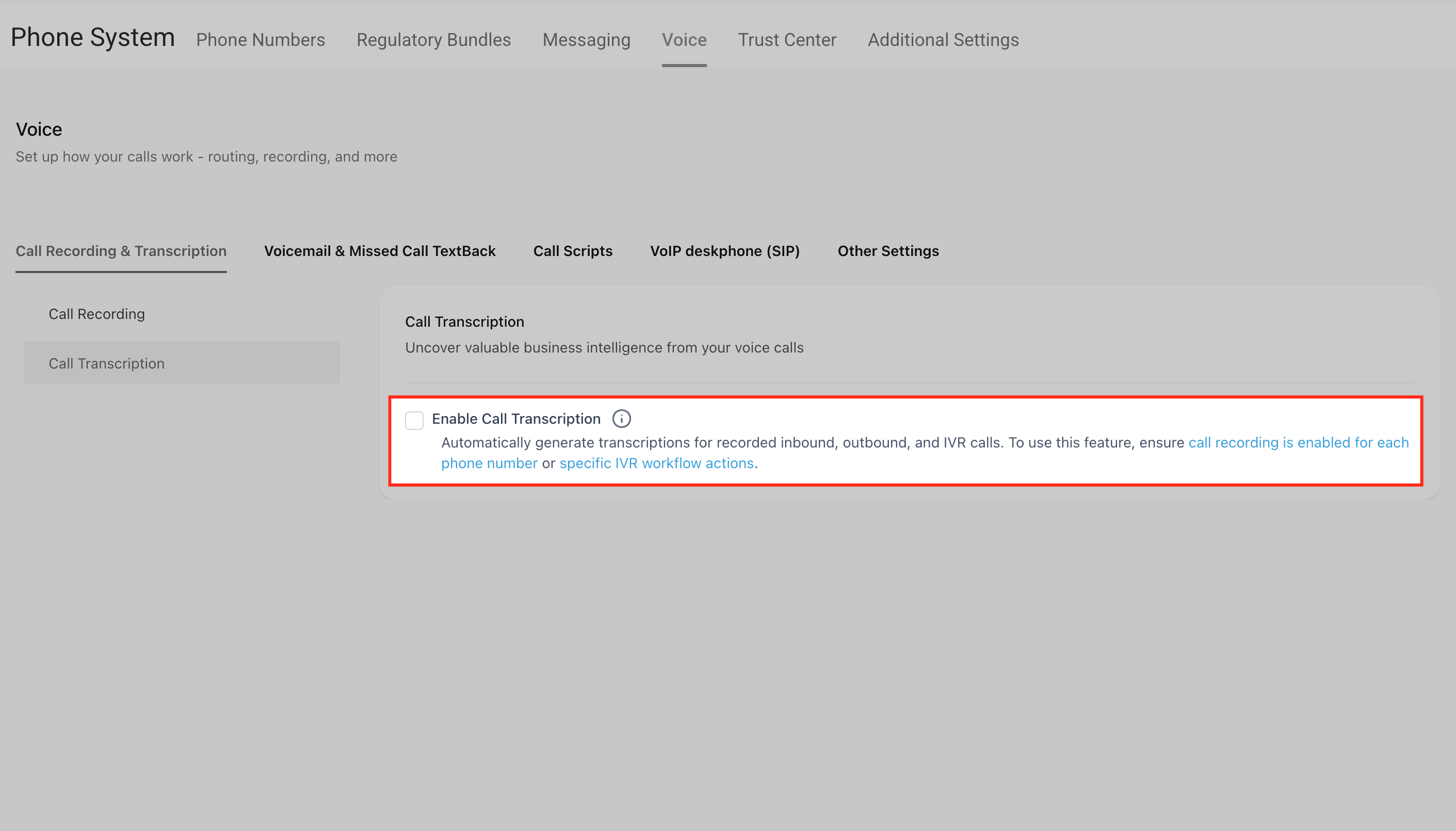
- Transcription must be enabled for LC Phone calls in Phone Settings or for IVR calls in IVR Settings. Voice AI calls have transcription on by default.
06How to set up and use the transcript generated trigger in HighLevel
Set up Transcript Generated trigger
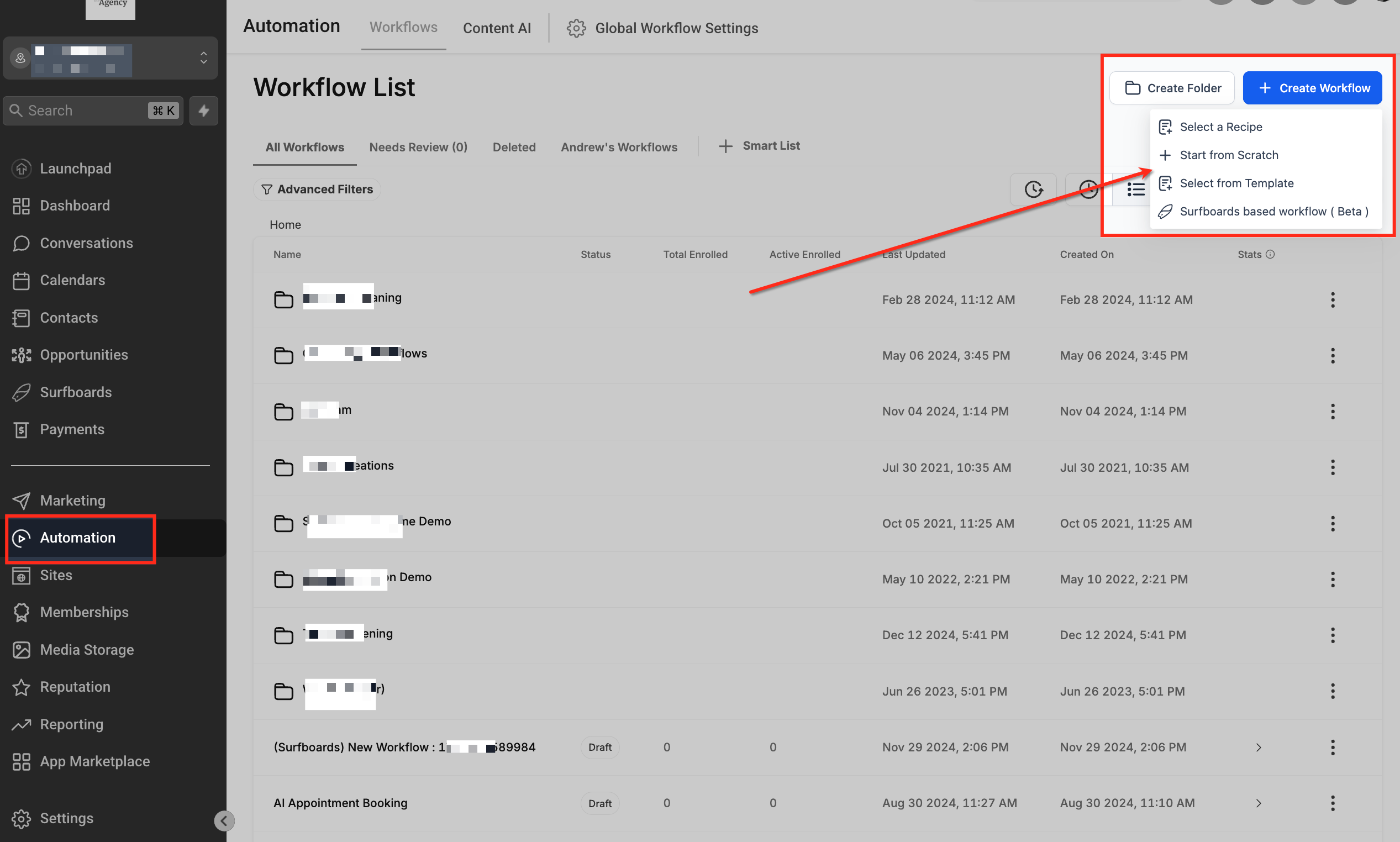
- Open Automation > Workflows and click the + Create Workflow button.
- Select Start from Scratch or open an existing workflow to edit.
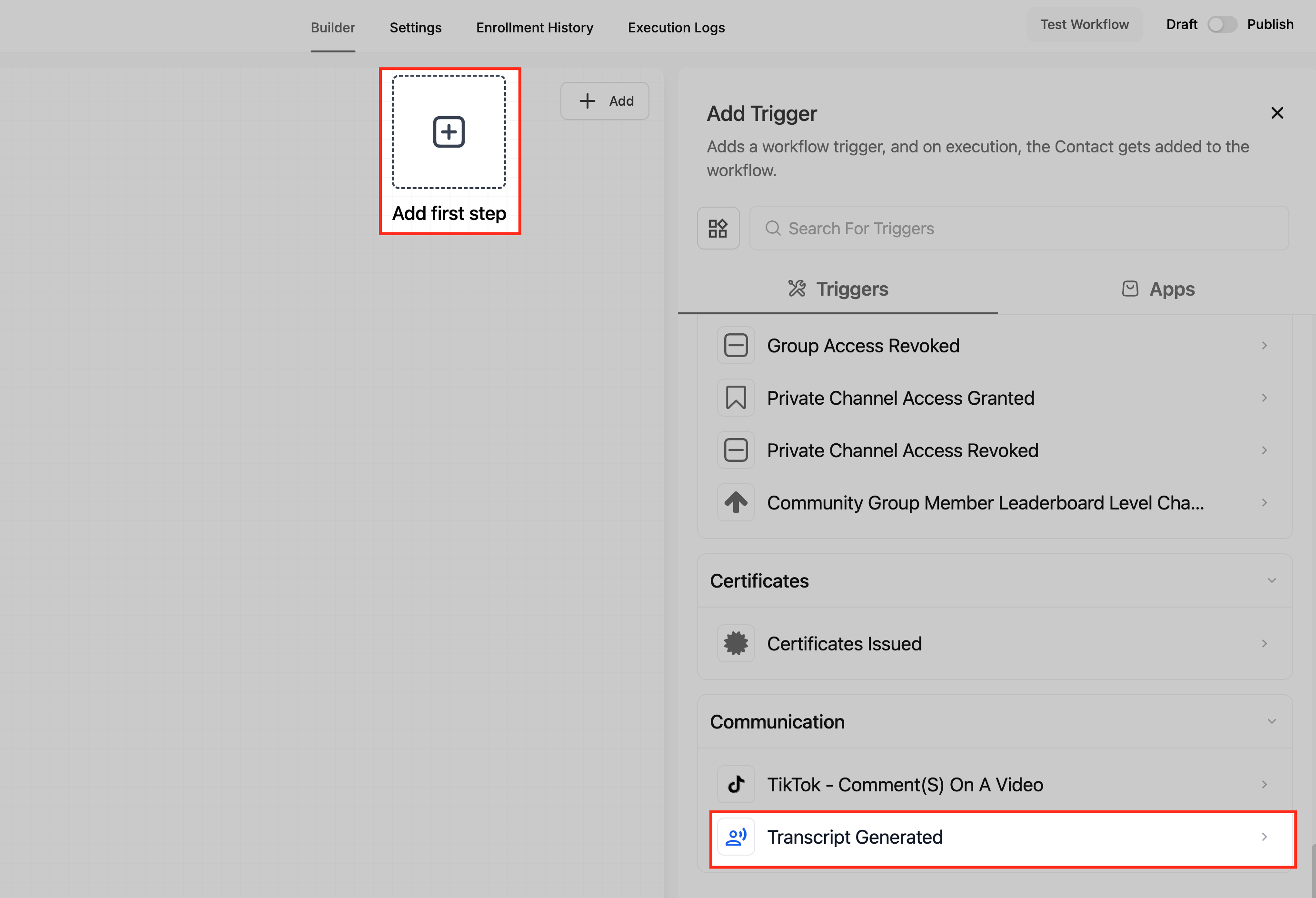
- Click Add New Trigger and choose Transcript Generated from the list.
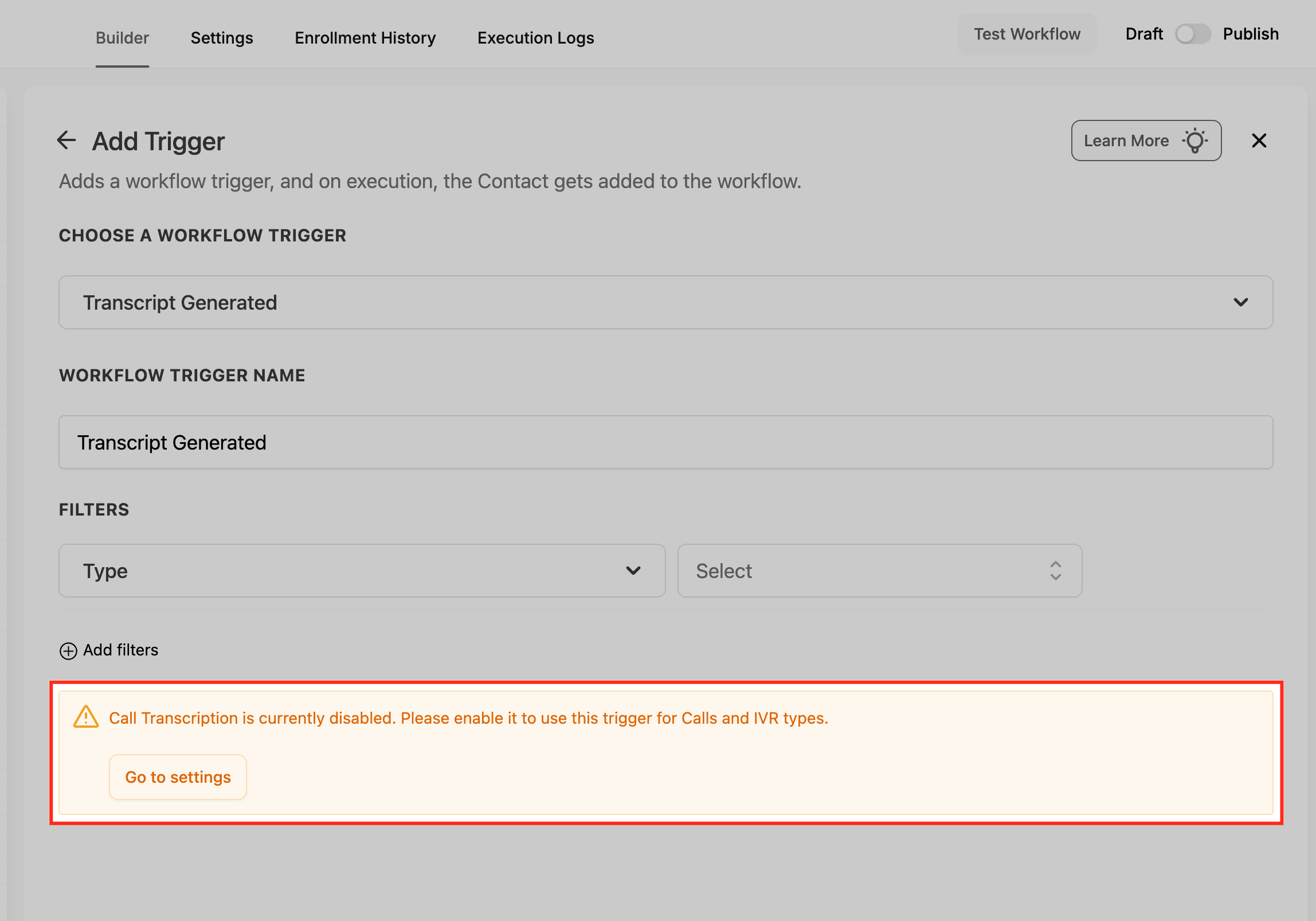
- Make sure transcription is active: for Voice AI it is default; for LC Phone or IVR click the CTA link in the trigger configuration to enable it in the corresponding settings.
- If transcription is not enabled, the workflow will display a prompt directing you to the appropriate settings page.
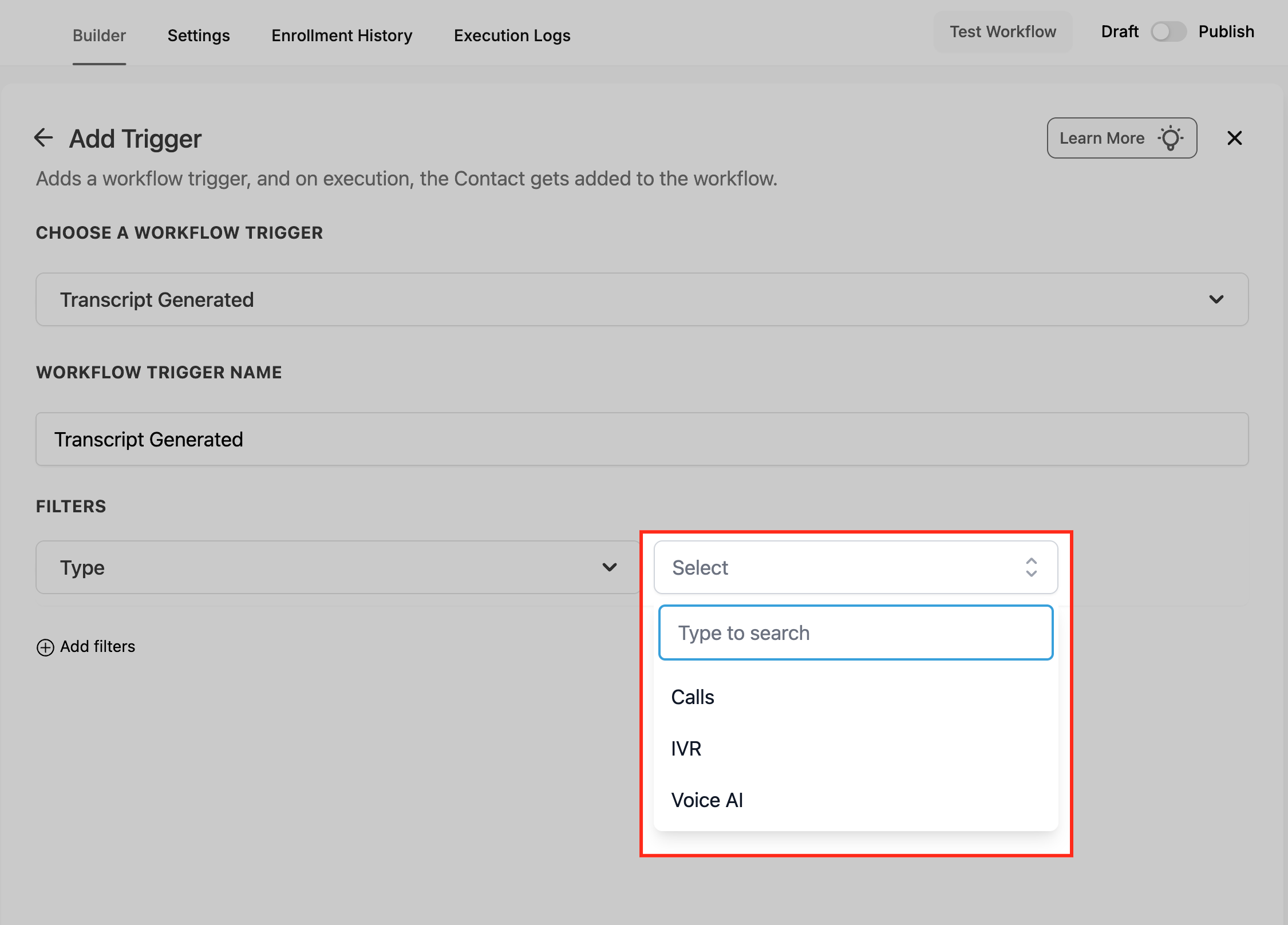
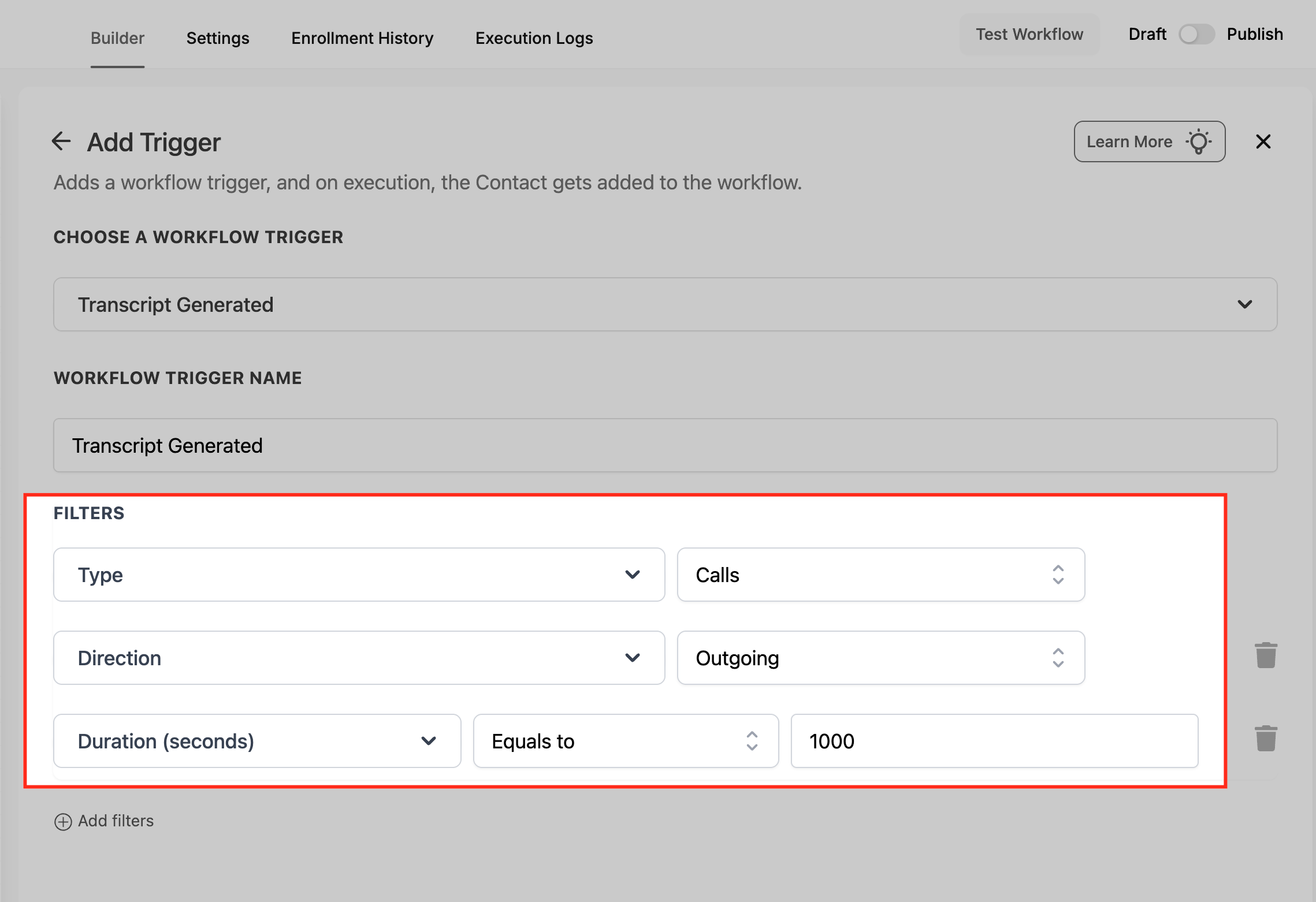
- Optionally add filters such as Call Type, Call Direction, or a minimum Call Duration.
- Click Save Trigger, add the desired actions, then change the workflow status from Draft to Publish.
07What it looks like in HighLevel
08Settings that matter
- Transcription. Controls whether a call is transcribed; the trigger only fires when transcription is on for the call type.
- Call Type. Filters the trigger to fire only for Voice AI, IVR, or Normal calls.
- Call Direction. Optional filter that limits the trigger to inbound or outbound calls.
- Call Duration. Optional filter that requires a minimum length, such as greater than 30 seconds, before the trigger fires.
09Things to know before you rely on it
- The trigger works only for calls recorded and transcribed inside HighLevel; imported or external call logs do not activate it.
- If transcription fails completely, the trigger will not fire. Partial transcripts cause the workflow to run, but missing text appears as blank in the {{full transcript}} value.
- Transcripts stored in custom fields are limited to 16 KB; longer texts should be saved in a note field or via a file URL.
10If something goes wrong
- Transcription fails or only partial audio is available. The trigger will not fire for a failed transcript. For partial transcripts the workflow runs, but missing sections appear blank in the transcript custom value.
11How it connects to the rest of HighLevel
- Read about other trigger types in HighLevel Triggers overview
- Learn how to combine triggers, filters, and actions in a workflow Workflow creation guide
- Explore HighLevel pricing and plans for workflow access Pricing
Michael's take

The transcript generated trigger is a reliable way to automate postcall work.
If your team relies on imported call logs or does not need automated follow ups, you can skip this feature.