
01Who this is for
- Agencies that charge per lead can automate billing and avoid chasing invoices.
- Service providers who collect a fee for each appointment can ensure payment is captured right away.
- Businesses that need to collect a one time fee after a form submission can streamline the process.
02Stripe one time charges, explained
The Stripe One Time Charge workflow action creates a payment in Stripe whenever a workflow trigger fires. The action pulls the Stripe Customer ID stored for the contact and charges the amount you specify. It records the transaction description, amount, and currency in both HighLevel and Stripe.
You build the action inside a HighLevel workflow. First you select a trigger, such as a form submission or an appointment confirmation. Then you add the Stripe One Time Charge action, fill in the required fields, and publish the workflow. When the trigger event occurs, the platform contacts Stripe, creates the charge, and logs the result.
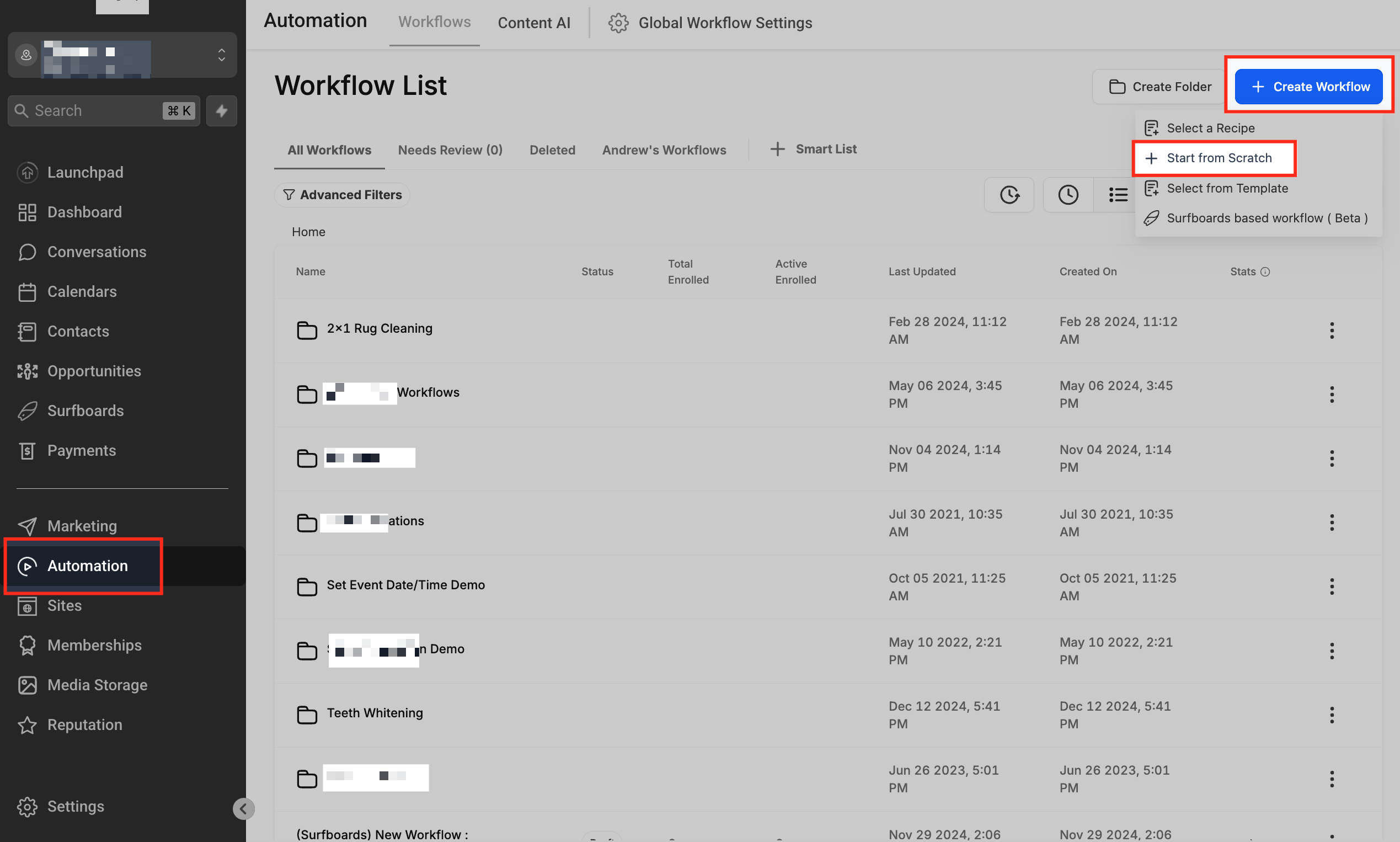
The feature lives in the workflow builder under Automation > Workflows. It is available after you link a Stripe account to the same HighLevel subaccount where the workflow runs.
03How businesses use Stripe one time charge workflow action
- Digital marketing agency. The agency creates a workflow that triggers on each qualified lead form submission. The Stripe One Time Charge action pulls the client’s Stripe Customer ID and charges the agreed lead fee automatically.
- Medical clinic. The clinic sets a workflow to trigger when a patient books an appointment. The action uses the patient’s Stripe Customer ID to charge a consultation fee right after the booking is confirmed.
- Online course provider. The provider builds a workflow that fires when a student completes a registration form. The workflow’s Stripe One Time Charge action records a description of the course fee, selects the appropriate amount and currency, and charges the student’s Stripe account.
04Before you start
- A Stripe account must exist.
- The Stripe account needs to be linked to the HighLevel subaccount.
- A valid Stripe Customer ID for the contact must be available.
05How to set up and use Stripe one time charge workflow action in HighLevel
Integrate Stripe with HighLevel
- Open the Settings area of the HighLevel subaccount where the automation will run.
- Select the Integrations tab.
- Click Connect to Your Stripe Account.
- Log in to Stripe and approve the connection for HighLevel.
Configure Stripe onetime charge action
- Create a new workflow or open an existing one under Automation > Workflows.
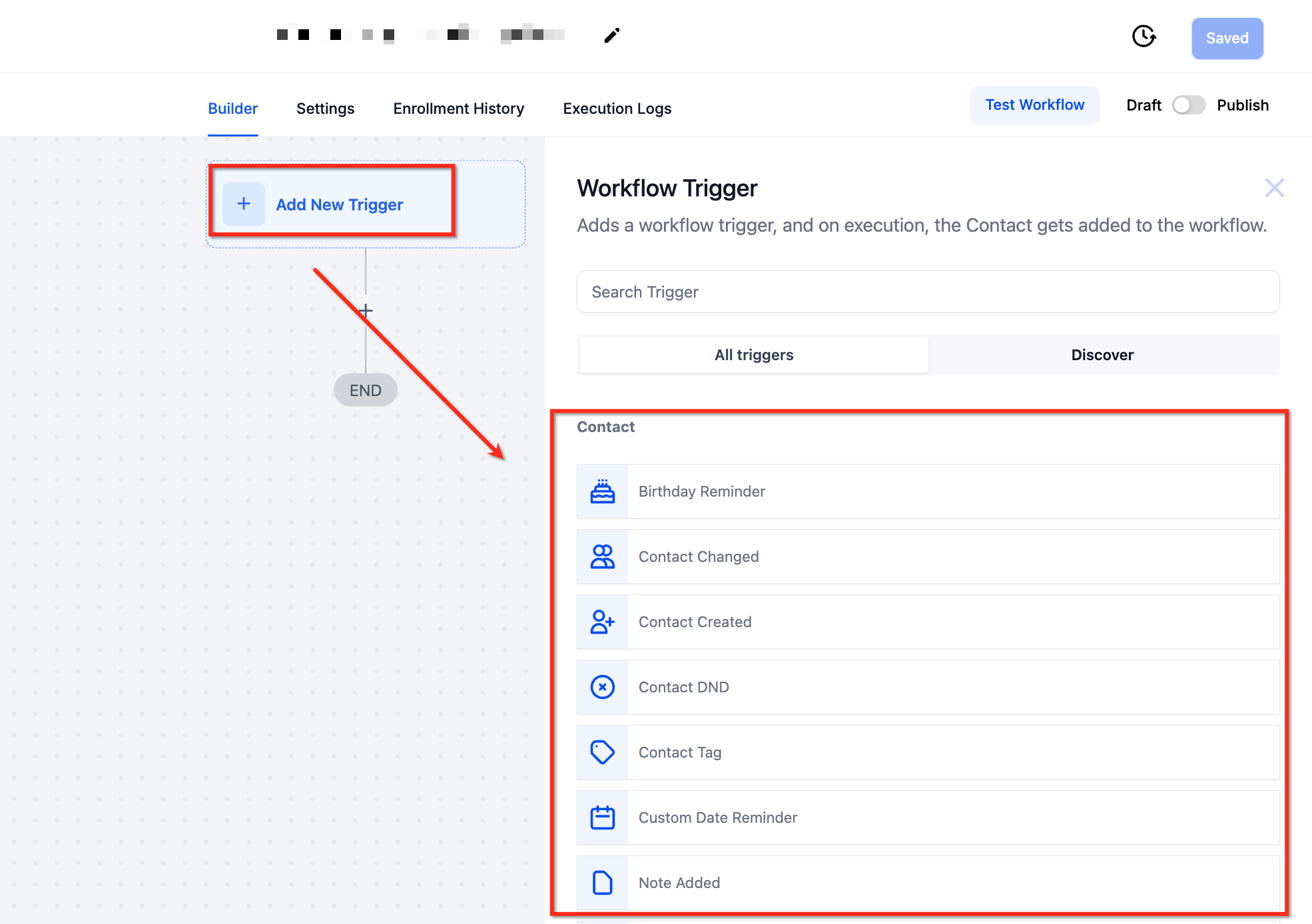
- Add a trigger such as Form Submission or Appointment Booking and apply any needed filters.
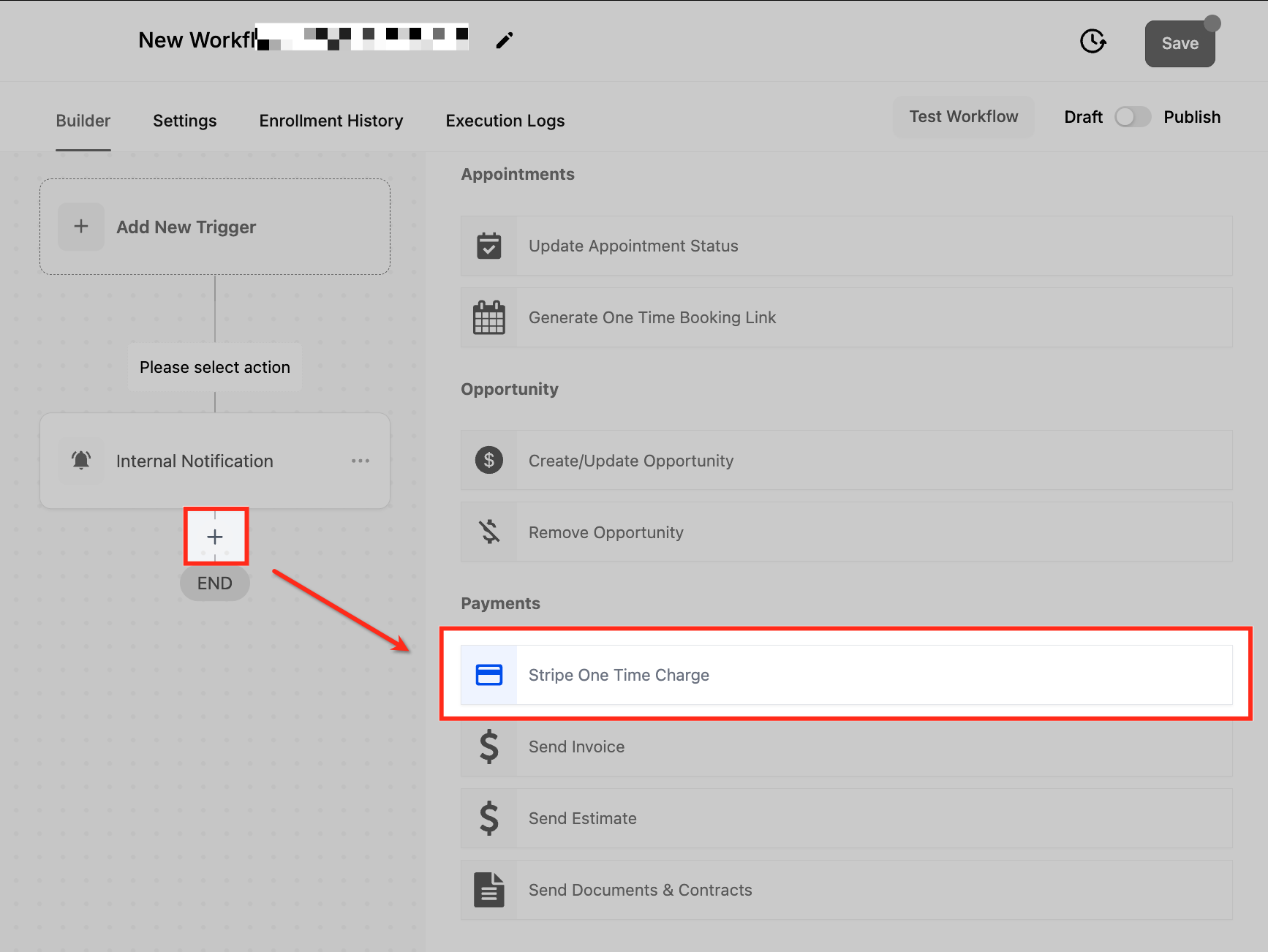
- Click the plus icon, search for Stripe One Time Charge, and select it.
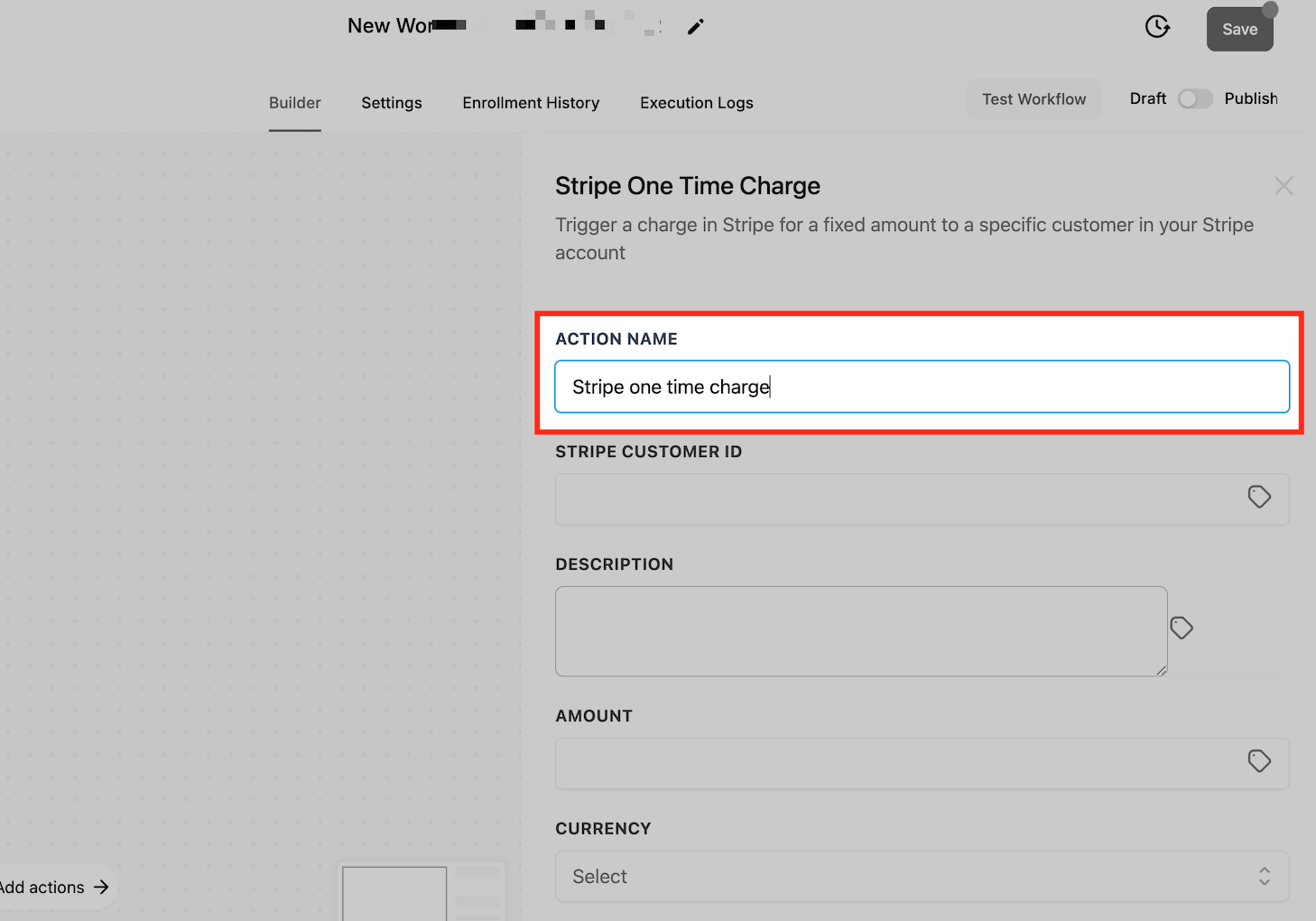
- Rename the default action name to a descriptive label if desired.
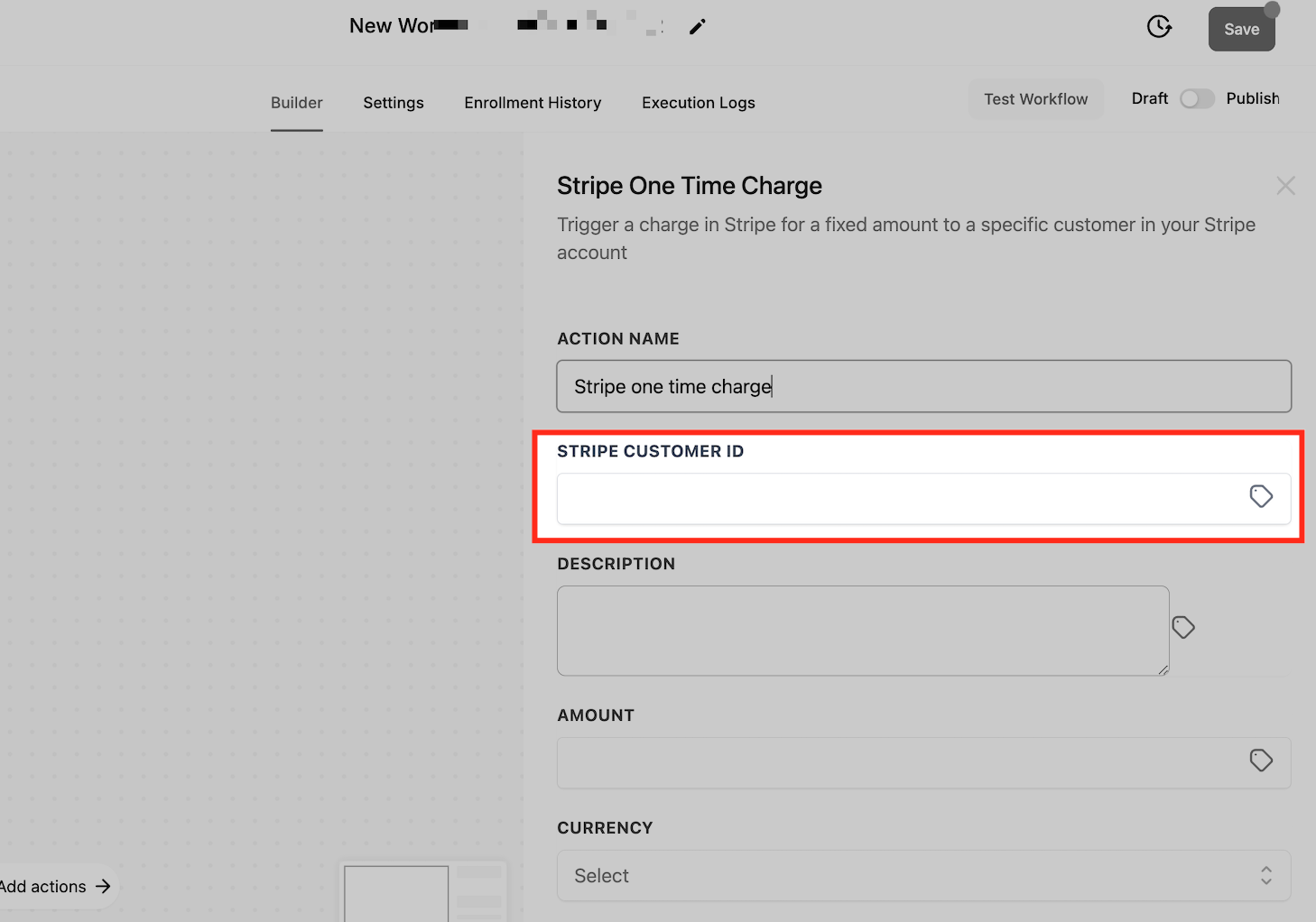
- Enter the Stripe Customer ID of the person to be charged.
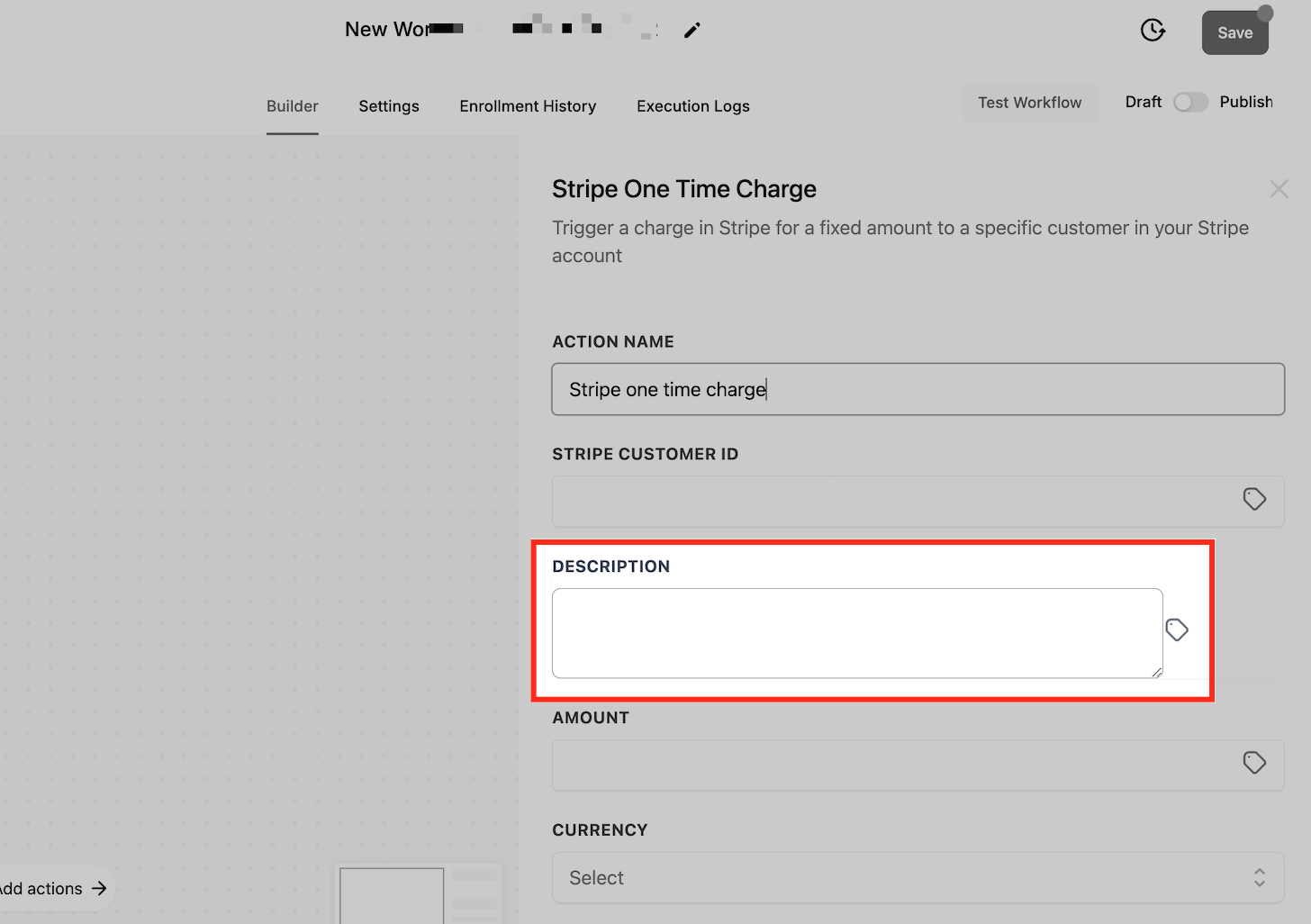
- Provide a description that will appear on the Stripe transaction.
- Set the charge amount, using a static value or a dynamic variable if needed.
- Choose the currency for the payment from the dropdown list.
- Click Save and then enable the Publish toggle to activate the workflow.
Test the workflow
- Perform the trigger action, such as submitting the form or booking an appointment.
- Open the Enrollment History tab in the workflow builder to see if the charge was recorded.
- Log in to Stripe and verify that the payment appears in the transaction list.
06What it looks like in HighLevel
07Settings that matter
- Customer ID. Specifies the Stripe Customer record that will be charged; the workflow cannot process a payment without this identifier.
- Description. Adds a text note to the transaction for reference in Stripe and HighLevel records.
- Amount. Determines the dollar (or other currency) value of the one time charge; can be static or set dynamically.
- Currency. Selects the currency in which the charge is processed.
08Things to know before you rely on it
- The action creates only one time charges; it does not handle recurring subscription payments.
- A Stripe Customer ID is mandatory; the action will not run without it.
- If Stripe returns an error, the charge fails and no payment is recorded.
- Refunds must be issued manually within Stripe.
- The feature is intended for agencies to charge subaccount admins, not for subaccounts to charge their contacts.
09If something goes wrong
- Payment fails. Check the Stripe transaction history for the error details; the workflow will show no successful charge.
- Missing Stripe Customer ID. Provide a valid Customer ID in the action settings; create a customer in Stripe if none exists.
10How it connects to the rest of HighLevel
- Step by step guide for adding a Stripe one time charge action Stripe one time charge setup
- Introduction to HighLevel workflows and automations Workflow basics
- Overview of all workflow features in HighLevel All workflows
Michael's take

Stripe One Time Charge automates the exact moment a lead or appointment becomes billable, turning what used to be a manual invoice chase into a smooth payment.
Don’t forget to verify that each contact actually has a Stripe Customer ID before the workflow runs.