
01Who this is for
- Coaches who need a quick way to reveal a client’s strongest trait for tailored programs.
- HR managers wanting to identify skill gaps by showing the lowest scoring competency.
- Marketing agencies creating brand archetype quizzes to personalize follow up content.
02Personality style quizzes, explained
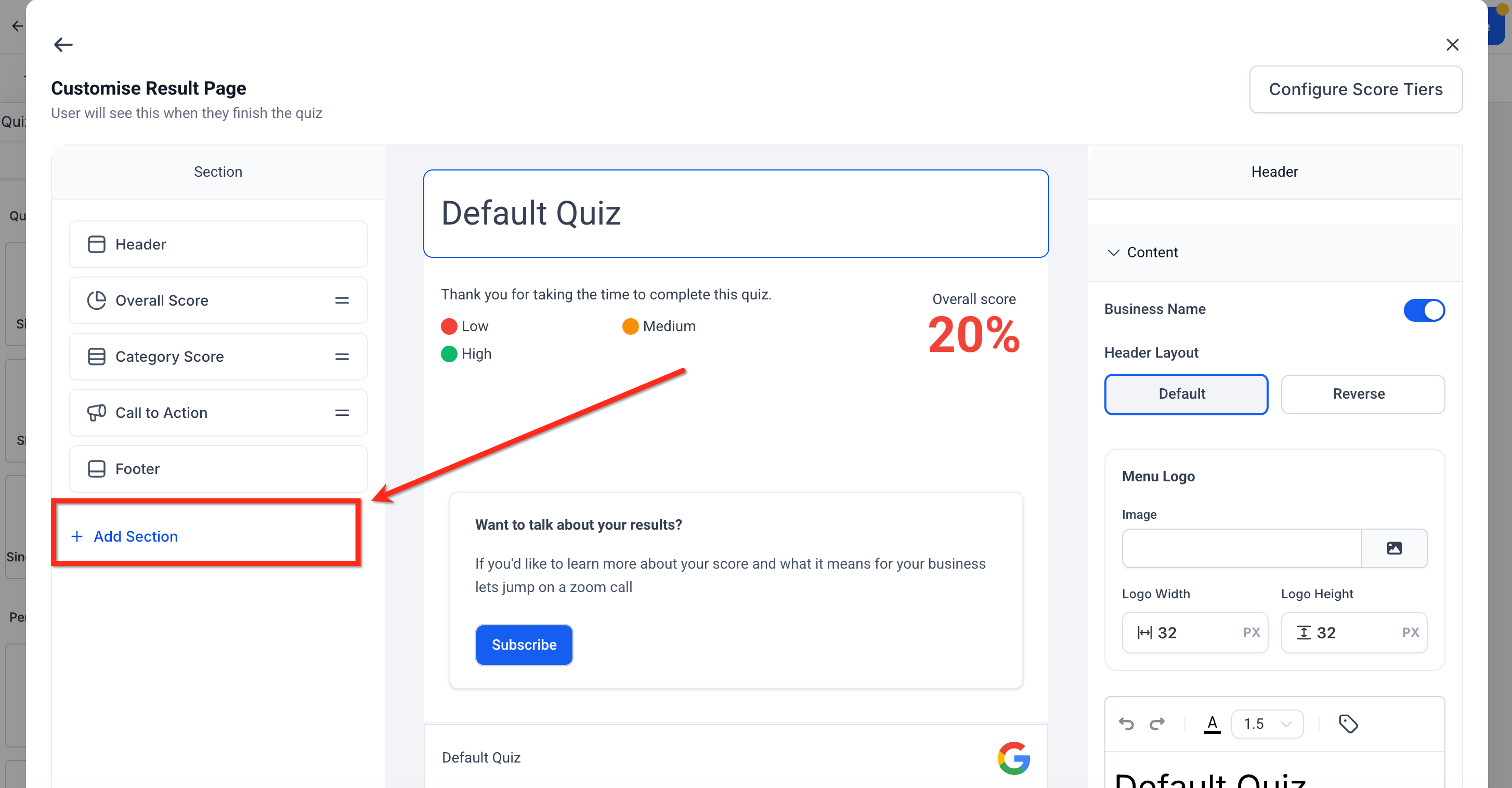
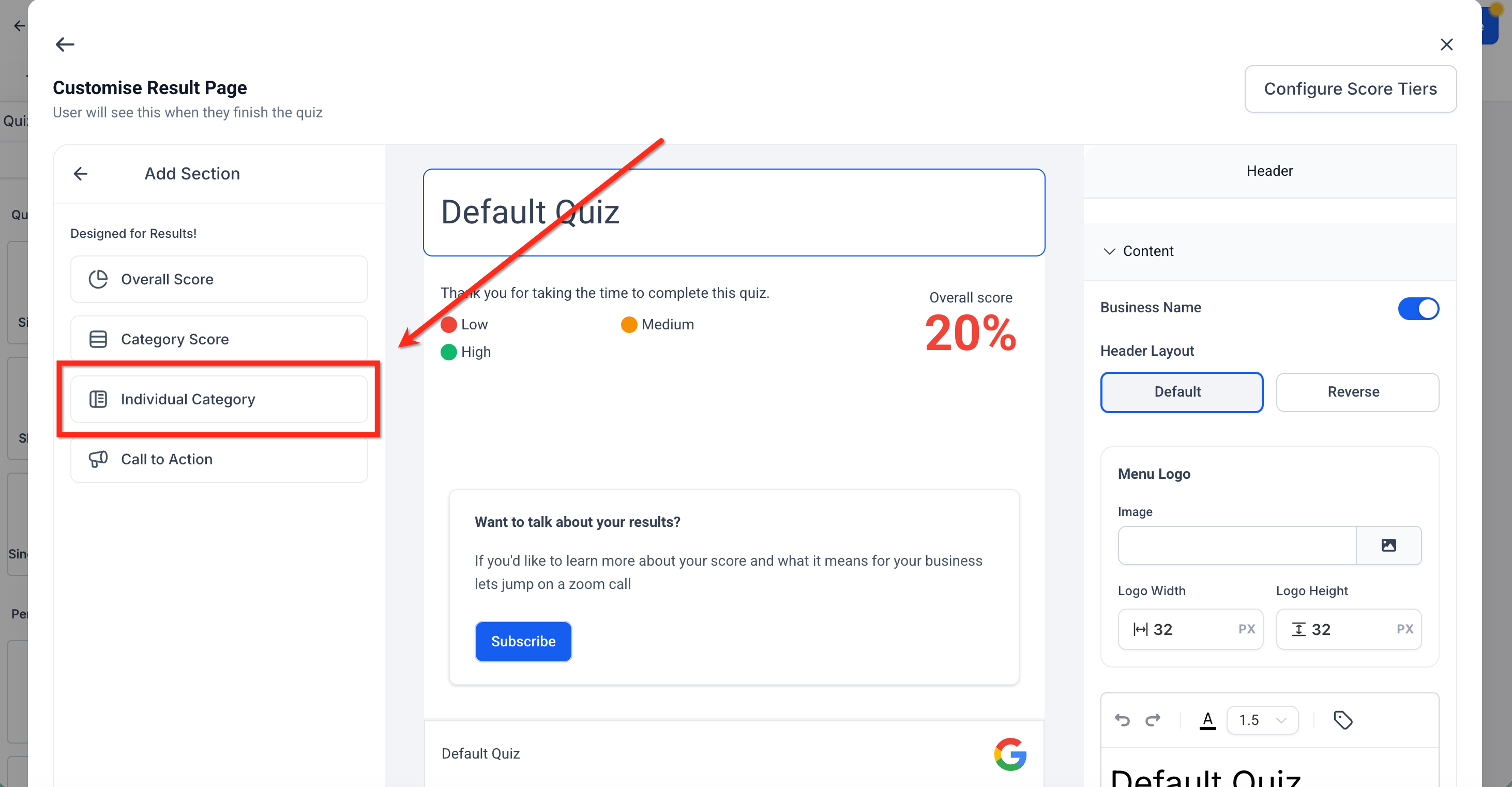
The feature lets you decide which category appears in the result view of a quiz built in HighLevel. After answers are submitted, the platform adds the points, picks either the highest or lowest total, and injects that data into the result page. The selection is made inside the Individual Category section of the result editor.
You find the controls on the Result Page editor. Add a new section, choose Individual Category, and then set the display option to Highest Category or Lowest Category. The editor also lets you place dynamic placeholders such as {{quiz_tags.highest_category_name}} to show the name and score of the chosen category.
03How businesses use personality style quizzes
- Business coaching practice. Create a quiz that groups questions by leadership styles. Set the result page to show the Highest Category so each client sees their dominant style immediately. Use the dynamic tags to embed their style name and score in a personalized follow up message.
- Corporate training department. Build an assessment that scores technical, communication, and problem solving skills. Choose the Lowest Category on the result page to highlight the skill area that needs development. Insert the lowest score tag into a recommendation block.
- Ecommerce brand. Design a style quiz that sorts shoppers into fashion archetypes. Display the Highest Category so visitors see their primary style and receive product suggestions linked via a CTA button on the same page.
04The numbers and rules that matter
- Score tiers: Low = 0, 40%, Medium = 41, 70%, High = 71, 100%.
05How to set up and use personality style quizzes in HighLevel
Configure a personality style quiz to show highest or lowest category
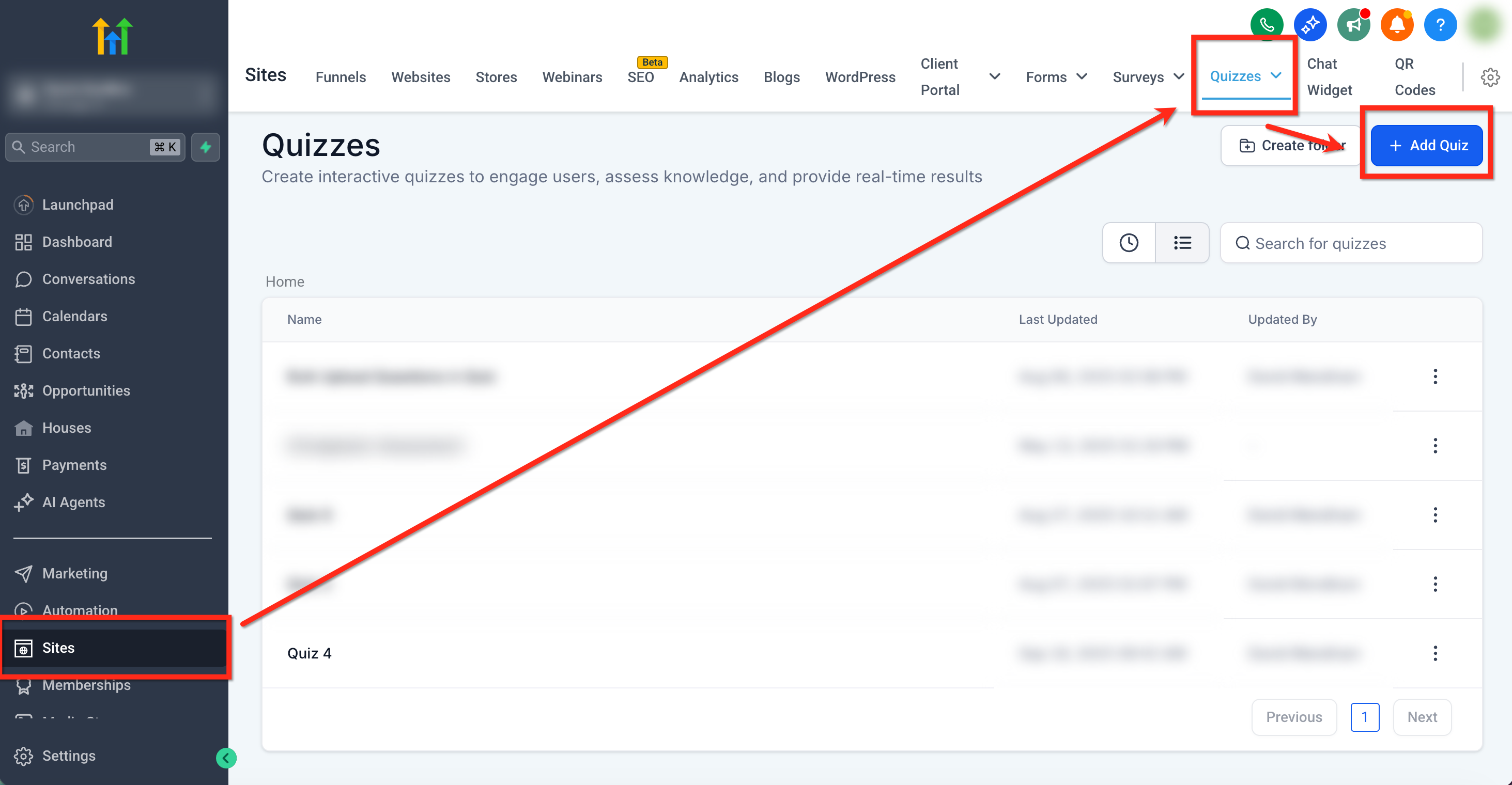
- Open Sites > Quizzes > + Add Quiz (or select an existing quiz).
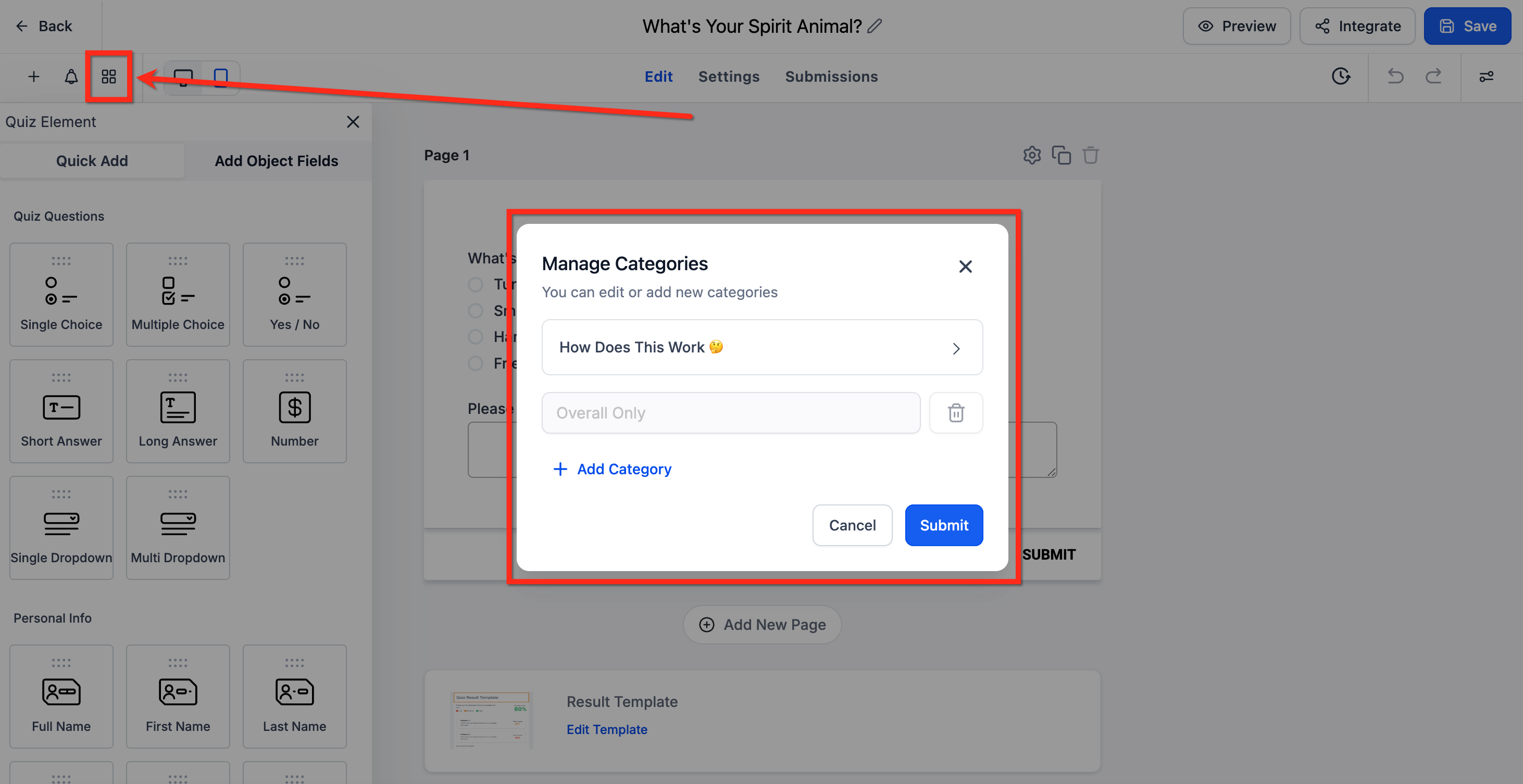
- Click 'Manage Categories' and add the categories you want to score.
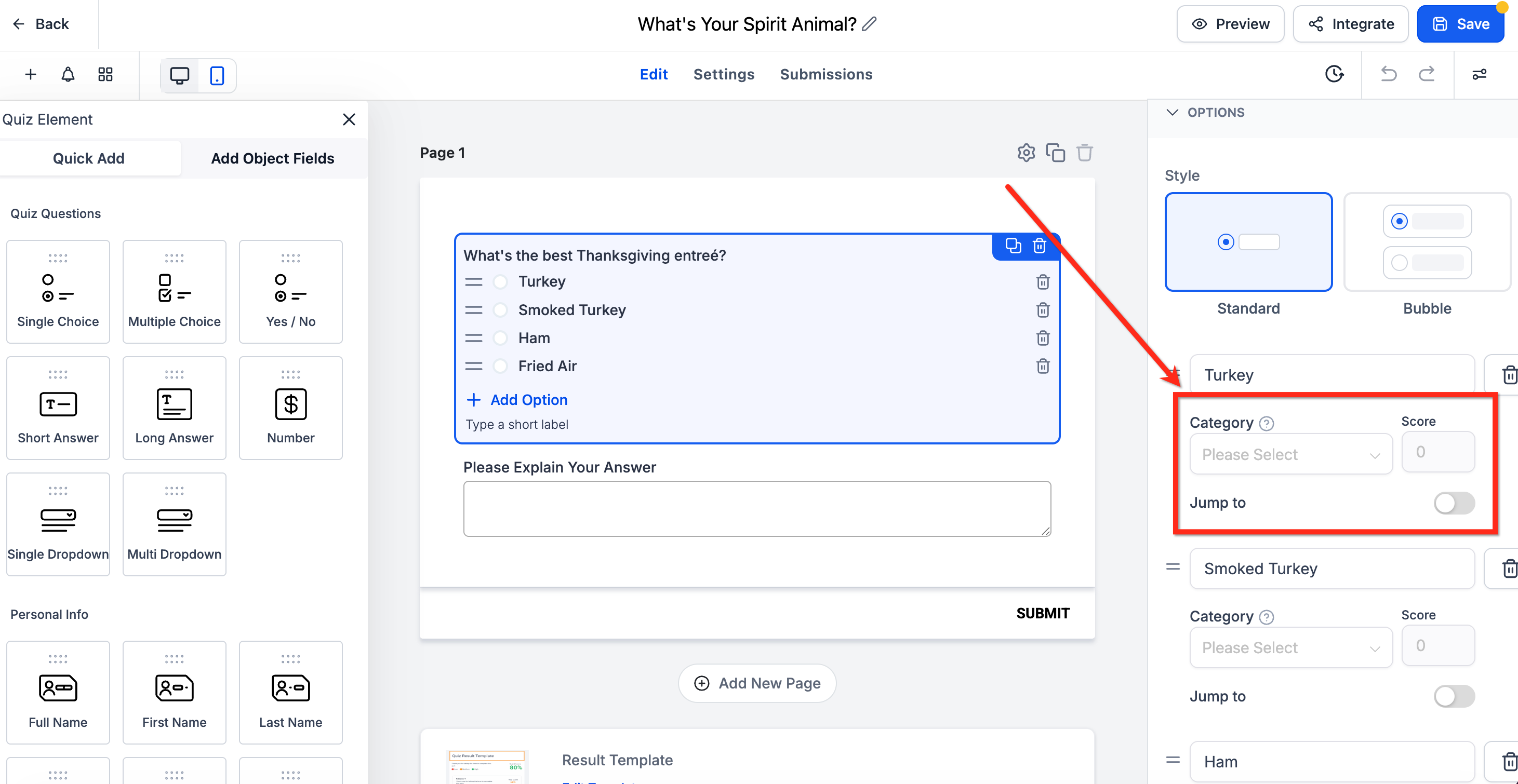
- In the quiz builder, open each question, go to the Options panel, and assign a category and a score to each answer.
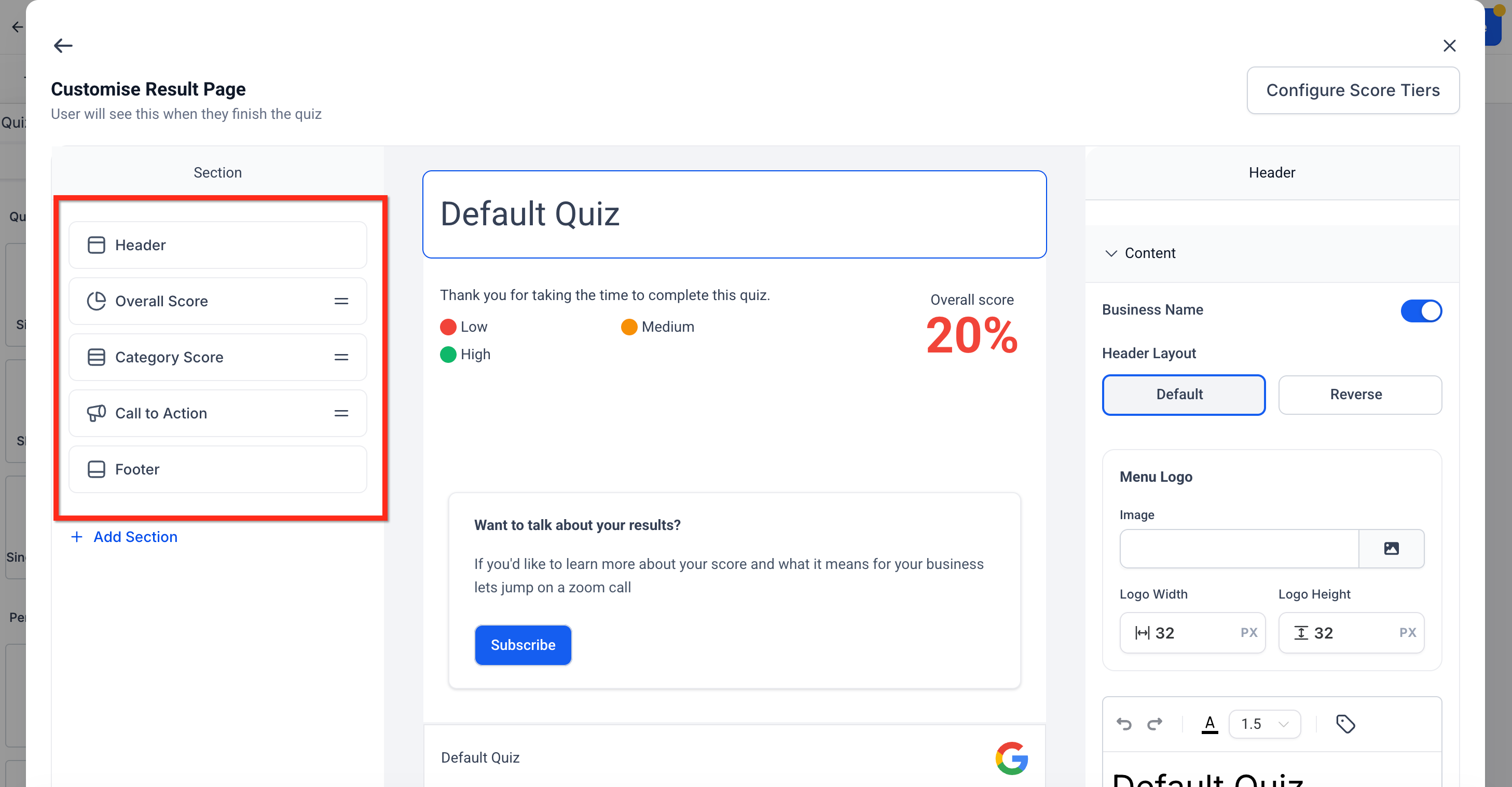
- Navigate to the Result Page editor after setting up categories and scores.
- Click the plus button to add a new section and choose Individual Category.
- In the section settings, select either Highest Category or Lowest Category as the display mode.
- Edit the text area and insert the appropriate dynamic tags (e.g., {{quiz_tags.highest_category_name}}).
- Add any additional sections such as Header, Overall Score, or Call to Action as needed.
- Click Save, then use the Preview option to complete the quiz and verify that scores calculate correctly and the desired category displays.
- If the outcome is not as expected, return to the Result Page editor to adjust the section settings or dynamic tags.
06What it looks like in HighLevel
07Settings that matter
- Highest Category. When selected, the result section shows the category that received the most points after the quiz is submitted.
- Lowest Category. When chosen, the result section displays the category with the fewest points, useful for highlighting gaps.
08Things to know before you rely on it
- Each Individual Category section can display only one mode, either highest or lowest, so add separate sections if you need both.
09How it connects to the rest of HighLevel
- Learn how to capture leads with the quiz builder. Quiz Builder guide
- Set up score ranges and categories for more detailed results. Quiz scoring guide
- Trigger workflows after a quiz is submitted to send follow up messages. Quiz submitted trigger
- Explore pre built quiz templates to speed creation. Quiz template library
- View pricing plans and start a trial if you need access to quiz features. Pricing
Michael's take

Personality style quizzes let you configure quizzes to display the highest or lowest scoring category on the result page, which can be used for personality style assessments or skill gap identification.
Don’t forget to preview the quiz and verify that the correct category shows before you publish.