
01Who this is for
- Marketing managers who need a consistent quiz experience across campaigns can standardize scores and quickly edit result layouts.
- Coaches creating personality assessments benefit from hiding irrelevant sections and using score tiers to trigger specific follow up actions.
02Quiz result pages, explained
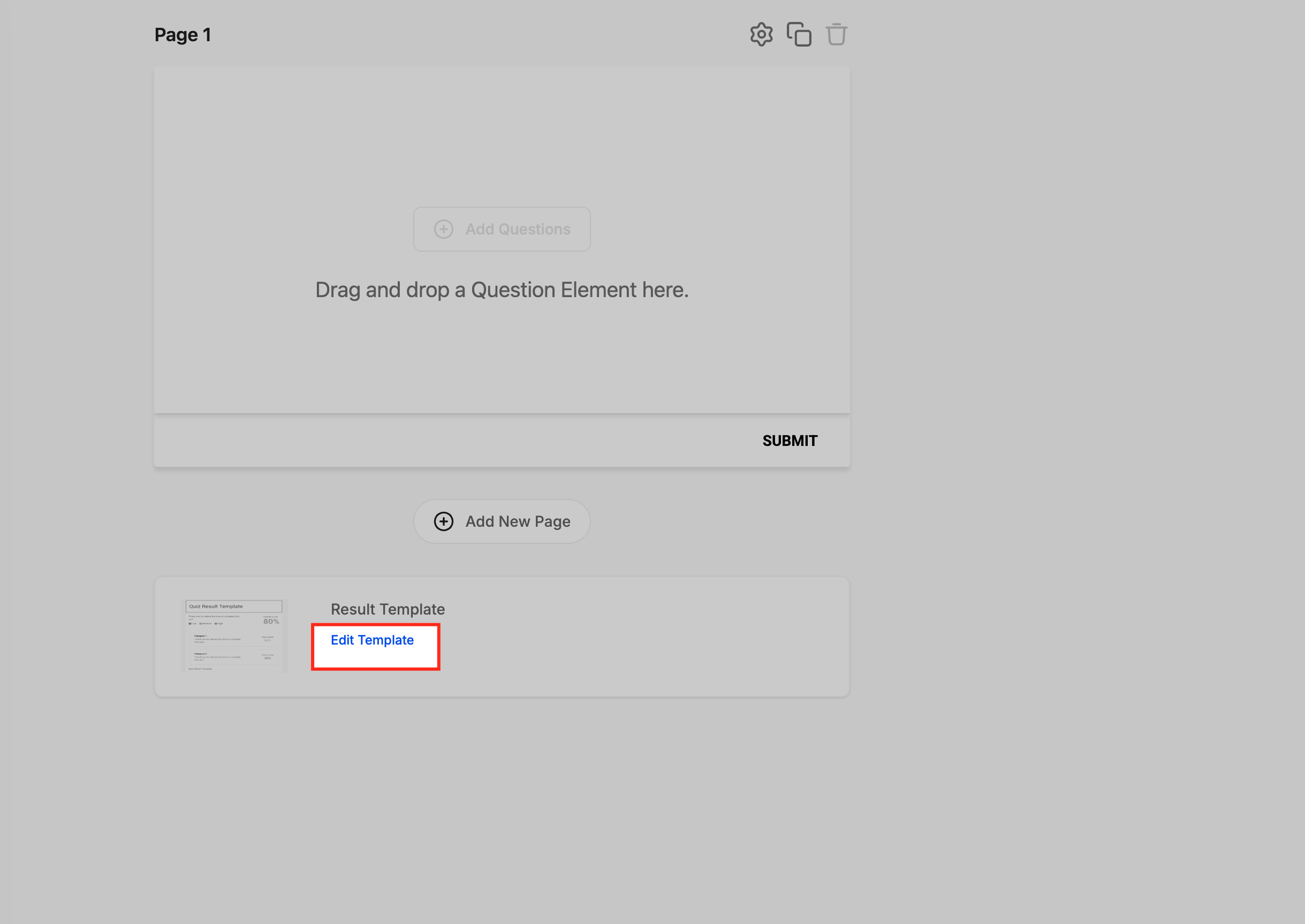
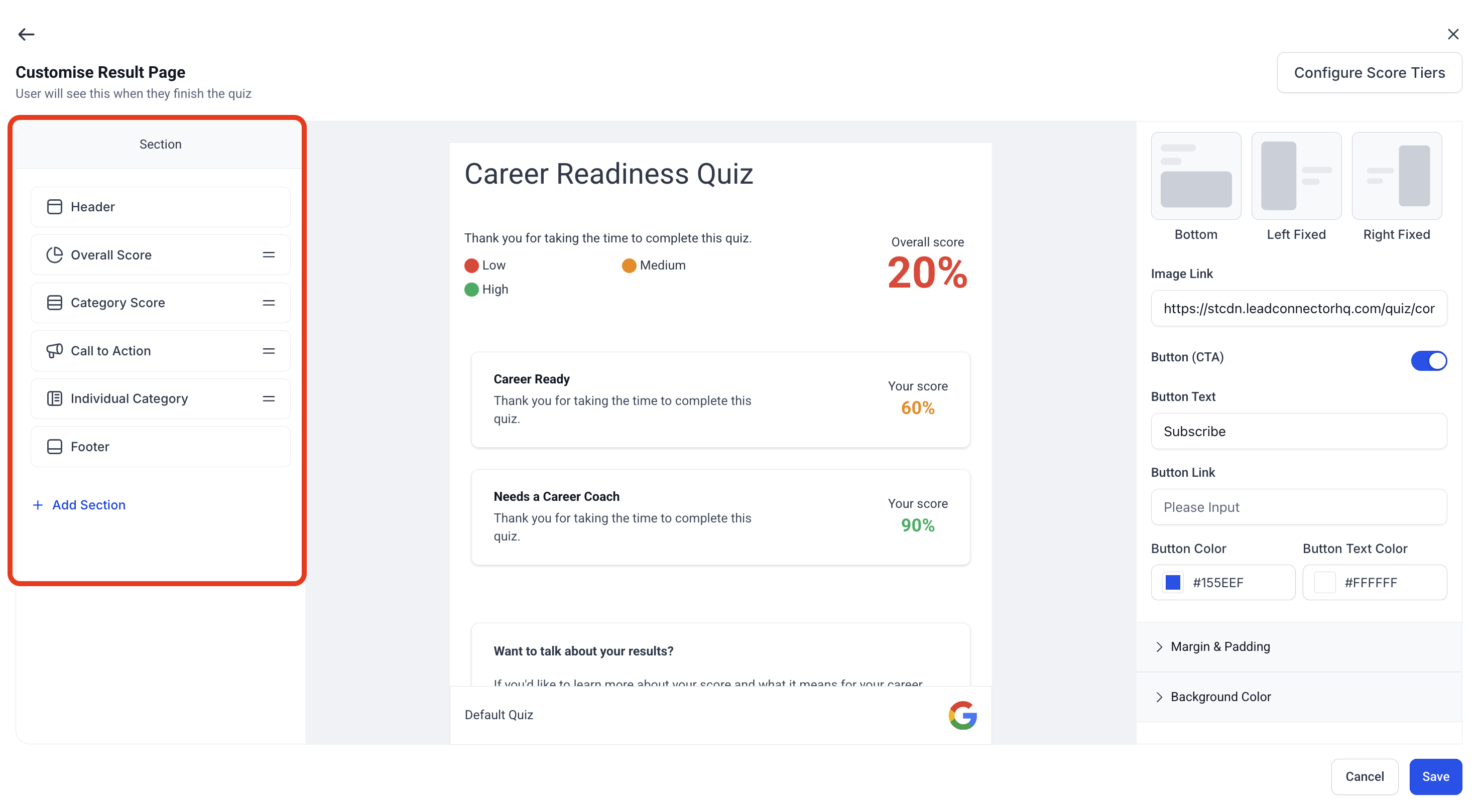
The Quiz Builder’s Result Template view shows every block that appears after a user finishes a quiz. A left hand Section Visibility panel lists each block, lets you jump to it, and offers drag and drop reordering. You can also hide a block to keep its content for future use or delete it permanently.
Score tiers provide a global 0 to 100 percentage range that all quizzes share. By defining Low, Medium, and High ranges, you create a common language for reporting and workflow triggers. The setting lives in the top right of the result page editor and applies to every quiz in the account.
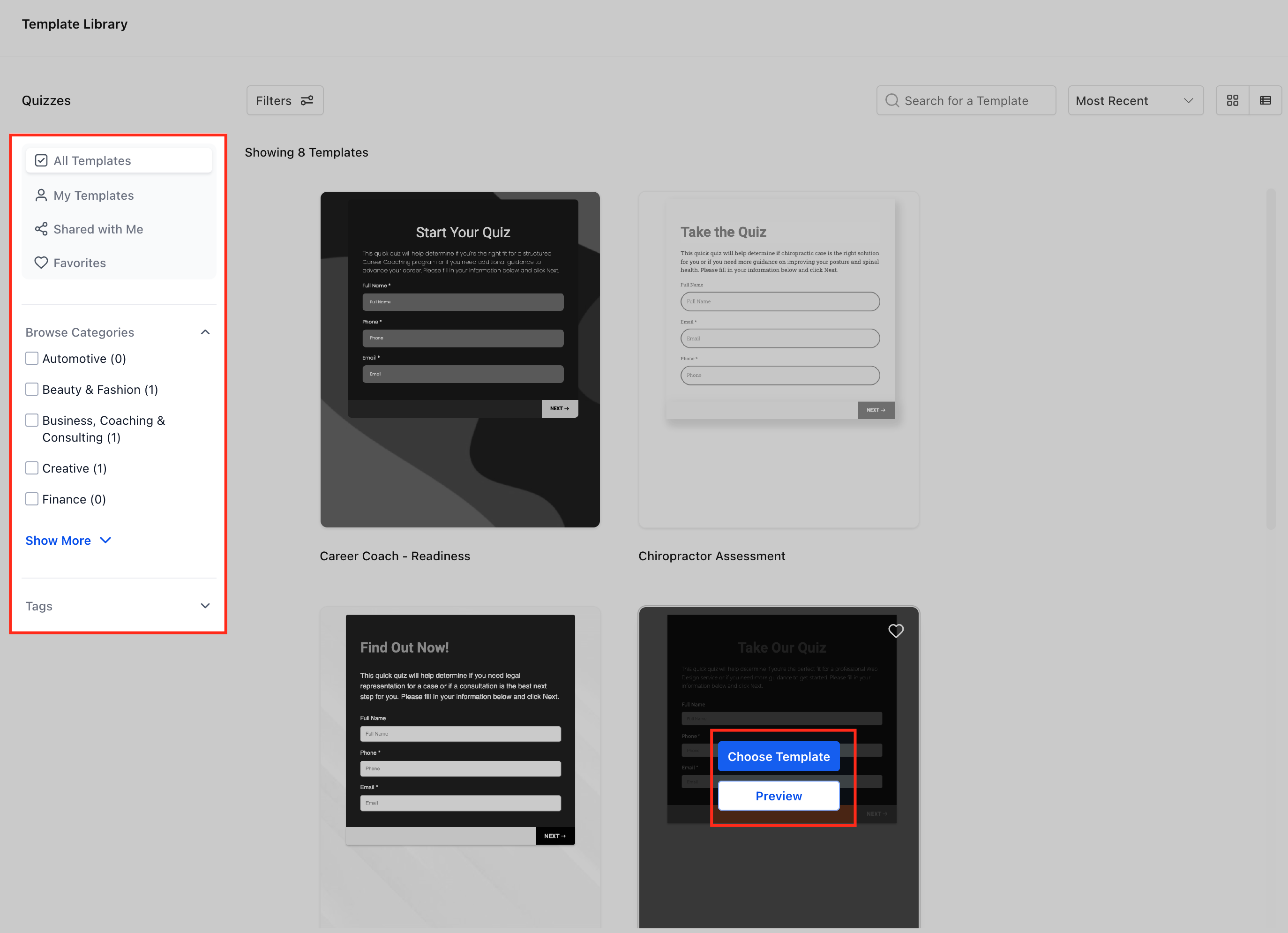
Templates are pre built sections such as Overall Score or Call to Action. Selecting a template inserts a formatted block right away, keeping design consistent across quizzes.
03How businesses use customizing quiz result pages
- Coaching practice. A coach opens the Result Template, hides the “Recommended Resources” block for a short assessment, and sets Low, Medium, High tiers to match client readiness levels. The coach then saves the layout for future quizzes.
- Online retailer. The retailer drags the “Discount Offer” section to appear at the top of the result page, then creates a High tier for scores above 80% to trigger a special coupon workflow.
- Marketing team. The team reorders a “Call to Action” block to the top of the result page, hides a “Survey” section not needed for a campaign, and defines score tiers to segment leads for email automation.
04The numbers and rules that matter
- 0, 100 global score scale.
- Score Tier ranges must fall between 0, 100.
05Before you start
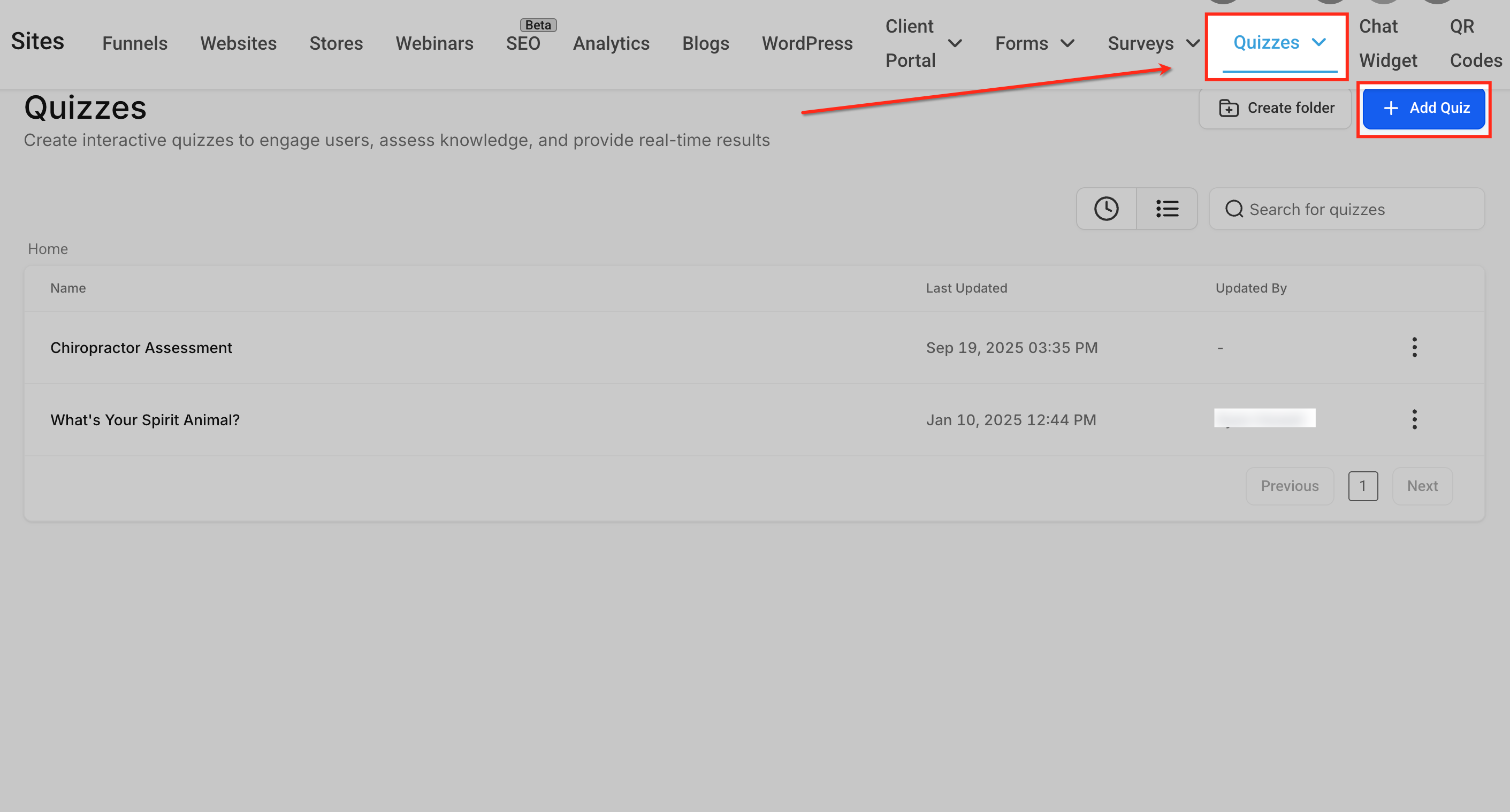
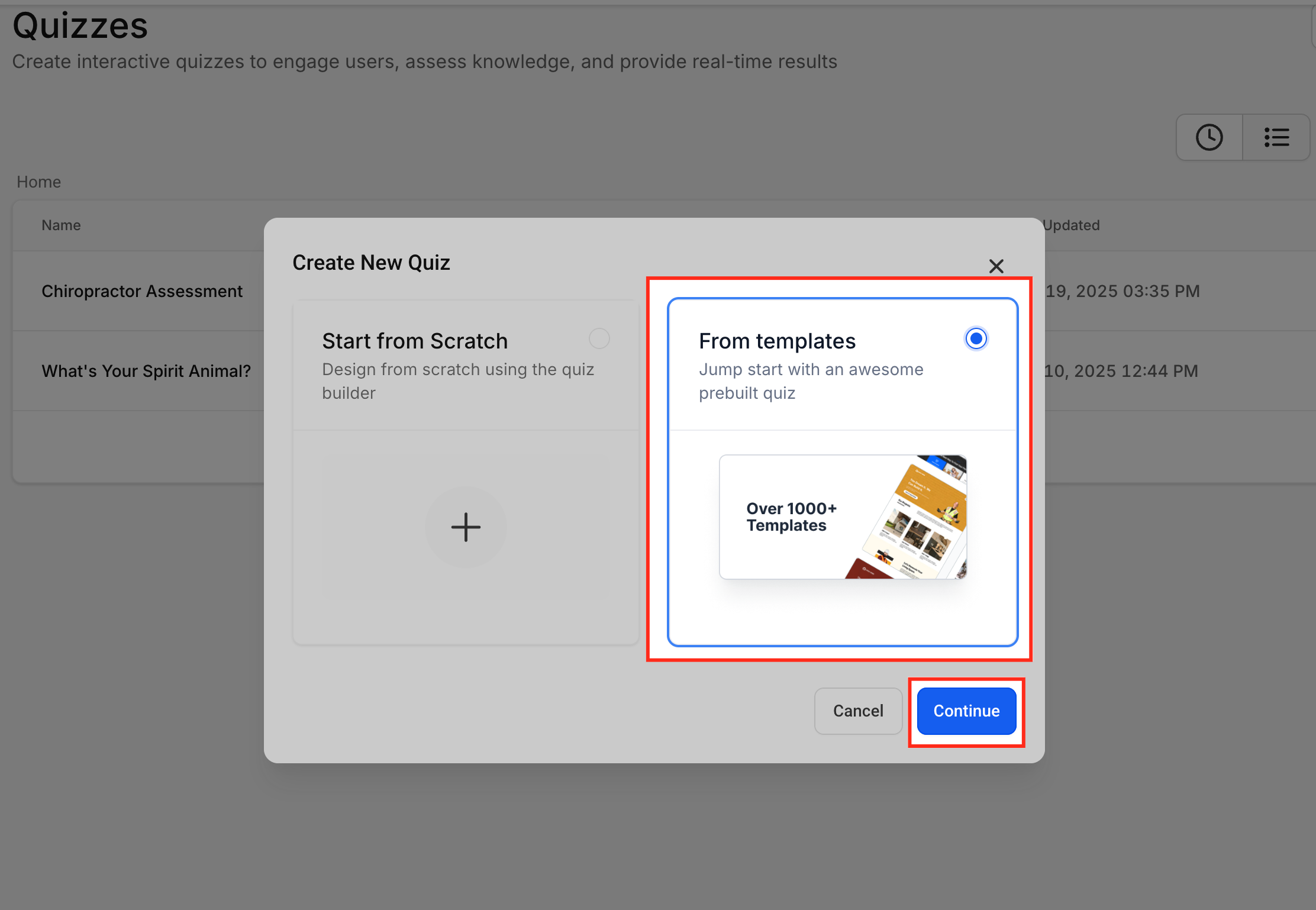
- A quiz must be created in Sites > Quizzes before editing its result page.
06How to set up and use customizing quiz result pages in HighLevel
Reorder sections on a quiz result page
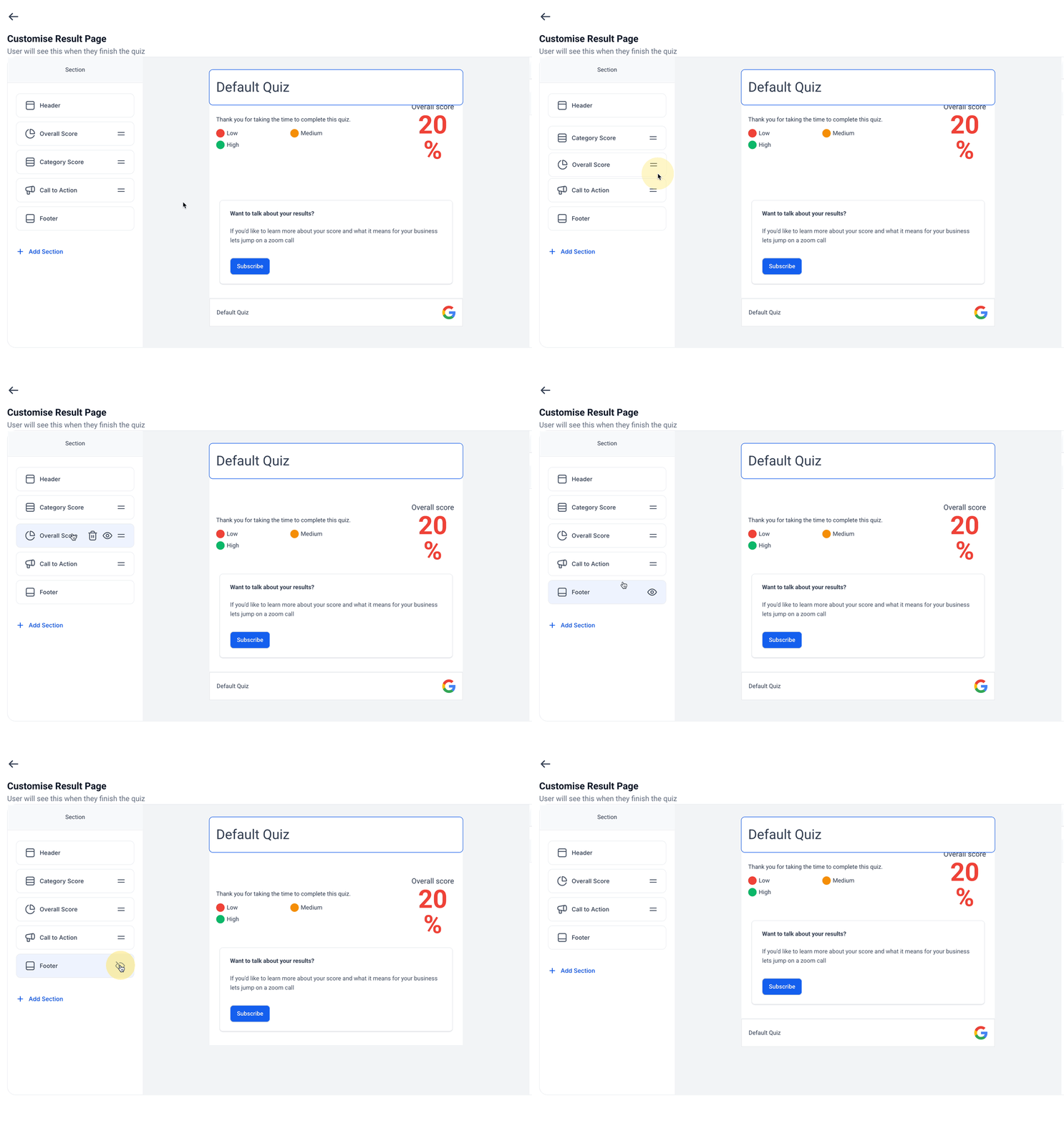
- Hover over the desired section name to show the drag handle.
- Click and hold the handle.
- Move the section to the new location in the list.
- Release the mouse button to drop the section and update the preview.
Hide or delete sections from a result page
- Click the eye icon next to a section to toggle its visibility.
- Click the trash icon to remove a section permanently.
- Notice that hidden sections appear grayed out in the panel.
Configure global score tiers for all quizzes
- Select the Configure Score Tiers button in the top right corner of the editor.
- Enter labels and percentage ranges, making sure each range stays between 0 and 100.
- Press Save to apply the tiers across the account.
07What it looks like in HighLevel
08Settings that matter
- Configure Score Tiers. Sets the Low, Medium, and High percentage ranges that define quiz scores on a unified 0 to 100 scale.
09Things to know before you rely on it
- Score ranges must be defined within 0 to 100 percent.
- Drag and drop reordering works only in desktop browsers; mobile support is planned.
- Hidden sections are excluded from scoring calculations.
- All quizzes are automatically migrated to the normalized 0 to 100 scoring system.
10How it connects to the rest of HighLevel
- Using the Quiz Builder to capture leads and personalize results Quiz Builder guide
- Set up scores, categories, and result pages for quizzes Quiz scoring guide
- Trigger workflows when a quiz is submitted Quiz submitted trigger
Michael's take

When you have several quizzes feeding leads into the same funnel, reusing section templates and a single 0 to 100 scoring system can reduce the effort required to build each quiz. The ability to hide sections without losing their configuration also lets you test different result layouts without rebuilding the page each time.
If you run only a single quiz or don’t need automated follow ups based on score tiers, the extra setup may not bring enough value. In those cases you might stick with a simple result page and forego the global score configuration.