
01Who this is for
- Marketing managers can build smart lists based on quiz scores without manual tagging.
- Sales teams receive up to date quiz performance data on each contact for tailored outreach.
- Coaches and consultants can trigger personalized follow up sequences that reflect a client’s assessment results.
02Quiz result CRM field mapping, explained
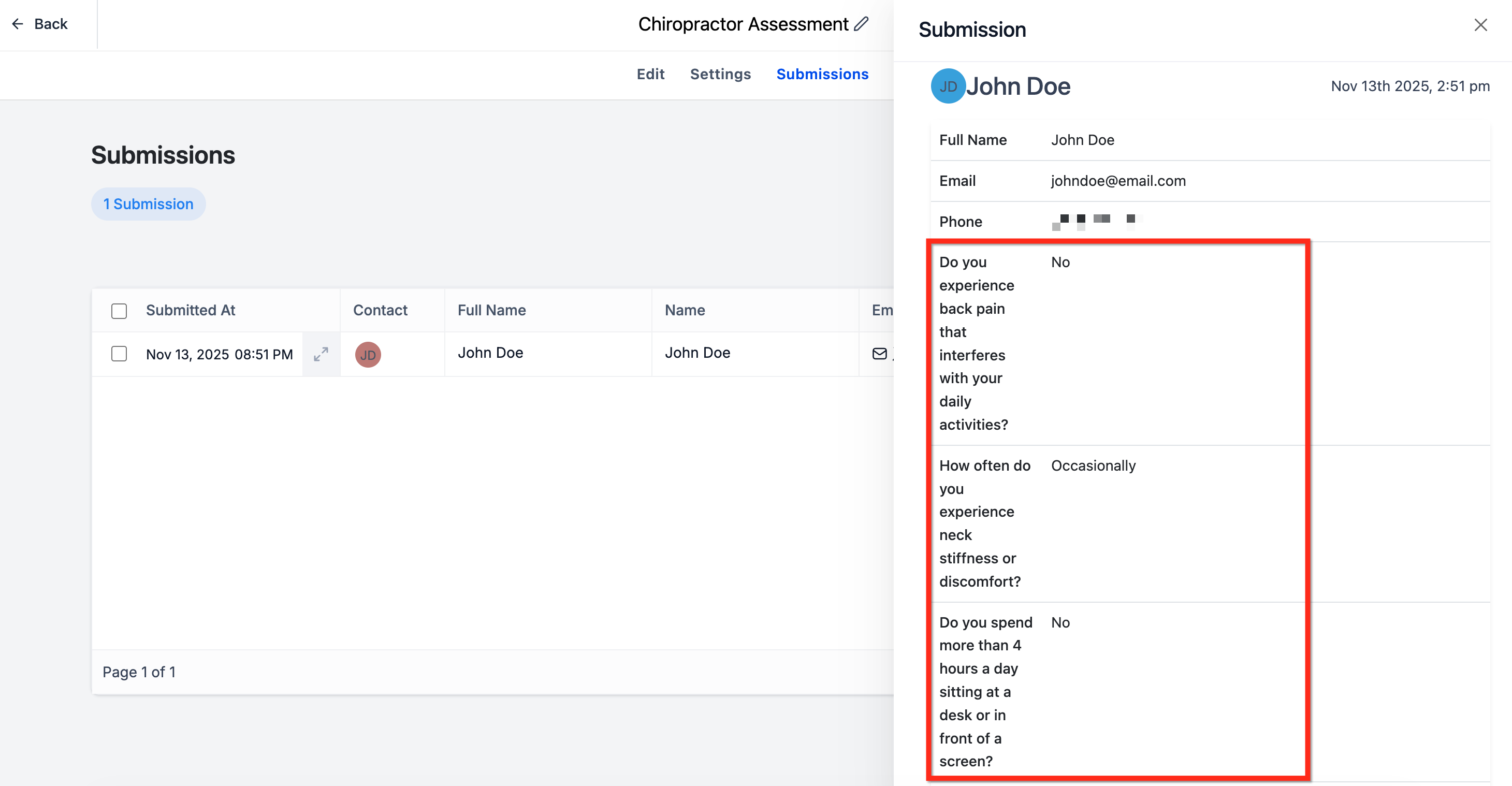
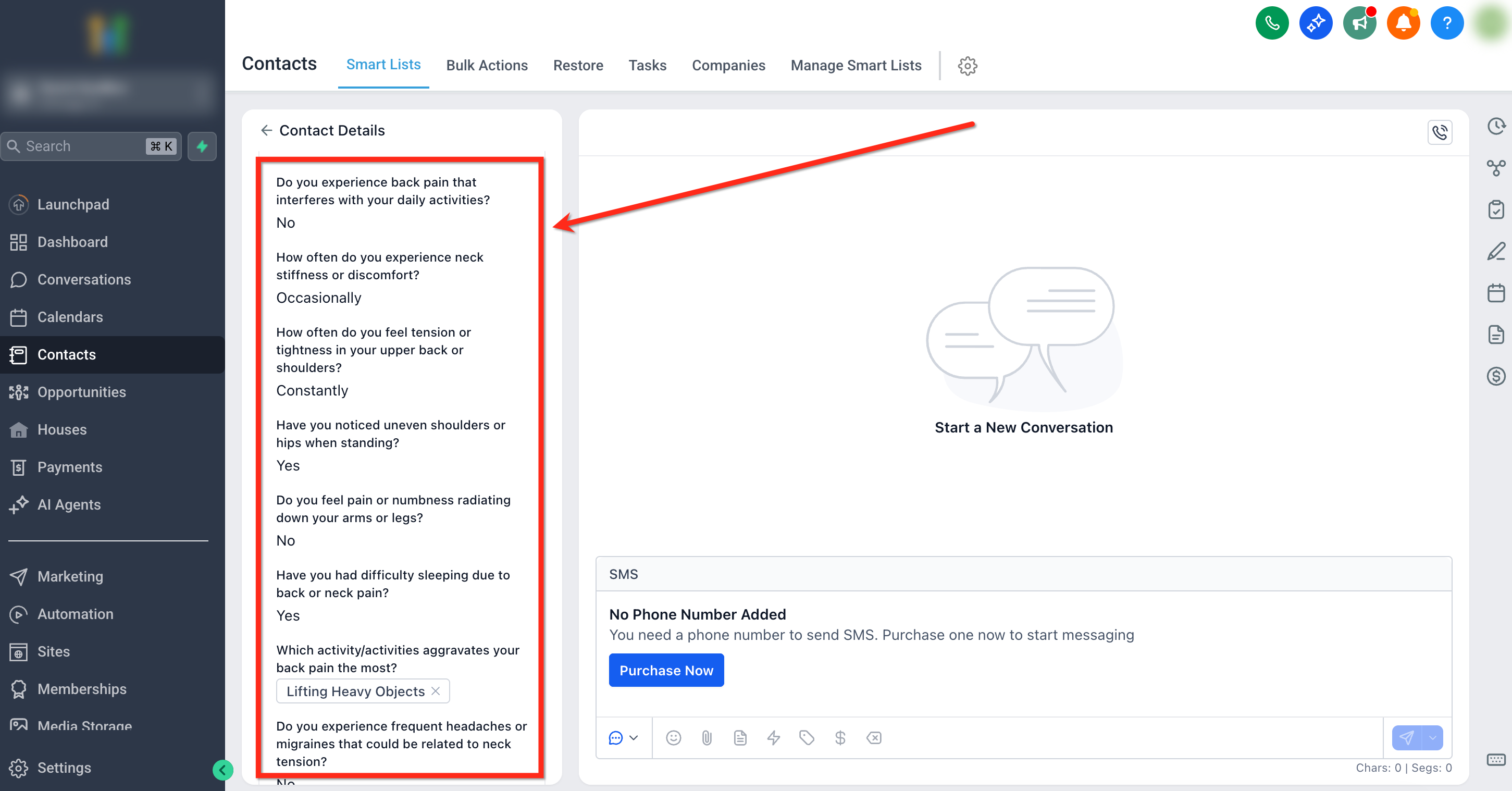
Quiz Result > CRM Field Mapping creates contact level custom fields that store the outcomes of each quiz submission. The platform automatically generates fields for the overall score, its tier, each category’s score and tier, and the highest and lowest scoring categories. These fields follow a predictable naming pattern, making the data easy to reference in filters, workflows and personalization tokens.
When a contact submits a quiz, the selected fields are populated on their contact record. If the same contact retakes the quiz, the existing values are overwritten, so the record always reflects the most recent results. The feature lives in the quiz settings under Sites > Quizzes, on the Results Template edit screen.
03How businesses use quiz result CRM field mapping
- Fitness studio. Enable the Overall Score and Tier toggles for a fitness assessment quiz. Use the resulting fields in a workflow to send beginner, intermediate, or advanced workout plans based on the tier value stored in the contact record.
- Financial advisory firm. Turn on category wise score fields for a risk tolerance quiz. In a smart list, filter contacts whose "Risk Assessment - Score" is below a threshold and assign them to a low risk outreach campaign.
- Online language school. Activate the Highest and Lowest Category fields for a language proficiency quiz. Personalize the thank you page to display resources matching the highest scoring language skill for each learner.
04Before you start
- A quiz must already exist in Sites > Quizzes.
05How to set up and use quiz result CRM field mapping in HighLevel
Set up quiz result CRM field mapping
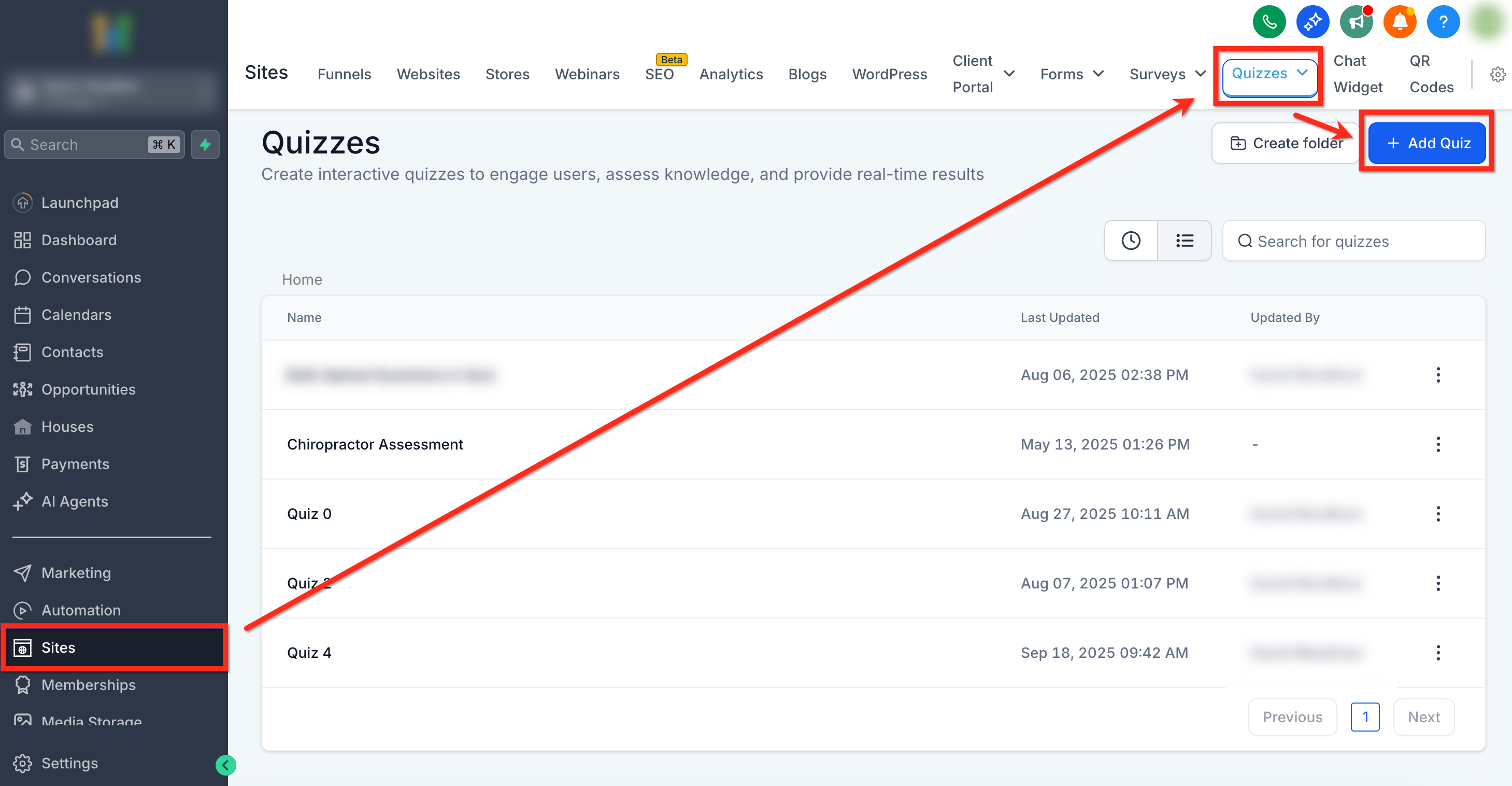
- Navigate to Sites > Quizzes.
- Select an existing quiz or click the blue + Add Quiz button to create a new one.
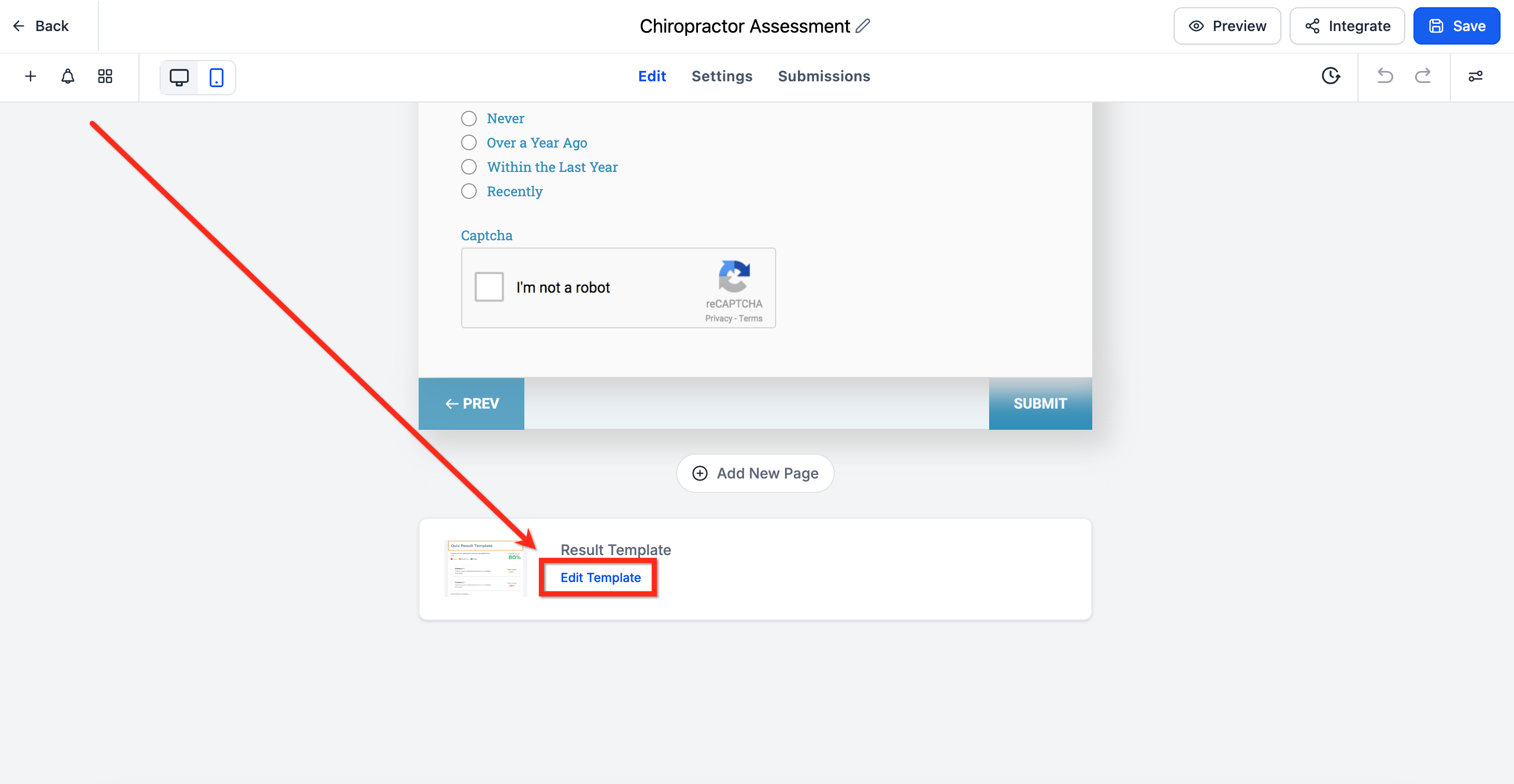
- Scroll to the end of the quiz to the Results Template area.
- Click Edit Template.
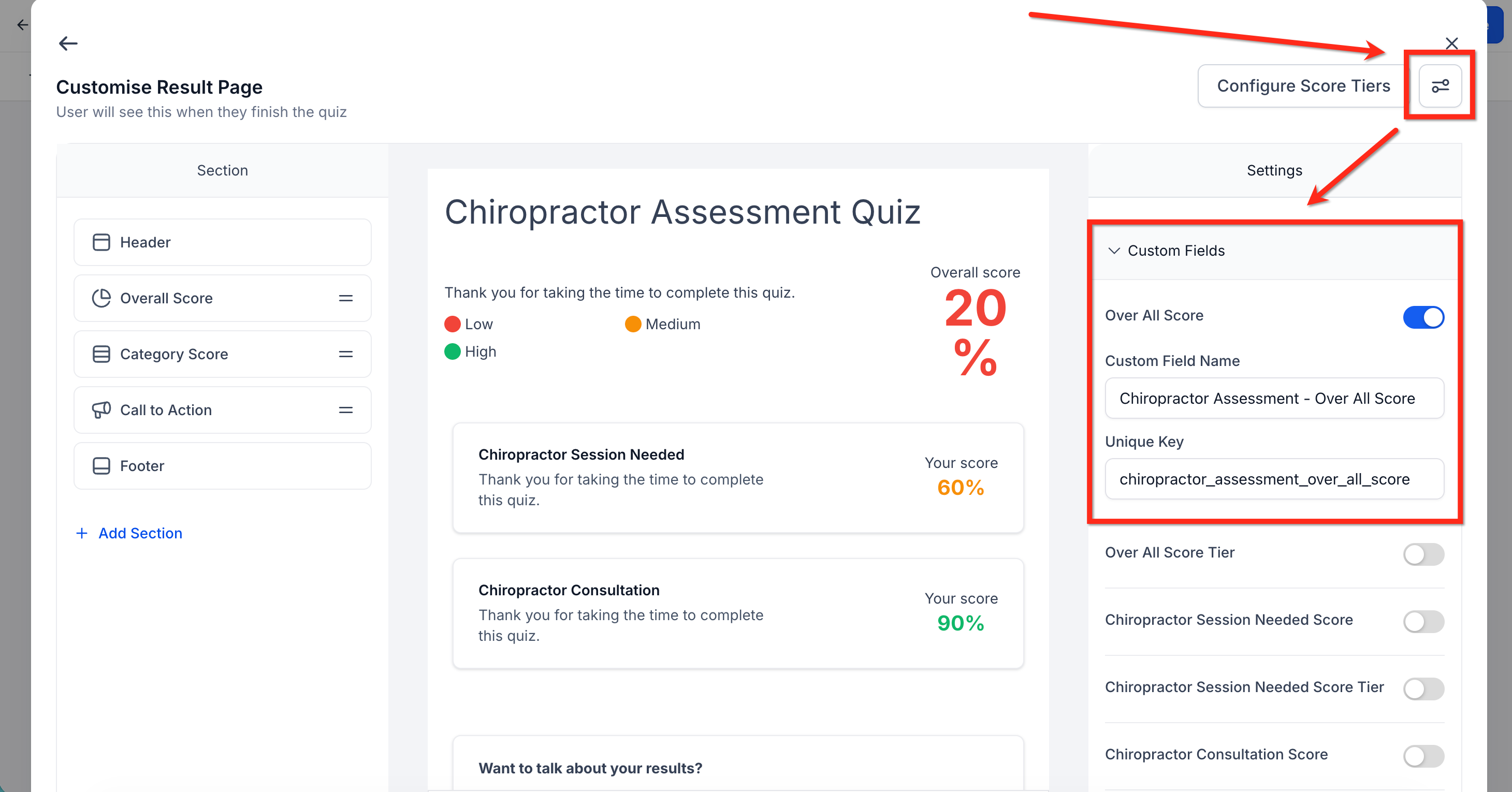
- Click the Settings button in the upper right corner.
- Expand the Custom Fields dropdown and turn on the toggles for the fields you want to sync.
- Click Save.
06What it looks like in HighLevel
07Settings that matter
- Custom Fields. Controls which quiz outcome fields are created and kept in sync with contact records, such as Overall Score, Overall Score Tier, Category wise Scores and Tiers, and Highest and Lowest Scoring Categories.
08Things to know before you rely on it
- Each new quiz submission overwrites previous values for the same contact, preventing duplicate records.
- Scores are stored as Number fields; tiers and category names are stored as Text fields.
- Renaming or moving a generated field is allowed, but deleting the field removes all historic quiz data for every contact.
09How it connects to the rest of HighLevel
- Use the Quiz Builder to create assessment quizzes Quiz Builder guide
- Set up scoring, categories and result pages for quizzes Quiz scoring guide
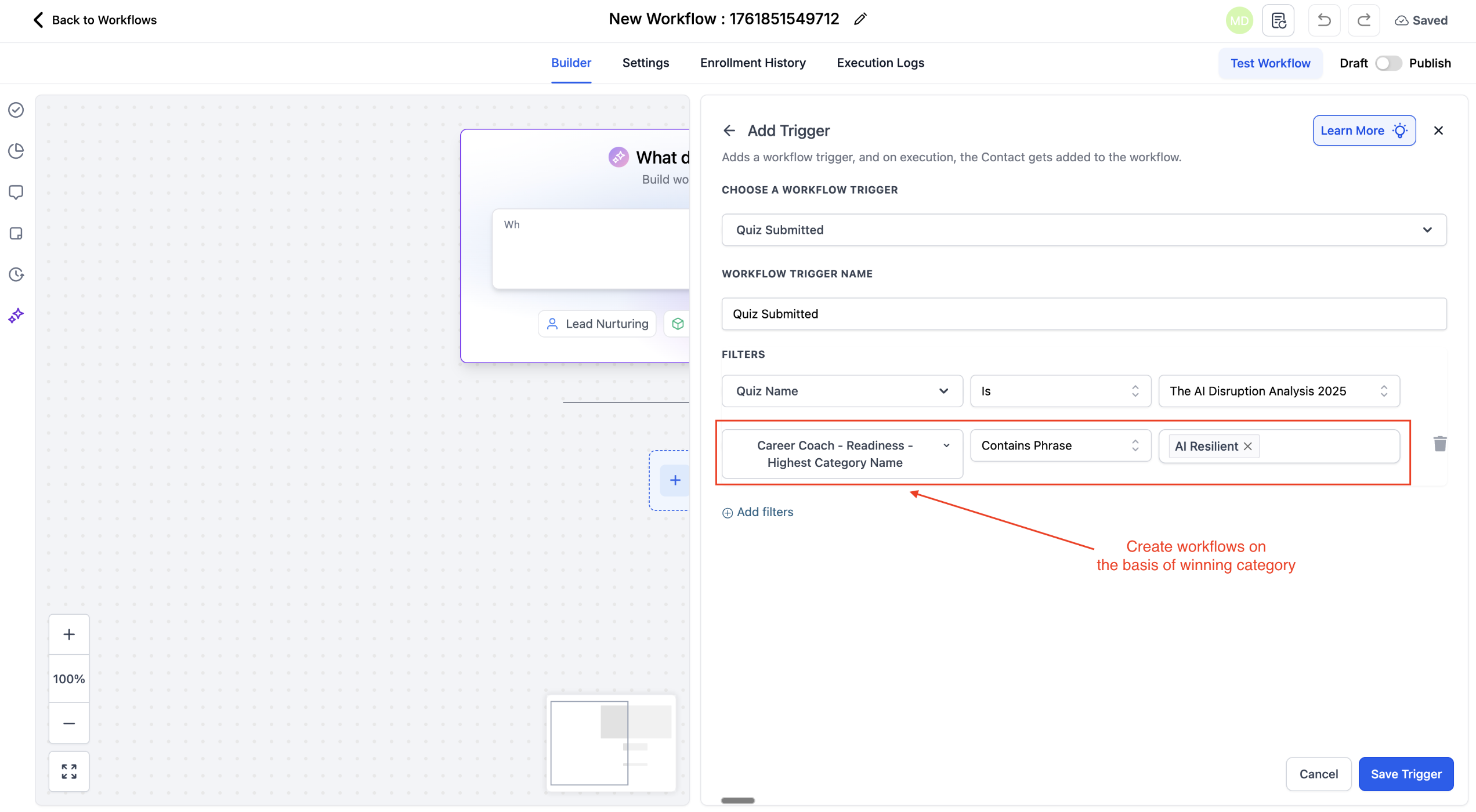
- Create workflows that trigger when a quiz is submitted Quiz submitted trigger
Michael's take

How do I turn quiz answers into usable data for my contacts? The mapping feature takes every quiz submission and writes the scores, tiers and category details straight into Custom Fields on the contact record. That means you can segment, personalize and trigger automations without any manual tagging.
If I were setting this up, I’d enable the overall score and tier fields first, then add the category scores that matter most to my offers. Once the fields are live, I can build a smart list for high scorers and a workflow that sends a beginner guide to anyone whose fitness score is low. Test a single quiz submission, confirm the field values appear on the contact, then roll it out to all your quizzes.