
01Who this is for
- Online educators can send learners to tailored lesson pages, matching their quiz performance.
- Ecommerce retailers can route shoppers to product pages that align with the category they score highest in.
- Coaches and consultants can direct clients to resource libraries that correspond with their assessment results.
02Conditional logic in quizzes, explained
The feature adds a post submission action called Redirect to URL inside the Quiz Builder. After a quiz is completed, the platform checks the conditions you set, such as Highest Score, Lowest Score, Overall Score, or a specific Category Score, and if a condition matches, the respondent is sent to the URL you provided.
The Redirect to URL rule lives under the Conditional Logic tab of a quiz. You create one or more rules, each with an If clause that chooses a quiz field, a comparison operator, and a matching value. The rule also includes an Open below URL field where you enter the destination address. Rules are evaluated from top to bottom, and you can combine multiple conditions using AND or OR operators.
This capability is available for quizzes created under Sites > Quizzes and works for quizzes embedded in Funnels or Websites.
03How businesses use conditional logic in quizzes
- Online course provider. The provider builds a knowledge quiz, then creates a Redirect to URL rule that checks the Overall Score. If the score is below a threshold, respondents are sent to a remedial lesson page; otherwise they go to an advanced module page.
- Retail clothing brand. The brand designs a style preference quiz and adds a Highest Score condition. When a shopper’s top scoring category is "Casual", the rule redirects them to the casual collection URL; a different URL is used for "Formal".
- Fitness trainer. The trainer sets up a fitness assessment quiz and adds a Category Score condition for the "Strength" category. Respondents who reach at least 50 % are redirected to a strength training video page.
04Before you start
- Create a quiz under Sites > Quizzes.
- Add the questions and answer options needed for your redirect logic.
- Configure scoring values for overall or category scores if you plan to use score based conditions.
- Prepare a valid destination URL for each rule you will create.
05How to set up and use conditional logic in quizzes in HighLevel
Configure conditional logic redirect
- Log in to HighLevel and open the subaccount that contains the quiz.
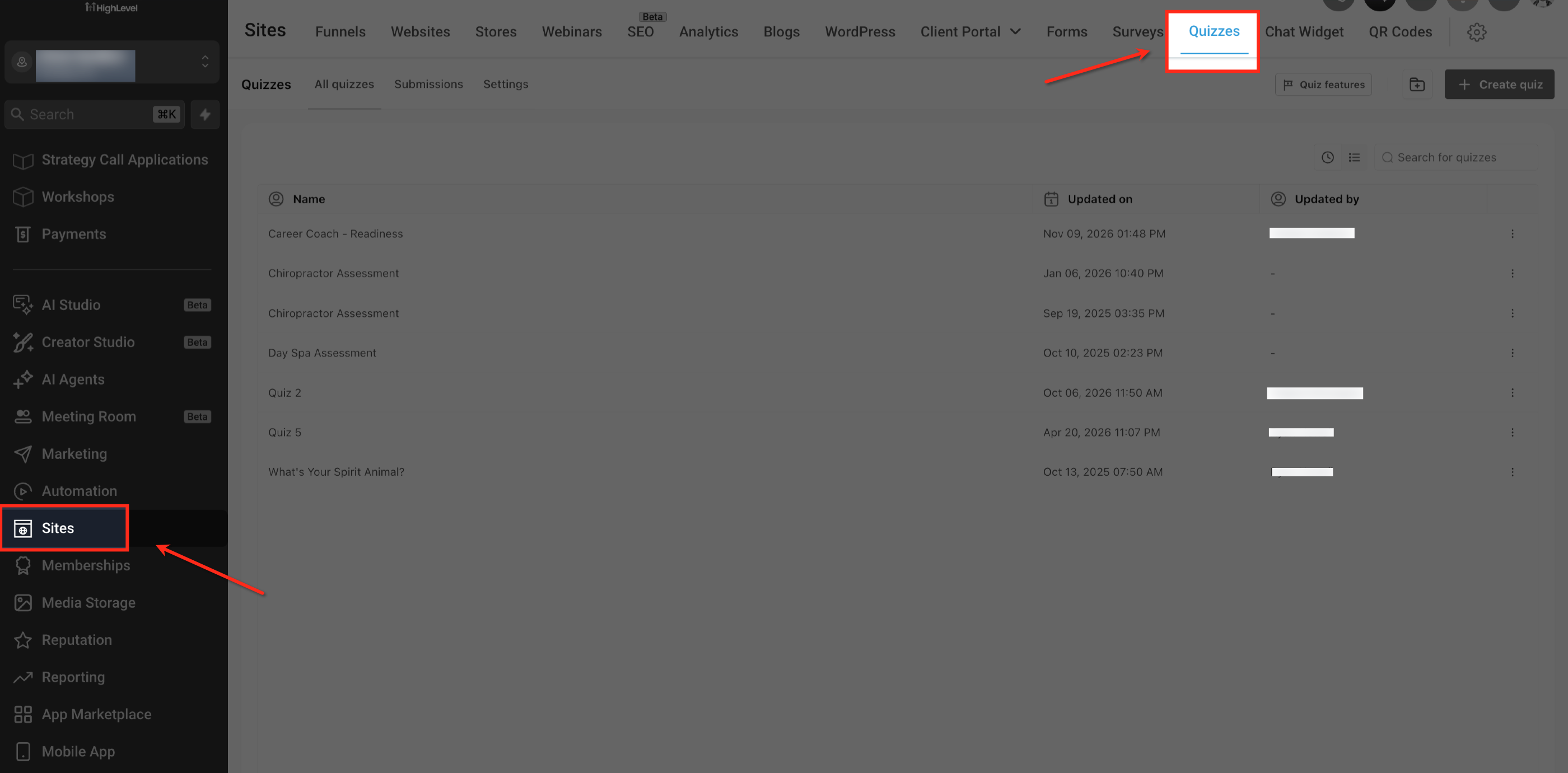
- Navigate to Sites > Quizzes and open the quiz you want to edit.
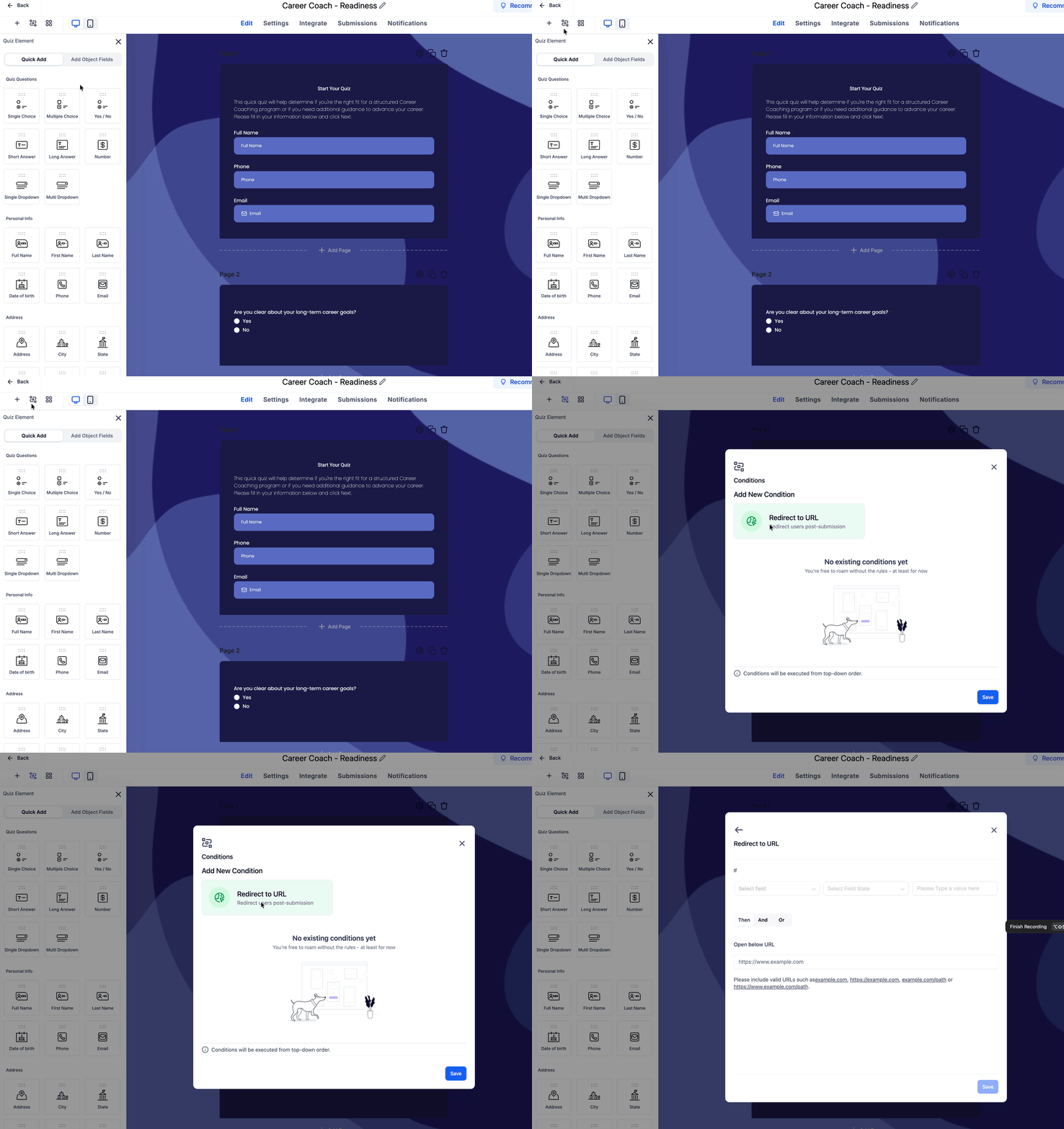
- Click the Conditional Logic tab and select Redirect to URL.
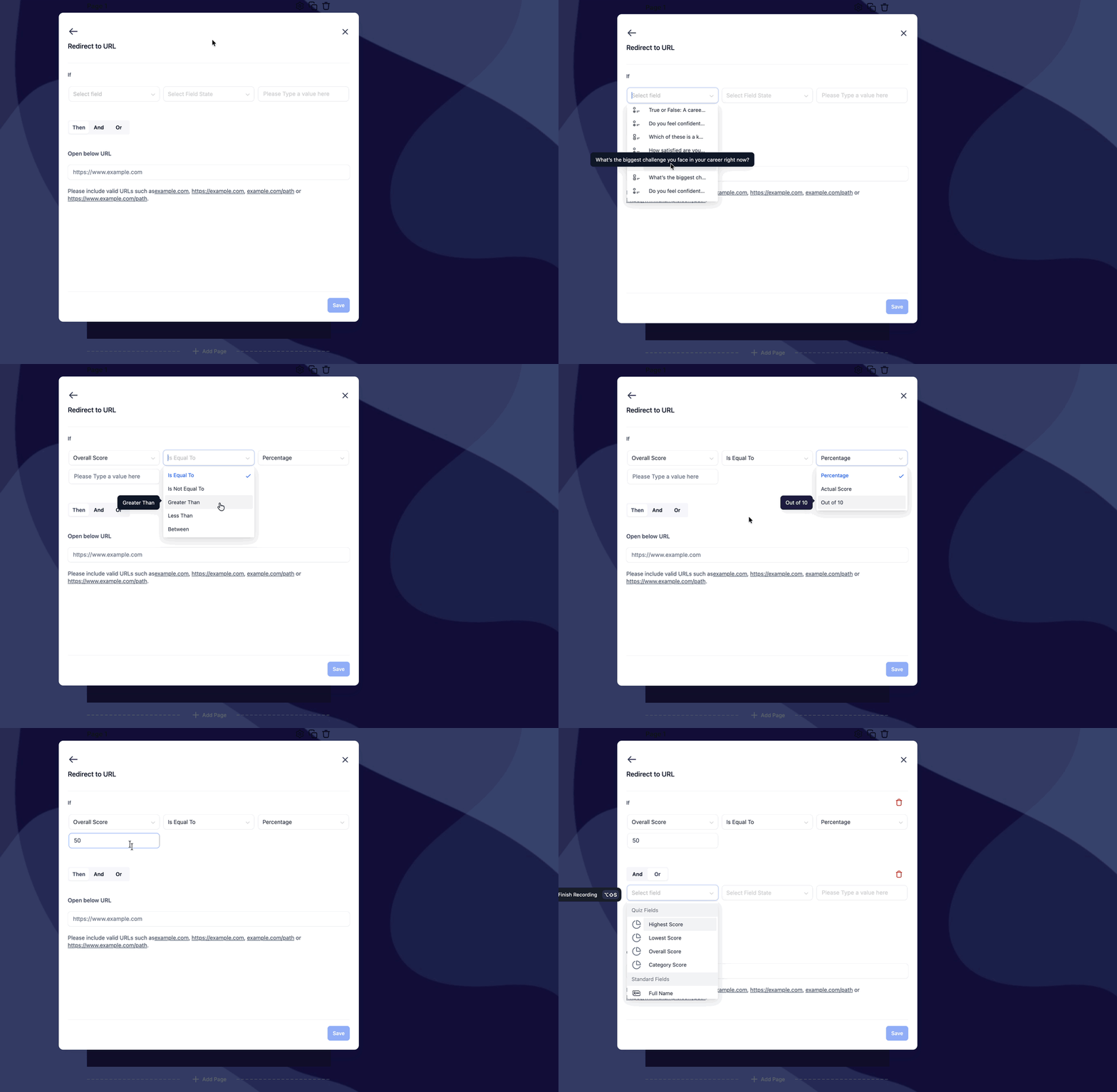
- In the Redirect to URL editor, choose the quiz field you want to evaluate.
- Set the comparison operator and the matching value for that field.
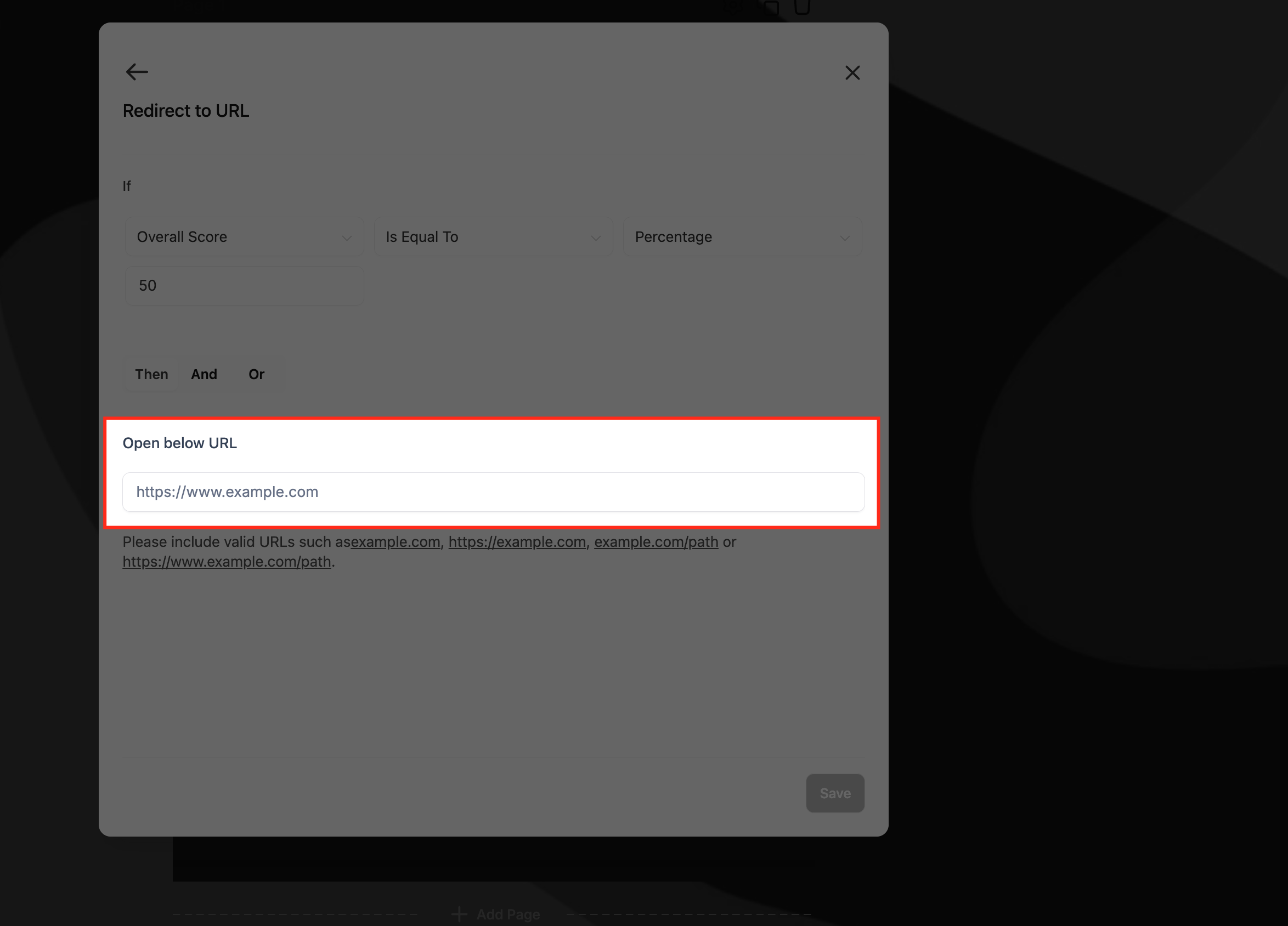
- Enter the destination address in the Open below URL field.
- Save the Redirect to URL rule, then save the overall Conditions.
- Save the quiz, preview it, and verify that the redirect works as intended.
06What it looks like in HighLevel
07Settings that matter
- Redirect to URL. Selects the post submission action that sends a respondent to a specified web address when its conditions are met.
- If. Defines the condition that must be true for the redirect to occur, including the field, operator, and value.
- Select field. Specifies which quiz response or score field is evaluated in the condition.
- Comparison operator. Determines how the selected field’s value is compared to the matching value, such as Is Equal To.
- Value. Provides the specific answer, score, percentage, or category that the condition checks against.
- Open below URL. The text box where you paste the destination URL that respondents are redirected to when the condition matches.
08Things to know before you rely on it
- Redirect to URL is currently the only Conditional Logic action available for quizzes.
- Other actions like displaying a custom message, disqualifying a lead, or showing/hiding fields are planned for future releases.
- Rules are evaluated in the order they appear, from top to bottom.
- The interface supports the Is Equal To operator and percentage based score comparisons.
- Embedded quizzes can be placed within Funnels and Websites, but the redirect destination must be a valid URL.
09How it connects to the rest of HighLevel
- Learn how to build quizzes and capture leads in HighLevel. Quiz Builder guide
- Set up quiz scoring, categories, and result pages for use in conditional redirects. Quiz scoring guide
- Review pricing plans for access to quizzes and conditional logic features. HighLevel pricing