
01Who this is for
- Marketers using Forms can reduce user friction by guiding them directly to incomplete fields.
- Survey creators can increase completion rates with instant inline error guidance.
02Autoscroll to first error, explained
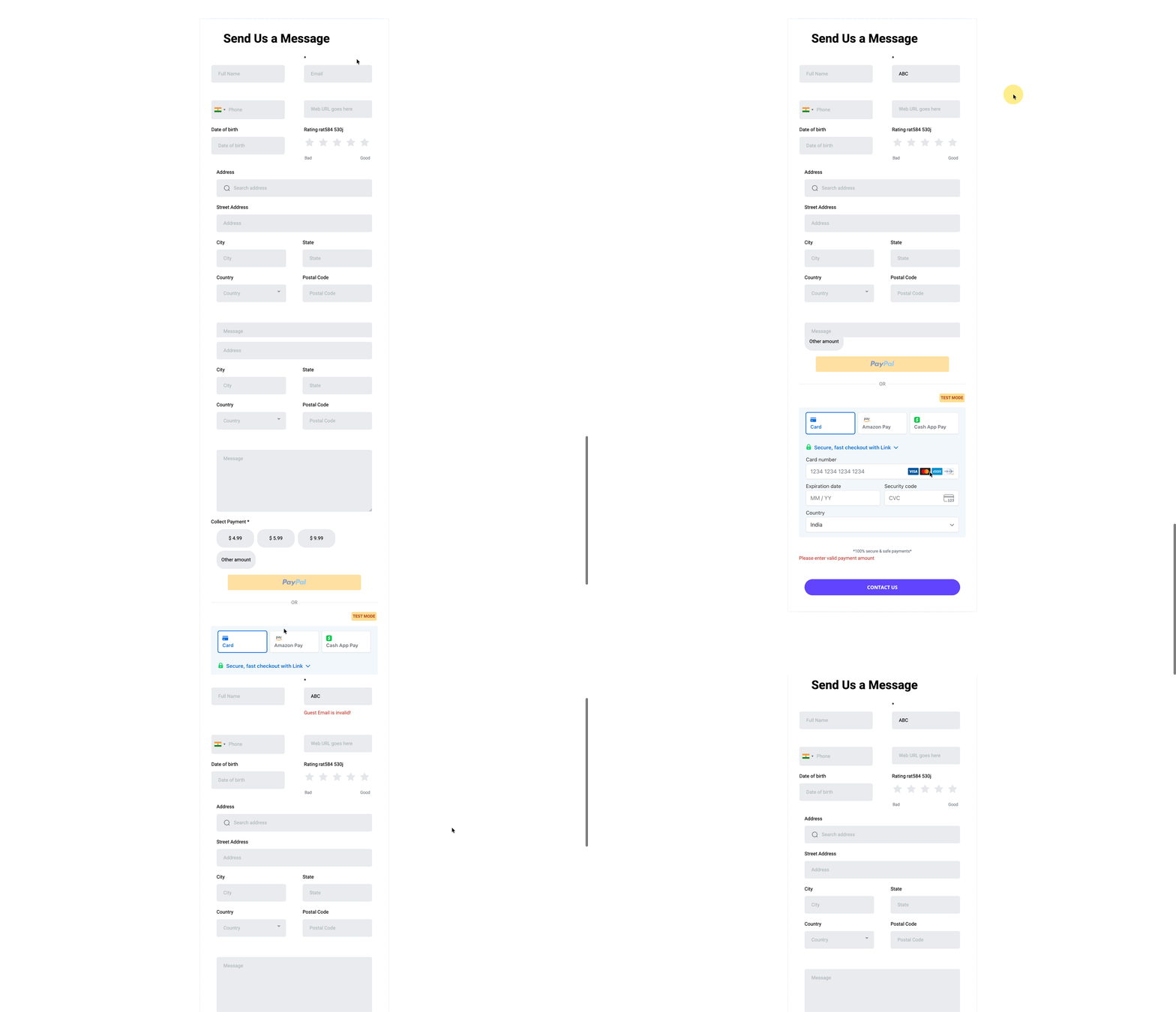
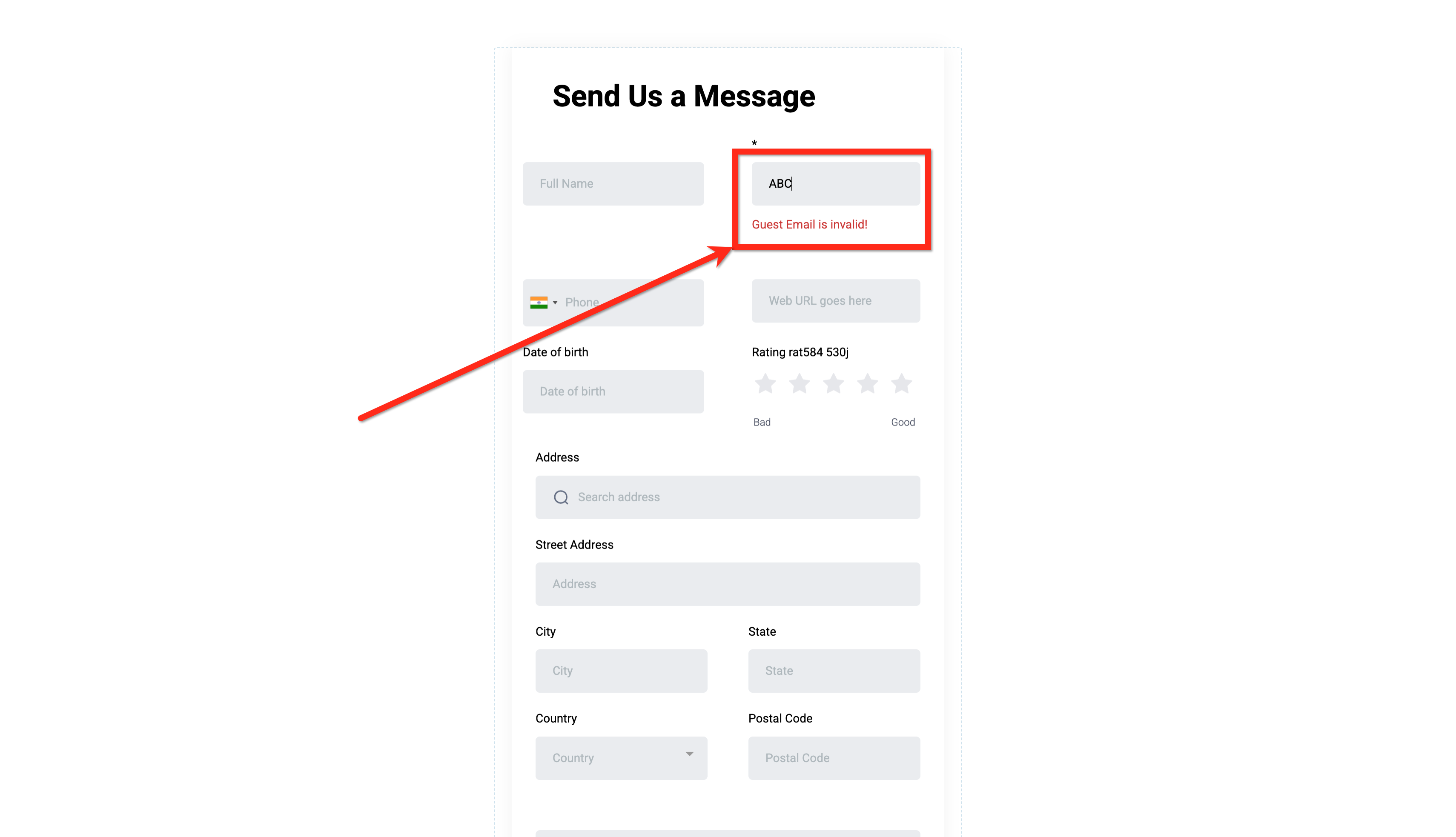
The feature automatically scrolls the page to the first field that fails validation when a user submits a Form, Survey, or Quiz, and places an error message inline next to the problem field.
When validation fails, the view jumps to the top most invalid entry, highlights it, and in multi step Surveys or Quizzes the system moves to the slide containing that field.
Auto scroll and inline error handling are built into Forms, Surveys, and Quizzes created in the Sites builder and also work for embedded forms on external pages, on both mobile and desktop devices, without any additional configuration.
03How businesses use autoscroll to first error
- Lead capture form. Add required fields such as email; if a visitor omits the email, the form scrolls to that field and shows an inline error, prompting immediate correction.
- Customer feedback survey. Include required contact information; when a respondent leaves a required field blank, the survey scrolls to the missing input and displays an inline message, helping complete the survey on any device.
- Course assessment quiz. Require answers for each question; if a learner tries to submit the quiz with an unanswered required question, the system jumps to that slide and shows an inline error beside the question.
04How to set up and use autoscroll to first error in HighLevel
Experience auto scroll and inline error handling
- Submit a Form, Survey, or Quiz that has a missing or invalid required field.
- The system automatically scrolls the viewport to the first invalid field from the top.
- The invalid field is visually highlighted.
- An inline error message appears next to the field providing clear guidance.
05What it looks like in HighLevel
06Things to know before you rely on it
- Applies automatically to Forms, Surveys, and Quizzes, including multi field and multi step/slide experiences.
- Optimized for both mobile and desktop devices.
07How it connects to the rest of HighLevel
- Enable sticky contact in forms, surveys and calendars Sticky contact
- How to use address auto complete in HighLevel forms Address auto complete
- Configuring email alerts and auto responders in HighLevel forms Email alerts
Michael's take

When the feature moves the user directly to the error, it can feel like a quick win for each visitor.
If your forms are already short or you rarely get validation issues, the benefit is marginal. In those cases you won’t notice a measurable lift, so the feature is nice to have but not essential.