
01Who this is for
- Marketing managers benefit from consistent address data for segmentation and reporting.
- Sales teams rely on accurate location information for lead follow up and routing.
- Ecommerce owners need validated shipping addresses to reduce order errors.
02Address autocomplete, explained
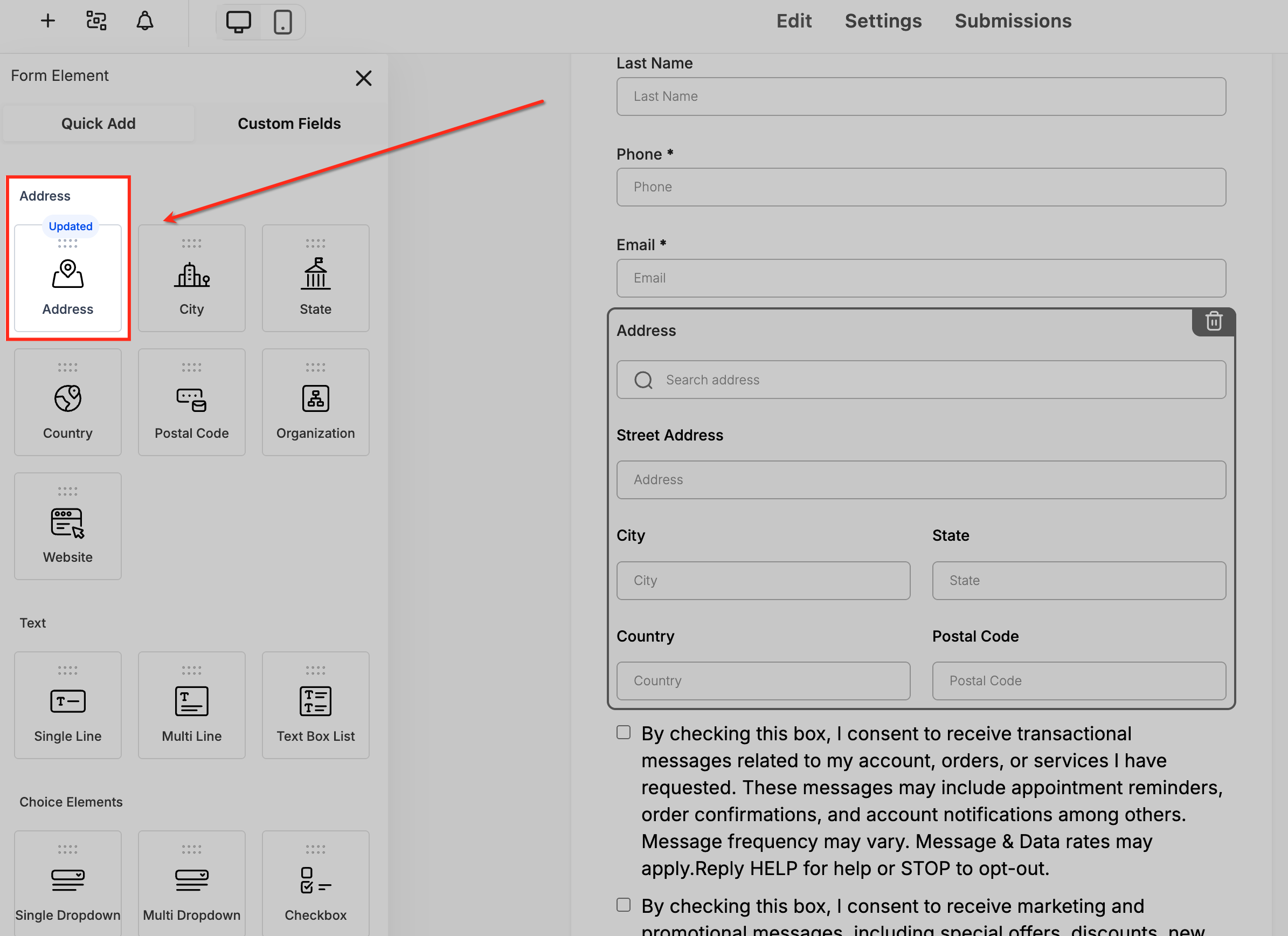
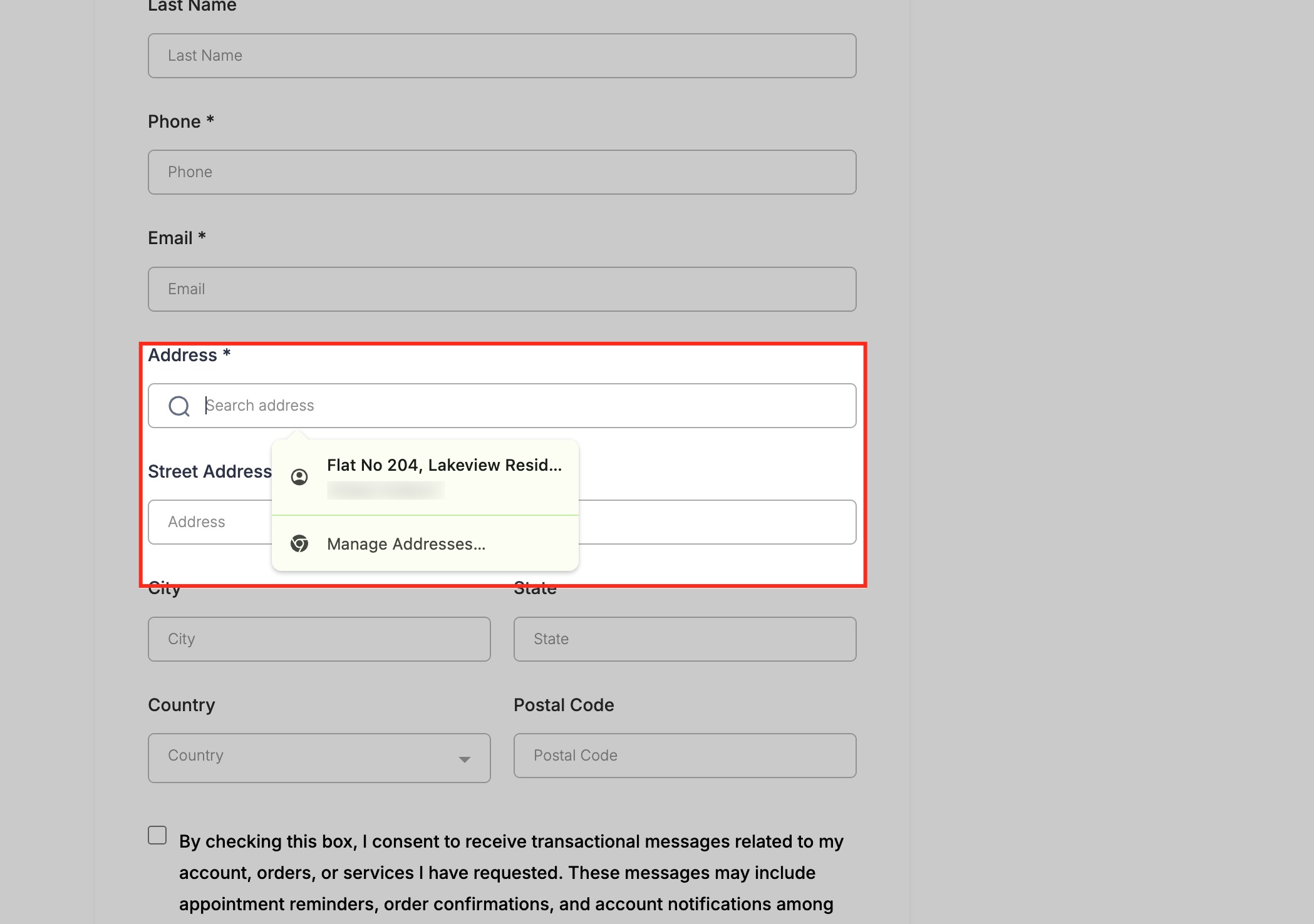
Address Auto Complete adds a smart search capability to the Address element in any HighLevel form or survey. When a visitor begins typing, the platform suggests matching addresses from a global database. Selecting a suggestion right away populates all related address fields.
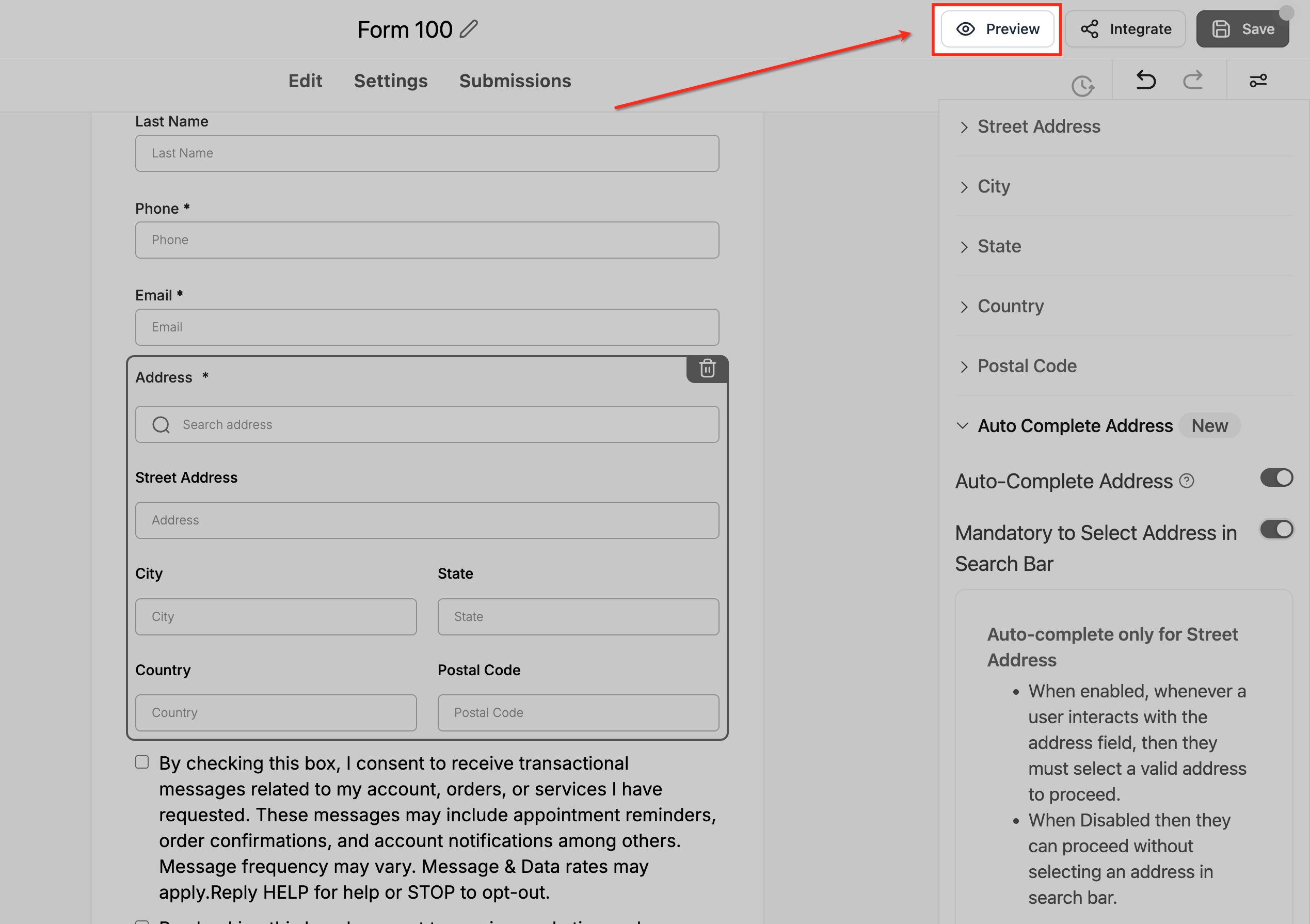
The feature lives inside the form builder. After placing the Address field, its settings panel includes toggles to turn Auto Complete on and to require users to pick a suggested address before submitting. The behavior works in the preview mode and after the form is published.
All HighLevel accounts receive this capability at no cost and without usage limits, and it supports most countries and postal formats worldwide.
03How businesses use address autocomplete
- Real estate agency. They add the Address field to a property inquiry form, enable Auto Complete, and optionally require selection. Visitors type a street name, pick a suggestion, and the form records a complete, formatted address for each lead.
- Event planner. In an event registration survey, they enable Auto Complete to capture venue addresses. Attendees start typing the venue name, choose a suggestion, and the system fills city, state and postal code automatically.
- Nonprofit organization. For donation forms, they turn on Auto Complete to ensure donor addresses are accurate. Donors can accept the suggested address or, if the mandatory toggle is off, enter their address manually.
04The numbers and rules that matter
- Free & Unlimited: Included in every HighLevel account with no usage limits.
05How to set up and use address autocomplete in HighLevel
Enable address auto complete in a form or survey
- Open the form or survey builder via Sites > Forms (or Surveys).
- Drag the Address element from the Form Elements panel onto the canvas.
- Click the placed Address field to open its settings panel on the right.
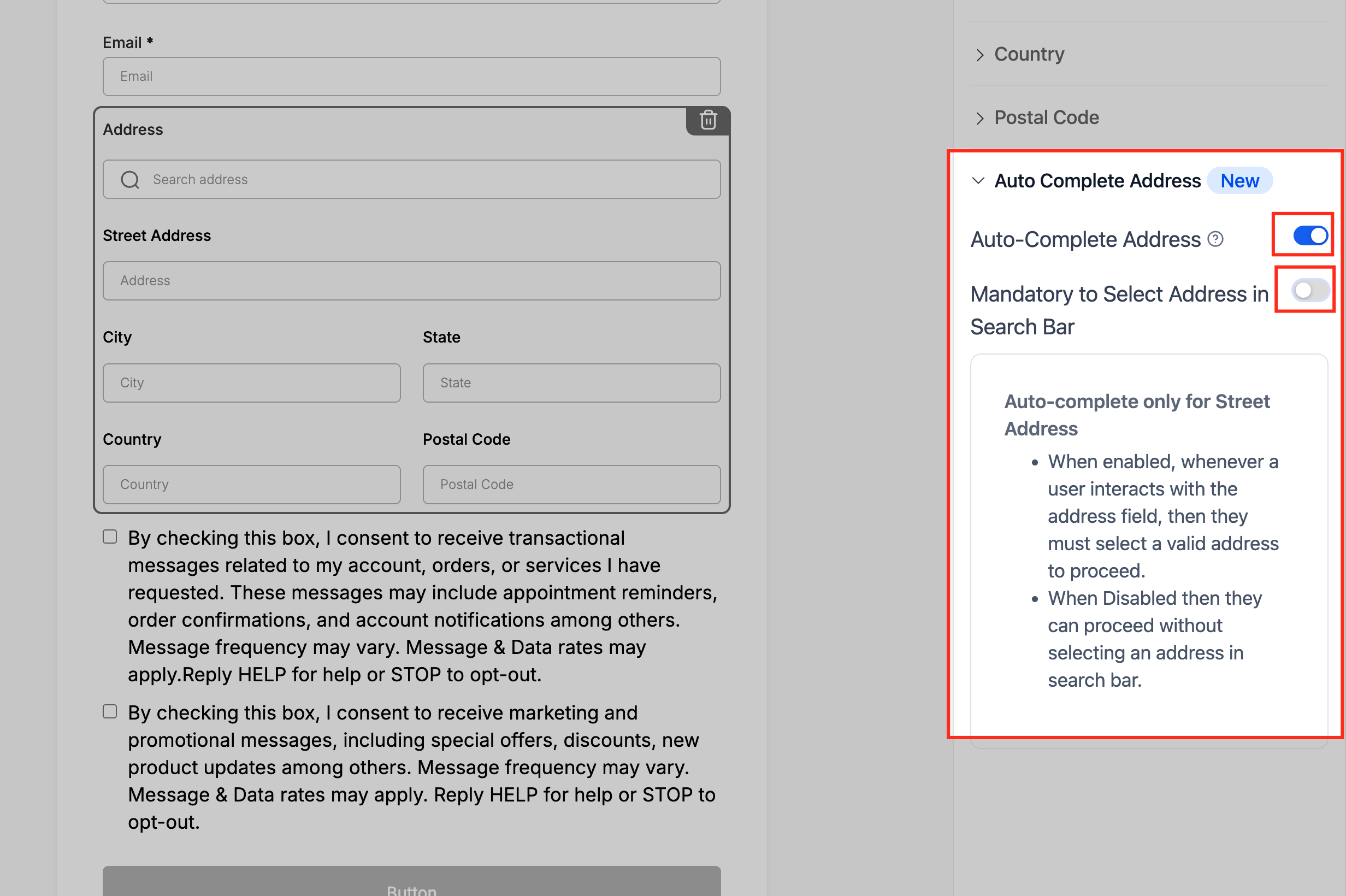
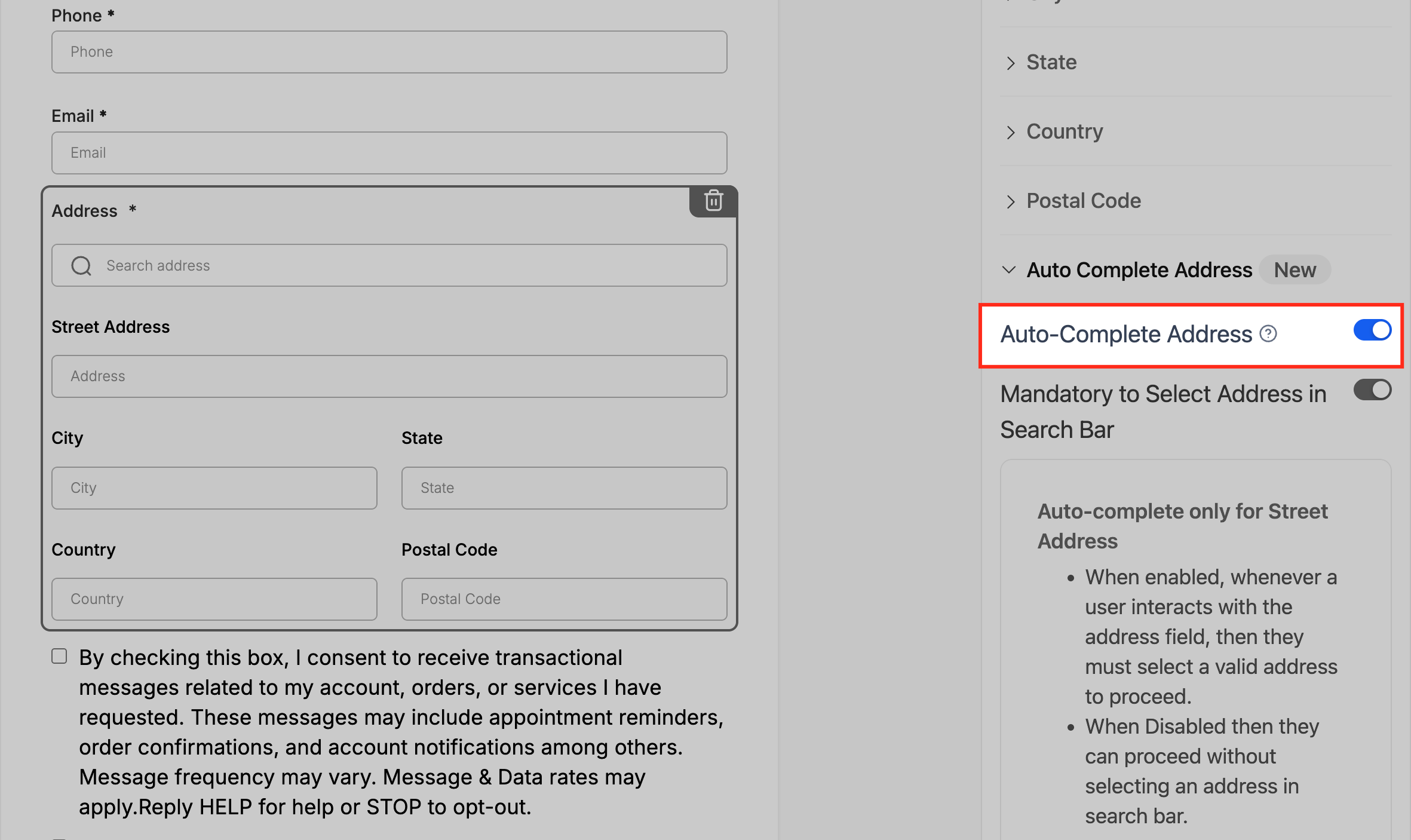
- Find the toggle labeled Auto Complete Address and switch it on.
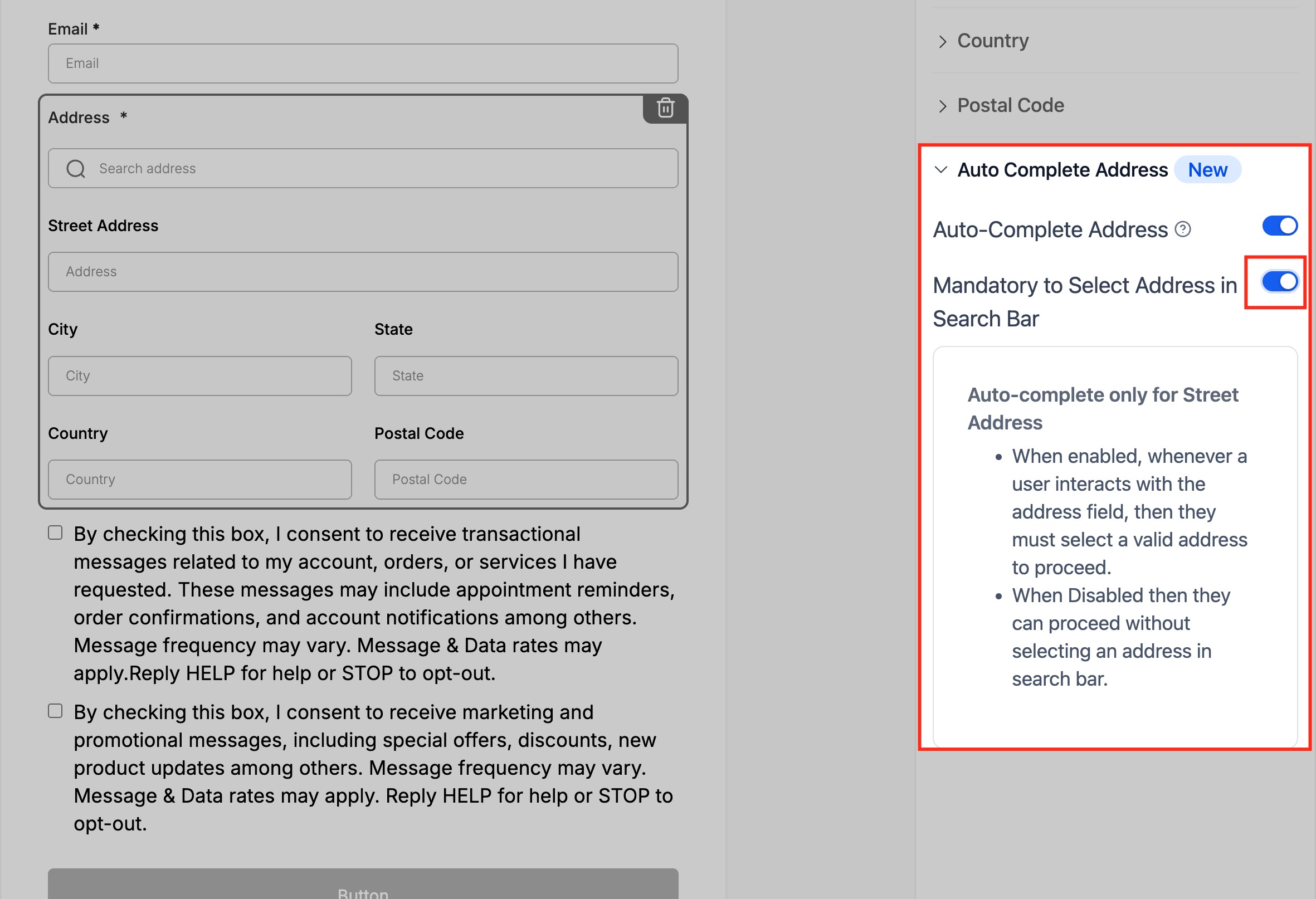
- If desired, turn on Mandatory to Select Address in Search Bar.
- Press Preview at the top right to view the live form.
- In preview, type part of an address to see predictive suggestions.
- Select a suggestion to confirm that the other address fields fill automatically.
- Click Save and then Publish the form to make the changes live.
06What it looks like in HighLevel
07Settings that matter
- Auto Complete Address. When switched on, it changes the Address field into a predictive search bar that offers real time address suggestions.
- Mandatory to Select Address in Search Bar. When enabled, users must choose one of the suggested addresses before they can submit the form.
08Things to know before you rely on it
- The feature is free and unlimited for every HighLevel account.
- It works for most countries and postal formats worldwide.
- Existing forms do not receive Auto Complete automatically; each form must be edited to turn the toggle on.
- If the mandatory toggle is off, users can still type an address manually.
09How it connects to the rest of HighLevel
- Track the origin of form submissions with the source field feature. Source field
- Send email notifications when a form with Auto Complete is submitted. Email notifications
- Embed the form containing Auto Complete on an external website. Embedding forms
Michael's take

I like that the feature is free and unlimited, and it helps keep address data consistent.
If you’re only collecting a name or email and address isn’t essential, the feature adds little value, so you might stick with a plain text field and avoid the extra setup.