
01Who this is for
- Compliance officers, need a systematic way to verify consent before automated calls.
- Marketing managers, want to run Voice AI campaigns without manual consent checks.
02Enhanced consent checking, explained
The feature adds a pre call validation step for Voice AI outbound dialing. When a call is about to be placed, the platform looks at the contact’s latest submission in Forms, Surveys, or Appointment Calendars. If a clear, affirmative consent checkbox was ticked and tied to the phone number, the call proceeds; otherwise it is blocked.
The consent check appears automatically during the call workflow. Administrators can view the decision, see which asset supplied the consent, and note the exact timestamp in the contact timeline and Voice AI logs. This centralized audit trail reduces the need for separate compliance reviews.
The setting lives within each asset’s builder. Forms, Surveys, and Appointment Forms each have an option to add a required consent checkbox and to map the phone field to the contact record. Once saved, the consent data becomes part of the contact’s history for Voice AI to reference.
03How businesses use enhanced consent checking
- Real estate agency. Add a required consent checkbox to lead capture forms, open house surveys, and appointment booking calendars. When a prospect books a showing, Voice AI will only call if the checkbox was ticked and the phone number matches the contact record.
- Health clinic. Include a consent item on patient intake forms, post visit satisfaction surveys, and telehealth appointment forms. The clinic can automate reminder calls, confident that each call is backed by a documented opt in tied to the patient’s phone.
- Online education platform. Place a required consent checkbox on course enrolment forms, feedback surveys, and live session booking calendars. Automated voice notifications about class updates will be sent only when students have explicitly agreed via any of these assets.
04How to set up and use enhanced consent checking in HighLevel
Set up enhanced consent checking
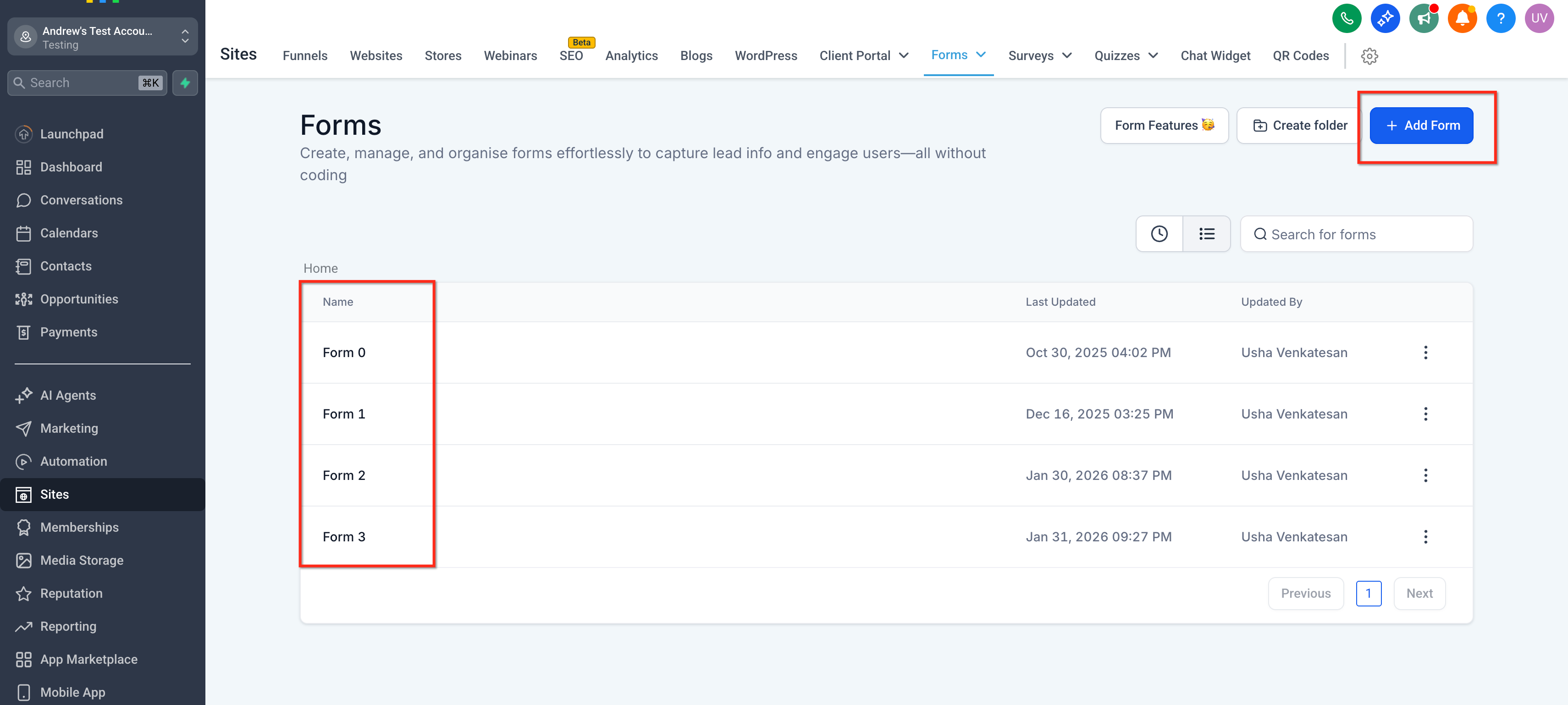
- Open the existing form or create a new one in HighLevel.
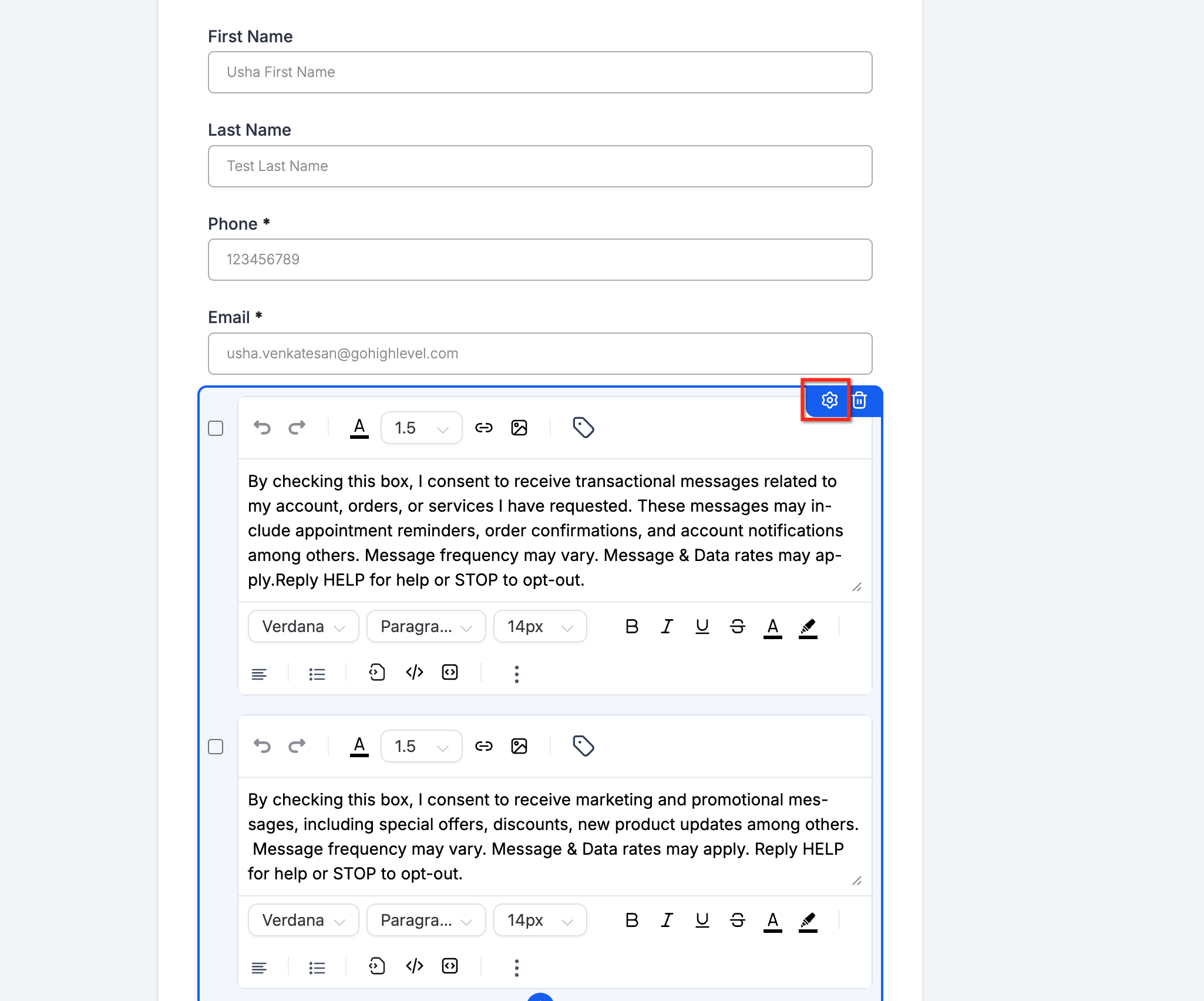
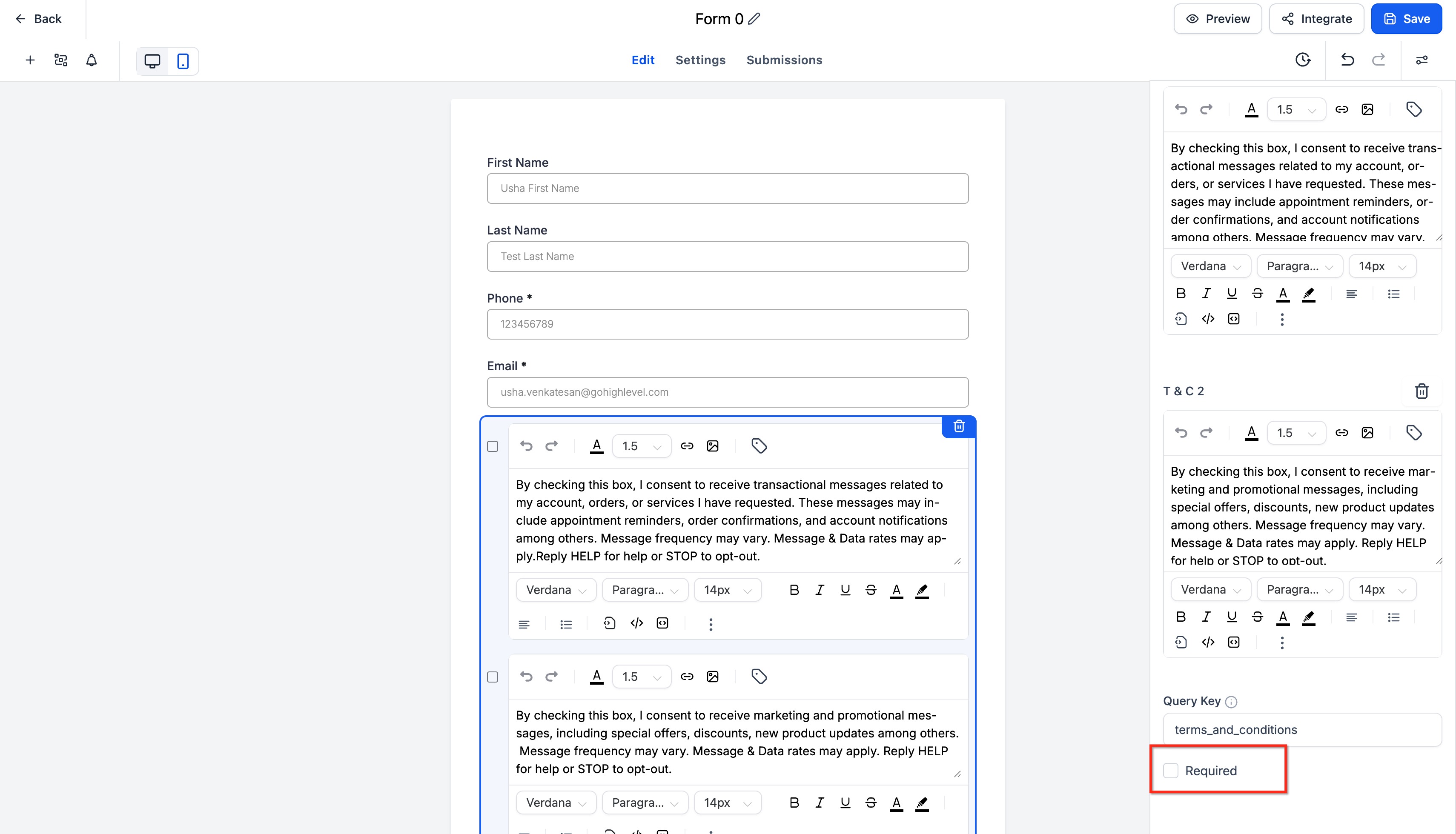
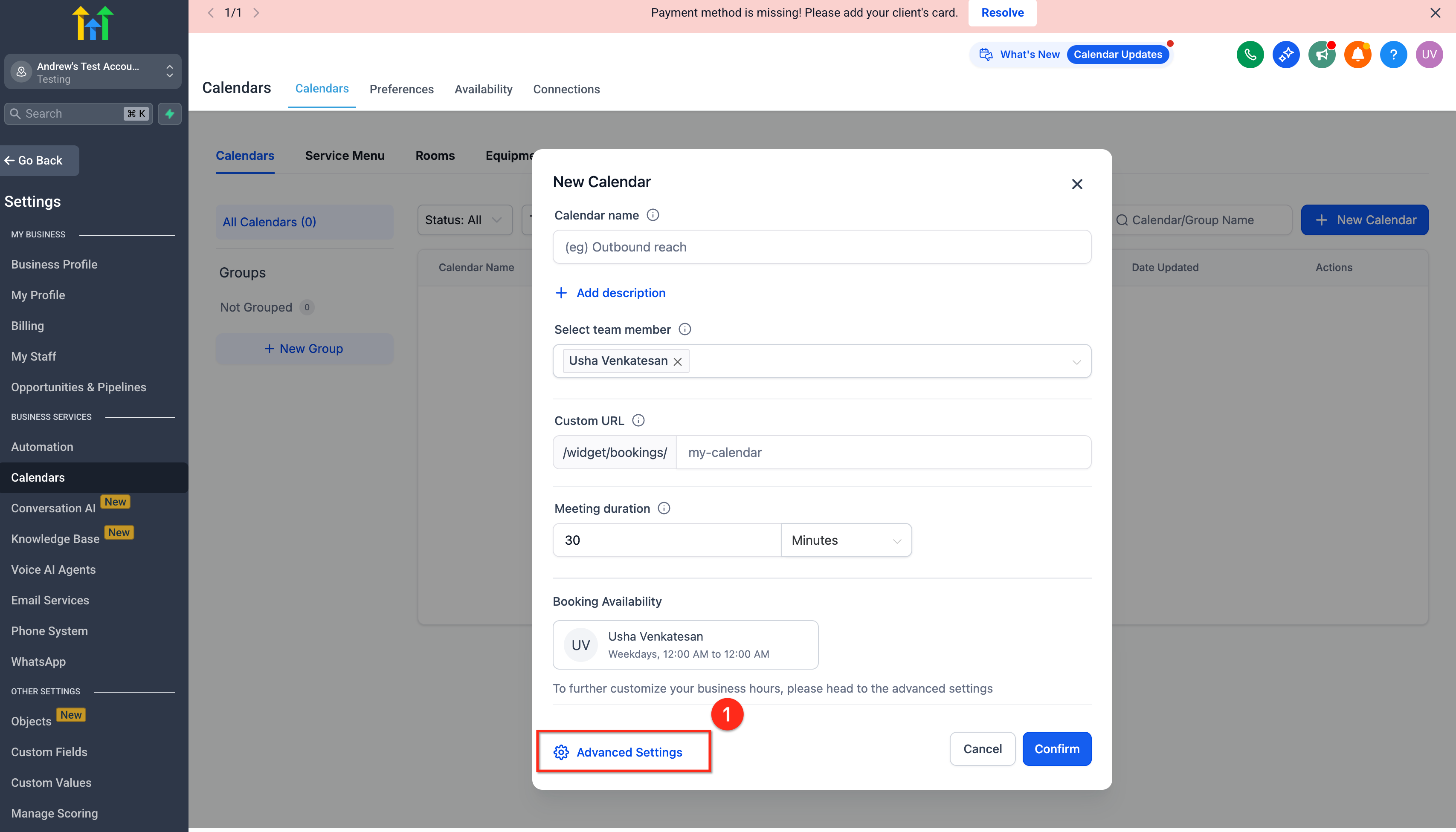
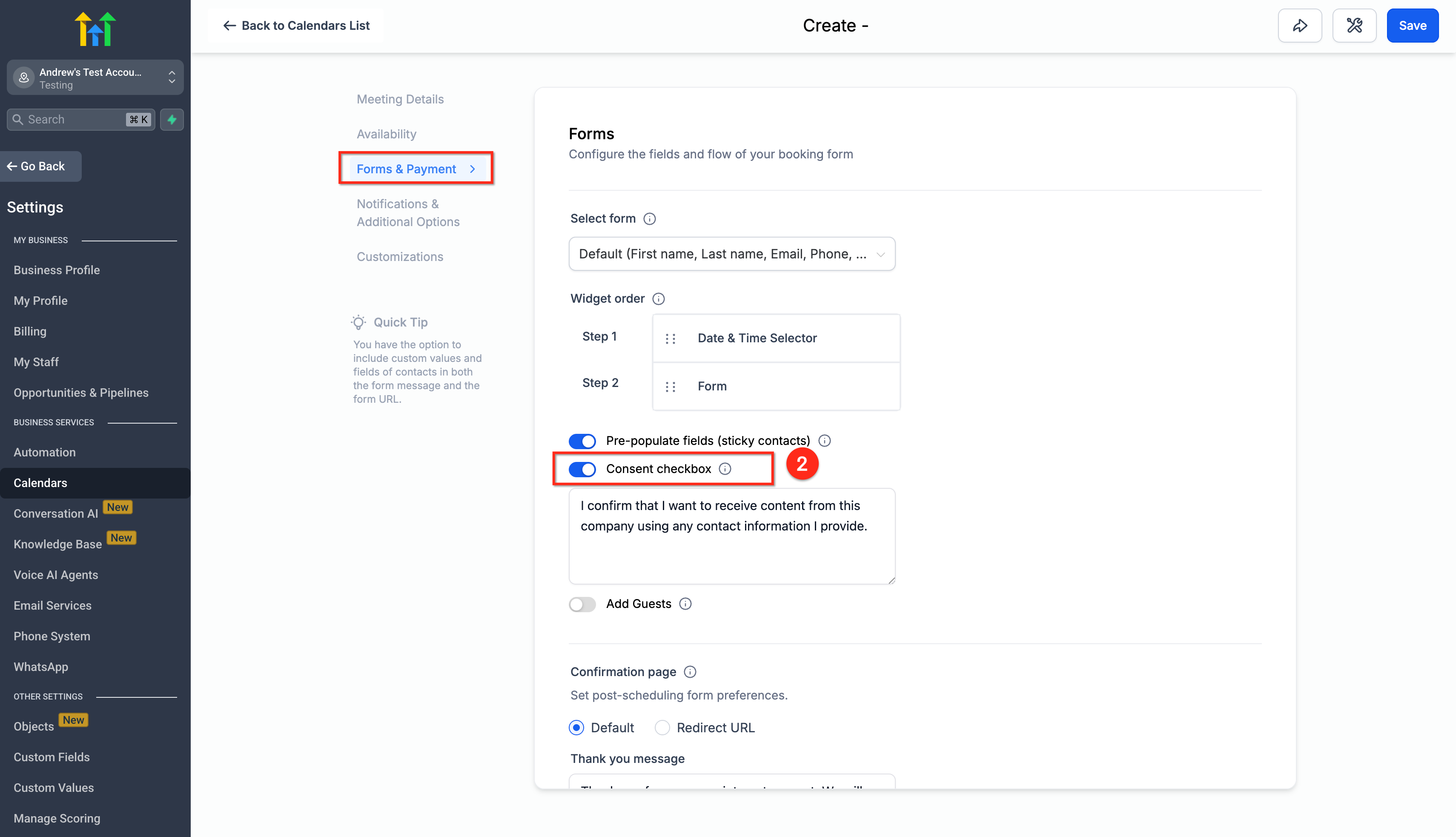
- Select the settings icon and enable a required consent checkbox.
- Make sure the form includes a phone field that maps to the contact’s phone number.
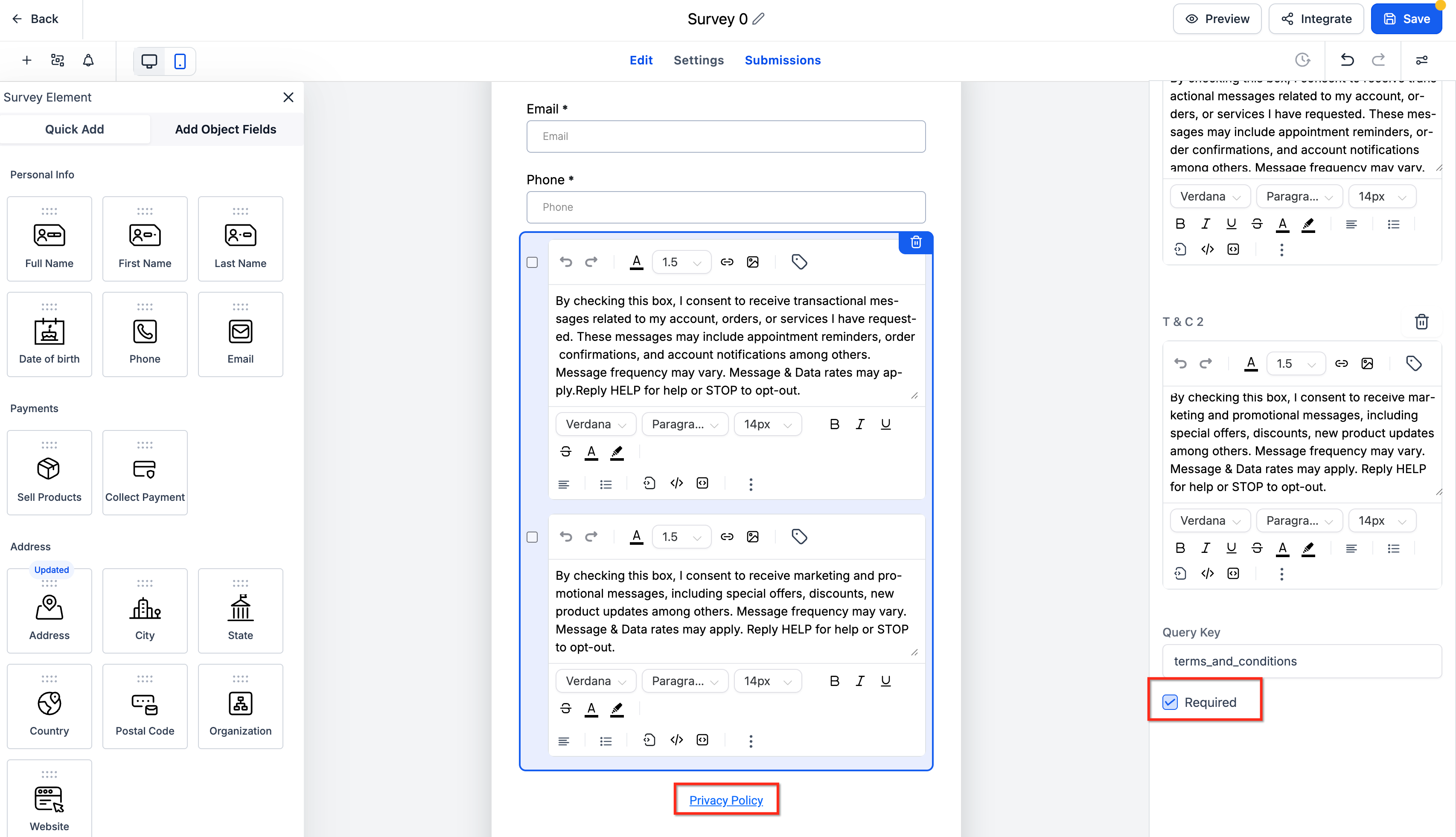
- Add a required consent item to each survey you use for outreach.
- Ensure each survey also captures the contact’s phone number for Voice AI calls.
- Enable a required consent checkbox on every appointment booking form or calendar.
- Submit a test entry for each asset and review the contact timeline for consent source and timestamp.
05What it looks like in HighLevel
06Settings that matter
- Required consent checkbox. Controls whether a clear, affirmative opt in is recorded and must be checked before the contact can be called.
- Phone field mapping. Ensures the submitted phone number is linked to the contact record, allowing Voice AI to match consent to the number being dialed.
07Things to know before you rely on it
- Consent is only recognized from Forms, Surveys, and Appointment Forms/Calendars.
- A valid opt in requires an explicit checkbox and consent text that mentions voice calls.
- If an opt out or Do Not Call flag exists, it overrides any prior opt in and blocks the call.
- Older survey or calendar submissions are considered only when they are attached to the contact and the correct phone number.
08If something goes wrong
- Call is blocked despite having a consent checkbox on a form.. Verify that the phone field on the form is mapped to the contact’s phone and that the consent checkbox is marked as required.
- Voice AI does not recognize consent from a previously submitted survey.. Check the contact timeline to confirm the survey submission is linked to the contact and includes the correct phone number.
09How it connects to the rest of HighLevel
- How to find and export survey submissions in HighLevel Export survey data
- How to integrate payments into HighLevel surveys Survey payments
- HighLevel pricing and plans Pricing
Michael's take

Collecting consent on surveys or calendars is now supported, which can help avoid call blocks.
The first setting I would get right is the required consent checkbox on every asset, making sure the phone field is correctly mapped. With that in place, the precall scan has the data it needs to keep calls flowing and stay on the right side of the law.