
01Who this is for
- Marketing agencies need early lead capture to follow up on incomplete survey responses.
- SaaS startups can collect prospect information before a full qualification survey is finished.
- Event organizers can gather attendee details even when participants abandon the registration flow.
02Partial contact creation, explained
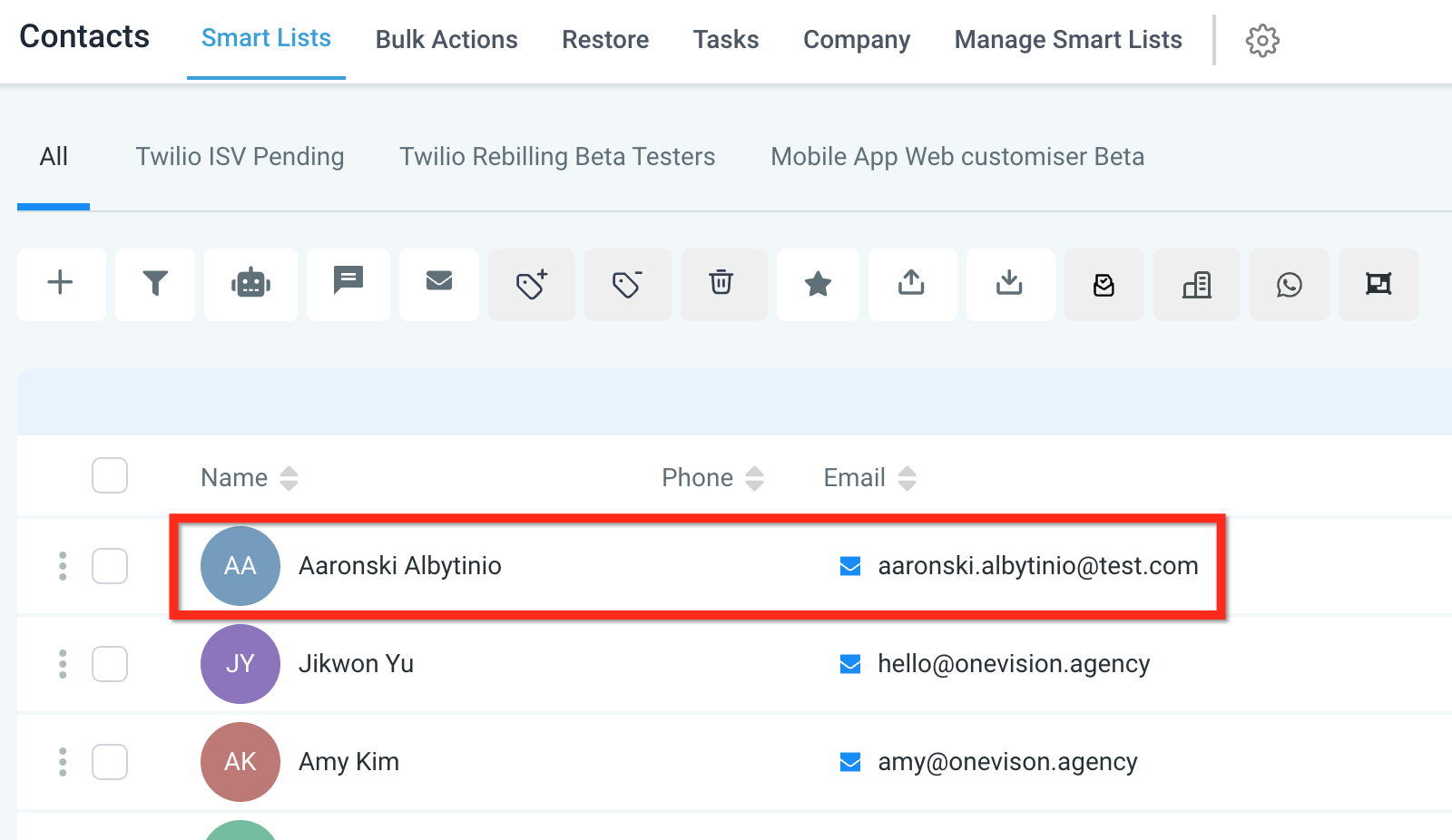
The platform can store contact information progressively as a survey is taken. When a respondent answers the first slide that contains contact fields, the system creates a contact record right away. The record is saved before the rest of the survey is submitted. This setting is found in the survey builder’s options menu.
Partial contact creation works with slide logic, but it stops creating contacts if the logic jumps straight to the last slide. Updates to the contact also pause when the respondent lands on the second to last slide. To ensure reliable capture, place basic contact fields on the first slide.
03How businesses use partial contact creation
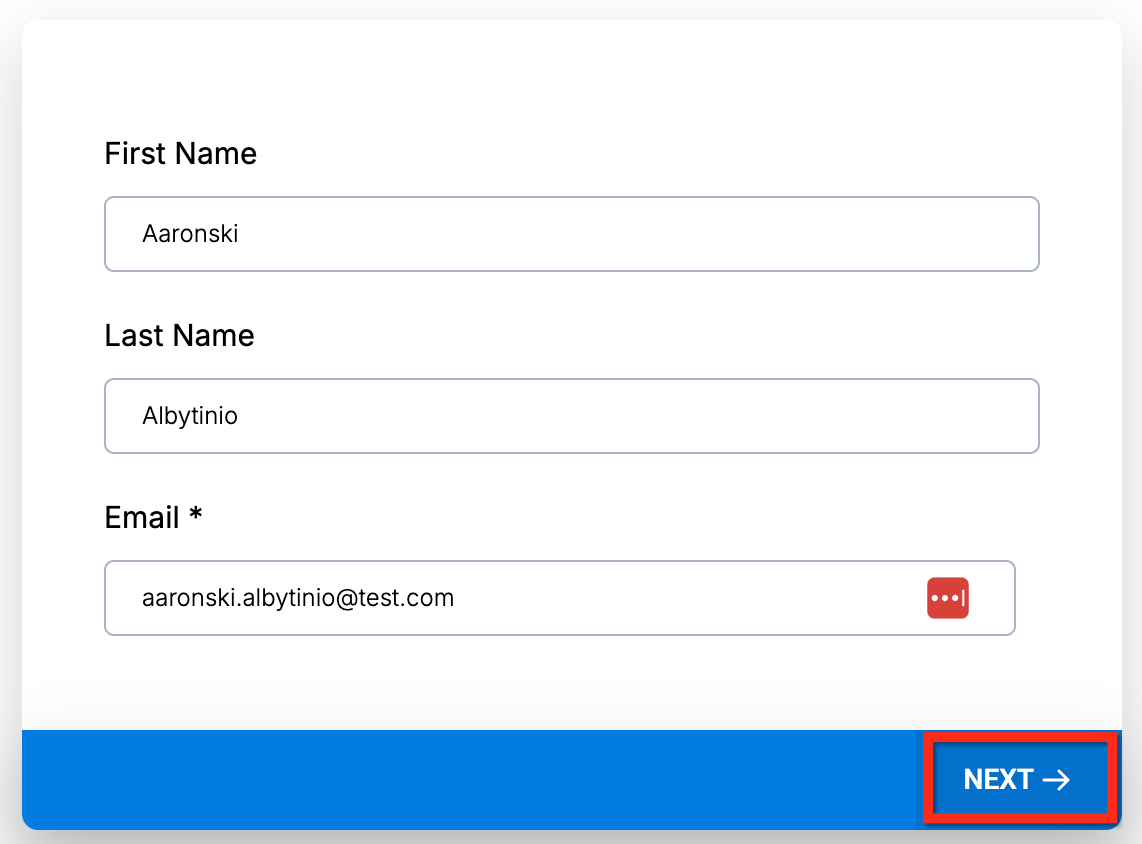
- Marketing agency. The agency adds email and phone fields to the first slide of a lead gen survey. It turns on the partial contact toggle so a contact is saved as soon as a prospect clicks Next. The agency can then reach out even if the prospect never finishes the survey.
- SaaS startup. The startup builds a product interest survey with name and company fields on slide one. By enabling partial contact creation, the startup records a prospect as soon as those fields are entered, allowing early nurturing before the full questionnaire is completed.
- Event organizer. The organizer includes attendee name and email on the opening slide of a registration survey. With the setting active, the system creates an attendee record after the first slide, so the organizer can send reminders even if the registrant stops midway.
04How to set up and use partial contact creation in HighLevel
Enable partial contact creation
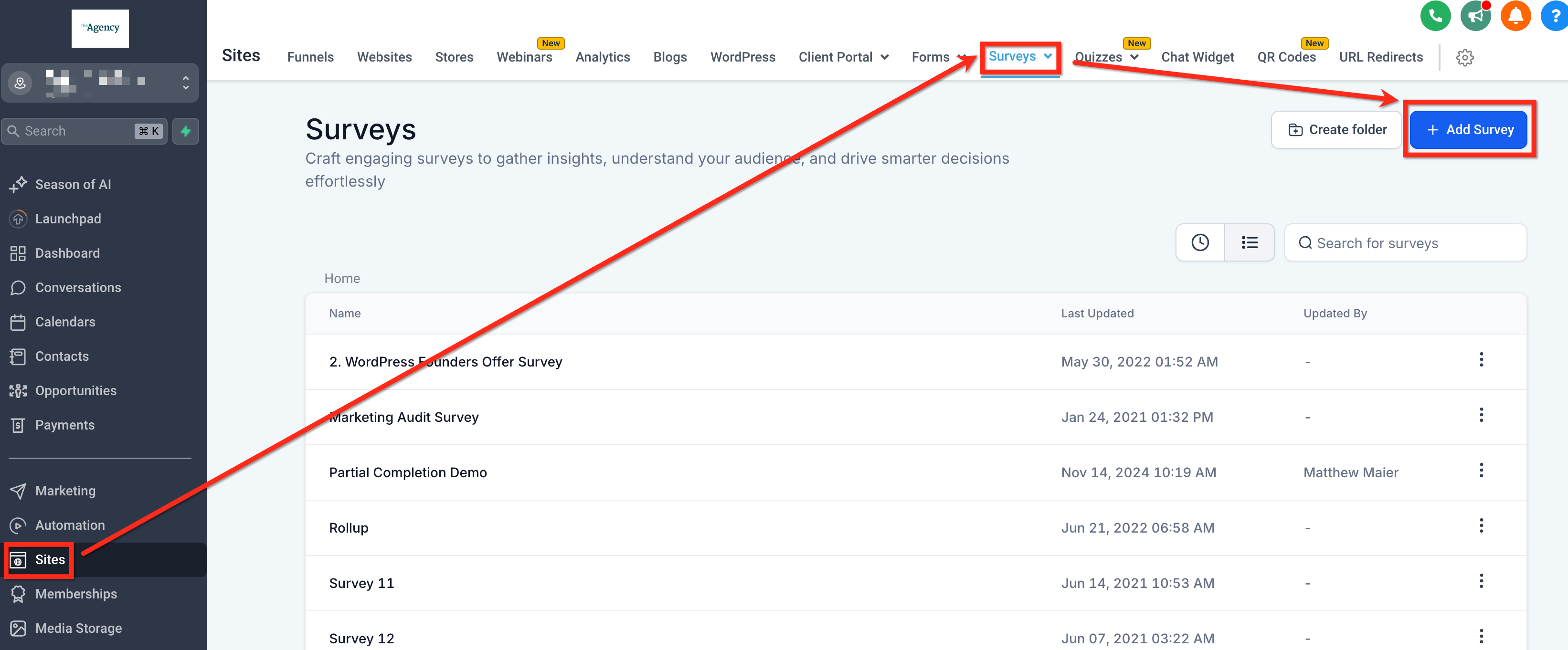
- Navigate to Sites > Survey > Builder > Add Survey.
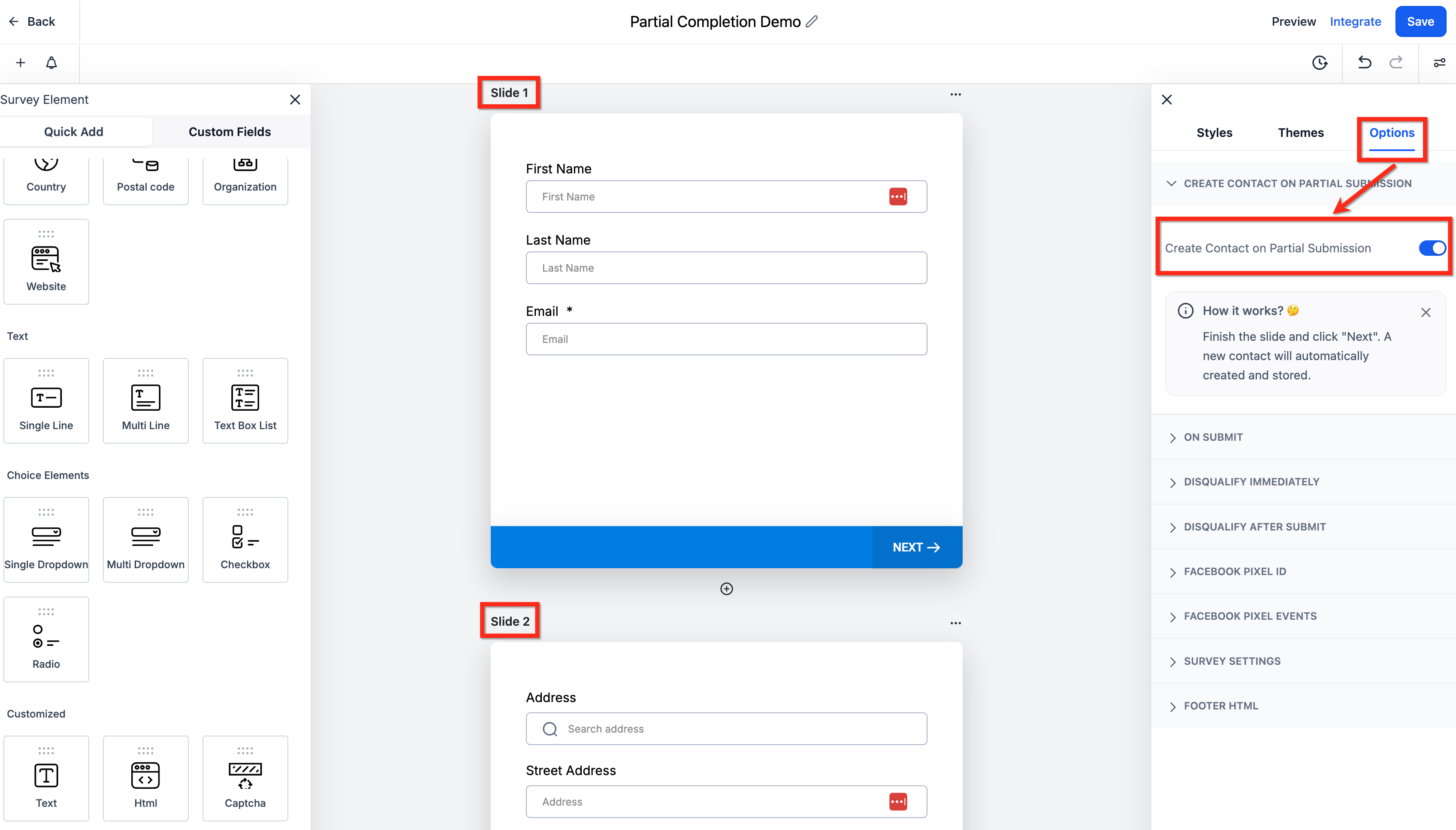
- In the Survey Builder, open Options.
- Toggle on "Create Contact on Partial Submission".
- Put contact fields on the first slide so there is information to create the contact record.
- The survey respondent fills out the first slide and clicks Next.
- The contact is created before the rest of the survey is completed.
- Publish the survey.
05What it looks like in HighLevel
06Settings that matter
- Create Contact on Partial Submission. When turned on, the platform creates a contact record as soon as the first slide with contact fields is completed, even if the survey is not fully submitted.
07Things to know before you rely on it
- Partial contact creation does not work if slide logic skips directly to the last slide.
- Contact information is not updated when the respondent jumps to the second to last slide; updates occur only at final submission.
- Best practice: place basic contact information fields on the first slide; do not skip directly to the last or second to last slide.
08How it connects to the rest of HighLevel
- Export survey submissions for further analysis Export submissions
- Add a mobile progress bar to improve respondent experience Mobile progress bar
- Customize the survey footer to match branding Survey footer
Michael's take

Partial contact creation can feel risky if you rely on it for every lead, because the feature stops working when a respondent jumps straight to the final slide. That limitation means you need to think carefully about where you place your contact fields.
When used correctly, the upside is solid: You capture leads the moment someone starts answering, without forcing them to complete the whole questionnaire. If I were setting one up, I’d make sure the first slide gathers a name and email and then let the rest of the survey dive deeper.