
01Who this is for
- Marketing teams that need accurate contact information for campaigns.
- Sales departments that rely on verified leads for outreach.
- Event organizers collecting registrations and requiring real attendee emails.
02Email validation, explained
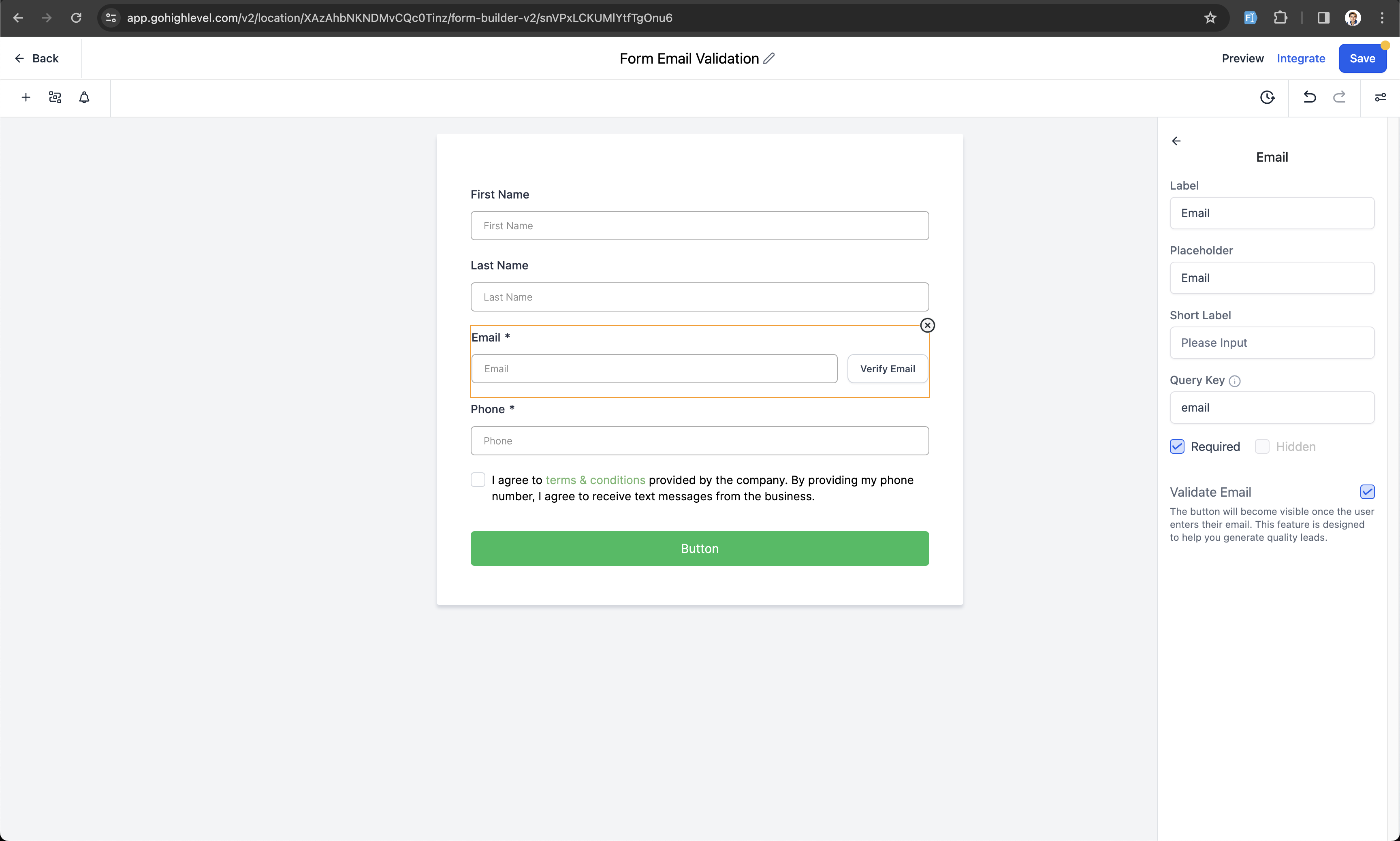
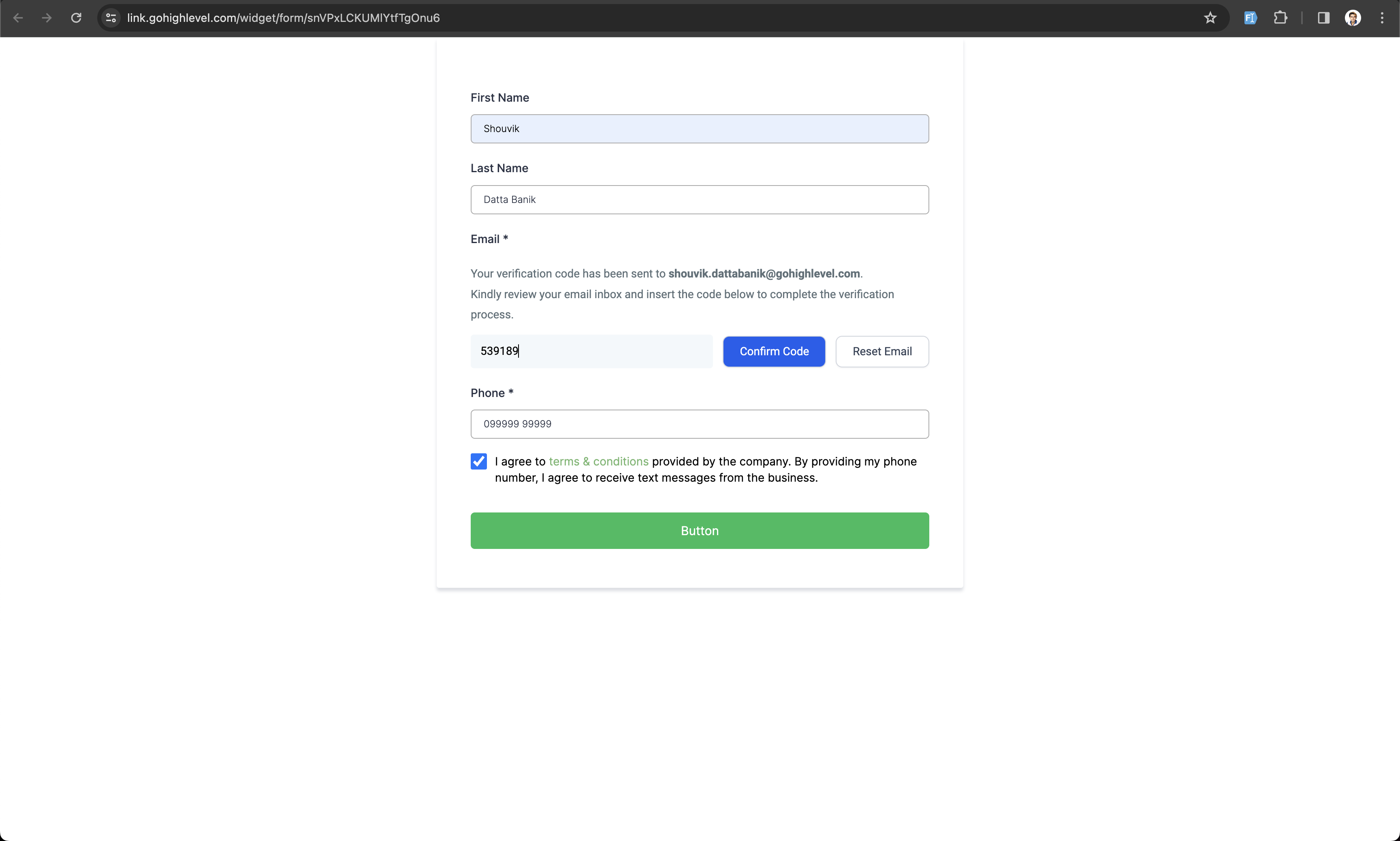
Email Validation places a Verify Email button next to the email input field in any form or survey. The button only becomes visible when the entered address follows proper formatting. Clicking the button triggers an email that contains a unique code.
The recipient enters that code back into the form, and the system marks the email as verified. A “Verified Email” field shows Yes for successful validations. The feature can be turned on in the form or survey settings by toggling the email validation option.
You find the toggle inside the settings of each form or survey under the email field configuration. Once enabled, every submission must complete the verification step, otherwise the submission is not accepted.
03How businesses use email validation
- Real estate agency. Enable email validation on lead capture forms. Prospects enter their address, click Verify Email, receive a code, and input it to complete the form. The agency can then filter submissions with the Verified Email field set to Yes.
- Online course provider. Activate the feature on enrollment surveys. Students type their email, verify it by entering the received code, and the enrollment record records the verification status. This ensures the course team can contact each enrolled student.
- Nonprofit organization. Turn on email validation for donation forms. Donors provide an email, click the Verify Email button, and submit the code sent to them. The donation entry includes a Verified Email indicator, confirming the donor’s contact information.
04How to set up and use email validation in HighLevel
Enable and use email validation in a form or survey
- User types an email address into the designated field.
- A Verify Email button appears once the address is correctly formatted.
- Clicking the button sends a unique code to the entered email address.
- User types the received code back into the form to confirm the address.
- When the code matches, the system marks the email as verified in the submission data.
05What it looks like in HighLevel
06Settings that matter
- Email Validation. Controls whether the Verify Email button and validation workflow appear for the email field in a form or survey.
07Things to know before you rely on it
- The validation email cannot be customized at present; it follows a standard template.
- The Verify Email button only shows after a well formatted email is entered.
- Submissions that do not complete verification may be rejected.
08How it connects to the rest of HighLevel
- Build and manage contact forms Contact form guide
- Set up email notifications for form submissions Email alerts
- Embed forms on external websites Embedding forms
Michael's take

Email validation pays off by cutting out bogus leads and keeping your contact list clean, which is a real value add for a small business that relies on email marketing.
Don't forget to require the verification step; letting unverified emails slip through defeats the purpose.