
01Who this is for
- Agencies that manage multiple client domains benefit because the feature creates synthetic mailboxes and handles reputation building without manual effort.
- Subaccounts with a dedicated sending domain gain a safe way to start email outreach without risking spam flags.
- Businesses launching a new domain can improve inbox placement before sending large marketing campaigns.
02Email domain warm up, explained
The platform creates warm up mailboxes on your verified domain and sends realistic email threads that increase in volume over time. You pick a daily goal and the system gradually raises the number of warm up emails toward that ceiling. The process runs in parallel with any campaigns or workflow emails you send.
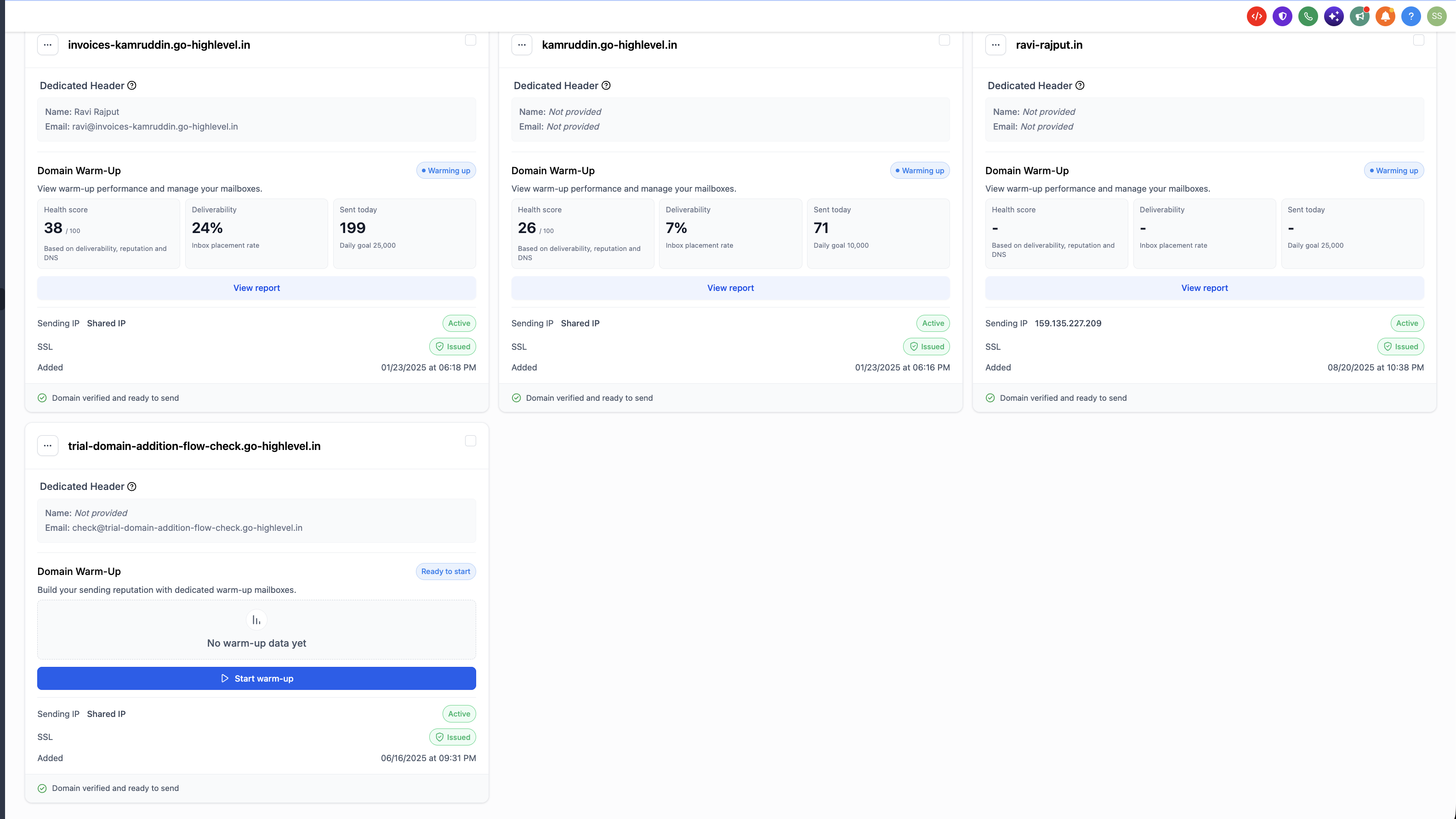
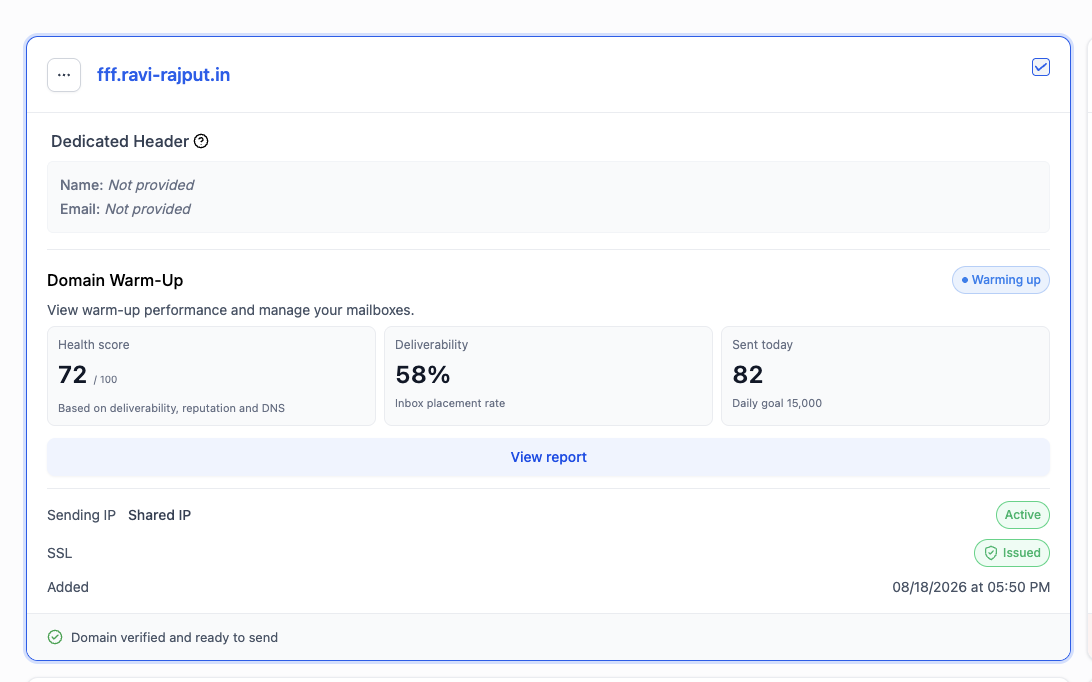
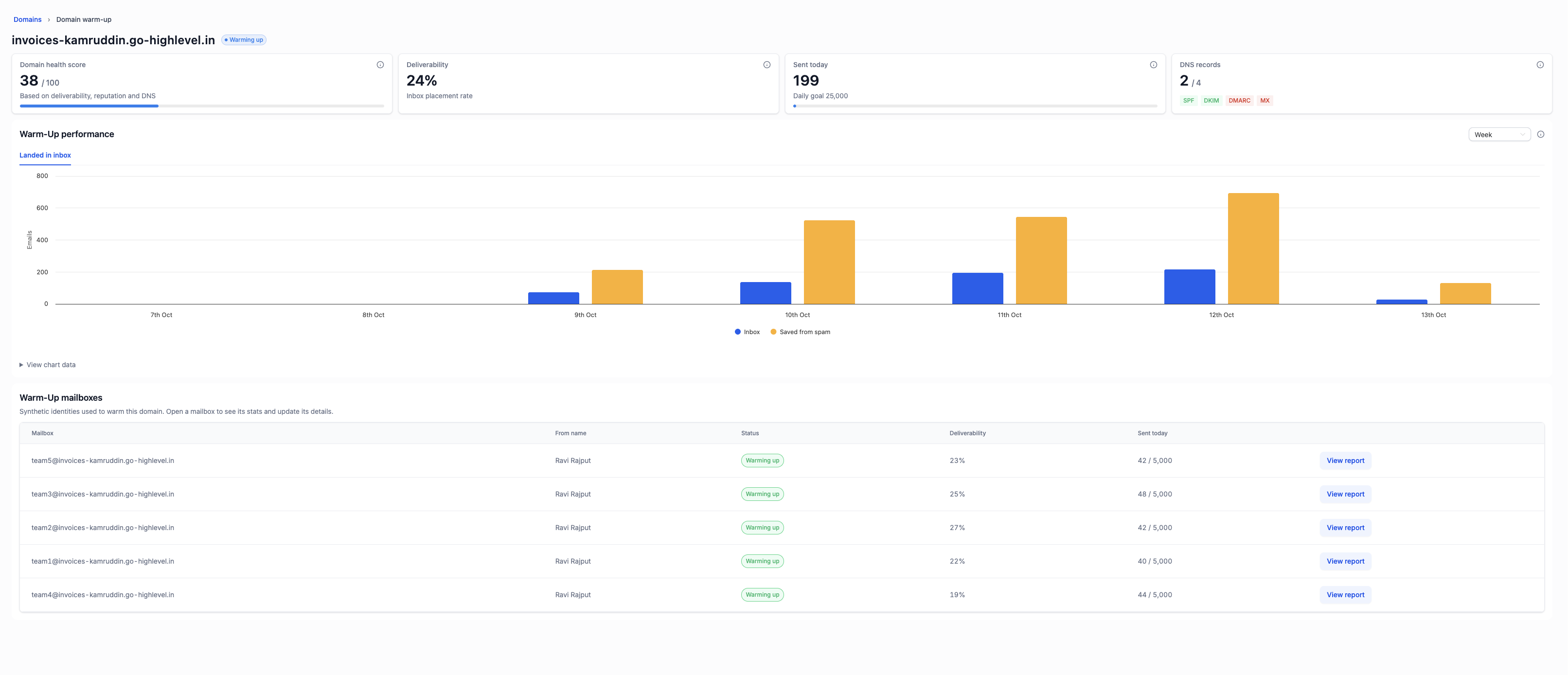
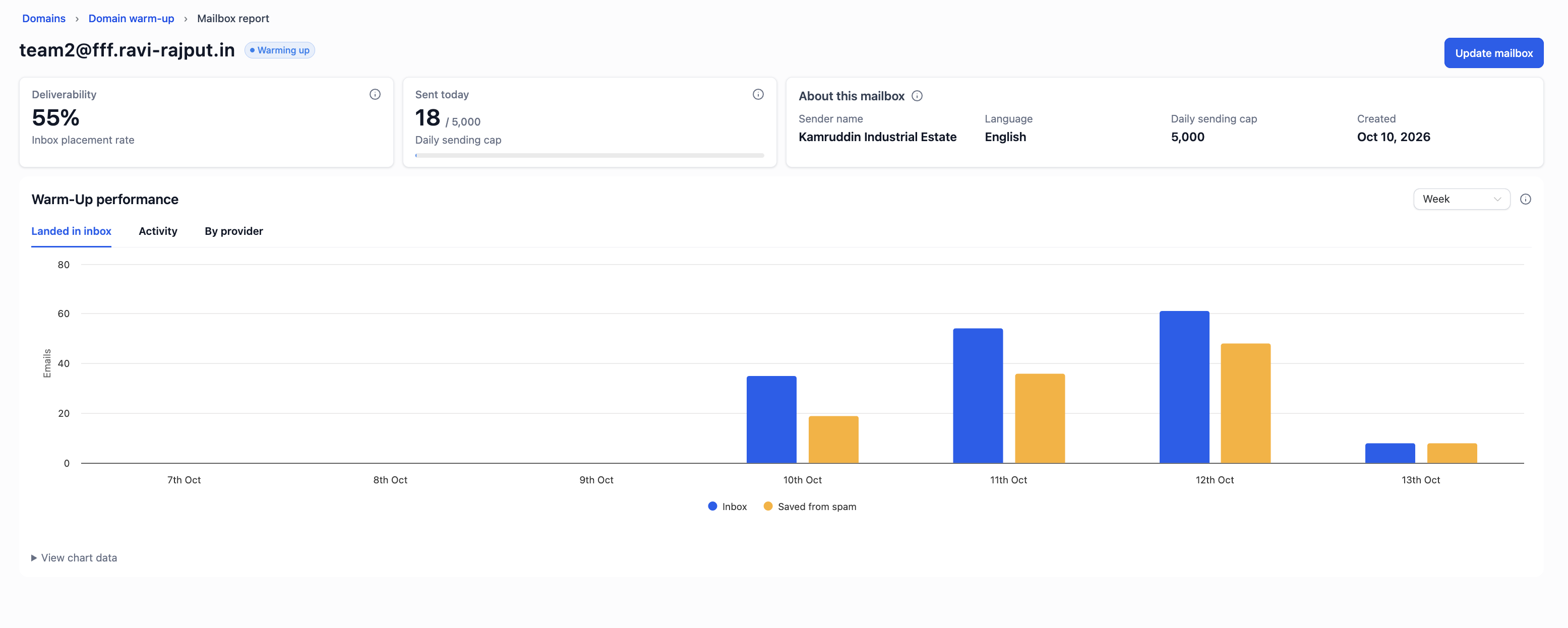
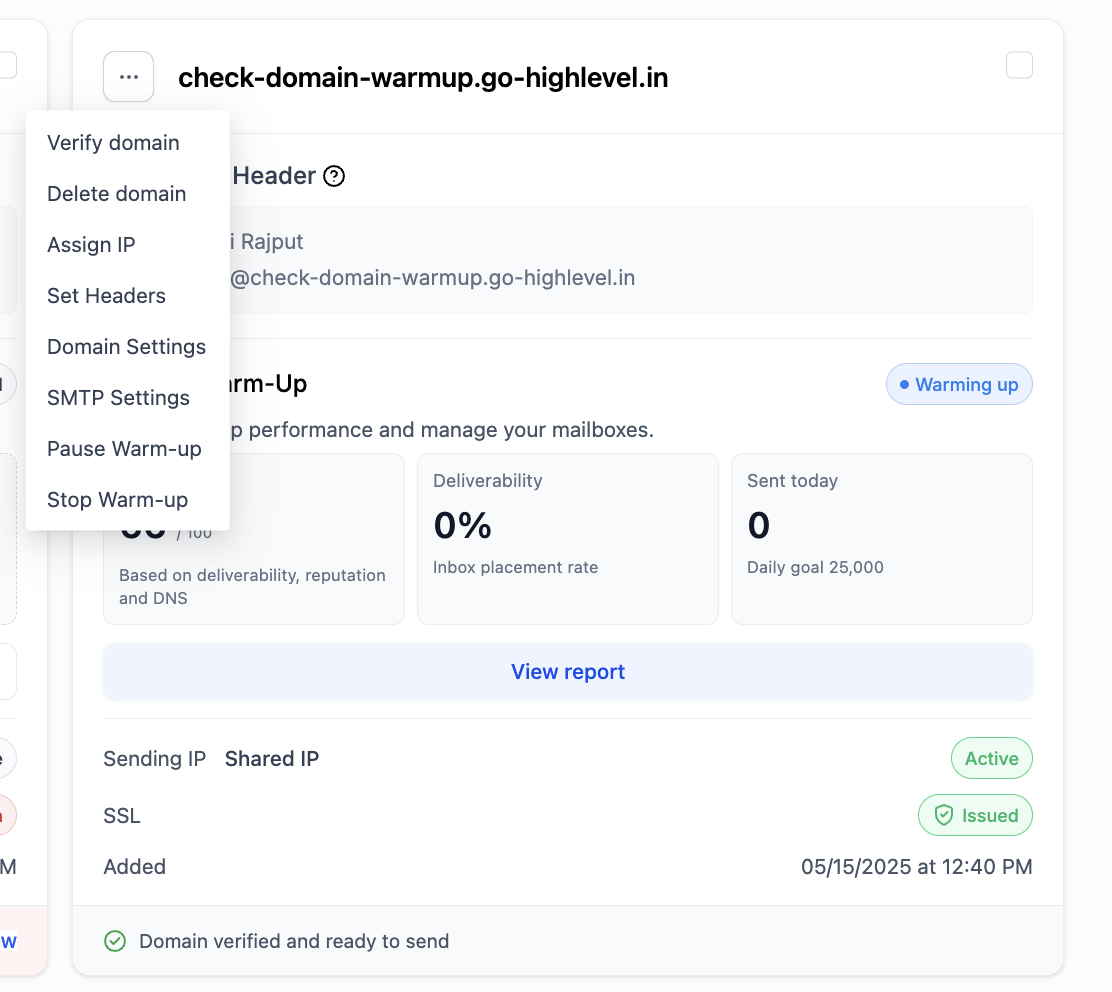
Warm up activity is displayed on the dedicated domain card. A health score, deliverability rate, and sent today count give a quick view, while a detailed report shows DNS status, inbox versus spam placement, and mailbox performance. You can pause or stop the warm up at any time.
The feature lives under Settings > Email Services > SMTP Service > Dedicated Domain and IP. It appears only after beta access is approved and the domain is verified with an SSL certificate.
03How businesses use email domain warm up
- Marketing agency. The agency enables warm up on each client’s dedicated domain, selects a daily goal that matches the client’s planned outreach, and monitors the health score to ensure reputation improves before large campaigns launch.
- SaaS startup. The startup verifies its new domain, requests beta access, and turns on warm up with a modest daily goal. While product launch emails are sent, warm up runs in the background to protect deliverability.
- Real estate brokerage. The brokerage activates warm up on its branded domain, lets the system handle volume increases, and continues sending property listings and newsletters without interruption.
04The numbers and rules that matter
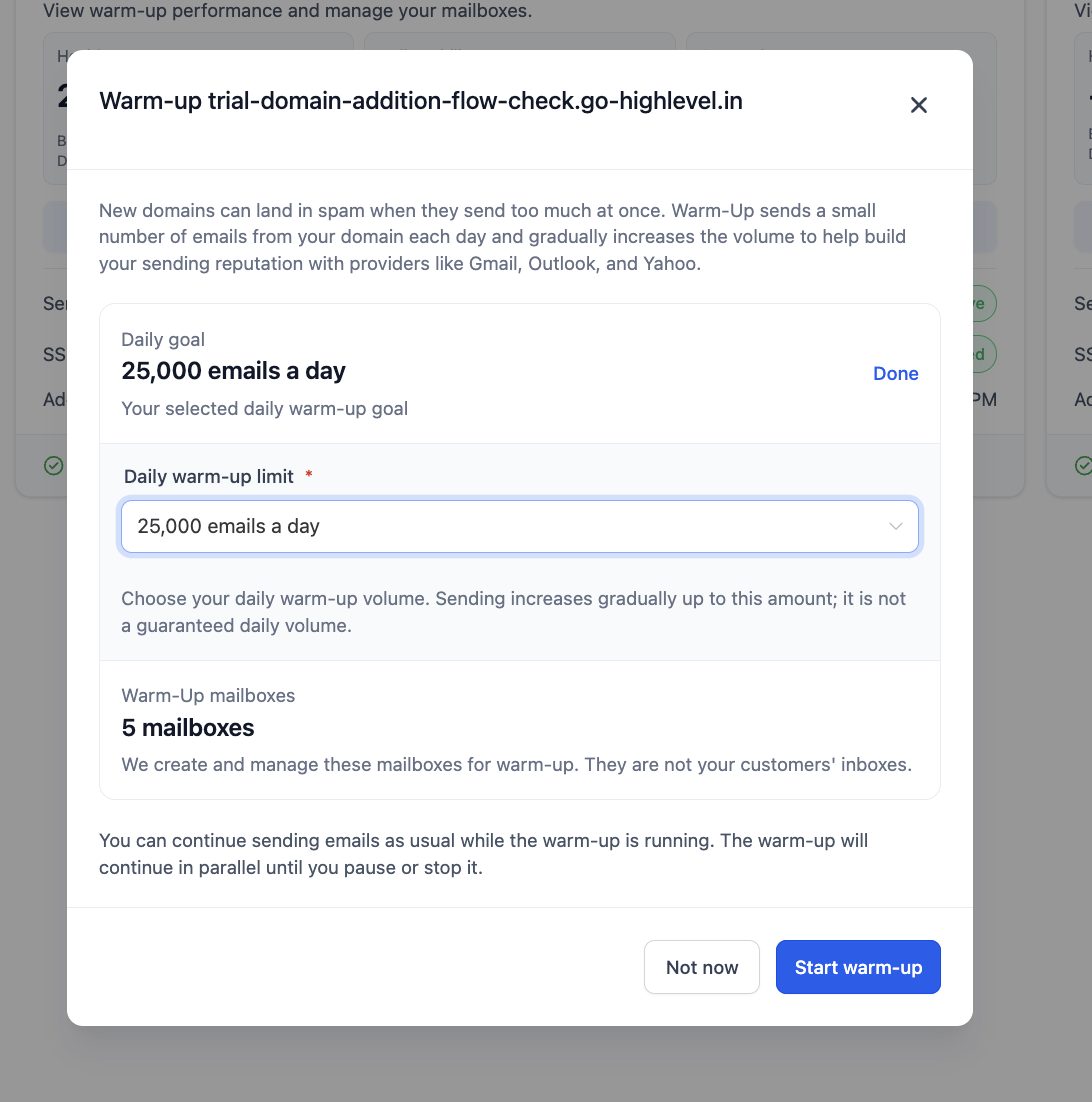
- Daily goal options are shown in a dropdown (example values: 10,000 or 25,000 emails per day).
- A 25,000 / day goal creates 5 warm up mailboxes, each with a 5,000 / day cap.
- Health score ranges from 0 to 100.
- DNS record status includes SPF, DKIM, DMARC and MX (green = configured, red = missing or invalid).
05Before you start
- The domain must be verified and its SSL certificate issued.
- Beta access to Email Warm Up must be approved for the account.
06How to set up and use email domain warm up in HighLevel
Enable domain warm up
- Open Agency Settings or Subaccount Settings, go to Email Services > SMTP Service and open the Dedicated Domain and IP tab.
- Locate your domain card and click Start warm up under the Domain Warm Up section.
- Click Change beneath Daily goal, choose a volume from the Daily warm up limit dropdown, and click Done.
- Review the warm up mailboxes that the platform created based on the selected volume.
- Click Start warm up to confirm and begin the warm up process.
- If the domain is already enrolled you will see a “Warm Up is already set up” message; click Done and open its report from the domain card.
07What it looks like in HighLevel
08Settings that matter
- Daily goal. Sets the maximum target number of warm up emails the system will aim to send each day.
- Daily warm, up limit. Provides the list of possible volume options that can be selected as the daily goal.
09Things to know before you rely on it
- The feature is currently free for approved beta users; pricing after the beta period has not been announced.
- Only agencies and subaccounts with a dedicated sending domain can enable warm up.
- The domain must be verified and have an issued SSL certificate before the Start warm up button appears.
- The daily goal is a ceiling; actual daily send volume starts small and increases gradually.
- Warm up replaces the existing daily sending limit ramp shown on the domain card.
10If something goes wrong
- Start warm up button does not appear on the domain card. Verify the domain and wait for the SSL certificate to be issued, then the button will become available.
- Report shows 0 % deliverability and 0 sent today. Wait one or two days; metrics populate as warm up emails are sent and engagement is recorded.
11How it connects to the rest of HighLevel
- Set up a root domain or subdomain for your funnels and websites Domain setup guide
- Review HighLevel pricing and plan options Pricing page
- Start a 30 day HighLevel trial Free trial
Michael's take

Email domain warm up feels like a small convenience that can become a real shift for anyone launching a new brand or moving to a fresh domain. It takes the manual grind out of building a sender reputation, so you can focus on the content you send to customers.
If I were running a marketing agency that manages multiple client domains, I’d turn on warm up as soon as a new domain is verified and its SSL is live. That way the platform handles the slow ramp while my teams keep sending campaigns, and I get a health score to know the domain is on the right track.