
01Who this is for
- Agency administrators benefit because they can choose to bill locations with the agency card or allow locations to use their own cards and wallets.
- Location managers gain a clear checkout experience limited to card and wallet options, preventing accidental agency card use.
02Unified Payment Options, explained
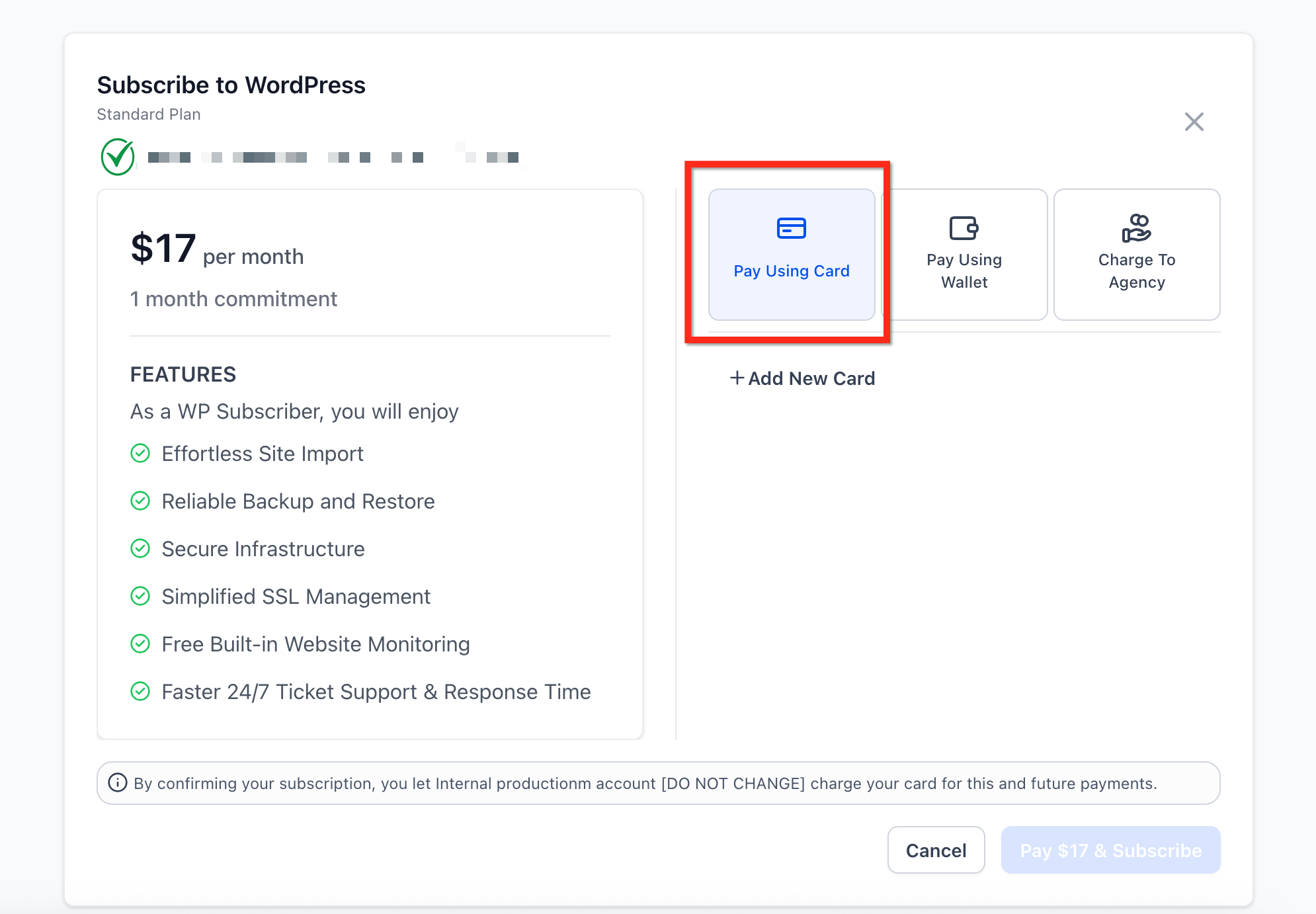
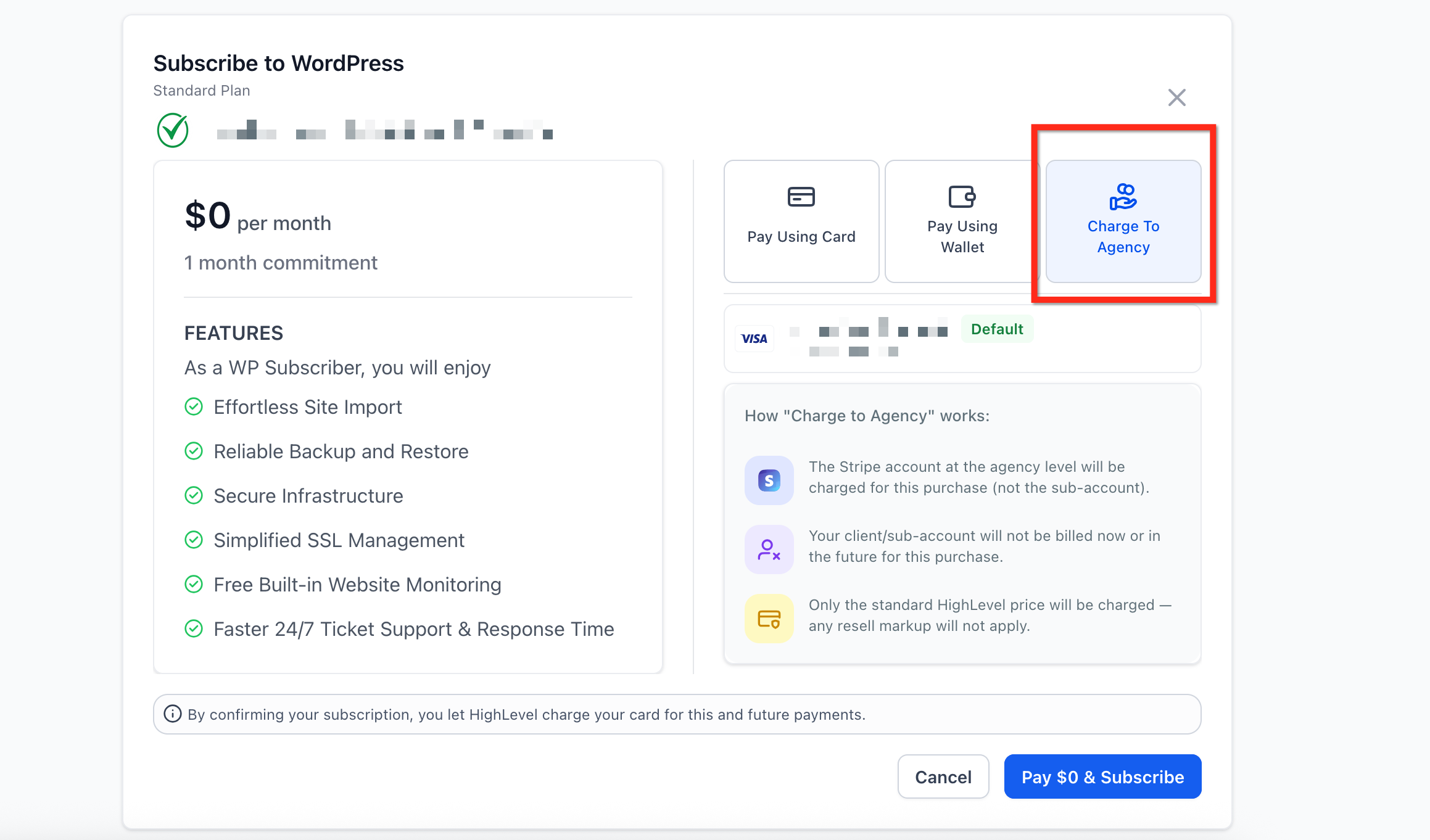
The feature adds a single payment interface that appears at every SaaS location, whether the account runs on version 1 or version 2. Users see only the options that match their role: agencies see Card, Wallet, and Agency Card buttons; locations see Card and Wallet buttons.
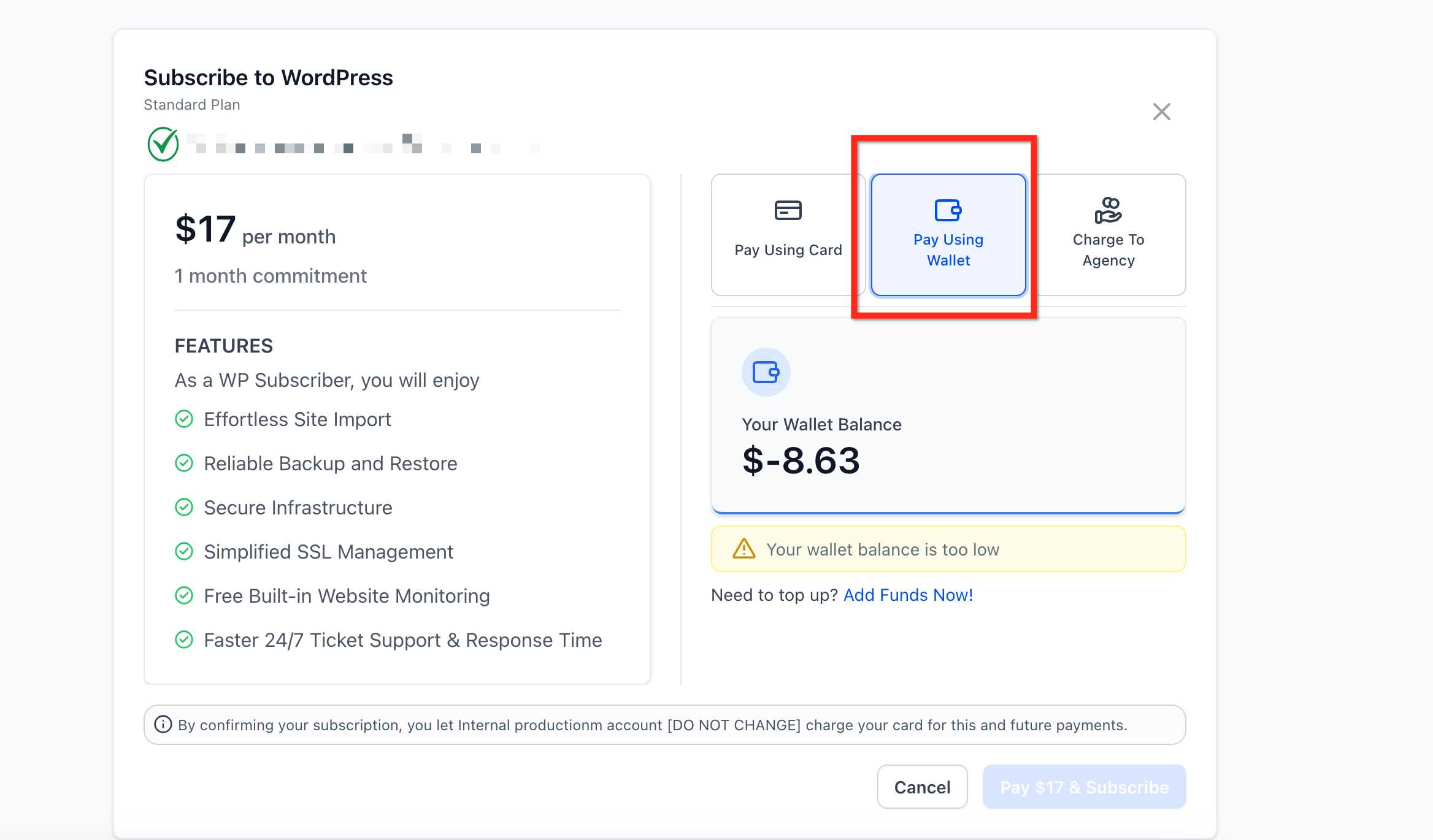
When a wallet balance falls below the threshold you set, the system automatically adds credits from the primary card stored under Settings > Billing. The agency card is billed directly to the agency and never shows on location invoices. All of these controls reside in the Billing area of the platform’s Settings.
03How businesses use unified payment options
- Digital marketing agency. The agency sets the primary payment card in Settings > Billing and enables the Agency Card option for its location subaccounts. When a location makes a purchase, the agency can choose to have the charge billed to the agency card while still offering the location its own wallet and card choices.
- SaaS product with multiple client locations. Each client location logs into its SaaS dashboard and sees only Pay using Card and Pay using Wallet options. The owner configures wallet auto reload thresholds so credits replenish automatically without manual intervention.
- Consulting firm with several office sites. The firm stores a credit card in Settings > Billing, activates wallet credits, and sets an auto reload threshold. Office users can pay for upgrades using wallet balance, and the system adds more credits when the balance drops below the chosen level.
04How to set up and use unified payment options in HighLevel
Adjust wallet auto reload threshold
- Open Settings in the HighLevel navigation.
- Select the Billing section.
- Open Wallets & Transactions and choose Auto Recharge to set the desired threshold.
05What it looks like in HighLevel
06Settings that matter
- Pay using Card. Charges the primary credit card saved under Settings > Billing for the current purchase.
- Pay using Wallet. Deducts the purchase amount from pre loaded wallet credits, triggering auto reload when the balance is low.
- Pay using Agency Card. Bills the agency’s card on file; this option appears only for agency level users.
- Auto Recharge. Defines the wallet balance level that automatically triggers a credit card charge to add more funds.
07Things to know before you rely on it
- Location users never see the Pay using Agency Card button, so they cannot select that option.
- The Agency Card option is visible only to agency level users.
08How it connects to the rest of HighLevel
- Billing related questions for agencies Billing FAQ
- HighLevel agency company settings: branding, domains, and AI tools Agency settings
- HighLevel pricing and plans Pricing
- Start a 30 day HighLevel trial Free trial
- The HighLevel Founder Plan Founder Plan
Michael's take

Wondering if you need a separate billing setup for each SaaS location? Unified Payment Options lets you keep one consistent checkout experience, whether you’re an agency managing many subaccounts or a single location.
If I were setting it up, I’d make sure the primary card and wallet autoreload are configured first, then let my team use the appropriate button. The agency card option stays invisible to clients, so there’s no risk of accidental charges.